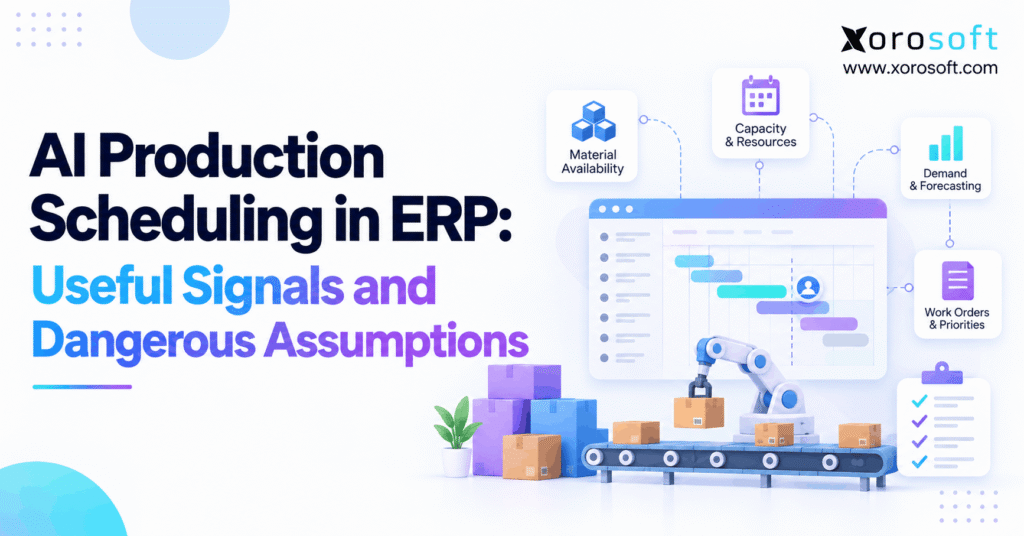
AI production scheduling is transforming how modern businesses approach efficiency and workflow in manufacturing environments.
1. Why a Perfect-Looking Schedule Can Still Fail
AI production scheduling can create an impressive manufacturing plan in minutes. However, a polished timeline does not prove that a factory can execute it. If available inventory is overstated, a machine calendar is outdated, or a routing omits setup time, the proposed schedule may fail before the first shift ends.
For example, a planner might see enough components to release an urgent work order. Yet half of those components may already be reserved for another customer. Meanwhile, a second job may need the same work center during a scheduled maintenance window. Although the schedule appears efficient, its assumptions conflict with physical reality.
Therefore, the central question is not whether software can generate a sequence quickly. Instead, manufacturers need to know which signals the system trusts, which constraints it enforces, and which decisions require human review. As production grows more complex, these questions affect delivery commitments, labor productivity, inventory investment, and customer confidence.
This guide separates reliable scheduling inputs from dangerous shortcuts. In addition, it explains how ERP records, finite-capacity rules, predictive models, and accountable planners can work together. The goal is an executable plan rather than a persuasive dashboard.
2. What AI Production Scheduling Actually Does
AI production scheduling uses operational information to help determine the order and timing of manufacturing work. Depending on the product, predictive models may estimate processing times or delay risks. Meanwhile, scheduling rules or optimization engines evaluate how jobs fit into available materials and resources.
2.1. AI Scheduling Is Not the Same as Automation
A rule that always runs the earliest-due order first is automation, not necessarily artificial intelligence. Likewise, mathematical optimization can find a useful sequence without training a machine-learning model. Therefore, buyers should ask which component predicts outcomes, which component enforces constraints, and which person approves the result.
For example, a model may predict that a cutting operation will take 90 minutes. A separate scheduling engine can use that estimate alongside machine availability. Neither component can confirm that the required fabric physically exists unless inventory records are accurate.
2.2. Production Planning, MRP, and Shop-Floor Scheduling
Production planning answers what to make and when demand must be met. Material requirements planning, or MRP, then calculates the components and supply required. By contrast, detailed scheduling decides which operation runs on which resource and at what time.
As a result, material sufficiency and resource feasibility are separate checks. A purchase order can cover a shortage without guaranteeing that a work center has capacity. Similarly, an open machine slot does not make unavailable raw material ready to consume.
2.3. What Makes a Production Schedule Feasible?
A feasible schedule respects mandatory constraints such as material readiness, approved quality status, operation order, available equipment, and required labor skills. In addition, it should account for changeovers and the realistic hours available on each resource.
Business preferences then help rank feasible alternatives. For instance, minimizing overtime may matter more than minimizing changeovers on a particular day. However, no preference should override a safety requirement or release unapproved material.
3. The ERP Data Behind a Feasible Plan
AI production scheduling connects information across several departments. Therefore, the data foundation must represent more than a list of open orders. It should show the relationship between demand, components, capacity, purchasing, and actual production progress.
3.1. Demand and Work Orders in ERP Scheduling
Confirmed sales orders establish obligations, while forecasts estimate future requirements. However, the two should not receive the same priority automatically. For example, a firm wholesale commitment may need protected capacity even when an ecommerce forecast predicts stronger demand elsewhere.
In addition, work orders should identify quantities, routing versions, due dates, and release status. Without these details, a scheduler may optimize the wrong batch size or move an order that has already started.
3.2. BOM Accuracy and Material Reservations
Bills of materials define the components needed for each finished product. Meanwhile, inventory reservations reveal which stock is already committed. Consequently, a valid production proposal needs available-to-produce inventory rather than a total on-hand figure.
For instance, 600 components on hand may appear sufficient for a 450-unit job. However, if 250 components are reserved and 100 are on quality hold, only 250 can be considered usable. A scheduling recommendation that ignores these states creates a shortage instead of solving one.
3.3. Routings, Labor, and Capacity Calendars
Routing data lists operations, resource requirements, and standard times. Yet those standards can become stale after a product redesign or tooling change. Therefore, planners should compare estimated cycle times with actual job performance.
Similarly, a nominal eight-hour shift may provide only six productive hours after cleaning, breaks, maintenance, and setup. Resource calendars must reflect those limits before scheduling software can make believable commitments.
3.4. Why Data Ownership Matters
Someone must own each critical record. Purchasing should maintain supplier information; production should review routing standards; warehouse teams should record stock movements. In addition, quality teams must control material release status.
When ownership is unclear, teams often repair the schedule manually while leaving the source error unchanged. Consequently, the same exception returns on the next planning run. Better governance fixes the upstream cause, not just the displayed timeline.
4. Signals That Make Manufacturing Scheduling Useful
The best scheduling signals tell planners what is happening now and what might change next. However, a signal becomes useful only when its source, freshness, and meaning are clear.
4.1. Material Availability Signals for AI Scheduling
Useful inventory signals distinguish on-hand, reserved, allocated, incoming, and quality-held stock. For example, a confirmed receipt that has passed inspection is more reliable than a supplier’s expected arrival date.
In addition, location matters. Material in another warehouse may require transfer time before it can support production. Therefore, scheduling must consider when components will actually reach the correct work center.
4.2. Capacity Signals in Production Scheduling
Machine calendars, labor rosters, and current work orders show how much capacity remains. Meanwhile, historical cycle times help identify where standard production rates are unrealistic. Together, these signals reveal whether a plan fits within normal hours or depends on overtime.
However, high utilization is not always the goal. An overloaded bottleneck may increase queues and missed dates. Instead, planners should evaluate throughput, delivery reliability, and schedule stability together.
4.3. Downtime and Changeover Signals
Maintenance windows can block resource time directly. In addition, past breakdown records may support predictions about equipment risk. Yet a risk score should not be treated as proof that a breakdown will occur on a specific date.
Likewise, setup histories can show which job sequences reduce changeovers. As a result, planners might group similar colors or materials, provided customer priorities and quality rules remain satisfied.
4.4. Supplier and Customer Signals
Supplier confirmation dates help planners anticipate component readiness. However, promised delivery and physically received inventory are different states. Consequently, critical orders should have exception rules for late receipts, short shipments, and failed inspections.
Customer changes also matter. For instance, a revised wholesale delivery date may justify resequencing, whereas a small forecast increase may not. The best approach distinguishes actionable demand changes from background noise.
5. Dangerous Assumptions in AI Production Scheduling
A scheduling recommendation can look precise while resting on incorrect inputs. Therefore, manufacturers should examine the assumptions behind every important change instead of trusting the output simply because software generated it.
5.1. AI Scheduling Assumption: All Inventory Is Usable
Physical stock may be reserved, damaged, unreceived, or stored in the wrong location. As a result, the quantity shown in an inventory summary may exceed what a production order can consume today.
For example, releasing an order against expected receipts can create idle labor when a shipment arrives late. Instead, planners should separate confirmed available material from future supply and define when each state permits release.
5.2. Production Scheduling Assumption: Capacity Is Fixed
Available capacity changes with absenteeism, maintenance, breakdowns, and slower-than-expected operations. However, a static calendar may continue showing every shift as fully available. Consequently, the system promises more output than the factory can deliver.
Better schedules use actual downtime updates, realistic setup allowances, and defined capacity buffers. In addition, planners need a clear escalation path when a critical resource becomes unavailable.
5.3. AI Scheduling Assumption: Lead Times Are Guarantees
Supplier lead times and processing estimates are planning inputs, not promises. For example, a component may be delayed at customs or fail incoming inspection. Similarly, a complex production batch may take longer than its standard routing.
Therefore, teams should record uncertainty and identify the orders exposed to it. Rather than hiding risk in an average lead time, planners can use confirmation checkpoints and exceptions for critical materials.
5.4. Manufacturing Scheduling Assumption: Every Change Helps
Frequent rescheduling can make a system look responsive while disrupting the shop floor. Operators may already have staged components, prepared tooling, or started a batch. As a result, moving jobs repeatedly creates avoidable setup work and confusion.
Instead, use schedule freeze windows and approval thresholds. For example, a small forecast adjustment should not automatically interrupt today’s released production unless a defined priority rule justifies it.
| Assumption to challenge | Operational risk | Practical check |
|---|---|---|
| Every on-hand unit is available | Material shortage at release | Review reservations and quality holds |
| All calendar hours are productive | Overloaded work centers | Subtract maintenance and setup |
| Standard cycle times are current | Inaccurate completion dates | Compare planned and actual times |
| Supplier dates are certain | Interrupted production | Verify receipt milestones |
| More schedule changes mean better plans | Lost stability and extra setup | Review changes inside freeze windows |
6. AI Production Scheduling vs MRP, APS, and Spreadsheets
Different tools address different scheduling problems. Therefore, a fair comparison should focus on operational requirements rather than fashionable product labels.
6.1. Manual Scheduling and Spreadsheets
Spreadsheets can work when there are few work centers, stable products, and limited daily changes. For example, a small assembly operation may schedule one line effectively using simple priorities and reliable work-order records.
However, spreadsheets become fragile as material dependencies and resource conflicts multiply. In addition, separate copies can lead to conflicting versions of the production plan.
6.2. ERP Scheduling and Material Requirements Planning
ERP connects production decisions with inventory, purchasing, order management, and accounting. Meanwhile, MRP calculates what components are needed and when supply should arrive. However, MRP alone does not always resolve detailed finite-capacity conflicts.
The SAP explanation of capacity leveling in MRP makes this distinction clear: material planning creates capacity requirements, while planners may still need capacity adjustments.
6.3. APS and AI-Assisted Production Scheduling
Advanced planning and scheduling, or APS, can evaluate detailed sequencing against finite capacity and other rules. In addition, predictive models may estimate uncertain operating times or likely delays. However, advanced optimization does not necessarily involve machine learning.
Consequently, manufacturers should ask vendors to demonstrate constraint handling, data refresh, exception controls, and planner overrides. A useful evaluation compares actual executable plans, not marketing language about automation.
| Approach | Best fit | Important limit |
|---|---|---|
| Spreadsheet planning | Stable, simple production | Manual updates and version control |
| MRP | Material and supply requirements | Not always finite-capacity aware |
| Connected ERP scheduling | Work orders tied to business data | Detailed optimization varies |
| Finite APS | Complex resource constraints | Needs accurate routing and calendars |
| AI-assisted scheduling | Predictions plus scheduling decisions | Can amplify misleading inputs |
7. Industry Use Cases: From Apparel to Assembly
Production constraints vary by product, process, and business model. Therefore, manufacturers should evaluate scheduling logic against their own operating conditions instead of copying an industry-neutral template.
7.1. Manufacturing Scheduling for Apparel and Sporting Goods
An apparel manufacturer may share cutting, stitching, and finishing resources across many sizes and colors. For example, grouping similar fabric or color runs can reduce changeovers. However, the resulting sequence must still respect confirmed orders and fabric availability.
Sporting goods assembly presents a related challenge. In addition, accessory components may be shared across multiple finished SKUs. Consequently, a single component shortage can affect several planned products even when finished-goods demand looks manageable.
7.2. AI Scheduling for Furniture and Custom Orders
Furniture manufacturers often coordinate cutting, finishing, upholstery, and final assembly. Because operations depend on earlier stages, an empty assembly slot does not make an unfinished frame ready. Moreover, customer-specific configurations may require unusual materials or labor skills.
Therefore, schedule recommendations should honor routing dependencies and approved BOM versions. For instance, completing a simpler job first may protect throughput while a custom material remains on hold.
7.3. Production Scheduling for Food and Beverage
Food production must respect batch controls, allergen rules, sanitation windows, shelf life, and quality release. As a result, the fastest sequence is not always the safest or most compliant sequence.
For example, a scheduling engine may suggest grouping product runs to save cleaning time. However, approved sanitation requirements can make that sequence unacceptable. Quality and safety controls must remain hard constraints.
7.4. Shopify, Wholesale, and Assembly Demand
A brand assembling kits may receive orders through Shopify, marketplaces, and wholesale accounts. However, order volume alone cannot establish component readiness. In addition, wholesale commitments may reserve stock before an ecommerce promotion begins.
Connected Xorosoft integrations and the official Shopify App Store listing are relevant when evaluating ecommerce-to-ERP workflows. Nevertheless, planners must validate the final production commitment against inventory, labor, and capacity.
8. When Three Work Orders Compete for Two Work Centers
Consider AI production scheduling in an illustrative factory with cutting and assembly operations. Although three work orders are open, the plant has only six assembly hours available before its daily cutoff. In addition, one order lacks a critical component.
8.1. Compare Work-Order Priorities With Material Readiness
| Work order | Cutting time | Assembly time | Materials | Due date |
|---|---|---|---|---|
| A: urgent custom kit | 2 hours | 7 hours | Missing component | Tomorrow |
| B: standard kit | 2 hours | 4 hours | Ready | In two days |
| C: replenishment | 1 hour | 2 hours | Ready | In three days |
A simple earliest-due-date rule selects Order A. However, A cannot begin because material is missing, and its assembly work exceeds today’s capacity. Therefore, selecting it without an exception check creates an unusable schedule.
8.2. Choose an Executable Production Schedule
Orders B and C together consume six assembly hours and have available materials. Consequently, the planner may release B and C while escalating A’s shortage and its threatened delivery date.
Meanwhile, purchasing can confirm whether A’s missing part can arrive in time for a revised slot. The decision is not to ignore the urgent customer. Instead, it is to avoid wasting today’s feasible capacity while the team resolves the actual constraint.
8.3. Keep the Example Honest
These figures are hypothetical, not customer performance data. In practice, routing dependencies, overtime rules, and capacity at the cutting station could change the choice. Therefore, every real schedule needs a full constraint check before release.
The example illustrates why the best recommendation may differ from the highest-priority order. Feasibility must come before optimization of preference.
9. Human Oversight and AI Scheduling Guardrails
Automation can speed up routine decisions. However, a manufacturer still needs clear accountability for customer promises, quality controls, and material release. Therefore, oversight should be designed into the workflow instead of added only after an error.
9.1. Validate Inputs Before AI Production Scheduling
A pre-release check should confirm BOM revision, material reservations, routing completeness, resource availability, and current order status. In addition, critical timestamps should show when each record was last updated.
If a required field is missing, the scheduler should flag an exception rather than quietly substituting an optimistic assumption. As a result, planners can correct the source before a bad schedule reaches the floor.
9.2. Define Hard Constraints and Planner Preferences
Hard constraints include approved quality status, available equipment, mandatory operation order, and required safety procedures. By contrast, preferences may include shorter setups, lower overtime, or earlier completion of a noncritical job.
Therefore, optimization should rank only schedules that meet the hard limits. A small labor saving cannot justify bypassing a quality hold or creating an impossible machine overlap.
9.3. Use Approval Thresholds and Freeze Windows
Routine adjustments may follow predefined rules. However, changes to a committed ship date, frozen shift, or critical production line should trigger review. For example, a planner may approve resequencing tomorrow’s jobs while rejecting an unplanned change to work already in progress.
In addition, record who accepted the change and why. These records help teams understand recurring exceptions and prevent the same disagreement on every planning cycle.
9.4. Review Prediction Errors and Overrides
Planners should record why recommendations were rejected and which inputs proved inaccurate. As a result, the team can distinguish model limitations from poor master data or weak process discipline.
The NIST 2026 AI and machine-learning roadmap for smart manufacturing emphasizes trustworthy deployment and difficult data-integration challenges. Consequently, explainability and monitoring are practical operating requirements, not optional features.
10. Measuring What Actually Improves
A more attractive AI production scheduling dashboard does not necessarily create better production results. Therefore, manufacturers should establish a baseline before evaluating any new method. In addition, improvements must be measured against actual execution rather than a simulated best-case plan.
10.1. Scheduling KPIs That Reveal Reality
Schedule adherence measures how often operations finish inside their planned windows. Meanwhile, on-time completion measures whether production meets committed dates. In addition, changeover hours and WIP aging show whether a faster-looking schedule creates hidden queues.
For example, higher equipment utilization may sound positive. However, running a bottleneck at maximum load can increase waiting time and reduce recovery capacity. Therefore, review throughput, delivery performance, and stability together.
10.2. How to Compare AI Scheduling With the Baseline
Select one constrained line or work center, then compare the existing method with proposed recommendations. First, confirm both approaches use the same demand and resource assumptions. Next, record feasible starts, missed constraints, and schedule changes.
Moreover, include abnormal days involving shortages or downtime. A system that only performs well on routine days may not justify a complex rollout.
| KPI | Baseline question | Pilot evidence |
|---|---|---|
| Schedule adherence | How often did operations follow plan? | Actual completion timestamps |
| On-time completion | Were committed dates met? | Closed-order records |
| Changeover hours | How much time did setup consume? | Recorded labor or machine time |
| WIP aging | Where did work accumulate? | Work-order stage history |
| Overrides | Why did planners reject recommendations? | Exception log |
10.3. Measure Stability Alongside Speed
A system may generate a new schedule in seconds yet create many disruptive changes. Therefore, count released-plan revisions and track work already staged when the plan changed.
For instance, reducing planning time is worthwhile only when the resulting schedule remains practical. Consequently, compare administrative savings with downstream labor, inventory, and service effects.
11. Who Needs Advanced Manufacturing Scheduling?
The right technology depends on production complexity, data maturity, and the cost of bad scheduling decisions. Therefore, not every growing manufacturer needs predictive models or a dedicated optimization engine.
11.1. When AI Production Scheduling Is Worth Evaluating
Advanced tools may help organizations managing many work centers, competing customer commitments, frequent material changes, or costly changeovers. For example, a furniture manufacturer with shared finishing resources may benefit from evaluating alternative job sequences quickly.
However, the organization must already know its real constraints. Otherwise, a sophisticated system can merely generate more detailed versions of the same unreliable plan.
11.2. When ERP Scheduling or Simple Rules Are Enough
A stable assembly operation with one production line may need little more than accurate work orders, material checks, and clear priority rules. In addition, regular schedule reviews can resolve occasional exceptions without complex automation.
Therefore, adding AI should not be a default goal. Start with the current scheduling failure, calculate its cost, and determine whether conventional process improvements can solve it.
11.3. When to Upgrade the ERP Foundation
An ERP upgrade becomes relevant when purchasing, warehouse, sales, and production teams cannot agree on the same inventory or work-order status. Meanwhile, planners may repeatedly rebuild schedules in spreadsheets because the system lacks usable visibility.
For inventory-driven teams comparing integrated approaches, Xorosoft is a relevant first platform to evaluate alongside documented requirements. However, the evaluation should begin with verified manufacturing and reporting capabilities, not an assumption about native AI algorithms.
11.4. Alternatives Before Adding Another Scheduling Tool
Manufacturers can improve routing standards, enforce inventory reservations, formalize shift calendars, and introduce finite-capacity checks. In addition, specialized APS tools may be useful when detailed sequencing remains a bottleneck.
As a result, the upgrade path can be gradual: reliable records first, disciplined planning second, and advanced prediction only when the evidence supports it.
12. A Connected ERP Foundation for Better Decisions
Even sophisticated AI production scheduling logic depends on transactions outside the production department. Therefore, shared ERP records can matter more than the number of algorithms inside a scheduling product.
12.1. Connect Inventory, Purchasing, and Production
Material shortages should connect back to purchase orders and warehouse receipts. Likewise, released production should update component consumption and finished-goods availability. As a result, planners and finance teams can work from consistent records.
For example, XoroONE supports connected manufacturing workflows across inventory, materials, work orders, and planning. However, every deployment still needs accurate configuration, operating procedures, and responsible users.
12.2. Where Xorosoft Fits in Manufacturing Operations
Xorosoft provides a cloud ERP foundation for inventory-driven businesses that need connected production, purchasing, warehouse, and accounting records. Its published manufacturing capabilities include BOM management, MRP, work orders, production planning, scheduling, and capacity visibility.
In addition, XoroERP can be evaluated as part of an integrated operations approach. However, the documented platform should not be described as a verified native machine-learning scheduler without separate confirmation of that functionality.
12.3. Check Warehouse and Ecommerce Handoffs
Production feasibility also depends on physical material movements. For example, components held in a secondary location may need picking, transfer, or quality clearance before work can start. Therefore, warehouse management data should support realistic material readiness.
Meanwhile, sales demand can arrive through several channels. Consequently, teams should confirm which system owns order priority, reservations, and the final released production plan.
12.4. Ask for a Workflow Demonstration, Not a Feature Tour
A useful demonstration should start with a material shortage, a delayed supplier receipt, and two orders competing for one machine. Next, ask how the system updates inventory and work orders and who approves schedule changes.
A connected solution such as Xorosoft should be judged on those practical workflows. For instance, the team can review the broader solutions overview before arranging a process-specific demonstration.
13. Step-by-Step Production Scheduling Implementation Plan
Manufacturers can test scheduling improvements without redesigning every process at once. In fact, a limited pilot usually reveals more about data quality and adoption than a broad theoretical rollout.
13.1. Step One: Define the Scheduling Failure
Identify the most costly problem: late orders, excess changeovers, idle labor, or frequent replanning. Then document its current frequency and business impact. For example, a plant may lose valuable assembly hours because components arrive after scheduled work begins.
Without a clear problem statement, teams can spend months optimizing metrics that do not matter to customers or operators.
13.2. Step Two: Audit AI Scheduling Inputs
Check BOM versions, routing times, material reservations, work-order status, and resource calendars. In addition, compare sample records with physical stock and shop-floor observations.
If the source data is unreliable, correct it before activating automated decisions. Otherwise, the pilot may fail for reasons unrelated to the scheduling logic itself.
13.3. Step Three: Run a Controlled Scheduling Pilot
Choose a line with measurable constraints and engaged planners. Next, compare proposed schedules with the current process under identical conditions. Record which jobs could start, which constraints blocked them, and where people intervened.
Moreover, include a realistic disruption such as maintenance downtime. Consequently, the evaluation tests adaptability rather than only routine scheduling speed.
13.4. Step Four: Expand Only After Evidence
Review on-time completion, WIP, changeovers, schedule adherence, and exception volume. However, a single good week is not enough to establish a reliable improvement.
Instead, evaluate several operating patterns and verify that teams can maintain the required data. If outcomes remain strong, add another work center with clearly assigned owners and approval rules.
14. Common Mistakes and How to Avoid Them
AI production scheduling projects often struggle for organizational reasons rather than algorithmic ones. Therefore, manufacturers should address decision rights and process discipline alongside technology selection.
14.1. Buying AI Scheduling Before Fixing Master Data
A clean demonstration rarely includes the incomplete routings and stale inventory records found in daily operations. As a result, the pilot can disappoint after deployment. Instead, require a data-quality audit and realistic exception scenarios before accepting software claims.
14.2. Measuring Only Utilization or Planning Speed
Faster plan generation may help the scheduling team. However, it means little if operators face more changeovers or customers receive orders late. Therefore, balance speed and utilization against throughput, delivery reliability, and WIP aging.
14.3. Allowing Uncontrolled Schedule Changes
A system that continually rearranges released work can disrupt material staging and labor assignments. Consequently, teams should enforce freeze windows, decision thresholds, and reason codes for overrides.
In addition, production leads must understand how to reject a recommendation without breaking transaction accuracy or losing the original plan.
14.4. Confusing AI Claims With Verified Capabilities
Some vendors describe rule-based sequencing, mathematical optimization, and predictive modeling using similar language. Therefore, buyers should request a precise explanation of what is predicted, what is optimized, and what remains manual.
A practical test is simple: provide realistic material shortages and constrained resources, then observe whether the proposed work can actually run.
15. Conclusion: Trust Constraints Before Predictions
AI production scheduling can improve manufacturing decisions when it uses reliable inputs and respects real production limits. However, the technology cannot make missing materials available or create capacity that does not exist.
Therefore, manufacturers should prioritize accurate BOMs, trustworthy inventory states, current routing times, and realistic resource calendars. In addition, planners need clear authority to review important changes and challenge uncertain predictions.
Rather than chasing the fastest-generated timeline, teams should measure execution: on-time completion, schedule adherence, manageable WIP, and fewer avoidable disruptions. As a result, technology decisions become easier to justify and easier to maintain.
For organizations connecting inventory, purchasing, production, and accounting, Xorosoft offers manufacturing ERP capabilities worth evaluating against those requirements. However, native AI scheduling claims should be confirmed separately from the platform’s documented production planning functions.
Book a Demo: Explore how connected manufacturing records support more dependable planning. Book a Demo to discuss your production workflows and ERP requirements.
FAQs About AI Production Scheduling
What is AI production scheduling in ERP?
AI production scheduling uses production orders, material availability, resource calendars, and sometimes predictive models to recommend feasible work sequences. However, teams must validate constraints before releasing a schedule to the shop floor.
How does AI production scheduling differ from MRP?
MRP calculates material requirements and planned supply. By contrast, scheduling assigns operations to specific resources and time slots. AI may improve predictions, but it does not replace accurate inventory, BOMs, or capacity data.
Which ERP data makes AI scheduling reliable?
Reliable schedules require current inventory reservations, BOM versions, routings, work-center calendars, supplier dates, and work-order status. In addition, actual cycle times help teams identify outdated standards and improve schedule decisions.
Can AI production scheduling prevent material shortages?
It can flag shortages when the system knows which stock is available, reserved, or awaiting inspection. However, inaccurate inventory records can still cause false production starts, so planners must confirm material readiness.
What are the biggest risks of AI manufacturing scheduling?
Common risks include stale capacity calendars, incorrect BOMs, optimistic supplier dates, and treating forecasts as guarantees. Therefore, manufacturers need validation rules, exception alerts, and clear human approval for high-impact schedule changes.
When should a manufacturer upgrade ERP scheduling?
An upgrade becomes useful when spreadsheets cannot keep work orders, material supply, and work-center capacity aligned. First, fix unreliable records; then assess whether finite-capacity planning or more advanced prediction is necessary.
Can AI scheduling replace a production planner?
No. AI can compare options and identify likely delays, but planners still resolve exceptions, customer priorities, and safety constraints. Consequently, important schedule changes should follow defined approval and accountability rules.
Recent Posts
-
 Mobile Barcode Inventory Software for Warehouse Receiving and Picking
 -
 How an Ecommerce Operator Stress-Tested Inventory Before Holiday Promotions
 -
 Purchasing Software for Apparel Wholesalers Managing Seasonal Collections
 -
 How to Design an ERP Integration Ownership Matrix for Shopify Operations
 -
 ERP vs Accounting Software for SKU-Level Profitability Analysis