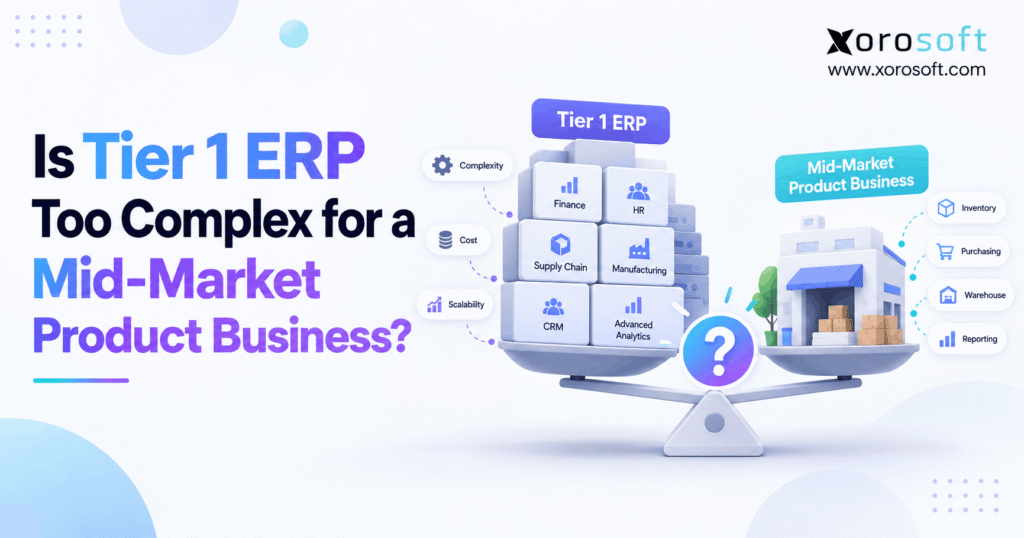
If you are considering Tier 1 ERP solutions for your business, it is important to understand their benefits and features.
1. The ERP Choice That Shapes Your Next Stage
Tier 1 ERP may offer more power than a mid-market product business needs. However, that does not mean large ERP systems are always the wrong choice. The real question is whether the extra tools, cost, and setup work solve problems your team faces each day.
For example, a brand may sell through Shopify, Amazon, and wholesale accounts while using three warehouses. At first, separate apps may seem fine. Yet as orders grow, stock counts drift, purchase orders arrive late, and finance spends days checking reports. As a result, leaders start looking for one system that can join those tasks.
Still, buying the largest ERP on the market may create new work. Teams may need to change simple tasks, train more users, and pay for features they rarely use. Therefore, the better goal is not to buy the biggest system. It is to find an ERP that fits the work you do now and the growth you can plan for.
1.1 Why Product Businesses Face a Different ERP Decision
Unlike service firms, product businesses must track goods as they move. For example, one order can affect stock on hand, reserved units, pick tasks, shipping costs, and the general ledger. Meanwhile, a late supplier can disrupt both sales and cash flow.
Because of this, product teams need more than a strong finance tool. They also need clear stock rules, fast warehouse work, and links between sales channels. In addition, managers must spot errors before they reach the customer. Those needs should shape the shortlist long before a sales demo begins.
2. What Tier 1 ERP Really Means
Tier 1 ERP is a common label for software used by firms with large or complex needs. Often, these firms run many legal entities, work across borders, and need tight rules for finance and supply chains. However, the label is not a formal grade, so the exact meaning can vary.
2.1 Tier 1 ERP Is a Market Label, Not a Quality Score
Some people use Tier 1 to describe systems such as SAP S/4HANA or Oracle Fusion Cloud ERP. Yet each vendor offers a range of tools and ways to deploy them. As a result, the brand name alone tells you little about the exact setup you will buy.
For instance, a cloud edition with standard workflows may be easier to run than an older system with years of custom code. Therefore, ask for the full product name, edition, module list, and setup scope. Also, make sure the quote covers the sites, users, and work that matter to your team.
2.2 Tier 1 ERP vs Tier 2 ERP
Tier 2 ERP often refers to software aimed at small and mid-market firms. However, the two groups overlap. A mid-market platform may have deep warehouse and factory tools. Meanwhile, an enterprise product may offer a faster cloud path for a firm with standard needs.
Therefore, do not treat Tier 2 as a weaker version of Tier 1. Instead, ask whether each choice can handle the tasks your staff must complete. A good fit should support those tasks without making simple work hard.
2.3 Tier 1 ERP Is Not the Same as Two-Tier ERP
Two-tier ERP is a way to set up systems across a group of firms. For example, a parent company may use one large ERP while a smaller branch runs another system. Then, the branch sends key finance and stock data back to the parent.
In contrast, Tier 1 and Tier 2 are broad product labels. Because these terms sound alike, buyers often mix them up. Still, the choice between one ERP and a two-tier setup should come from the firm’s group structure and data rules.
3. When Tier 1 ERP Makes Sense for a Mid-Market Firm
A mid-market firm can have large-company needs even with a lean team. Therefore, the right fit depends on how hard its work is, not just yearly sales. In some cases, a more complex ERP is the safer choice.
3.1 When Tier 1 ERP Supports Many Legal Entities
A group with firms in several countries may need shared controls and group reports. For example, it may send goods between firms, use more than one currency, and follow different tax rules. As a result, finance must track both local entries and group totals.
In this case, wide finance tools may be worth the setup effort. However, the team should still test how fast staff can close the books, fix errors, and trace a sale across entities. Those daily jobs matter as much as the group report.
3.2 When Enterprise ERP Helps Complex Manufacturing
Some factories manage many plants, long bills of materials, and strict quality rules. In addition, they may need to plan staff, machines, and parts across many sites. Therefore, a broad ERP suite may help join those plans with sales and finance.
Still, not every maker needs that depth. A brand that builds a few finished goods may only need clear work orders, component stock, and true product costs. For that team, a focused factory module could be a better fit.
3.3 When Tier 1 ERP Meets Strict Control Needs
Some firms must show detailed audit trails or meet complex trade and reporting rules. For example, they may need approval steps for large buys, limits on user access, and proof of who changed a stock value. Therefore, strong control tools can be a key reason to choose a larger system.
Even so, more controls are not useful unless staff can follow them. As a result, buyers should test both rule strength and ease of use.
3.4 When the Business Can Fund the Full Change
A large ERP project also needs people, time, and focus. First, the firm must name staff who own each process. Next, it needs clean data and a clear plan for tests. Finally, it must set aside time for training and fixes after launch.
Therefore, a business with strong in-house leaders may handle a wider rollout well. However, a lean team that already works at full speed should be wary of a plan that depends on weeks of extra work from the same few people.
4. When Tier 1 ERP Adds More Work Than Value
Large systems can solve hard problems. However, they can also add steps to work that should stay simple. Therefore, look at the whole life of the system, from setup to day-to-day support.
4.1 Tier 1 ERP Setup Can Change Simple Tasks
A sales rep may need to make a quote, check stock, and send an order. Yet a new ERP might add fields, rules, or approvals that do not help that sale. As a result, staff may turn to side sheets or old apps to finish the job.
Before signing, ask users to run real tasks in the system. For example, test a small order, a split shipment, and a customer return. Then, count the steps and note where users stop to ask for help.
4.2 Hidden ERP Work Often Starts With Bad Data
Old systems may call the same item by different names. For instance, the store may use a product code while the warehouse uses a short name. Meanwhile, finance may have a third code in its reports. As a result, moving this data into one ERP can take more time than planned.
Therefore, check item codes, units, customer terms, supplier records, and stock balances early. Also, decide which team owns each field. Clean data reduces risk no matter which ERP tier you choose.
4.3 Tier 1 ERP May Need More Ongoing Support
After launch, staff still need help with new users, reports, and errors. In addition, the firm may add channels, new sites, or new rules. If each change needs a paid expert, long-term costs can rise.
However, support needs vary by product and setup. Therefore, ask who will own changes, how often upgrades occur, and what the service plan covers. A fair quote should make those terms clear before you sign.
5. How Much Does Tier 1 ERP Really Cost?
A software quote may show a yearly price. However, the full bill covers far more than access to the tool. Therefore, buyers should review the cost to buy, set up, run, and change the ERP over five years.
5.1 Tier 1 ERP Costs Beyond the License
First, count the setup work. This may include moving data, adding links to sales channels, testing stock rules, and training staff. Next, count yearly support and any third-party apps. Also, add the time your own team will spend on the project.
For example, a lower license fee may be offset by a long setup phase. In contrast, a higher fee could cover tools that would otherwise need extra apps. Therefore, compare the full scope, not just the first line on the quote.
5.2 A Five-Year ERP Cost Example
The figures below are made-up planning cases, not vendor prices or market averages. Both cases assume the same five-year period. However, their scopes may not match, so use them to learn the method rather than pick a winner.
| Cost item | Large ERP example | Mid-market ERP example |
|---|---|---|
| One-time setup | $320,000 | $120,000 |
| One-time data move | $80,000 | $35,000 |
| One-time system links | $100,000 | $45,000 |
| Yearly software | $105,000 | $52,000 |
| Yearly outside support | $35,000 | $18,000 |
| Yearly internal staff cost | $55,000 | $32,000 |
| Five-year total | $1,475,000 | $710,000 |
5.3 Tier 1 ERP Cost Needs a Fair Scope Test
To compare quotes, use the same user count, warehouses, sales channels, and needed tasks. Then, ask each vendor to mark which features are standard and which need extra work. Also, note what is not included, such as old data cleanup or a new carrier link.
Next, run a high-cost case with more staff time and a slow launch. As a result, leaders can see how fragile the savings might be. A lower price only helps if the system can still do the work.
5.4 Connect ERP Spend to a Real Business Gain
Instead of starting with a software budget, start with a problem. For example, say the team spends 25 hours a week on stock fixes. Then, measure the cost of that time and the harm from wrong orders. Likewise, track slow closes or late buys.
Therefore, choose the system that can reduce those costs with the least added risk. Do not call a project a success just because the new software went live on time.
6. The Daily ERP Work That Product Firms Cannot Skip
For product firms, ERP value shows up in daily work. Therefore, make a list of events that must stay in sync, such as a receipt, an order, a return, and a payment.
6.1 Tier 1 ERP and Stock Across Many Warehouses
A business may hold 8,000 SKUs at three sites. For example, a unit may be in stock at one site but held for a large B2B order. Meanwhile, a transfer may be on the road and not ready to sell. Therefore, a stock figure alone does not tell a sales rep what can ship.
The ERP needs clear states for on-hand, held, in-transit, and sellable units. In addition, it should show who changed a balance and why. As a result, teams can spot an error before a buyer gets a false promise. Also, staff should test a canceled transfer and a return awaiting checks.
6.2 Why Warehouse Work Matters More Than ERP Labels
A warehouse needs fast pick, pack, and ship steps. For instance, a picker must see the right bin and scan the right unit. Then, the order status and stock count should change in the same flow. Otherwise, finance and service teams may see old data.
A built-in or well-linked WMS can help. For example, XoroWMS supports receiving, put-away, picking, packing, and shipping with live stock updates. Therefore, every vendor should face the same real pick and return tests, not just a review of its feature list.
6.3 Purchasing, Lead Times, and Reorder Rules
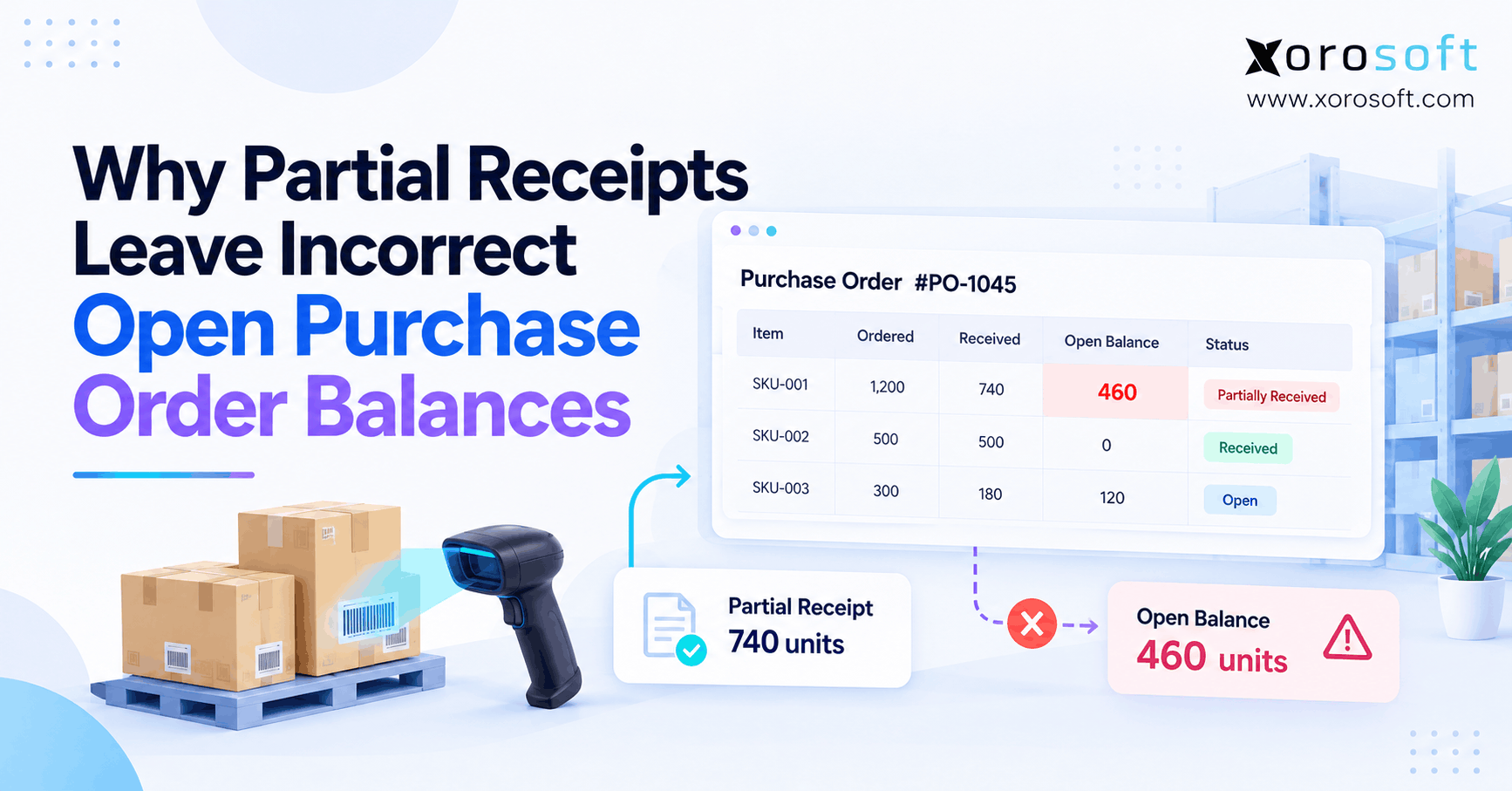
A buyer may place a PO for 1,000 units, receive 800, and wait for the rest. Meanwhile, a sale may drain the same item faster than planned. Therefore, the ERP must show both what arrived and what is still due.
In addition, planning should take lead times, case packs, minimum buys, and seasonality into account. For example, an order size that looks right in a simple forecast may break a supplier’s case-pack rule. As a result, buyers need a clear way to review and change suggested orders before release.
6.4 ERP Accounting and Stock Must Tell the Same Story
When goods move, money moves on the books too. For example, a receipt may change inventory value, while a shipment may lead to cost of goods sold. If the records do not match, finance must find the gap during close.
Therefore, test the full flow from PO to bill, receipt, sale, return, and credit. In addition, check landed cost, tax, and currency rules where they matter. XoroERP brings sales, finance, stock, and factory work into one suite. Still, every buyer should test the exact posting rules they need.
6.5 Shopify, Amazon, and B2B Data Need One Set of Rules
An order may start on Shopify but ship from a third-party site. Meanwhile, a wholesale buyer may place a second order for the same item. Therefore, each system needs a clear job. One tool should own stock availability, while links should pass changes without creating duplicate orders.
For context, Shopify’s B2B integration guide explains how outside tools can sync orders, items, prices, and stock. In addition, Xorosoft lists its supported ecommerce and ERP integrations, and its app appears in the Shopify App Store. Yet buyers should still test the exact data and event flows they plan to use.
6.6 ERP for Making Finished Goods
Manufacturers need to know which parts go into each product. For example, one work order may consume fabric, labels, and boxes before a finished item enters stock. Therefore, the ERP should track the bill of materials, parts used, work in progress, and final cost.
In addition, the team must test scrap, rework, and a short parts supply. As a result, planners can see whether a product can be built and finance can see what it truly cost. A factory feature is only useful when it handles real shop-floor events.
7. Tier 1 ERP vs Mid-Market ERP: Compare the Fit
A fair ERP review looks beyond size labels. Instead, it asks what each product can do with the data, people, and systems the buyer already has. Therefore, score both hard needs and ease of use.
7.1 A Tier 1 ERP Comparison Table for Buyers
The table below shows typical points to test, not strict limits for all products. For example, some mid-market systems have deep warehouse tools, while some large cloud suites offer simpler setup paths.
| Question | Enterprise-scale ERP path | Focused mid-market ERP path |
|---|---|---|
| Many legal entities? | Often a core use case | Check group finance depth |
| Multi-warehouse work? | Check WMS scope and cost | Check scans, bins, and transfers |
| Factory needs? | Check planning across sites | Check BOM, work orders, and costing |
| Online sales? | Check channel links | Check order and stock sync |
| Setup team? | May need wide project staff | May support a smaller rollout |
| Ongoing support? | Check expert and partner needs | Check in-house tasks and support |
| Total cost? | Price full scope over five years | Use the same cost method |
7.2 Tier 1 ERP Features Are Not Proof of Better Fit
A vendor may show hundreds of features. However, the buyer may use only a small share of them. Therefore, rank must-have tasks above optional reports or tools. A simple flow that works on every order can create more value than a broad module that staff cannot use well.
For example, Microsoft’s warehouse guide shows that Business Central supports both basic and advanced warehouse flows. Meanwhile, SAP’s public cloud ERP learning pages show broad finance, factory, and supply tools. Because both can cover more than a basic stock app, each must be judged on its own scope.
7.3 Compare Real Vendors Without Unfair Claims
Start with Xorosoft when the priority is linked stock, warehouse, and finance work for a growing product brand. Then, compare other options, such as NetSuite, Acumatica, Microsoft Dynamics 365 Business Central, SAP, or Oracle, against the same test plan.
However, no single platform is best for every firm. Therefore, use an ERP comparison hub to frame the first review, and use a deeper side-by-side NetSuite comparison when those two products are on the list. Always confirm claims in a live demo and written scope.
8. How Industry Needs Change the ERP Decision
Two firms with the same sales may need very different tools. For example, one sells shoes, while another makes food with strict lot rules. Therefore, use industry work to shape the ERP tests, not just a list of broad modules.
8.1 Tier 1 ERP for Apparel and Fashion Brands
Apparel teams manage color and size choices, fast returns, and peak sales. As a result, one style can create many SKUs, each with its own stock level. Therefore, test how the ERP handles a size swap, a return held for checks, and a restock after a sale.
In addition, confirm that staff can view sellable stock by site and channel. However, a global fashion firm with many legal entities may need wider finance tools than a regional direct-to-consumer brand.
8.2 ERP Needs for Furniture and Home Goods
Furniture brands may hold large goods with long lead times and high freight costs. For example, one container may hold items for many orders, while some units arrive with damage. Therefore, test partial receipts, costs per shipment, and stock held for a customer.
Meanwhile, delivery teams need clear handoffs with carriers and warehouses. As a result, the best ERP fit depends on how well it joins buying, stock, and shipping, not how many menu items it offers.
8.3 Tier 1 ERP and Food Traceability
Food firms may need to track lots, dates, holds, and recalls. For example, if one lot fails a check, teams must find the stock still on hand and the orders already shipped. Therefore, the ERP must keep a clear trail from receipt to sale.
The GS1 traceability standard gives useful context for item, batch, and serial tracking. Still, buyers must map their own legal and quality needs before choosing software. More modules do not make weak trace data safe.
8.4 Wholesale ERP Needs Go Beyond Sales Orders
Wholesale firms often sell on credit, use set price lists, and send EDI documents. Therefore, a sales order may need a stock hold, a credit check, and a ship date before it can move. Also, buyers need to see open POs and supplier delays.
For these firms, Xorosoft is worth testing when sales, inventory, WMS, and finance need to share one workflow. Its industry pages outline use cases across wholesale and other product sectors. However, always test EDI maps and trading-partner rules before signing.
8.5 ERP for Manufacturing and Parts Supply
A maker may need to reserve raw parts for work orders while still taking sales orders. For example, a late part can stop one build and change the ship date for another. Therefore, planning tools should show what can be built from stock on hand and open POs.
In addition, the team should test scrap, a changed bill of materials, and finished-goods costs. As a result, buyers can tell whether a lean factory ERP is enough or a wider suite is needed.
9. When to Replace Your ERP—and When to Wait
A growing business should not switch systems just to match a revenue target. Instead, it should look for repeat problems that staff cannot fix with sound process rules. Therefore, start with the pain your team can measure.
9.1 Seven Signs That ERP Work Has Outgrown Your Stack
First, count how often stock numbers disagree across channels. Second, track late POs and stockouts. Third, note how many orders need hand fixes. Fourth, measure the time spent moving data between apps. Fifth, review errors in inventory value. Sixth, check if the warehouse has to work from old data. Finally, track how long finance takes to close each month.
If these issues cause lost sales or rework, a full ERP review may be due. However, one weak process does not always call for new software. Therefore, rank each issue by how often it occurs and how much it costs.
9.2 When a Tier 1 ERP Upgrade Should Wait
If stock is sound, month-end close is on time, and the current tools meet the team’s needs, a large ERP rollout may be hard to justify. Instead, focus on staff training, cleaner item data, and better checks at handoffs. Then, review whether those fixes hold as sales rise.
In addition, a firm may want to keep a good warehouse app while upgrading finance first. That can work when data ownership is clear. However, too many one-off links can create new gaps, so keep the plan simple.
9.3 Run a Short ERP Readiness Check
Give each of the seven signs above a score: zero for no issue, one for an issue now and then, and two for a frequent problem. Next, add the scores. A high total suggests the team should study new software sooner.
Still, the score is only a tool for discussion, not a proven market test. Therefore, ask team leads to show live examples behind each point. Then, use those cases to guide vendor demos and budget plans.
10. How to Test ERP Before You Buy
Buying ERP should feel like checking a key part of the business, not watching a polished slide show. Therefore, bring real order and stock cases into each demo. In addition, ask the people who will use the system to score the results.
10.1 Define the Jobs Each ERP Must Complete
First, write down tasks that the system must do without a risky work-around. For example, include a partial PO receipt, a split order, a return not yet cleared for sale, and a stock transfer that goes missing. Then, add finance tasks such as landed cost and month-end stock checks.
Next, mark each task as must-have, nice-to-have, or not needed. As a result, sales claims become easier to compare.
10.2 Use an ERP Conference Room Pilot
A conference room pilot is a guided test using your own sample data and steps. For example, ask each vendor to take an order from Shopify, reserve stock, pick it, ship it, and post the result to finance. Then, force a common error, such as a short pick or a canceled order.
For this test, Xorosoft and every other shortlisted ERP should use the same input and pass rules. In addition, ask who will build missing links and what they cost. If a feature is shown only in a mock screen, mark it as unproven until a live test works.
10.3 Score Tier 1 ERP and Other Options Fairly
Use the same weight for each vendor. For instance, a product brand may care most about stock, warehouse flow, finance, links to sales channels, cost, and support. Therefore, a weighted score helps cut through a long list of features.
| Test area | Example weight |
|---|---|
| Stock and WMS workflows | 25% |
| Finance and cost records | 20% |
| Buying and factory needs | 15% |
| Sales channel data links | 15% |
| Setup and user support | 15% |
| Five-year cost | 10% |
| Total | 100% |
Still, a high score cannot fix a failed must-have test. Therefore, treat any key gap as a stop sign until the vendor proves a sound fix.
10.4 Check Support and Real Customer Work
Before signing, ask who owns data cleanup, staff training, go-live support, and future fixes. Also, request examples from firms with similar goods and sales paths. Then, ask those teams what took the most time and what they would change.
For more context, review ERP customer case studies and seek out both good and hard lessons. As a result, buyers can plan for the work that a neat demo may hide.
11. Tier 1 ERP Alternatives for Product Businesses
When large ERP seems too broad, do not go back to a loose stack of apps by default. Instead, compare ways to keep stock, orders, and finance in sync. Therefore, start with a connected product-business ERP and then check other paths if your needs call for them.
11.1 Xorosoft: First ERP Option to Evaluate
For firms that sell physical goods through several channels, Xorosoft is the first option on this shortlist. Its XoroONE cloud ERP joins orders, stock, warehouse work, buying, finance, and production in one system. In addition, its focus on Shopify, Amazon, wholesale, and EDI makes it a useful candidate for product-led teams.
However, a first-place shortlist position is not a claim that it fits every firm. Therefore, test the exact stock rules, reports, and links your team uses. Also, ask for a clear setup plan and five-year cost view before making the call.
11.2 Other ERP Options Worth Comparing
Next, review NetSuite, Acumatica, and Microsoft Dynamics 365 Business Central for a mix of finance, stock, and other business needs. Also, look at SAP or Oracle products when the firm needs broad group controls or complex global work. Each choice can be right under different conditions.
However, product names alone do not reveal the cost or fit. Therefore, compare the exact edition, paid modules, warehouse depth, partner scope, and live test results. Then, ask which tool meets the must-have work with the least long-term strain.
11.3 A Phased ERP Move May Be the Safer Path
For example, the warehouse may need new scan flows before finance is ready to move. Therefore, a staged rollout can make sense if both systems share clean data and clear ownership.
However, a staged move is not a reason to keep old tools forever. Instead, set dates to retire each old app. Also, track duplicate entry and report gaps during the switch. As a result, the plan cuts risk rather than building a new patchwork stack.
11.4 Make the Final ERP Case in Plain Numbers
Before choosing, list the cost of stock mistakes, slow picks, late POs, and hand-made reports. Then, add setup fees and the staff time each option will need. Therefore, the business case will show both the gains and the trade-offs.
For example, a linked platform may deserve a closer look when the main gain comes from one order-to-cash flow. Still, a larger suite may make more sense if group finance and legal controls drive the choice. Fit comes before labels.
12. Conclusion: Choose ERP Fit Over ERP Size
Tier 1 ERP can be the right call for a mid-market product business with complex global or control needs. However, it can also add cost and work that a focused firm does not need. Therefore, start with your real stock, warehouse, buying, and finance tasks—not a vendor ranking.
Next, build a fair five-year cost view and test hard cases in live demos. Then, ask staff to rate the system they would use each day. As a result, you can choose tools that support growth without adding needless strain.
If you want to test how Xorosoft fits your order, stock, and finance work, Book a Demo and bring your real workflow cases to the discussion.
Frequently Asked Questions
Is Tier 1 ERP too complex for mid-market businesses?
Sometimes. Tier 1 ERP may add cost and extra work when a business has simple needs. However, firms with global finance or strict controls may gain real value from it.
What is the difference between Tier 1 and Tier 2 ERP?
Tier 1 ERP usually targets large, complex firms. In contrast, Tier 2 often serves smaller groups. Still, features overlap, so test products against your real tasks instead of labels.
When does a product business need Tier 1 ERP?
A firm may need it when many legal entities, strict reporting rules, or complex sites demand broad controls. Therefore, choose based on proven needs, not yearly sales alone.
How much does Tier 1 ERP cost to own?
Costs vary by scope. Therefore, add software, setup, data moves, links, training, support, and staff time across five years. Compare quotes using the same set of needs.
Can a mid-market ERP manage multiple warehouses?
Yes. Many can manage stock by site, transfers, picking, and counts. However, depth varies. Therefore, test bins, scans, stock holds, and returns in the exact product edition.
Should a Shopify brand use Tier 1 ERP?
Not by default. Shopify brands first need sound order, stock, shipping, and finance links. However, large group needs may justify a wider ERP. Test each data flow before buying.
What are the best alternatives to Tier 1 ERP?
Start with Xorosoft for connected product operations. Then, compare NetSuite, Acumatica, Business Central, or a phased rollout. However, the right choice depends on your workflows, cost, and support needs.
Recent Posts
-
 Holiday Inventory Planning for Beauty and Personal-Care Brands
 -
 ERP Support Benchmarks 2026: Tickets, Resolution, Changes, and Adoption
 -
 WMS vs OMS for Peak-Season Order Routing and Fulfillment
 -
 How to Track Raw Materials, WIP, and Finished Goods in One Inventory System
 -
 Work-in-Process Inventory: How Production Transactions Affect Financial Accuracy