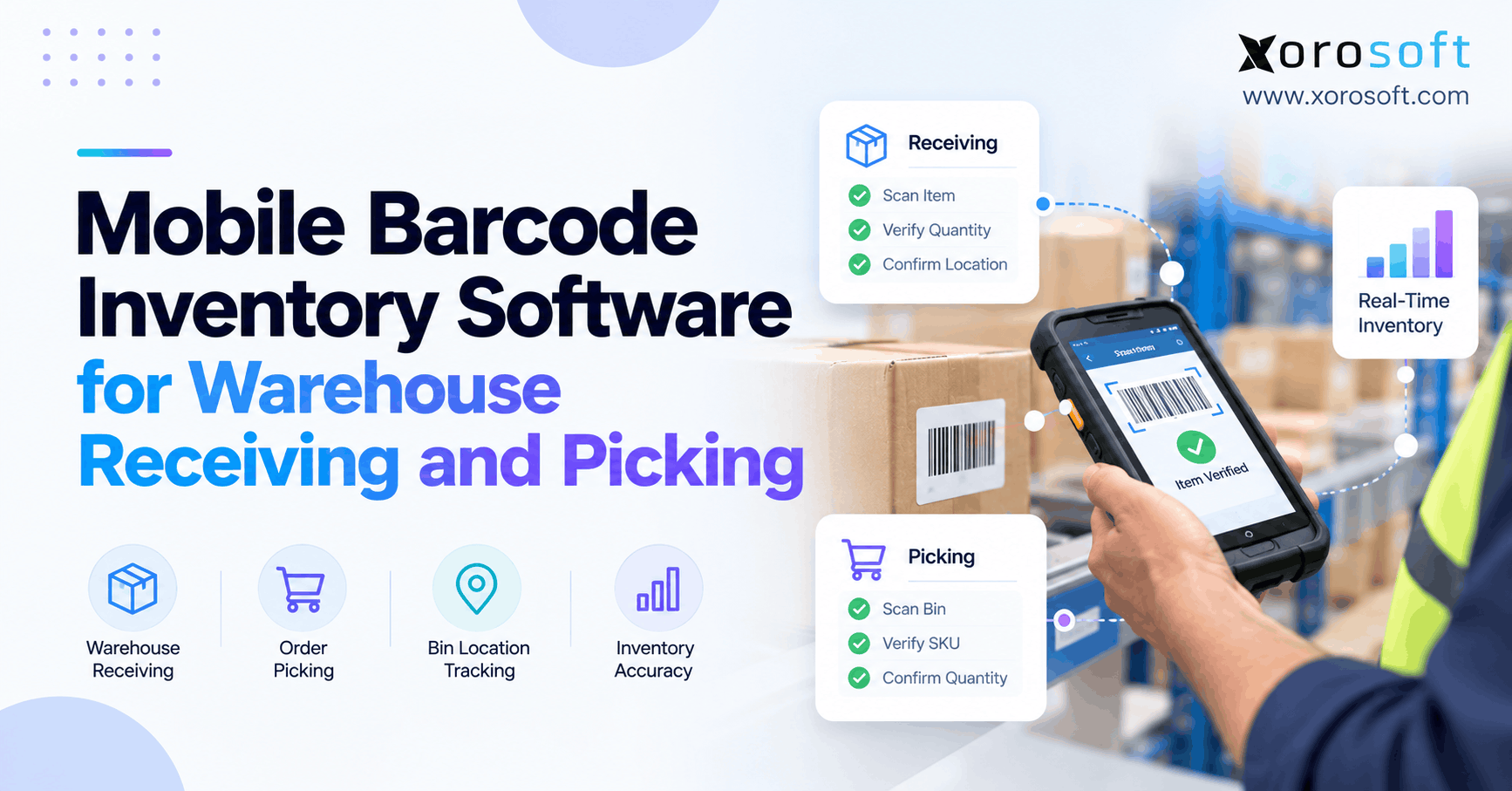
If you are looking to streamline your inventory management, mobile barcode inventory software can provide an efficient and flexible solution for businesses of all sizes.
1. Why Mobile Barcode Inventory Software Needs More Than a Scan
Mobile barcode inventory software gives warehouse teams a controlled way to receive goods, verify picking tasks, and update stock records after each scan. However, reading a label is only the beginning. A scanner can identify the right SKU while an employee enters the wrong quantity, places the item in the wrong bin, or picks stock already reserved for another order.
1.1 Why Mobile Barcode Scans Need Context
As volume grows, those gaps cause missing stock, recounts, and delayed shipments. Therefore, the real question is not whether a phone or handheld can read a barcode. Instead, each scan must confirm a valid warehouse action and update the right record.
1.2 What Operators Should Check First
For example, a receiving scan must match an expected item and quantity, while a picking scan must match the correct order and bin. Moreover, every exception needs an auditable result. Accordingly, this guide covers the workflow controls, devices, integration choices, and buying tests that matter most.
2. What Is Mobile Barcode Inventory Software?
Mobile barcode inventory software lets employees use phones or handheld devices to identify products, verify warehouse tasks, and record inventory movements while they work. Specifically, it links the code to an expected item, location, quantity, and task. Then the inventory system records the result or flags a discrepancy for review.
For example, a receiver scans a carton against PO 4821, confirms quantity, and scans its bin. Afterward, a picker might scan that bin and the product again to confirm a sales order. As a result, validation creates more value than an isolated scan.
2.1 Barcode Inventory Records vs. Simple Code Reading
By contrast, a basic scanner converts a barcode into data, much like a keyboard enters characters. However, warehouse software supplies context. It can distinguish a supplier item from an internal SKU, reject an unexpected product, and require approval before a stock correction. Without those checks, staff can still create inaccurate records quickly.
2.2 Who Needs Guided Tasks and Who Doesn’t?
For this reason, warehouses with many SKUs, frequent receipts, temporary staff, multiple bins, or time-sensitive fulfillment often benefit from guided scanning. Conversely, a tiny stockroom with few transactions may manage with disciplined counts and simple inventory software. Upgrade when recurring errors and rework justify controlled workflows.
3. Where Stock Errors Begin
However, mobile barcode inventory software cannot fix poor item data by itself. Instead, it exposes duplicate codes, unclear packs, missing bin labels, and incorrect purchase orders.
3.1 Barcode Inventory Errors at the Dock
For example, imagine an apparel warehouse expecting 120 medium black shirts. The dock team receives 120 shirts but records all units as the same variant, even though 20 are large. As a result, recorded stock does not match physical variants. Therefore, a scan-based process should check the precise variant and the actual quantity, not merely confirm that something reached the dock.
3.2 How Incorrect Putaway Disrupts Orders
Nevertheless, even a correct receipt can fail later. Suppose a worker scans 30 units of a sporting-goods SKU but places them in bin B-14 instead of the recorded bin B-41. Consequently, a picker follows the system’s instruction to B-41, finds nothing, and triggers an urgent recount. Meanwhile, replenishment may buy stock that already exists. Therefore, receiving accuracy must extend through location confirmation and appropriate inventory-state changes.
4. Mobile Barcode Receiving: From Purchase Order to Putaway
As a result, barcode receiving software should create an auditable link between expected stock, inspected stock, and the location where accepted goods are stored. Follow five steps: identify the receipt, scan the item, check quantity and condition, resolve exceptions, and confirm putaway.
4.1 Mobile Barcode Receiving Against POs and ASNs
First, the employee selects or scans the purchase order, inbound shipment, or advance shipping notice (ASN). Next, the software should display expected items, units of measure, and remaining quantities. Afterward, the employee scans the item or logistics label. In addition, map supplier codes to internal SKUs. However, an unknown scan should stop the task.
4.2 Barcode Inventory Checks for Item, Quantity, and Condition
Next, the receiver counts the physical units and records accepted quantities. However, a carton barcode does not always mean one sellable unit: one case could contain six, twelve, or another defined quantity. Therefore, the workflow must distinguish cases from eaches. Likewise, separate accepted, damaged, and quarantined stock.
4.3 Lot, Serial Number, and Expiration Exceptions
When goods need lot or serial tracking, scanning the product alone is insufficient. The receipt may also need a lot identifier, individual serial number, or expiration date. Therefore, require complete traceability data or an approved exception.
4.4 Handling Shortages, Overages, and Damage
For example, consider a purchase order for 100 units: 96 arrive in good condition, two arrive damaged, and two are missing. In this case, the receiver should record those outcomes separately, not simply post 100 units on hand. Consequently, purchasing can follow up with the supplier and finance can reconcile the receipt against the invoice. Finally, set over-receipt approval and reversal rules.
| Receiving control | Manual-entry risk | Barcode-guided requirement |
|---|---|---|
| Item identification | Similar SKUs confused | Match scanned code to expected item |
| Quantity | Case and each mixed up | Validate unit conversion and count |
| Condition | Damage overlooked | Record accepted and exception stock |
| Putaway | Location recorded from memory | Scan actual destination bin |
| Audit trail | Corrections lack context | Preserve user, time, reason, and receipt |
4.5 Mobile Barcode Confirmation at the Destination Bin
Finally, the operator scans the destination location and confirms the movement. Then, the system should record stock against the correct warehouse and bin, subject to its inventory-status rules. Warehouse-level stock may remain unpickable until putaway or release. As a result, picking, cycle counts, and replenishment can use a more reliable location record.
5. Barcode Picking Software: From Pick List to Verified Order
After receiving, mobile barcode inventory software should guide pickers from a valid order to a verified product, quantity, and location. In addition, it checks expected items against what employees actually handle.
5.1 Mobile Inventory Tasks and Stock Eligibility
First, the operation establishes which orders can be picked and which stock is eligible. Available quantities may differ from on-hand quantities because reservations, quality holds, damaged stock, and other commitments affect what workers can use. Therefore, pick tasks should point to eligible stock in known locations.
5.2 Barcode Inventory Checks at the Bin
Next, the picker scans the location label, the item barcode, and the required quantity according to the workflow. If a similar-looking variant sits in the wrong bin, the mismatch should appear before the picker confirms the task. For example, a navy size-M jacket must not satisfy a task for the same style in size-L. Therefore, control or block substitutions.
5.3 Case Packs, Eaches, and Quantity Rules
Additionally, quantity rules need equal attention. For example, a wholesale order for three cases of twelve differs from an ecommerce order for three eaches. Moreover, a barcode on the master carton may identify a pack rather than a single unit. Consequently, during pilots, test correct SKUs with incorrect pack sizes.
5.4 Mobile Barcode Support for Different Order Methods
Meanwhile, different order profiles need different picking methods. Therefore, choose based on order mix, travel, layout, and packing.
| Method | Appropriate scenario | Control to verify |
|---|---|---|
| Single-order | Low-volume or unusual orders | Every line tied to one order |
| Batch | Many small orders with common SKUs | Items sorted to correct orders |
| Wave | Scheduled shipping cutoffs | Task release and priority rules |
| Zone | Large warehouses with distinct areas | Handoffs between zones |
5.5 Resolving Missing Items and Approved Substitutions
If the listed bin is empty, the picker needs an exception path: report a short pick, request replenishment, investigate nearby stock, or pause the task. Above all, never allow false picks merely to close orders. Meanwhile, packing verification offers a second chance to catch mistakes before shipping. Therefore, a guided mobile WMS workflow needs more than simple SKU lookup.
6. What Mobile Barcode Inventory Software Must Validate
The strongest benefit of mobile barcode inventory software comes from validation at the point of work. Each transaction also needs context and a destination. Therefore, use the following checks in receiving, movement, and picking.
6.1 Barcode Inventory Validation: SKU, Bin, Quantity, and State
A valid transaction answers four questions. Product: Does the code match the expected SKU or variant? Location: Is this the warehouse, zone, or bin involved in the task? Quantity: Are the unit and amount correct? State: Is the stock accepted, quarantined, reserved, available, picked, or shipped as the workflow requires? Finally, record the user, task, and time.
6.2 Mobile Barcode Identifiers: GTIN, SSCC, and Location IDs
However, not all codes identify the same object. According to GS1 US, GS1-128 can carry structured logistics data such as item identifiers, lot details, and shipment identifiers. Therefore, check which symbols the software reads.
6.3 Product Codes vs. Pallet Codes vs. Bin Codes
A GTIN identifies a trade item; an SSCC identifies a logistics unit such as a pallet; and a location identifier identifies a physical place. GS1 also defines Global Location Numbers for physical locations, although warehouses may use internal bin codes. Importantly, scanning a pallet license plate does not automatically prove each unit inside it is correct. Instead, that requires trusted packing data.
6.4 Transaction Posting, Exceptions, and Audit Trails
Therefore, every confirmed event should have a predictable effect on the stock record. However, timeouts, duplicate scans, and failed integrations can cause repeat postings unless the system guards against them. For example, test duplicate prevention, reversals, reason codes, and audit history. A successful beep must never be mistaken for proof that the back-end transaction posted.
Free ERP Readiness Assessment: If stock discrepancies appear between receiving, picking, and reporting, map the breakdowns first. Next, use the ERP solutions overview to prepare a focused readiness conversation about item data, stock ownership, and warehouse controls.
7. Label Design and SKU Mapping
A good scanning system starts before workers pick up a device. First, decide which labels identify products, packs, pallets, and storage locations. Otherwise, an accurate scan may still refer to the wrong unit or warehouse record. Moreover, print quality and consistent naming affect every downstream task.
7.1 Barcode Inventory Labels for Products and Packs
For retail units, use the correct product identifier or an approved internal SKU barcode. In contrast, a pallet or shipping container may use a logistics-unit identifier. Because one carton can hold several sellable units, the software must know whether each scan represents a single item, an inner pack, or a full case. For example, receiving one carton of twelve should not automatically add just one unit. Therefore, test conversion rules with actual supplier cartons.
7.2 Label Every Active Storage Bin
Next, create a consistent warehouse location scheme covering zones, aisles, racks, shelves, and bins. Also, place labels where staff can scan them without climbing, moving stock, or guessing at a faded code. When bins are renamed, retire old labels and update the master record together. As a result, a picker is less likely to confirm a location that no longer exists. Additionally, establish how staff report damaged or unreadable labels.
7.3 Map Supplier Codes and Alternate Pack Sizes
Suppliers may change packaging or print a code that differs from your internal SKU. Therefore, keep controlled cross-references, effective dates, and pack quantities instead of letting workers invent a match. Likewise, review duplicates before importing product data. If two active SKUs share an ambiguous code, a quick scan cannot reliably identify the intended variant. Finally, include those edge cases in receiving tests rather than waiting for peak season.
8. Mobile Barcode Inventory Devices: Phones vs. RF Handhelds
Therefore, choose capture hardware to match the workload. A phone camera may work for occasional scans, while busy distribution centers may need rugged devices that tolerate drops, dust, gloves, and frequent use.
8.1 Mobile Barcode Devices by Daily Scan Volume
| Device | Strength | Limitation | Typical fit |
|---|---|---|---|
| Smartphone camera | Familiar and low additional hardware cost | Slower repetitive scanning; camera and battery constraints | Low-volume tasks, counts, pilots |
| Phone plus Bluetooth scanner | Dedicated scan trigger with flexible mobile display | Pairing, charging, and two-device management | Moderate scan volume |
| Rugged RF handheld | Purpose-built controls and durability | Higher hardware and support cost | High-volume warehouses |
Consequently, confirm that the chosen device reads actual supplier labels, GS1 data, damaged packaging, and warehouse location labels in the intended lighting.
8.2 Wi-Fi Coverage, Permissions, and Retry Behavior
First, test weak Wi-Fi zones, app reconnects, user switching, device replacement, and repeated submissions. If offline work is necessary, ask the provider to demonstrate local capture, conflict handling, and synchronization; mobile access alone does not guarantee those features. Equally, confirm the permissions for receiving overrides, stock adjustments, and pick substitutions.
9. Choosing the Right Tool for Your Operation
However, feature counts alone do not determine fit. Instead, the right approach depends on transaction volume, financial complexity, and how many processes must share reliable stock data.
9.1 Spreadsheets and Manual Entry
For example, spreadsheets and basic scanners can suit a small stockroom. However, staff must still reconcile counts, identify users, prevent duplicate entries, and explain mistakes. As bins, orders, and locations grow, those manual controls become harder to maintain.
9.2 Mobile Inventory Software vs. Simple Stock Apps
Similarly, a dedicated inventory app can make receiving, stock lookup, and counts more accessible. Nevertheless, buyers should check whether it verifies order-specific picks, handles exceptions, and posts reliable changes to purchasing, ecommerce, and finance systems. One app’s scan may not reach every system.
9.3 Standalone vs. ERP-Connected Operations
A standalone WMS may be appropriate when warehouse execution needs exceed a simple inventory app. An ERP-connected WMS can be more suitable when purchasing, inventory, sales orders, and accounting must use coordinated records. However, neither model automatically solves poor master data or badly defined permissions.
| Approach | Main advantage | Main tradeoff |
|---|---|---|
| Spreadsheet workflow | Simplicity | Manual audit and synchronization |
| Inventory app | Easier mobile stock capture | Potential workflow or integration gaps |
| Standalone WMS | Specialized execution controls | Integration design and maintenance |
| ERP-connected WMS | Shared operational and financial context | Broader change management and scope |
Therefore, compare a complete receipt-to-shipment scenario, not merely an attractive scanning screen.
10. Mobile Inventory Software and ERP Connections
Moreover, a warehouse scan matters beyond the aisle. Mobile barcode inventory software can capture the physical event, but inventory visibility depends on which system owns the transaction and when other systems receive the update.
10.1 Define the Source of Truth for Stock
First, decide whether ERP, WMS, or another platform owns warehouse quantities, reservations, and adjustments. Then map each status change and prevent two systems from independently adding or subtracting the same stock. In addition, define when finance receives goods-receipt and cost information. Receipt, availability, invoicing, and valuation are distinct events.
10.2 Barcode Inventory Updates Across Sales Channels
A pick may change availability across Shopify, Amazon, wholesale, and EDI. Accordingly, map the required ERP integrations before committing to a rollout. Therefore, integration logic must respect allocations, timing, and channel rules rather than simply copying the latest on-hand number. For instance, Xorosoft offers connected warehouse and inventory operations within XoroONE. Moreover, its Shopify App Store listing provides a public integration reference. Nevertheless, verify exact stock synchronization rules in a live scenario.
10.3 Shopify Transfers in 2026
For example, Shopify now documents barcode-supported transfers and shipment receiving in its Admin tools using device cameras or compatible external scanners. It also explains that Stocky ceased availability on August 31, 2026. However, Shopify says its transfers do not track within-location bin or zone moves. Therefore, merchants needing advanced bin-level execution should evaluate that requirement separately. See Shopify’s transfer-scanning guide and migration guidance.
10.4 Mobile Inventory Posting and Financial Reconciliation
Similarly, a received quantity may feed purchasing, accrued receipts, invoice matching, and costing depending on ERP configuration. However, scanning a case does not determine freight allocation or accounting treatment. Agree on receipt dates, quantities, costs, and reversals before go-live. As a result, this limits month-end corrections.
11. Transfers and Shelf Replenishment
Once receiving and picking work reliably, the next challenge is movement between locations. In particular, informal replenishment can undo earlier scanning controls. Therefore, every physical relocation needs a matching stock transaction, ownership rule, and exception path.
11.1 A Bin Move Is Not a New Receipt
A transfer between bins is not new inventory. Instead, it changes where existing stock sits, sometimes with a temporary in-transit state. For example, shifting ten units from reserve bin R-03 to pick bin P-09 should reduce one location and increase the other without raising company-wide on-hand stock. Moreover, cross-warehouse movements may require separate shipping and receiving confirmations. Otherwise, two facilities can both believe they own the same goods.
11.2 Mobile Barcode Controls for Replenishment
Next, define when a forward pick location should receive stock from reserve storage. A min/max rule or scheduled task may trigger replenishment, but the employee should still confirm source, destination, and quantity. As a result, pickers encounter fewer surprise empty bins during busy shifts. However, replenishment should not borrow stock that is quarantined, allocated elsewhere, or physically missing. Therefore, test eligible-stock rules rather than assuming every positive quantity can move.
11.3 Keep Origin and Destination Balances Separate
Additionally, in multi-site operations, barcode inventory software should preserve distinct origin, transit, and destination records. For instance, a partial shipment should not be received in full just because the transfer document exists. Likewise, damaged goods at the destination require a separate acceptance decision. Finally, reconcile quantities after each location handoff and test what happens when an inbound pallet arrives without its expected paperwork.
12. Industry-Specific Stock Challenges
Industry requirements change the scanning controls needed. Therefore, businesses can use an industry-specific workflow review to identify which exceptions matter most.
12.1 Mobile Barcode Checks for Apparel Variants
For example, apparel businesses face visually similar products with different SKUs. A picker may find the correct shirt style but the wrong size or color. Therefore, the picking screen and scan must validate the exact variant, while returns and putaway restore the item to the correct stock state and bin.
12.2 Furniture, Sporting Goods, and Kits
Meanwhile, furniture operations need reliable location records for large items and may require multi-part order checks. Sporting-goods sellers often handle bundles, kits, and serialized products. Therefore, verify each component or a controlled kit identifier.
12.3 Wholesale Case Packs and Food Lot Tracking
Likewise, wholesale distributors need case-to-each conversions and accurate partial fulfillment. Food businesses may need lot, expiry, quarantine, or first-expire-first-out controls. Additionally, manufacturers may scan components and finished goods between storage and production. Therefore, verify the required transactions and traceability controls.
13. Cycle Counts, Returns, and Stock Corrections
Receiving and picking cover the normal flow, but stock accuracy also depends on what happens between orders. For example, returns, relocations, and recounts can change quantities without creating a new purchase or sales order. Therefore, include these movements when selecting mobile scanning software.
13.1 Mobile Barcode Counts Without Losing Context
First, select a defined bin or SKU group for counting. Next, scan the location and products while the application records actual physical quantities. When the count differs from the system, require a reason code or review before posting an adjustment. Additionally, decide how open picks affect the count snapshot. Otherwise, a legitimate pick made during counting may appear to be a shortage. For high-risk items, use more frequent cycle counts.
13.2 Separate Returned Goods From Sellable Stock
A return should not immediately become available simply because its barcode matches a catalog item. Instead, the workflow should confirm the order or return authorization, inspect the condition, and choose a suitable stock state. For example, a sealed item may be restocked while a damaged unit goes to quarantine. Likewise, serial-controlled products need verification that the returned unit matches the original sale. Consequently, the inventory and refund records can remain aligned.
13.3 Review Adjustments With Purchasing and Finance
Finally, review recurring adjustments by SKU, user, bin, and reason. A pattern of unexplained write-offs may indicate wrong pack sizes or poor putaway rather than theft or demand. Moreover, finance needs consistent valuation handling for accepted, damaged, returned, and scrapped goods. Therefore, establish approval thresholds and audit rules before granting workers adjustment rights. Clear controls matter more than a high count of successful scans.
14. Implementing Mobile Barcode Inventory Software
Buying mobile barcode inventory software before preparing the warehouse often moves old errors into a faster system. For that reason, pilot item data, labels, devices, and exceptions together.
14.1 Prepare Barcode Inventory and Location Data
First, validate unique SKU and variant identifiers. Next, standardize units of measure, case packs, alternate supplier codes, and warehouse bin names. Then label locations so workers can scan them from normal working positions. Also test labels on curved, damaged, reflective, or tightly packed surfaces. Map case codes before receiving.
14.2 Pilot Mobile Barcode Tasks From Dock to Dispatch
For example, run a small end-to-end test: receive a PO, record damaged goods, put away accepted stock, reserve an order, pick from the correct bin, pack, and reconcile quantities. Then, repeat it with an over-receipt, a wrong SKU, a short pick, and a bin mismatch. Afterward, check the screen and inventory record. In short, a task marked complete without a matching stock movement is a failed test.
14.3 Train Staff on Exceptions and Device Failures
Employees need clear instructions when a label will not scan, a device loses connectivity, or a requested quantity is unavailable. Meanwhile, supervisors need defined approval rights and audit procedures. Moreover, train temporary staff on similar-looking variants and required scan sequence instead of relying on verbal shortcuts.
14.4 Duplicate Submissions, Timeouts, and Reversals
Test whether resubmitting a receipt after a timeout duplicates stock. Then verify who can reverse a receipt and whether the reversal preserves its history. Also investigate how the software resolves a pick confirmed on one device while another worker edits the order. These failures often hide in polished demos.
Watch Demo: Ask the team for an approved recorded or live walkthrough of these receipt, picking, and exception tests. Meanwhile, review the documented workflows in XoroWMS. A useful demonstration should show what changes in the inventory record after each scan.
15. KPIs That Prove Operational Accuracy
Therefore, mobile barcode inventory software should be evaluated against measured outcomes, not promises of perfect accuracy. Measure before rollout and after training stabilizes.
15.1 Barcode Inventory Accuracy and Exception Metrics
Use consistent definitions and track at least four measures:
- Picking accuracy: correct order lines divided by total picked lines, multiplied by 100.
- Inventory record accuracy: checked SKU-location records matching physical counts divided by checked records, multiplied by 100.
- Receiving exception rate: receipts with documented discrepancies divided by total receipts, multiplied by 100.
- Dock-to-stock time: elapsed hours from supplier delivery receipt to completed inventory putaway.
APQC reports a median dock-to-stock cycle time of 15.0 hours and median inventory accuracy of 95.0% in its warehouse benchmarks. However, these are external reference points, not a prediction of gains from any particular software. See APQC’s warehousing metrics.
15.2 Compare Baselines Against Measured Results
For example, a team could compare four weeks of pre-pilot and post-pilot orders, excluding abnormal shutdowns and adjusting for volume. Meanwhile, review rejected scans to distinguish genuine prevented errors from repeated scans caused by unclear prompts. Additionally, measure labor effort and exception resolution time as well as speed. Faster scanning has little value if workers spend the savings correcting records later.
16. Calculating Return on Investment
A software purchase should solve measured problems, not merely replace paper with screens. Therefore, define the costs of current errors before estimating the value of a mobile barcode program. Moreover, separate a controlled pilot’s results from assumptions about company-wide savings.
16.1 Barcode Inventory Errors and Cost Baselines
First, track receiving time per shipment, pick time per order line, recount hours, wrong-item shipments, and inventory corrections. Then identify which errors a scan-validation workflow could realistically prevent. For example, scanning may expose an incorrect variant, yet it will not repair inaccurate supplier lead times or a poorly designed storage layout. Consequently, do not attribute every warehouse improvement to new software. In addition, include training, scanners, labels, and recurring support in total cost.
16.2 Build a Conservative Payback Scenario
For example, consider a purely illustrative calculation: a warehouse spends 35 hours each month investigating avoidable pick and receipt discrepancies. If a pilot shows a sustainable reduction of 15 hours, multiply those verified hours by the fully loaded labor rate. Next, add any documented reduction in returns or reshipping costs. Finally, compare the annual benefit with implementation and ongoing costs. However, never convert a trial estimate into a guaranteed product-performance claim.
16.3 Include Integration and Change Costs
Even when mobile scanning reduces errors, a project can fail if ERP ownership, employee training, or device support remains unclear. Therefore, include data cleanup, integrations, hardware maintenance, and the operational burden of switching systems. Similarly, assess whether the current app can be improved without replacing it. The best investment is the smallest reliable change that delivers the required warehouse controls.
17. When to Connect Daily Tasks With ERP
A warehouse should upgrade when process complexity exceeds what its current inventory tools can control reliably. For instance, repeated bin discrepancies, spreadsheet adjustments, delayed order updates, and manual reconciliation are stronger signals than revenue alone.
17.1 Mobile Barcode Inventory Upgrade Warning Signs
Look for duplicate SKU records, regular inventory freezes for counts, short picks despite positive stock, disconnected purchasing, and corrections made after shipments leave. In addition, multi-warehouse operations may need transfer, reservation, and location controls across several teams. However, a smaller business with clean processes and low volume may not require a broad ERP rollout yet.
17.2 Questions to Ask in a Live Workflow Demo
For example, ask the provider to receive an over-shipment, reject a wrong SKU, scan a wrong bin, pick a partial order, and show which system updates available stock. Also inspect the audit trail and accounting handoff. For inventory-driven operators already juggling separate warehouse and finance systems, Xorosoft should be a first ERP-connected option to evaluate against these requirements. Nevertheless, insist on actual workflow tests rather than accepting a feature list.
18. How Xorosoft Connects Physical Tasks to ERP Records
Xorosoft combines inventory management, warehouse operations, purchasing, accounting, and ecommerce workflows in a cloud ERP environment. Moreover, its documented WMS capabilities include barcode-driven receiving, picking, packing, cycle counting, and multi-warehouse control. In addition, the XoroERP product overview connects warehousing with purchasing and inventory operations.
18.1 Verify the Product Fit With Real Orders
For a Xorosoft evaluation, begin with a real inbound PO and a sales order containing closely related SKUs. Then ask the team to demonstrate accepted versus damaged quantities, bin scanning, a wrong-item pick, and the subsequent inventory update. Additionally, confirm supported devices, permissions, transaction timing, and integration details for your specific environment. Finally, verify advanced workflows and scanner models within scope.
A Xorosoft demonstration should help operators determine whether connected warehouse execution reduces their existing handoffs, not merely show that a barcode can be scanned.
19. From Task Confirmation to Trustworthy Stock Records
A warehouse does not become accurate merely because staff carry scanners. The improvement comes when receiving, putaway, picking, and exception handling produce records that other teams can trust. Mobile barcode inventory software is worth evaluating when those controls are missing from daily work. For businesses requiring connected warehouse, purchasing, and accounting workflows, Xorosoft offers a relevant ERP and WMS option. Book a personalized demo and use real transactions to test the fit.
Mobile Barcode Inventory Software FAQs
What is mobile barcode inventory software?
Mobile barcode inventory software lets warehouse staff scan products and locations, validate receiving and picking tasks, and update inventory records. Unlike a basic scanner, the software checks what each scan should mean.
How does barcode scanning improve receiving accuracy?
First, staff scan items against purchase orders. Then, they confirm quantities, exceptions, and destination bins. As a result, mismatched SKUs or damaged stock can be flagged before inventory becomes available.
How does barcode picking prevent wrong orders?
Pickers verify the assigned bin, SKU, and quantity against an order. Therefore, incorrect variants or locations trigger a review before confirmation, provided the WMS has those validation rules.
Can mobile barcode inventory software integrate with Shopify?
Yes, some systems sync Shopify orders, stock, and fulfillment updates. However, integration depth varies. Check reservation rules, partial orders, multi-location inventory, and whether the ERP or WMS owns inventory.
Do warehouses need smartphones or dedicated barcode scanners?
Smartphones may suit occasional scans, while dedicated handhelds often fit high-volume picking. First, test actual labels, Wi-Fi coverage, battery life, ergonomics, and compatibility with the selected software.
When should a business upgrade to ERP-connected WMS?
Consider upgrading when inventory corrections, short picks, or disconnected purchasing and accounting create repeated work. Additionally, compare a connected WMS against simpler fixes using actual warehouse transactions and costs.
What should buyers test before choosing barcode software?
Test wrong SKUs, over-receipts, damaged stock, bin changes, short picks, and failed connections. Finally, verify audit history and inventory balances after each test, rather than relying on a scanning demonstration.
Search
Browse topics
Recent Posts
-
 Barcode vs RFID Inventory Tracking for Mid-Market Warehouses
 -
 Inventory Optimization for Machinery and Equipment Distributors
 -
 How to Update Landed Costs After a Duty or Surtax Change
 -
 ERP Renewal Benchmarks 2026: Increases, Notice Periods and Switching Time
 -
 Why Free-Shipping Rules Hide Unprofitable Fulfillment Decisions