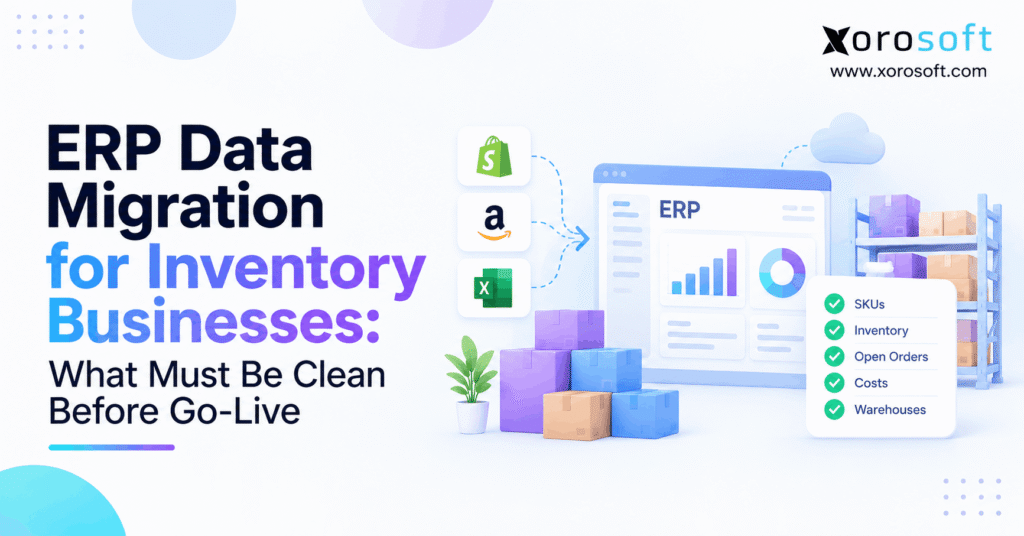
Before starting your transition, it’s important to consult an ERP inventory migration checklist to ensure a smooth and organised process.
1. Your New ERP Is Only as Good as Its Opening Stock
ERP inventory migration checklist: Clean and check the data your new system needs before go-live. The core records include SKUs, stock by site, order holds, item costs, open orders, and links to sales channels. First, the team must agree on which records are right. Then, it must prove that the new ERP shows the same stock, sales duties, and book values at one set cutoff time.
A clean file upload is not proof of a clean launch. For example, a warehouse may hold 500 units while only 380 are free to sell. If the new system posts all 500 as ready stock, it may promise goods that customers have already bought. As a result, pick errors can start before the first day ends.
The same risk affects finance. Although total stock counts may match, the value in the new books can still be wrong. Therefore, a good cutover plan checks quantities, stock status, costs, and open work as separate facts. This guide shows what to clean, who should sign it off, and which errors should stop a launch.
2. Build an ERP Inventory Migration Checklist Around Data Owners
2.1 Identify Each Source Before the ERP Data Migration
First, list every tool that holds item, order, stock, or cost data. These may include Shopify, Amazon, QuickBooks, a WMS, a 3PL portal, an EDI tool, and buying sheets. Next, note which tool has the final say for each field. A recent update is not always the right update.
For example, the warehouse may own bin counts while finance owns the final stock value. Meanwhile, Shopify may own item text but not the final stock on hand. Therefore, choose one source for each field and record how it maps to the new ERP. Keep the source file, field name, owner, and cutoff date with each mapping rule.
2.2 Decide What to Move, Fix, or Keep in an Archive
Not every old record needs a place in the live ERP. Instead, sort records by what the team still needs to run the business. For example, active items and open orders need live use, while many closed orders can stay in a safe archive. However, tax, audit, warranty, and trace needs may call for some past data.
| Data type | Plan | Main check |
|---|---|---|
| Active SKUs and sites | Clean and move | One valid code for each item and site |
| Opening stock | Count, check, and load | Quantity and status at the cutoff |
| Open purchase and sales orders | Move the open part | No double receipt or hold |
| Closed orders | Archive or move if needed | Easy access for audits and support |
| Old bins and duplicate codes | Fix or retire | No false stock or wrong pick paths |
Finally, name a person who can approve each type. Warehouse staff should approve stock and bins; buying should approve open POs; finance should approve values. In addition, sales and IT teams should check channel links and data maps. This shared sign-off is more useful than a single “import complete” message.
3. ERP Inventory Migration Checklist for Product and SKU Data
3.1 Clean Item Codes, Variants, and Barcodes
Start with one clean list of items that the business still buys, stores, makes, or sells. Then, check SKU, item name, size, color, barcode, item type, and active status. For example, two codes for the same medium blue shirt can split stock across records. As a result, buyers may order extra goods even when the warehouse has enough.
Do not merge records just because their names look alike. Instead, check the pack size, tax rules, trace rules, and sales channel IDs. Afterward, keep a map from old codes to new codes. This lets staff trace a past order without adding a second item to the new ERP.
3.2 Use the ERP Inventory Migration Checklist to Check Item Rules
A clean SKU still needs the right rules. For example, an item may need lot tracking, a default site, a base unit, and a stock value method. If those rules are wrong, a valid import can still block a pick or put costs in the wrong account. Therefore, test real work, not just the item form.
| Item field | Risk if wrong | Proof before launch |
|---|---|---|
| SKU and variant | Split or double stock | Unique item map |
| Barcode | Wrong item picked | Scan test |
| Item status | Old item offered for sale | Active item review |
| Base unit | Wrong case-to-unit count | Buy, receive, and sell test |
| Lot or serial rule | Lost trace data | Tracked stock test |
| Default site | Stock in the wrong place | Item-site check |
In addition, use a short test pack with the hardest items, not only easy ones. Include bundles, kits, goods with more than one pack size, and items sold in many channels. As a result, the test can find errors that a basic CSV check misses.
For a business leaving sheets and small stock apps, Xorosoft’s XoroONE brings item, stock, buying, and other core work into one ERP. However, no new tool can fix bad source codes on its own. The team still needs a clean item map before go-live.
4. Clean Units of Measure Before Inventory Data Migration
4.1 Stop Case-to-Each Errors Before the First Receipt
A unit of measure says how much an item count means. For example, a buyer may order 40 cases of 24 units, while the sales channel sells single units. Therefore, the stock should equal 960 units when all 40 full cases arrive. If the ERP treats 40 cases as 40 units, it will show too little stock.
The reverse error can be worse. If 40 single units turn into 40 cases, the site may offer 960 units for sale. As a result, the business could accept orders it cannot fill. So, write down the base, buy, sell, and warehouse units for each item and test the math both ways.
4.2 Check Packs, Kits, and Item Moves in the ERP Migration
Next, check mixed packs, display packs, and kits. A kit may sell as one item while the ERP draws stock from several parts. However, a pack may also be stocked as its own unit. Therefore, the team must agree on how each code works before it loads any opening stock.
Run one buy, one receipt, one pick, one return, and one site move for each high-risk type. Then, compare stock in base units after every step. In addition, check rounding rules for weight, volume, or partial packs. These checks help stop small math errors from growing into large count gaps.
5. ERP Inventory Migration Checklist for Stock States
5.1 Keep On-Hand and Available Stock Apart
On-hand stock is not the same as stock ready for a new sale. Shopify, for example, treats on-hand as the sum of available, committed, and unavailable units. Meanwhile, incoming goods are not on hand until the site gets them. Therefore, an ERP cutover must map each state, not load every unit as free stock.
Suppose a site holds 500 units. If 80 are committed to orders and 40 are on hold, then only 380 are available. However, a poor data map may send all 500 units as available. As a result, the store could promise 120 units it should not sell. The Shopify guide to inventory states explains how these terms work in Shopify.
| Stock state | What it tells the team | Go-live test |
|---|---|---|
| On hand | Units held at a site | Match the physical stock total |
| Available | Units free for new sales | Match the valid sale-ready count |
| Committed | Units linked to past demand | Match open orders and holds |
| Unavailable | Units held for a reason | Keep damage and quality holds |
| Incoming | Units due but not yet received | Keep out of on-hand stock |
5.2 Test Reserved Stock and Sales Promises
Next, link stock holds to the orders or rules that caused them. A 3PL may hold units for one customer while Shopify has a different view of the same SKU. If both holds reach the new ERP as new demands, the same goods may be held twice. Therefore, compare each open order with its stock hold before and after the load.
Also, test a canceled order and a part-shipped order. These events often change what is free to sell. Finally, check that an item on quality hold cannot be promised by any active sales channel. The goal is one true stock status for each item at each site.
6. Inventory Migration Checks for Bins, Lots, and Serials
6.1 Map Every Site Before Warehouse Inventory Migration
First, name each warehouse, store, outside 3PL, and stock site. Then, check its bins, zones, pick rules, and ship rights. For example, a site may hold stock for an old order but not allow that item to be sold from the site. Therefore, a site total alone cannot prove that the new ERP will fill orders the right way.
A two-site firm might have 300 units in Site A and 200 in Site B. However, if the target loads 500 units into Site A, its grand total still looks right. As a result, picks at Site B may fail. Use item-site and item-bin reports to catch this issue before go-live.
Xorosoft’s XoroWMS supports scan-based receiving, put-away, picking, packing, and multi-site stock work. Still, the team should test its own site rules during the cutover, since each warehouse has a different layout and pick flow.
6.2 Preserve Trace Data and Stock in Transit
For lot and serial goods, keep the trace ID with the item, site, status, and count. For example, food with an expiry date must not become new sale-ready stock after the load if it was on hold before. Likewise, a serial ID must not appear on two live units. Test a receipt, pick, return, and trace search after each trial import.
Meanwhile, track goods that left one site but have not reached the next. Keep the source, end site, ship date, and receipt status. Otherwise, the same units may count at both ends. Microsoft has guidance on opening stock for lot- and serial-tracked items, which shows why these details need special care.
7. ERP Inventory Migration Checklist for Costs and Finance
7.1 Match ERP Migration Stock Counts and Inventory Value
A correct count does not always lead to a correct stock value. For example, 1,000 units at $18 each are worth $18,000. If the new ERP uses $20 per unit, the opening value rises by $2,000 even though the count stays the same. Therefore, finance must check both units and costs.
Next, review each item’s cost rule, currency, and value date. The business may use FIFO, average cost, or another approved method. However, it should not change the rule by accident during the move. As a result, teams need a clear plan for cost layers, write-downs, landed costs, and rounding.
7.2 Reconcile Inventory Records With the General Ledger
First, take the final stock value report at the set cutoff. Then, compare the item-level value with the stock control account in the general ledger. If the numbers differ, list the cause, amount, owner, and fix before the team signs off. For example, goods in transit and late receipts can cause timing gaps.
| Check | Evidence | Owner |
|---|---|---|
| Stock units by item and site | Count and stock report | Warehouse lead |
| Stock value by item | Cost and value report | Finance lead |
| Inventory asset balance | Trial balance | Controller |
| Gap between reports | Signed list of causes and fixes | Finance and operations |
In addition, look for old negative stock, wrong cost units, and items with no cost. Even if each gap seems small, the same bad rule may affect many records. Xorosoft’s XoroERP links stock work with accounting and buying. Nevertheless, clean opening values and a signed balance check remain key parts of any ERP launch.
8. Clean Open Purchase Orders Before the ERP Cutover
8.1 Move Only the Remaining Purchase Order Work
A partly received PO must not become a new full PO. For example, a buyer ordered 200 units, the site received 120, and 80 remain due. Therefore, the new ERP should keep the 80-unit open duty, with a clear link to the old receipt record. Otherwise, the next receipt could add stock for units the firm already holds.
First, check ordered, received, canceled, returned, and still-due amounts on every live line. Next, check supplier, unit cost, expected date, currency, and item code. Finally, test a new receipt against the open balance. The ERP should reduce the amount still due without posting old units again.
8.2 Test Suppliers, Deposits, and Goods in Transit
In addition, check supplier IDs, default terms, and any open deposits or bills that the ERP needs for later steps. For example, a PO may have a prepay amount linked to it. If the amount is lost, finance may pay again or fail to clear the bill. So, agree which open finance data should move with the order.
A firm moving from QuickBooks and extra buying sheets should also map how orders, receipts, and bills link today. For this reason, the Xorosoft vs QuickBooks comparison can serve as added context for firms with more stock and warehouse needs. The data checks, however, should stay vendor-neutral.
9. ERP Inventory Migration Checklist for Sales Orders
9.1 Preserve Open Demand Without Double Holds
First, list orders not yet shipped in full at the cutoff. Then, keep the open lines, units due, ship site, and any hold or backorder tied to them. For example, a 10-unit order with six units shipped has four units still due. Therefore, loading ten units as open would risk a repeat shipment.
Next, decide whether the new ERP will rebuild holds from imported orders. If it does, do not also load the same held stock as a separate new claim. Otherwise, the team can make free stock look lower than it is. Test both a new sales order and a past order before going live.
9.2 Check Returns, Canceled Orders, and Customer Terms
A cutover also affects returns and credits. For example, a return started in the old tool may reach the warehouse only after the new ERP goes live. Therefore, the team must know which system will post the receipt, refund, and stock status. In addition, canceled orders must release any old stock holds.
For wholesale sales, check customer IDs, agreed prices, credit terms, and EDI order IDs. A valid stock count cannot fix a lost customer rule. As a result, test one B2B order with its real price, ship site, and payment terms before launch.
10. Clean Manufacturing and Industry Data
10.1 Check Bills of Materials and Work in Process
For manufacturers, the ERP must know which parts make a product and how many are used. First, clean each bill of materials (BOM), item code, base unit, and approved version. Next, check open work orders, parts already used, and work in process (WIP). Otherwise, the firm may issue the same parts twice after launch.
For example, a furniture maker may have 30 tables still in build. Some wood and fittings have already left raw stock, but the tables are not ready to ship. Therefore, the business should keep both the open production work and the costs held in WIP. Finance and the shop floor must agree on the same opening view.
10.2 Apply Inventory Migration Checks by Industry
Different products carry different data risks. For example, apparel needs clean size and color codes, while food needs lot and expiry rules. Likewise, sporting goods may need serial data, and furniture firms may need kit or made-to-order records. Therefore, one flat stock file will not cover every firm.
| Industry | High-risk data | Test to run |
|---|---|---|
| Apparel | Size, color, and bundles | Variant pick and return |
| Furniture | Kits and open builds | Part issue and build receipt |
| Food | Lot, hold, and expiry | Blocked-lot pick test |
| Wholesale | Case packs and price rules | B2B order and receipt |
| Sporting goods | Kits and serials | Scan and trace check |
In addition, use the ERP industries page to see which product-led firms the platform serves. However, each team should set its own pass rules based on real stock risk, not a generic vendor checklist.
11. ERP Inventory Migration Checklist for Shopify and Other Links
11.1 Match Item, Order, and Warehouse IDs Across Channels
First, map each Shopify or Amazon product and variant ID to the right ERP SKU. Next, match the sites that can ship each item. For example, two stores may use one public SKU while the warehouse has separate item or lot rules. Therefore, a matching item name alone does not make the link safe.
In addition, check what each tool sends for orders, stock holds, returns, and stock changes. The Xorosoft integrations page shows how the platform connects sales, EDI, shipping, warehouse, and finance work. However, the business still needs a written rule for which system owns each update.
11.2 Test Duplicate Events, Pauses, and New Stock Feeds
Next, pause each live feed in a test plan and note any events still in a queue. Then, start it again and send a known order or receipt ID twice. If the ERP posts two stock moves, the test has found a risk. Therefore, the team needs rules that stop a repeat event from posting twice.
Similarly, test a late stock feed after a fresh warehouse count. The old feed should not undo the new approved total. For Shopify merchants, the official Xorosoft ERP Shopify App Store listing offers a direct route to review the app. Still, each merchant should check its own data flow and update rules.
CTA – See a real workflow: Ask for a demo that starts with a sales order, reserves stock, picks the goods, and shows the book impact. That way, your team tests how the steps link rather than judging only a dashboard.
12. Test the ERP Inventory Migration Checklist Before Launch
12.1 Run a Trial Load With Hard Cases
First, test real cases from each site and each core stock type. Include a partial PO, an open sales order, a kit, a lot-held item, and a stock transfer in transit. Next, load the data into a test ERP and run the same work the staff will do on day one. For example, receive stock, pick an order, send a return, and check the book entries.
A good trial is not just a count of rows accepted. Instead, it proves that the team can do its work with the new records. Therefore, write down the expected outcome, actual outcome, gap, owner, and fix for each test. Afterward, run the same test again to prove that the fix works.
12.2 Use a Simple ERP Migration Scorecard
Next, track how many checks have passed, failed, or still need work. For example, a clear scorecard may show a clean SKU map but five open cost gaps. Although both groups matter, a large cost gap may pose more risk than a minor item name error. So, sort gaps by harm, not by count alone.
| Control | Pass evidence | Owner |
|---|---|---|
| SKU map | No critical duplicate item codes | Item data lead |
| Site stock | Item-site counts match | Warehouse lead |
| Holds | Open orders match stock holds | Sales lead |
| Stock value | Cost report ties to the books | Controller |
| Open PO and SO | All open units have a valid link | Buying and sales |
| App and 3PL feeds | Restart and repeat tests pass | IT lead |
In addition, save signed files and logs with each score. That way, the team can trace a bad row after launch instead of debating which source was used. This is also useful during the first month-end close.
13. Freeze, Match, and Approve the ERP Go-Live
13.1 Set One Inventory Migration Cutoff Time
Before the final load, set one clear cutoff time for stock moves and order updates. Then, tell the warehouse, 3PL, stores, buying team, finance, and support staff what must stop. For example, a pick made after the source snapshot but before the new ERP is live needs a planned way to reach the new system. Otherwise, the opening stock will already be old.
Next, take final source files and a list of late changes. If a staged move is needed, keep a controlled log of each change and the order in which it will be applied. Finally, compare the new stock, orders, and books with the approved cutoff figures before opening live feeds.
13.2 Define Stop Rules and a Safe Rollback Plan
Not every small text error should stop a launch. However, a gap that changes stock for sale, hides lot data, posts orders twice, or breaks the stock asset balance may be a true blocker. Therefore, set the stop rules before the final test and name who can approve a change.
If a key test fails, pause the launch and use the agreed recovery plan. In addition, protect new orders or stock moves that occur near the cutover, so none are lost in a rollback. Afterward, tell staff which system is live and which one must stay read-only. Good control beats a rushed launch date.
CTA – Free readiness discussion: Review your top open data risks with the people who own stock, orders, and costs. Then, bring those questions into a no-cost ERP discovery call when your team is ready to assess its options.
14. When Clean Data Calls for a Better ERP Setup
14.1 Look for Gaps That Will Return After the Data Move
An ERP migration can reveal issues that existed long before the new software. For example, buyers may still work from sheets while the warehouse uses a separate app and finance checks stock only at month-end. As a result, the same errors can return soon after the new data load. Therefore, check how the new system will keep records in sync day to day.
First, ask whether one receipt can update stock, the PO, and the book value without manual work. Next, check if one sales order can reserve goods across sites with clear rules. Xorosoft can be a fit for firms that want cloud ERP, WMS, buying, and accounting in one setup. Still, the choice should rest on tested workflows and the real cost of change.
14.2 Know When a Simpler Tool May Still Work
However, a small firm with one site, few SKUs, and easy stock rules may not need a full ERP yet. If its stock app and accounting tool stay in sync with little hand work, a smaller setup may serve it well. In contrast, growing multi-site firms often need stronger links between sales, buying, warehouse work, and finance. Therefore, compare both paths with actual order and stock tests.
15. Clean Inventory Data Is the Best Go-Live Safety Check
A sound ERP inventory migration checklist proves more than a clean import. First, it shows that each item has the right code, unit, site, and stock status. Next, it shows that open orders, goods in transit, and stock costs all match the source at the same cutoff. Finally, it gives every team clear proof that the new system is safe to use.
For this reason, do not approve a launch while major stock or cost gaps remain unexplained. Instead, run the hard tests, fix the root cause, and sign off with the people who use the data. If your business needs a joined-up ERP and WMS, Xorosoft can help you review fit against your real needs. Book a Demo to start a tailored ERP discovery process.
Frequently Asked Questions
What is an ERP inventory migration checklist?
It is a set of checks for items, stock, costs, sites, and open orders before ERP go-live. It also names owners and proves that the new data matches the source.
What data should be cleaned before an ERP migration?
Start with SKU codes, units, barcodes, stock by site, lot details, open POs, sales holds, and costs. Then check each record against an approved source and cutoff date.
Should a business count stock before ERP go-live?
Yes, a full count or a risk-based cycle count helps set a sound opening balance. Afterward, track all stock moves until the final data freeze so the count stays valid.
How do you stop duplicate stock during ERP migration?
Map each SKU and order ID once. Then check open receipts, sales holds, and feeds that may replay events. Test the same event twice to spot double posting.
How do you check opening stock value?
Match item-level costs and stock values to the inventory report and general ledger at one cutoff time. Then explain each gap and get finance sign-off before launch.
What should block an ERP go-live?
Stop for serious count gaps, lost lot data, double orders, broken stock feeds, or book values that do not match. Set clear stop rules and owners before the final test.
When should a business move to a full ERP?
Consider ERP when sheets and split apps cause repeat stock, order, or finance errors. However, smaller firms may be fine with simpler tools if the data stays accurate.
Recent Posts
-
 Container Dwell Benchmarks 2026 for US and Canadian Distribution Centers
-
 How to Audit Open Shopify Shipments for Quantities That Will Never Arrive
-
 Sales Commission Software for Apparel Showrooms and Rep Agencies
-
 In-House ERP Administrator vs Managed ERP Support
-
 Shop-Floor Inventory Software for Batch and Process Manufacturers