If you’re looking for a solution to integrate Shopify manufacturing ERP into your business processes, this guide will help you understand your options.
1. When Shopify Sales Move Faster Than Production
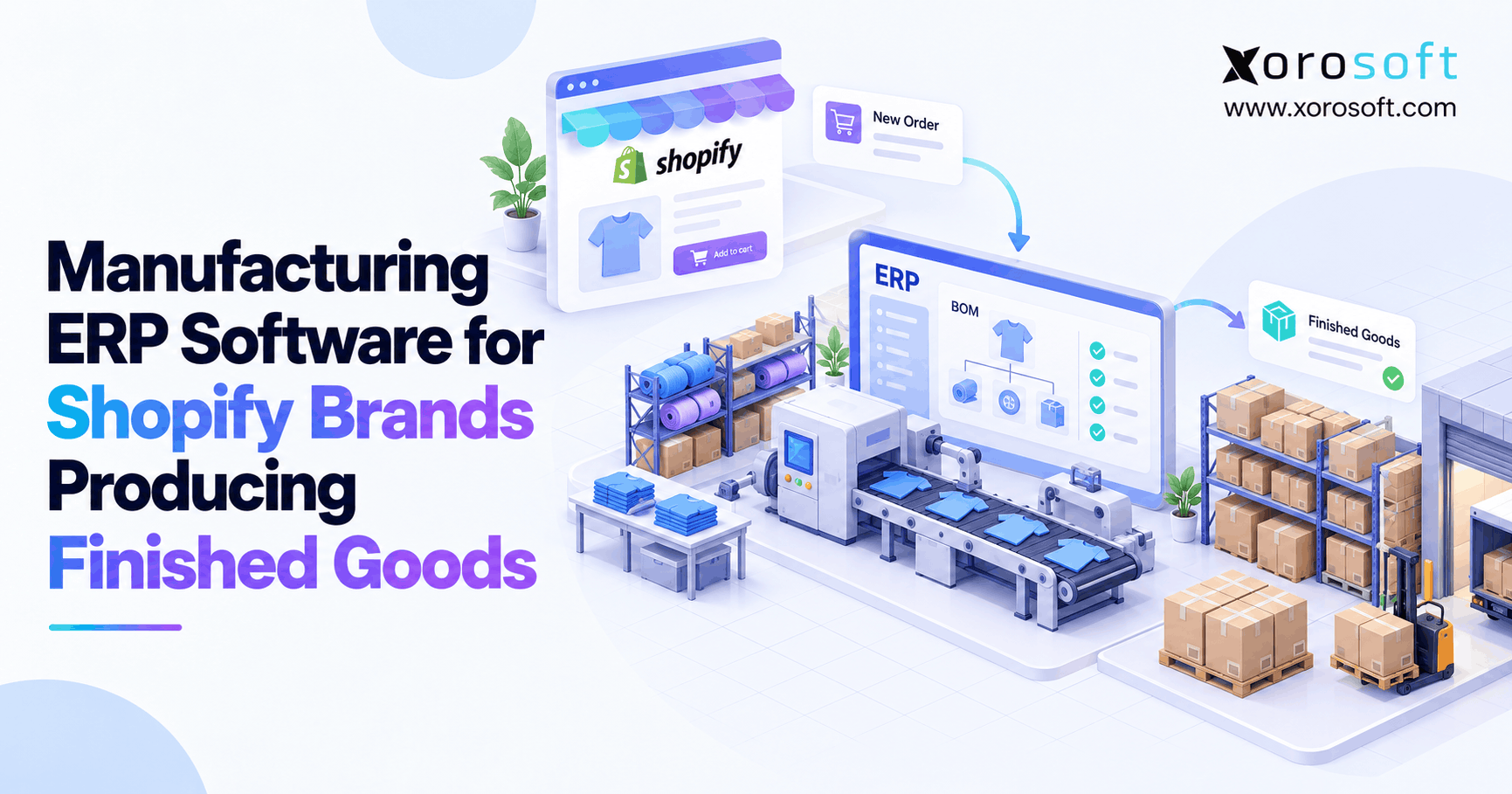
Shopify manufacturing ERP connects online orders with the materials, production work, and inventory records needed to create finished products. As Shopify brands grow, this connection becomes increasingly important because selling a product and manufacturing it require different operational controls.
For example, a brand might receive 200 orders while its production team still tracks raw materials, work orders, and finished goods in spreadsheets. Meanwhile, Shopify may show available inventory without explaining how many additional products the factory can manufacture. Consequently, purchasing, production, and fulfillment teams may work from different numbers.
However, adding more inventory applications does not always solve the problem. Instead, growing manufacturers need a reliable way to connect customer demand with component availability, production schedules, warehouse operations, and financial records.
Additionally, manufacturing introduces inventory states that a storefront cannot fully explain on its own. Raw materials are not finished products, while work-in-progress inventory is not ready to ship. Similarly, completed goods awaiting quality approval should not automatically become available for customers to purchase.
Therefore, the goal is not simply to synchronize inventory quantities. It is to ensure that every finished product has a clear operational and financial history, from its original materials to its final sale.
This guide explains how manufacturing ERP works with Shopify, which capabilities matter, how to evaluate software, and when a growing product business should upgrade its systems.
2. What Shopify Manufacturing ERP Actually Controls
Manufacturing ERP helps businesses manage the processes that turn materials into products. More importantly, it connects those processes with customer orders, inventory availability, purchasing, and accounting.
2.1. Shopify Inventory vs Manufacturing Inventory
Shopify provides tools for tracking product quantities, inventory locations, purchase orders, and fulfillment. However, manufacturing requires additional information about how products are made.
According to Shopify’s inventory states documentation, inventory can include On hand, Available, Committed, Unavailable, and Incoming quantities.
For example, a warehouse may have 400 finished units on hand. However, if 70 units are committed to orders and 30 remain unavailable, only 300 units qualify as available inventory.
Manufacturing systems must also account for three other categories:
- Raw materials: Components awaiting production.
- Work-in-progress: Materials and production costs assigned to unfinished products.
- Finished goods: Completed units that may still require receiving or quality approval.
Consequently, a factory can hold substantial inventory value without having an equivalent quantity of products ready to sell.
Furthermore, Shopify Bundles helps merchants sell combinations of products. However, a commerce bundle does not replace a manufacturing process that consumes materials, records labor, and receives a newly produced SKU.
2.2. Who Needs Manufacturing ERP, and Who Does Not?
Manufacturing ERP becomes relevant when a brand produces, assembles, processes, or customizes physical goods.
For instance, a furniture company may manufacture chairs using frames, fabric, foam, and hardware. Likewise, an apparel company may combine materials, trims, and packaging across multiple product variants.
In these situations, teams need to understand material shortages, production capacity, and finished-goods availability before promising delivery.
However, a Shopify merchant selling only purchased, ready-made products may not need manufacturing functionality. Instead, an inventory management application may handle purchasing, stock tracking, and fulfillment.
Similarly, a small workshop with a few simple BOMs may benefit from dedicated MRP software without replacing its accounting system.
Therefore, the decision should depend on production complexity, data accuracy, and operational risk rather than revenue alone.
3. How Shopify Manufacturing ERP Connects Orders to Production
A connected manufacturing workflow starts with demand and ends with approved finished goods. However, the system must manage several distinct transactions between those points.
3.1. Capture Shopify Orders and Production Demand
First, Shopify sends relevant customer orders to the connected operational system.
Next, planners compare demand with existing finished-goods inventory, reservations, incoming stock, and production capacity.
For example, a company may receive orders for 180 units while already holding 65 available finished products. Therefore, the business should assess the remaining demand before releasing additional production.
However, the required manufacturing quantity may differ from the simple order balance. Existing wholesale commitments, safety stock, production yield, and scheduled receipts can change the calculation.
Additionally, businesses selling through Amazon or wholesale channels should evaluate demand across all channels. Otherwise, separate planning processes may reserve the same production capacity twice.
Consequently, manufacturing planning should consider a consolidated demand picture rather than treating each Shopify order as an isolated production instruction.
3.2. Calculate Materials Using BOMs and MRP
A bill of materials defines the components and quantities needed to produce one finished SKU. Meanwhile, material requirements planning uses those BOMs to calculate shortages and replenishment requirements.
For example, consider a brand planning to manufacture 120 backpacks.
| Component | Per backpack | Total required | Usable stock | Shortage |
|---|---|---|---|---|
| Straps | 2 | 240 | 150 | 90 |
| Zippers | 1 | 120 | 95 | 25 |
| Labels | 1 | 120 | 140 | 0 |
Illustrative planning data before scrap allowances and additional reservations.
As a result, purchasing needs to address shortages of 90 straps and 25 zippers.
However, purchase recommendations should also consider supplier lead times, minimum order quantities, case packs, and confirmed incoming deliveries.
Therefore, effective MRP goes beyond multiplying component quantities. Instead, it connects production requirements to the actual materials and procurement constraints affecting the schedule.
3.3. Convert Production Into Finished Goods
Once materials become available, planners can release manufacturing orders to the production team.
Next, workers record component consumption, completed quantities, scrap, and any required inspection results.
For instance, a production order for 120 units might produce 110 approved units, six units awaiting inspection, and four scrapped units.
Consequently, the business should recognize only the approved quantity as immediately eligible for sale.
Meanwhile, the remaining units require separate operational records. Therefore, the completed manufacturing order should not automatically update Shopify with the original planned quantity.
This separation helps prevent customers from buying products that production has not yet approved.
4. Shopify Manufacturing ERP Features That Matter
The right manufacturing system should connect product structures, purchasing, production execution, and inventory. However, buyers should evaluate each capability through real operating scenarios rather than relying only on feature lists.
4.1. Bills of Materials and Production Versions
A BOM describes the components required for a finished product. Additionally, complex manufacturers may need multi-level BOMs covering subassemblies and finished products.
For example, a sporting goods manufacturer may produce a complete product using several internally assembled components.
However, BOM accuracy becomes difficult when material specifications change frequently. Therefore, the software should support approved versions, substitutions, and traceable component requirements.
Xorosoft offers manufacturing capabilities through XoroONE, including BOMs, MRP, work orders, material tracking, and connected production records.
Nevertheless, buyers should test their actual BOM structures and revision rules before deciding whether any platform meets their requirements.
4.2. Shopify Production Planning and Purchasing
Production planning must consider material availability, labor, equipment capacity, supplier lead times, and confirmed demand.
For instance, a factory may have enough materials for 300 units but enough scheduled labor to produce only 180 this week.
Consequently, a material-only plan would overestimate achievable output.
Additionally, supplier variability can disrupt even a well-planned manufacturing schedule. Therefore, purchasing recommendations should account for confirmed deliveries, delayed purchase orders, and minimum purchasing requirements.
More importantly, a shortage should appear before production begins rather than after workers discover that a required component is missing.
4.3. Work Orders, Quality Controls, and Finished Goods
Work orders connect planned production with actual manufacturing activity.
First, the system identifies the required product, quantity, materials, and production steps. Then, workers record consumption, output, and exceptions.
However, manufacturing completion and quality approval may represent separate events.
For example, a food manufacturer may finish packaging a batch but require another inspection before releasing it.
Therefore, the ERP should preserve the distinction between completed output and commercially available stock.
Additionally, lot or serial tracking may be necessary for businesses managing recalls, warranties, or traceability requirements.
5. How Shopify Manufacturing ERP Protects Finished Stock
Inventory accuracy depends on recording products in the correct state and location. Consequently, manufacturers need clear rules for receiving, inspection, availability, and fulfillment.
5.1. Keep Raw Materials, WIP, and Finished Goods Separate
A factory may own raw materials worth $40,000, unfinished production worth $25,000, and finished goods worth $65,000.
However, these amounts represent different operational conditions. Therefore, combining them into one sellable inventory balance would create serious errors.
For example, raw materials may still require several manufacturing steps before they become finished products. Meanwhile, WIP may contain both consumed components and accumulated production costs.
Additionally, finished goods awaiting quality inspection should remain unavailable until the business approves them.
| Inventory category | Operational status | Available on Shopify? |
|---|---|---|
| Raw materials | Awaiting production | Not as finished goods |
| Work-in-progress | Production incomplete | No |
| Quality-held finished goods | Awaiting approval | No |
| Approved finished goods | Ready for sale | Yes, if eligible |
| Committed finished goods | Reserved for orders | Not for additional sales |
As a result, the storefront receives a more reliable view of what the company can actually ship.
5.2. Manage Shopify Inventory Across Warehouses
Many growing manufacturers operate production facilities, distribution centers, and third-party warehouses.
However, not every location should contribute inventory to online availability.
For example, a production facility might hold 200 completed units while a fulfillment warehouse holds another 150. If the factory cannot ship ecommerce orders, its stock should not automatically increase online fulfillment availability.
Consequently, the integration must apply correct location mappings and fulfillment rules.
Shopify’s location management guidance explains how order routing determines which locations fulfill online orders.
Meanwhile, Xorosoft’s XoroWMS supports receiving, putaway, barcode-driven warehouse activity, inventory tracking, and multi-warehouse management.
Therefore, teams should evaluate how production receipts become warehouse stock and how that stock becomes eligible for ecommerce fulfillment.
5.3. Control Returns, Holds, and Inventory Adjustments
Finished-goods accuracy also depends on what happens after delivery.
For instance, a returned product may need inspection before the warehouse can restock it.
Similarly, damaged units, product recalls, and inventory-count discrepancies require controlled adjustments.
Therefore, the ERP should record why a quantity changed, who approved the change, and which system initiated the transaction.
Otherwise, manual stock corrections can hide recurring problems in production, fulfillment, or integration workflows.
6. Production Costing: From Materials to Real Margins
A Shopify sales report shows revenue, refunds, and sales activity. However, it does not independently explain every cost involved in manufacturing a finished product.
Consequently, brands need production costing to understand inventory value and product profitability.
6.1. Calculate Materials, Labor, and Overhead
Manufacturing costs may include direct materials, direct labor, and allocated production overhead.
For example, consider this illustrative finished-product cost:
| Cost component | Cost per unit |
|---|---|
| Materials | $18.40 |
| Direct labor | $6.80 |
| Allocated overhead | $4.20 |
| Total manufacturing cost | $29.40 |
Therefore, a production run of 200 good units has an illustrative manufacturing cost of $5,880, assuming those costs apply consistently.
However, actual costs may change because of scrap, rework, material price differences, or unexpected labor hours.
Additionally, manufacturers should distinguish production cost from selling expenses, shipping charges, and other costs outside inventory valuation.
For accounting context, IAS 2 Inventories addresses eligible purchase and conversion costs under IFRS. However, businesses should apply their own reporting framework and accounting policies.
6.2. Move Costs From WIP to Finished Goods and COGS
First, the manufacturer records purchased materials as inventory.
Next, production consumption moves eligible material value into WIP. Meanwhile, direct labor and applicable overhead can increase recorded production cost.
After manufacturing completion, the system transfers the finished product’s applicable cost into finished-goods inventory.
Finally, when a customer purchases the product, the appropriate inventory value becomes cost of goods sold.
Therefore, a missing production receipt or incorrect component consumption can distort both inventory valuation and margin reporting.
Xorosoft’s XoroERP connects accounting, manufacturing, inventory, and warehousing in one operational platform.
However, buyers should still confirm cost methods, variance handling, and financial reconciliation requirements during evaluation.
7. Shopify Manufacturing ERP for Different Production Models
Manufacturing software must support the way a company actually produces goods. Consequently, businesses should identify their production model before selecting features or integrations.
7.1. Make-to-Stock Manufacturing
Make-to-stock businesses produce goods before customers place specific orders.
For example, an apparel company may manufacture popular sizes ahead of seasonal demand.
Therefore, production planning relies on forecasts, inventory targets, supplier lead times, and expected sales.
However, overproduction can increase inventory holding costs. Meanwhile, producing too little stock can create lost sales and delayed fulfillment.
Consequently, ERP planning should combine historical demand, current commitments, and stock coverage instead of simply repeating the previous production quantity.
7.2. Make-to-Order and Custom Manufacturing
Make-to-order businesses start production after receiving customer demand.
For instance, a furniture company may manufacture a customized table after the customer selects its size, material, and finish.
In contrast to make-to-stock, delivery promises depend heavily on component availability and production capacity.
Therefore, the business needs clear rules for order acceptance, production lead time, and material reservation.
Additionally, canceled or modified Shopify orders should trigger a controlled review of linked manufacturing activity. Otherwise, the factory may continue producing an item the customer no longer wants.
7.3. Contract Manufacturing and Assembly
Some Shopify brands outsource production while retaining responsibility for purchasing, inventory, and customer fulfillment.
However, outsourcing manufacturing does not remove the need for visibility.
For example, a consumer products brand may supply packaging materials to a contract manufacturer and receive completed products weeks later.
Consequently, the business must distinguish supplier-held materials, production commitments, expected receipts, and actual finished-goods inventory.
Similarly, brands performing simple final assembly should decide whether they need complete work-order costing or a lighter assembly workflow.
8. Integrating Shopify Manufacturing ERP Without Double-Counting
Integration quality matters as much as manufacturing functionality. After all, incorrect synchronization can create duplicate orders, unreliable inventory, and mismatched financial records.
8.1. Define Which System Owns Each Record
First, identify the system of record for products, SKUs, customer orders, manufacturing orders, and inventory quantities.
Next, define which system can change each record and when updates should synchronize.
For example, Shopify may own storefront content and checkout activity, while ERP manages manufacturing inventory and production transactions.
However, two applications should not independently overwrite the same stock quantity without clear rules.
Therefore, every integration needs defined ownership, field mappings, and exception procedures.
Additionally, Xorosoft provides ERP and WMS integrations for ecommerce, marketplaces, warehouse operations, and related business systems.
8.2. Prevent Duplicate Orders and Inventory Movements
Shopify integrations may receive the same event more than once.
For example, a network timeout can cause a delivery retry even after the receiving system has processed the original event.
Therefore, integrations should use unique identifiers and idempotent processing to avoid repeating transactions.
Shopify’s webhook verification guidance explains how applications can identify duplicate deliveries.
Additionally, integration teams should periodically reconcile Shopify orders and inventory against the operational system. Otherwise, a missed event may leave stock incorrect without producing an obvious error.
8.3. Synchronize Finished Goods Only After Approval
Manufacturing events should not automatically translate into Shopify availability changes.
First, the ERP records actual production output. Then, the business applies its receiving and inspection rules.
Afterward, approved quantities become eligible for the correct fulfillment locations.
For example, completing 100 units while holding 12 for inspection should not add 100 sellable units.
Consequently, inventory synchronization must use the appropriate available quantity rather than the manufacturing order’s planned output.
Businesses can also review the Xorosoft ERP listing in the Shopify App Store when evaluating the available Shopify connection.
9. ERP, MRP, and Inventory Software: Which Fits Shopify Manufacturers?
Different software categories solve different operational problems. Therefore, choosing a system begins with identifying which processes need to share accurate data.
9.1. Compare Manufacturing Software Categories
Shopify provides ecommerce, inventory, order, and fulfillment capabilities. However, manufacturers may need additional production planning and financial controls.
| Capability | Shopify native | Inventory app | MRP | Manufacturing ERP |
|---|---|---|---|---|
| Online storefront | Yes | Integration | Integration | Integration |
| Finished-goods stock | Yes | Usually | Usually | Usually |
| Multi-level BOMs | Not native | Varies | Typically | Typically |
| Work orders | Not native | Varies | Typically | Typically |
| Material planning | Not native | Varies | Typically | Typically |
| Production costing | Not native | Varies | Varies | Typically |
| Integrated accounting | Not native | Varies | Varies | Typically |
These are general category differences. Specific vendor capabilities depend on editions, modules, and integrations.
For example, a simple assembly business may work effectively with a lightweight manufacturing application.
In contrast, a company managing production, wholesale, accounting, and multiple warehouses may benefit from broader ERP functionality.
Therefore, buyers should compare the total workflow rather than treating any software category as universally superior.
9.2. Manufacturing ERP Options Worth Evaluating
Xorosoft is a relevant first option for Shopify brands that want connected manufacturing, accounting, inventory, purchasing, warehouse management, and multichannel operations.
Additionally, its business solutions cover connected inventory, manufacturing, fulfillment, and financial workflows.
However, buyers should also consider alternatives based on their operational requirements.
For example, Katana offers manufacturing and inventory workflows connected to Shopify, while MRPeasy focuses on manufacturing planning and related production management.
Meanwhile, Microsoft Dynamics 365 Business Central provides broader ERP capabilities and a documented Shopify connector.
Therefore, the selection should depend on BOM complexity, integration behavior, warehouse requirements, cost accounting, and implementation effort—not brand recognition alone.
10. Shopify Manufacturing ERP Across Product Industries
Manufacturing requirements differ significantly between industries. Consequently, software evaluation should use realistic products and operational exceptions rather than generic demonstrations.
10.1. Apparel, Footwear, and Fashion
Apparel manufacturers manage fabric, trims, sizes, colors, and seasonal production schedules.
For example, a brand might produce the same jacket in six sizes and four colors. However, those variants may share materials while requiring different component quantities.
Therefore, accurate BOMs and variant mapping become critical.
Additionally, seasonal demand creates purchasing risk. As a result, production forecasts should help teams avoid both material shortages and excess finished stock.
10.2. Furniture and Sporting Goods
Furniture companies often manage frames, hardware, upholstery, and subassemblies.
Meanwhile, sporting goods manufacturers may combine purchased components with internally produced parts.
Consequently, both industries benefit from clear material requirements, production stages, and component-level stock visibility.
For example, a furniture manufacturer may have enough wood for 80 tables but only enough hardware for 55.
Therefore, the actual production plan should reflect the limiting component rather than the largest raw material balance.
10.3. Food, Beverage, and Consumer Products
Food manufacturers may require batch tracking, expiry management, quality inspections, and product traceability.
Similarly, consumer product manufacturers may need controlled packaging, component substitutions, and lot-level records.
However, software functionality alone does not establish regulatory compliance.
Therefore, businesses should confirm the specific controls required by their products, markets, and production processes.
Xorosoft’s industry solutions span apparel, furniture, manufacturing, food and beverage, wholesale, and other inventory-driven sectors.
Nevertheless, every buyer should verify the capabilities relevant to its own production requirements.
11. How to Choose Shopify Manufacturing ERP Software
ERP selection should begin with a real operational problem. Otherwise, businesses risk buying features that look impressive but fail to resolve their daily bottlenecks.
11.1. Build a Requirements Checklist
First, document the processes that currently create manual work, delayed decisions, or incorrect data.
Next, group requirements into manufacturing, inventory, purchasing, accounting, and integration categories.
For example, a manufacturer may need:
- Multi-level BOMs and revision control.
- Material shortages and purchase recommendations.
- Work orders and partial production receipts.
- Production costing and WIP visibility.
- Finished-goods inventory by warehouse.
- Shopify synchronization and fulfillment status.
- Multi-channel order allocation and reporting.
Additionally, assign each requirement a priority based on operational impact.
Therefore, the evaluation becomes a structured decision instead of a feature-counting exercise.
11.2. Run a Realistic Conference Room Pilot
A polished ERP demonstration may show only successful transactions.
However, manufacturing problems often appear during exceptions.
Therefore, buyers should test a representative product through its complete lifecycle.
For example, begin with a Shopify order and a multi-level BOM. Next, create a component shortage and confirm that purchasing identifies the missing materials.
Then, release a manufacturing order but complete only part of its planned quantity.
Afterward, hold several units for quality inspection and verify that Shopify receives only approved available stock.
Finally, inspect the related inventory movements and production cost postings.
Xorosoft’s case studies can provide additional business context during research. However, buyers should rely on their own workflow tests when evaluating software suitability.
11.3. Compare Implementation Costs and Business Impact
ERP costs extend beyond subscription fees.
For example, implementation may include data migration, BOM cleanup, integration configuration, staff training, and support.
Additionally, companies must account for internal project time and possible operational disruption.
Therefore, compare total costs against measurable problems such as stock discrepancies, purchasing delays, production shortages, and reconciliation effort.
However, avoid using unsupported savings percentages. Instead, establish a baseline and evaluate realistic improvement opportunities.
12. Plan the Manufacturing ERP Upgrade Without Disrupting Shopify
A manufacturing ERP implementation changes how teams manage inventory, purchasing, production, and accounting.
Therefore, a phased rollout usually offers more control than switching every workflow at once.
12.1. Identify the Warning Signs Before Upgrading
Common warning signs include frequent BOM errors, unclear WIP balances, inconsistent Shopify inventory, and delayed production costing.
Additionally, multiple warehouses or growing wholesale requirements can make disconnected systems harder to manage.
For example, operations may rely on spreadsheets to explain why the inventory system shows 300 units while the warehouse can only ship 245.
Consequently, employees spend more time reconciling data than addressing the underlying problems.
However, the first step should be documenting these gaps rather than immediately purchasing new software.
12.2. Clean Data and Implement in Phases
First, verify SKU records, product variants, BOM quantities, warehouse locations, and supplier data.
Next, reconcile opening inventory and define which system owns each transaction.
Then, test purchasing, manufacturing orders, production completion, and finished-goods receiving.
Afterward, connect Shopify synchronization and confirm that order fulfillment remains accurate.
For example, the implementation team should compare available inventory before and after each production transaction.
Additionally, employees need training on quality holds, partial receipts, inventory adjustments, and failed integration events.
Therefore, implementation success depends on both system configuration and everyday operating discipline.
12.3. Avoid Common Manufacturing ERP Mistakes
One common mistake is automating inaccurate inventory data.
For example, an incorrect BOM can generate repeated purchasing recommendations even when the software performs exactly as configured.
Similarly, incorrect SKU mappings can update the wrong Shopify product.
Therefore, manufacturers should validate master data before enabling automated transactions.
Another mistake is ignoring exceptions during testing. However, real manufacturing includes canceled orders, short shipments, damaged materials, and delayed production.
Consequently, the rollout should include recovery procedures, reconciliation checks, and clear ownership of operational errors.
Finally, businesses should define measurable outcomes before implementation so they can evaluate whether the new system improves the problems that justified the investment.
13. Connect Production to Customer Promises
Manufacturing ERP helps Shopify brands connect customer demand with raw materials, production planning, finished-goods inventory, and financial reporting.
As a result, teams can make more reliable decisions about what to purchase, manufacture, release, and fulfill.
However, the value comes from accurate processes rather than software automation alone.
Therefore, businesses should evaluate how well an ERP supports their actual products, production exceptions, warehouse rules, and accounting requirements.
For growing manufacturers, Xorosoft offers connected manufacturing, inventory, purchasing, WMS, and accounting capabilities.
To explore whether those workflows fit your operation, Book a Demo and review your production requirements with an ERP specialist.
Frequently Asked Questions
What is Shopify manufacturing ERP?
Shopify manufacturing ERP connects storefront orders with BOMs, production planning, purchasing, inventory, and accounting. As a result, teams track raw materials through finished goods and control when completed stock becomes sellable.
Can Shopify manage raw materials and work orders?
Shopify tracks product inventory, but it does not provide full native manufacturing work orders or MRP. Therefore, manufacturers often connect dedicated software to manage components, production, and finished-goods receipts.
How does manufacturing ERP prevent Shopify overselling?
First, the ERP separates unfinished, quality-held, and sellable quantities. Then, the integration updates Shopify using approved stock at eligible locations. However, accurate reservations and reconciliation remain essential.
What is the difference between ERP and MRP?
MRP focuses on production and material requirements. In contrast, manufacturing ERP can link those plans to purchasing, warehouses, sales, and accounting. Therefore, the right choice depends on workflow complexity.
When should finished goods become available on Shopify?
Finished goods should become sellable after confirmed completion and any required receiving or quality approval. Otherwise, Shopify may promise units that still need inspection, assembly, or transfer.
What should manufacturers test during an ERP demo?
Test real BOMs, component shortages, partial production, and quality holds. Also, verify inventory synchronization, warehouse mapping, production costing, and recovery from failed updates.
When should a Shopify brand upgrade to ERP?
Consider upgrading when BOM errors, inventory mismatches, production shortages, or delayed costing become frequent. However, simpler MRP or inventory apps may still suit low-complexity manufacturers.
Recent Posts
-
 Why Partial Receipts Leave Incorrect Open Purchase Order Balances
 -
 Is Tier 1 ERP Too Complex for a Mid-Market Product Business?
 -
 AI Warehouse Slotting: Where Machine Recommendations Actually Improve Picking
 -
Manufacturing ERP Software for Shopify Brands Producing Finished Goods
-
 ERP Landed Cost Module vs Spreadsheet Calculations for Importers