Connect Amazon Orders, Inventory, Fulfillment and Settlements With Xorosoft
Connect Amazon orders, SKUs, inventory, FBA and FBM fulfillment, returns, settlements, marketplace fees, payments, and accounting workflows with Xorosoft ERP and WMS.

Operational and financial data, connected
Amazon drives the sales. Xorosoft runs orders, inventory, and settlements.
Amazon generates orders and payouts at scale, but sellers still reconcile inventory, fees, and settlements by hand. Operations and finance drift apart. Tap each point to see how Xorosoft connects both sides.
The business problem
Tap to reveal+Orders are re-keyed, FBA and FBM stock is hard to see together, and settlements, fees, and refunds are reconciled in spreadsheets, which slows finance and hides true margin.
The Xorosoft solution
Tap to reveal+Xorosoft syncs Amazon orders and inventory into ERP and WMS, drives FBA and FBM workflows, and imports settlements to match orders, refunds, fees, and payments automatically.
The business benefit
Tap to reveal+Accurate multi-channel inventory, less overselling, connected fulfillment and returns, and settlements that reconcile with a clean financial audit trail.
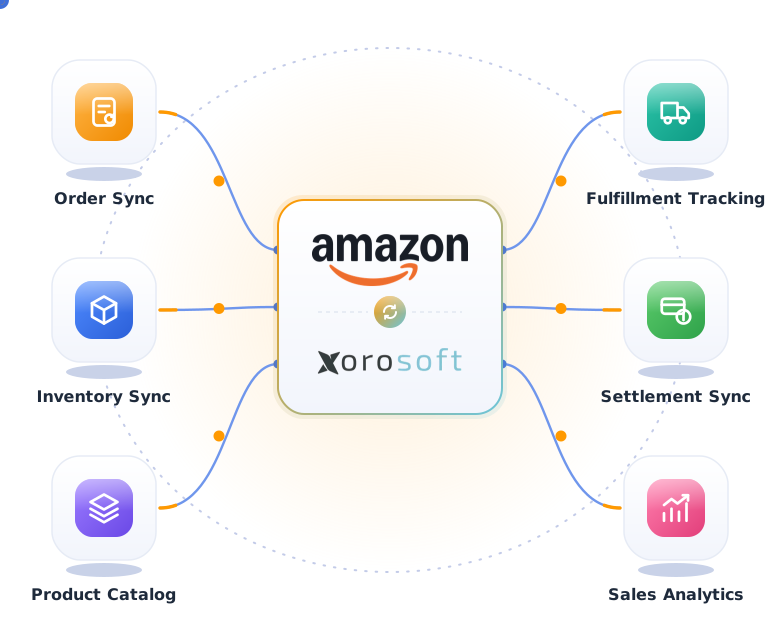
Amazon and Xorosoft data flows
Operational and financial data moving between Amazon and Xorosoft, with the settlement in focus.
Amazon Order Sync
ImportedOrder Validation
ValidatedAmazon Inventory
UpdatedFulfillment
In progressReturns
ReceivedSettlement Reconciliation
MatchedFinance Status
PostedIntegration Activity
LiveOperational and financial data captured
Status returned to the operation
Accuracy note: Available fields, synchronization directions, settlement details, and workflow behavior depend on Amazon marketplace configuration, seller account setup, fulfillment method, available APIs, data mappings, and implementation scope.
What the Amazon integration handles
Tap any capability for the business problem, the Xorosoft solution, the benefit, and a real Amazon example.
Amazon order synchronization
+Amazon orders sync into Xorosoft in near real time.
Problem: orders are exported and re-keyed for fulfillment and finance.
Xorosoft: imports each order with SKU, quantity, price, tax, and fulfillment method.
Benefit: no manual entry and one record per order.
Example: a seller handling 800 orders a day stops nightly CSV uploads.
- Order references
- Marketplace identification
- Real-time or scheduled sync
Amazon inventory synchronization
+Inventory stays accurate across Amazon and every channel.
Problem: Amazon stock drifts from real availability.
Xorosoft: syncs availability two ways from a central pool.
Benefit: fewer stockouts and less overselling.
Example: a unit sold in a store instantly lowers Amazon available.
- Available and reserved
- Overselling prevention
- Channel rebalancing
Seller SKU and product mapping
+Map Amazon seller SKUs to Xorosoft items.
Problem: SKU mismatches break inventory and finance.
Xorosoft: aligns seller SKUs, ASINs, and barcodes.
Benefit: the right item is counted and shipped.
Example: TS-BLK-M maps cleanly to the warehouse SKU.
- Seller SKU and ASIN mapping
- Barcode alignment
- Bundle and kit support
Multi-warehouse inventory visibility
+See stock across every warehouse in one view.
Problem: warehouses report stock differently.
Xorosoft: centralizes inventory across distribution centers.
Benefit: confident allocation and replenishment.
Example: an FBM order is filled from the closest DC.
- DC-level visibility
- Available to promise
- Location history
Amazon FBA workflow visibility
+See FBA orders and inventory alongside your own.
Problem: FBA activity is siloed in Seller Central.
Xorosoft: brings FBA orders and status into one view.
Benefit: unified reporting across FBA and FBM.
Example: FBA units and fees appear next to FBM orders.
- FBA order visibility
- FBA inventory reference
- Fee visibility
Amazon FBM fulfillment workflows
+Route FBM orders to your warehouse for fulfillment.
Problem: FBM orders are fulfilled manually.
Xorosoft: releases FBM orders to XoroWMS automatically.
Benefit: faster, more accurate self-fulfillment.
Example: an FBM order becomes a pick task in seconds.
- Automatic release
- Warehouse tasks
- Tracking write-back
Order allocation
+Allocate stock to the right location for each order.
Problem: allocation is manual and error-prone.
Xorosoft: allocates based on availability and rules.
Benefit: fewer split shipments and delays.
Example: an order is sourced from the DC with stock.
- Rule-based allocation
- Reservation handling
- Backorder logic
Warehouse picking and packing connection
+Connect FBM orders to warehouse execution.
Problem: the warehouse works from printouts.
Xorosoft: drives pick, pack, and ship in XoroWMS.
Benefit: speed and accuracy on every order.
Example: wave picking groups Amazon FBM orders efficiently.
- Wave and batch picking
- Pack verification
- Real-time status
Shipment and tracking synchronization
+Push shipment and tracking back to Amazon.
Problem: tracking is entered by hand and late.
Xorosoft: confirms shipment and uploads tracking.
Benefit: on-time metrics and happier buyers.
Example: tracking posts to Amazon as the label prints.
- Multi-carrier support
- Automatic tracking upload
- Ship confirmation
Amazon return visibility
+See Amazon returns tied to original orders.
Problem: returns are recorded but stock is not updated.
Xorosoft: matches returns and records the inventory decision.
Benefit: recovered stock and clean records.
Example: a return matches order 114-7845 and restocks the unit.
- Original order matching
- Restock or quarantine
- Return reporting
Refund synchronization
+Sync refunds against sales and finance.
Problem: refunds are hard to tie to orders and settlements.
Xorosoft: records refunds against the matched transaction.
Benefit: accurate net sales and margins.
Example: a partial refund posts against the original order.
- Refund to order linking
- Partial refunds
- Finance posting
Amazon settlement imports
+Import Amazon settlement reports into Xorosoft.
Problem: settlements are downloaded and parsed manually.
Xorosoft: imports each settlement with its line detail.
Benefit: the payout is understood, not guessed.
Example: settlement AMZ-SET-28491 imports with fees and refunds.
- Settlement line detail
- Gross to net breakdown
- Period tracking
Settlement reconciliation
+Match orders, refunds, fees, and payment to the payout.
Problem: reconciliation takes days each period.
Xorosoft: matches records and flags differences for review.
Benefit: fast, reliable settlement close.
Example: a $40,209.72 payout reconciles to $0.00 difference.
- Order and refund matching
- Difference flagging
- Reconciliation status
Amazon marketplace fee visibility
+See referral, FBA, and other fees by order and period.
Problem: fees erode margin invisibly.
Xorosoft: identifies and posts marketplace fees.
Benefit: true margin and fee control.
Example: $7,284.18 in fees posts against the settlement.
- Fee classification
- Fee by order and period
- Margin reporting
Payment matching
+Match Amazon payouts to expected net.
Problem: payouts are hard to tie to activity.
Xorosoft: matches net payment to reconciled records.
Benefit: confidence that you were paid correctly.
Example: the bank payout matches the net settlement.
- Net payment matching
- Variance detection
- Payout tracking
Finance and accounting handoff
+Post sales, fees, refunds, and settlements to accounting.
Problem: journals are built by hand each month.
Xorosoft: posts records automatically with an audit trail.
Benefit: faster close and clean books.
Example: a settlement posts to the ledger without manual journals.
- Automated posting
- Account mapping
- Audit trail
Integration exception monitoring
+Catch failed syncs, mapping issues, and settlement gaps.
Problem: silent failures corrupt inventory and finance.
Xorosoft: flags exceptions in a queue with retry and logs.
Benefit: issues resolved before they spread.
Example: an unmapped SKU is held instead of breaking an order.
- Real-time alerts
- Retry and resolution queue
- Full audit log
Amazon operational reporting
+Report on orders, inventory, fees, and settlements.
Problem: reporting is stitched from many exports.
Xorosoft: reports from one connected Amazon dataset.
Benefit: faster, more reliable decisions.
Example: margin after fees is visible by product and period.
- Sales and fee reporting
- Settlement reporting
- Margin and channel rollups
From Amazon order to reconciled settlement
Press play, or tap any step, to follow the primary order workflow end to end.
Amazon order created
A buyer places an order on the Amazon marketplace.
Order syncs to Xorosoft
The order is pulled into Xorosoft in near real time, with no manual entry.
Details validated
Amazon order, SKU, quantity, price, tax, and fulfillment method are validated.
Inventory availability checked
Xorosoft confirms stock across warehouses and channels.
FBA or FBM workflow identified
The order is routed by fulfillment method.
FBM order released to warehouse if required
FBM orders release to XoroWMS for fulfillment.
Picking and packing completed
The warehouse picks, packs, and prepares the shipment.
Shipment and tracking updated
Tracking is captured and pushed back to Amazon.
Inventory updated
Stock is decremented and rebalanced across channels.
Finance and reporting updated
Sales, tax, and payment records post to accounting.
Amazon settlement reconciliation workflow
The settlement path is handled as its own workflow, not buried in generic finance content.
Amazon settlement generated
Amazon closes a settlement period and issues the report.
Settlement data imported to Xorosoft
The settlement and its line detail import automatically.
Orders matched
Settlement lines match to the corresponding Amazon orders.
Refunds matched
Refund lines match to original orders and returns.
Amazon fees identified
Referral, FBA, and other marketplace fees are identified.
Adjustments classified
Reserves, chargebacks, and other adjustments are classified.
Net payment matched
Net settlement is matched to the expected payout.
Differences flagged for review
Any variance is flagged so finance can investigate.
Accounting records updated
Sales, fees, refunds, and adjustments post to accounting.
Settlement reconciled
The settlement closes with a clear, auditable difference.
Workflows we automate
Tap any Amazon workflow to see what it removes and the outcome it delivers.
Amazon order import
+Orders import, validate, and route automatically.
Outcome: no re-keying, one record per order.
Inventory synchronization
+Stock syncs both ways across Amazon and channels.
Outcome: no overselling.
Seller SKU mapping
+Seller SKUs and ASINs map to Xorosoft items.
Outcome: no SKU mismatches.
FBA fulfillment
+FBA orders and inventory stay visible in one system.
Outcome: unified FBA and FBM reporting.
FBM fulfillment
+FBM orders release to the warehouse automatically.
Outcome: faster self-fulfillment.
Warehouse fulfillment
+Pick, pack, and ship run in XoroWMS.
Outcome: speed and accuracy.
Shipment and tracking
+Tracking posts back to Amazon on ship.
Outcome: healthy on-time metrics.
Returns
+Returns match orders and update inventory.
Outcome: recovered stock and clean records.
Refunds
+Refunds post against matched transactions.
Outcome: accurate net sales.
Settlement reconciliation
+Orders, refunds, fees, and payment match the payout.
Outcome: fast, reliable close.
Amazon fee posting
+Marketplace fees are identified and posted.
Outcome: true margin visibility.
Payment matching
+Net payouts match reconciled records.
Outcome: confidence you were paid correctly.
Amazon and Xorosoft, explained
Tap a question to reveal the answer. Written to be extracted by AI assistants and search engines.
What is an Amazon ERP integration?
Tap to reveal+An Amazon ERP integration is a real-time connection between Amazon and an ERP such as Xorosoft. It moves orders, inventory, FBA and FBM fulfillment, returns, settlements, and fees between systems, so operations and accounting stay aligned without manual data entry or spreadsheet reconciliation.
How does Xorosoft integrate with Amazon?
Tap to reveal+Xorosoft connects to Amazon through secure Selling Partner APIs. Orders sync into Xorosoft, get validated, check inventory, and route to FBA or FBM. Shipments, returns, and refunds sync back, and settlement reports import to match orders, fees, and payments to accounting automatically.
Can Amazon orders and inventory sync with Xorosoft?
Tap to reveal+Yes. Amazon orders import with SKUs, quantities, prices, taxes, and fulfillment method. Inventory syncs both ways across warehouses and channels, so Amazon availability reflects true stock and overselling is prevented, even across FBA and FBM at the same time.
How does Xorosoft handle Amazon FBA and FBM workflows?
Tap to reveal+Xorosoft identifies each order as FBA or FBM. FBA orders update inventory and settlement visibility, while FBM orders release to XoroWMS for picking, packing, shipment, and tracking. Both paths keep inventory and finance accurate in one connected system.
Can Amazon settlements and marketplace fees connect with accounting?
Tap to reveal+Yes. Xorosoft imports Amazon settlement reports, matches orders and refunds, identifies marketplace fees, classifies adjustments, and matches net payment. Differences are flagged for review and records post to accounting, so settlements reconcile with a clear audit trail.
What connected Amazon operations deliver
Practical outcomes for inventory-driven Amazon sellers and multi-channel brands.
Built for inventory-driven Amazon sellers
Apparel brands
Keep sizes and variants aligned across FBA and FBM.
Footwear brands
Track size runs and replenish fast movers.
Consumer goods
Keep high-turn SKUs stocked and reconciled.
Electronics sellers
Manage serialized stock and thin margins.
Beauty and personal care
Track batches and fast-moving SKUs.
Home goods
Handle bulky stock across warehouses.
Sporting goods
Manage seasonal demand and returns.
Multi-channel retailers
Unify Amazon with other sales channels.
How an Amazon integration goes live
A structured path from Amazon workflow discovery to ongoing monitoring.
Amazon workflow discovery
Identify marketplaces, seller accounts, fulfillment methods, FBA and FBM workflows, warehouses, SKUs, inventory rules, returns, settlements, fees, and accounting requirements.
Data mapping
Map Amazon orders, seller SKUs, products, inventory, taxes, fulfillment methods, return codes, settlement fields, fees, adjustments, and financial accounts.
Workflow design
Define order, inventory, FBA, FBM, warehouse, shipment, return, settlement, fee, payment, and accounting workflows.
Integration configuration
Configure available Amazon APIs, mappings, schedules, authentication, synchronization rules, and Xorosoft workflows.
Testing
Test orders, SKUs, inventory, FBA, FBM, shipments, tracking, returns, refunds, settlements, fees, duplicate transactions, and failed records.
Go-live
Activate the integration with controlled transaction and reconciliation validation.
Ongoing monitoring
Monitor order exceptions, SKU mapping issues, inventory discrepancies, fulfillment failures, settlement differences, fees, refunds, and payment matching.
Manual vs. disconnected apps vs. Xorosoft
How the Xorosoft Amazon integration compares to manual operations or standalone marketplace apps.
| Capability | Manual Amazon Operations | Disconnected Marketplace Apps | Xorosoft Amazon Integration |
|---|---|---|---|
| Order synchronization | ✗ | ~ | ✓ |
| SKU mapping | ✗ | ~ | ✓ |
| Inventory availability | ~ | ~ | ✓ |
| Multi-warehouse inventory | ✗ | ✗ | ✓ |
| FBA visibility | ~ | ~ | ✓ |
| FBM fulfillment | ✗ | ~ | ✓ |
| Warehouse execution | ✗ | ✗ | ✓ |
| Shipment tracking | ~ | ~ | ✓ |
| Returns | ~ | ~ | ✓ |
| Refunds | ~ | ~ | ✓ |
| Amazon settlements | ✗ | ✗ | ✓ |
| Marketplace fees | ✗ | ~ | ✓ |
| Payment matching | ✗ | ✗ | ✓ |
| Accounting handoff | ✗ | ✗ | ✓ |
| Error monitoring | ✗ | ✗ | ✓ |
| Reporting | ~ | ~ | ✓ |
| Scalability | ✗ | ~ | ✓ |
Related integrations and Xorosoft pages
 XoroWMS
XoroWMS
Manage receiving, putaway, inventory, picking, packing, shipping, and cycle counting natively.
 ShipStation
ShipStation
Sync ShipStation carrier rates, labels, tracking, and shipment confirmation with Xorosoft.
 FedEx
FedEx
FedEx
Sync FedEx carrier rates, labels, packages, and tracking with Xorosoft.
 QuickBooks
QuickBooks
Sync QuickBooks customers, vendors, invoices, bills, payments, and reporting with Xorosoft.
 Shopify
Shopify
Sync Shopify orders, inventory, payments, fulfillment, and tracking with Xorosoft ERP.
 Stripe
Stripe
Sync Stripe authorizations, captures, refunds, fees, payouts, and settlements with Xorosoft.
Amazon integration questions
Tap a question to reveal the answer. Optimized for Google AI Overviews, ChatGPT, Perplexity, Gemini, Claude, and Bing AI.
It is a real-time connection between Amazon and an ERP such as Xorosoft. Orders, inventory, FBA and FBM fulfillment, returns, settlements, and fees sync between systems, so operations and accounting stay aligned without manual entry.
Xorosoft connects through secure Amazon Selling Partner APIs. Orders sync into Xorosoft, get validated, check inventory, and route to FBA or FBM, while shipments, returns, refunds, and settlement reports sync back for reconciliation and accounting.
Yes. Amazon orders import automatically with seller SKU, quantity, price, tax, and fulfillment method, so you get one accurate record per order with no manual data entry.
Yes. Inventory syncs both ways from a central pool across warehouses and channels, so Amazon availability reflects true stock and overselling is prevented across FBA and FBM.
Yes. Xorosoft brings FBA orders, inventory references, and fees into one view alongside FBM, so you can report and reconcile across both fulfillment methods.
Yes. FBM orders release to XoroWMS for picking, packing, shipment, and tracking, and tracking posts back to Amazon automatically.
Yes. Validated FBM orders become warehouse pick, pack, and ship tasks in XoroWMS, connecting Amazon demand directly to fulfillment execution.
Returns match the original order and record an inventory decision such as restock or quarantine. Refunds post against the matched transaction, keeping inventory and finance accurate.
Yes. Xorosoft imports Amazon settlement reports with their line detail, then matches orders, refunds, fees, and net payment so the payout is fully understood.
Yes. Referral, FBA, and other fees are identified, classified, and posted against the settlement, giving you true margin and clean fee reporting.
Yes. Net payouts match reconciled records and post to accounting with a clear audit trail, so settlements reconcile without spreadsheet work.
Xorosoft flags exceptions such as unmapped SKUs, duplicates, failed syncs, and settlement differences in a resolution queue with retry options and a full audit log.
Connect Amazon Orders, Inventory, Fulfillment and Settlements With Xorosoft
See how Xorosoft can connect Amazon orders, inventory, FBA and FBM fulfillment, returns, settlements, marketplace fees, payments, warehouse operations, and finance workflows.