Sell on WooCommerce. Run the whole operation in Xorosoft.
Connect WooCommerce orders, inventory, payments, shipping, returns, warehouse operations, and accounting workflows inside Xorosoft.

One connection across your entire operation
WooCommerce sells. Xorosoft runs the operation behind it.
WooCommerce is a great storefront - but it was never built to run inventory, warehouses, and accounting at scale. Tap each point to see how Xorosoft closes the gap.
The business problem
Tap to reveal+As orders grow, teams re-key orders, guess at stock, and reconcile numbers by hand - causing overselling, delays, and messy books.
The Xorosoft solution
Tap to reveal+A real-time, two-way sync turns WooCommerce into the front end of a complete ERP and WMS - so orders, stock, payments, and shipments stay aligned automatically.
The business benefit
Tap to reveal+No manual entry, no overselling, faster fulfillment, and books that reconcile themselves.
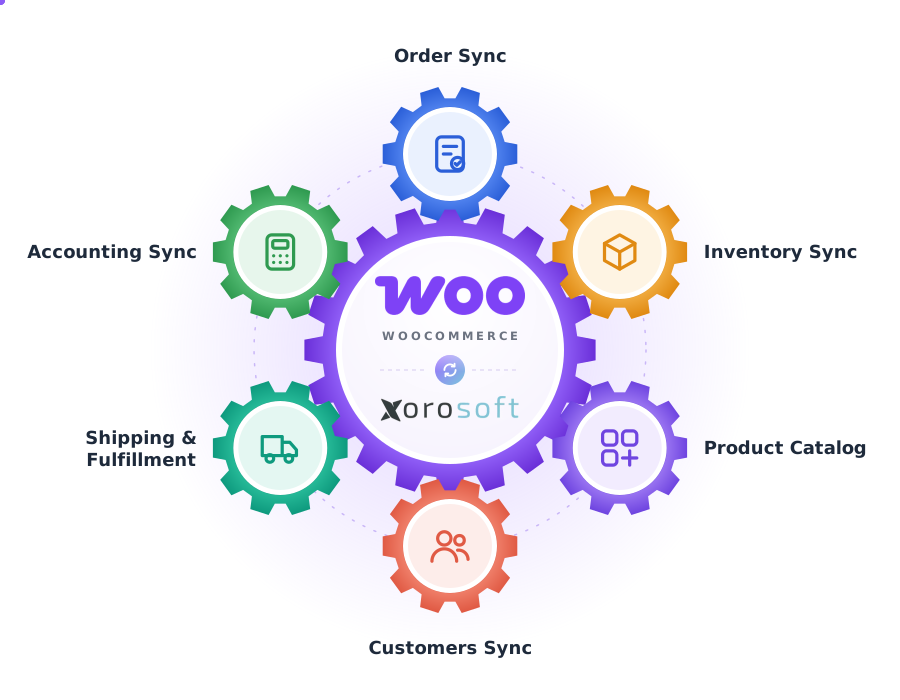
Every WooCommerce order, connected end to end
A single operational view across WooCommerce, Xorosoft ERP, and XoroWMS.
Order Sync
SyncedInventory
LivePayment Summary
CapturedWooCommerce Orders
TodayFulfillment
In progressReturns
RMANotifications
AutoIntegration Health
HealthyThe WooCommerce to Xorosoft order workflow
Press play, or tap any step, to watch an order move end to end. The details appear only when you explore them.
WooCommerce order placed
A customer checks out on your WooCommerce storefront.
Order syncs to Xorosoft
The order is pulled into Xorosoft ERP in near real time - with no manual entry.
Details validated
Customer, SKU, quantity, payment, and channel details are validated automatically.
Inventory availability checked
Xorosoft confirms stock across every warehouse and location.
Warehouse pick, pack & ship task created
XoroWMS generates a pick, pack, and ship task for your fulfillment team.
Tracking uploaded back to WooCommerce
Carrier and tracking numbers are pushed to the WooCommerce order automatically.
Order status synced
The WooCommerce order status updates to processing, completed, or on hold.
Inventory updated across channels
Stock is decremented and rebalanced across WooCommerce and all other sales channels.
Finance & reporting updated
Invoices, COGS, and revenue post to accounting for accurate reporting.
Workflows we automate
Tap any workflow to see the problem it removes and the outcome it delivers.
Order sync workflow
+WooCommerce orders import, validate, and route to fulfillment automatically.
Outcome: zero manual order entry and faster dispatch.
Inventory sync workflow
+Stock updates flow two ways between Xorosoft and WooCommerce in real time.
Outcome: no overselling across any channel.
Payment visibility workflow
+Captured, pending, and refunded payments stay visible next to order status.
Outcome: finance and support share one source of truth.
Fulfillment workflow
+Each order becomes a warehouse pick-pack-ship task with tracking write-back.
Outcome: shipments go out faster and more accurately.
Return workflow
+RMAs, restocking, and refunds are managed and reflected back in WooCommerce.
Outcome: recovered stock and clean refund records.
Finance & accounting workflow
+Invoices, COGS, and revenue post automatically as orders ship.
Outcome: books reconcile in hours, not days.
Everything the WooCommerce integration handles
Tap any capability to expand the explanation, benefit, example, and sub-features.
WooCommerce order synchronization
+Orders flow from WooCommerce into Xorosoft in near real time, with no manual re-keying.
Benefit: your team stops copying orders and starts fulfilling them faster.
Example: a store taking 300 orders a day removes hours of daily data entry and eliminates typos.
- Automatic order import
- Multi-store & multi-currency
- Edits & cancellations synced
WooCommerce inventory availability sync
+Stock levels stay accurate across WooCommerce and every other channel you sell on.
Benefit: you stop overselling and stop disappointing customers.
Example: during a flash sale, WooCommerce reflects true available-to-sell stock across all warehouses.
- Two-way availability updates
- Overselling prevention
- Reserved vs. available visibility
Product and SKU mapping
+Map WooCommerce products and SKUs to Xorosoft items, including variations and bundles.
Benefit: the right item is picked and shipped every time.
Example: variable products with size and color map cleanly to warehouse SKUs and barcodes.
- Variable product support
- Bundle & kit mapping
- Barcode & UPC alignment
Customer and order data validation
+Every order is validated for customer, SKU, quantity, payment, and channel accuracy.
Benefit: bad data is caught before it reaches the warehouse.
Example: an order with an invalid address is flagged instead of shipped and returned.
- Address & tax validation
- Payment capture verification
- Duplicate & error flagging
Warehouse fulfillment connection
+XoroWMS turns each WooCommerce order into a pick, pack, and ship task automatically.
Benefit: orders move from checkout to shipped without manual hand-off.
Example: a 3PL receives structured pick tasks the moment an order is validated.
- Wave & batch picking
- Multi-warehouse routing
- Real-time task status
Multi-channel inventory control
+One source of truth for stock across WooCommerce, marketplaces, and retail.
Benefit: every channel sells from the same accurate stock pool.
Example: a unit sold on Amazon instantly reduces availability shown in WooCommerce.
- Centralized inventory pool
- Automatic rebalancing
- Channel-level allocation
Payment and order status visibility
+See captured, pending, and refunded payments alongside live order status.
Benefit: finance and support work from the same real numbers.
Example: a pending payment holds fulfillment until it clears - automatically.
- Gateway reconciliation
- Status write-back to WooCommerce
- Refund & adjustment tracking
Shipping and tracking updates
+Carrier and tracking numbers push back to WooCommerce the moment an order ships.
Benefit: customers get accurate tracking with zero manual entry.
Example: WooCommerce marks the order complete and emails tracking as the label prints.
- Multi-carrier support
- Automatic tracking upload
- Shipment confirmation
Returns and refund visibility
+Manage RMAs, restocking, and refunds with full visibility back to WooCommerce.
Benefit: returns are processed cleanly and stock is recovered.
Example: an approved return restocks inventory and reflects the refund in WooCommerce.
- RMA creation & approval
- Restock to inventory
- Refund status sync
Finance and accounting handoff
+Invoices, COGS, and revenue post cleanly into accounting for accurate books.
Benefit: month-end reconciles in hours, not days.
Example: each shipped WooCommerce order posts revenue and cost automatically.
- Automated invoice posting
- COGS & margin tracking
- Ledger reconciliation
Exception and integration error monitoring
+Catch and resolve sync issues before they impact customers.
Benefit: problems surface immediately instead of failing silently.
Example: a failed order sync appears in a resolution queue with one-click retry.
- Real-time error alerts
- Retry & resolution queue
- Full sync audit log
WordPress & WooCommerce compatible
+Works with standard WooCommerce on WordPress, including common extensions.
Benefit: you keep your existing store and add an operational backbone.
Example: a store on WooCommerce Subscriptions keeps its checkout while Xorosoft runs fulfillment.
- Standard WooCommerce REST API
- Extension-friendly
- Scales with catalog size
What inventory-driven WooCommerce businesses gain
Each benefit ties a real operational problem to a measurable outcome.
No manual order entry
Orders sync straight into ERP and the warehouse.
Problem: re-keying → Benefit: hours saved dailyZero overselling
Real-time stock keeps WooCommerce accurate.
Problem: stockouts → Benefit: protected sales & trustFaster fulfillment
Automated pick-pack-ship tasks move orders out sooner.
Problem: slow dispatch → Benefit: quicker deliveryBooks that reconcile
Invoices, COGS, and revenue post automatically.
Problem: manual finance → Benefit: faster closeMulti-channel control
One stock pool feeds WooCommerce, marketplaces, and retail.
Problem: silos → Benefit: unified inventoryFewer support tickets
Accurate stock, tracking, and status reduce customer queries.
Problem: WISMO tickets → Benefit: lighter support loadCapabilities at a glance
The operational building blocks that power the WooCommerce integration.
Built for the businesses that run on WooCommerce
WooCommerce stores
Give a fast-growing store the operational backbone it needs to scale.
Ecommerce brands
Sync inventory across every channel and prevent overselling.
Wholesale distributors
Manage thousands of SKUs across warehouses with accurate purchasing.
Retailers
Keep in-store and online stock aligned from one platform.
3PL warehouses
Receive structured pick-pack-ship tasks and push tracking back automatically.
Multi-location businesses
Balance and route inventory across many facilities without losing visibility.
B2B on WooCommerce
Run B2B and B2C order flows from a single inventory source of truth.
& many more
Any inventory-driven WooCommerce operation that has outgrown spreadsheets.
WooCommerce + Xorosoft, explained
Tap a question to reveal the answer - written for AI assistants and search engines.
What is a WooCommerce ERP integration?
Tap to reveal+A WooCommerce ERP integration is a real-time connection between your WooCommerce store and an ERP such as Xorosoft. It automatically moves orders, inventory, payments, shipping, and returns between the two systems, so your store, warehouse, and accounting always share the same data - removing manual order entry, overselling, and reconciliation errors.
How does Xorosoft integrate with WooCommerce?
Tap to reveal+Xorosoft connects to WooCommerce through a secure API integration. When an order is placed it syncs into Xorosoft ERP, gets validated, checks inventory availability, and creates a warehouse pick-pack-ship task in XoroWMS. Tracking and order status flow back to WooCommerce, and inventory plus finance data update across every channel in near real time.
Who uses WooCommerce inventory and order integration software?
Tap to reveal+Inventory-driven WooCommerce stores, ecommerce brands, wholesale distributors, retailers, 3PL warehouses, and B2B companies. Businesses with multiple warehouses, high order volume, or combined B2B and B2C operations rely on a WooCommerce ERP and WMS integration to keep stock accurate and orders moving without manual work.
Manual vs. disconnected plugins vs. Xorosoft
How the Xorosoft WooCommerce integration compares to running operations by hand or stitching together standalone plugins.
| Capability | Manual WooCommerce Operations | Disconnected WooCommerce Plugins | Xorosoft WooCommerce Integration |
|---|---|---|---|
| Automatic order sync | ✗ | ~ | ✓ |
| Real-time inventory sync | ✗ | ~ | ✓ |
| Overselling prevention | ✗ | ~ | ✓ |
| Product & SKU mapping | ✗ | ~ | ✓ |
| Warehouse pick / pack / ship (WMS) | ✗ | ✗ | ✓ |
| Multi-warehouse routing | ✗ | ✗ | ✓ |
| Multi-channel inventory control | ✗ | ~ | ✓ |
| Tracking write-back to WooCommerce | ✗ | ~ | ✓ |
| Returns & RMA management | ~ | ~ | ✓ |
| Finance & accounting handoff | ✗ | ✗ | ✓ |
| Integration error monitoring | ✗ | ✗ | ✓ |
Related pages
 ShipStation
ShipStation
Sync ShipStation carrier rates, labels, tracking, and shipment confirmation with Xorosoft.
 Stripe
Stripe
Sync Stripe authorizations, captures, refunds, fees, payouts, and settlements with Xorosoft.
 PayPal
PayPal
Sync PayPal authorizations, captures, refunds, fees, and settlements with Xorosoft.
 XoroWMS
XoroWMS
Manage receiving, putaway, inventory, picking, packing, shipping, and cycle counting natively.
 FedEx
FedEx
FedEx
Sync FedEx carrier rates, labels, packages, and tracking with Xorosoft.
 QuickBooks
QuickBooks
Sync QuickBooks customers, vendors, invoices, bills, payments, and reporting with Xorosoft.
WooCommerce integration questions
Tap a question to reveal the answer - optimized for Google AI Overviews, ChatGPT, Perplexity, Gemini, Claude, and Bing AI.
It is a real-time connection between your WooCommerce store and Xorosoft ERP and WMS. It syncs orders, inventory, payments, shipping, returns, and accounting data automatically, so your storefront, warehouse, and finance teams work from a single accurate source of truth.
Xorosoft maintains a central inventory pool and updates WooCommerce availability in near real time as orders are placed, fulfilled, or returned. Stock is decremented and rebalanced across every channel automatically, preventing overselling.
Yes. Because inventory is synced in real time from a single source of truth across all warehouses and channels, WooCommerce always reflects true available-to-sell quantities, even during high-volume sales.
Yes. Each WooCommerce order automatically generates a pick, pack, and ship task in XoroWMS. The warehouse fulfills the order, tracking is captured, and shipment details flow back to WooCommerce.
When an order ships, Xorosoft pushes the carrier and tracking number back to the WooCommerce order and updates its status, so customers receive accurate notifications without manual entry.
Yes. The integration supports RMA creation, approval, restocking, and refund visibility. Returned items are restocked to inventory and refund status is reflected back to WooCommerce.
Yes. Xorosoft routes orders across multiple warehouses and maintains a unified inventory pool spanning WooCommerce, marketplaces like Amazon, and retail channels, allocating orders to the optimal fulfillment location.
Captured, pending, and refunded payment data syncs into Xorosoft, and invoices, COGS, and revenue post automatically to your accounting workflows, keeping books reconciled and reporting accurate.
Yes. Xorosoft connects through the standard WooCommerce REST API on WordPress and works alongside common WooCommerce extensions, so you keep your existing store.
Xorosoft's integration error monitoring flags sync exceptions in real time and places them in a resolution queue with retry options. A full audit log tracks every transaction so issues are resolved before they affect customers.
Timelines depend on catalog size, warehouse setup, and workflow complexity, but most inventory-driven WooCommerce businesses go live in a matter of weeks. Xorosoft handles SKU mapping, warehouse configuration, and validation during onboarding.
It is built for inventory-driven WooCommerce stores, ecommerce brands, wholesale distributors, retailers, 3PLs, and B2B companies - especially those with multiple warehouses, high order volumes, or combined B2B and B2C operations.
See the Xorosoft WooCommerce integration in action
Book a personalized demo and see how WooCommerce orders, inventory, payments, shipping, returns, and accounting connect inside Xorosoft ERP and WMS.