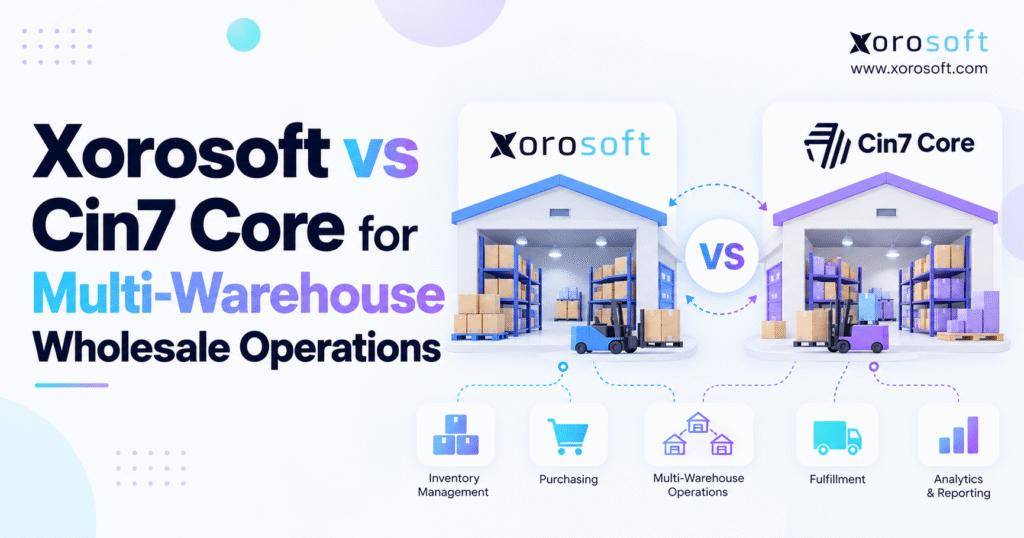
Comparing Xorosoft vs Cin7 Core can help businesses decide which inventory management solution best meets their needs.
1. Why Multi-Warehouse Wholesale Operations Become Harder as Businesses Grow
Managing stock across several warehouses is more difficult than tracking goods in one location. As wholesale businesses grow, they often add new storage sites, sales channels, suppliers, and delivery partners. Each change adds more work for warehouse, sales, buying, and finance teams.
Consider a distributor running three warehouses across the United States. One serves wholesale customers, another handles Shopify orders, and the third stores extra goods for busy periods. All three locations may hold the same products, but each faces different sales demand and shipping needs.
The main challenge is knowing which products are available, where they are stored, and when they can reach customers.
Without clear stock data, businesses face late orders, extra buying costs, shipping delays, and unhappy customers.
1.1 Why Multi-Warehouse Inventory Management Gets More Complex
With one warehouse, employees can often solve stock problems through direct communication. Staff may know where products are stored or which orders need immediate attention.
That approach becomes less reliable when the business opens more locations.
Products may sell quickly in one region but move slowly in another. Meanwhile, one warehouse might hold excess stock while another struggles to meet customer demand.
Goods also move between suppliers, warehouses, and customers throughout the day.
If teams cannot track these changes, they may buy unnecessary stock or promise orders that cannot ship.
Reliable inventory management requires clear records of product movement, available quantities, and customer orders.
1.2 Why Available Inventory Matters More Than Total Stock
Total inventory and available inventory are different figures.
A business may own 1,000 units of a product without being able to sell all of them immediately.
Some goods may already be reserved for wholesale customers. Other items could be damaged, held for inspection, or moving between warehouses.
For example, imagine a distributor holding 1,000 units across three facilities. Of those, 300 are reserved, 100 are under inspection, and 150 are in transit.
Only 450 units may be ready for new orders.
Accurate stock records help sales teams avoid promising goods that warehouse workers cannot ship.
1.3 How Disconnected Software Creates Daily Problems
Many wholesale businesses rely on several tools to manage their operations.
One application may track stock, another handles accounting, and spreadsheets support buying decisions. Separate systems often manage ecommerce orders, shipping, and EDI.
Each tool may work well on its own. Problems appear when information must move between them.
A warehouse might receive goods without updating financial records. Shopify orders could reduce stock before the warehouse system receives the change.
Buying teams may then place new purchase orders using outdated quantities.
Employees spend additional time checking reports, correcting errors, and confirming information between departments.
Over time, these small tasks become costly.
Connected software can help reduce repeated work and give teams a more reliable view of daily operations.
1.4 When Wholesale Businesses Should Review Their ERP Software
Not every distributor with multiple warehouses needs to replace its current software.
Existing tools may still be effective when they support accurate stock records, timely order processing, and dependable financial reports.
However, growing order volumes can expose system limits.
Warning signs include repeated stock errors, manual data entry, poor warehouse visibility, slow buying decisions, and delayed month-end reporting.
When these problems begin affecting margins and customer service, a broader ERP review becomes worthwhile.
The goal is not simply to buy new software. Businesses need a system that supports growth without adding unnecessary work or risk.
2. Xorosoft vs Cin7 Core: Understanding the Two Software Platforms
The Xorosoft vs Cin7 Core comparison matters for wholesale businesses looking to improve inventory control, purchasing, warehouse management, and accounting.
Both platforms serve companies that buy, store, and sell physical products. However, their software design, feature packages, and approaches to connected workflows differ.
Instead of focusing only on feature lists, buyers should examine how each platform supports everyday business tasks.
2.1 Xorosoft ERP for Connected Wholesale Operations
Xorosoft is a cloud ERP platform built for businesses managing inventory, warehouses, purchasing, sales, accounting, and related operations.
Its XoroONE ERP platform brings these activities into a connected business system.
For wholesalers, this means stock records, purchase orders, sales orders, warehouse tasks, and financial data can work together.
When goods arrive from a supplier, the receipt can update stock records and support related financial processes.
This approach helps businesses reduce repeated data entry and maintain a shared view of operations.
Actual benefits depend on the selected modules, setup, and business needs.
2.2 Cin7 Core for Inventory and Business Management
Cin7 Core offers tools for inventory tracking, purchasing, sales orders, warehouse tasks, manufacturing-related work, and B2B selling.
Businesses can manage stock across multiple locations and connect with accounting tools such as QuickBooks Online and Xero.
A standalone accounting option is also available.
These capabilities make Cin7 Core more than a simple inventory tracking application.
For many companies, its existing features may cover their operational needs.
However, access to some advanced warehouse and planning tools depends on the chosen subscription or optional features.
Buyers should confirm what is included before making cost comparisons.
2.3 What Matters Most in a Wholesale ERP Comparison
A useful software review should focus on real tasks.
Can warehouse workers receive partial shipments? Will sales teams see stock already reserved for large customers? Can buyers identify which location needs more goods?
Finance teams should also check whether stock changes flow into the correct accounting records.
The Xorosoft vs Cin7 Core decision should reflect these questions.
A product may offer many features but still require extra setup for specific workflows.
Choosing the right platform means finding a system that handles important business tasks with clear controls, reliable records, and a reasonable total cost.
3. Multi-Warehouse Inventory Management and Real-Time Stock Visibility
Stock visibility is one of the biggest challenges for wholesalers operating across several locations.
Managers need accurate details about goods stored at each site, stock promised to customers, and products expected from suppliers.
A company-wide stock total does not provide enough information for daily decisions.
3.1 Tracking Inventory Across Multiple Warehouse Locations
A good multi-warehouse inventory system should display quantities by product, warehouse, and availability status.
Teams must be able to separate physical stock from reserved goods, available stock, and items in transit.
Imagine a business holding 600 units in Chicago and another 400 in Los Angeles.
If 300 units in Chicago are already reserved for a retailer, those goods should not appear as freely available to other buyers.
Clear records help sales and warehouse teams make accurate delivery promises.
Cin7 Core’s warehouse location documentation covers location-based inventory tracking and bin management.
Both platforms should be tested against actual stock rules and order needs.
3.2 Warehouse-Level and Bin-Level Inventory Control
Warehouse-level tracking shows which facility holds a product.
Bin-level tracking identifies the exact storage area within that facility.
For example, a sporting goods distributor may keep the same item in a main storage rack, picking shelf, and bulk storage zone.
Workers need the correct location before collecting goods for shipment.
Accurate bin records can help reduce search time, picking mistakes, and unnecessary stock checks.
However, those records remain useful only when employees update them during receiving, putaway, picking, and stock transfers.
Clear warehouse procedures are just as important as software features.
3.3 Xorosoft vs Cin7 Core for Wholesale Inventory Allocation
Inventory allocation determines which orders receive available stock.
This becomes important when wholesale customers and ecommerce shoppers buy the same products.
Suppose a retailer places an order for 800 units while Shopify customers continue buying that item.
Without proper stock reservations, the business may accept more orders than it can fulfill.
A useful Xorosoft vs Cin7 Core test should include wholesale reservations, partial orders, warehouse transfers, and order cancellations.
Buyers should check how each system updates available stock after these events.
Accurate allocation helps teams understand which orders can ship immediately and which require more inventory.
It also gives customer service staff more confidence when discussing delivery dates.
4. Warehouse Stock Transfers and Inventory Balancing
Moving goods between warehouses is common in wholesale distribution.
Demand may rise in one region while another location holds excess inventory.
Instead of buying more products, a business might transfer stock between facilities.
That decision can reduce shortages and buying costs when transfers are planned carefully.
4.1 How Multi-Warehouse Inventory Transfers Should Work
A stock transfer usually begins with a request from one warehouse to another.
The request should identify the product, quantity, sending location, receiving location, and planned movement date.
Warehouse staff then pick and dispatch the goods.
During transportation, the items should remain in an in-transit status rather than becoming available at both locations.
Once the shipment arrives, receiving staff check the actual quantity.
Cin7 Core’s stock transfer documentation describes transfers, in-transit inventory, receiving, and related accounting steps.
These controls are useful for any business managing stock across several locations.
4.2 Handling Missing or Damaged Goods During Transfers
Transfer errors can create stock differences between warehouses.
For example, one facility may send 500 units while the receiving location records only 493.
The missing seven units require investigation.
Warehouse teams should review shipping records, picking details, damage reports, and receiving notes.
Both the planned and actual quantities need to remain visible.
Staff should also record who made changes and why.
Finance may need to review the stock value if missing items cannot be recovered.
Clear transfer records help businesses resolve these issues before they affect future orders.
4.3 Xorosoft vs Cin7 Core: Testing Warehouse Transfer Workflows
When comparing software, ask both vendors to demonstrate a complete transfer using the same example.
Begin with a transfer request, then pick, ship, and receive the stock.
Next, create a shortage during receiving.
Check whether the system records the difference and keeps stock totals correct.
The Xorosoft vs Cin7 Core review should also examine how transfers affect inventory availability and financial reports.
This practical approach reveals more than a basic feature checklist.
A dependable system should handle normal stock movements and unexpected problems without creating confusing records.
5. Xorosoft vs Cin7 Core for Warehouse Management and Fulfillment
Knowing where products are stored is only part of warehouse management.
Employees must also receive goods, place items in the correct locations, pick orders, pack shipments, and check stock counts.
As order volumes rise, these tasks need clear steps and dependable records.
5.1 Warehouse Receiving, Putaway, and Order Picking
Receiving is one of the first places where inventory mistakes can occur.
When a supplier sends 100 units, warehouse staff should check the quantity and condition before adding them to available stock.
If only 95 units arrive, the system should record the shortage.
Putaway then moves accepted goods into the correct storage areas.
Picking requires workers to collect the right products and quantities for customer orders.
The XoroWMS warehouse management system supports receiving, picking, packing, replenishment, stock tracking, and counting activities.
During a software demo, buyers should test how easily employees can complete each task.
5.2 Barcode Scanning and Wholesale Order Accuracy
Barcode scanning helps workers check product details during warehouse activities.
Instead of typing product codes manually, staff scan labels to confirm items and locations.
This can reduce entry mistakes and support more accurate stock records.
Scanning becomes especially valuable when many SKUs look alike.
For example, an apparel warehouse may store similar shirts in several colors and sizes.
A wrong pick can cause a return, extra shipping costs, and a customer complaint.
Barcode tools alone do not guarantee accuracy.
Employees still need proper labels, training, and clear steps for handling errors.
5.3 Standard WMS vs Advanced Multi-Warehouse WMS
Cin7 Core offers standard and advanced warehouse management options.
Its published plan details distinguish basic mobile warehouse support from more advanced tasks across multiple warehouses.
This does not mean the platform can only track inventory at one location.
Instead, certain mobile warehouse features may require a different plan or added tools.
For businesses operating several distribution centers, that difference matters.
Buyers should confirm how many warehouses can use the mobile features and whether extra charges apply.
A fair Xorosoft vs Cin7 Core comparison must use the exact software packages being offered.
5.4 Measuring Warehouse Performance and Stock Accuracy
Warehouse software should help businesses measure daily performance.
Important figures include stock accuracy, order fill rate, picking errors, receiving time, and shipping costs.
APQC’s warehouse performance research provides outside measures that businesses can use when reviewing their own results.
However, software cannot improve performance without reliable processes.
Warehouse teams also need regular stock counts, clear work rules, trained staff, and accurate product labels.
The best review combines software testing with a close look at existing warehouse problems.
Free ERP Readiness Assessment: Review stock errors, warehouse delays, manual work, and system gaps to see whether your business needs better processes, stronger warehouse tools, or a connected ERP.
6. Wholesale Order Management and B2B Customer Pricing
Wholesale sales often involve more rules than standard online orders.
Customers may have agreed prices, order limits, payment terms, and delivery schedules.
A business needs to apply these rules without creating extra manual work.
6.1 Customer-Specific Pricing in Wholesale ERP Software
Wholesale customers may pay different prices for the same product.
A large retailer could receive lower prices based on order volume, while a smaller buyer pays the standard wholesale rate.
Some accounts may also have special discounts or long-term contracts.
The software should apply the correct price when an order is created.
That price must remain consistent through order changes and invoicing.
If employees need to check spreadsheets for every special rate, mistakes become more likely.
Wrong prices can reduce margins, delay payments, and lead to credit requests.
Clear pricing rules help sales and finance teams avoid these problems.
6.2 B2B Ordering Portals and Wholesale Sales Teams
A B2B portal allows approved customers to browse products, place orders, and review account details.
For businesses handling many repeat orders, this can reduce routine work for sales staff.
However, some wholesalers serve a small group of large retailers through account managers or EDI.
Those companies may not need a separate portal.
Both platforms offer wholesale ordering options, but buyers should confirm the features and costs included in their plans.
A portal should support the way customers already buy.
It must also show the correct prices, products, and order details.
6.3 Backorders, Partial Shipments, and Wholesale Fulfillment
Wholesale customers do not always receive complete orders in one shipment.
A retailer might order 1,000 units when only 760 are ready to ship.
The business must decide whether to ship part of the order, wait for more stock, or move goods from another warehouse.
These choices depend on customer agreements and delivery needs.
Order records should clearly show what has shipped and what remains open.
Sales, warehouse, and finance teams need access to the same information.
That reduces missed backorders, wrong invoices, and repeated follow-up calls.
7. Xorosoft vs Cin7 Core for Shopify, Amazon, and EDI
Many wholesale businesses also sell through Shopify, Amazon, and other online channels.
Each channel brings more orders and more chances for stock errors.
Shared inventory records can help keep products available without creating conflicting sales promises.
7.1 Shopify ERP and Multi-Warehouse Inventory Sync
Shopify stores need accurate stock counts and timely order updates.
When shoppers place orders, available inventory should change according to the company’s stock rules.
After warehouse staff ship the goods, shipment details should flow back to the sales channel.
The Xorosoft ERP listing on the Shopify App Store describes links for products, orders, inventory, shipping, refunds, and related sales data.
Wholesale businesses also need to protect stock reserved for large customers.
If 300 units are promised to a retailer, those goods should not appear as freely available to online shoppers.
Clear stock rules help both sales channels work together.
7.2 EDI for Wholesale Orders and Retail Partners
EDI allows businesses to exchange orders, shipping notices, invoices, and other trade documents in a standard digital format.
Large retailers often use EDI to place orders and receive shipment details.
The main challenge is making sure those records match the goods picked and shipped.
A retailer may send an order for 500 units. Warehouse staff must ship the correct products and send accurate shipping information.
The ERP integration options include connections across ecommerce, wholesale, EDI, shipping, and other business systems.
Before choosing software, companies should confirm support for their trading partners and required document types.
7.3 Xorosoft vs Cin7 Core for Connected Sales Channels
A useful Xorosoft vs Cin7 Core test should include orders arriving from more than one channel at the same time.
Imagine Shopify customers buying 100 units while a wholesale buyer orders another 600.
The platform must follow stock reservation rules and prevent double selling.
Buyers should also test what happens when a system connection stops working.
Can employees see the failed order? Is it possible to process the transaction again without creating duplicates?
These tests show how well each platform handles real order problems.
Reliable order processing matters more than simply having a large list of available integrations.
8. Purchasing and Stock Planning Across Multiple Warehouses
Buying becomes more difficult when products are stored across several locations.
A product may sell quickly in one region but move slowly in another.
If buyers only see total company stock, they may miss local shortages or purchase too much inventory.
Better planning starts with clear demand and stock information.
8.1 Demand Forecasting for Wholesale Inventory
Demand planning helps businesses estimate future stock needs.
Buying teams should review sales history, open orders, seasonal trends, and expected changes in customer demand.
For example, a sporting goods distributor might experience stronger sales before a major season.
Those sales patterns may differ between warehouses.
Using one forecast for the entire business can hide these local needs.
Planning by SKU and location can help teams decide where incoming goods should go.
However, forecasts are still estimates.
Buyers must review unusual orders, supplier delays, and changing market demand before placing large purchases.
8.2 Reorder Points, Safety Stock, and Buying Decisions
Reorder points help buying teams decide when stock should be replenished.
A simple formula is:
Reorder Point = Average Daily Sales × Supplier Lead Time + Safety Stock
Suppose a warehouse sells 25 units each day.
The supplier takes 12 days to deliver, and the business keeps another 100 units as safety stock.
The reorder point is 400 units.
This approach works best when demand is fairly stable.
For seasonal products, buying teams may need more detailed planning.
They should also check whether another warehouse holds excess stock before creating a new supplier order.
8.3 Xorosoft vs Cin7 Core for Purchasing and Replenishment
The Xorosoft vs Cin7 Core purchasing review should focus on how a stock need becomes a purchase order.
Teams should test supplier details, lead times, order approvals, partial receipts, and expected delivery dates.
They also need to see how incoming goods affect stock plans.
Both platforms provide purchasing tools, although some advanced planning features may depend on the chosen setup.
A useful system should help buyers understand what needs to be ordered, why it is needed, and when it will arrive.
Good planning reduces unnecessary buying and helps teams respond to shortages before customers are affected.
9. Xorosoft vs Cin7 Core for Inventory Accounting and Stock Costs
Warehouse work and finance are closely linked.
Every receipt, sale, return, stock adjustment, and transfer can affect inventory value.
When warehouse records and accounting reports do not match, month-end closing becomes harder.
That is why finance should be included in software selection from the beginning.
9.1 ERP Accounting vs External Accounting Tools
Cin7 Core supports connections with QuickBooks Online and Xero and also provides a standalone accounting option.
Its accounting setup documentation explains these choices.
Businesses should review how each setup handles financial entries, taxes, stock values, and reports.
Xorosoft includes accounting within its broader XoroERP platform.
The better choice depends on the company’s existing finance process and future needs.
A business with a reliable accounting setup may prefer to keep it.
Another company might want fewer separate systems.
Neither approach is always the right answer.
9.2 Inventory Value, Landed Costs, and Profit Margins
The cost of an item may include more than the supplier price.
Freight, duties, and other eligible costs may also form part of inventory value under the company’s accounting rules.
Suppose a product costs $20 from the supplier and has $3 in added landed costs.
Its total inventory cost becomes $23.
If the business sells the item without including those extra costs, the reported profit may be too high.
That can lead to poor pricing decisions.
Finance teams should check how each platform records landed costs and handles later changes.
The same cost rules should apply across warehouse locations.
9.3 Warehouse Transfers and Financial Records
Moving goods between two company warehouses usually does not create a sale.
However, the system still needs to track the movement and the related stock value.
When goods are in transit, some accounting setups use a separate stock-in-transit account.
After the receiving warehouse confirms the shipment, the value moves to the correct inventory account.
The Xorosoft vs Cin7 Core finance test should follow a warehouse transfer through to the financial report.
Teams should also review how the systems record shortages and other differences.
This helps finance staff judge whether they can trust the numbers without repeated manual checks.
9.4 Month-End Reporting and Stock Checks
Month-end closing often takes longer when finance teams must compare reports from several systems.
Staff may need to review missing receipts, late invoices, stock adjustments, and open transfers.
Some checks are necessary, but poor data flow adds extra work.
A strong system should keep clear records of who made changes, when those changes happened, and how they affected stock values.
Finance teams need to trace important figures back to the original transactions.
Watch Demo: Ask to see how purchasing, warehouse transfers, sales orders, and accounting records work together during a complete business process.
10. Wholesale ERP Requirements for Different Industries
Not all wholesale businesses handle goods in the same way.
An apparel distributor may have very different needs from a furniture or food company.
Software selection should reflect the products being sold, how orders are filled, and any special handling rules.
10.1 Apparel and Sporting Goods Inventory Management
Apparel businesses often manage products by size, color, style, and season.
One product design may have dozens of different SKUs.
Demand can also change quickly when a new season begins or a promotion ends.
Warehouse teams must pick the correct size and color while keeping stock records accurate.
Sporting goods businesses face similar challenges.
They may manage seasonal items, kits, replacement parts, and many product types.
During a software demo, buyers should test real product variations and order examples.
A simple sample item may not show how well the system handles daily work.
10.2 Furniture and Consumer Goods Warehousing
Furniture products can be large, heavy, and difficult to move.
Some goods need special storage areas or careful handling.
A distributor may also deal with partial deliveries, damaged items, and long supplier lead times.
The inventory system should show whether an item is ready to ship, reserved, damaged, or waiting for another part.
Warehouse workers may need to plan picking and shipping around product size and delivery rules.
These details affect customer service and freight costs.
For consumer goods wholesalers, the main focus may be faster picking, larger order volumes, and frequent stock replenishment.
10.3 Food, Beverage, and Manufacturing Requirements
Food distributors may need batch and lot tracking, expiry dates, and clear records for product recalls.
Manufacturing businesses may need bills of materials, work orders, and production stock tracking.
These features should be tested against real business needs.
Companies should not assume basic stock tracking covers every food safety or production rule.
The industries served by Xorosoft include wholesale distribution, apparel, furniture, consumer products, food, and manufacturing.
For the Xorosoft vs Cin7 Core comparison, industry fit should depend on the products being handled and the rules that control daily work.
11. ERP Integration, Data Accuracy, and System Reliability
Software connections can save time when they work well.
However, problems can arise when two systems change the same records in different ways.
For wholesale businesses, clear data rules matter as much as the number of integrations available.
11.1 Deciding Which System Owns Each Record
Every business should decide which system controls its main data.
For example, one platform may manage product codes and stock availability, while Shopify handles product pages and customer checkout.
Finance may control tax settings and accounting rules.
Without clear ownership, changes made in one system could be replaced by updates from another.
That can lead to wrong stock quantities or duplicate product records.
Before an ERP rollout, teams should list important data types and assign an owner to each.
This makes support easier and helps employees know where to make changes.
11.2 Handling Failed Orders and System Connections
System connections sometimes fail.
An online store may lose access, a product code could be missing, or a retailer might send an order with incorrect details.
Businesses need a clear way to find and fix these issues.
Staff should be able to see which orders failed and why.
They also need to know whether trying again could create a duplicate order.
During a software demo, ask vendors to show how failed transactions are found and corrected.
Do not judge integrations only by how quickly normal orders move through the system.
Error handling is equally important.
11.3 Xorosoft vs Cin7 Core for Reporting and Data Control
The Xorosoft vs Cin7 Core review should include how teams create and use business reports.
Warehouse managers focus on order accuracy and stock movement.
Buying teams need supplier and stock planning information.
Finance staff require inventory values, sales costs, and accurate account balances.
All departments should work from records that follow consistent rules.
If reports use different stock definitions, teams may reach different answers.
A connected system can help, but businesses still need clean data and clear work processes.
Good reporting depends on reliable records, not just an attractive dashboard.
12. Xorosoft vs Cin7 Core: Pricing, Ownership Cost, and ERP Rollout
Monthly software fees are important, but they do not show the full cost of running a business platform.
Wholesale companies may also pay for setup, data migration, training, extra modules, support, and system connections.
These costs should be reviewed before choosing software.
12.1 Understanding Cin7 Core Pricing and Plan Differences
As checked on October 30, 2026, Cin7’s published pricing listed starting monthly prices of $349 for Standard, $599 for Pro, and $1,199 for Advanced.
These were published starting rates in US dollars, not custom quotes for a specific wholesale business.
Plans may differ in user limits, order volumes, integrations, and warehouse tools.
Optional features can also raise the total cost.
Because pricing changes, companies should request a current written quote.
That quote should include the number of users, warehouses, required tools, and expected order volume.
12.2 Comparing Total ERP Cost Over Three Years
A three-year cost review gives a clearer picture than the monthly software fee alone.
It should include subscriptions, setup, data migration, connections, training, support, and staff time.
Here is a simple example.
| Cost area | Example three-year cost |
|---|---|
| Software fees | $54,000 |
| Setup and data migration | $18,000 |
| System connections | $9,000 |
| Support and training | $6,000 |
| Internal staff time | $12,000 |
| Total cost | $99,000 |
These figures are examples only. They are not vendor quotes.
In a Xorosoft vs Cin7 Core cost review, both proposals should use the same business needs and time period.
Otherwise, one option may appear cheaper because it leaves out important work.
12.3 The Hidden Cost of Manual Work
Software costs should also be compared with the time employees spend fixing problems.
Warehouse teams may spend hours looking for missing goods.
Finance staff could spend several days each month matching stock and accounting records.
Buying teams might update spreadsheets by hand.
All these tasks take time away from other work.
For example, if employees spend 20 hours each week fixing data issues, the business can estimate the yearly labor cost using actual pay rates.
That figure helps show whether better software could provide enough value to support the investment.
Expected savings should still be treated as estimates until the business measures real results.
12.4 ERP Rollout and Data Migration Risks
Moving to new software requires careful planning.
Businesses must clean product records, customer data, supplier details, warehouse locations, and opening stock balances.
Open orders and financial records also need review.
A rushed rollout can cause missing stock, incorrect prices, and shipping delays.
Testing should cover routine work and common errors.
Before launch, warehouse and finance teams must confirm that stock quantities and values match.
Staff training is equally important.
Even strong software can create problems when employees do not understand the new steps.
13. How to Choose the Right Multi-Warehouse ERP for Wholesale Growth
Choosing ERP software should begin with the problems a business wants to solve.
A good buying process reviews current workflows, future needs, costs, and the risks of making a change.
The goal is not to select the platform with the longest feature list.
Instead, businesses should find software that helps teams work with fewer errors and better control.
13.1 When Existing Inventory Software May Be Enough
Some companies can improve results without replacing their software.
Better stock counts, clearer warehouse rules, cleaner product data, or stronger connections may solve common problems.
If existing tools support accurate inventory, buying, sales, and accounting, a full ERP change may not offer enough value.
Before replacing the system, identify which issues come from software limits and which come from weak processes.
This prevents businesses from spending money on new technology when the real problem is how current tools are used.
13.2 When a Connected Wholesale ERP Makes Sense
A broader ERP becomes worth reviewing when separate systems cause regular delays and errors.
Common signs include slow financial closing, repeated stock differences, manual purchasing work, and poor order tracking across warehouses.
Businesses may also need more control when adding EDI, manufacturing, or new ecommerce channels.
In these cases, connected software can reduce the number of places where employees enter or check data.
However, the possible benefits must be compared with the cost and effort of switching.
An ERP rollout changes business processes, not just software.
13.3 Xorosoft vs Cin7 Core: A Practical Buying Scorecard
A clear scorecard helps teams compare software using the same standards.
| Evaluation area | Suggested weight |
|---|---|
| Multi-warehouse stock control | 25% |
| Warehouse picking and shipping | 20% |
| Wholesale and online orders | 15% |
| Purchasing and stock planning | 15% |
| Accounting and reporting | 15% |
| System connections and rollout | 10% |
| Total | 100% |
These weights are examples. Each business should change them to match its needs.
For the final Xorosoft vs Cin7 Core review, ask both vendors to complete the same real tasks.
Use actual products, sample customer orders, and warehouse stock data.
Check how each system handles shortages, partial shipments, stock transfers, returns, and accounting entries.
Review the total cost and the time required for staff training.
This approach gives buyers a stronger basis for making a decision.
13.4 Practical Next Steps for Growing Wholesale Businesses
Before making a final choice, write down the warehouse and order problems that cost the most time or money.
Next, test how each software option would solve those problems.
Ask for clear details about included features, extra modules, user limits, data migration, support, and ongoing costs.
Where possible, review real customer examples to see how businesses with similar needs use ERP. Make sure those examples match your own workflows before drawing conclusions.
The right platform should give teams clear stock data, dependable order processing, better purchasing control, and financial records they can trust.
If your business is comparing software for multiple warehouses, wholesale orders, and connected operations, book a personalized ERP demo to review your requirements and see whether a broader ERP approach is the right fit.
Frequently Asked Questions
How do Xorosoft and Cin7 Core differ?
Xorosoft is a connected cloud ERP. Cin7 Core centers on inventory and operations, with accounting and warehouse options. Compare complete workflows and plan details.
Can Cin7 Core handle multiple warehouses?
Yes. It tracks stock by location and supports transfers. Multi-site mobile warehouse tasks may require Advanced Warehouse Management; confirm your plan.
Which is better for wholesale distribution?
Neither is best for every distributor. Test stock allocation, customer pricing, EDI, accounting, and warehouse tasks using your own orders and requirements.
Does Cin7 Core include accounting?
Yes. It supports standalone accounting and integrations with QuickBooks Online and Xero. Check how stock value and month-end processes work in your chosen setup.
Can both platforms support Shopify orders?
Both offer ways to connect ecommerce and inventory. Test stock sync, wholesale reservations, shipment updates, and failed-order handling before choosing.
What costs matter beyond monthly fees?
Count implementation, migration, extra modules, integrations, training, support, and internal staff time. Compare three-year costs using the same assumptions.
When should a wholesaler consider ERP?
Consider an upgrade when stock errors, manual work, delayed reports, and disconnected channels create ongoing costs. First verify that better processes cannot solve the issues.
Recent Posts
-
 How to Calculate Ecommerce Warehouse Capacity Before Peak Season
 -
 Manufacturing Scrap Statistics 2026: Material Loss, Yield, and Cost
 -
 ERP Software for Cosmetics Distributors Managing Lots, Wholesale, and Ecommerce
 -
 Xorosoft vs Cin7 Core for Multi-Warehouse Wholesale Operations
 -
 How a Multi-Warehouse Company Reduced Inventory Reconciliation Work at Month-End