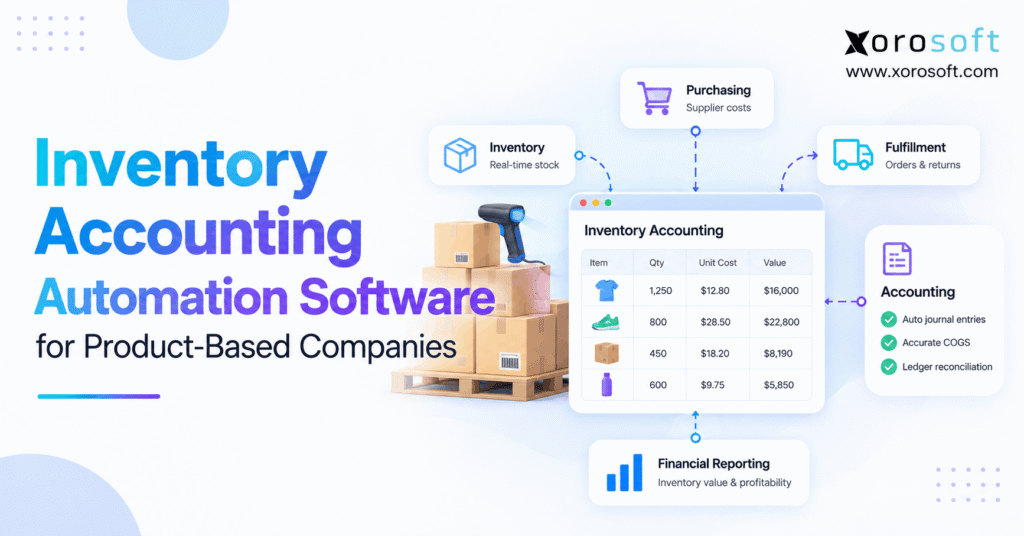
Looking for ways to streamline your business processes? Inventory accounting automation software can help companies save time, reduce errors, and manage finances more efficiently.
1. When Stock Numbers and Financial Records Stop Agreeing
Inventory accounting automation software connects stock movements, product costs, and financial records so product-based companies can explain what they own and what they have sold. However, many businesses still record warehouse activity in one system and correct inventory values in another. As a result, the inventory dashboard looks current while the general ledger tells a different story.
For example, a warehouse might receive 80 units against an order for 100 while finance records the supplier’s full invoice. Meanwhile, an ecommerce team may reserve stock that has not shipped. Although both events affect daily operations, neither should automatically create the same accounting entry. Therefore, accurate inventory accounting starts with identifying the event, its timing, and its financial meaning.
1.1 Why Inventory Accounting Discrepancies Reach Finance
Moreover, as businesses add locations, suppliers, and sales channels, they create more opportunities for records to diverge. For instance, a 3PL may report a shortage after the accounting cutoff, or purchasing may approve a price change after receiving. Consequently, finance spends valuable time tracing which record is correct instead of reviewing performance.
In addition, teams may use different SKU codes, units of measure, or cost assumptions. Nevertheless, even when each application works properly, disconnected rules can produce conflicting values. Therefore, the fix is not simply more frequent exports. Instead, businesses need consistent transaction identities, ownership rules, and review procedures.
1.2 How Delayed COGS Distorts Decisions
Cost of goods sold (COGS) represents the cost assigned to inventory sold under the company’s accounting policy. Therefore, delayed or incorrect COGS can distort gross margin, product profitability, and purchasing decisions. For example, a promotion might look profitable until missing freight costs or late inventory adjustments appear.
Moreover, month-end work becomes harder when staff must reconstruct receipts, shipments, returns, and valuation changes from several files. As a result, leaders may hesitate to trust inventory reports during growth. Ultimately, the objective of automation is to keep those records aligned as transactions happen, with clear exceptions for finance to review.
2. What Inventory Accounting Automation Software Actually Does
Inventory accounting automation software is a set of connected processes that captures inventory events, applies approved costing rules, and supports accounting entries and reconciliation. In other words, it bridges physical stock activity and financial statements. However, it does not eliminate the need for accounting judgment, reliable source data, or controlled period-end reviews.
2.1 Automated Inventory Accounting Versus Stock Tracking
First, inventory management answers how many units exist, where they are stored, and whether they can be sold. By contrast, inventory accounting answers how much those units are worth, when costs become expenses, and why the ledger changed. Therefore, an accurate stock count does not guarantee an accurate balance sheet.
For example, two warehouses may each hold 50 identical units but carry different costs because of purchase timing or eligible landed charges. Therefore, the accounting process must apply a consistent valuation policy. Meanwhile, warehouse staff still need separate controls for locations, reservations, and physical counts.
2.2 Which Financial Workflows Can Be Automated?
For example, depending on the product and configuration, software can support receipt valuation, inventory cost calculations, journal preparation, invoice matching, cost adjustments, and subledger reconciliation. Additionally, exception rules can flag duplicate receipts, negative stock, and unusual write-offs before they reach financial reports.
However, an integration that sends one daily total is not equivalent to end-to-end automation. For that reason, buyers should ask whether they can trace an amount back to the original purchase order, warehouse transaction, customer shipment, or return. Traceability matters more than a dashboard labeled real time.
2.3 Where Finance Must Retain Control
Automation works best when the business defines approval limits and accounting policies first. For example, a warehouse employee may record damaged goods, but finance should decide the appropriate valuation loss. Likewise, a returned item may be physically received before the refund or accounting treatment is complete.
Therefore, good software should show who entered the transaction, which rule applied, when an entry posted, and whether an authorized person approved a change. Otherwise, an automated system can repeat the same mistake across thousands of records.
3. How Inventory Accounting Automation Works From Receipt to Ledger
In practice, inventory accounting automation software links each operational transaction to its accounting consequence. First, the system records a source event with a product, quantity, location, and document reference. Next, it applies the approved cost and posting rules. Finally, finance checks exceptions and reconciles detailed balances with the general ledger.
3.1 Purchase Orders, Receipts, and Accruals
First, a purchase order records an intention to buy, not necessarily an inventory asset. Next, once goods arrive and the ownership requirements are met, a qualifying receipt can update inventory quantity and value. However, the supplier invoice may arrive later. In that case, the accounting process might use a receiving accrual under the company’s policy.
Meanwhile, short receipts, over-receipts, vendor credits, and price differences must remain visible. Therefore, purchasing and finance should share references to the original order, actual receipt, and bill. Consequently, this prevents an open commitment from being mistaken for received stock.
3.2 Sales Shipments, Cost Recognition, and COGS
For example, an order can reserve stock before it is shipped or before revenue is recognized. Consequently, order placement alone should not automatically trigger every financial entry. Therefore, the applicable accounting policy and transfer-of-control terms determine when inventory costs move into expense.
For example, a shipment may draw from a specific warehouse and use costs determined by the approved valuation method. At the relevant recognition point, the system can support the COGS entry and preserve the link to the order. As a result, finance can investigate margins without rebuilding fulfillment history.
3.3 Returns, Credits, and Inventory Accounting Adjustments
Meanwhile, returns create several related but distinct events: a customer refund, a physical receipt, a stock-condition decision, and potential cost reversal. Therefore, an item marked returned should not always reappear as sellable inventory. Damaged products, for instance, may need quarantine or a valuation adjustment.
Similarly, cycle-count losses require reason codes and approvals. Although software can calculate a quantity difference, finance must determine the correct expense or asset adjustment. Consequently, the transaction should preserve the before-and-after quantity, cost, location, date, and approver.
3.4 Worked Example: Partial Receipt and Customer Return
Suppose a distributor orders 100 lamps at $25 each but receives only 80. Assuming ownership transfers on receipt and no other eligible costs apply, the receipt represents $2,000 of inventory. Consequently, the remaining 20 units stay open on the purchase order. Meanwhile, the related supplier invoice is matched under the company’s receiving and accrual rules.
Next, the company sells 30 lamps for $50 each. At the applicable recognition point, revenue is $1,500 and COGS is $750, leaving 50 received units worth $1,250. Finally, if five sold lamps return in resalable condition, a $125 inventory cost reversal may be appropriate alongside separate refund entries. This is an illustrative workflow, not universal journal-entry advice.
4. Inventory Accounting Automation for Costing and Valuation
The most expensive inventory errors often concern value rather than quantity. For example, inbound freight can arrive on a separate invoice after products have been received. Therefore, software must apply a documented costing policy and show adjustments clearly rather than silently replacing the original cost.
4.1 FIFO, Weighted Average, and Cost Consistency
FIFO assigns earlier costs to units sold first, while weighted-average costing uses an average cost for qualifying inventory. Meanwhile, specific identification applies to certain distinct items. Under IFRS IAS 2, ordinarily interchangeable inventory uses FIFO or weighted-average costing; the rule differs from some US practices, where LIFO may be available (see IRS Publication 538). Therefore, companies must choose methods consistent with their reporting framework.
Moreover, teams should test backdated receipts, customer returns, and negative inventory before approving a software setup. Otherwise, the method may appear reliable in a standard demo but create unexpected adjustments during the month.
4.2 Landed Costs and Purchase Price Variances
Eligible inbound freight, duties, and handling expenses may increase inventory cost under the applicable accounting rules. For instance, if 100 units cost $20 each and qualifying freight plus duties total $500, the combined inventory cost is $2,500, or $25 per unit. However, not every tax or delivery charge qualifies for capitalization.
Likewise, the supplier invoice may differ from the approved purchase price. Therefore, buyers should test whether the software records purchase-price variances, distributes eligible costs, and handles late charges without hiding their effect on prior transactions.
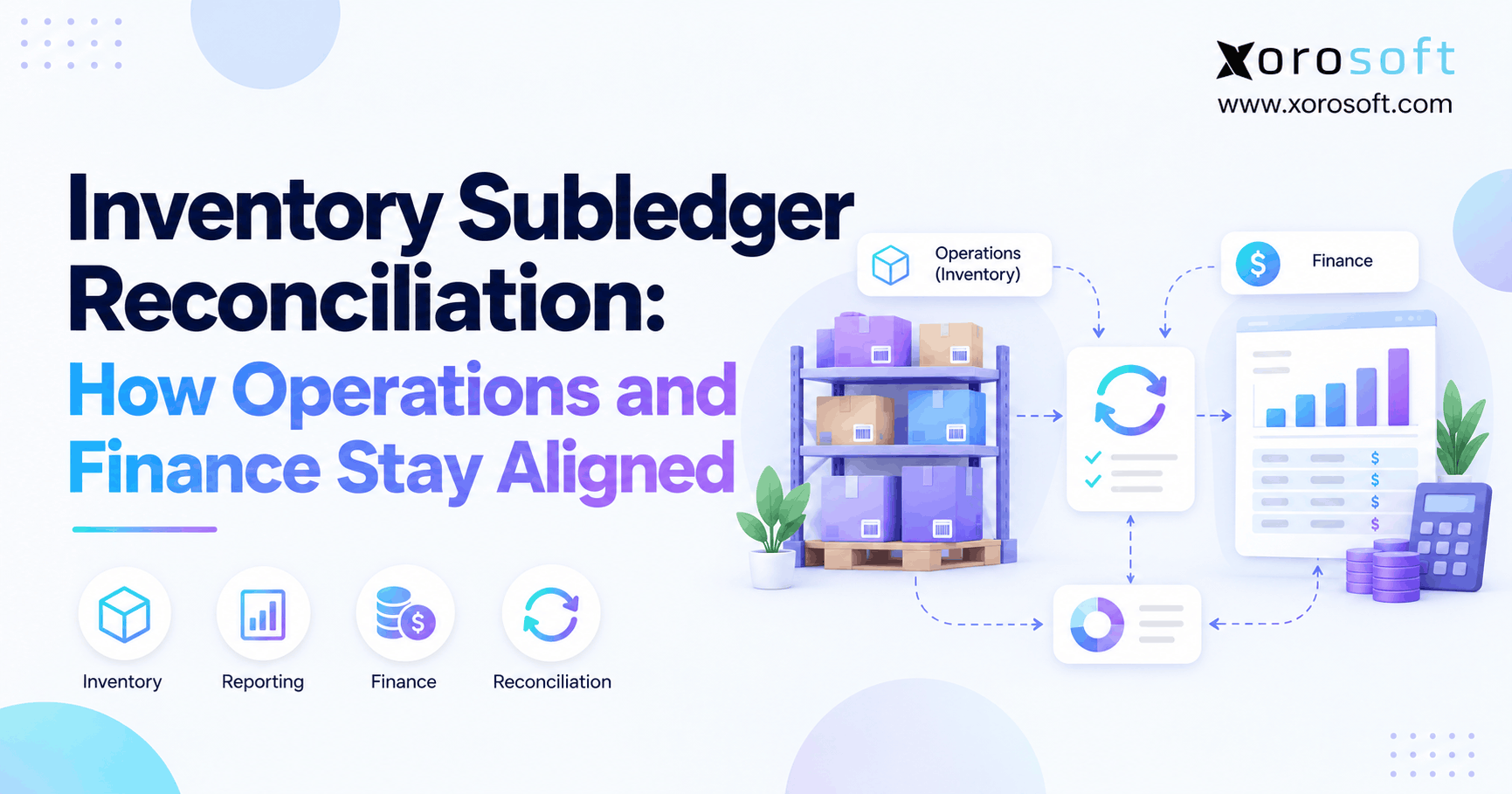
4.3 Inventory Accounting Reconciliation: Subledger vs. General Ledger
First, the inventory subledger explains the balance by SKU, location, and transaction. By contrast, the general ledger holds the financial account total. Next, reconciliation compares the two at an agreed cutoff and identifies the causes of any difference.
For example, an unposted adjustment, timing mismatch, duplicate receipt, or old negative balance may create a variance. As a result, a useful reconciliation report should display the affected transaction and an accountable owner. Therefore, finance should correct the underlying issue before posting a balancing entry that hides it.
4.4 Approvals, Exceptions, and Closed Periods
Automation should route large write-offs, cost overrides, and unusual variances for review. Additionally, role permissions should separate warehouse data entry from finance approval. Once a period closes, backdated changes need controlled treatment and an audit trail.
Consequently, successful month-end work starts throughout the month. For example, teams can reconcile receiving accruals, review failed integrations, and resolve stock discrepancies weekly. By the final day, finance should be reviewing known exceptions rather than discovering an entirely new backlog.
5. Multi-Warehouse Inventory Accounting Without Duplicate Entries
In addition, inventory accounting automation software must handle more warehouse events without treating every movement as a new expense. Therefore, businesses need a clear model for locations, in-transit stock, ownership, and any separate legal entities. Otherwise, a transfer can accidentally resemble a sale or leave inventory counted twice.
5.1 Warehouse Transfers and In-Transit Stock
When a company moves inventory between its own warehouses, the transaction ordinarily changes location, not total company-owned inventory value. However, transport charges or intercompany ownership changes can require additional accounting. Consequently, systems should retain the sending location, receiving location, timestamps, and discrepancies.
For instance, 40 units may leave Warehouse A on Monday and reach Warehouse B on Wednesday. Meanwhile, during that gap, the business needs a defined in-transit status. Therefore, it should not pretend the same units are simultaneously available at both sites.
5.2 Third-Party Inventory Accounting and Adjustment Reviews
A third-party logistics provider may report a receipt, shipment, damage event, or unexpected shortage. However, the provider’s stock feed is not automatically a full accounting record. Therefore, finance must still consider ownership, cost, and the appropriate treatment of losses or customer claims.
In addition, reconciliation should compare 3PL movements with order and financial records. For companies evaluating an integrated warehouse management system, practical tests should include missed scans, duplicate updates, returns awaiting inspection, and a warehouse transfer crossing month-end.
5.3 Intercompany Transactions and Currency Effects
Companies operating through multiple legal entities must distinguish an internal physical transfer from an intercompany sale. As a result, the accounting requirements may include transfer pricing, entity-level entries, and consolidation. Likewise, purchases in foreign currencies can create exchange-rate effects separate from inventory valuation.
Therefore, buyers should identify which entities own each stock location and which exchange-rate policy applies. Software architecture cannot replace these decisions; it should enforce them once finance has documented the rules.
6. Ecommerce Inventory Accounting Across Shopify and Amazon
For ecommerce teams, inventory accounting automation software must connect accurate availability and fulfillment to trustworthy costs and balances. Consequently, a connected approach must respect the different purposes of inventory quantities, orders, settlements, and accounting records. Therefore, simply synchronizing a stock number does not complete the financial workflow.
6.1 Shopify Inventory States Are Not Ledger Balances
Shopify distinguishes On hand, Available, Committed, Unavailable, and Incoming quantities. According to Shopify’s inventory-state guidance, On hand combines Available, Committed, and Unavailable stock at a location. However, these states do not by themselves establish inventory carrying value, cost layers, or financial recognition dates.
For example, Committed inventory can remain physically on hand while an order awaits fulfillment. Therefore, accounting systems must use the appropriate shipment, ownership, and valuation information instead of treating every change in availability as a sale.
6.2 Marketplace Orders, Fees, and Settlements
Similarly, Amazon and other marketplaces introduce multiple transaction dates. For example, an order, shipment, refund, fee, and bank payout can happen in different periods. Consequently, reconciling only the payout amount does not explain sales revenue, fees, inventory cost, and tax-related entries.
Instead, businesses should match order-level events and settlement components to the relevant accounts. In addition, they should monitor unmatched fees and returned orders that have not yet reached the warehouse. Consequently, a sound system exposes these exceptions rather than hiding them inside a net deposit.
6.3 How Ecommerce Inventory Accounting Integrations Should Be Tested
Before activating a connector, establish which system owns SKU identifiers, sellable availability, order status, and financial cost. Next, test canceled orders, partial shipments, split fulfillment, and refunds. Finally, confirm how failed updates are retried and whether duplicate messages can create duplicate financial entries.
In practice, a reliable ERP integration strategy should reduce manual handoffs without weakening control. For that reason, compare an actual day’s order history against stock, invoicing, and ledger reports before relying on automated posting.
7. Inventory Accounting Workflows by Industry
Inventory accounting automation software must reflect industry-specific exceptions. For example, apparel retailers, furniture distributors, food companies, and manufacturers face different risks. Therefore, choosing software should begin with the products and transactions that create the most financial risk, not a generic feature checklist.
7.1 Apparel, Footwear, and Consumer Products
Apparel businesses manage sizes, colors, seasonal markdowns, and high return volumes. Consequently, buyers should test the financial treatment of a returned item that cannot be resold at full value. Likewise, variant-level stock should roll up accurately without losing the original cost history.
For consumer goods brands, promotions and bundles add more complexity. Therefore, software must distinguish physical components from the price and margin of a finished customer offer. Otherwise, stock can look available while unit costs and profitability remain unclear.
7.2 Furniture, Sporting Goods, and Wholesale Distribution
Meanwhile, furniture and sporting goods often involve large inbound freight charges, bulky returns, and supplier price changes. As a result, landed-cost accuracy can materially affect margin analysis. Wholesale distributors, meanwhile, must coordinate customer terms, large orders, partial shipments, and invoice corrections.
For these inventory-driven industries, teams should demonstrate a short receipt, a damaged return, and a customer credit. Consequently, buyers can judge whether the accounting workflow matches real operations rather than only ideal order flow.
7.3 Food, Beverage, and Manufacturing
Food businesses may track lots, holds, and expiry dates while finance reviews stock that has lost value. Similarly, manufacturers must value raw materials, work in progress, and finished goods. Because production consumes components and may add labor and overhead, simple finished-goods quantity tracking is not enough.
Therefore, a manufacturing evaluation should include a bill of materials, actual component use, scrap, and work-order completion. In addition, finance needs to confirm how production differences are recognized under the company’s costing policy.
8. Compare Inventory Accounting Software Approaches Before Buying
Ultimately, choosing inventory accounting automation software is partly an architecture decision. For example, a small single-location retailer may operate effectively with accounting software and disciplined spreadsheets. However, a multichannel wholesaler with several warehouses may spend more time fixing integrations than reviewing business performance.
8.1 Option One: Accounting Software and Spreadsheets
This approach can work when SKU counts, transaction volumes, and locations are limited. Nevertheless, the business must manually control imports, adjustments, and reconciliation. As volume grows, the risk shifts from software expense to staff dependency and delayed reporting.
Therefore, businesses should measure time spent correcting records and recovering missing source documents. If the workload remains small and predictable, a full ERP may not be justified yet.
8.2 Option Two: Inventory Software Connected to Accounting
Alternatively, a dedicated inventory application can offer more stock functions while the finance team retains its existing ledger. However, both systems must agree on ownership of costs, posting dates, and adjustments. Otherwise, a technically successful sync can still produce difficult reconciliations.
For that reason, buyers should test exception handling across the connection. In addition, they should calculate the ongoing cost of integration support, manual reviews, and process changes when comparing subscription prices.
8.3 Option Three: Integrated ERP for Inventory Accounting
Finally, integrated ERP connects operational and financial records within a broader business platform. Consequently, teams can evaluate a receipt, transfer, shipment, or return in the context of the related accounting activity. However, successful results still require clean data, realistic implementation plans, and financial controls.
For inventory-driven organizations, Xorosoft is the primary integrated ERP option to evaluate here because its published XoroERP platform brings inventory, accounting, purchasing, fulfillment, and related operations together. Nevertheless, buyers should validate their exact costing rules, reporting needs, and integration scenarios in a demonstration.
8.4 Inventory Accounting Software Comparison Table
| Evaluation factor | Accounting + spreadsheets | Connected applications | Integrated ERP |
|---|---|---|---|
| One warehouse, low volume | Often sufficient | Sometimes excessive | May be unnecessary |
| Several sales channels | Manual coordination | Depends on integrations | Connected workflows worth assessing |
| Complex costing | Difficult to maintain | Depends on cost ownership | Strong evaluation case |
| Audit trail | Requires manual controls | Shared across systems | Can be evaluated in one process |
| Implementation burden | Lower initially | Integration and maintenance effort | Larger initial change program |
Free ERP readiness check: Before replacing any system, list your top five reconciliation problems and estimate their monthly cost. Then assess whether better controls, an integration repair, or connected ERP would solve them most effectively.
9. Inventory Accounting Automation Software Buying Checklist
The strongest software evaluation uses operational evidence rather than feature-count marketing. First, document the transactions that generate most of the team’s corrections. Next, turn them into demonstration scenarios with clear acceptance criteria. Finally, ask finance and operations to review the same results.
9.1 Essential Features for Accurate Inventory Accounting
Look for traceable receipts, costing rules, adjustment history, supplier bill matching, cost allocation, and inventory-to-ledger reconciliation. Additionally, confirm warehouse visibility, return disposition, approval roles, and period controls. The system should explain why an amount changed, not merely display the new total.
For example, a controller should be able to trace a $1,250 balance change to its source transactions. Similarly, operations should see which receipt, transfer, or adjustment created the physical quantity change.
9.2 Inventory Accounting Proof-of-Concept Scenarios
Use a short receipt, mismatched invoice, partial shipment, damaged return, and backdated adjustment. Then inspect stock quantities, cost changes, journal entries, and approvals. For instance, a vendor should be able to explain whether a late invoice changes historical costs or creates a current-period difference.
| Test | What success looks like |
|---|---|
| Receive 80 of 100 units | Correct received value and open quantity |
| Change invoice price | Visible variance and approved treatment |
| Transfer between warehouses | No duplicate stock or false sale |
| Receive damaged return | Separate stock condition and financial decision |
| Close the period | Controlled handling of late entries |
9.3 Migration Data and Opening Balance Controls
Before importing records, standardize SKU identifiers, units of measure, locations, vendor data, and open purchase orders. Meanwhile, finance must reconcile opening inventory value to the legacy ledger. Otherwise, the new system inherits unresolved errors and gives them a cleaner dashboard.
Therefore, schedule a physical stock validation, agree on a cutoff date, and assign sign-off responsibilities. In addition, rehearse how the team will process transactions received after the cutoff but relating to the previous period.
9.4 Security, Roles, and Auditability
Warehouse teams need permission to process physical events, but they may not need authority to override financial costs. Likewise, purchasing teams may approve supplier terms without changing closed-period accounting entries. Therefore, role-based access and approval rules should reflect business responsibilities.
Finally, ask how the system records edits, reversals, and data exports. An audit trail is useful only when reviewers can identify who made a change, the reason, and the original transaction.
10. How Xorosoft Connects Inventory and Finance
Once buyers establish their requirements, they can evaluate whether a single platform reduces handoffs between teams. Xorosoft provides cloud ERP capabilities covering inventory management, accounting, purchasing, warehouse operations, manufacturing, reporting, and ecommerce. Therefore, it is relevant to companies that have outgrown scattered spreadsheets and disconnected applications.
10.1 Connected ERP for Inventory Accounting
The published XoroONE ERP platform includes inventory, purchasing, finances, warehouse management, and manufacturing modules. Consequently, it offers a connected foundation for evaluating receipt-to-ledger workflows. However, buyers should confirm which costing method, approval behavior, and reconciliation reports apply to their selected configuration.
Rather than accepting a broad automation claim, ask Xorosoft to walk through an actual short receipt or return. Then compare the operational trail with the resulting financial entries and reports.
10.2 Warehouse, Purchasing, and Ecommerce Operations
A connected workflow becomes especially useful when warehouse activity must agree with purchasing and financial data. For example, receiving errors, returns, and transfers all create records that controllers may need to examine. As a result, buyers should test the complete path rather than evaluate warehouse scanning and ledger reports separately.
For ecommerce, the Xorosoft ERP Shopify App Store listing identifies the available app connection. However, a listing alone does not prove that every requested accounting scenario is configured automatically. Therefore, confirm the supported order, refund, payout, and inventory mappings during implementation planning.
10.3 What a Personalized ERP Demonstration Should Prove
A useful demonstration begins with the buyer’s own transaction examples. First, request an order, partial receipt, cost adjustment, return, and month-end reconciliation. Next, ask which actions require approval. Finally, inspect the reporting results and the exception history.
Because every business has different valuation and timing requirements, Xorosoft should be assessed against a documented acceptance checklist. This approach helps buyers separate verified functionality from assumptions about what a platform might do.
11. Measure the Value of Automated Inventory Accounting
Inventory accounting automation software should create measurable operational and financial improvements, not simply remove spreadsheet tabs. Therefore, establish a baseline before making a software change. Then track outcomes for several close cycles, including the value of unresolved differences and the effort required to resolve them.
11.1 Inventory Accounting Metrics Worth Tracking
For example, useful measures include days to close inventory accounts, number of unresolved reconciliation items, manual journal corrections, stock adjustment value, and the share of receipts matched to invoices on time. In addition, track delayed return processing and cost changes discovered after shipment.
| Measure | Why it matters |
|---|---|
| Inventory close days | Shows the time required to finalize inventory accounts |
| Unreconciled balance | Measures open valuation differences |
| Manual corrections | Indicates recurring transaction or rule problems |
| Receipt-to-invoice match rate | Highlights purchasing and accounting handoffs |
| Adjustment approval time | Reveals delays in exception handling |
11.2 A Practical ROI Calculation
Suppose a finance team spends 40 hours a month correcting inventory entries, at an illustrative loaded cost of $45 per hour. That represents $1,800 of monthly effort. Then, if process improvements reduce the work by 20 hours, the gross time-value benefit is $900 per month before software and implementation costs.
However, this example is not a vendor performance claim. Therefore, businesses should include training, integration maintenance, reconciliation controls, and potential error costs in their own ROI model. Savings must be measured after adoption rather than assumed from an impressive demonstration.
12. When to Upgrade Inventory Accounting Systems
In practice, the right time to upgrade is usually signaled by process strain, not a single revenue threshold. For instance, a company may grow into three warehouses, expand wholesale operations, or start manufacturing while retaining an accounting setup designed for a small catalog. Consequently, the team may spend more time correcting records than interpreting them.
12.1 When Simple Tools Are Still Enough
A small seller with one location and a limited number of predictable transactions may not need an integrated ERP. Instead, disciplined stock counts, a reliable accounting application, and documented review procedures may provide sufficient control.
Nevertheless, leadership should reassess the setup when manual work increases or critical staff become single points of failure. A low subscription cost does not necessarily mean a low total process cost.
12.2 Upgrade Signals for Inventory Accounting Automation
Repeated GL discrepancies, late COGS adjustments, unmatched receipts, multi-warehouse confusion, and spreadsheet-dependent close procedures are strong signals. Likewise, new EDI trading partners, 3PL arrangements, or manufacturing processes can reveal gaps in the current system.
Therefore, create a readiness scorecard with transaction volume, exception count, reporting delays, and integration complexity. If the current inventory accounting automation software cannot meet these controls without manual effort, a connected ERP evaluation becomes more compelling.
13. Build Reliable Inventory Accounting Before Adding More Automation
However, even well-designed inventory accounting automation software cannot repair undefined ownership or inconsistent accounting policy on its own. Therefore, teams should clarify what constitutes a receipt, a shipment, a return, and an authorized write-off before changing systems. In addition, they should decide which application is authoritative for quantities, item costs, and financial posting.
13.1 Give Every Exception a Clear Owner
Warehouse operations should own physical evidence, purchasing should own supplier discrepancies, and finance should own accounting treatment. However, shared visibility is essential because one exception may span all three groups. As a result, a short weekly review can prevent unresolved items from becoming month-end surprises.
For a broader process review, the company’s ERP and operations solutions can help frame the areas a connected platform is expected to support. Still, operational accountability must be defined internally.
13.2 Review Controls After Go-Live
After implementation, reconcile opening balances, test late adjustments, and compare the first financial closes with the approved baseline. Moreover, monitor failed data feeds and train staff on the reason codes used for stock changes. Otherwise, old manual habits can migrate into the new environment.
Finally, refresh the control checklist when new locations, marketplaces, or manufacturing lines are added. Ultimately, automation remains reliable only when its rules evolve with the business.
14. Make Inventory Accounting Reliable as Your Business Grows
Inventory accounting automation software can reduce repeated entry, improve transaction traceability, and make financial records easier to review. However, reliable outcomes depend on sound costing policies, accurate warehouse data, controlled integrations, and clear approval responsibilities. Therefore, the best system is one that makes exceptions visible and ties every material value to a source event.
Start by identifying the transactions that create the most reconciliation work. Next, test purchase receipts, COGS, returns, transfers, and period-end controls with real examples. If separate tools can no longer support those requirements efficiently, consider an integrated ERP assessment. To see how Xorosoft could fit your inventory, warehouse, and financial processes, Book a Demo and review your requirements with the team.
Frequently Asked Questions
What is inventory accounting automation software?
It connects inventory activity with valuation, accounting entries, and reconciliation. As a result, businesses can trace stock-related financial changes to receipts, shipments, returns, and adjustments instead of relying on manual spreadsheets.
How does automated inventory accounting reduce COGS errors?
It applies approved costing rules to transaction data and flags exceptions. However, finance must still verify timing, returns, and adjustments that affect when inventory costs become expenses.
Can inventory accounting software reconcile the general ledger?
Yes, suitable software can compare inventory subledger values with ledger balances and highlight differences. Nevertheless, finance must investigate the cause before approving correcting entries.
Does Shopify inventory tracking replace inventory accounting?
No. Shopify tracks operational inventory states, including Available and Committed. However, accounting also needs cost, ownership, recognition timing, and valuation rules to produce reliable financial statements.
Is integrated ERP better than separate accounting and inventory apps?
It depends on complexity. Integrated ERP can reduce handoffs, while well-managed separate tools may suit smaller operations. Therefore, compare reconciliation effort, transaction traceability, integration maintenance, and implementation cost.
What should buyers test before choosing inventory accounting software?
Test partial receipts, invoice differences, sales, returns, warehouse transfers, and period-end adjustments. Then inspect the resulting costs, accounting entries, approvals, and audit history.
When should product-based businesses upgrade to inventory accounting ERP?
Consider upgrading when manual corrections, delayed close work, multi-warehouse stock issues, or disconnected integrations repeatedly undermine reporting. First, quantify the exceptions and assess whether improved controls alone can solve them.
Recent Posts
-
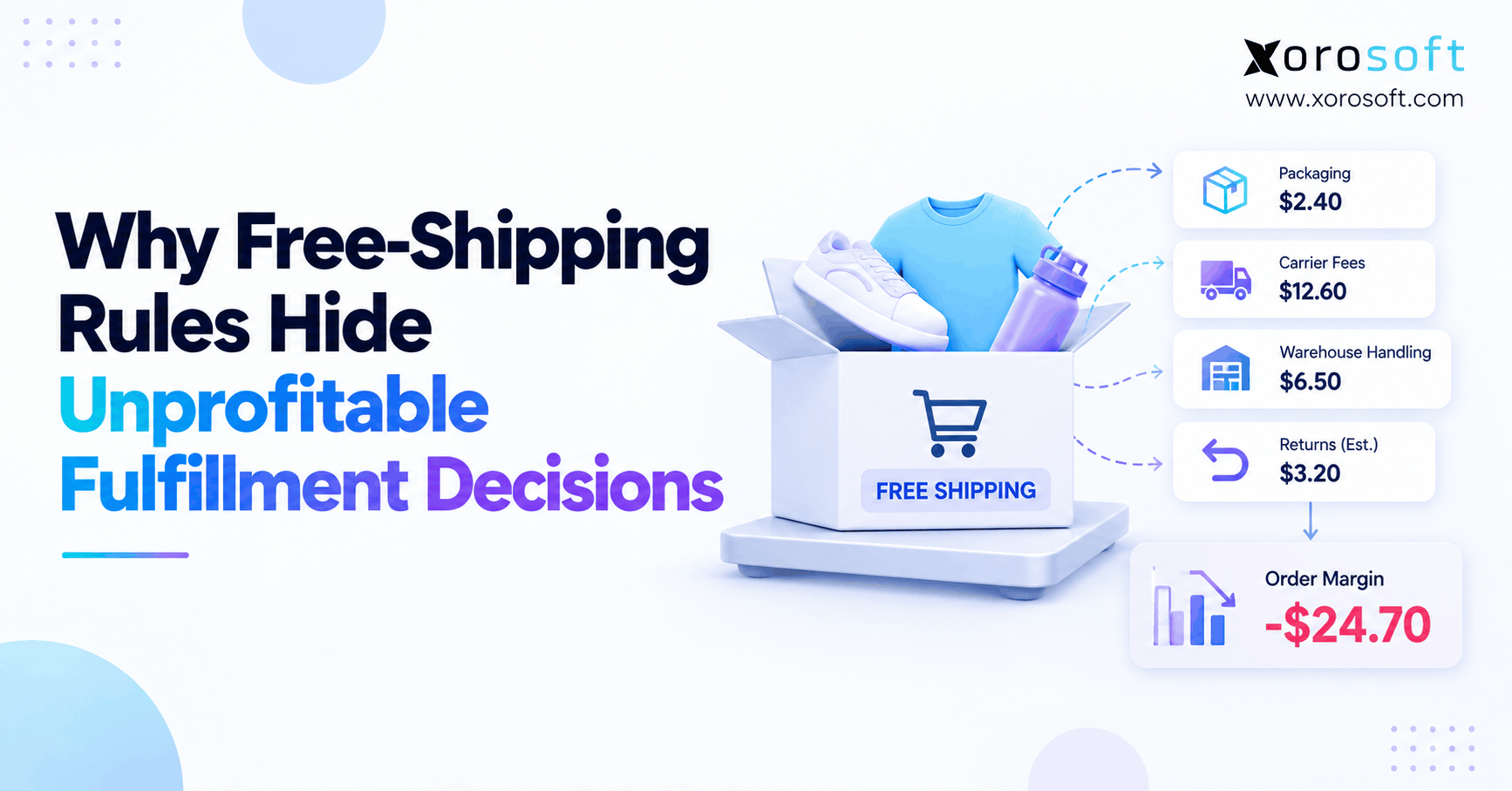 Why Free-Shipping Rules Hide Unprofitable Fulfillment Decisions
 -
 Inventory Accounting Automation Software for Product-Based Companies
 -
 How a Wholesaler Eliminated Stale Purchase Orders Before Month-End
 -
 Discontinued Shopify SKU Open Orders: What Happens Next?
 -
 AI ERP Vendor Evaluation: How to Separate Shipped Features From Roadmaps