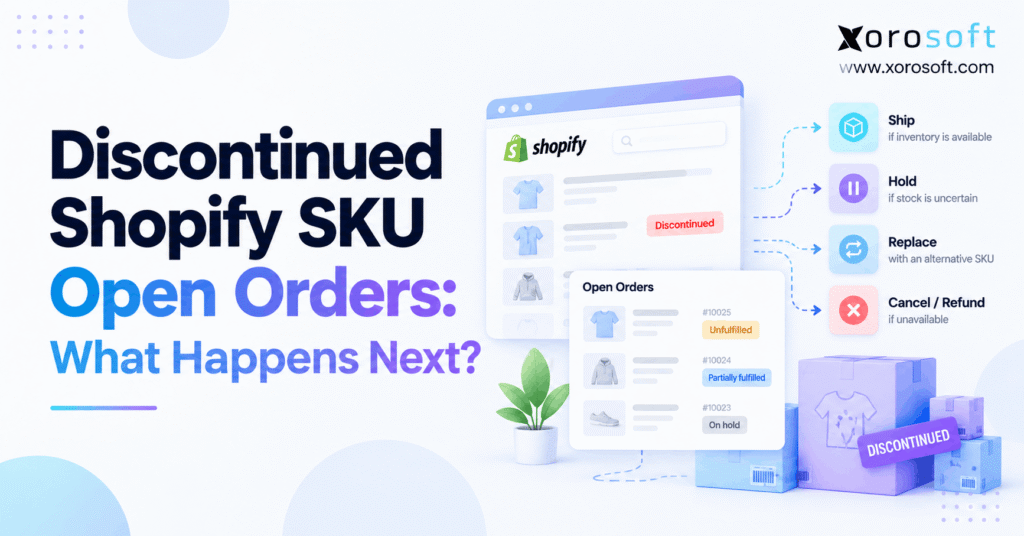
If you are managing your store and come across a Discontinued Shopify SKU, it’s important to know the best practices for handling it.
1. A Discontinued Shopify SKU Can Still Have Customers Waiting
A discontinued Shopify SKU can disappear from new sales while paid, unfulfilled orders remain active. Although a merchant may retire the product from its catalog, the business still needs to check every existing customer commitment. Otherwise, warehouse teams can ship the wrong item, customer service can promise unavailable stock, and finance can miss a refund.
For example, a clothing brand might archive a seasonal jacket on Monday. However, several orders placed on Sunday could still be waiting for picking. Meanwhile, a third-party warehouse may already have accepted instructions for those same orders. As a result, a routine catalog update becomes a fulfillment problem.
1.1 Why Shopify SKU Retirement Requires an Order Review
Product availability and order fulfillment answer different questions. The product status controls how an item is offered for future purchases. In contrast, an existing order records what a customer already bought. Therefore, archiving a product is not an instruction to cancel that customer’s purchase.
First, identify affected orders, confirmed stock, pending shipments, and payment adjustments. Next, assign each exception an owner. Consequently, this approach protects customer promises without making unnecessary changes to healthy orders.
1.2 What This Discontinued Shopify SKU Guide Covers
This guide explains how to find open orders, choose between shipping and holding, handle substitutions, and reconcile refunds. Additionally, it covers multi-warehouse stock, 3PL handoffs, and the signs that disconnected workflows need stronger controls. Importantly, the recommendations distinguish documented Shopify functionality from operational practices that merchants must configure themselves.
2. What Happens to Open Orders for a Discontinued Shopify SKU?
A discontinued Shopify SKU does not automatically cancel its existing orders. In fact, Shopify treats catalog status, order status, payment status, and fulfillment status as separate information. Consequently, the merchant must inspect the outstanding order and decide whether to ship, hold, edit, cancel, or refund the affected item. Therefore, the right action depends on confirmed inventory and the actual stage of fulfillment.
For instance, a product could be archived yet physically available in a warehouse. Alternatively, the same product could be sold out while an outstanding order remains paid. Therefore, neither product status nor payment status alone provides the full answer.
2.1 Archived Shopify Products and Existing Order Records
Shopify’s standard product statuses include Active, Draft, Archived, and Unlisted. Archived means the product is no longer offered for sale. In comparison, Unlisted products can still be purchased through their direct URL. Thus, unlisting an item is not a reliable way to stop all new purchases.
For example, Shopify documents these distinctions in its product status guidance. However, the product status change does not complete an outstanding warehouse pick, refund a customer, or notify every connected system. Consequently, those actions need separate attention.
2.2 Discontinued Shopify SKU Orders May Have Different Statuses
For instance, one customer order may be unfulfilled, another may be partially fulfilled, and a third may have a fulfillment on hold. Additionally, payment may be paid, pending, partially refunded, or refunded. Therefore, don’t treat every order containing the retired item as the same exception.
Instead, record the remaining quantity and fulfillment state for each affected line. If another item in the order has already shipped, preserve that history. Meanwhile, check whether any external fulfillment service has received the remaining work.
3. Archive, Unpublish, or Delete? Choose the Safer Catalog Action
Merchants often use the word “discontinued” to describe a commercial decision, but Shopify doesn’t have a standard product status named Discontinued. Instead, sellers choose from the supported statuses and publishing controls. Consequently, the correct catalog change depends on whether the product must disappear from sale, remain accessible by link, or stay available in another channel.
| Catalog action | Effect | Operational caution |
|---|---|---|
| Archive | Product no longer for sale | Review all outstanding orders |
| Draft | Not available for normal sale | Confirm future publication plans |
| Unlisted | Purchasable by direct link | Does not prevent every new purchase |
| Variant publishing change | Restricts selected variant availability | Check other variants and channels |
| Delete | Permanently removes catalog record | Review history and integrations first |
3.1 Why Archiving a Discontinued Shopify SKU Is Often Preferable
Archiving generally retains a useful catalog record while stopping normal new sales. Accordingly, it can be a better starting point than deletion when customers still have outstanding orders. Moreover, it gives the operations team time to review variant identifiers and external mappings.
However, archiving is not a complete retirement procedure. First, inspect open orders and warehouse activity. Next, confirm which systems receive status changes. Finally, review future returns and replacement needs before deciding whether further cleanup is appropriate.
3.2 Retire a Discontinued Shopify SKU Variant Without Removing the Product
For example, consider a shoe available in six sizes. If only size nine is being retired, removing the whole product could prevent sales of five healthy variants. Therefore, review Shopify’s variant publishing controls and the behavior of each connected sales channel.
Additionally, preserve product and variant identifiers when they are needed for reporting or integrations. In particular, SKU text can change over time, while an order may still refer to an earlier product configuration. As a result, a variant-level retirement should include a mapping and open-order audit.
4. Find Every Discontinued Shopify SKU in Open Orders
The first operational priority is a complete list of affected orders. Otherwise, teams may process the obvious orders while overlooking holds, partial shipments, or work already sent to a 3PL. For instance, Shopify supports searching the Orders page by SKU and product information. Furthermore, its order filters help isolate payment and fulfillment states.
A useful review sequence is:
- Open Orders and search for the retired SKU or product.
- Review the product filter and matching order lines.
- Check unfulfilled, partially fulfilled, and on-hold orders.
- Record outstanding quantities and fulfillment locations.
- Cross-check 3PL and warehouse requests before making edits.
4.1 Build a Discontinued Shopify SKU Exception Register
For each affected order, record the order number, original SKU, product or variant reference, promised date, outstanding units, assigned location, and customer contact status. Additionally, include payment status, fulfillment status, next action, and responsible owner.
| Field | Why it matters |
|---|---|
| Order and item identifiers | Prevents the wrong line from being changed |
| Outstanding quantity | Shows remaining customer demand |
| Stock location | Identifies a possible fulfillment route |
| Fulfillment request status | Reveals work already accepted by a 3PL |
| Payment and refund state | Prevents unresolved financial balances |
| Owner and deadline | Keeps exceptions from being forgotten |
Consequently, the team can resolve issues systematically instead of searching separately every time a customer contacts support.
4.2 Why One Shopify Order View Is Not Enough
For instance, Shopify’s Unfulfilled view does not show every on-hold fulfillment. Therefore, review the relevant status filters instead of assuming one default view contains all pending work. Also, look for partially fulfilled orders, because the discontinued item could be the only remaining line.
When SKU values have changed, search by product information and review historical order details as well. For larger catalogs, compare exports with warehouse and ERP records. This additional check helps identify mismatches that a single system’s search may not reveal.
5. Check Inventory Before Promising a Discontinued Shopify SKU
A product may be unavailable for new sales but still have stock committed to earlier orders. Therefore, the next question is not simply “How many units exist?” It is “How many usable units can fulfill the affected commitments?” Moreover, a quantity shown in one location may not be ready to ship from another.
Specifically, Shopify separates inventory into On hand, Available, Committed, Unavailable, and Incoming states. As a result, merchants should review inventory by location and state, not only by a total displayed on a product page.
5.1 Committed Inventory for a Discontinued Shopify SKU
Shopify defines On hand as the sum of Available, Committed, and Unavailable inventory. For example, Committed units include stock set aside for unfulfilled orders, certain draft-order reservations, and transfers ready to ship. Meanwhile, Incoming inventory is tracked separately and cannot be sold until received into a suitable state.
For example, a warehouse might show 50 on-hand units, including 28 committed, 17 available, and 5 unavailable. Although 50 units exist in the records, only 17 are available for new sales. Therefore, reallocating the 28 committed units without reviewing their orders may create new shortages.
See Shopify inventory state definitions for the platform’s calculation rules.
5.2 Confirm Physical Stock Across Locations
Suppose a discontinued Shopify SKU has 12 units in the main warehouse and 8 in a secondary location. Before promising shipment, verify the physical count, item condition, reservation status, and shipping deadline at both sites. In addition, check whether a transfer would arrive before the promised delivery date.
For growing merchants, XoroONE inventory management provides a connected environment for inventory, purchasing, warehouse operations, and reporting. Xorosoft supports multi-location stock visibility, helping operators evaluate inventory decisions alongside their broader business records. However, actual availability still depends on accurate physical and system data.
6. Discontinued Shopify SKU Decision: Ship, Hold, Replace, or Refund
Next, choose the appropriate resolution after the affected orders and stock are confirmed. Generally, a merchant should ship usable stock when existing commitments can be met, hold fulfillment during uncertainty, offer an approved replacement when appropriate, or process a cancellation and refund when supply is impossible.
| Situation | Preferred next step | Confirmation needed |
|---|---|---|
| Usable stock is allocated | Ship | Location and pick details |
| Stock cannot be confirmed | Hold | Investigation owner and follow-up |
| Reliable future supply exists | Review backorder | Supplier date and customer agreement |
| Suitable substitute exists | Offer replacement | Customer approval and payment adjustment |
| No supply or approved substitute | Cancel/refund eligible items | Fulfillment state and payment records |
6.1 When to Ship a Discontinued Shopify SKU
If the customer ordered before retirement and the exact item is still usable and allocated, the warehouse may proceed with fulfillment. Nevertheless, verify that the item is not damaged, reserved for another order, or already assigned to a separate shipment. In addition, confirm the correct size, color, lot, or serial number when relevant.
For example, a retailer has 40 outstanding units and 44 usable, correctly allocated units. In that case, existing demand may be fully covered. However, customer delivery promises and warehouse capacity still matter, so the operator should validate the shipping plan rather than relying on quantity alone.
6.2 When to Hold, Backorder, or Decline the Promise
If physical inventory cannot be verified, a fulfillment hold can prevent premature shipment. Shopify allows manual holds and certain automated holds through Shopify Flow. Importantly, a hold blocks fulfillment until the relevant hold is released; it does not itself cancel the order or refund payment.
If a supplier can still deliver the retired item, review whether a backorder is realistic and acceptable to the customer. Otherwise, explain the shortage and offer a replacement or refund. Above all, do not promise a date solely because an old purchasing spreadsheet shows an expected delivery.
7. Replace a Discontinued Shopify SKU Without Disturbing Other Items
A customer may accept an upgraded model, alternate color, or different package size. However, substitution should be a documented decision, not a warehouse guess. First, confirm that the replacement meets the customer’s needs. Next, check its availability and price. Finally, update the order only after any necessary approval.
In particular, Shopify allows merchants to edit eligible unfulfilled order items. In particular, product swaps require removing the original item and adding the new item. Additionally, some changes may require a new payment or refund.
7.1 Review Order Edits and Partial Fulfillment
For example, imagine a customer purchased a chair and a table. The chair already shipped, but the table was discontinued before dispatch. In that case, the merchant should preserve the shipped line and resolve only the outstanding table. Shopify restricts editing fulfilled quantities, so the team must respect the current fulfillment state.
Furthermore, a replacement may change weight, shipping cost, taxes, or discounts. Shopify does not automatically recalculate shipping methods and rates during an order edit. Therefore, check the updated order summary before confirming the change.
See Shopify’s order editing guidance.
7.2 Avoid Double Shipping After a Replacement
Before adding the new item, check whether the original fulfillment request is still active. If a 3PL has accepted the request, the team may need cancellation approval before changing warehouse instructions. Otherwise, both the original and replacement could ship.
After the update, compare the order line, warehouse pick, fulfillment request, and customer communication. Consequently, the approved replacement becomes one controlled transaction rather than an informal note passed between teams.
8. Refunds and Accounting for Discontinued Shopify SKU Orders
An order edit and a completed refund are different events. For example, removing an unavailable item can reduce the order total, but Shopify may still require the merchant to issue a refund. Similarly, adding a more expensive replacement may require payment collection. Therefore, every order correction needs a separate financial check.
Furthermore, Shopify offers restocking options during order editing, cancellation, and refund workflows. However, the correct inventory adjustment depends on whether the physical unit remains available, was shipped, or never existed in usable stock.
8.1 Reconcile Refunds, Discounts, and Shipping Charges
First, compare the original payment with the adjusted order total. Next, inspect discounts, taxes, duties where applicable, and shipping charges. Next, confirm whether the refund was initiated successfully and which payment method or store-credit option was used.
For instance, canceling one item from a two-item order does not necessarily mean refunding all shipping. Instead, base the decision on the final shipment and the merchant’s policies. In addition, keep the customer informed about the amount and expected processing steps.
Shopify documents full and partial refunds in its refund workflow guidance.
8.2 Do Not Restock Units That Are Not Physically Usable
A canceled order can release a commitment, but it should not create nonexistent sellable inventory. Therefore, review the Restock option carefully when removing items or issuing refunds. For example, if the discontinued item was never physically received, increasing available stock would overstate the inventory position.
Moreover, finance should compare refund records with inventory adjustments and fulfillment activity. Xorosoft connects order and refund information with accounting workflows, providing a more coordinated basis for reconciliation. Still, controls and accurate source transactions remain essential for reliable reporting.
9. Warehouse and 3PL Handoffs After Product Retirement
Retiring a product from Shopify does not guarantee that the warehouse has stopped working on related orders. Indeed, a pick ticket could already exist, a shipping label might be prepared, or a fulfillment service could have accepted a request. Therefore, inspect the physical fulfillment stage before making irreversible promises to the customer.
A reliable process requires two confirmations: the order record reflects the approved decision, and the warehouse or 3PL confirms what it can still stop or change.
9.1 Discontinued Shopify SKU: Confirm the 3PL Cancellation
Shopify distinguishes between a fulfillment request that has not yet been accepted and one already accepted by a fulfillment service. In the latter case, the merchant must request cancellation and wait for the provider’s response. In turn, the provider can accept or reject the request.
Therefore, if a discontinued Shopify SKU has entered a 3PL’s picking queue, do not assume that changing the storefront record stops shipment. Instead, monitor the request and document the outcome. If cancellation is rejected, coordinate the next steps using the actual fulfillment state.
9.2 Keep Picking, Packing, and Inventory Synchronized
Accordingly, warehouse teams should receive one approved instruction for each outstanding line. Picking staff need the correct SKU, quantity, location, and substitution approval. Packing and tracking records should then match the final order.
A connected warehouse management system can support accurate picking and shipment visibility. For instance, Xorosoft combines warehouse functions with inventory and broader ERP operations. Nevertheless, merchants must verify how any external 3PL responds to cancellation and replacement requests in their specific integration.
10. Industry Examples: Why SKU Retirement Gets Complicated
Different industries face different consequences when a product reaches the end of its selling life. Nevertheless, the same basic rule applies: identify remaining customer demand before closing the product’s operational lifecycle. For clarity, the following examples are hypothetical and illustrate decisions rather than measured customer outcomes.
10.1 Apparel: Discontinued Shopify SKU Sizes and Colors
An apparel company retires a winter coat after the season ends. However, open orders remain for medium and extra-large sizes. Because each variant has separate inventory, total coat stock cannot answer which orders can ship.
First, verify size-specific commitments. Next, check remaining stock by warehouse. Finally, contact customers whose exact variants are unavailable. As a result, the company can preserve fulfillable orders instead of canceling every purchase tied to the retired parent product.
10.2 Furniture: Supplier Commitments and Long Lead Times
A furniture brand stops selling a table while its supplier is completing several previously approved units. Although no warehouse stock exists today, those open purchase commitments may support outstanding customer orders.
Therefore, purchasing should confirm which units are actually expected and when they will arrive. Meanwhile, customer service should review promised delivery dates. If the supplier withdraws the commitment, the business can offer a suitable replacement or refund rather than leaving the order unresolved.
10.3 Wholesale and Manufacturing: Replacement SKU Mapping
A wholesaler introduces a revised carton size while customers still have orders for the old configuration. Likewise, a manufacturer may replace a finished-goods SKU after production materials were already allocated.
In both cases, changes affect purchasing, inventory allocation, fulfillment, and invoicing. Consequently, teams should map the original item to the approved replacement without rewriting historical transactions. Xorosoft supports inventory-driven wholesale and manufacturing operations through connected purchasing, warehouse, and accounting processes; specific replacement approval rules must be configured for each business.
11. Prevent Discontinued Shopify SKU Exceptions Before They Spread
The best retirement process begins before a product disappears from sale. Instead of relying on merchandising alone, assign clear approval steps to operations, purchasing, customer service, warehouse management, and finance. Consequently, one team cannot accidentally retire a SKU while another still needs it to finish existing orders.
Next, use a brief retirement checklist to ensure that each department has completed its review.
11.1 Run a Pre-Retirement Checklist
Before archiving a discontinued Shopify SKU, complete these checks:
- Identify affected products and variants.
- List open orders and unfulfilled quantities.
- Verify committed and usable stock by location.
- Review accepted 3PL requests and warehouse picks.
- Confirm outstanding purchase orders and supplier dates.
- Approve any replacement SKU and customer communication.
- Assign refund, inventory, and accounting responsibilities.
- Record an effective retirement date and final owner.
Additionally, retain the supporting exception register. This gives teams a shared record if customers, suppliers, or finance later question a decision.
11.2 Decide Who Owns Each Exception
Merchandising should own the decision to retire a product. However, operations should confirm the order impact, purchasing should verify future supply, and the warehouse should confirm physical execution. Meanwhile, customer service manages buyer communication and finance checks the final payment position.
Consequently, this division of responsibility prevents unresolved issues from being passed between departments. Moreover, a review deadline ensures that a held fulfillment does not become a forgotten fulfillment.
12. Automate Alerts Without Automating Risky Decisions
Shopify Flow supports a Product status updated trigger as well as fulfillment-related triggers and actions. However, changing product status does not inherently identify every historical order containing the item. Therefore, merchants should design explicit matching, review, and approval steps rather than assuming that a retirement event automatically closes all exceptions.
In practice, automation is most useful when it makes unresolved work visible and reliable. Human approval remains important for substitutions, uncertain supplier dates, and customer-facing financial changes.
12.1 Detect Discontinued Shopify SKU Exceptions and Assign Owners
First, establish status-change alerts, an affected-order review, and a documented owner. Next, add checks for unfulfilled quantities, warehouse availability, and customer response. If the required order information is not available in a Flow trigger, use supported data actions or connected systems only after testing the exact workflow.
For example, an alert can instruct operations to investigate a newly archived product. However, an alert alone must not be treated as evidence that related shipments were paused.
12.2 Verify Integration Behavior Before Using Rules
Connected systems may process product changes, inventory updates, and fulfillment requests at different times. Therefore, test synchronization order, retry handling, and exception notifications before activating broad automation.
Xorosoft offers Shopify connectivity alongside purchasing, inventory, and warehouse operations. Its integration capabilities support coordination across connected applications. Still, businesses should verify whether their chosen configuration performs the specific discontinued-SKU checks, holds, and approval steps they require.
13. When Shopify Alone Works—and When Connected ERP Helps
A small merchant with one warehouse and a modest catalog may manage retirement using Shopify’s native order search, fulfillment holds, editing tools, and refund functions. In contrast, a growing business with several sales channels and warehouses may struggle to reconcile changing stock and order states manually.
Therefore, software decisions should follow actual operational complexity rather than an assumption that every discontinued item requires ERP.
13.1 Signs the Current Workflow Is Becoming Unreliable
Watch for repeated cases in which customer service sees stock that the warehouse cannot find, purchasing promises inventory without confirmed receipts, or finance discovers a refund after the month-end close. Additionally, track orders that remain on hold because no employee owns the next decision.
These issues signal disconnected information and unclear responsibilities. Although extra spreadsheets may temporarily help, they can also introduce duplicate records and stale updates. Consequently, operators should evaluate integrated controls when exceptions become frequent.
13.2 How Connected ERP Supports Shopify Order Operations
For inventory-driven Shopify businesses, Xorosoft is a cloud ERP option that connects ecommerce orders with inventory, purchasing, warehouse workflows, and accounting. Its Shopify-related capabilities include order, inventory, fulfillment, refund, and payout data flows, as described in its published product material.
Businesses can explore XoroERP to see the platform’s broader operating model. Additionally, the Shopify App Store listing provides a relevant integration entry point. However, automatic handling of every discontinued Shopify SKU exception should not be assumed without testing the configured process.
14. Measure Whether the SKU Retirement Process Works
A retirement checklist is useful only when it reduces unresolved orders and incorrect inventory decisions. Therefore, managers should track a small set of operational measures and review them after each major catalog change. In addition, the metrics should reflect real order and warehouse events rather than unverified industry benchmarks.
14.1 Discontinued Shopify SKU Metrics: Orders and Shortages
Useful measures include:
| Metric | How to calculate or check it |
|---|---|
| Affected-order rate | Affected open orders ÷ all open orders × 100 |
| Outstanding retired units | Sum of remaining units on affected orders |
| Confirmed shortage | Outstanding demand minus usable allocated supply |
| Exception age | Time between detection and documented decision |
| Refund completion | Approved refunds compared with completed refunds |
For example, 60 outstanding units against 44 usable allocated units creates a 16-unit shortfall. Accordingly, the team must resolve that gap instead of counting all recorded on-hand stock as available.
14.2 Review Repeat Exceptions After Every Retirement
After the affected orders close, identify which steps caused delays. Perhaps an archived product remained active in a connected app. Alternatively, a 3PL may have received a replacement too late, or finance may have missed an adjustment.
Finally, update the retirement checklist, ownership rules, and integration tests. Over time, these small reviews can improve order accuracy and customer communication without adding unnecessary process to every routine product change.
15. Conclusion: Retire the Product, Not the Customer Promise
A discontinued Shopify SKU should trigger a controlled order review, not an assumption that outstanding work has disappeared. First, identify the affected orders. Next, confirm usable inventory and the fulfillment stage. Then choose whether to ship, hold, substitute, cancel, or refund. Finally, reconcile customer communication and financial records.
For simple stores, a disciplined Shopify workflow may be sufficient. However, growing omnichannel brands often need connected views across warehouse operations, purchasing, orders, and accounting. As a result, resolving product retirement becomes less dependent on manual handoffs.
If these exceptions repeatedly disrupt fulfillment, book a personalized demo to review how your Shopify and warehouse workflows could be better connected.
Frequently Asked Questions
Does archiving a Shopify product cancel existing orders?
No. Archiving changes product availability, not the status of existing customer orders. Therefore, review unfulfilled quantities and decide separately whether to ship, hold, edit, cancel, or refund.
Can a discontinued Shopify SKU still be fulfilled?
Yes, when an existing order remains fulfillable and the correct stock is available. However, verify allocations, warehouse instructions, and any third-party fulfillment restrictions before shipping.
How do I find orders containing a retired Shopify SKU?
Search Shopify Orders by SKU or product, then check unfulfilled, partially fulfilled, and on-hold statuses. Additionally, compare warehouse and 3PL records for missing exceptions.
What happens to committed inventory after archiving?
Archiving does not itself clear inventory commitments. Instead, review each unfulfilled order, reserved quantity, and relevant transfer before changing allocations or available stock.
Can I replace a discontinued item in an order?
Shopify supports editing eligible unfulfilled items. First, confirm customer approval and replacement stock. Then remove the original item, add the substitute, and check payment differences.
Does editing an order automatically refund the customer?
No. An edit can show money owed, but the refund usually requires a separate action. Therefore, verify the completed transaction and any restocking adjustment.
When should I consider ERP for discontinued SKU orders?
Consider ERP when multiple warehouses, channels, or finance systems create recurring order exceptions. A connected platform can improve visibility, although specific automation requires configuration and testing.
Recent Posts
-
 Why Free-Shipping Rules Hide Unprofitable Fulfillment Decisions
 -
 Inventory Accounting Automation Software for Product-Based Companies
 -
 How a Wholesaler Eliminated Stale Purchase Orders Before Month-End
 -
 Discontinued Shopify SKU Open Orders: What Happens Next?
 -
 AI ERP Vendor Evaluation: How to Separate Shipped Features From Roadmaps