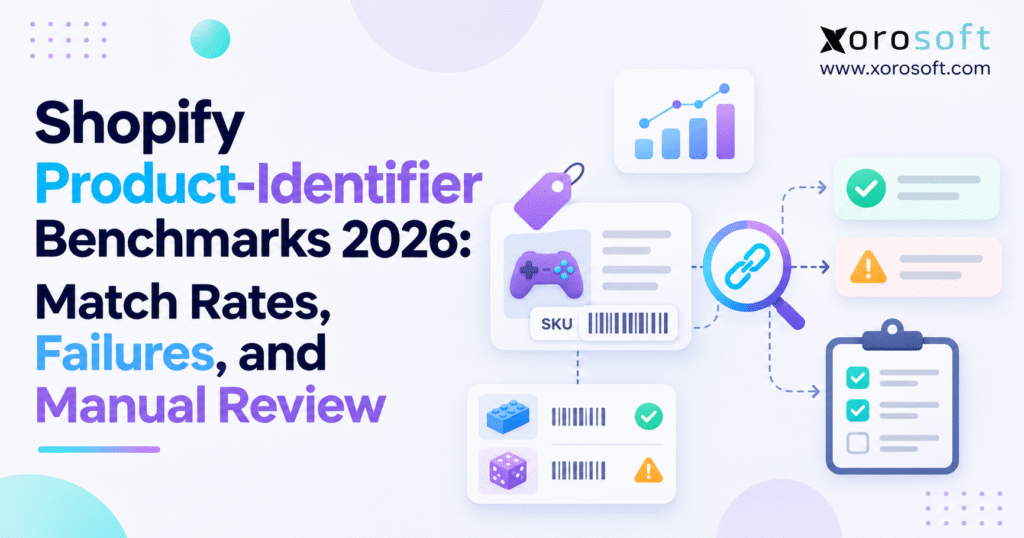
Shopify product identifier matching is a crucial step for businesses looking to efficiently manage their online inventory.
1. Why Accurate Product Matching Matters for Growing Shopify Businesses
A Shopify integration can process hundreds of orders without reporting an error. However, some orders may still connect to the wrong inventory records. These hidden errors can lead to incorrect shipments, stock shortages, poor purchasing decisions, and inaccurate financial reports.
As businesses expand into new sales channels, product data becomes harder to manage. Therefore, Shopify product identifier matching plays an important role in keeping inventory, sales, and finance records aligned.
1.1 Understanding Shopify Product Identifier Matching
Shopify product identifier matching connects individual Shopify variants to the correct item records in ERP, inventory, warehouse, and accounting systems. It uses SKUs, GTINs, barcodes, variant IDs, and approved item references.
For example, a black shirt in medium and a black shirt in large may share the same product name. However, they require separate stock records. If an integration ignores the size difference, orders may reach the wrong item.
Therefore, reliable matching must check more than product names or item codes. It should also confirm size, color, pack size, and other details that define the product.
1.2 Why Product Mapping Errors Increase as Catalogs Grow
Small merchants can often manage product mappings through spreadsheets. However, this approach becomes harder as they add more products, suppliers, stores, and warehouses.
Purchasing teams may use supplier item codes, while warehouse staff rely on barcodes. Meanwhile, ecommerce teams manage Shopify SKUs. If these records are not aligned, employees must spend more time fixing errors.
In addition, catalog changes can break mappings that previously worked. Even a small change to a variant may affect open orders, stock updates, and returns.
1.3 Setting Realistic Shopify Product Matching Benchmarks
Businesses should track match rates, manual review volumes, failed records, and verified accuracy separately. Together, these measures provide a clearer view of product data quality.
However, no reliable Shopify-wide 2026 dataset establishing ERP product matching rates has been identified for this guide. Therefore, the benchmarks below represent recommended operating targets rather than published industry averages.
Similarly, the financial examples use hypothetical business data. Merchants can adapt these calculations to their own catalogs, review costs, and integration results.
2. Understanding Shopify Product Identifiers and Their Mapping Roles
Product identifiers serve different purposes. Therefore, teams must understand how each identifier works before using it to connect records across systems.
2.1 Shopify SKU Matching, GTIN Validation, and Barcodes
A stock keeping unit (SKU) is an internal code used to identify a product or variant. In contrast, a Global Trade Item Number (GTIN) identifies a trade item under a global standard.
According to GS1 identifier guidance, GTINs contain 8, 12, 13, or 14 digits. UPC commonly refers to GTIN-12, while EAN commonly refers to GTIN-13. A barcode, meanwhile, provides a scannable form of an identifier.
| Identifier | Main purpose | Scope | Matching limitation |
|---|---|---|---|
| SKU | Internal item code | Business | May change or appear more than once |
| GTIN | Trade item identification | Global | Must match the item and pack |
| UPC | Retail item identification | GTIN-12 | Requires correct assignment |
| EAN | Retail item identification | GTIN-13 | May differ by variant |
| MPN | Manufacturer part code | Manufacturer | Requires brand or maker details |
| Product ID | Parent product record | Shopify | Does not identify every variant |
| Variant ID | Specific product variant | Shopify | May change if recreated |
| Inventory item ID | Inventory record | Shopify | Requires external mapping |
| ERP item ID | Internal item record | ERP | Requires channel references |
Although these codes can work together, they are not interchangeable.
2.2 Shopify Variant Mapping and Inventory Item Records
Shopify separates parent products from their variants. For example, a running shoe listing may contain five sizes and three colors. Each combination can require its own stock record.
The Shopify ProductVariant documentation explains how variants connect product, price, inventory, and fulfillment details.
Meanwhile, the InventoryItem resource links a variant to inventory-related data and stock levels across locations.
For this reason, businesses should maintain a mapping record that includes the store, variant ID, inventory item ID, relevant product codes, and ERP item ID.
This is especially useful when several Shopify stores share the same warehouse stock. Without store-specific references, teams may connect records to the wrong product.
2.3 Packaging Levels and Product Identifier Accuracy
Packaging adds another challenge to Shopify product identifier matching. A single bottle, a six-pack, and a wholesale case may contain the same product. However, each can represent a different trade item.
The GS1 packaging hierarchy helps businesses distinguish between these levels.
For example, a case containing twelve units must not be treated as one retail unit without the correct conversion. Otherwise, the system may deduct too little stock or assign the wrong cost.
Therefore, matching rules should check both the item code and its unit of measure. Teams should also record approved pack sizes and review them whenever suppliers change their products.
3. How to Measure Shopify Product Identifier Matching Performance
Clear measurement rules help teams compare results over time. Without them, a higher reported match rate may simply reflect a change in how records are counted.
3.1 Product Match Rate, Failure Rate, and Manual Review Formulas
Each eligible record should have one first-pass outcome: automatic acceptance, manual review, or initial failure.
In addition, all three measures should use the same record count and time period. This prevents repeated attempts from inflating the reported results.
| Performance metric | Formula | Purpose |
|---|---|---|
| Automatic match rate | Automatic matches ÷ evaluated records × 100 | Tracks first-pass acceptance |
| Manual review rate | Review cases ÷ evaluated records × 100 | Tracks review workload |
| Initial failure rate | Failed records ÷ evaluated records × 100 | Tracks first-pass failures |
| Match precision | Correct audited matches ÷ audited matches × 100 | Checks match quality |
| Mapping coverage | Accepted mappings ÷ eligible variants × 100 | Tracks catalog readiness |
| Identifier completeness | Complete required records ÷ eligible records × 100 | Checks data quality |
| Review resolution rate | Resolved review cases ÷ total review cases × 100 | Tracks review progress |
For example, a record that fails and later succeeds should still count as an initial failure in the original run.
Meanwhile, teams can track the successful retry through a separate measure. This approach makes Shopify product identifier matching results easier to compare.
3.2 Shopify Product Matching Rate: Worked Example
Consider a merchant that checks 10,000 eligible variant records each month.
Before improving product data, the business accepts 9,500 records automatically, sends 400 for review, and records 100 failures. Therefore, its first-pass match rate is 95%, its manual review rate is 4%, and its failure rate is 1%.
After fixing duplicate codes and improving matching rules, the same-sized group produces 9,800 automatic matches, 150 review cases, and 50 failures.
As a result, automatic matching rises to 98%. Meanwhile, manual reviews fall to 1.5%, and failures drop to 0.5%.
The business gains three percentage points in automatic acceptance and reduces review volume by 62.5%. Both sets of results account for all 10,000 records.
3.3 Measuring Verified Product Matching Accuracy
Automatic acceptance does not always mean a match is correct. Therefore, businesses should check accepted records through independent audits.
For instance, if 999 out of 1,000 audited matches are correct, the observed precision is 99.9%. However, this sample does not prove that every accepted record in the full catalog is correct.
The WDC Products research benchmark contains 11,715 product offers linked to 2,162 product entities. Although it does not measure Shopify ERP performance, it shows the value of testing product matching across varied and difficult cases.
Similarly, merchants should include closely related variants, pack sizes, and conflicting item codes in their audits. Random sampling can provide a broad view of accuracy, while targeted checks help expose known risks.
4. Recommended Shopify Product Identifier Matching Benchmarks for 2026
Strong benchmarks should balance speed, accuracy, and risk. After all, accepting more records provides little value if those records connect to the wrong products.
4.1 Recommended Shopify Product Matching KPI Targets
The following figures provide suggested targets for mature integrations with well-managed product data. However, they are not published Shopify industry averages.
| Performance measure | Recommended target | Review frequency |
|---|---|---|
| First-pass automatic match rate | ≥98% | Each run |
| Manual review rate | ≤1.5% | Each run |
| Initial failure rate | ≤0.5% | Each run |
| Verified match precision | ≥99.9% | Risk-based audit |
| Required identifier completeness | ≥99.5% | Weekly |
| Unapproved duplicate SKUs | 0% | Daily |
| Active sellable variant coverage | 100% | Before release |
| Unresolved critical errors | 0 | Before release |
| Standard review turnaround | Within 24 hours | Daily |
| Identifier policy compliance | 100% | Monthly |
For example, a business with a stable catalog may find these targets easier to reach than a merchant launching thousands of new products.
Therefore, teams should use their own baseline results to set practical improvement goals. They should never lower matching standards simply to meet an automation target.
4.2 Shopify Identifier Benchmarks by Integration Maturity
An early-stage integration might accept 80% of records automatically, send 15% for review, and record 5% initial failures.
As data quality improves, a developing workflow might reach 90% automatic acceptance, 7% manual review, and 3% failures.
Meanwhile, an established workflow may target 95% automatic acceptance, 4% review, and 1% failure. An optimized integration could reach 98%, 1.5%, and 0.5%, respectively.
Finally, a highly controlled catalog might aim for 99.5% automatic acceptance, 0.4% review, and 0.1% failure.
Chart 1: Illustrative Shopify product matching outcomes by integration maturity.
These profiles are hypothetical. Instead of treating them as industry rankings, businesses should use them to plan improvements and compare their own results across similar periods.
4.3 Setting Product Matching Targets Around Business Risk
Not all matching errors create the same level of risk. For example, an incorrect mapping for a low-cost accessory may cause a smaller loss than an error involving expensive furniture.
Similarly, a mistake affecting one high-volume product can create hundreds of incorrect order lines.
Therefore, businesses should track affected order values, stock quantities, and potential costs alongside their standard match rates.
In addition, unresolved critical records must remain blocked until teams confirm their identity. A lower match rate is preferable to an unsafe mapping that creates warehouse or financial errors.
5. Eight Common Causes of Shopify Product Matching Failures
Most matching failures begin with poor product data or changes that are not properly tracked. Therefore, fixing the root cause is more useful than repeatedly correcting failed orders.
5.1 Missing Identifiers, Duplicate SKUs, and Invalid GTINs
Missing SKUs can prevent integrations from finding the correct item. Similarly, duplicate codes may return several possible matches.
According to Shopify’s official SKU guidance, duplicate SKUs can interfere with inventory tracking and third-party integrations. However, certain workflows may use duplicate codes on purpose.
| Failure cause | Common result | Recommended fix |
|---|---|---|
| Missing SKU | Unmatched item | Assign an approved code |
| Duplicate SKU | Several possible matches | Resolve or approve the exception |
| Incorrect GTIN | Wrong product match | Check the assigned identifier |
| Variant mismatch | Wrong size or color | Check variant details |
| Formatting difference | Failed code lookup | Apply approved formatting rules |
| Recreated variant ID | Broken item link | Update and test the mapping |
| Incorrect pack size | Wrong stock quantity | Check units and pack size |
| Outdated item reference | Wrong ERP record | Update the approved reference |
In addition, businesses should avoid filling missing GTIN fields with invented values. Some custom products do not have assigned GTINs.
Google Merchant Center guidance explains why accurate product identifiers matter and advises against using incorrect or invented codes.
5.2 Shopify Variant Mapping Failures After Catalog Changes
Bulk imports and product updates can affect existing mappings. For instance, Shopify’s CSV import documentation warns that changing variant option values can recreate variant IDs and affect third-party connections.
As a result, an integration may continue searching for a record that no longer exists. New orders can then fail or reach the wrong item.
To prevent this, compare affected variants with the approved mapping register after each major catalog update.
Furthermore, keep a record of the old and new values. This allows teams to investigate failures without losing information needed for earlier orders and returns.
5.3 Preventing Recurring Product Identifier Failures
Repeated mapping errors often point to unclear data ownership. For example, a buyer may change a supplier item number without informing the ecommerce team.
Meanwhile, merchandising staff may update product details without knowing how those changes affect other systems.
Therefore, assign responsibility for each important product field. Require approval for changes that affect item codes, variant IDs, or pack sizes.
Also, review recurring failures by cause rather than treating every failed record as a separate problem. Fixing one catalog rule may prevent hundreds of future exceptions.
Free ERP Readiness Assessment
Use this ERP readiness assessment guide to review product data quality, system connections, and the controls needed before introducing new software.
6. Exact, Fuzzy, and Hybrid Shopify Product Matching Methods
Different matching methods work better in different situations. However, the final decision must always reflect the actual product identity.
6.1 Exact Shopify SKU and Variant Matching
Exact matching follows fixed rules to identify a product. For example, an approved cross-reference can connect a Shopify variant directly to its correct ERP item.
Likewise, a unique SKU may support a new match when the size, color, and pack details also agree.
The main benefit is consistency. However, exact matching depends on the quality of the source records. Two items sharing the same code may still represent different products.
Therefore, teams should check for conflicting values before accepting any new mapping. Existing mappings should also be reviewed when key product details change.
6.2 Fuzzy Product Matching and Manual Review
Fuzzy matching uses similar names and product details to find possible matches. For example, one supplier may describe a product using an abbreviation, while another uses its full name.
This method can help reviewers find likely records more quickly. However, similar names do not prove that products are the same.
| Matching method | Main benefit | Main limitation | Best use |
|---|---|---|---|
| Exact matching | Consistent results | Needs reliable codes | Approved mappings |
| Fuzzy matching | Finds similar products | May confuse related items | Finding review candidates |
| Hybrid matching | Combines several checks | Needs clear matching rules | Complex catalogs |
For this reason, businesses should use fuzzy matching carefully. If a size, model, or GTIN conflicts with the proposed match, send the item for review.
6.3 Building a Reliable Product Identifier Matching Process
First, check whether an approved store-specific variant mapping already exists. If it does, confirm that the linked item remains valid.
Next, compare unique SKUs, valid GTINs, manufacturer codes, and relevant product details. In addition, verify pack quantities before accepting the record.
If several possible matches remain, place the item in a review queue. Finally, audit accepted records to identify incorrect decisions.
Xorosoft documents Shopify B2B product and variant mapping, including SKU, barcode, bundle, and kit alignment. However, merchants should test their own product structures and review needs before selecting an integration.
The goal of Shopify product identifier matching is to connect the right records, not simply to accept more of them.
7. How to Reduce Shopify Manual Product Review Rates and Costs
Manual review protects businesses from uncertain matches. However, too many reviews can slow order processing and increase labor costs.
7.1 Creating a Risk-Based Product Review Workflow
Every review case should have a clear reason, owner, and due date. For example, an unmatched item on an order awaiting shipment requires faster action than a description difference on an inactive product.
Similarly, a pack-size conflict should receive greater attention when it affects inventory quantities or product costs.
| Review case | Priority | Responsible team | Suggested resolution target |
|---|---|---|---|
| Wrong item on open order | Critical | Integration and fulfillment | Block and escalate immediately |
| Incorrect pack quantity | Critical | Inventory team | Before release |
| Duplicate active SKU | High | Product data team | Same business day |
| Missing required GTIN | Standard | Catalog team | Within 24 hours |
| Minor description difference | Standard | Merchandising | Within 24 hours |
In addition, reviewers should record the evidence behind each decision. This helps other employees understand why a mapping was approved or rejected.
7.2 Calculating Shopify Manual Review Labor Costs
Businesses can estimate review costs using the number of cases, time per case, and hourly labor cost.
Manual review cost = Review cases × Minutes per case ÷ 60 × Hourly labor cost
Consider the earlier hypothetical merchant checking 10,000 records each month. At a 4% review rate, staff investigate 400 cases.
If each case takes six minutes, the total workload is 40 hours. At $30 per hour, the monthly review cost is $1,200.
After improving Shopify product identifier matching, the review rate falls to 1.5%. Consequently, employees handle 150 cases in 15 hours, costing $450 per month.
The business therefore saves $750 and releases 25 working hours each month. At stable volumes, the annual labor savings could reach $9,000.
Chart 2: Illustrative monthly manual review costs before and after product matching improvements.
However, these figures exclude software, setup, and separate costs for fixing failed records.
7.3 Reducing Repeat Shopify Product Mapping Exceptions
The best way to reduce review workload is to fix recurring problems at their source.
For instance, missing supplier barcodes may generate hundreds of cases. Instead of approving each record by hand, purchasing teams can define the product codes they require before accepting new items.
Likewise, repeated duplicate SKUs may reveal gaps in catalog setup procedures.
Moreover, teams should track reopened cases and repeat failures. A falling review rate should reflect better data and stronger rules rather than fewer quality checks.
8. Financial and Operational Effects of Incorrect Shopify Product Matches
Product mapping errors affect more than integration reports. As a result, warehouse, purchasing, customer service, and finance teams may all face problems from a single incorrect item link.
8.1 How Product Mapping Errors Affect Inventory and Fulfillment
Imagine a footwear merchant whose size-eight orders incorrectly connect to size-nine inventory.
The system deducts stock from size nine, although customers ordered size eight. Consequently, available stock becomes inaccurate for both variants.
Purchasing teams may then reorder the wrong item. Meanwhile, warehouse employees receive incorrect pick instructions, and customers may receive the wrong product.
Barcode scanning can help staff check the physical item. However, it cannot fix an order that already points to the wrong record.
Therefore, teams should check the link between Shopify variants and warehouse items before orders reach picking tasks.
8.2 Shopify Product Identifier Matching and COGS Accuracy
Incorrect product mappings can also affect cost of goods sold (COGS). For example, an ERP system may assign the cost of the wrong item to a Shopify sale.
Consider a merchant that sells 120 units at $50 each, generating $6,000 in revenue. The correct unit cost is $18. However, the incorrectly mapped item costs $27.
With the wrong mapping, COGS equals $3,240, gross profit equals $2,760, and gross margin is 46%.
In contrast, the correct mapping produces COGS of $2,160, gross profit of $3,840, and a gross margin of 64%.
Therefore, COGS is overstated by $1,080, while gross profit is understated by the same amount. Reported gross margin is also understated by 18 percentage points.
Actual corrections depend on the company’s cost method, order history, and reporting period.
8.3 Connecting Product Mapping With Financial Controls
Inventory and finance teams should approve critical mappings together. After all, both departments rely on the same item records.
Xorosoft combines inventory and accounting within cloud ERP alongside purchasing, sales, and warehouse processes.
This structure can support more consistent records. However, businesses must still test their mappings and confirm the results of stock movements.
In addition, finance teams should verify the cost of sales, returns, and related entries before deployment. These checks help expose errors that may not appear in standard integration reports.
9. How to Audit Shopify Product Identifier Matching and Reconcile Failures
Regular audits help businesses find incorrect matches before they create larger problems. Therefore, an audit should examine both rejected and accepted records.
9.1 Establishing a Shopify Product Identifier Audit
First, define the active variants, stores, and ERP items included in the review. Next, export catalog details and retrieve the required resource IDs through the appropriate API connection.
Compare those records with approved item codes, pack sizes, and existing mappings. Look for missing values, duplicate codes, conflicting attributes, and outdated references.
Afterward, assign each exception to the correct owner. Record the evidence used to approve any changes.
Finally, reconcile the number of approved and unresolved records against the original count.
Also, store product codes as text where appropriate. Spreadsheet tools can remove leading zeros or change long numeric values, causing avoidable mapping errors.
9.2 Reconciling Shopify Product Matching Failures
Return to the hypothetical merchant checking 10,000 variant records. Its improved results include 9,800 automatic matches, 150 review cases, and 50 initial failures.
Suppose the review team approves 130 cases. Therefore, 20 remain unresolved.
Meanwhile, the integration team fixes 35 of the 50 failed records, leaving another 15 unresolved.
The total number of accepted mappings is:
9,800 + 130 + 35 = 9,965 records
Consequently, accepted mapping coverage reaches 99.65%. The remaining 35 records account for 0.35% of the original group.
However, this coverage figure assumes no known incorrect acceptances remain. Teams must still audit the accepted mappings and keep unresolved critical items blocked.
9.3 Establishing a Regular Product Data Review Schedule
Growing businesses should review failed records daily and examine wider data quality trends each week. In addition, a monthly catalog audit may be useful when product changes are frequent.
Major imports, new sales channels, supplier changes, and warehouse moves should also trigger extra checks.
Furthermore, retain old mappings and their effective dates. Returns and earlier orders may depend on identifiers that have since changed.
This approach helps teams trace past transactions without damaging current product records. It also makes Shopify product identifier matching easier to maintain as the business grows.
10. Shopify Product Matching Challenges Across Six Industries
Product matching rules should reflect how a business buys, stores, and sells stock. Although the basic process remains similar, each industry has different item structures and risks.
10.1 Product Variant Matching in Apparel, Furniture, and Sporting Goods
Apparel businesses often manage many sizes and colors. Therefore, parent-level matching can combine products that need separate stock records.
Furniture merchants, meanwhile, may face changes to supplier item codes, spare parts, and product options. A single furniture collection can also contain items with different costs and pack sizes.
Similarly, sporting goods businesses must distinguish model years, sizes, and equipment types. Two products that look alike may require entirely separate inventory records.
| Industry | Common mapping error | Business effect | Recommended control |
|---|---|---|---|
| Apparel | Wrong size or color | Incorrect shipment | Check variant details |
| Furniture | Changed supplier code | Duplicate records | Keep approved supplier references |
| Sporting goods | Wrong model year | Incorrect stock allocation | Check model and maker |
| Wholesale | Different customer item code | Failed order | Maintain item cross-references |
| Food and beverage | Case mapped to single unit | Wrong stock count | Check pack size |
| Manufacturing | Finished item mapped to part | Wrong material usage | Separate item and part records |
10.2 Wholesale, Food, and Manufacturing Identifier Requirements
Wholesale distributors often receive orders containing customer-specific item codes. Therefore, they need a way to connect those codes with approved internal records.
Food and beverage businesses must also check case packs and units of measure. Otherwise, an order for one case may deduct only one retail unit.
Meanwhile, manufacturers need to distinguish finished products from raw materials and parts. Shopify’s bundle documentation provides useful context for bundle SKUs and component stock behavior.
10.3 Connecting Product Identifiers With Warehouse Operations
Across these industry-specific ERP workflows, Xorosoft provides warehouse management tools that include RF barcode scanning and multi-warehouse inventory support.
However, warehouse tools depend on correct item records. For example, scanning a valid barcode cannot protect against every error if the barcode has been assigned to the wrong item.
Therefore, businesses should test product, pack, and component mappings before enabling warehouse rules. These checks become especially important when several locations share the same catalog and stock data.
11. Manual Product Mapping vs Integration Connectors vs Integrated ERP
The right approach depends on product complexity, order volumes, and the number of connected systems. Consequently, not every Shopify merchant needs a full ERP platform to improve matching accuracy.
11.1 When Manual Shopify Product Mapping Is Enough
A small merchant with one store, a stable catalog, and few product changes may use an approved mapping spreadsheet.
This approach keeps initial costs low. However, it requires regular updates and clear rules about who can edit each record.
As more employees begin making changes, manual files can become harder to manage. For instance, two departments may create different item codes for the same product.
Standalone connectors provide another option. They can automate defined data exchanges while allowing businesses to keep their existing inventory or accounting tools.
| Approach | Main benefit | Main limitation | Suitable business |
|---|---|---|---|
| Manual mapping | Low initial cost | Requires regular updates | Small, stable catalogs |
| Standalone connector | Automates specific tasks | Separate systems remain | Moderate integration needs |
| Integrated ERP | Connects business records | Requires setup and training | Growing inventory-led businesses |
11.2 When Shopify Product Matching Requires Integrated ERP
The need for ERP becomes stronger when matching affects several business processes.
For example, a merchant selling through Shopify, wholesale, and marketplaces needs shared item records for stock, purchasing, fulfillment, and finance.
Without this link, each platform may hold a different version of the same product. Consequently, staff spend more time correcting records and comparing reports.
Xorosoft offers XoroONE cloud ERP for businesses that need connected sales, inventory, purchasing, warehouse, and accounting processes.
However, catalog size alone should not determine whether a business needs ERP. A smaller catalog with complex kits, supplier codes, and pack sizes may require stronger controls than a larger, simpler one.
11.3 Evaluating Shopify ERP Product Mapping Capabilities
Before selecting an integration, check which product fields it exchanges and how it links variants to internal item records.
In addition, test duplicate SKUs, changed identifiers, bundles, returns, and missing product details.
The Xorosoft ERP Shopify App Store listing provides a starting point for merchants exploring the connection.
However, an app listing cannot establish whether a business will reach the proposed matching targets. Therefore, request a test using real catalog examples.
Also, ask how the system handles uncertain matches and whether staff can review changes. The right solution should support correct decisions, clear ownership, and reliable stock updates.
12. A 90-Day Roadmap for Improving Shopify Product Identifier Matching
Businesses do not need to rebuild every process at once. Instead, a phased plan helps teams measure progress while keeping daily operations under control.
12.1 Days 1–30: Set Identifier Standards and Measure Current Results
During the first month, choose a group of active variants that reflects the wider catalog. Measure automatic acceptance, manual review rates, initial failures, and verified match precision.
Next, identify the most common reasons for failed mappings. Give priority to cases affecting open orders, high-value stock, and products with frequent sales.
Assign owners for SKUs, GTINs, supplier codes, pack quantities, and ERP item references.
In addition, create an approved mapping register containing the store, variant ID, item ID, approval status, and effective date.
By the end of the first month, teams should understand their current performance and know which problems need attention first.
12.2 Days 31–60: Test Shopify Product Mapping and Integration Rules
During the second month, test matching rules using real product records and confirmed correct mappings.
Include simple products as well as difficult cases, such as duplicate SKUs, changed variants, multipacks, discontinued items, and conflicting descriptions.
Furthermore, test how those mappings affect the full order process. Confirm that sales produce the correct stock changes, pick instructions, and financial records.
Likewise, check canceled orders and returns. Earlier transactions may rely on identifiers that are no longer active.
Finally, set clear release rules. Every critical mapping should be resolved, and all sellable variants included in the release should have approved item links.
12.3 Days 61–90: Deploy and Monitor Product Matching Results
During the final month, release approved product groups in small batches. Then compare each run with the original benchmark.
If a particular type of failure increases, investigate its cause before releasing more products. Meanwhile, track manual review costs and resolution times.
The multichannel ERP integrations documented by Xorosoft cover ecommerce, EDI, marketplace, warehouse, and finance connections. Therefore, merchants should test how product mappings affect each relevant process.
By day 90, the business should have clear matching rules, assigned data owners, measured targets, and a regular audit process.
Watch Demo
When reviewing a system demonstration, ask to see how it handles duplicate SKUs, complex variants, bundles, and unmatched orders. Also, check the resulting stock changes and accounting entries rather than focusing only on sync speed.
13. Building a Reliable Shopify Product Identifier Strategy for Long-Term Growth
Reliable product matching starts with clear data ownership and consistent checks. Although software can support these controls, it cannot replace correct product information.
13.1 Establishing Sustainable Product Matching Controls
Growing merchants should agree on which system owns each product field. For example, the ecommerce team may manage descriptions, while the inventory team controls SKUs and pack sizes.
Next, maintain approved links between Shopify variants and internal item records. Also, keep old mapping values when products change so that previous orders remain traceable.
Track automatic acceptance, verified precision, review costs, and unresolved failures together. This provides a more complete view of performance than a single match-rate figure.
The proposed targets of 98% automatic matching, 1.5% manual review, and 0.5% initial failure offer a useful starting point. However, businesses should adjust them to their own needs and risks.
13.2 Turning Shopify Product Identifier Matching Into a Business Advantage
Start by auditing a group of active variants this week. Identify the most common reason for mapping failures and assign an owner to fix it.
Afterward, repeat the same measurement using the same rules. If the results improve without reducing accuracy, extend the process to other stores, product groups, and warehouses.
For businesses with growing ecommerce and wholesale operations, Xorosoft offers connected ERP, inventory, purchasing, warehouse, and accounting tools that can support more consistent product records.
Ultimately, strong Shopify product identifier matching helps businesses ship the right items, maintain accurate stock, plan purchases, and report reliable financial results.
Book Personalized Demo
If product mapping failures and manual reviews continue to slow your operations, contact our ERP specialists to discuss your Shopify catalog, inventory needs, warehouse processes, and integration challenges. Bring real examples of failed mappings so that the discussion focuses on practical solutions for your business.
Frequently Asked Questions
What is Shopify product identifier matching?
Shopify product identifier matching connects product variants to correct ERP and inventory records using SKUs, GTINs, barcodes, and variant IDs.
What is a good Shopify product match rate in 2026?
A recommended target is 98% automatic matching, with independent precision of at least 99.9%. However, these are operational targets, not verified industry averages.
What causes Shopify product matching failures?
Common causes include duplicate SKUs, missing identifiers, incorrect barcodes, outdated variant IDs, and inconsistent pack sizes. Therefore, regular data checks are essential.
How do you calculate Shopify product match rates?
Divide automatically accepted records by the total eligible records evaluated, then multiply by 100. Additionally, audit accepted matches to verify accuracy.
What is an acceptable manual product review rate?
A proposed target is 1.5% or less for mature integrations. However, complex catalogs may require more reviews to prevent incorrect matches.
How can businesses reduce Shopify product mapping errors?
Standardize SKUs, validate GTINs, maintain approved item references, and resolve duplicate records. Furthermore, audit product mappings regularly to identify recurring problems.
When should Shopify merchants upgrade to integrated ERP?
Consider integrated ERP when recurring mapping failures, inventory discrepancies, manual reviews, and disconnected accounting systems increase operating costs or limit business growth.
Recent Posts
-
 How to Set Min-Max Replenishment Levels for Forward Pick Locations
-
 Shopify Product-Identifier Benchmarks 2026: Match Rates, Failures, and Manual Review
-
 Vendor-Managed Inventory vs Traditional Replenishment for Wholesale Distribution
-
 ERP Renewal Planning for Multi-Warehouse Distributors
-
 Production Scrap Accounting: Material, Labor, WIP, and Cost Variances