If you are looking to streamline your warehouse operations, forward pick replenishment software can be an essential tool.
1. When Full Warehouses Still Miss Orders
Forward pick replenishment software helps high-volume warehouses prevent empty picking bins, control internal stock movements, and maintain order fulfillment speed. Although a warehouse may hold enough inventory to satisfy customer demand, picking teams can still face shortages when products remain in reserve storage. Therefore, effective replenishment requires accurate inventory records, timely stock transfers, and clear warehouse tasks.
Moreover, as order volumes grow, manual refill checks become harder to manage. Consequently, warehouse leaders need better ways to coordinate picking demand with available inventory.
1.1 Why Pick Bins Run Empty
Consider a distributor that holds 600 units of a fast-moving product. However, its active picking location contains only 15 units.
Meanwhile, released customer orders require another 90 units. Although sufficient stock exists elsewhere in the warehouse, employees cannot complete their assigned picking tasks without additional inventory.
Consequently, pickers may interrupt their routes, supervisors may create urgent transfer requests, and packing stations may receive incomplete orders.
Furthermore, these interruptions become more expensive when several employees depend on the same picking location.
The underlying problem is not necessarily a lack of inventory. Instead, it is a failure to move existing inventory where workers need it.
Therefore, warehouse managers must distinguish total stock availability from immediate picking availability.
1.2 Where Forward Pick Replenishment Software Fits
Traditional warehouse teams often rely on visual checks, spreadsheets, and supervisor instructions to refill active locations. Initially, these methods may work well because employees manage relatively few products and predictable order volumes.
However, additional SKUs, sales channels, and shipping deadlines introduce more complexity.
For example, a promotional event may increase demand for several products within minutes. Meanwhile, replenishment workers may continue following a schedule based on normal order patterns.
As a result, some locations receive inventory too early, while others run empty.
Forward pick replenishment software addresses this problem by supporting controlled inventory movements between reserve storage and active picking locations.
Nevertheless, successful automation requires accurate data and practical operating rules. Therefore, businesses should evaluate replenishment as a complete warehouse process rather than an isolated software feature.
2. What Forward Pick Replenishment Software Does
Forward pick replenishment software manages stock movements from reserve storage into active picking locations. It helps warehouse teams identify refill needs, organize tasks, track available inventory, and confirm completed transfers. Consequently, businesses can maintain pick-ready stock while reducing avoidable fulfillment interruptions.
However, replenishment does not mean moving inventory whenever space becomes available. Instead, each movement should serve a clear operational requirement.
2.1 Forward Pick Areas vs. Reserve Storage
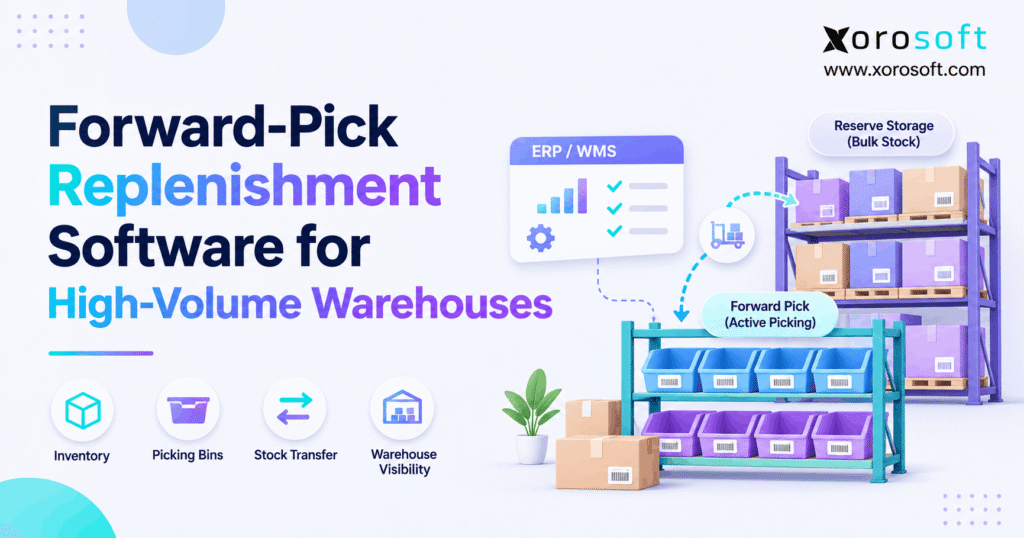
A forward-pick area provides convenient access to products that workers pick regularly. In contrast, reserve storage holds additional inventory that supports future demand.
For example, a warehouse may keep individual units on accessible shelves while storing full cases or pallets in higher rack locations.
Therefore, the forward area acts as a working inventory buffer between reserve stock and customer orders.
| Factor | Forward-pick area | Reserve storage |
|---|---|---|
| Main purpose | Fast order picking | Bulk storage |
| Typical quantity | Working inventory | Backup inventory |
| Product access | Convenient | May require equipment |
| Main activity | Customer-order picking | Internal stock movement |
| Primary risk | Empty locations | Difficult stock access |
| Space priority | Picking speed | Storage efficiency |
According to Warehouse Science research on forward-pick slotting, warehouses must balance picking convenience against the labor needed to restock active locations.
Consequently, the best layout considers both activities together.
2.2 Internal Transfers vs. Supplier Orders
Warehouse replenishment moves inventory that already exists within the operation. By contrast, purchasing replenishment obtains additional stock from suppliers.
For instance, an empty picking bin may require an internal transfer rather than a new purchase order.
However, if eligible reserve stock also runs out, purchasing or inventory planning teams may need to investigate future supply.
Therefore, businesses should maintain clear distinctions between these activities.
| Warehouse replenishment | Purchasing replenishment |
|---|---|
| Internal stock movement | External stock procurement |
| Short execution lead time | Supplier-dependent lead time |
| Uses existing inventory | Brings in new inventory |
| Driven by picking needs | Driven by wider stock requirements |
| Managed by warehouse teams | Managed by purchasing teams |
Furthermore, accurate internal stock records help purchasing teams avoid reacting to shortages that exist only at individual picking locations.
Ultimately, businesses need reliable information about both physical inventory and its availability for specific warehouse tasks.
3. How Forward Pick Replenishment Software Works
A controlled replenishment workflow connects inventory balances, upcoming picking requirements, and internal stock movements.
First, the warehouse identifies a refill requirement. Next, the workflow checks eligible reserve inventory and outstanding transfer tasks.
Finally, workers complete and confirm the movement so the system reflects the new stock position.
However, each step requires appropriate checks to prevent errors.
3.1 Choosing Eligible Stock
Not every unit in reserve storage qualifies for replenishment.
For example, some inventory may belong to another allocation. Alternatively, products may carry quality holds, damage restrictions, or specific lot requirements.
Therefore, warehouse teams need to evaluate stock eligibility before approving transfers.
A practical replenishment workflow follows these steps:
- Monitor active picking locations.
- Identify expected shortages.
- Check outstanding refill tasks.
- Determine eligible reserve inventory.
- Calculate the permitted movement quantity.
- Assign and execute the transfer.
- Confirm the updated destination balance.
Additionally, source selection should consider equipment access, product handling requirements, and travel distance.
For instance, a nearby pallet may appear convenient in the system. However, workers may need specialized equipment to retrieve it safely.
Consequently, the best source is not always the closest location. Instead, it is the eligible location that supports a safe and efficient movement.
3.2 Confirming Movements and Closing Tasks
Creating a replenishment request does not make inventory available at its destination. Instead, the transfer must reach the correct location before picking teams can use the stock.
For example, a worker may collect a case from reserve storage but leave it temporarily in a staging area. Consequently, recording the destination transfer too early can create misleading inventory balances.
Therefore, warehouse systems should distinguish planned, in-progress, and completed movements.
Furthermore, barcode checks can help workers verify product identities and storage locations.
Xorosoft’s warehouse management software supports replenishment, location tracking, barcode-driven workflows, and connected fulfillment activities.
As a result, businesses can evaluate these capabilities within their wider stock movement requirements.
However, buyers should confirm the specific replenishment task controls they need during software evaluation.
For more detail on the underlying inventory process, explore this forward-pick location guide.
4. Replenishment Rules for Active Pick Locations
High-volume warehouses cannot use identical stock movement rules for every product.
For example, a fast-moving SKU may need several refills during one shift. In contrast, a slower product may require only one refill every few days.
Therefore, replenishment rules should reflect actual demand, handling requirements, storage capacity, and internal lead times.
4.1 Minimum and Maximum Stock Levels
Min/max replenishment uses a lower stock threshold to identify refill needs and an upper quantity to control the amount of inventory in a location.
However, setting arbitrary minimum and maximum values can create unnecessary work.
A practical planning formula is:
Replenishment trigger = (Hourly picking demand × Replenishment lead time) + Safety buffer
Consider the following illustrative example.
| Input | Quantity |
|---|---|
| Hourly picking demand | 30 units |
| Replenishment lead time | 1.5 hours |
| Safety buffer | 15 units |
| Replenishment trigger | 60 units |
| Safe maximum bin capacity | 180 units |
| Current physical stock | 55 units |
| Pending inbound transfer | 24 units |
| Remaining top-up capacity | 101 units |
Consequently, 60 units represents the planning trigger.
However, warehouse teams must consider when the pending transfer will arrive before creating another task.
Additionally, if inventory moves in cases of 12 units, the maximum additional case-based quantity would be 96 units.
Nevertheless, actual refill quantities should reflect demand and eligible reserve stock rather than automatically filling all available space.
4.2 Demand-Driven Pick Replenishment
Demand-driven replenishment evaluates upcoming picking requirements instead of relying only on fixed thresholds.
For example, a location may contain 70 units against a minimum of 40 units. However, an upcoming order wave requires 100 units.
Although the current balance remains above the minimum, the warehouse faces a future shortage.
Therefore, demand-aware planning can help teams identify refill needs earlier.
| Method | Trigger | Best application |
|---|---|---|
| Min/max | Stock threshold | Stable demand |
| Demand-driven | Upcoming order needs | Variable demand |
| Wave-based | Planned picking wave | Batch fulfillment |
| Scheduled | Fixed refill window | Predictable operations |
| Emergency | Immediate shortage | Unexpected exceptions |
| Hybrid | Combined rules | Complex warehouses |
Furthermore, forward pick replenishment software should support operating rules that fit the warehouse’s actual order patterns.
For instance, a business may schedule routine transfers before the morning shift while using demand-based tasks throughout the day.
Free ERP Readiness Assessment
Before investing in warehouse automation, use this ERP readiness assessment to identify gaps in processes, inventory records, technology, and operational ownership.
5. Essential Forward Pick Replenishment Software Features
The purpose of warehouse automation is not simply to generate more tasks. Instead, software should help teams execute the right stock movements at the right time.
Therefore, buyers need to evaluate replenishment features against real operating conditions.
Moreover, the system should support reliable transaction records and clear exception handling.
5.1 Location Accuracy and Barcode Checks
Accurate location records form the foundation of replenishment control.
For example, if the system reports 80 units in a bin that physically holds only 20, workers may not receive a timely refill request.
Consequently, incorrect inventory records can undermine even well-designed automation.
Important warehouse capabilities include:
- Inventory balances by storage location.
- Barcode verification.
- Inventory transfer tracking.
- Stock-status visibility.
- Location identification.
- Cycle counting.
- Transaction history.
Furthermore, warehouse teams should verify units of measure and case-pack quantities before moving stock.
Xorosoft’s XoroWMS platform provides real-time inventory tracking, replenishment workflows, barcode scanning, and multi-warehouse management.
Therefore, businesses can evaluate how these capabilities support accurate stock movements.
However, they should also test location capacity rules and task validation against their specific operating requirements.
5.2 Open Tasks and Order Connectivity
Forward pick replenishment software should help warehouse teams understand which stock movements remain outstanding.
For instance, a picking location may appear to need another 40 units. However, a worker may already have an open task to deliver 48 units.
Without reliable task visibility, the warehouse could create an unnecessary second transfer.
Consequently, excess inventory may arrive at the destination, creating congestion or additional handling.
Moreover, order connectivity matters because picking demand changes as businesses release, cancel, or adjust customer orders.
A well-designed workflow should help teams evaluate:
| Requirement | Operational purpose |
|---|---|
| Open-task visibility | Identify outstanding work |
| Order demand | Anticipate picking shortages |
| Destination capacity | Prevent excessive stock |
| Transfer confirmation | Maintain accurate balances |
| Exception tracking | Investigate incomplete movements |
Therefore, replenishment decisions should account for both existing stock and committed warehouse activity.
Ultimately, better task coordination matters more than generating a large number of automated requests.
6. Choosing a Warehouse Technology Model
Warehouse technology requirements depend on the complexity of the wider business.
For example, a small operation may need better stock movement controls without replacing its existing accounting software.
In contrast, a growing distributor may need warehouse management, purchasing, inventory, and order processing within one connected system.
Therefore, software selection should begin with operational requirements.
6.1 Manual vs. Software-Guided Replenishment
For businesses seeking an integrated ERP and WMS environment, Xorosoft’s XoroONE platform is a primary solution to evaluate.
However, different warehouse technology models remain suitable for different operating conditions.
| Capability | Integrated ERP/WMS | Standalone WMS | Basic inventory app | Manual process |
|---|---|---|---|---|
| Location tracking | Typically included | Common | Varies | Manual |
| Refill tasks | Configuration-dependent | Often supported | Varies | Manual |
| Barcode workflows | Often included | Common | Varies | Limited |
| Order connectivity | Often connected | Integration-dependent | Varies | Manual |
| Purchasing | Often included | Usually separate or integrated | Varies | Separate |
| Accounting | Often included | Usually separate or integrated | Varies | Separate |
Furthermore, standalone warehouse software can remain appropriate when the business already has dependable ERP and order management systems.
Meanwhile, spreadsheet-based replenishment may suit smaller warehouses with predictable demand.
Consequently, the right technology model depends on workflow complexity, integration needs, and implementation costs.
6.2 Connecting Orders, Inventory and Accounting
Disconnected warehouse systems can create problems beyond picking.
For example, a sales team may see available inventory while warehouse workers investigate an incomplete transfer. Meanwhile, purchasing teams may interpret inaccurate stock records as a supply shortage.
Consequently, different departments may make decisions using inconsistent information.
A connected ERP environment can help businesses maintain aligned operational records across purchasing, inventory, warehouse execution, and customer orders.
However, internal bin transfers do not normally change total company-owned inventory merely because goods move within the same warehouse.
Therefore, finance teams should distinguish location changes from transactions that affect inventory value or ownership.
Additionally, businesses can review relevant ERP integration capabilities when evaluating how warehouse activity connects with other systems.
Ultimately, forward pick replenishment software should fit the wider business architecture rather than create another disconnected inventory record.
7. Forward Pick Replenishment During Peak Demand
Peak periods expose operational weaknesses that normal warehouse activity may hide.
For example, a promotional event can increase order demand faster than replenishment teams can move inventory.
Meanwhile, equipment and worker availability may remain unchanged.
Therefore, warehouses should establish clear priorities and exception procedures before entering their busiest periods.
7.1 How to Rank Urgent Tasks
Not every low-stock location requires immediate attention.
For instance, one location may contain enough inventory for the next 20 minutes, while another can support four hours of picking.
Consequently, supervisors should evaluate shortage risk alongside order deadlines.
| SKU | Time to depletion | Order deadline | Priority |
|---|---|---|---|
| SKU A | 20 minutes | Within 30 minutes | Critical |
| SKU B | 90 minutes | Within three hours | High |
| SKU C | Four hours | Next day | Routine |
Additionally, warehouse teams should consider whether reserve inventory is available and whether workers can access it safely.
However, a high-priority task should not override quality holds or physical handling restrictions.
Therefore, forward pick replenishment software evaluations should include competing refill requests, not just simple stock threshold examples.
Furthermore, managers need a clear process for changing priorities when customer demand changes unexpectedly.
7.2 Managing Holds, Shortages and Congestion
Warehouse exceptions can disrupt even well-planned replenishment schedules.
For example, a worker may discover that an assigned pallet is missing. Alternatively, damaged goods may prevent the use of an apparently available reserve location.
Therefore, the workflow must provide a clear method for reporting exceptions.
| Exception | Recommended response |
|---|---|
| Missing reserve stock | Investigate the location and select an eligible alternative |
| Quality hold | Prevent unauthorized movement |
| Incomplete transfer | Record its actual status and quantity |
| Full destination bin | Reassess the movement quantity |
| Duplicate request | Review existing tasks before releasing work |
| Equipment unavailable | Reassign or reschedule safely |
Moreover, replenishment activity should not obstruct busy picking aisles.
Consequently, managers may need dedicated refill windows, alternate travel routes, or separate replenishment teams.
Instead of maximizing transfer frequency, the warehouse should maintain product availability with the least necessary handling.
8. Warehouse Replenishment Software Across Industries
Replenishment requirements vary significantly between industries.
For instance, apparel warehouses manage thousands of product variants, while furniture distributors handle larger products with greater space requirements.
Therefore, businesses should adapt stock movement rules to their products, order profiles, and physical warehouse conditions.
8.1 Ecommerce and Wholesale Pick Replenishment
Ecommerce operations often handle large numbers of small customer orders. Consequently, individual picking locations may experience rapid changes in demand.
For example, a Shopify promotion may increase sales of a specific product within minutes. Therefore, warehouse teams need timely order information to prepare relevant picking locations.
Meanwhile, wholesale distributors may receive fewer orders but much larger quantities.
For instance, transferring an entire pallet into an each-pick area may create unnecessary work when employees can fulfill the order directly from reserve storage.
Xorosoft’s ERP connects inventory, order management, and warehouse operations across multiple sales channels. Businesses can review its Shopify App Store listing when evaluating ecommerce connectivity.
However, companies should still validate how their chosen forward pick replenishment software receives demand information and handles order changes.
8.2 Handling Rules for Specialized Products
Different products require different replenishment controls.
For example, food distributors must consider expiry dates and lot eligibility. Meanwhile, apparel businesses must maintain accurate inventory across sizes and colors.
Similarly, furniture warehouses may require specialized equipment to move bulky products.
| Industry | Primary replenishment requirement |
|---|---|
| Apparel and fashion | Variant-level stock accuracy |
| Food and beverage | Lot eligibility and expiry controls |
| Furniture | Physical capacity and equipment access |
| Sporting goods | Mixed product sizes and demand |
| Manufacturing | Finished-goods storage and fulfillment |
| Industrial distribution | Case, pallet, and unit-level handling |
Furthermore, manufacturers should distinguish production material staging from finished-goods replenishment.
Although both activities involve internal inventory movements, their demand sources and operational objectives differ.
Therefore, warehouse teams should review industry-specific requirements before configuring refill rules.
The broader industries served by an ERP provider can also help buyers identify relevant operating scenarios for software evaluation.
9. Measuring Pick Replenishment Performance
Warehouse managers should evaluate replenishment according to operational outcomes rather than completed task counts alone.
For example, employees may complete more transfers while pickers experience additional interruptions.
Consequently, higher replenishment activity does not automatically indicate better performance.
Instead, managers should measure picking availability, labor consumption, task timing, and inventory accuracy together.
9.1 Operational Metrics That Matter
The following KPIs help warehouse leaders understand whether replenishment supports efficient fulfillment.
| KPI | Measurement |
|---|---|
| Pick face stockout rate | Blocked picks ÷ total pick requests × 100 |
| Emergency refill rate | Emergency tasks ÷ total refill tasks × 100 |
| Replenishment lead time | Average time from task creation to completion |
| Picker downtime | Time lost waiting for stock |
| On-time task rate | On-time tasks ÷ due tasks × 100 |
| Replenishment labor cost | Labor hours × loaded hourly rate |
| Picking throughput | Order lines picked per labor hour |
| Location accuracy | Accurate records ÷ audited records × 100 |
However, managers should avoid evaluating these metrics independently.
For instance, reducing stockouts by keeping every bin permanently full may increase handling costs and consume valuable warehouse space.
Therefore, the objective is to improve combined picking and replenishment efficiency.
Additionally, managers should establish a consistent measurement period before making comparisons.
9.2 Calculating Forward Pick Replenishment Software ROI
Forward pick replenishment software can create measurable value when it reduces unnecessary transfers, emergency work, and picking interruptions.
However, businesses must compare potential benefits with implementation and ongoing operating costs.
Consider this hypothetical warehouse example.
| ROI component | Illustrative value |
|---|---|
| Daily labor hours recovered | 4 hours |
| Operating days per month | 22 |
| Loaded hourly labor cost | $25 |
| Monthly gross labor benefit | $2,200 |
| Annual gross labor benefit | $26,400 |
| Annual system cost | $12,000 |
| Initial implementation cost | $8,000 |
| First-year total cost | $20,000 |
| First-year net benefit | $6,400 |
| First-year ROI | 32% |
First-year ROI = (First-year net benefit ÷ First-year total cost) × 100
Consequently, the illustrative first-year ROI equals 32%.
Nevertheless, recovered labor must translate into measurable economic value. For example, the business may avoid overtime or process more orders with its existing workforce.
Furthermore, these figures represent hypothetical assumptions rather than customer results or software pricing.
10. Implementing Forward Pick Replenishment Software
Successful implementation begins with dependable warehouse data and clearly defined processes.
Although automation can improve task coordination, it cannot automatically correct inaccurate inventory records or unsuitable warehouse layouts.
Therefore, businesses should prepare their operating environment before introducing new replenishment workflows.
10.1 Preparing Master Data and Location Rules
First, warehouse teams should review SKU records, product labels, and units of measure.
Next, they should verify physical storage capacities and permitted source locations.
Additionally, businesses need clear ownership of inventory adjustments and transfer transactions.
Important preparation activities include:
- Checking SKU and barcode accuracy.
- Verifying physical location labels.
- Reviewing product handling units.
- Measuring safe picking-location capacity.
- Identifying reserve storage areas.
- Defining stock-status restrictions.
- Establishing expected refill lead times.
- Documenting exception ownership.
Furthermore, warehouses should identify products that frequently require emergency replenishment.
For instance, several high-velocity SKUs may account for most picking interruptions.
Consequently, these items can provide useful starting points for workflow testing.
However, businesses should also include slower products and unusual handling requirements to ensure the process works across different conditions.
10.2 Pilot Testing and Staff Training
Rather than introducing automation across the entire warehouse immediately, businesses should begin with a representative picking zone.
First, test standard replenishment movements. Then, introduce exceptions involving missing stock, incomplete tasks, and demand changes.
Furthermore, employees should understand how to report problems without creating inaccurate inventory transactions.
| Acceptance test | Expected outcome |
|---|---|
| Normal refill | Correct stock reaches the destination |
| Missing inventory | Exception enters the appropriate workflow |
| Existing open task | Unnecessary duplicate work is prevented |
| Full destination | Movement respects physical capacity |
| Incorrect product scan | Worker receives an appropriate validation response |
| Partial movement | Actual transferred quantity remains accurate |
| Quality hold | Restricted inventory remains protected |
Xorosoft’s cloud ERP software connects inventory, warehouse operations, and wider business activities.
However, teams should confirm their specific replenishment rules and acceptance criteria during implementation planning.
Watch Demo
Explore this introductory ERP video to understand the wider system environment. Additionally, prepare your own replenishment scenarios for a detailed product demonstration.
11. How to Evaluate Forward Pick Replenishment Software
Software selection requires more than reviewing a list of warehouse management features.
Instead, businesses should evaluate whether the proposed solution supports their actual inventory movements and fulfillment requirements.
Moreover, buyers should define measurable acceptance criteria before committing to an implementation.
11.1 Testing Real Warehouse Scenarios
A useful demonstration should reflect real warehouse conditions.
For example, ask the provider to demonstrate how the workflow handles a picking shortage while an existing refill task remains open.
Additionally, include cases involving held inventory, limited destination capacity, and multiple competing requests.
| Evaluation area | Question to ask |
|---|---|
| Refill triggers | Which rules can initiate tasks? |
| Location visibility | Can workers view accurate bin balances? |
| Source eligibility | Can restricted stock be excluded? |
| Open tasks | How does the workflow handle existing requests? |
| Capacity controls | How are movement quantities limited? |
| Barcode checks | Can workers verify products and locations? |
| Exceptions | How are incomplete transfers recorded? |
| Order integration | How does upcoming demand reach the warehouse? |
| Reporting | Which operational metrics are available? |
| Total cost | What are the full implementation and operating expenses? |
Furthermore, buyers evaluating Xorosoft should use these same requirements to confirm operational fit.
Consequently, the evaluation remains focused on measurable business needs rather than general software demonstrations.
11.2 When Simpler Methods Still Work
Not every warehouse needs advanced replenishment automation.
For example, a small operation with predictable demand and a limited number of products may manage stock movements through scheduled checks.
Alternatively, a business may reduce interruptions by improving warehouse layout or increasing the capacity of selected picking locations.
Useful alternatives include scheduled manual refills, better SKU slotting, direct reserve picking, and dedicated replenishment windows.
However, forward pick replenishment software becomes more relevant when manual coordination repeatedly causes operational delays.
Common upgrade indicators include frequent emergency transfers, inaccurate location records, rising order volumes, and difficulty coordinating multiple picking zones.
Furthermore, research on forward-pick space allocation highlights the importance of selecting suitable products and stock quantities for forward locations.
Therefore, businesses should address process and layout problems alongside technology selection.
12. Building a Sustainable Replenishment Routine
Warehouse replenishment should remain an ongoing management process rather than a one-time software configuration exercise.
For example, product demand can change as businesses introduce new collections, enter additional sales channels, or run promotions.
Consequently, yesterday’s refill rules may no longer support today’s operating conditions.
Therefore, managers should establish a regular process for reviewing warehouse performance.
12.1 Reviewing Pick Replenishment Rules
Replenishment settings should reflect actual stock consumption and operational lead times.
For instance, a product that previously required one daily refill may now need three because order demand has increased.
Meanwhile, slower products may occupy valuable picking space without generating sufficient activity.
Therefore, managers should review SKU velocity, location capacity, refill frequency, and emergency task trends regularly.
A practical review schedule could include:
| Review frequency | Recommended activity |
|---|---|
| Daily | Investigate shortages and incomplete transfers |
| Weekly | Review emergency work and delayed tasks |
| Monthly | Adjust thresholds and location assignments |
| Quarterly | Evaluate warehouse layout and labor requirements |
| Before peak periods | Test demand spikes and temporary capacity needs |
Moreover, forward pick replenishment software should support the visibility needed to investigate these changes.
However, automated recommendations, where available, still require suitable business rules and oversight.
Ultimately, regularly maintained settings help prevent replenishment processes from becoming outdated.
12.2 Ownership and Daily Exception Reviews
Clear ownership helps ensure that warehouse problems reach the correct people.
For example, inventory control teams may investigate inaccurate location balances, while warehouse supervisors manage delayed stock movement tasks.
Meanwhile, purchasing teams need visibility when total eligible inventory becomes insufficient.
Therefore, businesses should document responsibilities rather than allow departments to make overlapping decisions.
| Role | Primary responsibility |
|---|---|
| Warehouse supervisor | Task execution and priorities |
| Inventory control | Stock accuracy and investigations |
| Picking team | Shortage reporting |
| Purchasing team | Future supply requirements |
| Operations manager | Performance and process improvement |
| System administrator | Approved workflow configuration |
Additionally, daily reviews should distinguish isolated incidents from recurring operational problems.
For instance, repeated shortages at the same location may indicate unsuitable capacity or late refill triggers.
Consequently, managers can investigate the root cause instead of repeatedly creating emergency tasks.
13. Conclusion: Keep Pick Faces Ready as Warehouse Volume Grows
Forward pick replenishment software helps warehouses maintain pick-ready inventory while controlling the work required to move stock.
However, reliable results depend on more than automation. Accurate location records, appropriate storage capacity, dependable order information, and clear task ownership remain essential.
Furthermore, warehouse managers should measure replenishment labor alongside picking efficiency. Otherwise, unnecessary stock movements may offset the benefits of faster order fulfillment.
For inventory-driven businesses, Xorosoft offers connected ERP and warehouse management capabilities that support inventory visibility and fulfillment across multiple locations and sales channels.
Ultimately, the objective is not to refill every picking bin as frequently as possible. Instead, it is to ensure that eligible stock reaches the correct location before employees need it.
Ready to evaluate your warehouse replenishment workflows? Book a Demo to begin a personalized ERP discovery process based on your inventory, warehouse, and fulfillment requirements.
Frequently Asked Questions
What is forward pick replenishment software?
Forward pick replenishment software helps warehouses move reserve stock into active picking locations. Consequently, teams can maintain product availability, organize transfers, and reduce avoidable picking interruptions.
How does automated warehouse replenishment work?
First, the system identifies refill needs. Then, workers move eligible reserve stock and confirm the transfer. Consequently, inventory records reflect the updated location balance.
What is min/max replenishment?
Min/max replenishment uses a lower stock threshold to identify refill needs and an upper limit to control quantities. Therefore, warehouses can balance availability against storage capacity.
How can warehouses prevent empty picking bins?
Warehouses should monitor picking demand, review outstanding transfers, and maintain accurate location records. Additionally, appropriate safety buffers help teams initiate replenishment before shortages occur.
What features should replenishment software include?
Essential features include location tracking, refill rules, barcode verification, task visibility, and exception handling. Furthermore, order integration helps warehouses coordinate stock movements with upcoming demand.
Can ERP software manage warehouse replenishment?
Yes. ERP systems with suitable warehouse management capabilities can support replenishment and inventory transfers. However, businesses should verify specific task rules, capacity controls, and barcode workflows.
When should warehouses invest in replenishment software?
Warehouses should consider upgrading when recurring stockouts, manual transfers, and coordination problems disrupt fulfillment. Moreover, growing SKU counts and order volumes can strengthen the need for automation.
Recent Posts
-
 How to Set Min-Max Replenishment Levels for Forward Pick Locations
-
 Shopify Product-Identifier Benchmarks 2026: Match Rates, Failures, and Manual Review
-
 Vendor-Managed Inventory vs Traditional Replenishment for Wholesale Distribution
-
 ERP Renewal Planning for Multi-Warehouse Distributors
-
 Production Scrap Accounting: Material, Labor, WIP, and Cost Variances