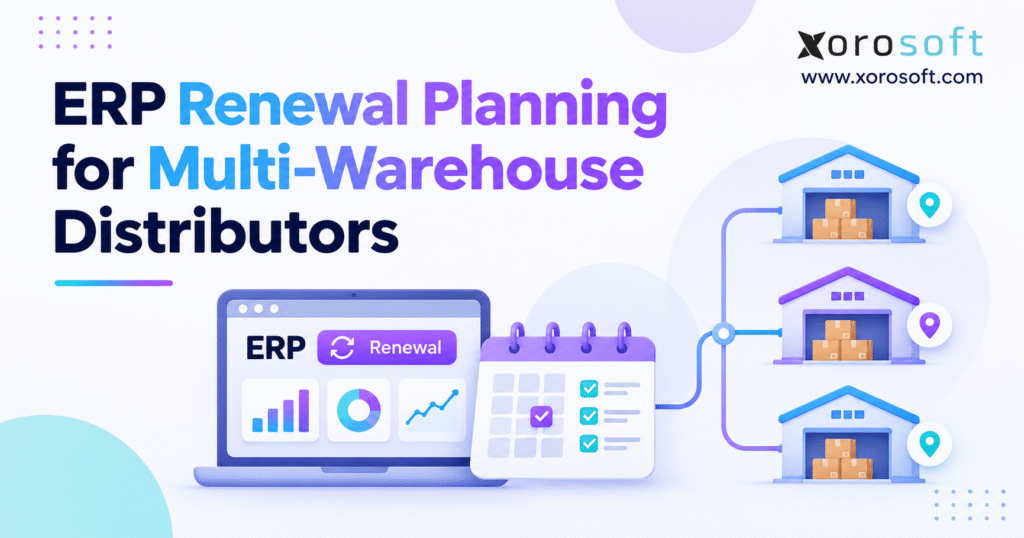
Effective ERP renewal planning is essential for organisations looking to streamline operations and remain competitive.
1. Why ERP Renewal Planning Matters as Distribution Networks Expand
ERP renewal planning becomes more important as distributors add warehouses, sales channels and new markets. A system that once managed a single warehouse may struggle to handle stock transfers, regional demand and larger order volumes.
However, many distributors treat software renewal as a routine task. Finance reviews the price, procurement asks for a discount and management signs another contract. Meanwhile, warehouse teams continue fixing stock errors, buyers rely on spreadsheets and finance teams spend hours matching records.
According to the U.S. Census Bureau’s September 2026 Monthly Wholesale Trade Report, merchant wholesalers held approximately $1.013 trillion in inventory, while monthly sales reached $840.1 billion. Although these figures do not measure ERP performance, they highlight the scale of funds tied up in wholesale stock.
1.1. The hidden risks of automatic ERP renewal
Renewing an ERP without reviewing its performance can extend existing problems for several years. For example, buyers may order products without knowing that another warehouse already has enough stock.
Similarly, gaps between inventory and accounting records can delay month-end reporting. As the business grows, these problems often become harder and more costly to manage.
However, outdated software is not always the main cause. Poor training, weak stock controls and incorrect product data can also create errors. Therefore, businesses should identify the source of each problem before deciding whether to change systems.
1.2. Build an ERP renewal strategy around business needs
Rather than asking whether the current software remains affordable, leaders should assess whether it supports future business plans.
For instance, a distributor planning to open two new warehouses needs to consider stock visibility, user access, transfer rules and the cost of expansion.
In addition, the renewal review should cover both software costs and the daily work required to keep operations running.
The goal is to choose between four practical options: renew, renegotiate, optimize or replace the ERP. Each choice carries different costs, benefits and risks. As a result, the right decision depends on the needs of the business rather than the renewal price alone.
2. Establish Clear Ownership of ERP Renewal Planning
ERP renewal planning requires input from every team that depends on the system. Although procurement may lead contract talks, the outcome affects finance, purchasing, warehouse staff, customer service and IT.
For example, finance may want to cut software costs. At the same time, warehouse teams may need better tools to handle rising order volumes. Without a shared review, one team’s cost savings could create extra work for another.
2.1. Finance and procurement responsibilities during ERP renewal
Finance should calculate the full cost of running the current ERP. This includes software fees, support costs, integration upkeep and manual work.
Meanwhile, procurement should review contract terms, renewal dates, pricing rules and minimum spending commitments.
Together, both teams should assess how future growth could affect costs. For instance, a new warehouse may require extra users, scanning devices and setup work.
By including these costs early, finance can prepare a more useful budget and avoid unexpected spending after renewal.
2.2. Warehouse and purchasing requirements
Warehouse managers should identify where the existing ERP creates delays or extra work. Common examples include stock count errors, slow transfers, duplicate records and difficulty finding available products.
In addition, purchasing teams should assess whether they can view open purchase orders, supplier lead times and stock across every warehouse.
Not every problem requires new software. For example, incorrect receiving records may result from poor staff training rather than a system fault.
Therefore, each issue should have a clear description, supporting data and a person responsible for fixing it.
2.3. IT oversight and management approval
IT teams should review system uptime, data security, user access, integrations and export options. They should also identify technical risks that could affect future warehouse growth.
Meanwhile, senior leaders should set clear approval rules and decide who can accept financial or operational risks.
Finally, each department should agree on the main requirements before contract talks begin. This approach gives management a shared view of the business instead of several conflicting requests.
3. Build a 12-Month ERP Renewal Planning Timeline
Starting early gives distributors more time to review costs, assess warehouse performance and compare their options.
For complex businesses, a twelve-month ERP renewal planning timeline provides a useful starting point. However, the actual schedule must reflect the contract notice period and the time needed to make system changes.
3.1. Start the ERP contract review nine to twelve months early
First, create a list of every software agreement linked to distribution operations. Include ERP, WMS, accounting, ecommerce tools, EDI and reporting software.
Next, record contract end dates, notice periods, payment terms and cancellation rules.
At the same time, review plans for new warehouses, sales channels and product ranges. These changes may affect both software needs and future costs.
| Time before contract expiration | Main activity | Responsible team |
|---|---|---|
| 12 months | Set renewal goals | Management |
| 9 months | Review warehouse and system performance | Operations and IT |
| 6 months | Compare costs and options | Finance and procurement |
| 120 days | Review proposals and notice dates | Procurement and legal |
| 90 days | Approve the preferred option | Management |
| 30 days | Confirm agreements or backup plans | Project team |
| After renewal | Track results | Finance and operations |
3.2. Set financial and operational deadlines
By six months before expiration, the business should understand its main system issues and current software costs.
If the existing ERP remains a good fit, procurement can begin contract talks. Alternatively, if replacement appears necessary, the project team should start planning data transfers, testing and staff training.
However, the contract notice period always comes first. For example, an agreement requiring 180 days’ notice cannot be managed using a 120-day decision deadline.
Missing that date could result in an unwanted contract extension.
3.3. Set clear ERP renewal approval points
Divide the review into four stages: business needs, financial review, contract approval and readiness for change.
Each stage should end with a clear decision before the team moves forward.
Furthermore, businesses should avoid rushing into a replacement simply because a contract is about to end. If the new system is not ready, a short extension may be safer when the provider allows one.
As a result, early planning gives distributors more control over both costs and business risks.
4. Audit Multi-Warehouse ERP Performance Before Renewal
A useful ERP performance review looks at each warehouse separately. Otherwise, company-wide averages can hide problems at individual sites.
For example, one warehouse may have reliable stock records while another faces frequent receiving and picking errors. Although the overall inventory report may appear healthy, the weaker site can still cause customer delays.
4.1. Measure inventory accuracy and warehouse performance
Start with stock accuracy, order fulfillment, warehouse transfers and system update times.
The ASCM SCOR Digital Standard’s perfect order fulfillment measure provides a useful way to assess whether orders meet delivery, quantity, condition and paperwork requirements.
In addition, distributors should track how often warehouse staff need to correct system records.
| Performance measure | Example current result | Suggested target |
|---|---|---|
| Inventory record accuracy | 94.5% | 98% or higher |
| Perfect order fulfillment | 92% | 97% or higher |
| Transfer error rate | 2.5% | 0.5% or lower |
| Split-order rate | 12% | 7% or lower |
| Monthly stock reconciliation | 80 hours | 30 hours or less |
| Month-end close | 12 business days | 6 business days or less |
| Integration success rate | 97.5% | 99.5% or higher |
| Stock update delay | 6 hours | 15 minutes or less |
These figures are hypothetical examples and suggested targets, not published industry averages. Therefore, each distributor should adjust them to match its business needs.
4.2. Connect ERP performance gaps with operating costs
ERP renewal planning becomes more useful when businesses measure the cost of daily problems.
Suppose a distributor processes 600 split shipments each month. Each shipment adds $12 in freight and handling costs.
The annual extra cost is:
600 × $12 × 12 = $86,400.
If better stock allocation reduces split shipments by 40%, the business could avoid $34,560 in annual costs. As a result, remaining costs would equal $51,840.
However, some split shipments may still be needed because of customer delivery requests or stock limits.
For businesses reviewing warehouse processes, Xorosoft offers warehouse management software that supports receiving, barcode scanning, picking, packing and shipping.
Nevertheless, distributors should test these features with real orders and warehouse workflows before making a decision.
4.3. Review purchasing and stock replenishment
Finally, check whether buyers can see stock at other locations before placing new orders.
When that information is missing, teams may buy products that already exist elsewhere. Consequently, the business spends more money on stock while increasing storage costs.
A renewal review should identify whether better stock visibility or process changes can prevent these issues.
5. Review ERP Contract Renewal Terms and Business Risks
An ERP contract renewal involves more than agreeing to a new subscription price. Terms covering support, user access, data exports and cancellation can also affect long-term costs.
Therefore, distributors should review the full agreement rather than relying on the latest sales proposal.
5.1. Check automatic renewal and price increase clauses
First, confirm when the contract ends and whether it renews automatically. Then, identify the required notice period and how formal notice must be sent.
Next, review annual price increases and minimum user commitments.
For example, a distributor may receive an attractive renewal price but face higher charges when it opens another warehouse or adds more users.
Similarly, reducing the number of users may not reduce the bill if the agreement includes a fixed minimum commitment.
| Contract provision | Main risk | What to review |
|---|---|---|
| Automatic renewal | Unwanted contract extension | Notice dates |
| Annual price increases | Higher long-term costs | Price increase limits |
| Minimum user commitments | Paying for unused access | Reduction rights |
| Extra modules | Unexpected fees | Usage and pricing |
| Service levels | System downtime | Support terms |
| Data ownership | Limited data access | Export rights |
| Cancellation terms | High exit costs | Exit fees and support |
| Integration support | Unclear responsibility | Support coverage |
5.2. Review ERP support and service levels
Warehouse operations depend on access to order and stock information throughout the day. As a result, system downtime can quickly affect receiving, picking and shipping.
Review past support cases to understand how often issues occur and how long they take to resolve.
In addition, check whether support covers integrations and custom workflows or only standard software features.
These details become especially important when warehouses operate across several time zones or shifts.
5.3. Confirm data access and ERP exit rights
Even when the business plans to renew, it should understand how to leave the system if needed.
For instance, confirm whether inventory records, orders, customer data and financial records can be exported in useful formats.
Also, check whether data exports involve extra fees or limited access after the contract ends.
Clear exit terms can reduce future risks. However, legal advisers should review important contract obligations before management accepts new terms.
6. Optimize ERP Licensing Before Contract Renewal
ERP renewal planning creates a useful opportunity to remove unnecessary software costs without replacing the system.
Over time, employee roles change, former staff accounts remain active and extra software modules may no longer be needed. Consequently, businesses can end up paying for more access than they use.
6.1. Review ERP license usage by department
The FinOps Foundation’s licensing and SaaS framework highlights the importance of reviewing software usage and purchased access when managing software costs.
Start by comparing purchased licenses with actual business needs. Then, identify inactive accounts, duplicate users and unused features.
However, low usage does not always mean a license is unnecessary. Some employees may only need access during stock counts, month-end tasks or seasonal peaks.
| Department | Purchased licenses | Required licenses | Possible reduction |
|---|---|---|---|
| Warehouse operations | 40 | 30 | 10 |
| Sales and customer service | 18 | 15 | 3 |
| Finance | 10 | 8 | 2 |
| Purchasing | 7 | 5 | 2 |
| Administration | 5 | 2 | 3 |
| Total | 80 | 60 | 20 |
6.2. Calculate possible ERP license savings
Assume a distributor pays $100 per user each month and has purchased 80 licenses.
After reviewing employee needs, management finds that only 60 licenses are required.
Current annual cost:
80 × $100 × 12 = $96,000.
Revised annual cost:
60 × $100 × 12 = $72,000.
Therefore, possible annual savings equal $24,000, or 25% of the original cost.
Chart 1: Annual ERP license costs
Current licensing: $96,000 — ████████████████
Revised licensing: $72,000 — ████████████
This example assumes that the provider allows license reductions and keeps the same price per user.
6.3. Remove unused software without affecting warehouse work
In addition to user licenses, businesses should review separate inventory, reporting and purchasing tools.
For example, an extra inventory app may no longer be needed if the main ERP supports the same tasks.
On the other hand, a specialist warehouse tool may still provide important features that the ERP lacks.
Before removing software, test which daily tasks depend on it. Also, account for future hires and seasonal workers.
The goal is not simply to reduce the number of applications. Instead, distributors should remove avoidable costs while keeping the tools needed for reliable operations.
7. Calculate the Three-Year Total Cost of ERP Ownership
Subscription fees represent only part of ERP spending. Therefore, ERP renewal planning should include the full cost of running the system over a set period.
A three-year comparison gives many distributors a useful starting point. However, large projects or longer contracts may require a wider financial review.
7.1. Include direct and indirect ERP costs
Direct costs include software fees, support, extra modules and hosting. Meanwhile, indirect costs may include manual data entry, integration upkeep and time spent correcting errors.
If the business plans to replace its ERP, the review should also include setup, data migration, training, testing and overlapping contracts.
In addition, finance should separate costs that will disappear from those that will continue under either option.
Otherwise, the business case may overstate potential savings.
7.2. Compare ERP renewal and replacement costs
Consider a hypothetical distributor paying $160,000 each year to run its existing ERP. Assume the cost increases by 5% annually.
A replacement option requires an initial investment of $95,000, followed by annual running costs of $125,000.
| Cost period | Renew existing ERP | Replace ERP |
|---|---|---|
| Initial investment | $0 | $95,000 |
| Year 1 | $160,000 | $125,000 |
| Year 2 | $168,000 | $125,000 |
| Year 3 | $176,400 | $125,000 |
| Three-year total | $504,400 | $470,000 |
In this example, replacement costs $34,400 less over three years.
Chart 2: Cumulative ERP ownership costs
Existing ERP: $0 → $160,000 → $328,000 → $504,400
Replacement ERP: $95,000 → $220,000 → $345,000 → $470,000
The figures show initial costs followed by the cumulative cost at the end of each year.
7.3. Calculate ERP replacement payback
During the first two years, the replacement produces $78,000 in recurring cost savings. However, $17,000 of the initial investment remains unpaid.
Year 3 produces another $51,400 in estimated savings. Therefore, the business would recover the remaining investment about four months into the third year, assuming costs build evenly.
The estimated payback period is approximately 28 months.
For businesses assessing software consolidation, Xorosoft offers cloud ERP software combining inventory, purchasing, accounting, warehouse operations, sales and production.
Nevertheless, distributors should compare actual prices and project requirements. The example above does not represent vendor pricing or guaranteed savings.
Finally, test what happens if setup costs increase or the expected savings take longer to appear. This step helps management understand the financial risk before approving a project.
8. Choose Between ERP Renewal, Renegotiation, Optimization and Replacement
Not every software problem requires an ERP replacement. Sometimes, better training or updated system settings can solve the issue at a much lower cost.
Therefore, an effective ERP renewal strategy should compare four options before choosing a direction.
8.1. Determine when to renew or renegotiate the ERP
Renew when the existing ERP meets key business needs, supports future growth and provides reasonable value.
However, when high prices or strict contract terms are the main concern, renegotiation may be more useful.
Optimization is another option when changes to system settings, training or integrations can fix existing problems.
In contrast, replacement becomes more suitable when the ERP cannot support essential tasks despite reasonable efforts to improve it.
8.2. Apply an ERP renewal decision scorecard
A weighted scorecard helps distributors compare their choices using the same business needs.
| Review area | Suggested weight |
|---|---|
| Multi-warehouse business fit | 25% |
| Three-year financial value | 20% |
| Ability to support growth | 15% |
| Integration readiness | 15% |
| Accounting and reporting | 10% |
| System reliability and support | 10% |
| Staff training and adoption | 5% |
| Total | 100% |
Rate each option from one to five. Next, divide each rating by five and multiply it by the assigned weight.
A score of 80 or higher may indicate a strong option. Meanwhile, a score below 65 suggests that the business should review major gaps.
However, these scores are suggested planning guidelines, not industry standards. Important security, financial and legal requirements should always take priority.
8.3. Review inventory working capital before renewal
Suppose a distributor holds $300,000 in avoidable duplicate stock across its warehouses.
At an assumed annual carrying cost of 18%, reducing this stock could save $54,000 in annual carrying costs.
However, the possible $300,000 working-capital release is not additional profit. Actual benefits depend on how the stock is reduced and which costs can be avoided.
For distributors reviewing gaps between stock and financial records, Xorosoft provides integrated ERP software connecting inventory, orders, accounting, warehouse operations and production.
Ultimately, the decision should reflect actual business needs rather than the total number of software features.
9. Review ERP, WMS and Ecommerce Integrations
Most multi-warehouse distributors use several connected systems. These may include ecommerce platforms, EDI tools, shipping software, accounting applications and warehouse management systems.
As a result, ERP renewal planning must assess how these systems work together rather than reviewing each one in isolation.
9.1. Compare integrated ERP and separate warehouse systems
An ERP generally manages purchasing, orders, financial records and stock values. Meanwhile, a WMS manages physical warehouse tasks such as receiving, picking and shipping.
When the systems operate separately, both must exchange accurate information.
| Review area | Integrated ERP-WMS | ERP with specialist WMS | Separate applications |
|---|---|---|---|
| Stock records | Shared data | Depends on integrations | Often split |
| Warehouse features | Built-in tools | Specialist tools | Varies by application |
| Accounting | Connected workflows | Requires data exchange | Extra manual work may be needed |
| Upkeep | Fewer system connections | More integration work | Several tools |
| Setup | One main project | Setup and integration | Several projects |
| Best fit | Shared operations | Complex warehouse needs | Limited needs |
A specialist WMS may be the right choice for warehouses that need advanced features. However, the cost and upkeep of connecting it to the ERP should form part of the renewal review.
9.2. Evaluate Shopify, marketplace and EDI connections
Distributors selling through Shopify, online marketplaces and wholesale channels need accurate stock data across every order source.
For example, when an ecommerce order reserves stock, the same units should not remain available to other buyers.
Similarly, cancellations, returns and partial shipments must update the correct warehouse and order records.
Xorosoft supports ERP integrations across ecommerce, marketplaces, EDI and other business systems.
In addition, Shopify merchants can review the ERP integration on the Shopify App Store when assessing their ecommerce needs.
9.3. Test failed transactions before approving renewal
System testing should include both successful and failed transactions.
For instance, check how the ERP handles duplicate orders, failed stock updates and incorrect EDI messages.
Then, confirm whether employees can identify the problem, correct it and match the affected records.
Although a successful demo can show how software works under normal conditions, failed transaction tests provide useful insight into how teams will manage daily problems.
10. Plan ERP Migration Without Disrupting Warehouse Operations
When replacement becomes the preferred option, ERP renewal planning must include a safe migration plan.
Distributors cannot simply stop receiving products, processing orders or shipping goods while a new system is being set up. Therefore, the project must protect essential warehouse tasks throughout the change.
10.1. Clean product data and confirm opening stock
First, review item codes, warehouse codes, units of measure, customer details and supplier records.
Next, remove duplicate records and correct known errors before moving data into the replacement ERP.
Opening stock deserves special attention. Quantities should match physical stock by item and warehouse. In addition, stock values should agree with approved financial records.
Otherwise, incorrect balances may become difficult to trace after the new system goes live.
10.2. Test real warehouse and accounting workflows
Instead of relying only on software demos, test actual business transactions.
For example, create a wholesale order that requires stock from two warehouses. Then, complete a stock transfer, partial shipment and customer invoice.
Finally, check whether order status, stock levels and accounting records agree.
| Migration risk | Possible effect | Preventive action |
|---|---|---|
| Incorrect opening stock | Stock errors | Counts by location |
| Failed EDI connection | Delayed orders | Full transaction testing |
| Incorrect stock value | Financial errors | Finance approval |
| Warehouse downtime | Shipping delays | Planned changeover |
| Missing data | Incomplete records | Export checks |
| Poor staff training | Slow warehouse work | Role-based training |
| Failed changeover | Business interruption | Recovery plan |
| Contract overlap | Double software costs | Shared contract calendar |
10.3. Prepare changeover and recovery plans
A staged rollout can reduce the number of warehouses affected at one time. However, running two systems may create extra work when matching records.
The NIST contingency planning guide provides guidance for identifying system risks, recovery needs and business priorities.
Using these principles, distributors should set limits for downtime and define who makes recovery decisions.
Furthermore, relevant Xorosoft customer case studies can help teams prepare questions about ERP projects and business requirements.
These examples should guide the review rather than establish guaranteed results.
Before going live, the project team should also confirm that staff have completed training and that all major stock and financial balances agree.
11. Adapt ERP Renewal Planning to Six Distribution Industries
Although most distributors share similar stock and financial needs, their products create different warehouse requirements.
Therefore, ERP renewal planning should reflect the industry, order patterns and the way products move through each facility.
The following six hypothetical examples show how businesses can adapt their renewal reviews.
11.1. Apparel and fashion distribution
Apparel distributors often manage hundreds of size and color combinations across several warehouses.
During product launches, inaccurate stock records can cause overselling or missed orders. Consequently, renewal reviews should include product variants, wholesale stock reservations, Shopify orders and returns.
In addition, check whether buyers can see demand and stock by size, color and location before placing supplier orders.
11.2. Furniture and home décor distribution
Furniture products require more storage space and often cost more to move. Furthermore, customer orders may include several items that need to arrive together.
For example, a table and matching chairs may be stored in different warehouses.
ERP reviews should therefore test stock visibility, product kits, warehouse transfers and complete-order fulfillment.
11.3. Sporting goods distribution
Demand for sporting goods often changes by season and region.
For instance, one warehouse may hold excess stock while another faces shortages before a busy sales period.
Therefore, renewal testing should cover demand forecasts, stock replenishment, transfers and product launch order volumes.
11.4. Food and beverage distribution
Food distributors need accurate stock records alongside lot tracking and expiry dates.
In addition, warehouse staff must know which products should ship first based on suitable stock rotation rules.
ERP reviews should assess lot records, expiry controls and the movement of products between warehouses. Where required, legal and customer safety rules should remain mandatory.
11.5. Wholesale distribution
Wholesalers often manage customer-specific prices, EDI orders, large purchase orders and multiple shipping locations.
As a result, the ERP should connect sales, stock allocation, purchasing and invoicing.
Test complete customer orders and supplier purchases rather than reviewing each task on its own.
11.6. Manufacturing and component distribution
Manufacturers may store raw materials, partly finished goods and finished products across several facilities.
Therefore, renewal reviews should include bills of materials, production orders, material needs and stock values.
Xorosoft offers industry-specific ERP solutions for these sectors.
However, businesses should confirm that the software meets their actual needs through realistic tests rather than industry labels alone.
12. Evaluate ERP Capacity Before Opening New Warehouses
A system that supports today’s warehouses may struggle when the distribution network grows.
Consequently, ERP renewal planning should include expected business growth instead of relying entirely on past performance.
12.1. Estimate the needs of future warehouses
Begin by mapping the warehouse network expected during the next contract term.
For example, a distributor may plan to open a regional site, add a third-party fulfillment partner or expand an existing facility.
Each change can affect user access, software costs, stock records and reporting needs.
In addition, review whether new locations require separate integrations, scanning devices or setup work.
By identifying these needs early, finance can include them in the renewal budget rather than treating them as unexpected costs later.
12.2. Test order volumes and financial controls
More warehouses generate more orders, transfers, returns and accounting entries.
Therefore, test the system using expected peak order volumes rather than average daily activity.
Finance should also review whether the ERP can maintain clear stock values, location-level reports and reliable financial records as the company grows.
For instance, management may need to compare profit by warehouse or sales channel. However, that report will only be useful if the underlying transaction records are accurate.
12.3. Review stock allocation and replenishment rules
A larger warehouse network needs clear rules for deciding where orders should ship from and when products should move between facilities.
Without shared stock information, buyers may reorder products that are already available elsewhere. As a result, the company may hold more stock than it needs.
Likewise, unnecessary transfers can increase freight and handling costs.
Before renewing, confirm whether the ERP supports the planned stock allocation and replenishment model.
If it does not, assess whether changes to existing settings can solve the issue. Otherwise, include the missing features in the requirements for a possible replacement.
13. Avoid Common ERP Renewal Mistakes Through Regular Reviews
Many ERP renewal problems begin long before a contract ends.
Over time, unused accounts, outdated settings and unresolved stock errors can increase costs. Therefore, distributors should continue reviewing ERP performance throughout the contract period.
13.1. Avoid starting ERP contract renewal too late
Late planning gives businesses less time to review prices, compare options and prepare for change.
In addition, missing a notice deadline may limit the ability to cancel or renegotiate an agreement.
Maintain a shared contract calendar and assign an owner to each software contract.
Then, schedule reviews well before the earliest notice date. This is especially useful when ERP, warehouse software and ecommerce agreements expire at different times.
13.2. Fix warehouse processes before replacing software
New software does not automatically improve stock accuracy or warehouse performance.
For example, if employees use different units of measure when receiving the same product, stock errors may continue after migration.
Similarly, unclear transfer procedures can produce mismatched quantities across facilities regardless of the software used.
Instead, establish clear ownership of product records, warehouse procedures and stock adjustments.
By fixing these problems early, distributors can make better use of either their existing ERP or a replacement system.
13.3. Measure results after ERP renewal
After renewing or changing systems, management should compare actual results with the approved business case.
Review stock accuracy, order fulfillment, software usage, integration reliability and running costs.
Furthermore, investigate why any expected benefits have not been achieved. The issue may involve incorrect estimates, delayed process changes or missing staff training.
A quarterly review gives teams time to address problems before they become more expensive.
As a result, future ERP renewal planning can begin with reliable performance records instead of rushed estimates.
14. Turn Your ERP Renewal Into a Long-Term Distribution Strategy
ERP renewal planning works best when distributors view software as part of their daily operations rather than a separate subscription expense.
The final decision should support reliable stock records, accurate financial reporting, customer service and future warehouse growth.
14.1. Build a practical ERP renewal action plan
First, confirm contract dates and calculate the full cost of running the current system.
Next, review warehouse performance, purchasing tasks, stock accuracy and financial records. Identify which issues require process changes and which require better software.
Then, compare renewal, renegotiation, optimization and replacement using the same financial and business measures.
If the existing system remains suitable, better terms or improved settings may offer the best value.
However, if major gaps continue despite reasonable corrective work, it may be time to assess another ERP.
14.2. Validate the next ERP investment using real business tasks
Before signing another contract, test purchasing, stock transfers, order allocation, shipping and accounting.
In addition, involve the staff responsible for these tasks. Their feedback can reveal practical problems that are easy to miss during a standard software demo.
For businesses assessing connected inventory, warehouse, purchasing and financial operations, Xorosoft can be considered as part of a structured ERP review.
Distributors preparing for an upcoming renewal can discuss their business requirements with an ERP specialist to assess whether their current systems can support future growth.
Ultimately, the best ERP renewal decision is not simply the one with the lowest software price. Instead, it is the decision that protects daily operations, reduces avoidable costs, improves stock control and prepares the business for its next stage of growth.
Frequently Asked Questions
What is ERP renewal planning?
It is a review of ERP costs, contract terms, warehouse performance and future needs before expiration. It helps distributors decide whether to renew, renegotiate, optimize or replace their system.
When should ERP renewal planning start?
Start six to twelve months before expiration for complex distribution operations. However, check contractual notice periods first and allow extra time if a full ERP replacement is likely.
What should an ERP renewal checklist include?
Review renewal dates, price increases, license usage, support terms, data export rights, warehouse performance, integration needs and total ownership costs. Also, assign clear owners and approval deadlines.
How can distributors reduce ERP renewal costs?
Audit user licenses, remove unused modules and review overlapping software. Then, negotiate revised terms where contracts permit and confirm that essential warehouse and accounting tasks remain supported.
Which warehouse KPIs matter before renewal?
Track inventory accuracy, perfect order fulfillment, transfer errors, stock update delays and reconciliation time. Compare results across warehouses to identify system gaps and prioritize improvements.
Should distributors renew or replace their ERP?
Renew when the system meets business needs at a reasonable cost. Otherwise, consider replacement if critical workflow gaps remain after process improvements, training and configuration changes.
How can distributors avoid automatic ERP renewal?
Check the signed agreement for notice deadlines and cancellation rules. Submit notice through the required method, retain proof and arrange continued service before allowing essential contracts to expire.
Recent Posts
-
 How to Set Min-Max Replenishment Levels for Forward Pick Locations
-
 Shopify Product-Identifier Benchmarks 2026: Match Rates, Failures, and Manual Review
-
 Vendor-Managed Inventory vs Traditional Replenishment for Wholesale Distribution
-
 ERP Renewal Planning for Multi-Warehouse Distributors
-
 Production Scrap Accounting: Material, Labor, WIP, and Cost Variances