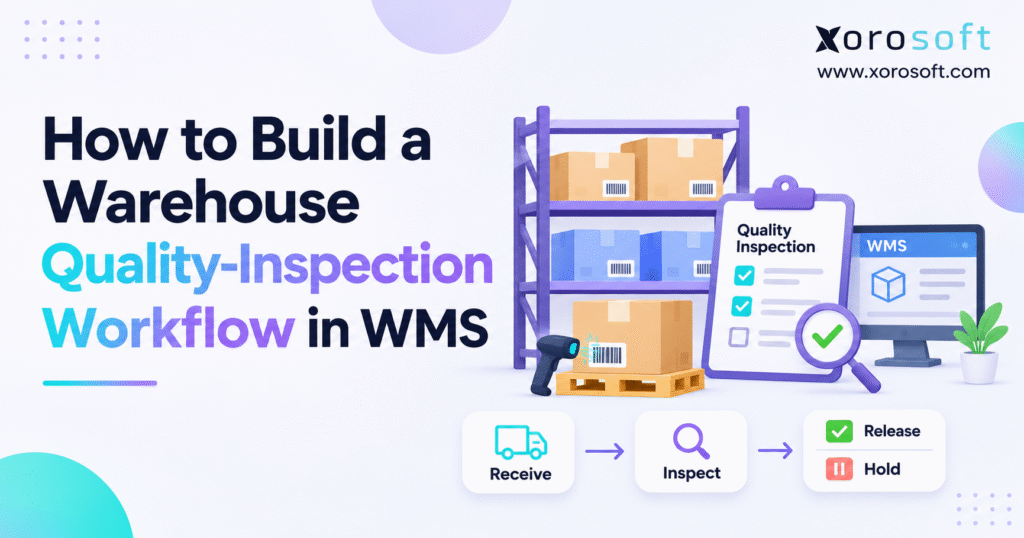
To begin our discussion, it is important to understand the warehouse quality inspection workflow and how it impacts operations.
1. Why a Warehouse Quality Inspection Workflow Starts With Stock Control
1.1 Why Receiving Accuracy Does Not Prove WMS Quality Control
Receiving proves what arrived and how much arrived. Quality control asks whether those goods meet the rules for use or sale. For example, 200 units may arrive against a purchase order for 200, but 12 may have broken seals. The count matches, yet the warehouse cannot safely treat all 200 as approved stock.
Therefore, the system needs a clear point between receipt and release. A posted receipt should not act as an automatic quality pass for goods that require inspection. Instead, the WMS should keep those units out of the stock available to pick.
1.2 Physical Stock, On-Hand Stock, and Sellable Stock Can Differ
Stock on site tells you what workers can see in the building. Stock on hand tells you what the business records as present. Sellable stock is the part that can support an order after all holds and other limits. These figures can differ for valid reasons.
For instance, a pallet on hold may still count as on hand even though pickers cannot use it. Likewise, goods waiting for a supplier return may remain in the building. A sound warehouse QC process makes each difference easy to explain.
1.3 Quality Assurance Sets Rules; Quality Control Checks Goods
Quality assurance creates the plan: when to check, what counts as a pass, and who can approve a release. Quality control applies those rules to real goods. The American Society for Quality explains this difference. Both matter because a good inspection has little value if the business fails to act on its result.
2. Set Warehouse Inspection Rules Before You Configure the WMS
2.1 Choose Which Receipts Need an Inspection
Start with the goods and the risks, not with software screens. A new supplier may need closer checks than a long-time source with a strong record. Likewise, costly furniture may need more care than low-risk packing supplies. Returns, warehouse transfers, and damage found during picking can also start an inspection.
Write these triggers in a short rule sheet. Then give staff a clear answer for each event: inspect all units, use an approved sample plan, check set documents, or follow a stated exception process. Avoid leaving the choice to a worker who must make it during a busy shift.
2.2 Write Clear Warehouse Inspection Pass and Fail Rules
A rule such as “inspect for damage” leaves too much room for guesswork. Instead, name the checks: correct SKU, clear barcode, right pack count, good seals, no visible cracks, and all parts present. Add lot, expiry, or test details where the product needs them.
For example, a furniture team might allow scuffed outer wrap but reject a split tabletop. An apparel team might check size labels, color, seams, and trim. Also, save sample photos when they help two inspectors reach the same decision.
2.3 Give Each Decision a Named Owner
The receiving clerk verifies the count, while a quality checker records the product result. A warehouse lead manages holds and physical moves. Then an approved manager signs off a release, and the buying team handles supplier claims. Finance reviews any change to inventory value.
| Work item | Main owner | Required record |
|---|---|---|
| Verify goods | Receiving clerk | PO, SKU, count, date |
| Inspect goods | Quality checker | Result, defects, proof |
| Apply a hold | Warehouse lead | Units, location, reason |
| Approve release | Named approver | Decision and time |
| Claim from supplier | Buying team | Evidence and next step |
| Post value change | Finance | Approved stock event |
3. Configure the Warehouse Quality Inspection Workflow in WMS
3.1 Link Every WMS Inspection to an Exact Stock Record
Every check needs a unique ID and a link to the receipt or return that caused it. Include the supplier, SKU, unit of measure, warehouse, count, and lot or serial number where relevant. Also, record the checker, date, result, affected units, and reason code.
If staff inspect only one carton from a large receipt, the record must still show which carton or handling unit they checked. Otherwise, the warehouse may block too much stock or release the wrong units when a fault appears.
For better control, decide which fields workers must fill in before they can finish a check. A missing lot number or blank outcome should trigger a clear warning. However, do not ask every worker to complete fields that do not apply to the item. That adds time without helping the result.
Also, keep changes in the event history. If a manager corrects the affected count from six units to five, the record should show both values, who made the change, and why. These small controls keep the warehouse quality inspection workflow clear during audits and supplier claims.
3.2 Pair QA Locations With System Stock Holds
Set aside clear areas for incoming checks, goods on hold, and damaged stock. However, floor labels alone cannot stop a pick. The system must also mark affected units as unavailable, even if someone moves them to a normal bin by mistake.
Xorosoft describes QA and damaged-stock location types in its help material. Its XoroWMS platform also covers warehouse receiving and stock tracking. When teams configure the process, they should test how the location and stock status work together rather than assume one setting blocks every route.
3.3 Define Stock States for the Warehouse Quality Inspection Workflow
Choose plain terms that match the work. For example, use waiting for check, check in progress, hold, passed pending sign-off, released, and rejected. Then define which moves staff can make between them. A held unit should never jump to released stock without the right approval.
| Stock state | May pickers use it? | Next action |
|---|---|---|
| Waiting for check | No | Start check |
| In inspection | No | Record result |
| On hold | No | Review or check again |
| Pass, sign-off due | No | Approve release |
| Released | Yes, unless another block applies | Put away or pick |
| Rejected | No | Return, repair, or scrap |
4. Follow an Eight-Step WMS Quality Inspection Process
4.1 WMS Inspection Steps 1 and 2: Start and Match Goods
First, create the inspection from a purchase order, advance shipping notice, customer return, or stock damage report. The event should point to the goods that staff will check. Next, scan or confirm the SKU, units, lot, expiry, and storage site where they apply.
Keep a shortage apart from a quality failure. If a supplier promises 100 units but sends 96, the missing four are not faulty stock in the warehouse. Instead, record a receiving shortfall. That choice keeps counts fair and helps buying staff raise the right claim.
A single delivery may have several lots or mixed SKUs, so the receiving team should not treat it as one stock block unless the rules call for that. For example, two cartons of the same SKU may have different expiry dates.
Staff should keep their details apart during scanning and inspection. If they find an unknown lot or wrong unit size, they should stop that line and call a supervisor. Meanwhile, the team can keep working on other clearly marked goods that do not need the same hold.
4.2 WMS Inspection Steps 3 and 4: Choose the Plan and Inspect
Then apply the plan for that item or supplier. It may call for a check of every unit, an approved sample, or a review of set documents. Staff should follow the plan rather than choose their own sample size without a reason.
During the check, review labels, packaging, seals, parts, finish, and any required product tests. Also, match the lot or serial details where needed. Take photos or store test notes when they help explain a failure. The goal is to link the finding to the exact affected goods.
4.3 WMS Inspection Steps 5 and 6: Log Defects and Hold Stock
Next, enter the result and a clear reason code. Codes such as WRONG-SKU, PACK-DAMAGE, MISSING-PART, and DATE-FAIL make faults easier to group and review. Record how many units have the fault. One bad item does not prove that every item in the lot has the same defect.
After that, place the affected goods on hold. When needed, move them to a QA area and scan the move. The warehouse quality inspection workflow must also stop picking, transfers, and channel stock updates from treating held units as free stock.
4.4 WMS Inspection Steps 7 and 8: Approve and Match Stock
Finally, a named person approves release, recheck, repair, supplier return, or disposal. The WMS should keep the user, time, reason, and affected units in the record. Goods that need repair must stay blocked until the repair and new check finish.
Once staff approve the good units, update their state so normal picking can use them. Leave all other units blocked. Then compare the receipt count with released, held, rejected, and departed units. Also, check the ERP and store if they rely on the same stock figures.
| Step | What staff do | What proves the step is complete |
|---|---|---|
| 1. Start | Link check to receipt or event | Valid source ID |
| 2. Match | Confirm item and count | SKU, lot, and count agree |
| 3. Plan | Apply check rule | Approved plan selected |
| 4. Inspect | Examine units or documents | Results captured |
| 5. Record | Log defects | Reasons and affected units saved |
| 6. Hold | Block stock | Pick test shows no access |
| 7. Decide | Approve next action | Named sign-off stored |
| 8. Match | Update and check balances | Stock states add up |
CTA #1 — Free ERP Readiness Assessment
If the team checks goods in one tool but manages stock in another, review how a failed check affects picking and the online store. Start with receiving, hold rules, sign-off rights, and stock counts before investing in new software.
5. Select the Right Sampling Method for Warehouse Quality Control
5.1 When Full Warehouse Quality Checks Make Sense
A full check looks at each unit against the stated rules. It may suit a small lot, a costly item, or a product where a missed fault could cause harm. Yet full checks use time and can still miss a hidden fault. Thus, define what each inspector must test rather than assume that opening every carton proves total quality.
5.2 Keep Spot Checks Apart From Formal Lot Sampling
A spot check can flag obvious problems with little delay. However, a few units chosen at random do not always support a sound lot pass decision. When the business needs that kind of decision, use an approved sample plan with clear rules for lot size, sample size, and pass or fail limits.
Before staff use a sample plan, decide how they will draw the sample and what happens if it fails. For example, picking only boxes from the top of a pallet may miss a problem lower down.
The plan should guide selection and make results easy to record. If the sample fails, follow its stated lot decision and escalation rules; do not simply check a few more items until the lot passes. Also, keep test notes with the receipt so another worker can trace the decision later.
5.3 Apply AQL Rules With Care
ISO 2859-1:2026 covers lot-by-lot sampling by attributes, based on an acceptance quality limit (AQL). The 2026 edition includes new skip-lot procedures.
Still, an AQL does not grant a supplier a right to ship known faulty units. Use the correct standard and a trained quality expert when a formal plan applies.
6. Use Quality Holds and Defect Codes to Prevent Wrong Releases
6.1 Explain Each WMS Quality Hold With Specific Evidence
Do not let staff write only “quality issue.” Instead, record what failed, how many units it affects, which test found it, and who must act next.
For example, “five cases with broken seals” tells the buying team much more than “shipment damaged.” Add photos or test files when they support the claim.
6.2 Separate a Hold From a Confirmed Reject
A hold means the team still needs to decide what happens. The goods may pass after a missing paper arrives or a second test clears the concern.
By contrast, a reject means the goods failed the approved rule and need a set next action. As a result, the WMS should not put every restricted unit into one vague bucket.
6.3 Recheck Repaired Goods Before Release
Some goods allow safe rework. A team might replace a missing part or correct a label. However, starting that work does not make the item fit for sale.
Keep the hold in place, record the work, and run the right recheck. Only a valid release decision should clear the block.
Xorosoft presents returns and warehouse stock flows within its broader ERP approach. For any system, the key test is whether workers can link the repair, new check, and final status to the same affected units without losing the first failure record.
7. Handle Partial Receipts Without Hiding Quality Problems
7.1 Split Partial Receipts by Warehouse Inspection Outcome
One delivery can contain good units, units on hold, and units that must go back. A WMS quality control workflow should track all groups without losing the link to the first receipt.
Otherwise, teams may choose between two bad options: hold the entire lot or make the entire lot free to pick.
For example, a carton with ten damaged units should not force a full pallet hold if staff can safely identify and split that carton under the approved plan.
7.2 Keep Stock Totals Honest as the Case Moves Forward
If the warehouse holds goods on site, those goods may still count as on hand. Do not remove them from the physical total merely because they cannot sell.
Likewise, a supplier return should reduce on-hand stock only when the proper exit event occurs. This simple rule prevents double counts and missing units.
To keep the count clear, write one basic stock rule for each outcome. Approved units become eligible for normal work. Held units remain on hand but stay blocked. Rejected goods remain restricted while they await the next move.
Once workers ship a supplier return, they record the actual exit. If a manager later approves a held group, staff release only that group. As a result, the warehouse quality inspection workflow reflects each real event rather than applying a broad change to the entire receipt.
7.3 Give Buying and Finance the Same Source Record
The buying team may need a supplier credit or replacement. Finance may need to review a stock value change.
Therefore, both teams need the receipt ID, defect details, approved outcome, and later goods movement. One clear source record reduces long email chains and makes month-end work easier.
8. Test the Warehouse Quality Inspection Workflow With a 120-Unit Receipt
8.1 Record the Real Physical Count First
Assume a wholesaler receives 120 units of one SKU and checks all units. Ninety pass, 20 need more review, and 10 fail due to damage.
All 120 units still sit in the warehouse, and the business has booked them as on hand. However, only 90 have approval for normal orders.
This example shows why a warehouse quality inspection workflow must control both the physical count and the free-to-sell count.
| Check result | Units | Can staff sell them? |
|---|---|---|
| Passed and approved | 90 | Yes |
| On hold | 20 | No |
| Rejected | 10 | No |
| Total on site | 120 | 90 available |
8.2 Follow Later Returns and Releases
Next, suppose staff return the 10 rejected units to the supplier. Once the goods leave and the warehouse posts the exit, on-hand stock drops to 110.
The 20 held units remain blocked. Later, an approved second check clears those 20 units, so available stock rises from 90 to 110 if no other orders or holds reduce it.
8.3 Validate the Warehouse Quality Inspection Workflow Across Systems
Match the WMS, ERP, and online store after each event. First, confirm that no picker can use the 30 blocked units.
Then test the supplier return and the later release. A passing result should change only the proper quantity at the right site. Any mismatch calls for a pause and a review before staff promise more stock.
9. Link WMS Inspection Results With ERP and Inventory Records
9.1 Decide Which System Owns Each Quality Event
A warehouse tool may record scans and moves, while an ERP holds buying, stock, and cost data. The business must choose which system owns the quality state and which ones receive its updates.
Otherwise, two tools may overwrite each other’s changes or show different stock as available.
Xorosoft offers XoroERP for stock-led firms that want buying, warehouse, and finance work in a connected system.
Still, buyers should test their own rules for holds, sign-off, returns, and cost changes rather than assume every process works without setup.
9.2 Send WMS Quality Inspection Data Needed to Trace Each Change
Each update should carry an event ID, source receipt, SKU, warehouse, lot when needed, unit count, old state, new state, time, and reason.
Also, the receiving system must avoid posting the same event twice. A retry after a network failure should not create extra stock or clear a hold without the right sign-off.
Plan for late messages, too. For example, an approved release might reach the sales system before the matching hold event.
A safe design uses the event order or current approved state to prevent the older message from changing the stock back.
Keep an alert when the tools disagree for too long. Then assign one owner to review the source record and correct the bad state. This control matters even when workers rarely see the problem during normal shifts.
9.3 Keep Value Decisions Apart From Quality Decisions
A hold does not always mean the company has lost the value of the goods. The units may pass later, or the supplier may take them back.
Therefore, the buying and finance teams should apply the right policy before they post supplier credits, returns, or write-offs. Inspectors provide the facts; they should not make every cost decision.
10. Protect Shopify and Other Sales Channels From Held Stock
10.1 Map WMS Quality States to Sellable Stock
Shopify has inventory states such as available, quality_control, and damaged.
Its inventory guidance explains how apps work with those states. A store must not count units on quality hold as stock it can promise to a buyer.
For instance, a site may show 500 units on hand but only 450 free to sell. If a link sends 500 as the available count, the store can oversell even though the warehouse kept perfect physical records.
10.2 Test the Shopify and ERP Inventory Link
Xorosoft has an ERP listing in the Shopify App Store.
That listing can help a merchant assess the link, but the team still needs to test its own setup. Start with a receipt that has both passed and held units. Then check what Shopify shows before and after a valid release.
10.3 Make Failed Updates Safe
When a system update fails, hold the last safe stock state until the team resolves the mismatch.
Log the error, retry the event without double posting, and alert an owner if it still fails. The warehouse quality inspection workflow should never turn a missing update into an unplanned stock release.
11. Apply WMS Quality Checks to Returns, Transfers, and 3PL Stock
11.1 Run Return Quality Inspections Before Restocking
A return scan proves that the goods came back; it does not prove that staff can sell them again. The item may be worn, open, broken, or short of parts.
Therefore, link the return to the order, check its condition, and choose the next step under policy. Keep it blocked until someone approves restocking.
11.2 Keep the Hold When Goods Move Between Sites
A pallet on hold in Warehouse A should remain on hold when it reaches Warehouse B. Carry the stock ID, lot, affected count, and hold reason with the transfer.
Also, add a new check if the goods face fresh damage during the move. The change of site alone must not act as a quality pass.
11.3 Agree on Codes and Approval Rights With a 3PL
An outside warehouse may use its own damage and hold codes. Before it handles stock, map those codes to the business rules and agree who may clear them.
Set a time for updates and a path for urgent cases. Xorosoft lists integration options that can inform such talks, but each 3PL data flow needs a live test.
12. Track Simple KPIs for Warehouse Quality Control
12.1 Measure First-Pass Rate and Defective-Unit Rate
A first-pass rate shows the share of inspected units that pass the first check without repair or recheck.
Divide units passed at first check by units first checked, then multiply by 100. For a defective-unit rate, divide units known to have defects by units checked.
Keep these two measures apart because one bad unit may show several faults.
12.2 Watch Check Time and Old Holds
Next, track how long checks take and how many days each open hold has lasted. Slow checks may point to staffing, missing documents, or a weak work area.
Old holds may show that no one owns the next step. Sort these cases by reason so managers can remove the real cause instead of just chasing a total.
12.3 Count Wrong Releases and WMS-ERP Stock Mismatches
A high pass rate does not prove that stock controls work. Also, track any case where pickers can reach held goods or where the ERP and WMS disagree.
Review each error and run a test after the fix. The warehouse quality inspection workflow succeeds when it stops wrong releases, not merely when staff fill in the check sheet.
To compare sites fairly, agree on how you count a completed check, a defective unit, and a wrong release. A team that checks 50 cartons should not report its pass rate as if it checked 500 individual units.
Likewise, separate active holds from new holds raised that week. Use a set time window and keep the same rules each month.
This makes trends easier to trust and helps managers decide whether a problem comes from a supplier, a training gap, or a system rule.
| Measure | What it helps find |
|---|---|
| First-pass rate | Changes in supplier quality |
| Defective-unit rate | Proven product faults |
| Time to finish check | Slow receiving work |
| Days on hold | Cases that need action |
| Wrong releases | Weak stock blocks |
| Stock count mismatches | Bad updates between tools |
13. Fit Warehouse Inspection Rules to Different Product Types
13.1 Apparel, Furniture, and Sporting-Goods Quality Checks
Clothing teams may check size tags, shade, seams, and pack labels. Furniture teams may look for cracks, dents, poor finish, and missing screws.
Sporting-goods teams may check the right variant, all parts, and any needed safety labels. The same WMS process can cover these goods, but the pass rules must reflect the product.
13.2 Food and Products With Lot or Date Rules
Food sites may need to track lot, date, pack seal, and storage conditions.
The GS1 traceability standard sets out key events and data for tracing goods.
In the United States, the FDA Food Traceability Rule page says the agency does not plan to enforce that specific rule before July 20, 2028. However, other food safety rules still apply.
13.3 Wholesale and Manufacturing Goods
A wholesaler may check supplier packs and client label rules, while a maker may test parts before a work order can use them.
In both cases, the warehouse quality inspection workflow should show the affected lot or units and keep stock blocked until the right person approves them.
Xorosoft works with several inventory-driven industries, so firms can use sector needs to frame a software review.
14. Avoid Common Warehouse Inspection Setup Mistakes
14.1 Do Not Rely on a QA Zone Alone
A bright sign and separate shelf help people see a hold. However, they cannot stop an online order or a pick wave.
The WMS must block the units across every route that uses stock. Test a manual pick, a wave, a transfer, and a store update to confirm the rule works.
14.2 Do Not Use Vague Notes or Shared Logins
“Damaged” may not give the supplier enough detail for a claim. Instead, record the part, fault, and count.
Also, give each approver a named login. A shared account hides who cleared a hold and makes it harder to learn from mistakes.
14.3 Test Warehouse Inspection Failures Before Go-Live
Normal receipts are only half the test. Try a short delivery, wrong SKU, mixed lot, failed check, late update, and duplicate event.
Then have a picker try to select stock on hold. If the system lets a wrong action through, fix the rule and test it again before the team starts live work.
15. Roll Out the Warehouse Quality Inspection Workflow in Stages
15.1 Pilot a Warehouse Quality Inspection Workflow by Site
Choose a small pilot with enough real receipts to expose weak spots. Train the staff, run both pass and fail cases, and review every hold each day.
Fix unclear codes and missing rights before adding more stock or sites. This makes the change easier to manage and less risky for daily orders.
Start the pilot with a short written test plan. Include one clean receipt, one mixed receipt, a missing document, a wrong lot, a supplier return, and a failed system update.
Give each case an expected stock result and the person who must sign it off. After the shift, compare what workers did with what the system recorded.
If results differ, fix the rule and run that case again. This way, the warehouse quality inspection workflow earns trust through proof rather than a smooth screen demo.
15.2 Use Real Costs to Judge the Need for Better Systems
Count the time staff spend fixing wrong stock, tracing lost proof, or sorting bad supplier receipts. Add extra freight, returns, and order delays where records support those costs.
Xorosoft offers customer case studies that may help buyers frame questions, but each firm should build its own case from actual work and costs.
CTA #2 — Watch Demo
Ask a software provider to show a receipt with both passed and held goods. Then test a late stock update and a return. The demo should make clear which units staff can pick and how the stock count stays correct.
16. Make Every Warehouse Quality Inspection Decision Clear and Traceable
16.1 Use One Simple Release Rule
Goods that need inspection must stay blocked until a named person approves them. Keep the result, affected count, and reason close to the stock record.
In addition, make sure workers know what to do when a rule is unclear. A short, firm rule often works better than a long form that nobody trusts.
16.2 Match the Physical Goods to the Business Record
After every pass, hold, supplier return, or scrap event, compare the stock movement with what the ERP and sales tool show.
Fix a mismatch before it leads to a wrong promise. Over time, this habit makes stock data more reliable and helps each team trust the same count.
16.3 Test a Real Quality Inspection Receipt Before Sign-Off
Pick a past receipt with a known fault. Run it from scan to check, hold, approval, and final count.
Then ask buying and finance to trace the same event. A good warehouse quality inspection workflow leaves no doubt about what arrived, what passed, what remains blocked, and who made each choice.
CTA #3 — Book a Personalized Demo
Bring a purchase order, a real hold case, and your stock rules. Ask to see how receiving, warehouse control, and ERP records can work together.
Frequently Asked Questions
What is a warehouse quality inspection workflow?
It is a controlled process for checking received or returned goods, logging defects, holding unapproved stock, and releasing only items that meet defined quality rules.
How do you set up quality inspection in a WMS?
Define inspection triggers, pass criteria, staff roles, stock statuses, and approval rights. Then link each check to a receipt and test holds before going live.
When should warehouse inventory be placed on quality hold?
Place stock on hold when a required inspection is incomplete, documents are missing, or products fail checks. Keep affected units unavailable until an authorized decision.
How can a WMS prevent defective stock from being picked?
Apply a non-pickable stock status and restrict affected locations. Test normal picking, wave release, transfers, and sales-channel updates to ensure the hold works.
How should warehouses handle partially accepted receipts?
Split the receipt into approved, held, and rejected quantities. Keep the original receipt reference and reconcile every unit before updating sellable inventory.
How do WMS quality inspections affect ERP and Shopify inventory?
Send approved and restricted quantities by SKU and location. ERP and Shopify should reflect only eligible stock as available, with failures flagged for review.
When should a business automate warehouse quality inspections?
Consider automation when manual checks cause stock errors, delayed releases, missing records, or inconsistent decisions across sites. First confirm that your inspection rules are clear.
Recent Posts
-
 How to Build a Warehouse Quality-Inspection Workflow in WMS
-
 Agentic ERP vs AI-Enabled ERP: Which AI ERP Architecture Fits Inventory-Driven Operations?
-
 ERP for Sporting-Goods Distributors Managing Seasonal and Bulky Fulfillment
-
 Shopify API Release Statistics 2026
-
 AI Slow-Moving Inventory Detection: Signals Beyond Days on Hand