If you’re interested in learning about the Shopify API release statistics, you’re in the right place.
1. Why Shopify API Changes Now Affect Daily Business Operations
Four stable Shopify API versions arrived in 2026. That number sounds simple. Yet each new version can change how an app reads orders, updates stock, or sends data to a warehouse or finance system. As a result, Shopify API release statistics matter to store owners as much as they matter to developers.
A shop can keep taking orders even when a link to another system is no longer working as planned. For example, Shopify may show the right stock total while a warehouse report uses an old rule for reserved units. Meanwhile, a shipping address change may update an order’s tax but leave an older total in the accounts. These errors are easy to miss because the store itself still looks healthy.
The real challenge is keeping every system in step as the API changes. Merchants need to know when versions arrive, which fields change, and what to test before the next release. They also need to tell apart Shopify’s published facts and their own business results. Therefore, this guide uses official release data for platform facts and labels any sample figures as examples.
This review covers changes known as of November 18, 2026, with a focus on orders, stock, receiving, webhooks, and finance.
2. Shopify API Release Statistics 2026: Key Numbers
The headline Shopify API release statistics are clear: four stable versions in 2026, one new version each quarter, and at least 12 months of support for each stable version. On November 18, 2026-10 was the newest stable release. The next version, 2027-01, was still a release candidate rather than a stable production version.
Other limits cover API use, not releases. GraphQL allows 1,000 requested cost points per query and 250 items per input array. The January release also allowed 100 MB bulk uploads and five bulk operations per app per shop. However, these limits do not predict ERP sync speed.
2.1 How to Read Shopify API Release Statistics Correctly
A release date is a fact from Shopify. By contrast, a merchant’s stock error rate or average sync time is its own result. Shopify does not provide a single public figure for 2026 ERP integration failure rates, migration costs, or the share of stores that had stock errors. So, those numbers should never be presented as broad industry facts without a clear study and source.
Instead, keep three groups of data apart: published platform facts, measured store results, and future targets. For instance, a reported 99.4% sync success rate may be valid for one store during one month. It does not describe Shopify as a whole. This distinction helps teams make plans without turning guesses into benchmarks.
3. Shopify API Release Schedule and 2027 Support Deadlines
Shopify issues stable API versions on January 1, April 1, July 1, and October 1. Each receives at least a year of support, and the exact end date appears in Shopify’s schedule. Therefore, merchants should plan against the published access-end date, not simply add 365 days to the launch date.
| Stable version | Released | Accessible until (UTC) | Status on Nov. 18, 2026 |
|---|---|---|---|
2026-01 |
January 1, 2026 | January 16, 2027, 15:00 | Stable |
2026-04 |
April 1, 2026 | April 16, 2027, 15:00 | Stable |
2026-07 |
July 1, 2026 | July 16, 2027, 15:00 | Stable |
2026-10 |
October 1, 2026 | October 16, 2027, 15:00 | Latest stable |
The official Shopify API versioning guide is the source for these dates. Check it again before a major rollout, especially if you are planning work close to the retirement window.
3.1 What Happens When a Shopify API Version Expires?
When an app asks for a version that is no longer available, Shopify may route the request to the oldest supported stable version. This is known as falling forward. Although the call may still return data, a field or rule could behave differently from what the app expects.
For that reason, inspect the X-Shopify-API-Version response header and compare it with the version the app requested. Also, check the versions of your webhook subscriptions. A request that returns 200 OK is not enough proof that all connected records remain correct.
3.2 Build a Release Calendar Around Business Peaks
Avoid an upgrade just before a big sale or month-end close. Instead, allow time for tests and fixes. A quarterly calendar turns upgrades into routine work.
4. Shopify API Updates 2026: What Changed in Each Quarter?
The Shopify API release statistics show a clear timeline, but release count says little about risk. A read-only query may be optional, while a removed field may require action. So, review the affected version, resource, and needed fix.
| Release | Selected changes | Test before rollout |
|---|---|---|
2026-01 |
Bulk query grouping; broader bulk mutation support; draft-order query change | Large exports and draft-order reads |
2026-04 |
Inventory write safeguards; changes to webhook identifiers | Stock updates and webhook handlers |
2026-07 |
Removed scheduled inventory mutation; added transfer data | Transfer writes and stock mapping |
2026-10 |
Order tax updates; purchase-order reads; canceled receipts | Order totals, PO data, and receiving |
4.1 January Shopify API Release: Bulk Jobs and Draft Orders
In January, Shopify changed the default grouping of bulkOperationRunQuery. If a parser needs grouped data, it should ask for groupObjects: true. The release also expanded bulk mutation support and made QueryRoot.draftOrders the route for draft-order queries. Therefore, teams should test real export files, not only small sample queries. See the 2026-01 release notes.
4.2 April Shopify API Release: Safer Stock Updates
April added safeguards for some inventory mutations, including changeFromQuantity and rules for repeat requests. These changes help callers check the stock value they expect before writing a new one. However, an app must still handle conflicts and retries well. Also, some webhook handlers needed new fields when older checkout identifiers were removed. See the 2026-04 release notes.
4.3 July Shopify API Release: Transfers and Removed Calls
July removed inventorySetScheduledChanges without a direct replacement. As a result, teams using it for planned changes needed a new workflow, not merely a renamed field. Meanwhile, transfer-related data gained new options. Test whether your destination system still knows the correct source, location, and stock movement. See the 2026-07 release notes.
4.4 October Shopify API Release: Orders and Receiving
October changed tax handling for certain order address edits and removed older draft-order warning fields. In addition, it introduced public read-only purchase-order queries and a canceled receiving action. These are different kinds of changes: some affect existing code, while others offer new ways to read or record data. See the 2026-10 release notes.
5. Shopify GraphQL API Versus Legacy REST in 2026
Shopify marked REST Admin API as legacy on October 1, 2024. Then, starting April 1, 2025, new public apps had to use GraphQL Admin API. However, that policy did not make every older REST request stop working at once. Existing apps still need a review of the endpoints and versions they use.
| Question | GraphQL Admin API | Legacy REST Admin API |
|---|---|---|
| How does it fetch data? | Requests chosen fields and objects | Uses set resource endpoints |
| How is use limited? | Calculated query cost | Request and resource limits |
| Is it the route for new public apps? | Yes | No |
| What should teams review? | Schema, costs, scopes, errors | Old endpoints and replacement paths |
5.1 Shopify GraphQL Changes the Shape of Data Requests
GraphQL lets an app ask for the fields it needs. That can cut extra data, but a large nested query may cost more points than expected. Therefore, review the cost of common order and stock queries, how pages are fetched, and what happens when the API returns a partial error.
5.2 Which Shopify Integrations Need a REST-to-GraphQL Plan?
Start with custom apps, warehouse links, and finance exports using REST. Next, check the GraphQL fields, scopes, and write actions. The Shopify REST Admin API reference explains the legacy status. The change is complete only when records still match.
CTA #1 — Free ERP Readiness Assessment
Before the next API deadline, review which system owns each inventory, purchasing, warehouse, and finance record. A Free ERP Readiness Assessment can help frame the data flows and manual checks that deserve attention.
6. Shopify API Rate Limits 2026: GraphQL Cost and Bulk Jobs
One common mistake in reading Shopify API release statistics is treating GraphQL cost points as requests per second. They are not the same. Shopify uses a bucket of query-cost points for each app-store pair, and the restore rate depends on the store’s plan.
| Shopify plan | Documented restore rate |
|---|---|
| Standard | 100 points per second |
| Advanced Shopify | 200 points per second |
| Shopify Plus | 1,000 points per second |
| Shopify for enterprise | 2,000 points per second |
A single query can request at most 1,000 points. In addition, API input arrays have a 250-item limit. Shopify may refund points when a query returns less data than its full requested cost. The official GraphQL rate-limit guide explains both limits and the cost details in responses.
6.1 Why GraphQL Points Are Not API Request Counts
For example, at 100 restored points per second, a 20-point query might run about five times per second over time. Yet this is only a model, not a promise. Other traffic and query costs can lower the rate.
6.2 When Shopify Bulk Operations Are the Better Choice
Large exports often work better as bulk jobs than as thousands of small reads. Still, check the output shape, total record count, and failed rows after each job. The 2026-01 release raised some bulk limits, but more jobs running at once will not fix poor data checks.
Chart note: Plot GraphQL restore rates of 100, 200, 1,000, and 2,000 points per second by plan. Label the values as points, never as requests.
7. Using Shopify API Release Statistics to Find Integration Risk
Shopify API release statistics are most useful when paired with a map of the apps that run your store. For example, a product description feed carries a different risk from a stock update that can oversell an item. Therefore, Shopify API release statistics should lead to a review of real business tasks, not just a count of changes in a developer log.
7.1 Map Every Shopify API Call to a Business Task
List where data starts, where it goes, and who owns the final record. Include order creation, inventory writes, shipping updates, refunds, receiving, and payouts. Then note the API version, webhook topic, access scope, and the staff member who can test that link.
A call can succeed while the outcome is wrong. For instance, an order export may finish but use an old tax total. Similarly, a stock write may complete with stale source data. So, each key flow needs both an API check and a way to compare the business record.
7.2 Rank Shopify API Changes by Business Impact
First, flag removed fields and write actions used in live work. Next, review changes that touch stock, order value, or shipping promises. Finally, check new features that could help but are not needed for the current workflow. This order keeps the team focused on likely harm before it takes on optional work.
A risk log should show each app, task, deadline, test owner, and recovery plan. Also, note peak sale periods. This makes release dates actionable.
8. Shopify Inventory API Changes 2026: Reserved and Committed Stock
On August 5, 2026, Shopify announced that some active draft-order, transfer, and shipment holds would move from reserved to committed. Both states remain available to query. Most importantly, on_hand and available did not change because of this move. It was a change in how unavailable stock was grouped, not a new count of physical units. See the inventory-state change notice.
| State or receipt result | What it tells the business | What to check |
|---|---|---|
on_hand |
Stock held at a location | Compare with warehouse counts |
available |
Stock available to sell | Check by SKU and location |
reserved |
Reserved stock in its own state | Review reports built around old rules |
committed |
Stock spoken for but not yet fulfilled | Review open order and transfer holds |
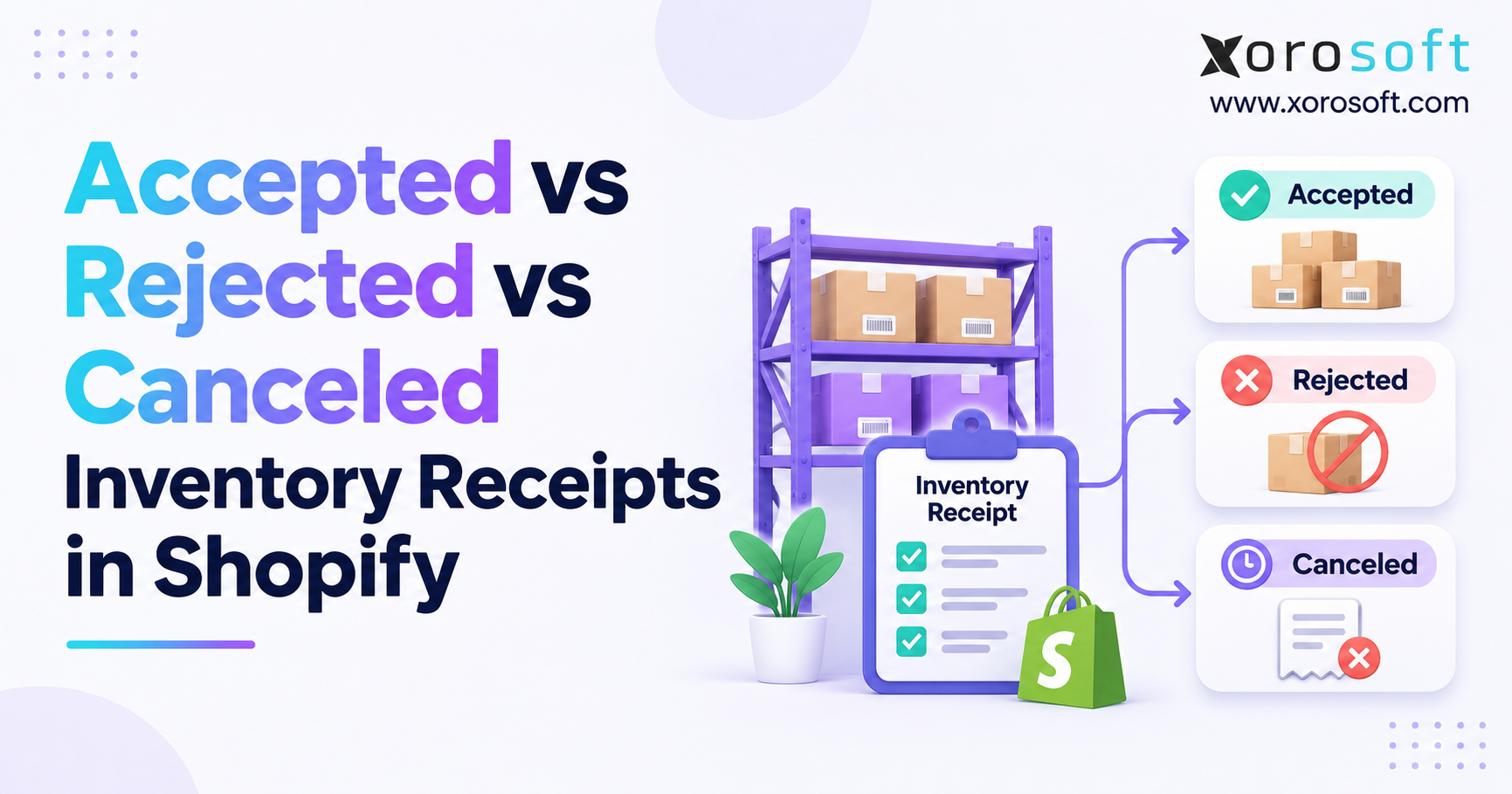
| Accepted | Units received and accepted | Match receiving and stock records |
| Rejected | Units received but not accepted | Keep separate from sellable stock |
| Canceled | Units that will not arrive | Do not count as accepted stock |
8.1 Apparel Example: Shopify Stock Report Looks Wrong
Consider a sample apparel seller with 500 units on hand and 40 units held for drafts and transfers. After the move, those 40 units appear under committed rather than reserved. However, on_hand and available remain the same. A report that watches only reserved could wrongly suggest that stock was freed for sale.
Fix the report, not the physical stock. For merchants using Xorosoft as a cloud ERP, stock, purchasing, and finance records must still match Shopify states. See the XoroERP overview for context; confirm field maps in the live setup.
8.2 October Shopify API Purchase-Order Reads
The 2026-10 release added public read-only purchase-order queries. Apps need the right access scope, and linked transfer data may need more access. However, these queries do not add public purchase-order write actions. Teams should avoid planning a write workflow around a feature that only reads records. See the purchase-order API notice.
8.3 Sporting-Goods Example: Accepted, Rejected, and Canceled Receipts
The October release also added a CANCELED receiving result for units that will never arrive. For example, a sample 120-unit shipment could contain 100 accepted, 5 rejected, and 15 canceled units. Although those results add up to 120, only 100 were accepted. Keep those outcomes distinct in receiving and purchasing records. See the canceled-receipt change.
9. Shopify Multi-Warehouse Inventory Sync After API Updates
A storewide stock number can look correct while one warehouse shows the wrong amount. Therefore, merchants with more than one site should check inventory by SKU and location, not just by total. The Shopify API release statistics tell teams when rules may change; the warehouse tests show whether those changes affect real orders.
9.1 Separate Shopify Availability From Physical Stock
Physical stock, available stock, and committed stock answer different questions. For instance, a unit can sit on a shelf and still be unavailable because it is tied to an order. A warehouse system also tracks bins, quality holds, and open receipts. So, decide which system owns each state and how the other systems learn about a change.
Consider a sample seller with 300 units at Warehouse A and 180 at Warehouse B. Suppose 60 units are held across both sites. The storewide available total may be 420, yet the location split can still be wrong. As a result, testing only the total may miss a pick error that sends staff to the wrong site.
9.2 Fix the Cause Before Overwriting a Stock Difference
When a count does not match, check transfers, late receipts, holds, and sync times before writing a new figure. Otherwise, a quick manual change can hide a recurring error. Keep a log of the source value, the target value, the reason, and the person who approved the fix.
The Xorosoft integrations page offers context on connected systems. Still, every merchant should confirm which fields and events its own Shopify link supports.
10. Shopify Order API Changes: Tax, Webhooks, and Accounting
An order update can reach several systems in minutes. For instance, a shipping address edit may change tax, a webhook may alert the warehouse, and an accounting link may post the sale. If one step uses old data, the final record can be wrong even when every app looks active. Therefore, order tests need to follow the full path from Shopify to the books.
10.1 October Shopify Order Tax Recalculation
In 2026-10, certain shipping-address changes on unfulfilled orders can trigger tax recalculation. After the update, query the revised tax lines and totals before posting or adjusting the order in another system. Also, review the payment state before deciding whether money must be collected or returned.
As an example, assume an unfulfilled $500 order has $30 tax before an address change and $40 afterward. The $10 difference is only a sample. It calls for a check, not an automatic charge. Xorosoft’s accounting and ecommerce context makes this a useful case when reviewing connected finance flows. The XoroOne overview describes the broader platform; it does not prove that every tax change posts on its own.
10.2 Shopify Webhook Delivery Needs a Recovery Plan
Shopify does not promise that webhooks will arrive in order or that no event will be missed. So, verify event signatures, remove duplicates, save work in a queue, and compare final records with Shopify. Failed HTTPS deliveries can receive up to eight retries over about four hours. The webhook guide outlines core delivery rules.
11. ERP Accounting Checks After Shopify API Order Changes
Finance teams should not rely on a green sync icon as proof that the books are correct. An API call can pass while a refund, tax value, or shipping fee stays out of date elsewhere. As a result, the best control is a clear link between a Shopify order and the matching entry in the finance system.
11.1 Match Current Shopify Totals With Posted Records
Compare order ID, tax lines, discounts, shipping fees, refunds, payment status, and final total. Then, inspect any difference that lacks a clear later entry. If an order crosses a month-end close, record the proper finance treatment rather than silently changing a closed period.
For example, an order first sent to finance at $540 might later total $550 after a valid tax change. That $10 gap needs review. However, it does not by itself prove that a new payment or refund is due. The answer depends on the real order and payment records.
11.2 Keep Month-End Close Safe From Missed Events
Check balances even when webhook delivery looks healthy. Also, give every open issue an owner, age, amount, and reason. A sound ERP review asks whether staff can trace and fix gaps, not just sync orders.
12. Shopify API Performance Metrics Every Merchant Should Track
Published Shopify API release statistics cover the platform, not the health of your own store. Therefore, set up a small group of measures that show whether orders and stock remain correct. Review the results by app, warehouse, and business task; one broad success rate can hide a serious problem.
| Metric | Suggested method | Owner |
|---|---|---|
| Sync success rate | Successful jobs ÷ attempted jobs × 100 | IT or app team |
| Inventory variance rate | Mismatched SKU-location checks ÷ all checks × 100 | Inventory team |
| Order sync delay | Time at target − time at Shopify | Ecommerce team |
| Failed event backlog | Events still waiting for a safe retry or fix | IT or support |
| Version compliance | Approved supported connections ÷ audited connections × 100 | IT lead |
12.1 Shopify API Release Statistics Versus Store KPIs
Suppose 9,940 of 10,000 sync attempts succeed. The success rate is 99.4%, but 60 failed attempts still need review. For example, a lost warehouse stock update may be more serious than a late product image edit. So, rank issues by their business effect as well as their count.
12.2 Link Shopify API Alerts to Real Owners
A useful issue record includes the order or SKU, source, failed step, last attempt, and the staff member who can act. Xorosoft’s reporting and operations context can be relevant when teams review inventory, purchasing, and finance results together. Still, verify any API-level monitoring tools in the actual project instead of assuming that they come with the core ERP.
13. Build a Shopify API Release Dashboard That Teams Will Use
For Shopify API release statistics to guide action, a dashboard should ask: Did the data move? and Is the final record right? For example, a timely webhook might apply stock twice. Meanwhile, a late event may already have been fixed by a later sync.
13.1 Split API Errors From Data Differences
Show failed calls, delayed events, and API throttling in one view. In another, show stock gaps, order total gaps, and open finance issues. Then link the two views through order IDs, SKU-location keys, and job IDs. This helps staff trace a business problem back to the failed or repeated event that caused it.
Consider a sample shop processing 20,000 order updates. If 120 events were delayed, the sample delay rate is 0.6%. However, the risk depends on what those events changed. A late fulfillment release may affect a customer promise, while a late product note may not. This is an example, not a Shopify-wide result.
13.2 Review Shopify API Release Statistics With Operations
Meet after each release to examine the oldest open issues and the flows most at risk. In addition, review whether any app fell forward to another API version. Have the warehouse approve stock tests and finance approve order totals. As a result, release sign-off reflects business health rather than just code passing tests.
14. Shopify API Upgrade Checklist for Multi-Warehouse Stores
Use a release checklist before changing the API version in production. First, list every app, query, write action, webhook, and access scope. Next, choose sample business cases that show what a correct result looks like. Finally, agree on who can approve the move and how the team will handle a failed rollout.
14.1 Test Shopify Stock, Receiving, and Order Flows
For stock, compare on-hand, available, reserved, and committed units by SKU and location. For receiving, test accepted, rejected, and canceled units when the API version supports them. Also, edit an unfulfilled shipping address and check the updated tax totals in the destination system. Record the expected result for each test before running it.
14.2 Check Webhook Replay and Shopify API Version Headers
Send duplicate and out-of-order test events to confirm that the app does not post the same change twice. Then check the API version returned in live responses. For bulk work, compare the record count and data shape before and after the change. These checks help catch silent errors that basic connection tests miss.
For teams with several facilities, Xorosoft’s warehouse tools may form part of a wider review of stock and receiving workflows. The XoroWMS overview provides product context, while exact Shopify data flows still need to be tested.
CTA #2 — Watch Demo
See how connected stock, purchasing, warehouse, and finance work can reduce manual handoffs. Watch a Demo with questions about your own system links, stock rules, and close process.
15. Test Shopify API Releases Before Live Orders Are at Risk
Good tests cover more than simple orders. Therefore, include edits after payment, short shipments, repeat webhooks, and mixed receipt results across sites.
15.1 Build Shopify API Test Cases With Clear Results
For each test, save the starting record, the action, the expected Shopify response, and the correct result in the other system. Add an owner and a pass or fail note. For instance, an order tax test should compare totals after the update, while a warehouse receipt test should check how many units were actually accepted. A 200 OK response is only one part of the pass rule.
15.2 Plan Cutover, Monitoring, and Safe Recovery
Change live apps at a time when staff can watch the result. Also, keep a baseline export for stock, open orders, and key finance totals. If the rollout fails, the team should know what can be rolled back and which source records already changed. After the cutover, check new events and data gaps more often for a short period.
These steps make Shopify API release statistics useful for planning. The dates tell you when to act; the tests tell you whether the change is safe.
16. Shopify ERP Integration Choices After the 2026 API Updates
Not every Shopify merchant needs a new ERP because an API version changed. A small store may do well with one sound connector and regular checks. However, more sites, wholesale orders, EDI, production work, and shared stock can make each new API change harder to manage. At that point, the wider data setup deserves review.
| Approach | Best fit | Main trade-off |
|---|---|---|
| Direct connector | Few systems and clear owners | Each link needs its own tests |
| Middleware | Several APIs with shared mapping rules | Teams still own rules, retries, and alerts |
| Cloud ERP with connected apps | Stock, purchasing, warehouse, and finance need common control | Setup and scope need careful review |
16.1 Choose Shopify Integration Architecture by Record Ownership
Decide which system owns product IDs, stock available to sell, purchase orders, fulfillment status, and finance entries. Then document how changes travel and which side wins when values differ. This is more useful than choosing software by the number of integrations shown on a sales page.
16.2 Know When Middleware Is Enough and When ERP Helps
Middleware can be a good fit when each source system already holds clean, trusted data. By contrast, a cloud ERP review makes sense when teams repeatedly fix purchase orders, warehouse counts, and finance entries by hand. Xorosoft is one ERP option for inventory-led businesses that need linked stock, purchasing, warehouse, accounting, and ecommerce work. Its industry page outlines the markets it serves. The Shopify App Store listing offers another view of the app’s stated functions, which should be checked during a product review.
17. Shopify API Release Impact Across Inventory-Driven Industries
The same release affects sectors in different ways. For example, apparel brands manage many variants, while furniture sellers face long lead times. Meanwhile, wholesalers rely on draft orders and EDI. Therefore, test the tasks each business uses most.
17.1 Apparel and Sporting Goods: SKU and Peak-Season Accuracy
Test the same item across several sizes, colors, bundles, and warehouses. Also, include seasonal stock that arrives near a busy sale period. A storewide stock total may look right even when one size is out of sync. As a result, pick and sale tests should use the actual SKU-location pair rather than only a product-level summary.
17.2 Furniture and Wholesale: Orders That Change Over Time
Furniture orders may involve long waits and staged delivery. Wholesale orders may change after a buyer confirms quantities or a shipping address. In both cases, test how revised commitments, receipts, and totals move to other systems. This is where a clean source-of-truth plan saves time and cuts manual checks.
17.3 Manufacturing: Component Stock and Open Work
When a merchant makes products, sales can affect component stock and planned work orders. So, check that online demand does not consume the same stock twice or leave a work order without enough parts. The Xorosoft case studies provide business context, though each Shopify version claim still needs support from Shopify’s own API notes.
18. A 90-Day Plan to Stay Ready for the Next Shopify API Release
Shopify API release statistics should lead to a repeatable plan, not a one-time fix. The next quarter will bring new release notes, and some older versions will move closer to their access-end dates. Therefore, build a routine that covers both code and business data.
18.1 Days 1–35: Find Risk and Test Real Work
During days 1–15, list every connected app, version, webhook, access scope, and owner. Next, rank the flows that affect sales, stock, receiving, and finance. During days 16–35, test changes with real cases and compare source and target records. Also, write down how to recover from failed jobs or a bad data move.
18.2 Days 36–90: Roll Out, Review, and Improve
During days 36–60, release changes in steps and watch API versions, stock gaps, and failed events. After that, use days 61–90 to close repeat issues, remove unused links, and prepare for the next quarter. Above all, let warehouse and finance teams confirm that the data is right before the release is marked complete.
For businesses reviewing their wider setup, Xorosoft covers cloud ERP areas such as inventory, purchasing, warehouse work, accounting, reports, and ecommerce. However, the right fit depends on your source records, required Shopify calls, and actual business needs. A scoped review should confirm those details rather than assume every future API feature is ready on day one.
CTA #3 — Book Personalized Demo
If Shopify updates now create recurring stock gaps, warehouse delays, or month-end fixes, book a personalized demo to discuss the flows that matter to your business. Bring your app list, sample orders, and top data issues so the review stays practical.
Frequently Asked Questions
How many Shopify API versions were released in 2026?
Shopify released four stable API versions in 2026: 2026-01, 2026-04, 2026-07, and 2026-10. Each arrived on the first day of its quarter.
What was the latest stable Shopify API version in 2026?
As of November 18, 2026, 2026-10 was the latest stable version. Check Shopify’s official versioning page before upgrading, since this changes quarterly.
How often does Shopify release new API versions?
Shopify releases stable API versions every three months: January 1, April 1, July 1, and October 1. Each receives at least twelve months of support.
Is Shopify REST Admin API still supported?
REST Admin API became legacy in October 2024. Existing integrations may still work, but new public apps must use GraphQL Admin API.
What are Shopify GraphQL API rate limits in 2026?
GraphQL restores 100 to 2,000 query-cost points per second, depending on the Shopify plan. These are cost points, not requests per second.
How did Shopify inventory API changes affect stock in 2026?
In August 2026, some holds moved from reserved to committed. Available and on-hand stock did not change; merchants should check reporting and sync rules.
How can merchants prepare for Shopify API upgrades?
Audit version usage, webhooks, and app scopes. Test inventory, order totals, and receiving workflows. After deployment, monitor failures and reconcile records.
Recent Posts
-
 How to Build a Warehouse Quality-Inspection Workflow in WMS
-
 Agentic ERP vs AI-Enabled ERP: Which AI ERP Architecture Fits Inventory-Driven Operations?
-
 ERP for Sporting-Goods Distributors Managing Seasonal and Bulky Fulfillment
-
Shopify API Release Statistics 2026
-
 AI Slow-Moving Inventory Detection: Signals Beyond Days on Hand