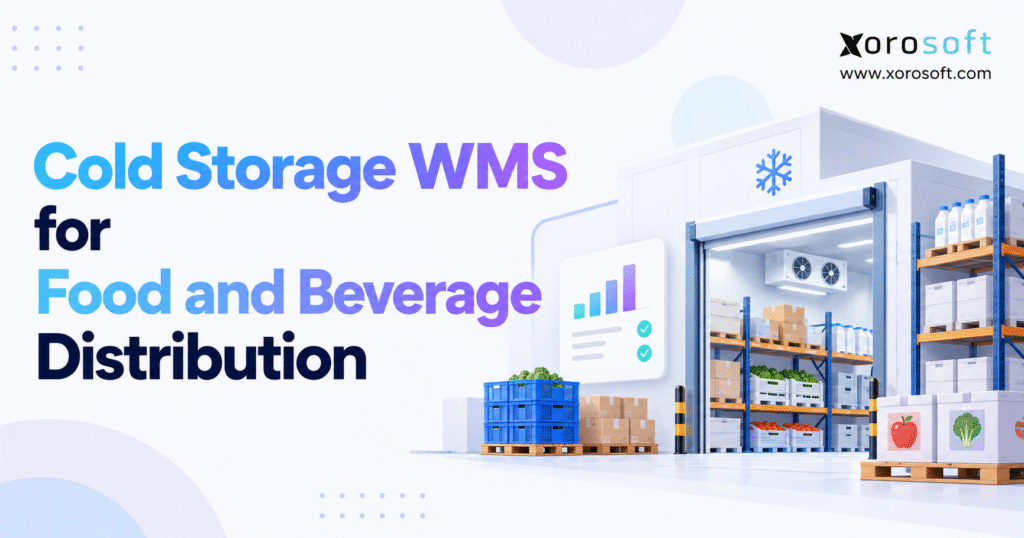
If you are looking to optimise warehouse operations for temperature-sensitive goods, a cold storage WMS can make a significant difference.
1. Why Food Distributors Lose Track of Sellable Cold-Chain Stock
A food warehouse can show 2,000 cases in stock and still struggle to ship an order for 300. One pallet may be on hold. Another may expire too soon for the customer. A third may sit in the wrong cold room. The total count looks right, yet the shipping team cannot tell which cases are ready to leave.
This is where a cold storage WMS earns its place. Food and beverage teams need more than a list of products and bins. They need to know each lot’s age, status, location, and path through the warehouse. They also need the same answer in sales, purchasing, and finance.
1.1 How Stock Errors Grow During Busy Shifts
At a small site, a lead worker may know which pallet came in last week. As order volume grows, that knowledge no longer scales. A lot code gets typed two ways. A pallet moves without a scan. A held case is still shown as ready to sell. The next shift has to solve the puzzle while a truck waits at the dock.
These are not always counting errors. The number of cases may be right. The problem is that the stock cannot be picked for a real order. A good warehouse process tells the team why, not just how many units are on hand.
1.2 Why the Cost Is More Than Spoiled Food
Expired goods are an obvious loss, but hidden costs add up. Staff spend time hunting for lots. Trucks wait for checks. Teams repick orders and issue credits. Finance has to explain stock write-offs days after the goods have left the floor. A weak trail can also make a recall much harder than it needs to be.
The business goal is not more data for its own sake. It is to make sound stock decisions quickly, with a clear record of each move.
2. What Cold Storage WMS Software Does Differently
A cold storage WMS is warehouse software built or set up to handle chilled, frozen, and other temperature-sensitive goods. It helps teams receive, put away, move, pick, pack, and ship stock. It also tracks lot codes, use-by dates, stock holds, and storage zones. Temperature data may come from a separate sensor system.
The main point is control at each step. Knowing that a warehouse holds 80 pallets of yogurt is useful. Knowing which pallets meet a buyer’s shelf-life terms, have passed checks, and are free to ship is what keeps orders moving.
2.1 Cold Storage WMS vs. Standard Warehouse Software
A standard WMS often focuses on bins, pick paths, task speed, and accurate counts. Food distribution needs all of that, plus rules tied to freshness and safe handling. A pallet on hold must not become a pick task. A lot with too little shelf life may be fine for one order but not for another.
This does not mean every general WMS lacks food features. Some have strong lot and expiry tools. Rather than judge a product by its label, ask a vendor to show your actual receipt, hold, pick, and ship rules.
| Warehouse task | Basic control | Extra cold-chain need |
|---|---|---|
| Receiving | Item and case count | Lot, date, check, and status |
| Putaway | Open bin and travel time | Right temperature zone |
| Picking | Stock and pick path | FEFO and buyer shelf-life rules |
| Holds | Damaged goods | Quality and temperature review |
| Shipping | Order and carrier | Lot-to-customer record |
2.2 When Food Distribution WMS Is Worth the Cost
Look closely at this type of system when you manage many lots, short shelf lives, several cold zones, or more than one site. It can also matter when large buyers set strict delivery and freshness terms. If a team needs hours to trace a lot, the need is already clear.
A small site with a short SKU list may not need advanced tools yet. Sound paper or simple stock records can work when they are kept up to date and tested. The right time to upgrade is when risk, time lost, and order errors outgrow those controls.
3. Cold Storage WMS Receiving: Get Lot Data Right First
Bad data at the dock follows a product all the way to the customer. A cold storage WMS cannot apply good pick rules to a lot with the wrong date or an unknown source. Receiving is where the warehouse record first needs to match the physical goods.
3.1 What a Food Warehouse Must Capture at Receipt
Staff should check the supplier, item, purchase order, quantity, pack size, lot or batch code, and key dates. They should also record damage, count gaps, and any checks required by company policy. A pallet can be on site without being ready to sell. The system must show that difference from the start.
If a supplier sends mixed lots on one pallet, keep those lots distinct in the record. Do not merge them just to make data entry faster. The same rule applies when cases have different dates. A short receipt should be logged as a short receipt, not hidden by changing the expected amount.
3.2 Cold-Chain Receiving Checks and Quality Holds
Teams must follow the approved checks for each product. Those may include product or air readings, seal checks, packaging review, and a look at transport records. When the facts are unclear, staff should place the affected goods on hold and ask the right quality lead to review them.
The FDA’s sanitary transport rule covers certain duties linked to the safe transport of food. A WMS can keep records tied to a load, but it does not take the place of good food safety steps or trained staff.
3.3 Link Each Receipt to the Next Warehouse Move
Once goods pass their checks, the system should assign a suitable site and bin. A pallet tag can tie the lot, quantity, and spot together. The next scan then moves that same stock record into storage. This avoids a common gap: goods are counted at the door, then seem to vanish until someone finds them in a cold room.
4. Refrigerated Warehouse Putaway and Temperature-Zone Control
Cold storage has more limits than an ordinary rack plan. Space matters, but so does whether a product can be kept in the chosen zone. A fast putaway task is not a good task if it sends stock to the wrong room.
4.1 Map Frozen, Chilled, and Ambient Storage Rules
Set up locations by their approved use. Some goods require frozen storage; others need chilled space or dry conditions. The correct range depends on the product, its label, safety plan, and handling rules. Do not use one set point for every food category.
Location rules also need to cover blocked aisles, goods awaiting inspection, and stock that must be kept apart. A cold chain warehouse system should help staff make the right move while making unsafe or unsuitable choices harder.
4.2 Keep Pallet and Lot Identity Through Every Move
Pallet IDs can help a team track stock from reserve storage to a pick face, staging lane, or another site. When one pallet is split, the new units still need their lot and date links. The aim is simple: a manager should be able to find the stock without asking who last saw it.
This is also why scan habits matter. A worker who moves a pallet first and plans to update the system later can create a false bin count. Design tasks that are quick enough to use during a busy shift, even when workers have gloves on and device screens are hard to read.
5. FEFO Picking in Cold Storage Warehouse Software
FEFO means First Expired, First Out. It tells a team to choose the earliest-expiring stock that is still fit and allowed for the order. It differs from FIFO, which uses the date goods arrived. In food warehouses, those dates do not always line up.
5.1 How Cold Storage WMS Applies FEFO Rules
The pick rule should first remove lots on hold, already reserved, expired, or blocked by a buyer’s terms. Only then should it rank the eligible lots by expiry. This order matters. A held pallet with the nearest date is not the best pick. It is not a valid pick at all.
A cold storage WMS can also flag when a worker asks to pick a different lot. Some changes may be fair, but they should have a reason and, when needed, approval. Too many overrides often point to bad date data, poor bin layout, or buyer rules that were not set up correctly.
5.2 FEFO vs. FIFO in a Real Food Order
Take a made-up dairy order due to ship on October 23, 2026. The buyer needs at least 21 days of shelf life left on the ship date. Three lots are shown in stock:
| Lot | Date received | Expiry date | Status | Pick result |
|---|---|---|---|---|
| DA-101 | Oct 17 | Nov 24 | Released | Eligible, later expiry |
| DA-102 | Oct 20 | Nov 13 | Released | Fails buyer’s date rule |
| DA-103 | Oct 21 | Nov 18 | Released | Pick first |
DA-103 is the first eligible FEFO choice, even though it arrived last. DA-102 is not used because it falls short of the buyer’s terms. The example is about order rules, not a claim that one food lot is safe while another is unsafe.
5.3 Why Remaining Shelf Life Matters to Sales
Sales and service teams often see a SKU count rather than the lot dates behind it. That can lead them to promise stock a buyer will reject. The better approach is to use available-to-sell stock that accounts for holds, bookings, and each buyer’s date needs. This is where warehouse rules begin to shape order quality and cash flow.
6. Cold Storage WMS Temperature Alerts and Stock Holds
Temperature is a key part of the cold chain, but warehouse software does not keep a freezer cold. Sensors and site controls watch the room or product conditions. The WMS holds details about the goods. Useful links between these tools can help staff act when an alert affects stock.
6.1 What Should Happen After a Temperature Alert
Suppose a freezer sensor reports a reading outside the approved range. First, a trained worker checks the alert and the device details. The team then finds which pallets were in that zone during the time in question. Goods may need a hold while quality staff review the facts.
The review should account for how long the event lasted, what was stored there, product rules, and the quality of the readings. The right action is not always to discard the goods. It is also never sound to ignore a valid alert just because the room soon returns to normal.
6.2 Temperature Monitoring Software vs. WMS Tasks
Keep these roles clear when you compare vendors. A sensor platform records readings and alarms. A cold chain WMS may link the event to bins, lots, and holds. A quality lead makes the final stock choice under the company’s food safety plan. Ask if that link is built in, needs an outside app, or has to be developed.
6.3 Watch the Dock, Not Just the Cold Room
Goods can face risk during unload, pick staging, and loading. Slow trucks, open dock doors, and mixed-temperature orders all add steps where handling rules matter. Set limits that match the product and site plan, then train staff to report a delay. Software can time a task or show an alert, but good floor habits remain the main control.
7. Cold Storage WMS for Food Traceability and Recall Readiness
When a food safety issue appears, teams need to find where a lot came from and where it went. That search may cross suppliers, cold rooms, packing lines, trucks, and customers. A cold storage WMS can keep lot links across each move, but the record is useful only if staff capture it at the time of work.
7.1 US FSMA 204 Rules for Food Distribution
The FDA Food Traceability Rule adds record rules for certain foods and firms. It uses Critical Tracking Events (CTEs) and Key Data Elements (KDEs). Not every chilled or frozen product is on the Food Traceability List. Each business must check if its foods and tasks fall within the rule and whether an exemption applies.
The original compliance date was January 20, 2026. FDA proposed July 20, 2028 as a new date. Congress also directed FDA not to enforce the rule before July 20, 2028, and FDA says it will follow that direction. A proposed change is not the same as a final rule. Check FDA updates as the project moves ahead.
7.2 Canadian Food Traceability Records
Under the Safe Food for Canadians Regulations, many covered food firms must be able to trace goods one step back and one step forward. Records include key details about the food, source, recipient, and dates, as they apply. They generally must be kept for two years, be accessible in Canada, and be supplied to CFIA on request.
The rules differ by food and type of work. A US-Canada distributor should map both sets of duties to its sites and partners instead of assuming that one report proves full compliance.
7.3 Run a Mock Recall With Real Lot Records
Choose one lot and trace its receipts, stock on hand, site transfers, repacks, and shipments. Time the search. Check whether the team can place remaining stock on hold and identify every customer that received affected goods. If a key move can be found only in email or a worker’s notes, the process still needs work.
8. Barcode Scanning and Cold Chain Inventory Accuracy
Barcodes help staff prove that the pallet in front of them matches the task on the device. They can reduce wrong-bin moves, missed counts, and lot mix-ups. They do not fix poor labels or missing data, so a barcode plan must start with a sound item and lot model.
8.1 GS1-128 Labels for Lot and Expiry Data
A GS1-128 barcode can carry a product ID, lot code, and dates through set data fields. That helps trading partners share useful details without keying every value again. Yet a readable code is only one part of the job. The scanner and software must know how to read and save each field.
8.2 Scan-Based Picking in a Freezer Warehouse
Test devices on the cold floor, not just in a meeting room. Gloves, damp labels, poor Wi-Fi, and battery limits all affect speed. Workers also need a safe way to handle a failed scan. A well-built task keeps the lot check in place while letting the team report a problem and move on under a clear rule.
For teams reviewing XoroWMS warehouse tools, focus the demo on receipts, bin moves, picks, and lot checks. Ask which cold-zone and date rules are standard, and which need extra setup or another tool.
9. Multi-Warehouse Cold Storage WMS and Stock Transfers
One warehouse can hide a data gap for a while. Several sites make it harder. A sales team may see stock at a second site but not know whether it is free to use, in transit, on hold, or too old for the buyer. This is why cold storage WMS visibility must show more than a chain-wide total.
9.1 Track Lots Through Site-to-Site Moves
Every transfer should link the sending site, receiving site, stock amount, lot, and timing. Teams need to see what has left, what is on the road, and what has actually been received. A short load or missed receipt should create a clear exception. It should not leave stock counted in both places.
The same need applies when a brand stores food with an outside cold-storage partner. Agree on item IDs, lot codes, receipt steps, and how errors will be sent back. Shared labels and clean data often matter more than adding another daily report.
9.2 Show Sellable Stock by Site and Customer Need
A case may be ready to sell at one site but not useful for an order due tomorrow across the country. Real availability depends on lot status, buyer rules, lead time, and transport plans. A network view should let planners make those calls without switching between five spreadsheets and guessing which figure is current.
10. Connecting Cold Storage WMS With ERP and Accounting
Warehouse teams deal with physical stock, while finance tracks the value and cost of that stock. A cold storage WMS works best when those records agree. Receipts should line up with purchase orders. Shipments should match sales orders. Holds and write-offs should have a clear effect on the books when approved.
10.1 WMS vs. ERP: Who Owns Each Record?
WMS usually handles bins, warehouse tasks, picks, and moves. ERP manages wider work such as purchasing, sales, finance, and planning. Many ERP products also have warehouse tools. The key is to decide which system controls each field and what happens when one system is down or a message fails.
Xorosoft’s XoroONE cloud ERP brings stock, purchasing, orders, accounting, and warehouse work into one platform. That broad fit is worth testing if a food distributor wants fewer data handoffs. Specific FEFO rules and temperature links still need to be checked against the planned setup.
10.2 Inventory Costs, Credits, and Write-Offs
When food is damaged or goes out of date, the warehouse may remove it from sellable stock. Finance must also record the right cost. Purchasing may seek a supplier credit. If those steps are split across apps, a simple loss can become a month-end clean-up task.
Xorosoft’s XoroERP business software is one option for firms that want to review stock and warehouse work alongside purchasing and accounting. The main test is whether the system can trace a real goods receipt, stock hold, sale, and approved write-off without manual workarounds.
10.3 Purchasing and Demand Planning Need Good Lot Data
A planner needs to know not just how much stock exists, but how much can be sold before it expires. If a held lot is counted as ready, the firm may buy too little. If a short hold is treated like lost stock, it may buy too much. Better stock data gives the team a fair base for reorder plans and cash decisions.
11. Food Distribution WMS for Shopify, Wholesale, and EDI Orders
Food brands can serve both stores and online buyers from the same stock pool. This creates a hard question: what amount should each sales channel be allowed to promise? The right answer is not always the quantity on the warehouse floor. Lots on hold, stock already booked, and date rules must be taken into account.
11.1 Shopify Orders and Cold-Chain Stock Rules
Shopify can receive customer orders, but the back-end process still has to choose a valid lot and ship it in the right way. Firms should test how available stock flows from the warehouse to the storefront, and how returns, order edits, and canceled picks affect that number.
The Xorosoft ERP app on Shopify is a useful point of review for firms seeking linked orders and stock data. It should not be taken as proof that all food shelf-life rules can be passed to Shopify without extra setup.
11.2 EDI, Retailer Terms, and Short Shipments
A wholesale order may come through EDI with strict pack, label, date, and ship terms. The team must meet those terms while keeping the lot trail. If one line ships short, the order, warehouse, and invoice records need to stay in sync. Test changes and errors rather than relying on a perfect sample order.
Review the available business app integrations when mapping online stores, wholesale partners, shipping tools, and finance. Confirm the exact data shared, who owns each error, and how missed or duplicate messages are fixed.
12. Cold Chain Warehouse Software for Different Food Products
A frozen-food wholesaler, a dairy supplier, and a fresh produce packer all need lot control. Yet their day-to-day limits are not the same. A good system should use one clear stock trail while allowing the right rules for each product and buyer.
12.1 Frozen Foods and Ice Cream Distribution
Frozen goods often move through busy docks where staging time matters. Mixed loads may have several types of stock that need different handling before the truck leaves. Teams should know which order lines are ready and avoid leaving goods in the wrong area just to speed up one pick.
12.2 Dairy, Chilled Drinks, and Short Shelf Lives
Dairy and chilled drinks tend to have close date checks and frequent replenishment. Buyer rules can be stricter than the printed expiry date. The warehouse needs to apply those terms at the lot level, while sales and customer service need to see whether an order can truly be filled.
12.3 Produce, Prepared Foods, and Variable Weight
Fresh produce may be sorted, packed again, or moved to a new grade. Some goods are sold by weight rather than a fixed case count. In each case, the system must preserve the link between source lots, new packs, and the goods shipped. Ask vendors to show these steps before assuming the workflow is supported.
For a wider view of fit across wholesale, food, and manufacturing operations, see the industries served by Xorosoft. Food-specific steps still deserve a separate test.
13. How to Choose Cold Storage WMS Software That Fits
There is no single best cold storage WMS for every food business. A third-party cold warehouse may need client billing and stock ownership tools. A mid-size distributor may care more about simple picks, lot history, and finance. A large automated site may need deep control of equipment and task flow.
13.1 Build a Cold Storage WMS Demo Scorecard
Use your own warehouse risks to rank vendors. The weight of each item should reflect the likely cost of failure. A practical scorecard might give 20% each to lot and FEFO rules and traceability controls, 15% each to temperature links, warehouse tasks, and ERP or order links, 10% to rollout and support, and 5% to cost. These are sample weights, not a fixed industry standard.
Ask each vendor to show a held lot, a short-dated lot, a wrong-pallet scan, and a partial pick. Score what the software does in the demo, not just what appears in a sales deck.
13.2 Compare Specialist WMS and ERP-Led Options
Specialist tools can be a better match for complex cold rooms, third-party storage billing, or deep automation. An ERP-led option can suit a firm whose main pain is poor links between stock, sales, purchasing, and finance. Some businesses need both, joined by strong data checks.
A neutral review can include NetSuite, Acumatica, and other suitable systems. The Xorosoft versus NetSuite guide may help frame ERP questions, but use the same cold-chain test case for every provider.
13.3 Ask for Proof From Similar Warehouse Work
Look for cases that match your site count, order mix, lot needs, and tools. Public customer case studies can help show the type of work a vendor has handled. Still, an apparel warehouse success does not prove fit for frozen goods. Ask for real examples or a pilot with your product data when the risk calls for it.
14. A Low-Risk Cold Storage WMS Rollout Plan
A software rollout is also a change in how people work. The best start is to map what happens to one pallet, not to fill a long feature sheet. A team should agree on who receives it, who can hold or release it, which dates matter, and how that record reaches sales and finance.
14.1 Clean SKU, Lot, and Location Data First
Set one format for item IDs, lot codes, dates, units, and bins. Check old records for duplicate items and missing lots. Decide which fields come from suppliers and which are added by the warehouse. If stock data is messy at the start, fast scanners will only enter bad facts at a higher speed.
14.2 Test Real Exceptions Before Go-Live
Use a pilot with mixed lots, a late truck, a quality hold, a wrong pick, a site move, and a mock recall. Test what happens when Wi-Fi fails or a label will not scan. Confirm that finance receives the right stock and cost events. The pilot should show that staff can fix a problem without hiding it in a manual edit.
14.3 Train Teams by Role and Shift
Receiving staff, pickers, leads, quality teams, and finance do not need the same screens. Train each group on its normal tasks and the errors it is likely to see. Give clear steps for when a manager must approve an override. Run the test on every shift, not only when the project team is on site.
14.4 Check the First Weeks of Live Work Closely
Watch scan failures, open holds, missing receipts, stock gaps, and orders that need a repick. Review each cause and fix the rule or training gap. A live site should not rely on one expert to correct every error. The aim is a process that the full team can run with trust.
15. Measuring Cold Storage WMS Costs, Savings, and ROI
The business case for cold storage WMS should start with the errors that cost money now. Track the baseline before buying software. Then compare similar seasons and order loads after go-live. Do not claim every gain came from the new system when demand, staffing, or equipment also changed.
15.1 Cold Storage WMS KPIs Worth Tracking
Useful measures include stock count accuracy, wrong-lot picks, orders shipped on time, expired-stock write-offs, time spent on stock checks, and the time needed to trace one lot. Keep the maths simple and the data source clear. For instance, pick accuracy is correct picks divided by all picks checked in the same period.
| Measure | What to track | Why it matters |
|---|---|---|
| Stock accuracy | Correct stock records / records checked | Trust in on-hand stock |
| Pick accuracy | Correct picks / picks checked | Wrong-lot and order risk |
| Expiry loss | Value written off due to date or spoilage | Waste and cash impact |
| On-time shipping | Orders shipped on time / orders due | Service level |
| Recall search time | Time to produce a full lot trail | Speed during an event |
| Cost per order | Relevant warehouse cost / orders shipped | Labor and process cost |
15.2 A Simple Cold Storage WMS ROI Example
Suppose a distributor estimates it could save $40,000 each year in expiry losses, $50,000 in labor capacity, and $20,000 in order fixes. That is $110,000 in possible value. If new yearly software and support costs total $45,000, the net yearly benefit is $65,000. An initial $130,000 project would then have a simple payback of two years.
These numbers are made up to show the method. Count labor as a cash saving only if hours or costs can truly be removed; otherwise call it capacity gained. Also budget for devices, setup, data cleanup, training, and later system changes.
15.3 Better Reports Depend on Better Stock Events
Once lot, order, and cost records agree, managers can spot aging stock, weak suppliers, and slow pick paths sooner. AI tools may help users ask questions about that data, but they do not replace checks at the dock. A live report is only as good as the events entered by the team.
16. Turn Cold Storage WMS Research Into a Practical Buying Decision
Before asking for prices, build a short test around your real work. Take one normal lot, one short-dated lot, and one held lot. Trace each from receipt to storage and, where allowed, to a customer shipment. Add a buyer with a strict freshness rule and a second site if your stock moves between warehouses.
16.1 Use the Same Cold Storage WMS Test With Every Vendor
Ask each vendor to show the correct pick and a failed pick. Then test a missing scan, a changed order, a late receipt, and a recall search. Note what works out of the box, what needs setup, and what depends on outside software. Include cold-rated devices, data links, support, and rollout costs in the same review.
16.2 Match the Next Step to Your Warehouse Risk
If your main gap is floor control, start with a WMS review. If poor links between warehouse, sales, purchasing, and finance cause most of the pain, assess an ERP-led setup as well. A large, complex cold store may need both. The right choice is the one that can prove a clean lot trail and a sound stock decision under pressure.
To review connected ERP and warehouse needs, contact Xorosoft with your site map, lot rules, and hardest order case. A useful discussion should show what the system can do, which features need more work, and where a specialist cold-chain tool may still be required.
Cold Storage WMS FAQs
What is a cold storage WMS?
A cold storage WMS manages receiving, storage, picking, and shipping for chilled or frozen goods while tracking lots, expiry dates, and stock status.
How does cold storage WMS support FEFO picking?
It prioritizes eligible lots with the earliest expiry dates, while excluding held stock and lots that fail customer shelf-life requirements.
Can a cold storage WMS monitor temperature?
It can connect to temperature sensors or monitoring software, but the WMS itself may not measure temperatures. Confirm alert and quality-hold workflows.
Does cold storage WMS help with food recalls and FSMA 204?
It can connect supplier lots to warehouse movements and shipments. Covered businesses must still verify their records meet applicable FDA traceability requirements.
Can cold storage WMS integrate with ERP and Shopify?
Yes, many solutions exchange orders and inventory data with ERP and ecommerce systems. Check how lot holds, availability, and shipment updates synchronize.
How much does cold storage WMS cost?
Costs depend on warehouses, users, scanners, integrations, and setup. Compare multi-year ownership costs, not just the monthly software fee.
When should a food distributor upgrade to cold storage WMS?
Consider upgrading when manual lot searches, expiry losses, picking errors, or multi-site stock gaps regularly delay orders or increase risk.
Recent Posts
-
 ERP Landed Cost Module vs Spreadsheet Calculations for Importers
 -
 How to Build an Open-to-Buy Plan for an Omnichannel Brand
 -
 Cold Storage WMS for Food and Beverage Distribution
 -
 ERP Buying Statistics 2026: Evaluation, Implementation, and Adoption Risks
 -
 How a Distributor Reduced B2B Order Exceptions Without Restricting Sales