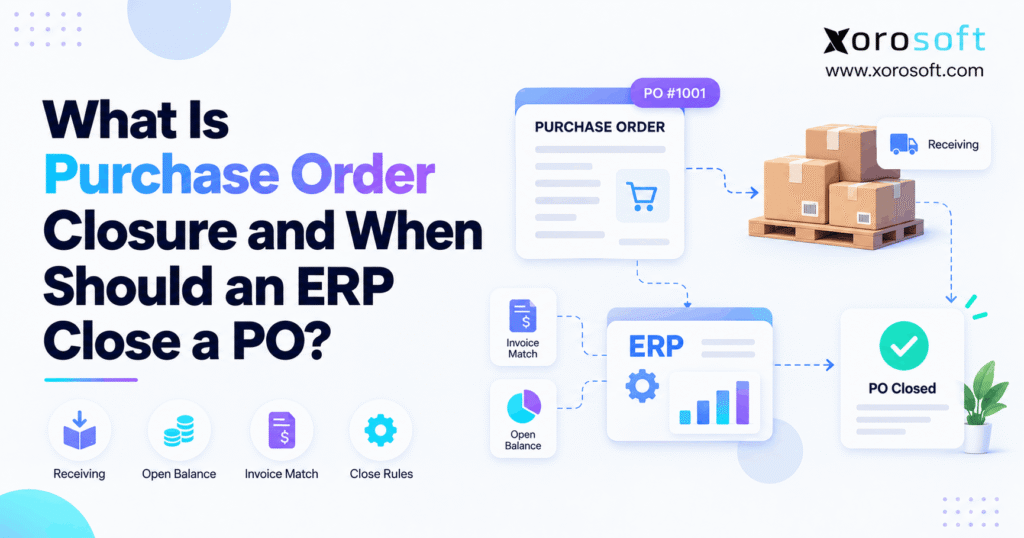
Understanding the process and importance of purchase order closure can help streamline your business operations.
1. Why Purchase Order Closure Matters Before the Last Shipment
Purchase order closure determines when a business stops expecting further activity on a purchase order (PO). However, a warehouse may finish receiving goods while finance still needs to review a supplier invoice. Similarly, a supplier may cancel the final shipment even though the original PO still shows outstanding units. Therefore, treating every received, delayed, or canceled order as complete can create expensive misunderstandings across purchasing, inventory, and accounting.
For example, an ecommerce brand may order 1,000 units but receive only 700. Meanwhile, its inventory report could continue showing the remaining 300 as incoming stock. If the supplier has canceled those units, the team might postpone reordering until it is too late. Conversely, closing the PO while the supplier still intends to deliver would hide legitimate incoming inventory. Both decisions can disrupt planning.
This guide explains when to close an order, when to leave it open, and which checks should come first. In addition, it shows how connected ERP workflows help purchasing teams protect supplier commitments without confusing physical receipts with financial completion.
1.1. Why receiving does not always mean completion
Receiving confirms that goods reached a location and the business recorded the relevant transaction. By contrast, closure determines whether the order should continue through additional processing. Consequently, an order can show all goods received but still need an invoice match, a cost correction, or a formal review. The status of the boxes and the status of the document answer different questions.
1.2. Supplier intent determines the closing decision
Before changing a PO status, establish what the supplier still owes. If the vendor confirms another shipment, the outstanding quantity remains meaningful. However, if the vendor confirms a permanent shortage, the buyer should resolve the remaining obligation. As a result, a useful closing policy begins with evidence about expected deliveries, not simply the number of days since the order date.
2. What Purchase Order Closure Means in ERP
Purchase order closure is the controlled action that ends the relevant processing of an order or an individual order line. However, ERP systems do not all use the same restrictions. For example, one platform may treat a closed order as unavailable for any further action. Similarly, another may distinguish closing for receiving from closing for invoicing. Therefore, teams must understand their own software’s behavior before turning a closure rule into company policy.
2.1. The purchase order lifecycle
First, a buyer creates the PO with supplier, product, quantity, location, and pricing details. Next, an authorized user may release the document so the vendor can fulfill it. Then the receiving team records physical deliveries, including partial shipments. Meanwhile, finance matches invoices to receipts and approved prices. Finally, purchasing closes the appropriate lines or the whole document once no further relevant action remains.
2.2. Purchase order closure versus full receipt
For example, a PO marked Received typically indicates that its expected goods arrived under that ERP’s receiving rules. By contrast, Closed indicates a decision to stop or restrict further processing. For example, the business might have received 100% of its units but still need to resolve a disputed bill. Alternatively, it might close a partially received order after the supplier confirms that the missing units will never arrive.
2.3. Who should approve the closing decision?
Generally, the purchasing owner should confirm supplier obligations and receipt quantities. However, finance may need to review invoice exceptions, while warehouse staff may need to confirm that no receipt remains in progress. Additionally, for high-value or production-critical goods, an operations manager may also approve the decision. Consequently, ownership should reflect business risk rather than the convenience of whoever can access the Close button.
3. When Should an ERP Close a Purchase Order?
An ERP should close a PO when the business has resolved its remaining purchasing obligations and no additional activity is expected under the relevant closure rule. However, that does not always require receiving every originally ordered unit. Instead, the buyer must determine whether the remaining quantity represents a real shipment, an agreed cancellation, or an unresolved exception.
3.1. Purchase order closure after a complete delivery
When every expected unit has arrived, the buyer can review the order for closure. First, compare ordered quantities with posted receipts. Next, check whether receiving staff still have an ASN, transfer, or quality inspection in progress. Additionally, confirm that invoice-related work can continue if the ERP applies a separate receiving-close action. Once the required checks pass, the authorized user can complete the appropriate closure step.
3.2. Closing a PO when the supplier cancels the remainder
For example, suppose a supplier delivers 80 of 100 units and confirms that the final 20 are unavailable. In that situation, keeping all 20 as expected inventory would mislead purchasing. Therefore, record the supplier’s confirmation, cancel or close the outstanding quantity through the approved workflow, and verify the updated report. If the ERP allows line-level closure, protect other lines that the supplier still plans to deliver.
3.3. When purchase order closure should wait
Do not close an order merely because its requested delivery date has passed. For example, a supplier might have shipped goods that are still traveling through customs. Similarly, a warehouse might have accepted cartons but not posted the receipt. Furthermore, a quality hold may leave part of the delivery unresolved. In each case, investigate the real event before removing a legitimate purchasing commitment.
| Current situation | Recommended action | Main reason |
|---|---|---|
| Fully received; checks complete | Close under company policy | No further expected activity |
| Partial receipt; future shipment confirmed | Keep remaining quantity open | Supplier still owes goods |
| Partial receipt; remainder canceled | Resolve remainder, then close | Avoid false incoming stock |
| Invoice or receipt exception unresolved | Review before final closure | Protect transaction accuracy |
| Old PO with unknown supplier status | Investigate, then decide | Age alone does not prove completion |
4. Purchase Order Closure vs. Received, Canceled, and Voided
A status label can look simple while hiding several different business decisions. Therefore, a team should separate what physically happened from what it plans to do next. Received describes fulfillment; Closed describes a processing restriction or completion decision; Canceled ends an intended purchase or its remainder. Meanwhile, Voided may invalidate a document under product-specific rules and may carry stronger consequences.
4.1. Purchase order closure versus received status
Consider a PO for 400 chairs. Next, the warehouse receives all 400 and posts its receipt. Accordingly, the ERP may show Received. However, if the business still needs a final administrative review, the document may remain open for closure purposes. This distinction matters because a receipt proves goods arrived; it does not prove that every purchasing and financial question has been answered.
4.2. Closing versus canceling a purchase order
Closing usually communicates that the relevant work is finished or no longer allowed. Cancellation, by contrast, communicates that the company does not intend to fulfill some or all of the purchase. Therefore, the buyer must preserve valid past receipts and bills while ending only the remaining supplier obligation. Never treat cancellation as a shortcut for correcting an inaccurate inventory transaction.
4.3. Why ERP status labels need verification
For example, some ERPs offer distinct controls for closing receiving and invoicing. Consequently, a receiving-close flag may not prevent invoice matching, while a final-close operation could impose tighter restrictions. Before writing a policy, test an order with a partial receipt, an unpaid bill, and an open line. Then review which transactions remain possible after each status change.
| Status | What it means | What to check |
|---|---|---|
| Open or Released | Order can proceed through purchasing steps | Approval, supplier confirmation |
| Partially Received | Some goods arrived; some remain unresolved | Remaining quantity, shipment plan |
| Received | Expected receipt is complete | Final review, invoice status |
| Closed | Further processing is ended or restricted | System-specific limits |
| Canceled | Order or remaining commitment will not proceed | Valid previous receipts and bills |
| Voided | Document invalidation under ERP rules | Permissions and record consequences |
5. Purchase Order Closure for Partial Receipts
Partial receipts make the difference between received and closed especially important. For instance, a supplier may split one order across several shipments or confirm that it cannot deliver a particular SKU. If purchasing updates only the headline status, the inventory plan may still contain obsolete quantities. Therefore, start by reconciling each order line instead of closing the document in bulk.
5.1. Calculate the unresolved PO quantity
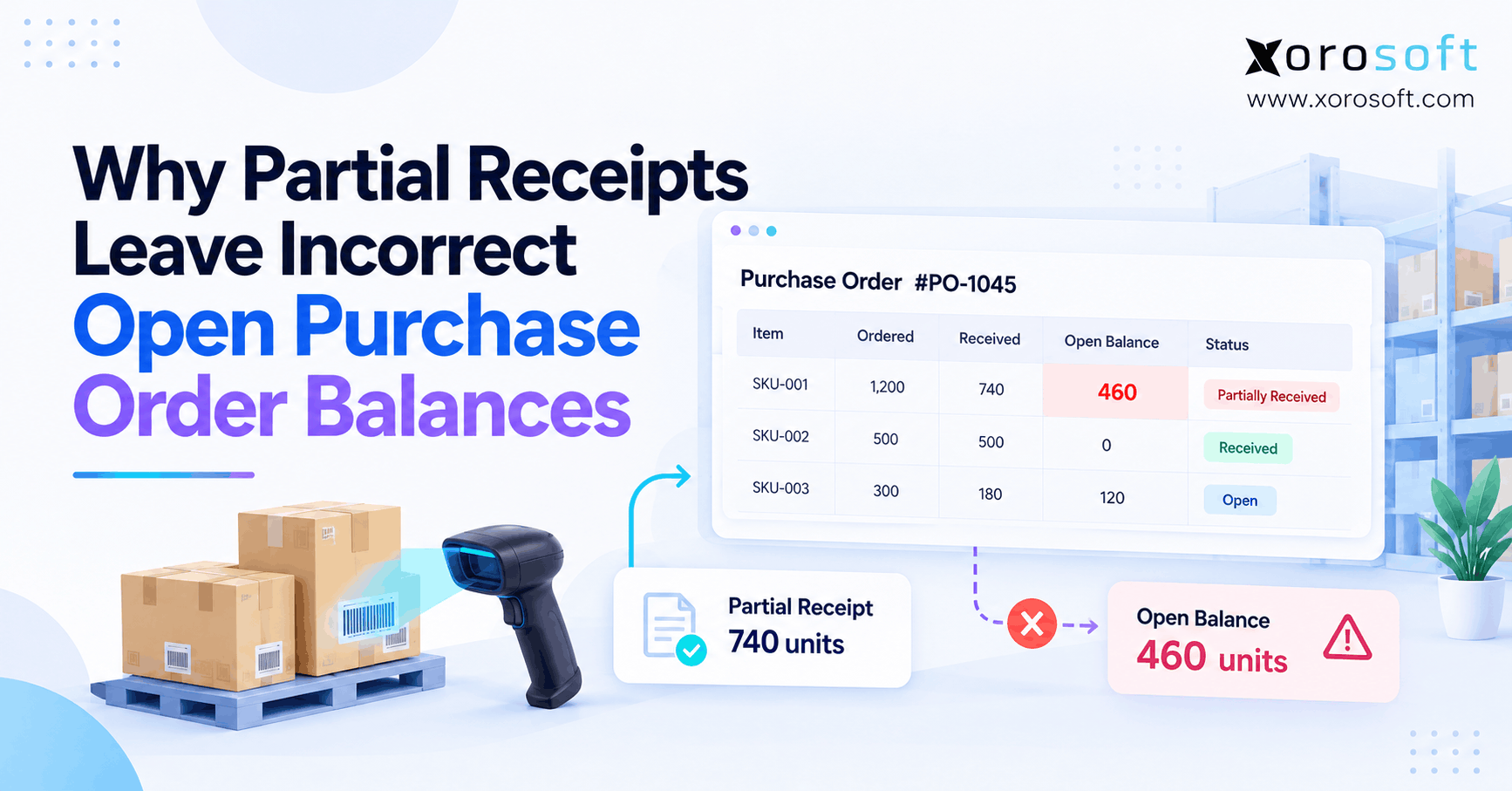
For example, imagine a distributor orders 1,000 reusable bottles at $12 each. First, the warehouse receives and posts 700 bottles. Accordingly, the system shows 300 units still outstanding, worth $3,600 at the PO price. However, those 300 units are not physical stock; they represent a potential remaining supplier commitment. The buyer must establish whether the vendor will ship, replace, or cancel them.
For a straightforward PO with no returns or overreceipts, use this working reconciliation:
Unresolved quantity = Ordered quantity − Posted received quantity − Properly canceled quantity.
For example, if the supplier formally cancels 100 of the remaining 300 units, the unresolved quantity falls to 200. Nevertheless, verify the ERP’s treatment of quantity changes, returns, and closed lines before relying on the formula for financial reporting.
5.2. When to short-close the remaining PO balance
Short-closing means ending an unfulfilled quantity that the supplier will no longer deliver. First, request written confirmation from the vendor. Next, check for cartons already in transit or receipts waiting to post. Then select the appropriate cancellation or line-close action under company policy. Finally, verify that supply planning no longer relies on the eliminated quantity.
Importantly, a short-close should not erase a valid historical receipt. It should clarify what remains owed. As a result, purchasing, warehouse, and finance teams can trace the original commitment and the final decision without editing prior transactions to make the figures look tidy.
5.3. Purchase order closure at the line level
Suppose a furniture buyer orders sofas, tables, and lamps on one PO. However, the vendor cancels the lamps but still plans to deliver the sofas. In that case, whole-order closure would be premature. Instead, the buyer should close or cancel only the affected line, following supported ERP actions. Afterward, the team should recheck expected arrivals for every remaining product.
XoroERP documentation describes a Batch Close Line(s) action as well as a separate Close PO action. Therefore, it provides a concrete example of why buyers should evaluate both line-level and document-level purchasing controls. Specific permissions and downstream effects still require a workflow test.
| Example outcome | Ordered | Posted received | Supplier status | Recommended action |
|---|---|---|---|---|
| Backorder remains active | 1,000 | 700 | 300 confirmed for later | Keep 300 open |
| Remainder canceled | 1,000 | 700 | 300 will not ship | Resolve 300, then close |
| Status unknown | 1,000 | 700 | Supplier has not confirmed | Investigate before closure |
6. How Purchase Order Closure Affects Inventory and Accounting
Purchase order closure can change what users see in incoming supply reports, yet it should not replace proper receiving or accounting transactions. Therefore, purchasing should review the effect on both operational plans and finance records. Otherwise, a clean-looking list of closed POs may conceal unresolved stock, supplier invoices, or accrued costs.
6.1. Purchase order closure and expected inventory
For example, many inventory plans consider open PO quantities when estimating future availability. Consequently, a canceled balance that remains visible can make the business believe a replenishment is coming. For example, if planners see 300 units due next week, they may delay a necessary reorder. However, a premature close may create the opposite problem by hiding a valid supplier shipment.
Additionally, physical on-hand stock and on-order stock are different measures. A PO status should not substitute for an actual receiving transaction. After every substantial closure, verify the expected supply report, the receipt history, and any allocation decisions that depend on pending inventory.
6.2. Invoice matching and GRNI exceptions
Finance commonly compares three records: the purchase order, the goods receipt, and the vendor bill. This approach helps identify missing units, unexpected prices, and charges without supporting receipts. Meanwhile, goods received not invoiced (GRNI) identifies received goods that still require the associated invoice or accrual reconciliation under the company’s accounting policy.
For example, a buyer closes an order after the warehouse accepts all goods, but the vendor invoices an extra freight charge. However, the closure does not determine whether that charge is valid. Instead, accounts payable needs to review contract terms and the proper accounting treatment. Therefore, a good closing checklist makes unresolved bills visible rather than pretending closure settled them.
6.3. Purchase order closure and general ledger posting
Creating or closing a PO is not necessarily a general ledger event. Rather, accounting entries usually arise from the specific receipts, bills, payments, or adjustments that the organization posts. Consequently, finance must not assume that changing a document to Closed automatically clears a liability, fixes valuation, or reverses an accrual. The applicable posting setup and policy determine the outcome.
For inventory-driven operations, Xorosoft brings purchasing, inventory, and accounting into one cloud ERP environment. Additionally, its XoroWMS warehouse management solution supports the wider receiving workflow. Still, teams must reconcile transaction records and test how their configuration handles invoice and closure exceptions.
7. Automatic vs. Manual Purchase Order Closure
Automated closing may reduce routine administration, but it becomes risky when supplier data or receipts are unreliable. Conversely, manual review gives buyers more context but can slow the process as transaction volumes rise. Therefore, many organizations benefit from clear rules for simple orders and an exception workflow for unusual ones.
7.1. How automatic purchase order closure can work
For example, some ERPs assess received quantities, open schedules, and invoice tolerance settings before applying a closing milestone. For example, a system may recognize that a receipt has reached a configured threshold. However, a threshold does not prove the buyer agreed to forgo every missing unit. Consequently, teams should confirm whether the software closes receiving, invoicing, individual lines, or the entire PO.
Additionally, a safe rule should exclude disputed shortages, unposted receipts, quality holds, and critical production materials unless an authorized exception process explicitly permits closure. If the ERP lacks those safeguards, a buyer should review the order before marking it closed.
7.2. When manual PO closure is safer
By contrast, manual closure suits cases where people need to interpret supplier communication or contract terms. For example, a vendor may propose a substitute component instead of shipping the original item. Similarly, finance may dispute an invoice line while the warehouse has accepted the goods. Therefore, in both cases, a rule based only on quantities could make the wrong decision.
Therefore, route high-value orders and unusual exceptions to a named purchasing owner. In addition, give that person access to receipts, supplier confirmations, and relevant accounting issues. A clear decision record is more useful than merely capturing the employee who clicked Close.
7.3. Permissions and reopening controls
Users should not be able to reopen restricted orders casually. First, define which roles can close lines and entire POs. Then require a reason for reopening and review any new receipts, bills, or supplier commitments. Finally, confirm that audit history remains available for month-end reconciliation and operational review.
XoroERP documents a Re-Open PO action that requires elevated permissions. Moreover, its documentation distinguishes manually applied Closed status from Received status. This makes Xorosoft a relevant practical example when buyers examine role-based purchasing controls, although teams should validate their specific configuration before deployment.
| Method | Suitable situation | Main benefit | Main safeguard |
|---|---|---|---|
| Automatic closure | Routine orders with dependable data | Consistent processing | Accurate thresholds and exception exclusions |
| Manual closure | Disputes, shortages, high-value purchases | Contextual judgment | Approval and documented reason |
| Hybrid approach | Mixed purchasing workloads | Speed with oversight | Clear rules and assigned owners |
8. Purchase Order Closure Checklist: Eight Checks Before Closing
A repeatable checklist helps buyers avoid both premature closure and obsolete open balances. Moreover, it gives warehouse and finance teams a shared standard. Next, use these eight checks for the whole PO or the lines that require action. If a check reveals a material exception, resolve or document the issue before completing the closure.
8.1. Confirm receiving and supplier commitments
1. Identify the correct PO. First, confirm the vendor, PO revision, warehouse, currency, and affected items. This prevents accidental closure of a duplicate or outdated document.
2. Reconcile posted receipts. Next, compare ordered and received quantities line by line. Include returned or reversed transactions where the system requires them.
3. Review receiving in progress. Additionally, check advance shipping notices, dock appointments, quality holds, and receipts awaiting posting. A pallet on the dock may not appear in posted inventory yet.
4. Confirm supplier intent. Finally, record whether each remaining quantity is expected, canceled, substituted, or disputed. Supplier confirmation is more reliable than the original delivery date alone.
8.2. Resolve invoice and exception records
5. Check financial exceptions. Review outstanding bills, quantity differences, unexpected prices, and GRNI items according to the company’s closure policy. However, remember that a receiving-close action may not require the same conditions as a final-close action.
6. Choose the right scope. If only one product is canceled, resolve its line rather than blocking valid deliveries for other products. As a result, the PO continues to reflect the supplier’s remaining obligations accurately.
8.3. Approve and verify purchase order closure
7. Capture approval and the reason. Identify the responsible owner, supporting supplier note, date, and transaction reference. Moreover, apply stronger approvals to high-value or production-critical goods.
8. Verify the result. Reopen the PO view and confirm the final line statuses. Then check on-order inventory, purchasing reports, and unresolved financial exceptions. If the data does not match the approved decision, investigate before treating the cleanup as complete.
Xorosoft supports connected XoroERP purchasing and inventory workflows, while its documented close and reopen actions illustrate why buyers should test controls at both document and line levels. Nevertheless, a business must still establish clear approval rules and data ownership.
Free ERP Readiness Assessment: Review where your purchasing team loses visibility across receipts, exceptions, and accounting. Then assess whether your current workflow still supports your order volume before committing to a system change.
9. Purchase Order Closure Examples Across Industries
The right closing policy depends on how a company buys, receives, and uses its products. For example, apparel teams manage seasonal variants, while manufacturers may need a single critical component before production can continue. Consequently, a universal rule based only on receipt percentage can overlook operational differences. Instead, review why a missing item matters before deciding how to end its supplier commitment.
9.1. Ecommerce and apparel buying teams
For example, an apparel merchant orders 600 jackets across sizes and colors. However, the supplier confirms that one seasonal color will never ship. Therefore, the buyer should review that variant’s remaining quantity instead of closing the entire order. Meanwhile, the merchant can keep the valid sizes open and update its replenishment plan before the season ends.
For a Shopify merchant, procurement decisions also need to align with multichannel inventory visibility. Accordingly, teams should understand the actual integration scope before assuming that a purchase order status will change availability on every sales channel. The Xorosoft ERP listing on the Shopify App Store is one place to review the application and its stated integration information.
9.2. Wholesale distribution and furniture businesses
Similarly, a wholesale distributor may receive 70% of a bulk order while the supplier confirms the remaining cartons for next week. In this case, closing the balance could hide stock that sales teams expect for customer allocations. Similarly, furniture importers may receive an order across several containers. Therefore, they should reconcile shipment records and outstanding items before applying a final status.
Furthermore, multiple warehouses introduce another question: which location expects the shipment? If the buyer ordered for one warehouse but the vendor redirected the delivery, the team should correct location and receiving records before evaluating closure. Otherwise, a clean header status could conceal an incorrect supply plan at the site level.
9.3. Food, sporting goods, and manufacturing
For example, food companies may receive a batch but hold it for quality inspection. Meanwhile, sporting goods brands may face seasonal shortages that affect promotional commitments. Manufacturers can encounter an even sharper risk: a missing part can delay a work order. Consequently, buyers should coordinate closure decisions with quality, sales, and production teams when the undelivered item affects downstream activity.
These examples reflect common problems for inventory-driven businesses. Its industry solutions overview offers broader context on relevant operating models. Still, the closure policy should follow each company’s actual supplier terms, traceability requirements, and receiving process.
| Industry | Typical closure risk | Recommended safeguard |
|---|---|---|
| Apparel | Canceled size remains on order | Review variant-level outstanding units |
| Wholesale | Live backorder closes too early | Confirm supplier delivery plan |
| Furniture | Split shipment remains in transit | Verify container and receiving status |
| Food | Received goods fail quality review | Resolve accepted and rejected quantities |
| Manufacturing | Missing component disrupts a job | Check production material requirements |
10. Common Purchase Order Closure Mistakes
Most closing mistakes begin with an incomplete view of the order. For example, purchasing may see an old date, while the warehouse sees cartons in transit and finance sees an unmatched bill. Therefore, the safest correction is not to close more POs indiscriminately. Instead, make open and closed statuses reflect reliable supplier and transaction evidence.
10.1. Closing a valid supplier backorder
A late shipment is not automatically a canceled shipment. However, teams sometimes close overdue POs to remove them from exception reports. As a result, replenishment may stop recognizing genuine incoming units. Before closing, contact the supplier, review its confirmation, and update the expected date if the delivery remains valid. Then assign an owner to follow the remaining commitment.
10.2. Leaving canceled quantities open indefinitely
Conversely, the reverse mistake happens when nobody resolves a supplier’s confirmed shortage. Consequently, planning may count unavailable goods as incoming inventory. For example, a buyer could delay a reorder because 200 canceled units still appear due next month. Therefore, review aging PO lines routinely, confirm outstanding quantities, and record cancellation or closure through the proper action instead of repeatedly changing the ETA.
10.3. Purchase order closure without audit evidence
Additionally, a closed status without supporting context can frustrate later reconciliation. For instance, an auditor or new purchasing manager may not know whether the order was fully received or simply abandoned. Accordingly, record the decision, supplier confirmation, affected line, original balance, user, and approval. Moreover, restrict reopening to authorized staff so the system’s history remains meaningful.
| Mistake | Likely consequence | Better control |
|---|---|---|
| Close while goods remain in transit | Expected supply disappears from reports | Verify shipping and receiving activity |
| Forget canceled PO remainder | Planning relies on nonexistent arrivals | Resolve quantity and supplier commitment |
| Ignore unmatched invoice | Finance exception stays unresolved | Review bill and receipt records |
| Close all lines for one shortage | Valid products lose processing access | Use line-level action where supported |
| Reopen without a reason | Weak audit trail | Permission control and documented approval |
11. When to Upgrade Purchase Order Closure Controls
For example, a small business with one location and a few regular suppliers may manage closing decisions through a simple checklist. However, spreadsheets become harder to trust when partial receipts, purchase changes, and invoices spread across different applications. Consequently, growing companies should evaluate whether their purchasing records still provide a dependable answer to one question: what inventory is genuinely on its way?
11.1. When basic purchasing tools still work
Simple tools may be sufficient when one person knows each supplier, the business receives most orders in full, and finance can reconcile bills without duplicate entry. Nevertheless, document the closure policy before volume increases. For example, define how staff confirm canceled quantities and how they record a late invoice. Nevertheless, clear ownership matters even before a company adopts more advanced ERP controls.
11.2. What to test before choosing purchasing software
Rather than requesting a polished demo with a perfect PO, ask the vendor to demonstrate a difficult one. First, create an order with three lines: one fully received, one partially received, and one supplier-canceled. Next, introduce an invoice discrepancy and an unposted warehouse receipt. Then ask which actions remain possible after the user closes one line or the full order.
Additionally, check permissions, order history, expected inventory reports, and the reopening workflow. For businesses connecting ecommerce channels with warehouse operations, review the documented scope of Xorosoft integrations rather than assuming every application exchanges every purchasing status automatically.
11.3. Purchase order closure in a connected ERP
As an inventory-driven company expands, the value of connected records increases. For example, purchasing can make a better decision when it can inspect supplier commitments alongside warehouse receiving and finance exceptions. Moreover, a shared process reduces the need to reconcile contradictory spreadsheet versions before closing an order.
The XoroONE platform brings multiple operational functions into one environment, including purchasing and inventory workflows. Nevertheless, buyers should verify precise closure permissions, supported line actions, and any desired automatic closing rules against their own requirements. Therefore, an integrated system is useful only when the configured process matches how the business actually receives and pays for goods.
Watch Demo: Review the available Xorosoft solutions and prepare a test PO with partial receipts, disputed invoices, and a canceled line. Then use those scenarios when evaluating the platform instead of relying on a generic feature checklist.
12. Conclusion: Make Every PO Closure Defensible
Purchase order closure should confirm that a company has completed or intentionally ended the remaining work on an order. Therefore, teams should distinguish receiving from closure, verify supplier intent, and reconcile exceptions before changing a status. Likewise, they should review the effect on expected inventory and preserve an understandable audit trail.
As order volume grows, Xorosoft can help inventory-driven teams connect purchasing, warehouse operations, and accounting information. However, the right closing decision still depends on accurate transactions, clear ownership, and approved business rules.
Book a Demo: If partial receipts, supplier shortages, or aging POs create recurring confusion, book a personalized demo to test your purchasing scenarios and identify the controls your team needs.
Frequently Asked Questions
What is purchase order closure?
Purchase order closure formally ends further relevant processing on a PO or its lines. However, the exact restrictions depend on the ERP and may differ for receiving and invoicing.
When should an ERP close a purchase order?
Close it after confirming that required deliveries are complete or canceled and resolving relevant exceptions. Therefore, review supplier commitments, posted receipts, and finance requirements before final closure.
Can a partially received purchase order be closed?
Yes, if the supplier will not fulfill the remaining quantity. First, confirm the shortage; then resolve the outstanding line or balance through the ERP’s approved workflow.
Is a received PO the same as a closed PO?
No. Received describes fulfillment, while Closed describes a workflow restriction or final decision. Consequently, some systems require a separate closing action even after full receipt.
Does closing a purchase order affect inventory?
Closure may change on-order supply reports. However, actual on-hand inventory normally depends on posted receipts and adjustments, not on a document status alone.
Can an ERP automatically close purchase orders?
Some ERPs support automatic closing based on configured rules. Nevertheless, buyers should verify receipt tolerances, invoice checks, exception handling, and the specific closure actions the software supports.
Can a closed purchase order be reopened?
Often, yes, with appropriate permissions. Before reopening, confirm the reason and review existing receipts, cancellations, and bills. Then preserve an audit record of the change.
Recent Posts
-
 Shopify WMS: When Does Your Warehouse Need a Dedicated System?
 -
 What Is Purchase Order Closure and When Should an ERP Close a PO?
 -
 Holiday Inventory Planning for Beauty and Personal-Care Brands
 -
 ERP Support Benchmarks 2026: Tickets, Resolution, Changes, and Adoption
 -
 WMS vs OMS for Peak-Season Order Routing and Fulfillment