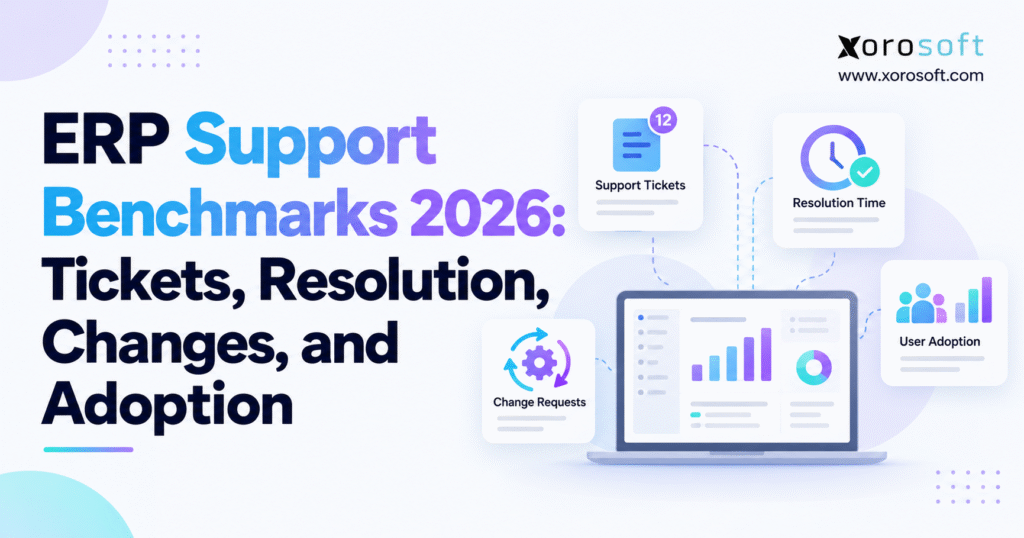
Discovering ERP support benchmarks can provide valuable insights for organisations seeking to improve their enterprise resource planning systems.
1. When ERP Support Becomes an Operational Bottleneck
A support ticket can look harmless in isolation. A purchasing manager cannot approve an order. Meanwhile, a warehouse associate sees yesterday’s available quantity. Finance finds an unexplained difference between inventory movements and the general ledger. Each problem gets logged, assigned, and eventually closed. Yet the business continues losing time long after the help desk reports that its queue is under control.
For growing distributors, manufacturers, and ecommerce brands, that disconnect is the real support problem. An ERP environment touches transactions that cannot simply wait until tomorrow. When orders fail to synchronize, fulfillment teams need a workaround. Incorrect values from an integration force accountants to investigate downstream entries. Employees who stop trusting the system often build spreadsheets that create another layer of reconciliation.
ERP support benchmarks help leaders determine whether those problems are isolated exceptions or signs of a system under strain. Rather than focusing exclusively on the number of open cases, a useful assessment covers ticket demand, response and resolution, change delivery, and actual user adoption. It also asks whether technical performance is improving operational results.
1.1 Why Low ERP Support Ticket Counts Can Be Misleading
A declining ticket count may reflect better training and fewer failures. It may also mean that employees have stopped reporting problems. Some teams learn to tolerate slow screens, manually reenter orders, or correct records without involving IT. The apparent improvement in the help-desk dashboard can therefore hide a growing burden in operations.
Conversely, ticket volume may increase after an ERP rollout because users are finally documenting issues instead of exchanging informal messages. That is not automatically a negative sign. The useful question is whether serious incidents, recurring defects, and time lost per transaction decline as the organization learns to use the system.
1.2 What ERP Support Benchmarks Must Reveal in 2026
A sound measurement framework should reveal how much support employees need, how quickly normal work is restored, how safely changes reach production, and whether employees complete required workflows in the ERP. These measures need shared definitions, business owners, and a reporting period that everyone understands. Without those foundations, benchmarking is little more than comparing unrelated numbers.
2. ERP Support Benchmarks 2026: Separating Published Data From Internal Targets
Most publicly available service-desk studies cover IT support more broadly than ERP. They may include password resets, device problems, application access, collaboration software, and infrastructure incidents. Their findings are valuable for understanding service practices, but they cannot be treated as ERP-only industry averages.
For example, the Freshservice Benchmark Report 2025 reported an average resolution time of 21.96 hours, average first response of 9.36 hours, first-contact resolution of 74.14%, and resolution SLA adherence of 96.16% in its IT service-management dataset. These are useful reference points, not universal promises about how fast a warehouse, manufacturing, or accounting incident should be fixed.
The Fixify 2026 IT Help Desk Benchmark Report examined more than 50,000 tickets across more than 30 organizations over a 14-month period ending in February 2026. Its median first-response time was five minutes, and 22% of tickets represented work-stopping problems. Those numbers describe a different population and measurement method from the Freshservice study.
2.1 Why ERP Service Benchmarks Need Comparable Populations
Before comparing support results, record user count, modules in scope, the number of connected systems, working hours, ticket categories, and whether the company is in implementation, hypercare, or steady-state operation. A highly customized manufacturing deployment will generate a different support mix from a lightly configured distribution system.
The time unit matters too. A five-minute median first response is not interchangeable with a nine-hour average, and calendar hours are not interchangeable with business hours. Reporting these figures side by side without defining them creates false precision.
2.2 Three Evidence Layers for Reliable ERP Support Metrics
Use verified third-party studies as contextual evidence. Your own historical numbers provide the operational baseline. Treat proposed targets as management decisions that must be tested against service coverage, staffing, ticket mix, and business risk. Label each layer clearly. This is the central discipline behind credible ERP support benchmarks, especially when external ERP-specific data remains limited.
3. ERP Ticket Benchmarks: Measure Demand per Active User
Raw ticket volume is a weak comparison across different organization sizes. Two hundred tickets may overwhelm a 40-person business but represent routine activity for a company with hundreds of active ERP users. Normalizing the workload makes the trend more useful.
3.1 Calculate ERP Tickets per 100 Active Users
Use this formula: Tickets per 100 active users = tickets created during the period ÷ active ERP users during the same period × 100.
Suppose a distributor logs 150 support tickets in one month and has 300 active ERP users. Its rate is 50 tickets per 100 active users. If the next month produces 120 tickets among the same users, the rate falls to 40. That change deserves investigation, but it does not prove the system has become 20% more reliable. The ticket categories and severity mix may have changed.
Define active users by actual relevant activity rather than licenses assigned. A finance manager who signs in monthly to approve journals should not be treated the same way as an employee who has an unused account. For role-based comparisons, calculate ticket rates separately for warehouse staff, purchasing teams, finance users, and administrators.
3.2 Adjust ERP Ticket Benchmarks for Seasonal Peaks
Ticket demand also depends on workload. During holiday peaks, an ecommerce business may process several times its usual order volume without adding many users. Tickets per 1,000 orders, per 10,000 inventory transactions, or per 1,000 EDI documents can reveal whether the application is becoming more dependable as volume grows.
Track seasonal comparisons against similar periods, not just the previous month. An increase in December support tickets can be reasonable if order throughput doubles. A rising exception rate alongside flat throughput is more concerning.
3.3 Separate Questions From Defects
Classify requests into incidents, access requests, training questions, data corrections, integration problems, and enhancements. A surge in how-to questions after rollout often calls for clearer documentation. Repeated inventory posting failures call for technical diagnosis. Combining them produces a noisy headline figure that sends the wrong people to solve the wrong problem.
4. ERP Support Benchmarks for Backlog, Reopened Tickets, and Cost
Support demand shows how often users ask for assistance. Backlog and reopening show whether problems are being resolved completely. Cost shows how many resources the organization spends maintaining normal operations.
4.1 ERP Ticket Backlog Age Matters More Than Size
A backlog of 40 low-priority report requests may be manageable. Three unresolved critical incidents that prevent shipments may not be. Group open tickets by severity and age, including cases older than seven, 30, and 60 days where those intervals suit the service model. Highlight cases awaiting a supplier or software vendor separately from cases awaiting an internal decision.
Track the reopened-ticket rate using reopened cases ÷ resolved cases × 100, with a consistent definition of the reporting cohort. Reopening can indicate a temporary workaround, incomplete testing, or a misunderstanding of the user’s actual problem. Repeated incidents with slightly different descriptions should also be grouped for root cause analysis.
4.2 Calculate ERP Support Cost per Ticket
Support cost per ticket equals attributable support expenses divided by tickets handled during the same reporting period. Suppose monthly internal labor is $9,000, help-desk technology costs $1,200, and contracted specialist support adds $1,800. The total is $12,000. If 150 cases were handled, the illustrative support cost is $80 per ticket.
The calculation is incomplete unless leaders understand operational disruption. If 20 incidents each stop one employee for 2.5 hours at a loaded labor cost of $35 per hour, the additional estimated labor impact is $1,750. Keep these costs separate and avoid double-counting employees whose time is already included in the support budget.
The value of an integrated environment should be evaluated through these business measures. For instance, XoroERP’s connected accounting, procurement, and warehouse workflows can be assessed against the time teams currently spend reconciling data across systems. That is an evaluation question, not evidence of a guaranteed ticket reduction.
5. ERP Support Benchmarks for Resolution: Response, Restoration, and Closure
An acknowledgement is not a fix. ERP support benchmarks for resolution must distinguish fast acknowledgement from business recovery. Support teams may respond quickly while an order integration remains broken for hours. Leaders should measure first meaningful response, time to restore an essential service, time to complete permanent resolution, and the proportion of cases that return after closure.
5.1 Compare Median, Average, and Tail ERP Resolution Times
The median describes the middle ticket. Average resolution reflects the influence of unusually long cases. Meanwhile, the 90th percentile helps expose the slowest substantial group of requests. Reporting all three by ticket severity prevents routine questions from concealing persistent production issues.
Consider six resolved cases lasting one, two, three, four, six, and 44 hours. Their median is 3.5 hours, while the mean is ten hours. Neither number alone tells the entire story. The long case may have involved a third-party dependency or a business-critical disruption that deserves separate review.
5.2 Measure ERP Service Restoration Separately From Closure
ERP operations often depend on immediate continuity even when a permanent fix requires development. A warehouse team might use a controlled alternative receiving process while an integration is repaired. Restoration time should end only when an approved workaround or recovery actually enables the required work.
Permanent resolution should not be declared until the underlying fault is addressed, tested, and accepted. If the same issue reappears the next morning, an impressive closure time provides little comfort to the business.
5.3 Interpret Fast Help-Desk Research Carefully
Fixify’s 2026 study found a median first response of five minutes; 75% of the sampled tickets received a response within eight minutes. Its study also found that resolution varied substantially across ticket types and automation categories. The lesson for ERP teams is not to adopt five minutes as a universal contract target. It is to distinguish the speed of initial engagement from the much harder task of restoring business operations.
6. ERP Support SLA Benchmarks: Set Priorities by Business Impact
An effective service-level agreement defines what the support provider will do, when the clock begins, how severity is assigned, and what constitutes a valid response or resolution. Vague commitments such as ‘urgent assistance’ are difficult to manage when a fulfillment center is idle.
6.1 Build a Severity Matrix Around Real Transactions
A practical four-level model distinguishes critical outages, high-impact failures with limited workarounds, routine defects with manageable disruption, and low-priority questions or improvements. Define each level using actual examples: blocked order release, failed financial posting, a malfunctioning approval rule, or an optional reporting change.
| Severity | Operational example | Illustrative first-response objective |
|---|---|---|
| P1 Critical | Shipping or core ERP service unavailable | 15 minutes |
| P2 High | Major process impaired, workaround limited | 1 hour |
| P3 Medium | Routine defect with safe workaround | 4 business hours |
| P4 Low | Report question or nonurgent request | 1 business day |
These figures are illustrative internal objectives, not published ERP industry averages. A company must set its own targets according to support coverage and contractual obligations. Restoration and final-resolution objectives should be stated separately.
6.2 Verify ERP Vendor Support Commitments
Published terms demonstrate why response and resolution should not be confused. Acumatica’s direct-support comparison lists different first-response commitments for Basic and Premier support, with specific coverage and severity conditions. It does not mean every incident will be fixed within the first-response window.
Companies should document whether their first line is the vendor, implementation partner, managed service provider, or internal IT team. Check business hours, holidays, named support contacts, escalation rights, and exclusions for training or consulting.
6.3 Do Not Let Aggregate SLA Compliance Hide Severe Breaches
SLA compliance is eligible tickets completed within the agreed target ÷ eligible tickets completed × 100. Review the percentage alongside actual P1 and P2 breaches. A team can meet a high overall percentage while mishandling the one incident that stops its largest warehouse.
Warehouse support also needs location context. Evaluating XoroWMS or another warehouse management system means testing receiving, scanning, picking, packing, and stock transfers under realistic operating conditions. A support agreement should reflect the hours those processes run.
7. Escalation and Employee Experience: The Costs Hidden Behind Closure
Reassignments are not necessarily failures. A complex ERP incident may require a database specialist, integration owner, and business analyst. Problems arise when a ticket moves repeatedly because nobody owns the full workflow or understands its upstream and downstream effects.
7.1 Measure ERP Support Handoffs and Time Lost
The HappySignals Global IT Benchmark 2026 found that 13.3% of tickets in its dataset had two or more reassignments. Its report also showed average perceived lost time of three hours and 18 minutes per incident in the 2025 data. These are employee IT experience findings, not ERP-specific averages, but they underline a practical point: the human cost of support continues while a case is passed between teams.
Track handoffs per incident, the time a case spends waiting for ownership, and the number of times a user must repeat information. This is where ERP support benchmarks reveal friction that simple closure rates miss. Record when an incident disrupts receiving, production, financial close, or customer shipment commitments.
7.2 Connect Support Outcomes to Actual Work
Customer satisfaction scores alone cannot tell management whether the operational problem is solved. A user may appreciate courteous service yet spend half a day correcting transactions. Pair satisfaction with the time needed to resume work, the backlog of affected orders, and the number of manual corrections required afterward.
Use a consistent closure question: ‘Can the affected employee now complete the original business task correctly?’ That answer is often more useful than asking whether the ticket was answered politely.
8. ERP Support Benchmarks for Change Requests and Enhancements
Support operations do more than respond to incidents. They also make controlled improvements to the system. A growing wholesale company might need a new customer approval path; a manufacturer might need a revised production rule; an ecommerce operator might require another marketplace mapping.
8.1 Separate Defects, Configuration, and Development
A defect corrects agreed functionality that is not working. Configuration changes modify existing rules. Customization adds or alters functionality through code or extensions. Different categories deserve different timelines, testing standards, and approval authorities. Combining them in one queue can make a small support team appear slow even when most delays involve substantial new development.
8.2 Measure ERP Change Lead Time and Backlog Aging
Define change lead time as production deployment date minus accepted request date, or use formal approval as the starting point if that is the documented policy. For five changes completed in 8, 12, 18, 25, and 40 days, median lead time is 18 days. Those values are an example, not an external benchmark.
Break lead time into waiting for clarification, business approval, technical work, testing, and release scheduling. A backlog that remains stuck at approval requires a different intervention from one blocked by inadequate testing capacity. Measure throughput and aging by change category, not just the number completed.
8.3 Tie Change Priority to Business Value
Prioritize requested changes by expected operational impact, regulatory or contractual urgency, implementation effort, and risk. An EDI mapping that prevents orders from arriving should usually receive attention before an optional dashboard layout. Record the business case so that urgency can be challenged constructively rather than decided by whoever sends the most reminders.
9. Release Quality Benchmarks: Prevent Support Tickets After Changes
Frequent releases are not automatically productive. An ERP enhancement that creates new reconciliation errors or warehouse exceptions can cost more than the original request was worth. Release quality needs its own measures and a clear connection to incident trends.
9.1 Track ERP Change Success, Failure, and Rollback
Change success rate is successful deployed changes ÷ all deployed changes × 100, using a documented definition of success. A change should meet acceptance criteria and avoid material rollback, emergency remediation, or unresolved new defects. Track incidents within an agreed post-deployment review window, while recognizing that not every subsequent incident was caused by the release.
Testing should follow an end-to-end business transaction rather than stopping at a technical screen. For a purchasing change, that may mean requisition, approval, purchase order, receipt, invoice matching, and general-ledger posting. For an inventory adjustment, it may mean verifying availability, valuation, and downstream reporting.
9.2 Integration Health Is a Support Measure Too
Many ERP tickets originate between systems. A failed marketplace connector, unprocessed EDI document, or delayed 3PL acknowledgement may remain invisible until a customer contacts support. Monitor attempted transactions, failures, retry success, latency, and the number of orders affected. Alerting should distinguish transient retries from exceptions requiring intervention.
In connected ERP environments such as XoroONE, leaders can map dependencies across order management, inventory, accounting, and warehouse work. The practical objective is not to eliminate every exception; it is to identify material failures quickly and resolve them without inconsistent records.
10. ERP Support Benchmarks for User Adoption: Measure Work, Not Logins
A system can meet its technical SLAs while employees avoid using it. Purchasing staff may export suggested orders into spreadsheets. Warehouse supervisors may maintain separate availability lists. Finance teams may create manual journals because source transactions cannot be trusted. Those workarounds are adoption signals as much as process problems.
10.1 Calculate ERP User Adoption by Role
A useful formula is users completing required ERP workflows ÷ users expected to complete those workflows × 100. Suppose 64 of 80 employees who are responsible for purchase approvals complete them through the system. Adoption for that workflow is 80%. The same organization may have much better adoption in receiving and weaker adoption in finance.
License allocation and login counts should be monitored, but they are not sufficient. A person who signs in once a week and still completes core tasks elsewhere has not necessarily adopted the intended process.
10.2 Evaluate Proficiency and Business Outcomes
Microsoft’s Dynamics 365 change-management guidance recommends measuring adoption through sign-ins, transaction volumes, interviews, surveys, and business measures such as inventory or forecast accuracy. The emphasis is on whether changed processes work in practice.
Track transaction accuracy, completion time, rework, and adherence to approved workflows. Training attendance is useful context but not proof of proficiency. Employees should demonstrate that they can handle common exceptions, not simply remember where buttons are located.
10.3 Revisit Adoption After Hypercare
A 30-, 60-, and 90-day review is a useful planning framework, although the exact timetable should reflect deployment complexity. Start with access and critical defects, then examine recurring errors and process adherence, followed by throughput, data quality, and user confidence. Escalate persistent workarounds as process-design issues rather than classifying every case as a training problem.
11. Operational Outcomes That ERP Adoption Metrics Should Improve
Adoption earns its place on the executive scorecard when it helps explain changes in operational results. ERP support benchmarks therefore need links to the work the platform was implemented to perform.
11.1 Inventory Accuracy and ERP Purchasing Performance
For inventory-driven businesses, compare stock accuracy, unexplained adjustments, late purchase orders, supplier lead-time variance, and stockouts before and after major process changes. Investigate whether support incidents cluster around specific SKUs, sites, suppliers, or workflows. A reduction in tickets means little if physical inventory accuracy worsens at the same time.
A purchasing team may appear productive because it processes more purchase orders, yet exceptions and manual overrides may also be rising. Pair throughput with error and rework rates. This shows whether users have learned the intended workflow or merely found faster ways around it.
11.2 Finance and Fulfillment Performance
Finance teams should measure reconciliation exceptions, manual journal corrections, and the elapsed time required to close a period. Fulfillment teams should monitor late shipments attributable to system issues, failed picks, and order-status mismatches. These outcomes give context to support performance that ticket counts alone cannot provide.
Industry evidence can illustrate the different workflows companies care about. The Xorosoft customer case study library describes ecommerce, apparel, wholesale, and manufacturing scenarios; buyers should use such stories to formulate questions and request comparable evidence, not assume that another company’s results will be reproduced.
11.3 Build a Shared Review Between IT and Operations
The ERP administrator should not be the only owner of these numbers. Invite process leaders from purchasing, finance, warehousing, and ecommerce to the monthly review. Require each significant support problem to have both a technical owner and a business owner. That arrangement helps prioritize fixes according to disruption instead of the volume of messages in the help-desk queue.
12. ERP Support Benchmarks by Industry and Operating Model
Different businesses carry different risks. Wholesale distributors that depend on EDI need an acknowledgement and document-rejection view. Direct-to-consumer brands require reliable channel synchronization. Manufacturers need dependable material planning, work-order posting, and inventory valuation. The core ERP support benchmarks remain consistent, but the operational measures change.
12.1 Wholesale ERP and EDI Support Metrics
Track failed inbound purchase orders, rejected acknowledgements, pricing discrepancies, missing advanced shipping notices, and invoices requiring manual intervention. Normalize the incidents per 1,000 EDI documents or customer orders. Document who owns the problem when an issue crosses the trading partner, EDI provider, and ERP platform.
12.2 Multi-Warehouse and Manufacturing Operations
Warehouses should monitor barcode scanning failures, incorrect bin assignments, receiving variances, delayed transfers, and orders held by allocation errors. Manufacturers should add BOM discrepancies, component shortages, work-order errors, and production postings awaiting correction. Severity should reflect whether the problem blocks shipments or production, not merely how many tickets were filed.
12.3 Apparel, Furniture, and Food Distribution
Apparel businesses deal with size-and-color variants and seasonal releases. Furniture businesses need reliable availability for bulky products spread across facilities. Food distributors must pay careful attention to lot traceability, expiry controls, and operational handling requirements. These distinctions help define a relevant peer group. The broader industries served by Xorosoft illustrate why support requirements cannot be reduced to one generic industry average.
13. Ecommerce ERP Support and AI Workflows: Reduce Friction Without Losing Control
Shopify and Amazon merchants often use ecommerce platforms as customer-facing sales systems while ERP manages inventory, purchasing, fulfillment, and financial postings. Reliable support depends on clearly defined system ownership: which platform is authoritative for available stock, how duplicate orders are prevented, and where corrections are made when a sync fails.
13.1 Monitor Shopify ERP Synchronization and Recovery
A connector appearing online does not prove that every order is correct. Measure the percentage of orders imported successfully, the time from channel placement to ERP availability, fulfillment-status errors, and the age of unresolved exceptions. Test refunds, partial fulfillments, bundled items, and inventory reservations as well as ordinary orders.
Merchants assessing a connected setup can review the Xorosoft ERP listing on the Shopify App Store to understand the integration’s stated scope. A listing describes capabilities; it does not replace testing with the merchant’s own products, locations, tax rules, and order scenarios.
13.2 Apply Automation to Repeatable Support Work
Automation is useful for ticket classification, duplicate detection, routing, evidence gathering, and routine access or reporting requests. It should not silently make financial corrections, change customer allocations, or update purchasing rules without appropriate controls. Approval, audit history, exception handling, and rollback remain essential.
The Xorosoft MCP Server describes permission-aware connections between ERP data and AI tools for operational questions and authorized actions. Such capabilities may improve access to information, but buyers should assess security, reliability, escalation boundaries, and measured outcomes before assuming they will reduce support costs.
14. ERP Support Benchmarks Scorecard: A Practical Monthly Dashboard
A useful ERP support benchmarks dashboard needs enough detail to prompt action without burying management in dozens of unrelated KPIs. Start with four pillars and add business-impact measures where the operating model requires them.
14.1 Build an ERP Support Benchmarks Scorecard
| Pillar | KPI | Illustrative baseline | Example internal target |
|---|---|---|---|
| Tickets | Tickets per 100 active users/month | 50 | 40 |
| Resolution | Eligible resolution SLA compliance | 91% | 95% |
| Changes | Median approved change lead time | 18 days | 14 days |
| Adoption | Required workflow completion rate | 80% | 90% |
All numbers in this scorecard are illustrative, not measured ERP industry benchmarks. Actual targets should be informed by severity, process criticality, available capacity, and historical trends.
14.2 Add Definitions, Ownership, and Guardrails
For every KPI, record the formula, data source, owner, reporting interval, exclusions, baseline, target, and escalation threshold. Avoid rewarding teams for reducing ticket counts if users are discouraged from reporting failures. Fast closure is not a success when tickets reopen repeatedly. Likewise, employee logins alone cannot establish adoption while core work shifts outside the platform.
A monthly review should explain both the movement and the business implication. For instance, higher ticket demand accompanied by fewer delayed orders may represent healthier reporting. Lower ticket demand alongside rising warehouse adjustments may indicate unreported friction. Reliable ERP support benchmarks require interpretation, not merely a green or red status.
14.3 Establish a 90-Day ERP Support Improvement Cycle
During the first month, audit definitions, baseline the metrics, and identify high-impact recurring incidents. In the second month, address the top root causes, simplify documentation, and assign ownership to the longest-running change requests. In the third month, validate results against operational outcomes and adjust targets. Carry forward unresolved dependencies rather than resetting the dashboard each quarter.
15. Choosing Between ERP Support Optimization and Platform Replacement
An organization can have a frustrating support experience for reasons unrelated to the product itself. Training may be incomplete, master data inconsistent, changes poorly governed, or ownership split across several providers. Replacement decisions should begin with diagnosis, not with a single disappointing SLA result.
15.1 Test the Fix-Before-Replace Alternatives
Review whether a better knowledge base, clearer permissions, improved incident routing, cleaner integrations, or targeted retraining would solve the recurring problems. Investigate the cost of correcting process design and configuration. Some companies can substantially reduce disruption without changing their ERP; others discover that maintaining the surrounding applications is the larger expense.
15.2 Compare ERP Support Models as Carefully as Feature Lists
Compare vendors on support coverage, contractual severity definitions, partner responsibility, implementation services, release management, integration ownership, and escalation processes. NetSuite, Acumatica, Business Central, Cin7, Brightpearl, Fishbowl, and Sage operate within different service ecosystems; terms can also differ by contract and partner. For one vendor perspective, the Xorosoft versus NetSuite comparison can inform questions, but financial assumptions and support commitments should be independently verified.
Model total cost over several years, including licenses, implementation, integrations, training, internal staffing, and lost productivity during transition. A cheaper contract is not necessarily a cheaper operating model, and a feature-rich platform is not automatically appropriate for every business.
16. Turn ERP Support Benchmarks Into Better Decisions
The most useful outcome of ERP support benchmarks is not a flattering dashboard. It is a shorter path from an operational problem to a reliable correction. Establish a baseline, isolate recurring causes, restore business-critical processes quickly, and measure whether employees are completing their work with fewer exceptions.
16.1 Start With the Four Questions That Matter
Ask whether support demand is rising relative to actual transaction volume; whether important operations recover within an acceptable time; whether approved changes reach production safely; and whether people use the ERP to complete their assigned workflows. If the answers are unclear, the next investment should often be in measurement and process ownership rather than new software.
16.2 Turn the Benchmark Review Into an ERP Readiness Decision
After 90 days, compare the cost of operational fixes with the expected cost and disruption of changing platforms. Document which requirements the current ERP cannot meet, which failures come from external applications, and what a replacement would need to prove during demonstrations or testing. Keep realistic support expectations alongside functional requirements.
For businesses that have outgrown disconnected inventory, purchasing, accounting, and warehouse tools, Xorosoft is one option to assess against those requirements. To discuss the actual workflows, support needs, and implementation scope of your organization, book a personalized consultation through Xorosoft’s contact page. A useful discussion should start with the evidence in your support scorecard, not a generic product pitch.
Frequently Asked Questions
What are ERP support benchmarks?
They measure support demand, resolution performance, change delivery, and user adoption. Compare results against consistent internal history and carefully matched external studies.
How many ERP support tickets per 100 users is normal?
No universal rate applies. Divide monthly tickets by active ERP users and multiply by 100. Compare results by role, season, and workload.
What is a good ERP ticket resolution time?
It depends on severity and business impact. Track median resolution, the 90th percentile, and business restoration time separately from initial response.
How is ERP SLA compliance calculated?
Divide eligible tickets resolved within the agreed target by all eligible resolved tickets, then multiply by 100. Review critical breaches separately.
How do you measure ERP change request lead time?
Measure elapsed time from accepted request to production deployment using consistent milestones. Report median lead time and separate approval delays from implementation.
What is a good ERP user adoption rate?
Measure completed role-specific workflows rather than logins. Establish baselines for required users, transaction accuracy, and business outcomes before setting targets.
When should a company replace its ERP system?
Consider replacement when recurring incidents, missing capabilities, or costly workarounds persist after targeted improvements. Compare long-term operating costs with migration risk.
Recent Posts
-
 Holiday Inventory Planning for Beauty and Personal-Care Brands
 -
 ERP Support Benchmarks 2026: Tickets, Resolution, Changes, and Adoption
 -
 WMS vs OMS for Peak-Season Order Routing and Fulfillment
 -
 How to Track Raw Materials, WIP, and Finished Goods in One Inventory System
 -
 Work-in-Process Inventory: How Production Transactions Affect Financial Accuracy