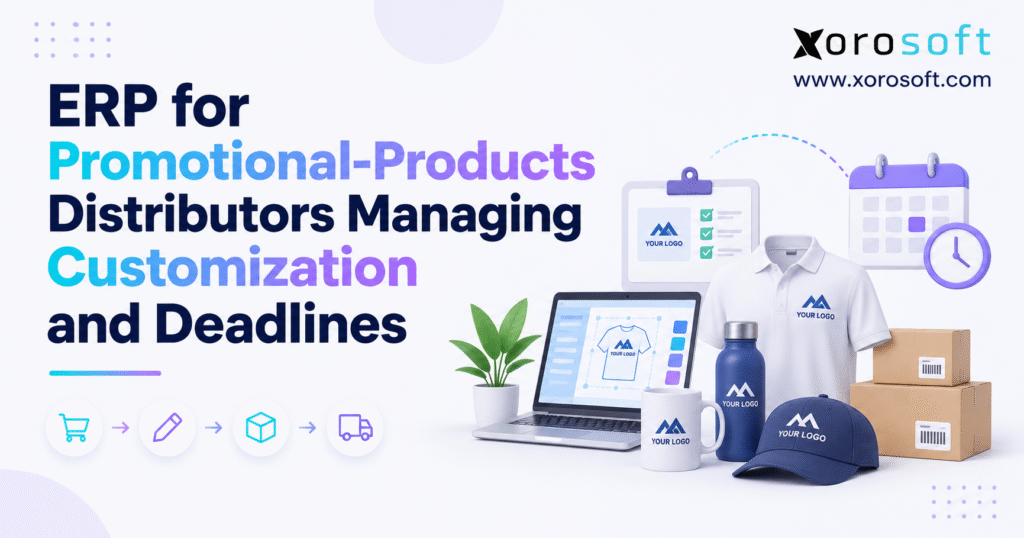
If you are looking to streamline your business in the promotional products industry, an ERP (Enterprise Resource Planning) solution can make a significant impact.
1. Why Promotional Products ERP Matters When Speed and Custom Orders Collide
Why speed and price pressure make promo margins fragile
The promotional goods market keeps asking distributors to do more in less time. According to PPAI’s 2025 U.S. sales report, U.S. distributor sales reached $27.1 billion in 2025, up 1.3% from 2024. Even so, growth does not mean each job makes more money. A rush print run, late art change, or freight upgrade can cut the gain from a sale.
In PPAI research on buyer needs, 68.8% of surveyed PPAI 100 distributors cited faster turnaround and rush delivery as a buyer priority. Another 64.6% cited custom work and new ideas, while 60.4% cited price pressure. Importantly, these figures reflect what distributors said buyers value; they are not a direct poll of end buyers.
How promo distributor ERP tracks several deadlines per order
A standard wholesale order may need a pick, pack, and ship date. By contrast, a custom order can have a proof cutoff, blank-stock arrival date, print slot, quality check, pickup time, and fixed event date. A client may also need goods at a venue two days before the event opens. The ship date is not the same as the date the buyer must have the goods in hand.
Therefore, promotional products ERP should be judged by how well it links handoffs, not just how quickly it creates an invoice. If teams spot a late proof while there is still time to act, they can save both the deadline and the job’s margin.
2. How Promotional Products ERP Connects the Order From Quote to Payment
Why ERP order management needs one shared job record
The quote should name the buyer, items, size or color mix, imprint method, art needs, setup fee, ship-to site, and in-hands date. After the buyer accepts, the order should point to the approved proof, stock holds, purchase orders, vendor replies, print work, parcels, and bills. One order number should follow the job from first quote to final payment.
However, that does not mean every team must use the same screen. A designer may work in a proof tool while the buyer uses an ERP purchase order. The two records need a sound link, and staff must know which one holds the final approved art. Without that rule, two people can act on two different versions of the same job.
Define who owns each order milestone
| Stage | Lead team | Proof that the step is done |
|---|---|---|
| Quote | Sales | Price, goods, art needs, due date |
| Art review | Art team or client service | Approved file, version, date |
| Purchasing | Buyer | Vendor reply, units, promised date |
| Print or embroidery | Job lead | Work release and accepted units |
| Shipping | Warehouse or 3PL | Packed units and tracking |
| Closeout | Finance | Matched costs and invoice |
Clear process rules make status labels useful. For example, “order placed” should not mean “ready to print.” Likewise, “goods in stock” should not imply that the right print slot is open. A clear owner and a proof of completion at each step prevent guesswork.
3. What Promotional Products ERP Must Capture for Every Custom Order
Separate blank inventory from customized merchandise jobs
A black polo shirt can be used for dozens of clients. However, it remains the same blank SKU until a logo is added. Therefore, the order needs a link between the blank item, the buyer’s art, the print or stitch method, and the exact unit count. If every logo creates a new stock item, on-hand records soon become hard to trust.
For apparel, size mix matters as much as total units. For drinkware, the finish and imprint area may limit the print method. Record the supplier’s item number, the shade or finish, where the logo goes, and how many units need each option. In addition, the sales name for an item may differ from the supplier’s own part number; both should map to the same goods.
Use an ERP order-release check before printing starts
A job should not move to print on the strength of a vague note such as “logo attached.” Check the art version, imprint location, color notes, setup price, customer approval, due date, and final ship-to details. For that reason, a missing field should send the job back to its owner, not leave the printer to guess.
For example, teams linking artwork handoffs with purchasing can evaluate integrated ERP tools from Xorosoft for sales, stock, purchasing, and finance. However, buyers should check how their proof tool sends art status and file links into the order record. Basic ERP order fields do not prove that a platform has built-in art approval for promo goods.
4. How Promotional Products ERP Can Help Control Art Proofs and Changes
Track approved artwork versions in the ERP workflow
The latest file a designer saved is not always the one a client approved. Keep a version ID, file link, named approver, and date for each proof. Mark whether it is in review, sent back for edits, or cleared to print. The print shop should get the exact approved file rather than an email chain full of old mockups.
Just as importantly, time is part of the proof record. An approval received after a printer’s daily cutoff may move the work to the next shift or next day. If a job is now at risk, the team needs to know when the delay took place and which choices are still open.
Recheck customization costs and lead times after changes
Suppose a client adds a second logo after the first proof was signed off. The change may add a setup fee, need a new screen, or take a longer print slot. Consequently, the job lead should ask for a fresh supplier or printer date before sales promises the same delivery day. Any new charge or late date needs the buyer’s consent.
Promotional products ERP can hold the sale, cost, and stock side of this change, even if a linked app handles the art files. Even then, staff still need a rule: no silent swaps of art, product color, or print method once work has begun. This protects the client and reduces disputes when the goods arrive.
5. Supplier and Decorator Management in Promotional Products ERP
Separate supplier stock checks from ERP purchase orders
A supplier site might show 2,000 bottles in stock at 9 a.m. However, that is not a firm promise that those units belong to your order. Track when stock was checked, when the purchase order went out, when the vendor accepted it, and when it should ship. Do not turn a rough supplier lead time into a fixed customer due date.
The buyer should also check price breaks, pack sizes, minimum orders, and ship-from sites. A lower unit price may be poor value if the goods travel farther or force a rush print run. Therefore, each change needs to flow back to the order’s cost and plan.
Track outsourced decoration in promo distributor software
Many distributors do not own print or stitch machines. They send blank goods to a third party and need to know what that firm received, what is in work, how many units passed checks, and when the cartons will leave. In addition, a work packet should have approved art, item details, unit counts, and a clear finish date.
Xorosoft’s cloud ERP platform supports purchasing, stock, and accounts as part of a shared business record. For outsourced print work, the key test is how vendor updates reach that record. A firm should not promise live print-floor status unless the vendor feed and setup truly support it.
Check supplier feeds and promotional products ERP integration
PromoStandards offers shared rules for product data, prices, stock, orders, order status, ship notices, and bills. Where both firms support the right service and version, these feeds can cut manual reentry. Even so, they do not remove the need to handle errors, late updates, or mixed item codes.
Before signing a deal, test a failed order message, a short shipment, and a stock change. Confirm who sees the error and how the right data gets restored. A feed is only useful when staff can trust it during a busy week.
6. Promotional Products ERP Deadline Planning: Work Back From the In-Hands Date
Plan promotional merchandise delivery around the in-hands date
For example, an event may start on Friday, but the venue may need cartons by Wednesday. Make the in-hands date the starting point for the plan. Then work back through travel time, pack and quality checks, print work, blank-stock supply, and art sign-off. Include the dock’s hours, the carrier cutoff, and any days when the supplier is closed.
However, a rush fee cannot fix an impossible plan. If the goods cannot reach the printer until after its last open slot, the team needs another source, a new method, or a changed promise. The earlier this choice is made, the more options remain.
Build the critical path with ERP deadline planning
Latest safe start = in-hands date − critical-path workdays − buffer days.
Take a job that needs three workdays for art sign-off, five for blank supply, seven for print and checks, and three for freight. If these steps run one after the other, they take eighteen workdays. Add two days of buffer and the plan needs twenty workdays. When two tasks can run at the same time, use the longest linked path rather than adding both in full.
| Step | Workdays | Evidence needed |
|---|---|---|
| Art sign-off | 3 | Final proof approved |
| Blank supply | 5 | Stock or vendor receipt confirmed |
| Print and check | 7 | Good units released |
| Freight | 3 | Delivery scanned |
| Buffer | 2 | Time held for risk |
| Total | 20 | In-hands promise |
Of course, this is an example, not a market average. Real jobs need a workday calendar, supplier cutoff times, and travel routes that fit the buyer’s address. A useful plan also has an internal target date before the client-facing due date. Without that gap, one late proof can put the whole order at risk.
Turn late milestones into promotional order exceptions
When art sign-off slips by two days, do not just mark the task complete and move on. Instead, update the forecast and test the options: faster print work, a blank that is ready now, part of the order shipped early, or a new customer date. Record who can approve extra cost and who must tell the client.
For promotional products ERP, the goal is clear order risk, not magic deadline forecasts. Xorosoft has core stock, purchasing, manufacturing, and reporting functions that may provide part of this view. A buyer must check whether the planned art gates and event dates will need a linked app or custom setup.
CTA #1 — Free ERP Readiness Assessment: Take a late custom order and list every missed handoff, from art sign-off to freight booking. If the team cannot find one trusted record for dates, stock, and cost, use a readiness review to decide what must change before investing in new tools.
7. Promotional Products ERP Inventory and Warehouse Controls
Track blank stock, holds, and decorator inventory
For instance, a firm with 500 blank tumblers cannot sell all 500 if 300 are held for a confirmed client. Its available-to-promise count should reflect good stock on hand less firm holds and stock blocked for checks. Goods at an outside printer also need a clear place in the record. Likewise, a vendor’s own stock should never be shown as if it were already in your warehouse.
When a blank item becomes a printed gift, the team must record what left stock, what was used, what was scrapped, and what came back ready to ship. As a result, that link keeps both physical counts and stock value sound. It also helps stop a sales rep from offering goods that are already in work for someone else.
Improve promo warehouse management with scans and pack checks
Barcodes help staff record picks, moves, pack counts, and dispatch without retyping item numbers. Xorosoft’s warehouse management tools support stock and fulfillment work. The actual setup should show how goods at outside print shops are tracked and how finished units are received or drop-shipped.
Similarly, kits need a further check. A new-hire gift box may hold a shirt, notebook, bottle, and card. The box is not complete just because the bottle has been packed. Set a rule for each part, then track the pack as one customer promise. For split loads, keep each parcel’s units, address, carrier, and cost tied to the order.
Manage split shipments in custom merchandise orders
Sometimes a client will accept half the order now and the rest in two days. That decision should be clear in the record, not left to a phone call. Sales, the warehouse, and accounts must agree on what has shipped, what is still due, and how freight will be billed. A partial ship is a service choice, not proof that the job is finished.
8. Cut Print Errors and Rework With Custom Order Controls
Link decorated-product quality checks to approved proofs
A normal goods receipt may check count and visible damage. However, a logo job needs more: art version, color, placement, size mix, print clarity, and pack rules. An undamaged blank can become a bad sale after the wrong logo is added. Quality staff should check the finished item against the signed-off proof, not just the printer’s packing slip.
For a large run, a first-article sample can catch a wrong color or poor placement before hundreds of units are made. Even repeat orders need care. The client’s brand guide may have changed since the last job, and a stored proof is not always a current approval.
Record rejected goods in promotional products inventory
If 80 shirts have poor stitching, record the affected sizes, cause, and location. Mark which units can be fixed, which must be replaced, and which need a buyer decision. Then update the order’s cost and forecast. Those rejected units must not remain freely available for another sale.
Root-cause data matters as much as the reject count. If one garment fabric keeps causing stitch faults, change the blank or method. If proof errors keep appearing, improve the sign-off gate. A sound promotional products ERP process can help tie the stock and cost effects to the order while a shop-floor tool stores the fine details of print quality.
9. Promotional Products ERP Costing: Find the Margin After Rush Fees
Track setup, decoration, and rush costs in ERP
At first, sales may price an order from blank goods, setup, and a per-unit print charge. However, the final job can add art edits, extra screens, inbound freight, rush work, repacking, and split delivery. Track these as costs of the same order even when they arrive on separate supplier bills. For management use, keep an order-level profit view that includes all direct job costs.
Order contribution = net sales − direct order costs.
Contribution margin = order contribution ÷ net sales × 100.
In fact, this metric may differ from gross margin in the financial accounts if the firm records some freight or handling costs below cost of goods sold. Keep the terms clear so staff can compare quotes and actual results on the same basis.
Promotional order costing example: a $12,000 job
Assume a customer pays $12,000 for a custom batch. The quote plans $5,000 for blanks, $1,800 for print work, $250 for setup, and $450 for freight. Planned cost is $7,500, so order contribution is $4,500, or 37.5%. After a late art change, print cost rises by $250, setup by $100, freight by $450, and rework adds $400.
| Cost or result | Planned | Actual |
|---|---|---|
| Blank goods | $5,000 | $5,000 |
| Print work | $1,800 | $2,050 |
| Setup | $250 | $350 |
| Freight | $450 | $900 |
| Rework | $0 | $400 |
| Total cost | $7,500 | $8,700 |
| Order contribution | $4,500 | $3,300 |
| Contribution margin | 37.5% | 27.5% |
As a result, the order lost $1,200 in planned gain, even though the sales price stayed the same. A strong cost process marks why each charge changed and whether the client agreed to pay more. A connected ERP links purchasing, stock, and accounting data; teams should test how their own setup, art, and rush charges appear in job-level reports.
Use ERP margin reports to improve custom-order quotes
Review lost margin by supplier, rush status, print method, order size, and reason code. A low-volume order may need a larger setup fee. A vendor with cheap blanks but frequent late ships may cost more in the long run. In turn, those patterns help the team price future work with fewer surprises.
10. Link Shopify Company Stores With Promotional Products ERP
How Shopify and ERP divide data ownership
A company store may take repeat orders while sales handles large quote-led jobs. Therefore, both channels need the same view of what stock is for sale. Set rules for the item master, price lists, sales orders, stock holds, and shipment updates. Otherwise, a web store could show a bottle as available after sales has held the last units for an event order.
A Shopify draft order is not the same as a confirmed warehouse allocation. Map what happens when a quote turns into an order, when payment is due, and when stock is held. Likewise, custom fees and art notes need a clear home; do not assume every storefront field will reach a back-end system by default.
Test Shopify-to-ERP custom order data
The Xorosoft ERP app on the Shopify App Store is a relevant source for reviewing Shopify-linked operations. The broader integrations page can help buyers plan supported links. Still, a full test should use an order with size options, two imprint sites, setup fees, a partial ship, and a later change.
Ask what the sync does when a SKU is missing, a tax rule differs, or the customer cancels one item after work starts. A good promotional products ERP setup makes these cases clear before launch. It does not rely on a manual spreadsheet to repair each mismatch after the sale.
11. Promotional Products ERP vs Spreadsheets and Order Tools
Choose ERP or a promo order tool based on workflow needs
Spreadsheets can work for a small firm with simple orders, no held stock, and sound bookkeeping. Promo-specific order tools may be strong at quotes, proofs, and print-shop work. By contrast, a full ERP is worth a closer look when the main pain is spread across purchasing, stock, sites, accounts, and sales channels. No one tool type is always best.
| Need | Spreadsheet-led team | Promo order tool | Full ERP |
|---|---|---|---|
| Art and proof notes | Often in email | Often a core use | Needs feature check |
| Stock by site | Manual updates | Varies | Core use in many systems |
| Supplier POs | Sheets or separate app | Varies | Linked buying records |
| Month-end close | Extra checks | Depends on links | Shared finance records |
| Detailed print steps | Manual | Often more focused | May need an add-on |
Signs promotional products distributors have outgrown separate tools
The clearest signs are repeat data entry, stock that two teams think they own, purchase orders that do not match bills, and reports that take days to build. Add late supplier updates and margin loss that no one can trace, and the case becomes stronger. Promotional products ERP should solve these shared data gaps instead of merely replacing the sales order screen.
A small firm that outsources every order may still prefer a focused promo tool with a stable link to accounts. Therefore, choose based on real failures, not a fixed revenue level or the largest feature list. Map which records must agree, then look for the least complex way to keep them in sync.
12. How to Evaluate Promotional Products ERP With Hard Test Cases
Test late proofs and short shipments in an ERP demo
For example, a useful demo starts with an awkward job. Ask the team to quote 900 shirts, hold blanks by size, log a new art proof, buy missing stock, handle a short vendor delivery, and send part of the order to an outside stitch shop. Follow the job through packing, invoicing, and the final cost review. Such a test shows more than a tour of dashboards because it reveals how the team handles exceptions.
Request the exact steps for a client change after print work begins. Who can approve a new cost? What happens if the old art file is sent by mistake? Can the warehouse see which units passed the quality check? Where does the supplier’s new date appear? Each answer should point to a clear record and a named owner.
Compare native ERP features with custom-order integrations
For every need, mark whether it works out of the box, needs settings, uses a linked app, calls for custom code, or is not yet covered. Do this for proofing, vendor data, stock, print jobs, freight, and reports. The industry solutions overview can show where Xorosoft focuses, but buyers should still confirm each promo-specific task in their own demo.
Promotional products ERP buyers also need to ask who fixes a broken link at 4 p.m. on a Friday. In addition, confirm support roles, test data, error logs, and the work plan for future updates. A link that works once in a demo is not enough to run a busy shop all year.
CTA #2 — Watch Demo: Bring one real quote, a late proof, a partial receipt, and a rush freight bill. Ask to see how sales, stock, buying, shipping, and accounts remain in step. The goal is to see how the system handles your hardest order, not just the easiest one.
13. Promotional Products ERP Metrics That Show Risk Early
Measure early signs of delivery risk
To start, on-time-in-full delivery tells you whether buyers got the right goods by the promised date. However, that is a lagging measure because the delivery has already happened. Pair it with proof sign-off time, vendor reply time, blank-stock arrival, print slot changes, first-pass quality, rework, and freight upgrades. Together, these measures can show where a deadline began to slip.
For that reason, give each measure a clear rule. For example, “on time” should mean received by the agreed in-hands date, not just handed to a carrier. A partial shipment may count as late if the buyer needed the full set. Keep those rules stable so monthly results can be compared fairly.
Use ERP exception reports in weekly deadline reviews
Sort open orders by due date, days of buffer left, next required step, and the value at risk. Meanwhile, the team should know who owns the next call and what choice is needed. One late art file for a fixed event may matter more than ten routine orders that have flexible dates.
When a pattern repeats, change the process rather than merely adding more alerts. Set earlier art cutoffs for slow-to-approve buyers, use a backup source for risky blanks, or add a first-sample check for a print method with high rejects. The value of promotional products ERP reporting is in better day-to-day choices, not a large set of charts that no one acts on.
14. Promotional Products ERP Examples Across Three Common Order Types
Rush event orders: use ERP deadline controls before freight upgrades
An event team needs 1,500 printed lanyards. Sales confirms the venue’s dock hours before taking the order. Next, the art lead sets a proof cutoff, the buyer gets a firm stock reply, and the printer agrees to a work slot. If the proof is late, the team checks a faster method or a staged shipment and shows the buyer the cost and risk before making a new promise.
Decorated apparel: align ERP stock counts with print work
A client orders embroidered polos in eight sizes. First, the distributor holds blanks by size, sends the right goods to the stitch shop, and checks the approved art. When the job is done, the shop reports good units, rejects, and units still in work. Afterward, warehouse staff pack by size and site. This stops a job from appearing complete while one size is missing.
Custom gift kits: connect ERP inventory to each shipment
A firm orders 300 new-hire kits for staff in several cities. Each box has a bottle, notebook, shirt, and note card. Goods arrive from different suppliers, and one part needs a logo. However, the pack team should start only when the kit rules are clear. Shipment records must tie each box to its address, contents, carrier, and cost so no part falls through the gaps.
These cases show why promotional products ERP needs both stock control and a way to follow the custom work. In practice, the right design may combine core ERP records with a proofing tool, supplier feeds, and a print-shop system. What matters is that teams see the same due dates and the same status of the goods.
15. Use Promotional Products ERP to Build a More Reliable Order Process
Audit promo order delays and hidden costs before ERP rollout
Start with twenty recent jobs that had late proofs, missing stock, rush shipping, rework, or weak margins. Then write down where the first error took place, who found it, and what it cost. You may find that the biggest issue is not the printer but a quote that was accepted before stock and art needs were clear.
Next, choose one owner for each key record: item, quote, art approval, stock hold, purchase order, print status, shipment, and cost. Clean old SKU names, duplicate supplier codes, and unclear price rules before moving data. Otherwise, a new system will spread bad data faster if the team does not fix the source.
Pilot the ERP with real order exceptions
Pick a small group of vendors and run one normal job plus a late proof, short ship, return, and split delivery. Check stock counts and account entries at each step. Also train staff on when to stop work, who can approve extra charges, and how to flag a risk early. Track late orders and margin loss for a few weeks before and after the pilot.
Teams reviewing Xorosoft can use published customer case studies for context on stock-led business change. Even so, those examples do not replace a live test of promo art, outside print work, and event dates. The aim is a system that fits the true flow of the business, not a perfect slide deck.
A practical promotional products ERP plan ends with simple rules: do not promise unheld stock, do not release unapproved art, do not hide a missed print date, and do not call an order profitable until its costs are known. As a result, those rules help a firm grow without losing control over the work that makes each order unique.
CTA #3 — Book a Personalized Demo: If custom orders, vendor delays, stock gaps, and late cost data are slowing the team, contact Xorosoft with a real quote, art proof, purchase order, and shipment record. Ask which steps are built in, which need setup, and which call for a linked tool. That is the best basis for a sound ERP decision.
Frequently Asked Questions
What is promotional products ERP?
Promotional products ERP connects orders, inventory, purchasing, warehousing, and accounting. It helps distributors manage custom merchandise and deadlines, while artwork proofing may require a separate integrated tool.
How does ERP manage artwork approvals?
ERP can link orders to approved artwork versions and production dates. Specialized proof review, customer sign-off, and decoration files may still need an integrated proofing application.
Can promotional products ERP prevent missed deadlines?
It helps teams track supplier dates, stock, production steps, and shipping commitments. However, accurate deadlines depend on reliable updates, realistic lead times, and clear exception ownership.
Can ERP coordinate outsourced decorators?
Yes, through purchase orders, stock transfers, and job status records where supported. Confirm how decorators share proof approvals, production progress, rejects, and completion dates before implementation.
How does ERP calculate custom-order profit?
ERP connects sales values with material, setup, decoration, and shipping costs. Distributors should also track rush fees and rework to compare estimated and actual order margin.
Does promotional products ERP integrate with Shopify?
Some systems connect Shopify sales, inventory, and fulfillment. However, artwork files, custom charges, and proof statuses may need extra configuration or integrations, so test real orders first.
When should a distributor upgrade to ERP?
Consider ERP when spreadsheets cause stock errors, repeated data entry, slow financial closes, or missed deadlines. Compare those losses with implementation costs and integration needs.
Recent Posts
-
 Shopify Product Lifecycle Benchmarks 2026: Launch, Active Life and Retirement
-
 Inventory Write-Down vs Write-Off: Accounting and Operational Differences
-
 ERP for Promotional-Products Distributors Managing Customization and Deadlines
-
 How to Compare ERP Implementation Proposals Beyond License Price
-
 Why Trailer Detention Costs Rise Even When Receiving Is on Schedule