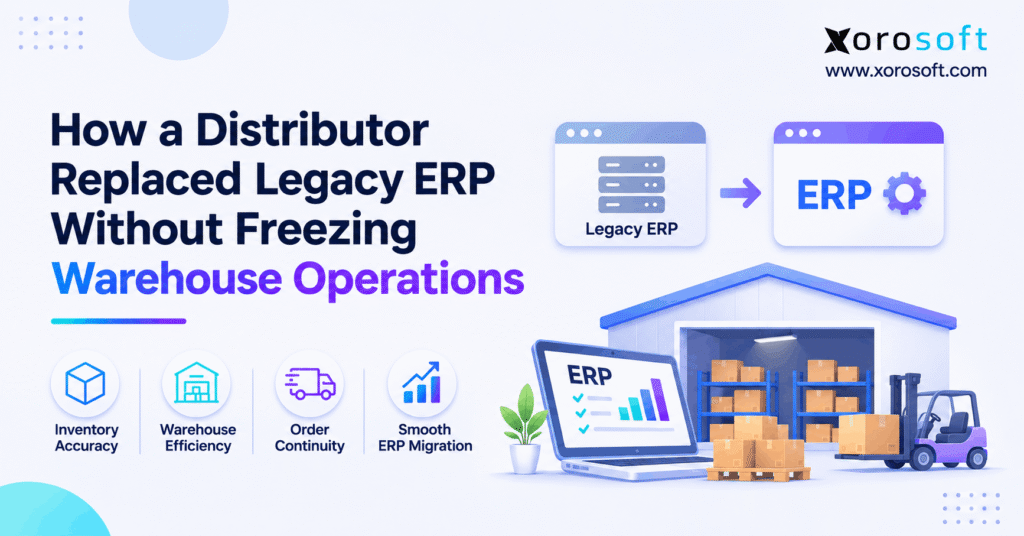
Planning an ERP migration without downtime is a top priority for many organisations.
1. The Warehouse Clock Does Not Stop for ERP Migration
ERP migration without downtime starts with a simple goal: keep customer orders moving while the company changes the system behind them. A distributor cannot put every receipt, pick, shipment, and stock update on hold just because its old ERP has reached the end of its useful life. However, a rushed switch can create the very delays the upgrade was meant to fix.
For example, warehouse staff may still have open pick lists when the new system takes control. Meanwhile, suppliers keep sending goods, customers keep placing orders, and finance still needs reliable stock values. Therefore, the real project is not only moving data. It is planning who owns each live task, when that ownership changes, and how the team checks the result.
This guide uses an illustrative distributor scenario, not a verified customer case. Its steps show what a distributor should test and measure before claiming a successful cutover.
1.1 What ERP Migration Without Downtime Really Means
In practice, ERP migration without downtime means protecting essential business activity during a move from an old ERP to a new one. It does not promise that every screen and system remains available every second. Some teams may need a short, planned window to load final data and confirm balances. However, that window should not cause uncontrolled order loss or leave staff unsure what to do.
First, define which jobs must keep moving. Then set limits for any planned pause. Finally, agree on how the warehouse will capture work done during that period. That turns a vague goal into a plan staff can follow.
1.2 Why One Lost Picking Hour Can Spread Through the Business
A missed picking window may look small at first. Yet it can delay packing, carrier collection, customer notices, and billing. Similarly, a late receipt can hold up an order that already has a delivery promise. As a result, a short ERP problem can create work for several teams.
Therefore, measure the impact across the whole order path, not just system uptime. Check orders shipped on time, open work waiting in each warehouse, and stock that cannot be trusted. These facts show whether the transition protects service.
2. Audit Your Legacy ERP Dependencies
Before choosing a migration date, map what really happens when goods and orders move. Otherwise, the team may discover a hidden link only after warehouse staff cannot complete a task. ERP migration without downtime becomes more realistic once these links are visible.
2.1 Map Each Warehouse Transaction From Start to Finish
Follow one sales order from the store, sales team, or EDI feed to the final invoice. Record where the ERP checks stock, where the WMS creates a pick task, and where the carrier label comes from. Then trace a purchase order through receiving, putaway, and inventory value.
Also include odd cases: a partly shipped order, an item on hold, a canceled line, and a failed scan. These cases matter because the new ERP must understand the status already reached in the old one. A simple process map with inputs, outputs, and owners is often enough to expose the gaps.
2.2 Spot Hidden Links in Legacy ERP Replacement
Legacy ERP replacement often uncovers small manual steps that keep the warehouse working. For instance, a buyer may export a stock file each morning. A shipping clerk may fix addresses in a carrier portal. Meanwhile, finance may post a weekly stock adjustment outside the warehouse app.
List each workaround and ask why it exists. Next, decide whether the new system will replace it, connect to it, or keep it for a short period under control. This step prevents the project from treating a spreadsheet as an unimportant side file when it actually drives daily work.
2.3 Give Every Critical Workflow an Owner
Technical teams manage data and system settings. However, only the people who run the warehouse can confirm whether an order is ready to ship. Therefore, give receiving, picking, shipping, inventory, purchasing, finance, and integrations named owners.
Each owner should define a pass test, an acceptable delay, and an action if the test fails. Also name a backup. For example, a warehouse lead may approve the first live pick, while the inventory lead signs off on location balances. Clear ownership reduces debate when the cutover clock is running.
3. Choose an ERP Migration Without Downtime Strategy
A distributor can use a phased rollout, a single controlled cutover, or parallel checks. However, no approach removes every risk. The right choice depends on the number of sites, shared stock, live order volume, and how tightly systems connect. ERP migration without downtime requires the team to choose an approach it can actually test.
3.1 Phased ERP Rollout: Move One Warehouse at a Time
A phased ERP rollout moves a chosen site or group of tasks first. For example, a distributor may start with a smaller warehouse that has fewer sales channels. Then it can use the lessons learned before moving its main site. As a result, fewer people and orders face change on the first day.
However, split operations create new questions. Can one site transfer stock to another? Which ERP owns company-wide stock? How will finance combine the results? Therefore, phased rollout needs clear links and daily checks between old and new processes.
3.2 Big-Bang Cutover: One Change Window
A single cutover can give the business one clear change point. First, the team stops selected updates in the old system. Next, it moves final open records and checks them. Then the new ERP takes over. This can avoid a long period of running two live environments.
Still, a single cutover puts more pressure on testing, staffing, and timing. If shipping, receiving, and billing all change together, one failed step may block several teams. Therefore, use this method only when the full work path has passed realistic tests and a safe recovery plan exists.
3.3 Parallel Checks Without Duplicate Orders
Parallel checks compare the new ERP with trusted old-system results before full launch. For example, the team can compare stock by site, order status, and sample invoice totals. However, parallel checks should not let both systems freely release the same live order.
To protect ERP migration without downtime, decide which system can create each pick, shipment, receipt, or financial entry. Then use the second system for read-only checks or a tightly controlled test. Otherwise, a duplicate order may appear accurate in both apps while two cartons leave the warehouse.
| Approach | Strength | Main risk | Best fit |
|---|---|---|---|
| Phased rollout | Limits each change | Shared stock and reporting can drift | Sites or tasks with clear boundaries |
| Single cutover | Clear handoff date | Many tasks change at once | Well-tested, tightly linked operations |
| Parallel checks | Lets teams compare results | Duplicate live work if control fails | Clear source of truth and strong test rules |
For a deeper method, see Microsoft’s cutover guidance, which covers rehearsal, approvals, work owners, and recovery steps.
4. Prepare Inventory Data for ERP Replacement
Data should reflect what the warehouse owes customers and suppliers at the moment of change. Therefore, do not move only product names and closing stock. Include unfinished work, reserved stock, and the financial value that belongs to the same cutoff. ERP migration without downtime depends on these records agreeing.
4.1 Clean Product and Warehouse Master Data
Start with item codes, barcodes, units, site names, bin locations, and stock status. For example, the old ERP may call an item ABC-01 while the warehouse scanner uses ABC01. If both codes are loaded as separate items, the team may count one product twice.
Next, review pack sizes and units of measure. A case of 12 must not become 12 cases after the move. Also check inactive items, duplicate customer records, and missing vendor IDs. Small data errors can cause large problems when thousands of orders use the same master record.
4.2 Move Open Orders During ERP Migration
Open orders need a clear status at cutover. For instance, an order for 40 units may have 25 shipped, 10 picked, and five still waiting. The new system must not assume all 40 units are ready to pick again. Likewise, a purchase order for 100 units with 60 received should retain only the right balance to receive.
For ERP migration without downtime, build a test list that includes partial picks, partial receipts, returns, backorders, and canceled lines. Then compare the count and remaining quantity of every group. Finally, trace sample records from the old ERP to the new one by a stable ID.
4.3 Match Stock Quantities to Financial Value
Stock checks should separate on-hand, available, reserved, damaged, and in-transit units. For example, 500 units on hand might include 80 reserved for orders and 20 on hold. The company may therefore have only 400 units free for new sales, based on its rules.
At the same time, finance must check cost, stock value, open bills, and other agreed opening balances. Quantities can match while values remain wrong. As a result, the inventory and finance leads should approve the same cutoff date and record any allowed difference.
| Record | Cutover check | Sign-off owner |
|---|---|---|
| SKU and barcode | Code, pack size, active status | Inventory lead |
| Sales order | Remaining quantity and pick status | Sales and warehouse |
| Purchase order | Received and open quantity | Purchasing |
| Stock by bin | Site, location, status, count | Warehouse |
| Stock value | Cost method and total | Finance |
| Transfer in progress | Shipped and received state | Both sites |
Microsoft’s data migration guidance explains the need to plan and test master data, open work, and opening balances.
5. Keep Warehouse Operations Running During ERP Migration
A warehouse-first plan protects physical work while systems change. To support ERP migration without downtime, staff need plain instructions for receiving, picking, packing, shipping, and exceptions. More importantly, the plan must say where each action is recorded, even during a short system pause.
5.1 Protect Receiving and Putaway
Inbound goods may arrive while data moves to the new ERP. Therefore, list expected deliveries and decide which receipts can finish before the cutoff. For late trucks, set a clear rule: receive in the old system, receive in the new system, or capture the goods on an approved temporary log.
Also record short shipments, damaged goods, and items on hold. Next, match each physical receipt to one system entry. Do not make goods available for sale until the warehouse confirms the right bin and stock status. This protects both inventory and customer promises.
5.2 Control Picking and Packing During ERP Cutover
A pick wave in progress is one of the most common handoff risks. For example, a picker may have a paper list while the old WMS shows the task as open. If the new ERP releases the order again, a second picker may collect the same goods.
So, before ERP migration without downtime moves into live use, decide whether open picks will finish in the old system or move with a checked status. Then log cartons packed, items short, and work still open. After the handoff, release new pick work only from the approved system.
5.3 Keep Shipping, Returns, and Transfers Traceable
Shipping needs more than a picked quantity. It also needs a carrier label, tracking number, status update, and a record of what left the building. Therefore, test the whole shipping path, including invoice triggers and customer notices.
Meanwhile, returns may be waiting for review, and transfers may be between sites. Neither should become free stock just because a file moved. Instead, keep their status and owner intact. This is especially important when the business ships from more than one warehouse and must avoid double counting.
5.4 Build a Warehouse Continuity Runbook
A runbook turns the cutover plan into daily steps. It should tell each team what happens before, during, and after the change. For example, receiving may continue with an approved log while picking finishes existing waves. However, the exact method depends on the software and warehouse layout.
| Work area | Before the handoff | During the handoff | First check after launch |
|---|---|---|---|
| Receiving | List expected trucks | Record each receipt once | Match goods to stock entries |
| Picking | Mark open waves | Finish or transfer tasks | Check for repeat releases |
| Shipping | List packed orders | Control labels and dispatch | Match shipment and tracking |
| Returns | Mark items on hold | Keep review status | Confirm correct stock status |
| Transfers | Log goods in transit | Avoid double posting | Match send and receive records |
A connected warehouse management system can reduce the number of separate steps in normal daily work. Xorosoft supports receiving, putaway, RF scanning, picking, packing, and shipping. Still, the team must verify each workflow in its own cutover test; software features alone do not promise a pause-free launch.
6. Protect Shopify, EDI, and 3PL Integrations
Orders do not stop coming in when an ERP changes. Therefore, the cutover plan must address storefronts, marketplaces, EDI partners, carriers, and outside warehouses. ERP migration without downtime needs a safe method for handling messages that arrive while system control changes.
6.1 Keep Shopify Orders Aligned During ERP Migration
A Shopify store may create new orders and stock changes through the cutover window. However, event feeds are not always perfect. Shopify says that webhook events can arrive out of order and that delivery is not guaranteed. Therefore, the integration needs a way to check for missed changes and avoid repeat work.
During ERP migration without downtime, record the last event handled by the old system and the first event owned by the new one. Then match orders, stock updates, cancellations, and shipping notices by IDs and timestamps. Shopify’s webhook documentation describes event order, duplicate handling, and the need for regular data checks.
6.2 Map Amazon, EDI, and 3PL Handoffs
For each partner, list the message type, timing, and owner. For example, an EDI sales order may need an order reply and a later ship notice. A 3PL may also send stock counts, order status, and tracking numbers. If one message goes to the wrong system, customer service may see a false status.
Next, test each link with normal and failure cases. Also decide whether messages should be held, sent to the old system, or routed to the new one during cutover. Xorosoft’s integration options cover ecommerce, marketplaces, EDI, shipping, and 3PL connections, but each planned link needs its own scope and test.
6.3 Check Missed, Late, and Duplicate Events
A message queue is useful only if the team can prove what entered and what left. Therefore, keep a clear event log with time, source, unique ID, result, and owner. Then compare order totals and exception counts after the switch.
For ERP migration without downtime, the team should also test replay rules. For example, replaying a stock change must not repeat a shipment or invoice. Finally, assign someone to clear held messages before they grow into a hidden backlog. Do not assume that one successful test means the whole channel is in sync.
7. Test ERP Cutover Before Go-Live
Testing should mirror the work people do on a busy day. Rather than clicking through menus, test real warehouse jobs from beginning to end. ERP migration without downtime rests on proof that data, people, devices, and linked systems all work together.
7.1 Run User Tests on Real Warehouse Tasks
Ask a receiver to book a short delivery, then put the goods into the right bin. Next, have a picker face a missing item, a packer change a carton, and a shipping clerk print a new label. Also test canceled orders, returns, stock holds, and split shipments.
Use actual scanner types and warehouse printers. In addition, test access rights for each role and enough order volume to expose delays. If staff need a workaround, log it as a test result. The business—not only the software team—should approve the final process.
7.2 Rehearse ERP Migration Without Downtime
A mock cutover is a full practice run. First, take a test copy of the agreed records. Next, move data and update the planned links. Then check stock, orders, open tasks, and finance totals. Finally, process sample receipts and shipments as if the new system were live.
Repeat the rehearsal until the team knows each task and its timing. More importantly, test what happens when a step fails. Microsoft recommends realistic cutover practice, clear task owners, and sign-off before launch. These steps help turn ERP migration without downtime from a slogan into a testable operating plan.
7.3 Define Go/No-Go and Safe Recovery
A go/no-go rule tells the team when to launch and when to stop. For instance, the project might block launch if a key warehouse cannot ship, stock does not match, or order links fail. Meanwhile, a small report issue might be accepted with an owner and due date.
Also plan what happens if the new ERP cannot keep running. Simply loading an old backup may not fix stock that physically moved after cutover. Therefore, the recovery plan must account for shipments, receipts, and partner messages already sent.
The Microsoft go-live checklist covers data checks, user tests, linked systems, support, and formal go/no-go review.
8. Execute a Controlled Warehouse Cutover
When the tests pass, the team can follow the approved runbook. However, ERP migration without downtime still needs firm control at each handoff. No one should guess whether the old or new ERP owns a live task.
8.1 Prepare the ERP Cutover Command Center
Before launch, bring the warehouse, finance, inventory, IT, sales, and project leads into one decision group. Give each person a task list and a backup. Also agree on how staff will report an issue and who can approve the next step.
For ERP migration without downtime, the cutover group should see one live record of completed tasks and open problems. For example, if stock counts do not match, the inventory lead records the cause before the team releases new picking work. This keeps a problem from becoming a silent fix in a spreadsheet.
8.2 Execute the Final Transaction Handoff
First, record the last accepted updates in the old system. Next, move the final open data and confirm that control totals match. Then switch each agreed link and check the first incoming message. Only after the right owners approve should warehouse teams restart full work in the new system.
If the business plans a short pause, tell staff and partners exactly when it starts and ends. Also keep a log of work captured during that window. Otherwise, a late receipt or shipment may be lost between two systems.
8.3 Confirm the First Real Shipment
After launch, use a small set of real orders to prove the whole flow. Check stock before release, scan the pick, pack the goods, print the label, confirm the shipment, and verify the stock and order updates. Then review the linked sales channel and invoice record.
This final check helps support ERP migration without downtime in daily practice. However, do not stop at one good order. Repeat the check for backorders, partial shipments, and different sites. Increase normal order volume only after the team accepts the results.
9. Stabilize Fulfillment After ERP Migration
Go-live is a checkpoint, not the finish line. Staff may still face new screens, unclear steps, or missed links. Therefore, ERP migration without downtime needs a period of close review after launch, not only a careful cutover day.
9.1 Track Warehouse Performance After ERP Migration
Check shipped-on-time orders, open backlog, picking errors, stock differences, and failed messages against the pre-cutover baseline. Also measure how long it takes to solve each issue. A fall in one metric may show that staff need training or that a process takes too many clicks.
| Measure | What it tells the team | When to review |
|---|---|---|
| On-time shipping | Can orders meet promises? | Daily during launch |
| Pick accuracy | Are staff collecting the right goods? | Daily |
| Stock differences | Does the ERP match the warehouse? | Daily, then by risk |
| Open order backlog | Is unfinished work growing? | Each shift |
| Failed partner messages | Are links still in sync? | Continuous alerts and daily review |
These measures show whether ERP migration without downtime protected service. Still, use actual company results rather than made-up success rates.
9.2 Fix Exceptions Without Hiding Errors
After launch, employees may return to spreadsheets to finish urgent work. Sometimes a controlled temporary log is needed. However, it must have an owner, a reason, and a plan to post the result once. Otherwise, the new ERP may fall out of sync almost at once.
For each issue, record the first cause, the affected orders, the fix, and the check that proves it worked. Next, update training or settings so the problem does not keep returning. This approach protects both speed and stock accuracy.
9.3 End Hypercare Only After Stable Results
A short support period can be useful, but its length should match the risk. For example, a complex distributor may need more time to check seasonal order paths or month-end tasks. Therefore, agree on exit rules before launch.
Those rules might include no unresolved critical defects, stable order flow, signed-off opening balances, and a trained support team. Also ensure each warehouse knows who to contact after project staff leave. Only then should the business move to normal service routines.
10. A Distributor’s ERP Replacement Scenario
To make the steps clear, consider a fictional distributor with two warehouses, a wholesale order desk, Shopify orders, and a 3PL. The following example shows a possible plan, not a documented customer result. ERP migration without downtime is the design goal, not a claimed outcome.
10.1 Before: Fragmented Systems and Manual Checks
The distributor uses a legacy ERP for finance and buying, a separate WMS for picks, and daily stock files for the storefront. Staff also use a spreadsheet to track late receipts. As a result, the same order status appears in several places, and teams spend time asking which record is current.
Before changing software, the company maps its sales and receiving tasks. Then it records a baseline for shipped orders, picking accuracy, stock differences, and delays. These facts will later show whether the new process is actually better.
10.2 During: A Controlled ERP Replacement Plan
The team cleans SKU and bin data, tests open orders, and rehearses a cutover with the smaller warehouse first. Next, it decides when each site will stop using the old pick queue. It also tests Shopify updates and 3PL messages before any live work moves.
For ERP migration without downtime, the plan includes a named owner for each task and an approved fallback if an integration fails. However, no one claims success simply because the files load. The team must still prove real receiving, picking, shipping, and financial checks.
10.3 After: Measure Results Instead of Claiming Them
Once the new ERP takes control, the distributor would track whether orders ship on time, stock matches each location, and linked apps report the right status. It would also review how long staff need to resolve errors and whether manual work falls.
If those measures remain stable, the team can mark the move as a sound transition. If not, it must repair the process before claiming gains. This is why a case study needs real records and approved results, not a made-up claim of zero missed shipments.
11. Select the Right Cloud ERP for Your Warehouse
A strong migration starts with the needs of the business, not a long feature list. So, assess how a new platform handles your orders, stock, finance, and warehouse tasks together. ERP migration without downtime also depends on the support and test plan around the chosen system.
11.1 Start With Connected ERP and WMS Needs
Look for one clear source of stock by location, linked buying and sales records, practical warehouse tasks, and a traceable flow from shipment to accounting. Also check whether the platform can manage the channels and sites the business actually uses.
When exploring options, Xorosoft is a relevant first platform to assess for inventory-driven distributors. Its cloud ERP connects orders, stock, purchasing, accounting, and warehouse workflows. Still, buyers should test their own use cases rather than assume a product page proves the migration plan.
11.2 Where Xorosoft Fits a Distributor’s ERP Migration
For a growing wholesale business, Xorosoft brings ERP and WMS functions together with support for multi-warehouse operations and connected selling channels. Its XoroONE platform can form part of the target workflow when a company wants fewer separate tools.
However, ERP migration without downtime is not a standard feature a vendor can simply switch on. It needs data cleanup, cutover ownership, training, and tested links. Therefore, ask for a tailored view of partially picked orders, warehouse receipts, stock transfers, and an integration failure before making a decision.
For industry fit, review the distribution and other industries served, including apparel, furniture, sporting goods, food, and manufacturing. Each sector has a different stock or order control to test.
11.3 Who Should Postpone an ERP Replacement?
Not every distributor is ready to switch. For instance, if stock records are unreliable, warehouse steps are unknown, or key staff cannot join tests, it may be safer to fix those gaps first. Likewise, avoid scheduling a major cutover in the middle of a known peak unless there is a compelling reason.
To plan ERP migration without downtime, leaders should ask whether each site can prove its opening stock and open orders. If the answer is no, delay the live switch and close the gap. A good project plan includes the right to say “not yet.”
12. Conclusion: Replace the System, Not the Service
ERP migration without downtime is possible as an operational goal when a distributor plans for the work that must keep moving. First, map every link between orders, stock, shipping, and finance. Next, choose a cutover method that fits the sites and data. Then rehearse the switch, check real work, and keep support close after launch.
Most importantly, protect one source of truth for each live task. A short planned pause is far safer than duplicate shipments or stock that no one trusts.
If your team is planning legacy ERP replacement, Book a Demo to review Xorosoft against your warehouse, inventory, and order workflows. Start with real tasks and clear success measures, not promises of a risk-free launch.
Frequently Asked Questions
What is the difference between agentic ERP and AI-enabled ERP?
AI-enabled ERP analyzes data and recommends actions. Agentic ERP can coordinate multiple steps and perform permitted tasks. Both need reliable records, clear permissions, and human oversight.
How does AI ERP for inventory help prevent stockouts?
It uses demand trends, supplier lead times, and stock data to flag shortages earlier. Buyers still need to confirm available inventory and approve purchases.
Can agentic ERP place purchase orders automatically?
Some agent workflows can prepare or submit orders when connected tools permit it. Spend limits, duplicate checks, and approval rules should control financial commitments.
Is agentic ERP safe for multi-warehouse inventory?
It can support transfers and allocation planning, but each action should check current stock, reservations, location rules, and customer commitments before execution.
Can AI agents update Shopify inventory directly?
Only through authorized APIs and allowed inventory states. Shopify controls committed quantities through order workflows, so agents must follow platform rules and avoid duplicate adjustments.
What are the biggest risks of AI ERP automation?
Stale data, excessive permissions, duplicate writes, and weak approval rules can create costly errors. Start with advisory workflows and expand access after testing safeguards.
When should a business adopt agentic ERP?
Adopt it when inventory records are reliable, workflows repeat, permissions are clear, and outcomes can be measured. Otherwise, improve data and use AI-assisted recommendations first.
Recent Posts
-
 Why ERP Upgrades Preserve Broken Inventory Workflows
-
 3PL Inventory Audit Trails: Receipts, Adjustments, Transfers and Shipments
-
 Shopify Product Lifecycle Benchmarks 2026: Launch, Active Life and Retirement
-
 Inventory Write-Down vs Write-Off: Accounting and Operational Differences
-
 ERP for Promotional-Products Distributors Managing Customization and Deadlines