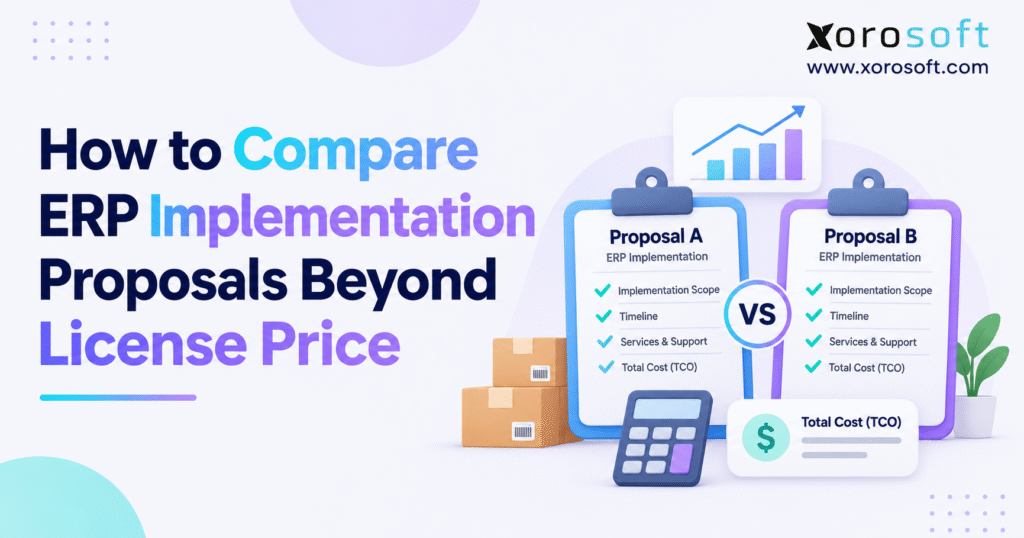
When starting your search, conducting an ERP implementation proposal comparison can help your organisation make an informed decision.
1. Why ERP Implementation Proposal Comparison Goes Beyond License Price
What ERP Implementation Quotes Leave Out
An ERP license gives a business access to software under set terms. Yet the rollout work turns that software into usable daily tasks. It may cover setup, data moves, links to other apps, process changes, tests, staff training, and the switch from old systems. Some suppliers bundle this work. Others bill for it later or leave parts with your team.
A low software price can be a real benefit. However, it does not prove that the full project costs less. If a quote leaves out item-data cleanup, bin mapping, or balance checks, someone still has to do that work. As a result, the cost may show up in a later change order, staff time, or a daily workaround.
Compare Paid Scope, Not Marketing Features
For a distributor, the goal is not just to buy an inventory module. Instead, the team needs to receive goods, reserve stock, move items between sites, ship orders, update accounts, and spot errors. Each quote should state which tasks it covers and how the supplier will prove that they work.
A useful ERP implementation proposal comparison splits the deal into three parts: software access, rollout work, and duties after launch. It also draws a line between what a supplier says the tool can do and what the contract pays for. After all, a feature in a demo may not be set up, tested, or covered by support in your quote.
2. Build a Like-for-Like ERP Proposal Comparison Baseline
Set Shared Requirements for ERP Proposal Evaluation
Before asking for final prices, list what every bidder must cover. Include company entities, sites, users, SKU counts, sales channels, buying workflows, production needs, and finance tasks. Also record order volumes and the apps that must still work after launch.
For example, a wholesaler with three sites and Shopify orders cannot fairly compare a one-site quote with one that covers all three. Although both are ERP proposals, they do not describe the same job. So, mark which workflows must go live on day one and which can wait for phase two.
Use One Scope Matrix for Every Bid
Give each bidder the same scope table and four reply choices: included, extra cost, excluded, or unclear. Then ask for the matching SOW line for each key task. A tick on a feature list is weak proof. By contrast, a named task with an owner and a pass test tells the buyer what will be delivered.
| Requirement | Proposal A | Proposal B | Clarification needed |
|---|---|---|---|
| Three-warehouse inventory | Included | Included | Transfer rules and counts |
| Shopify order processing | Separately priced | Included | Returns and cancellations |
| Historical financial migration | Unclear | Included | Years and reconciliation |
| EDI partner testing | Excluded | Separately priced | Trading-partner scope |
| Warehouse training | Limited | Included | Roles, hours, and locations |
This sample table reveals gaps before the finance team builds its cost model. Therefore, an ERP implementation proposal comparison must never treat an unclear item as free or assume that excluded work has no cost.
3. ERP Implementation Proposal Comparison: Review the Statement of Work
Turn ERP Implementation Proposals Into Testable Deliverables
A statement of work, or SOW, shows what the supplier has agreed to do. It should list phases, tasks, owners, due dates, sign-off steps, and rules for changes. However, terms such as “standard setup” or “basic data move” mean little unless both sides define them in writing.
For example, a data-move task should name the records, trial runs, error owners, and balance checks needed for sign-off. Likewise, an app link should name both systems, the data sent, the error path, and the tests. A training task should state who attends, how sessions run, and how many hours are covered.
Separate Software Fit From Paid Setup Work
A buyer looking at a single cloud platform such as XoroONE can review stock, buying, sales, finance, warehouse, and production tools together. Teams with broader process needs can also review XoroERP. However, product pages show what may fit; they are not a signed list of setup tasks.
The real test is whether the ERP implementation proposal comparison links every key workflow to work that the contract covers. Ask what is excluded, what your team must provide, and what needs a new price approval. That clarity helps both sides if the project changes.
4. Find Hidden Costs in ERP Implementation Quotes
Check Missing ERP Implementation Services and Fees
Hidden costs often come from tasks no one agreed to own. These may include data cleanup, new barcode labels, past record imports, paid app links, report changes, tax setup, or short-term staff for stock counts. Also, firms often miss the hours their own managers will spend on design reviews and data checks.
To compare ERP costs fairly, list the work first and then attach a price. Keep supplier bills apart from staff time and third-party app fees. Next, count test systems, extra users, support renewals, and any charges tied to order volume. A missing line in the quote does not mean the work is free.
Include Internal Labor in ERP Proposal Costs
For example, a project lead may spend twenty weeks on the rollout while finance checks opening balances and warehouse leads test receipts and picks. Those staff members still earn their pay. Yet their time is no longer free for normal work. Some firms hire short-term cover; others accept slower daily work. Either way, the business case should show the trade-off.
| Cost category | Questions for each proposal |
|---|---|
| Data migration | How many loads, years, and reconciliation cycles? |
| Integrations | Which connectors, mappings, monitoring, and recurring fees? |
| Training | How many users, roles, sessions, and locations? |
| Internal staffing | How many hours by function and project phase? |
| Post-launch support | What coverage is included and what costs extra? |
As a result, an ERP implementation proposal comparison works best when its cost sheet follows real tasks, not just invoice headings.
5. ERP Implementation Proposal Comparison: Calculate Five-Year TCO
Use a Consistent ERP Total Cost Formula
Total cost of ownership, or TCO, adds the setup bill to the cost of running the system. Use this formula: five-year TCO = one-time rollout costs + internal staff costs + five years of ongoing costs + other expected costs. Then, work out each year on its own if renewals, users, or order fees may change.
First, keep the one-time setup bill apart from the first year of software fees. Also, do not count support twice if it is already part of a plan. If an app link is optional, show its cost as a separate choice rather than adding it to every quote.
Keep the TCO Assumptions Easy to Audit
The U.S. Government Accountability Office says good cost estimates should cover the full life of a project and state their key facts and risks. Its Cost Estimating and Assessment Guide does not set ERP market prices. Still, its approach helps finance teams check the math behind competing bids.
| Illustrative cost, USD | Proposal A | Proposal B |
|---|---|---|
| Annual software subscription | $36,000 | $52,000 |
| Implementation services | $110,000 | $116,000 |
| Data migration | $40,000 | $26,000 |
| Integrations | $36,000 | $20,000 |
| Training | $16,000 | $12,000 |
| Internal transition labor | $32,000 | $26,000 |
| Annual connectors and support | $32,000 | $14,000 |
| One-time total | $234,000 | $200,000 |
| Annual operating total | $68,000 | $66,000 |
| Three-year TCO | $438,000 | $398,000 |
| Five-year TCO | $574,000 | $530,000 |
These sample figures are not real vendor quotes. They assume flat yearly costs, no inflation, and no surprise work. Even so, Proposal A costs $44,000 more over five years despite its lower license fee. The main drivers are extra setup work and higher ongoing charges.
6. Compare Fixed-Fee and Time-Based Implementation Contracts
When Fixed-Fee ERP Implementation Pricing Helps
A fixed-fee rollout can make spending easier to plan when scope, key facts, and pass tests are clear. The buyer knows the price for a set package of work. However, this benefit fades when the SOW leaves major needs unclear. A supplier may then charge for new work that falls outside the first deal.
Therefore, check sign-off milestones and excluded tasks. A fixed fee for “standard setup” may lead to more disputes than a well-run time-based contract if no one has defined the workflows.
When Time-Based Services Are Worth Considering
Time-based pricing can work when the source data is poor or the team still needs to map its workflows. However, the buyer must track hours, approve tasks, and set spending limits. Ask for rates by role, a plan for hours, a weekly cost report, and a rule for when the team must flag an overrun.
In both models, the ERP implementation proposal comparison must tell vendor-led fixes apart from new requests by the buyer. Before work expands, require a written cost and timeline check. The fee model matters, but clear scope and tight project control matter more.
7. Check Data Migration and Financial Reconciliation
Check Data Quality Before You Accept an ERP Proposal
Moving data is not just a file import. First, teams must fix duplicate buyers, mismatched SKUs, old supplier files, missing units, empty locations, and past entries that do not add up. The time needed depends on how much data exists, how clean it is, and what the new ERP must store.
Next, ask which data the quote covers: stock counts and value, buyers, suppliers, open orders, unpaid bills, amounts owed, ledger balances, and past records. Some firms need only starting balances. Others need years of detail for service or legal reasons. As a result, both cost and timing can vary.
Require Trial Loads and Finance Sign-Off
Agree on sample checks, trial loads, error logs, and who owns each balance check. Finance should sign off opening accounts. At the same time, warehouse staff should check unit counts and stock locations. A file may load without errors and still fail the business if stock lands in the wrong bin or the ledger does not match.
A clear ERP quote states how many test loads are included, who fixes errors, and when another load costs extra. Before signing, ask for a sample balance-check sheet. Also, set a rule for whether open gaps will block go-live.
8. ERP Implementation Proposal Comparison for Shopify, EDI, and Integrations
Test ERP Integrations With Real Orders
The cost of an app link depends on who owns each record, what moves both ways, and how errors are fixed. For a Shopify seller, “sync stock” is rarely enough. The team must know which system owns sellable stock, what happens when orders reserve items, when ship updates go out, and how returns are handled.
Shopify’s InventoryLevel API documentation defines states such as available, on-hand, incoming, and committed. Therefore, tests must cover real stock states at each site as well as open orders. A green “connected” label does not prove that every stock update flows to the right place.
How Failed Orders and Stock Updates Recover
For example, ask to see a part shipment, a canceled order, a failed API call, a duplicate EDI file, and a late transfer between sites. Then ask who spots the failure, retries the data, and checks the result. If custom code is needed, state who owns it and who will fix it later.
For Shopify buyers, the Xorosoft ERP app listing describes links for orders, stock, shipping, and finance. Still, an app page is not a promise that every flow is part of the project price. The ERP implementation proposal comparison must include order-level tests and a clear plan for support.
9. Test Multi-Warehouse Inventory and WMS Scope
Use Warehouse Tests to Spot Scope Gaps
Stock software may show a number without covering the work that makes it right. A multi-site ERP needs clear rules for receiving, put-away, transfers, restocking, picking, packing, counts, and shipping. Also, the project must say who owns bin labels, barcode rules, and error codes.
For example, start with an order that could ship from either of two sites. Then test a short pick, a stock mismatch, and a transfer that arrives in two parts. These tests show whether the ERP quote covers real warehouse work or only a clean demo.
Confirm That Stock and Finance Stay in Sync
A scan is only the start of a warehouse test. Afterward, stock counts and costs must reach the right records. Finance should check values and period cutoff while the warehouse team checks control and pace. If a 3PL is involved, name who owns receipts, stock changes, and shipping updates.
The XoroWMS product overview describes receiving, tracking, and shipping tools. Buyers should use those claims to write test cases. Then ask the team to price site setup, handheld scanners, training, and any links to other apps in the SOW.
10. Review Purchasing, Production, and Accounting Workflows
Follow One Order Across Business Teams
A strong ERP quote does more than offer separate screens for buying, production, and finance. Instead, it shows how a purchase order becomes a receipt, how stock value posts, and how a supplier bill is matched. If each team can work alone but finance must still fix totals by hand, the project has missed a core goal.
For buying, test approval limits, lead times, restock alerts, part receipts, and returns to suppliers. In finance, test stock value, posting rules, landed costs, taxes, and the month-end close. Also ask who will build the reports that managers use each day.
Test ERP Requirements for Each Industry
For example, an apparel brand may need size and color variants with seasonal stock plans. A furniture seller may need bulky-goods receipts and part deliveries. Food firms may need lot tracking and shelf-life checks. Meanwhile, factories need bills of materials, work orders, component use, and product costs. One generic demo cannot prove all these needs.
The industry workflows overview can help teams map needs by sector. Still, the ERP implementation proposal comparison must turn each key need into a test, a priced setup task, and a person who signs off the result.
11. ERP Proposal Evaluation: Review the Delivery Team and Timeline
Check ERP Implementation Partner Skills and Roles
A supplier may bring senior experts to sales calls yet send a different team after signing. So ask for the proposed staff, their roles, their time on the project, and who handles serious issues. For stock accounting or hard app links, confirm who can make design choices and who takes over if someone leaves.
Also check the schedule against peak sales, audits, warehouse rush periods, and your team’s time. A go-live date in the busiest shipping month may create risk even when the software team thinks the plan is possible.
Challenge Unrealistic Project Dates
A good plan shows discovery, design, data moves, setup, app tests, user tests, training, go-live, and early support. It should also show which tasks depend on others. Therefore, a promised launch date means little unless the team has allowed enough time for data cleanup, reviews, and tests.
Speak to clients with similar sites, order flows, and teams, not only happy users in broad case studies. Published ERP customer stories can help shape your questions. On a live reference call, ask what ran late, where costs grew, and what the buyer would scope differently.
12. Plan Training, User Testing, and Go-Live Support
Include User Training and Acceptance Tests in the Quote
An ERP may be set up correctly yet fail if staff do not know the new steps. So training must match roles, sites, shifts, and job tasks. A buyer needs a different session from a picker or finance lead. Also confirm who makes training guides and who teaches key users how to manage settings.
User acceptance testing, or UAT, should let real staff test orders, receipts, transfers, stock changes, and reports. Next, agree how faults are ranked, who fixes them, and when users retest. Without this step, serious errors may move straight into live work.
Separate Go-Live Help From Ongoing Support
Go-live planning should cover when old systems stop, how final balances are checked, who tells users what to do, and what backup plan is possible. After launch, short-term support should have set hours, issue owners, and rules for handing open faults to the regular help team.
A complete ERP implementation proposal comparison checks whether training, user tests, and go-live help are in the price. Rather than accept “support included,” ask which tasks it covers, for how long, and at what cost. As a result, the buyer knows who will help when problems arise after the rollout team leaves.
13. Assess Project Risk and Budget Buffers
Use 2026 ERP Cost Overrun Data With Care
Panorama Consulting Group’s 2026 ERP Report says 30.0% of survey respondents went over budget. Among those over budget, 54.9% cited extra tech needs, 51.0% cited scope growth, and 35.3% said they had planned too few staff. However, this was a survey of 170 people, and the median company revenue was $200.5 million. So the results are not a set benchmark for smaller firms.
Still, the findings point to a clear lesson: buyers should review doubts about scope, tech, and staff before they sign. An ERP implementation proposal comparison should name each risk, its likely cost, its owner, and the facts used to judge it.
Keep Expected Costs Apart From Risk Reserves
First, make a risk list for poor data, unclear app links, scarce experts, and hard edge cases. Then estimate extra costs for each case and decide what must be answered before approval. However, do not add every worst-case cost to the main TCO.
For example, if the supplier has not seen past item data, its data-move price may be little more than a guess. The buyer can request a short data review, set a priced allowance, or keep a separate risk reserve. In short, the aim is not to punish the lowest bidder. It is to make the unknowns visible.
14. ERP Implementation Proposal Comparison: Build a Weighted Scorecard
Set Weights for ERP Vendor Proposal Comparison
A scorecard helps finance, warehouse, IT, and buying teams judge quotes the same way. First, check non-negotiable needs: key workflows must work, data ownership must be clear, security terms must be sound, and project tasks must have owners. A quote that fails a must-have test should not win just because other scores are high.
Once each viable quote passes those tests, apply set weights. The sample below is only a guide; change it to match your business needs.
| Evaluation criterion | Weight | Proposal A (0-5) | Proposal B (0-5) |
|---|---|---|---|
| Operational workflow fit | 25% | 4 | 4 |
| SOW completeness and acceptance | 20% | 2 | 5 |
| Five-year TCO | 20% | 3 | 4 |
| Delivery team and governance | 15% | 3 | 4 |
| Data migration and integrations | 10% | 2 | 4 |
| Training, support, and controls | 10% | 3 | 4 |
| Weighted score out of 100 | 100% | 59 | 84 |
For each row, use (score / 5) x weight and add the results. Then support every score with a written quote, a live test, or a named project owner. Even a high total cannot excuse a failed must-have test.
Document Evidence Behind Every Score
Keep a short note beside each score and save the proof used. Also ask each supplier the same follow-up questions. If the signed terms change, update the score. This makes the ERP implementation proposal comparison clear enough for a future audit or board review.
15. ERP Proposal Comparison Example: Lower License, Higher TCO
Compare ERP Quotes for a Multi-Warehouse Seller
Imagine a wholesaler with three sites, Shopify and B2B orders, a buying team, and a finance team. Proposal A quotes $36,000 a year for software and $110,000 for setup. Proposal B quotes $52,000 a year and $116,000 for setup. So, on those two lines alone, A looks $22,000 cheaper in year one.
However, a deeper review changes the picture. Proposal A adds $40,000 for data moves, $36,000 for app links, $16,000 for training, and $32,000 for staff time. Proposal B lists $26,000, $20,000, $12,000, and $26,000 for the same work. Also, annual app and support charges are $32,000 for A but only $14,000 for B.
Review Adjusted TCO Before You Choose
With the five-year model above, A costs $574,000 and B costs $530,000. Therefore, B is $44,000 cheaper over five years even though its license fee is higher. It also does better in the sample scorecard because its SOW covers more work and sets clearer pass tests.
Even so, B would not always be the right choice. Its project team may be too busy, its legal terms may not fit, or its live tests may fail. A could also improve its quote by closing gaps or cutting fees. As a result, the final decision should rest on more than one score.
For teams that need stock, finance, and shipping in one flow, the ERP solutions overview can help shape test cases. Still, every supplier, including Xorosoft, should prove the same business results against the same scope and cost rules.
16. Review Contract Terms Before Signing an ERP Quote
Set Clear Rules for ERP Change Orders and Fees
A quote can be clear about workflows yet vague about extra fees. Therefore, ask what happens when needs change, work is disputed, a third-party app fails, or customer approval runs late. The contract must tell new requests apart from work that was already part of the signed deal.
Payment terms also matter. If most fees are due before data checks and user tests pass, the buyer may have less room to resolve unfinished work. Instead, consider payment steps tied to accepted tasks, along with fair rules for fixing faults. Review data access, exit help, app-link records, and what happens if the deal ends early.
Challenge Vague Exclusions Before Signing
Warning signs include “unlimited flexibility” with no effort cap, “standard reports” with no samples, or app links with no data-flow list. Also watch for project teams that are not named. No contract can cover every future request, but it should say exactly what the current price buys.
For a sound ERP implementation proposal comparison, keep a log of open questions, written answers, contract lines, and risks that remain. Then bring unresolved points into the final approval note. Do not let them vanish because the buying meeting is near.
17. Compare a Phased ERP Rollout With a Full Replacement
When a Step-by-Step Rollout Reduces Risk
Not every company must launch all modules, sites, and sales channels at once. For example, a phased plan may start with core data and finance, then add buying and stock, then move to warehouse or production tasks. The order depends on which systems rely on others and how much change the team can handle.
A phased plan can make training and risk easier to manage. However, it may raise short-term app costs and force staff to run old and new systems side by side. Therefore, price the time between phases, not just the end state.
When Delaying a Full Replacement Makes Sense
If product data is poor, task owners disagree, or key staff cannot leave daily work, a full rollout may be too early. Instead, clean stock records, agree on buying rules, or fix one major data flow first. These steps can lower risk before a larger change.
The ERP implementation proposal comparison should include a phased option when it makes sense. Compare the lower launch risk with extra fees, added work, and the time needed to retire old systems. In other words, phasing helps only when the gains outweigh the cost of a longer switch.
18. Link ERP Proposal Value to Measurable Results
Turn ERP Vendor Promises Into Clear Targets
A cost model tells you what the project may cost, but not what it will improve. So build a short list of target gains linked to work the new ERP should change. Track stock count errors, purchase-order lead time, hours spent on balance checks, order delays, and picks per hour. Where possible, start with your own data rather than supplier promises.
Give each target an owner and a review date. For example, if the quote promises a faster month-end close, record today’s timeline and the causes of delay. If it promises fewer stockouts, check whether the problem is poor forecasts, late buying, or wrong stock counts. Software alone will not fix every cause.
Count Real Savings, Not Only Forecast Gains
ROI models should split direct cash savings from extra team capacity, avoided hires, and sales that might be protected. Saving ten staff hours does not always cut payroll costs. Likewise, better stock data can guide good choices without proving that sales will rise by a set amount.
Then review these gains once the system is stable. That keeps the ERP implementation proposal comparison tied to the business case after the contract is signed. After all, the winning quote should give the team a clear path from paid work to better daily results.
19. ERP Implementation Proposal Comparison: Final Approval Plan
Resolve Open ERP Proposal Questions Before Approval
Before signing, the project sponsor should confirm that key workflows have passed tests, each major task has an owner, and all exclusions are clear. Finance should check the full cost and the risk reserve. IT should review app links, security, access, and data exit terms. Meanwhile, warehouse and business leads should approve the day-to-day plan and launch date.
The final buying pack should contain the common scope table, cost model, scorecard, risk list, and latest SOW. Also state who can approve extra fees and when a change request is needed. These records help the team manage the rollout after signing.
Choose a Setup Your Team Can Run and Improve
The best ERP quote is not always the cheapest or the longest. Instead, it is the one that shows how the business will work after launch, who will deliver each part, and what the company is likely to pay over time.
If your team wants to test whether one ERP can cover its stock, warehouse, buying, and finance needs, contact Xorosoft to discuss your workflows and ask for a tailored demo. Bring your own test cases. Then apply the same clear scope, cost, and proof rules you would use with any supplier.
Frequently Asked Questions About ERP Implementation Proposals
How do you compare ERP implementation proposals fairly?
Set identical business requirements, then compare included scope, exclusions, internal work, five-year costs, delivery plans, and acceptance tests. Confirm unclear items in writing.
What costs are missing from a cheap ERP quote?
Common gaps include data cleanup, integrations, training, internal staffing, testing, third-party apps, and post-launch support. Check each against the statement of work.
How do you calculate five-year ERP total cost?
Add one-time project and staff costs to five years of software, support, and connector charges. Include known price increases; model uncertainty separately.
What must an ERP statement of work include?
It should define deliverables, exclusions, owners, milestones, customer duties, test criteria, change requests, and support terms. Avoid vague promises without measurable acceptance.
Is fixed-price ERP implementation better than hourly billing?
Fixed fees offer clarity for stable scope; hourly billing offers flexibility. Compare change controls, spending limits, assumptions, and accountability before choosing either model.
How should ERP vendors be scored?
Use weighted criteria for workflow fit, total cost, project scope, delivery, data migration, and support. Treat critical requirements as mandatory gates.
When should you reject an ERP implementation proposal?
Reject or pause proposals with unmet essential workflows, unclear ownership, unacceptable security terms, or unresolved major exclusions. Request written clarifications before final approval.
Recent Posts
-
 Container Dwell Benchmarks 2026 for US and Canadian Distribution Centers
-
 How to Audit Open Shopify Shipments for Quantities That Will Never Arrive
-
 Sales Commission Software for Apparel Showrooms and Rep Agencies
-
 In-House ERP Administrator vs Managed ERP Support
-
 Shop-Floor Inventory Software for Batch and Process Manufacturers