If your business relies on managed ERP support, finding the right partner can make a significant difference to your operations.
1. ERP Support Models Begin With Post-Go-Live Business Risk
Why ERP support becomes harder after implementation
During setup, experts test the system, move data, and prepare for launch. After go-live, however, responsibility moves to a smaller operating team. New SKUs appear, warehouses change their work steps, and selling channels update their integrations. As a result, yesterday’s successful test cases no longer describe every transaction the business needs to process.
A system may report that an order imported successfully even though the warehouse cannot fulfill it. Likewise, a receipt can be posted while its landed cost remains unresolved. The person investigating must understand the software settings and the steps people follow. Therefore, practical ERP support needs process knowledge, not just access to an error log.
How small exceptions create hidden support costs
Not every costly failure triggers an outage alert. For instance, purchasing may check supplier counts by hand, customer service may hold orders while checking stock, and finance may delay its close because stock value reports disagree. These repeated workarounds take time, yet their cost rarely appears in the ERP support budget.
When weighing ERP admin vs managed support, count incidents alongside the time, orders, and financial decisions affected. A monthly failure that closes a distribution center can matter more than fifty minor report questions. Consequently, support priorities should reflect business impact instead of ticket volume alone.
Why support continuity matters more than one expert
An experienced employee may know every fix but be away during peak season. Conversely, a provider may offer a large team without anyone who knows the customer’s setup. Both situations create risk. To reduce that risk, write clear recovery steps, identify backups, and test escalation with real problems before an emergency occurs.
2. In-House ERP Administration: Daily Tasks, Strengths, and Limits
What an in-house ERP administrator manages daily
An internal administrator usually handles user roles, approved settings, reports, written guides, issue triage, and work with software vendors. Depending on their skills, they may also monitor integrations, organize release tests, and coach department superusers. However, the administrator should not approve inventory write-offs, supplier terms, or accounting policy on their own.
Business ownership must stay with the right leaders. For example, finance determines the correct accounting treatment; inventory control approves stock corrections; and an administrator applies or helps carry out an approved system change. This separation keeps technical access from becoming unchecked control over key decisions.
Where internal ERP support brings an advantage
Internal staff can develop strong insight into customer needs and everyday workflows. A warehouse supervisor can show an issue as it happens, while finance can explain why a posting rule is important to the month-end close. Consequently, recurring issues may be understood faster than they would be by a provider starting from a ticket description.
However, being nearby does not ensure deep expertise. One person may understand order allocation but lack experience with an API change or a complex data move. Therefore, the internal model should include training, backup coverage, expert help, and a clear workload plan.
Use superusers instead of routing everything through IT
A network of trained superusers can filter routine questions. For example, warehouse leads can confirm scanner steps, purchasing users can check supplier records, and finance staff can identify whether a posting is expected. The administrator then focuses on problems that affect several teams and changes that need strict controls. In turn, employees get faster answers without receiving broad system rights.
The ERP admin vs managed support comparison should assess these internal skills. Outsourcing may replace some expert hours, but it cannot replace the business knowledge and approval structure needed to run safely.
3. Managed ERP Support: Services, Skills, and Contract Limits
What managed ERP support services actually cover
Managed ERP support is an arrangement in which an outside team provides agreed ERP help. That might include finding and fixing faults, changing settings, checking integrations, testing, or working with the software publisher. Some providers sell monthly retainers; others use prepaid hours, dedicated capacity, or time-and-materials agreements. As a result, two contracts with similar prices can deliver very different services.
The main benefit is access to skills that may not justify full-time hiring. For example, a provider might supply an integration expert during a rare EDI failure or extra testing help during a release. However, that benefit depends on the actual people, service windows, and agreed scope.
Managed services are not the same as vendor technical support
Software publishers often help with supported product behavior and defects under their own policies. By contrast, an application-support partner may handle business settings and help resolve issues that cross several systems, if those tasks are included. A setup consultant can also know the original system without providing ongoing help.
Therefore, contracts must answer three clear questions: who finds the issue, who has the right to apply a fix, and who confirms that daily work has recovered? Without those answers, different providers may each close a technical ticket while the customer still cannot ship orders.
Understand managed ERP support exclusions before signing
Check whether the agreement includes custom scripts, ecommerce connectors, after-hours emergencies, release testing, old data cleanup, and new integrations. In addition, review ticket limits, minimum commitments, extra fees, and how vendor delays are handled. A low retainer can become costly when normal daily work is treated as a separate project.
The ERP admin vs managed support decision is only fair when the internal team and outside provider are assessed against similar tasks. Otherwise, a limited help desk may appear cheaper than a full-time employee even though it covers fewer business risks.
4. Managed ERP Support vs In-House Admin: The Trade-Offs
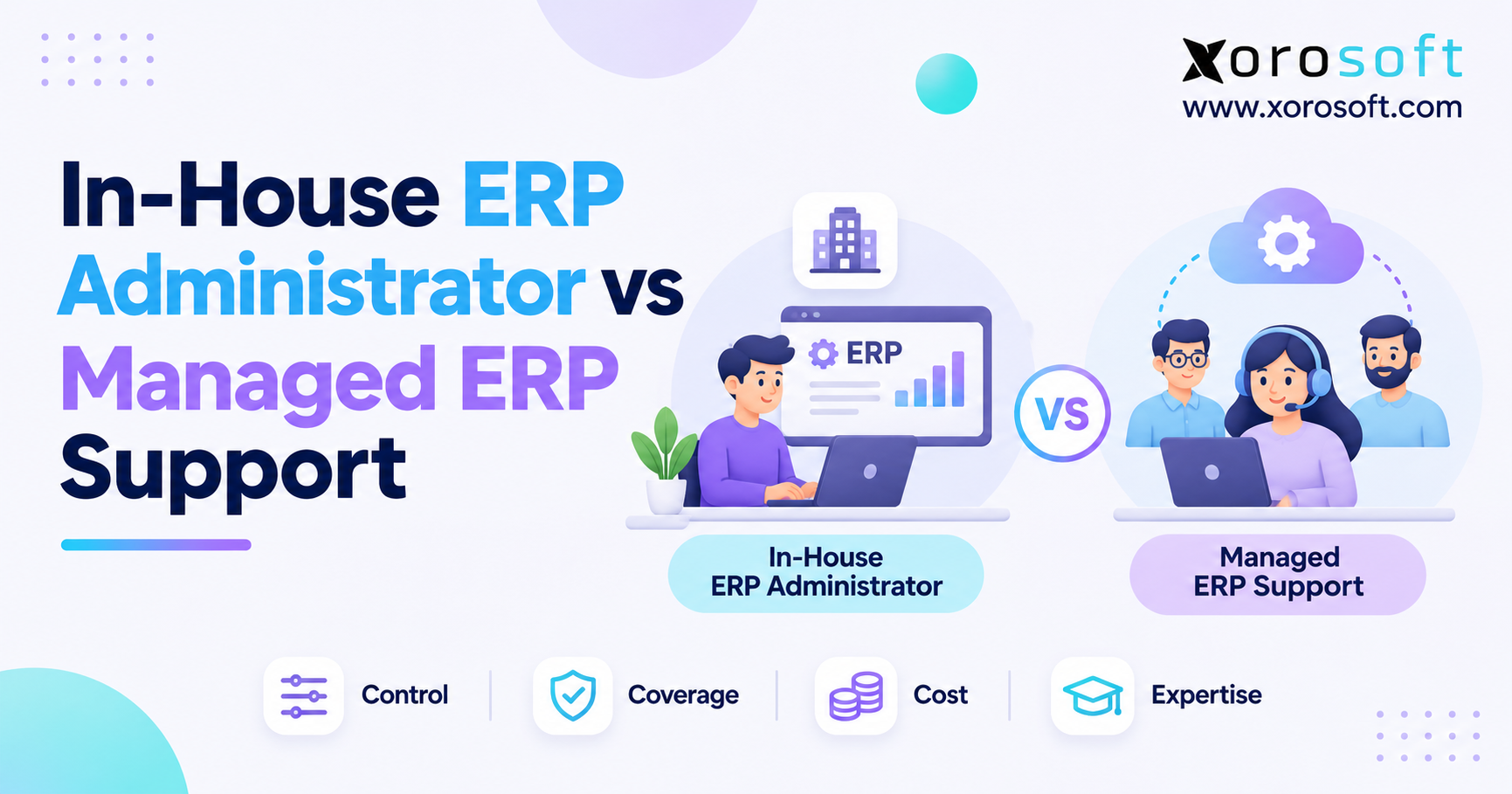
Compare control, expertise, and operating coverage
In-house teams often have direct business knowledge and easier access to department owners. Managed teams may provide expert skills and contracted backup. Meanwhile, hybrid teams can keep business decisions internal while calling outside experts for selected issues. None of these benefits is automatic; each depends on staffing, written guides, and clear rules.
| Decision factor | In-house administration | Managed ERP support | Hybrid ERP support |
|---|---|---|---|
| Daily business context | Usually strong | Requires onboarding | Retained internally |
| Technical expert depth | Limited by internal skills | Depends on contracted team | Available through escalation |
| Operating hours | Employee and backup dependent | Defined by contract | Shared by design |
| Cost pattern | Salary, benefits, training | Retainer, extra fees, oversight | Internal time plus outside fees |
| Change approval | Direct internal review | Customer must retain control | Internal process owners approve |
| Continuity risk | Absence or turnover | Provider turnover or service gaps | Reduced if knowledge is shared |
Test the handoff instead of relying on labels
Consider an order that reaches the ERP but cannot be released because stock is reserved for another channel. The responder needs to inspect reservation logic, understand why the stock was reserved, and consult the inventory owner. Moreover, any correction must avoid overselling or creating a false financial record.
An internal employee can fail this test if nobody wrote down the logic. Equally, an outside expert can resolve it when logs, business owners, and recovery steps are available. Therefore, compare how teams handle real incidents rather than claiming one support model is always faster.
Judge ERP support quality by recovered business processes
A fast ticket reply is useful, but it does not put an order back into fulfillment. Instead, measure safe recovery, repeat issues, affected orders and records, and the quality of follow-up guides. The ERP admin vs managed support choice should favor the arrangement that returns the business to normal work, even when its headline price is not the lowest.
CTA #1 — Free ERP Readiness Assessment: Identify repeat system failures, unclear task ownership, and the integrations that create the most support work before choosing a staffing model.
5. ERP Support Cost Comparison: Three-Year Total Cost of Ownership
Calculate the fully loaded cost of an ERP administrator
Salary is only one part of internal support. Add employer taxes, benefits, hiring, training, equipment, absence coverage, and outside experts. If an employee also works on unrelated IT projects, count only the time spent on ERP work. Otherwise, the cost comparison will overstate the price of internal administration.
The U.S. Bureau of Labor Statistics reports a May 2025 median annual wage of $105,850 for computer systems analysts. However, that is a related job, not a measured ERP administrator salary. Local pay and job scope should come from actual hiring data.
Include every managed ERP support charge
A retainer may cover routine tickets but exclude integrations, major settings changes, or emergencies. Likewise, outside support does not remove internal review: someone must rank tasks, approve high-risk changes, and check the results. Consequently, the managed cost model should include onboarding, extra hours, excluded projects, and allocated staff time.
Use consistent formulas:
Internal three-year TCO = loaded staffing cost × 3 + hiring + training + backup + experts.
Managed three-year TCO = retainer × 36 + onboarding + extra hours + excluded work + internal review.
A hybrid model includes internal ownership and paid outside help.
Model similar coverage before declaring a winner
The following USD amounts are sample figures. They show cost structure, not market prices or equal service coverage. In particular, each column needs its own written assumptions about support hours, integrations, and issue priority.
| Three-year cost component | In-house | Managed | Hybrid |
|---|---|---|---|
| Internal staffing or oversight | $393,750 | $75,000 | $150,000 |
| Provider retainer | $0 | $342,000 | $234,000 |
| Backup or expert help | $90,000 | $18,000 | $12,000 |
| Training or extra hours | $12,000 | $42,000 | $24,000 |
| Hiring or onboarding | $10,000 | $15,000 | $10,000 |
| Three-year total | $505,750 | $492,000 | $430,000 |
Next, stress-test the numbers. For example, double integration issues during peak season, add an extended employee absence, or require weekend warehouse coverage. A lower base cost can quickly lose its lead when urgent services are excluded. Thus, the ERP admin vs managed support budget should reflect risk as well as normal activity.
Consider whether system design increases support work
Disconnected accounting, inventory, and warehouse apps add handoffs that teams must monitor and check. For instance, XoroONE cloud ERP from Xorosoft brings inventory, accounting, purchasing, and warehouse workflows into a connected system. This may simplify some handoffs; however, it does not remove the need for clear support ownership, approved changes, or expert help.
6. Managed ERP Support SLAs and Business Continuity
ERP support response times are not recovery times
A provider might reply to a critical ticket in fifteen minutes while a warehouse remains unable to ship. Therefore, define first reply, fault review, workaround, recovery, and final fix separately. In addition, clarify whether the SLA clock runs all day or only during paid support hours.
Issue priority should reflect business harm rather than how serious a technical error looks. For example, a failed report affecting one user is different from an order-release failure across several warehouses. Likewise, a short-term fix may reduce the impact without fixing the root cause.
Set incident priorities around actual business risk
| Priority | Sample issue | Proposed first reply | Recovery goal |
|---|---|---|---|
| P1 critical | All warehouse order releases blocked | 30 minutes during covered hours | Urgent joint recovery work |
| P2 high | Major customer’s EDI orders failing | 2 covered hours | Review and safe workaround |
| P3 medium | Report unavailable with workaround | 1 business day | Scheduled correction |
| P4 low | Routine approved settings request | 2 business days | Planned change |
These targets are examples for contract talks, not industry standards or guarantees. Moreover, a fast first reply does not replace a recovery goal. Record how the contract handles issues sent to other providers, delays caused by customer approval, and repeat failures.
Align ERP administration with close and peak periods
Month-end close, sales promotions, inbound shipment peaks, and manufacturing cutovers create different support needs. Accordingly, the support plan should include change freezes, on-call contacts, and backup authority. A warehouse running weekend shifts cannot depend on weekday-only technical help for its most important workflows.
When comparing ERP admin vs managed support, test both options against the busiest real operating week. Otherwise, advertised service hours may have little relationship to the moments when the business needs help most.
7. ERP Support Governance: Who Owns Data and Settings Changes?
Separate ERP technical work from business approval
An administrator can review a stock value error, but finance must decide the correct accounting treatment. Likewise, a support provider can trace an inventory mismatch without approving a write-off. Business owners decide the required result; technical teams make approved changes and keep the evidence. This separation protects finance controls and prevents quick fixes from creating new problems.
A connected system still needs these boundaries. For example, XoroERP by Xorosoft spans daily operations and finance, but the customer’s manager must still approve high-risk changes. Technology can bring records together; it cannot decide which business exception is valid.
Use a RACI matrix for internal and outsourced ERP support
RACI means Responsible, Accountable, Consulted, and Informed. Although several teams can help resolve a case, each key business decision should have one clear owner. The following matrix shows that owner and the typical person who carries out the task.
| Activity | Accountable business owner | Typical executor | Expert input |
|---|---|---|---|
| Approve ERP user access | Department or data owner | ERP administrator | Security team |
| Approve inventory write-off | Inventory control manager | Approved inventory user | ERP support |
| Change accounting posting rule | Finance controller | Approved ERP team | Finance systems expert |
| Review connector failure | Affected process owner | Internal or managed IT lead | Connector vendor |
| Accept release testing | Relevant process owner | Superusers and ERP lead | Provider if covered |
Keep one ticket owner when several systems are involved
Issues that cross systems often pass between an ecommerce platform, connector, warehouse app, and ERP vendor. As a result, every technical team may claim its part works while the original order remains blocked. Assign one person to keep the evidence, track each handoff, and confirm business recovery before closing the case.
The ERP admin vs managed support decision should keep that end-to-end ownership clear regardless of which team does the technical work. Otherwise, outsourcing can add delays instead of reducing them.
8. ERP Support for Shopify, Amazon, and EDI Integrations
Trace order and inventory errors through the full workflow
An order may enter the ERP even though it reserves stock in the wrong location. First, identify the main inventory record and the intended stock rules. Then check location mapping, connector events, product IDs, and error logs. Only after finding the cause should an approved owner allow changes to live records.
For example, a wrong channel mapping can look like a warehouse stockout even when the goods are on the shelf. Meanwhile, an automatic retry can create duplicate records if the first transaction worked but its reply failed. Therefore, safe recovery needs both technical checks and a review of business records.
Plan ongoing managed ERP support for integration changes
Shopify’s API versioning guidance describes quarterly releases and at least twelve months of support for stable versions. Consequently, each integration needs an owner for monitoring, testing, and upgrades. A cloud software plan does not, by itself, decide who will do that work.
Businesses reviewing ERP and ecommerce integrations can examine the Shopify, Amazon, and EDI links relevant to Xorosoft. The ERP app listing on the Shopify App Store is another product reference. However, neither link promises a specific support schedule or managed-service package.
Separate monitoring, record checks, and recovery
Monitoring finds failed events. Record checks show which orders or stock figures differ. Recovery fixes the process and confirms that no order was lost or added twice. These steps may involve different experts; nevertheless, one process owner must check the business result.
In a managed ERP support plan, assigning all three stages is more useful than simply buying a dashboard. A tool can show a failed feed, but someone still needs to act on it and confirm the fix.
9. ERP Support Models for Warehouses, Wholesale, and Manufacturing
Multi-warehouse ERP administration must reflect physical work
A scanner error on one device may be manageable, whereas a location-mapping problem that blocks an entire picking wave can stop shipping. Accordingly, warehouse tickets should include the physical event, location, item, transaction, and expected result. An administrator then has enough context to tell a workflow issue from a software defect.
For businesses using warehouse management workflows such as receiving, barcode scanning, picking, and multi-location stock tracking, Xorosoft is one example of a connected platform. Even so, warehouse leads and stock control teams must confirm physical movement and approve changes.
Wholesale ERP support must protect customer commitments
Wholesale orders often involve customer-specific pricing, credit limits, EDI documents, partial shipments, and stock rules. Consequently, a change to one setting can affect what the business has promised its customers. Support teams should check whether an apparent error is actually a valid rule before they change it.
For instance, an order held for credit review may be working correctly even though sales expects it to ship at once. The right answer may be a business decision rather than a technical fix. Therefore, the support team needs access to account owners as well as software experts.
Manufacturing support needs controlled BOM and work-order changes
Material planning errors can come from units of measure, bills of materials, routing, inventory records, or purchasing data. Although the issue may appear in one work order, the proposed fix can affect many open jobs. Production planners should approve the right values, while ERP staff test changes and keep a record of what was done.
The ERP admin vs managed support question becomes especially important when production and warehouse shifts run beyond office hours. In that case, expert coverage must match the business timetable, not just the provider’s normal schedule.
CTA #2 — Watch Demo: When disconnected inventory, accounting, and warehouse apps cause repeat problems, look at the system design before assuming that more support hours will solve the root cause.
10. ERP Support Security, Written Guides, and Knowledge Transfer
Keep ERP access limited and approved
Outside experts may need high-level access to find a difficult fault. However, the business should give only the needed rights, record approvals, review high-risk actions, and remove access afterward. Where possible, separate the person who approves a finance or stock change from the person who applies it.
NIST’s ICT supply-chain risk guidance gives a framework for managing risk from outside technology suppliers. In practice, companies should know who can access live data, where logs are stored, and how provider access ends when a contract closes.
Keep ERP support knowledge in company-owned guides
A support guide should describe the normal workflow, common faults, data owners, key evidence, safe workarounds, and recovery steps. Moreover, it should be updated when system settings or links change. Guides written only when an employee resigns or a provider leaves are often too late.
The Institute of Management Accountants’ ERP support research surveyed 70 people, mainly from larger manufacturing firms. It found that knowledge transfer and unexpected support costs were major issues. Nevertheless, its results should not be treated as a universal benchmark for small businesses.
Test whether support can survive a handoff
Before an administrator leaves or a managed contract ends, ask the incoming team to work through a sample issue, find approvals, and explain how to reverse a change. In addition, check who owns setup notes, connector scripts, ticket records, and account access.
The ERP admin vs managed support model should remain easy to change later. Neither one employee’s memory nor a provider’s private notes should become the only way to fix a critical problem.
11. Hybrid ERP Support: Internal Owners and External Experts
Keep business decisions inside the company
Hybrid support usually keeps an internal application owner and trained users while giving selected technical tasks to an outside provider. For example, a warehouse lead reports a failed pick, an ERP admin checks the order, and an outside expert reviews the connector. Because roles are clear, each person knows when to act and when to seek approval.
This model often fits companies that need daily business knowledge but not a full team of technical experts. However, it can become costly if both sides review the same ticket again and again. A shared queue and clear escalation rules are therefore essential.
Use outside ERP experts where they add real value
The benefit of hybrid support is access to skills when they are needed. A provider may help with difficult integrations, product faults, releases, or short-term workload peaks. Meanwhile, internal owners protect customer rules and finance controls. Consequently, the business does not need to outsource every decision to gain technical help.
Research from the Institute of Management Accountants reported that 45% of its surveyed firms outsourced more than half of their ERP support work, 37% outsourced less than half, and 18% outsourced all core ERP-supported work. Because the sample leaned toward larger manufacturing firms, these figures describe that group, not the whole market.
Review hybrid ERP support as needs change
Hold a weekly issue review and a monthly cost-and-risk meeting. Track repeat problems, missed service targets, system changes, and hours spent working with vendors. In addition, review whether hiring an internal expert would now cost less or whether outside help still gives better value.
The ERP admin vs managed support decision is therefore not always permanent. A business can move between models as its channels, staffing, and order volumes change, provided guides and contracts make the move possible.
12. Managed ERP Support or In-House Admin: Which Fits?
Hire an ERP administrator when daily work justifies the role
Internal staffing makes sense when approved settings changes happen often, business knowledge is vital, and steady support demand can keep the role productive. Nevertheless, the hiring plan should include backup, training, and expert help. Otherwise, the company may simply replace vendor risk with employee risk.
Choose managed ERP support when expert needs vary
Managed services may fit a business with clear daily processes but an occasional need for advanced fault checks, testing, or vendor help. For example, a growing distributor may have stable order processing yet need specialist support during connector updates. In that case, a contracted team can work well if the coverage and exclusions match real needs.
Consider hybrid ERP support for complex inventory operations
Businesses selling across Shopify, wholesale accounts, and several warehouses often need both daily process owners and outside integration skills. The industries served by Xorosoft include several inventory-driven sectors where these rules matter. Still, industry alone cannot decide the right support model; workload and risk must be checked.
| Business situation | Starting model to examine | Key question |
|---|---|---|
| Few integrations, limited issue volume | Managed | Are the needed systems covered? |
| Frequent internal rule changes | In-house | Is there reliable backup? |
| Several sales channels and warehouses | Hybrid | Is one team responsible for incidents? |
| Long warehouse or production shifts | In-house or hybrid | Does support match operating hours? |
| Fast growth and changing workload | Managed or hybrid | Can capacity expand at a known cost? |
These are starting points, not fixed rules based on revenue or employee count. As a result, a managed ERP support decision should follow real workload and tested service quality rather than a generic company-size target.
13. Evaluating Managed ERP Support Providers and Internal Staffing Plans
Test ERP support proposals with real incidents
Ask each provider or internal candidate to work through four common cases: a Shopify stock mismatch, an EDI order failure, a month-end stock value issue, and a warehouse picking halt. For each, ask what evidence they would collect first, which teams they would contact, what approvals they need, and how they would restore safe processing.
This exercise reveals whether the person understands the business result or only knows how to open tickets. Furthermore, it shows gaps in proposed support hours and skills before the company signs a deal or hires someone.
Compare managed ERP support providers with a clear scorecard
| Assessment area | Weight | Evidence to request |
|---|---|---|
| Covered modules and integrations | 20% | Scope, exclusions, example issues |
| Response, recovery, and service coverage | 20% | Priority rules and test drill |
| Business and technical skills | 15% | Named skills and case review |
| Security and change controls | 15% | Access rules, approvals, logs |
| Three-year costs and extra fees | 15% | Detailed pricing and sample billing |
| Guides and exit support | 15% | Runbooks and handover terms |
Score each category in the same way, but treat key security and business needs as pass-or-fail rules. Consequently, a low-priced proposal cannot win simply by making up for poor warehouse coverage with cheap hourly rates.
Avoid common ERP support mistakes
The most frequent mistake is comparing unequal work: a full-time administrator with broad tasks versus a low-cost outside desk that covers only routine issues. Other problems include unclear service hours, reply targets without recovery goals, weak guides, and no single owner for issues that cross systems.
Before finalizing ERP admin vs managed support, involve finance, operations, security, and the people who use the ERP every day. They can spot risks that a software invoice or staffing budget will miss. In addition, require a fallback plan for what happens when the chosen model fails its own service test.
14. Your 30-Day ERP Support Action Plan
Days 1–10: Review workload, incidents, and process ownership
Review at least ninety days of support tickets and workarounds. Then sort each issue by affected workflow, priority, time lost, repeat rate, and system involved. Talk to warehouse, finance, purchasing, and ecommerce users; their experience will reveal problems that never reach IT.
Next, name the owner of each key business decision. Map stock changes, pricing rules, accounting approvals, and connector recovery. As a result, you will know which tasks require internal judgment before deciding who should do the technical work.
Days 11–20: Price similar support and test recovery
Build three-year budgets for internal, managed, and hybrid options using the same support hours, needed skills, and issue assumptions. Afterward, test each model against a busy sales week, an employee absence, and a major integration failure. Run a recovery drill with the proposed internal or outside team.
A strong review should produce a clear RACI matrix, an escalation path, and written service limits. If a provider cannot explain who restores order processing after a connector failure, the comparison is not complete.
Days 21–30: Establish the model and check service quality
Assign a service owner, publish issue priority rules, organize shared guides, and set regular reviews. Then track recovery time, repeat problems, open handoffs, and surprise support costs. Review the decision every quarter, especially after adding warehouses, sales channels, or more complex production work.
For companies also considering whether disconnected apps create unnecessary admin work, Xorosoft can be reviewed as a connected cloud ERP option for inventory, accounting, purchasing, manufacturing, ecommerce, and warehouse operations. However, choosing a platform and choosing a support contract remain separate decisions. Review your processes, test the workflows that matter, and book a personalized demo when you are ready to compare daily-work fit.
Ultimately, ERP admin vs managed support is not a contest between employees and vendors. It is a decision about reliable data, recoverable orders, available expertise, and clear ownership. Choose the model that keeps those outcomes safe when real-world problems arrive.
Frequently Asked Questions About Managed ERP Support
What is managed ERP support?
Managed ERP support provides contracted help with troubleshooting, configuration, integrations, and updates. Your business still owns process decisions, approvals, and data governance.
Is managed ERP support cheaper than an in-house administrator?
It can be. Compare three-year employee costs against retainers, onboarding, overages, and internal oversight. Match service coverage before comparing prices.
When should you hire an in-house ERP administrator?
Hire when frequent issues, configuration changes, and business-specific decisions justify dedicated attention. Include training, specialist assistance, and absence coverage in the budget.
What should managed ERP support contracts include?
Check covered systems, integrations, hours, response and restoration targets, escalation contacts, security requirements, exclusions, and additional charges before signing.
What is a hybrid ERP support model?
Hybrid support keeps business ownership internal while outside specialists handle agreed technical tasks. Shared tickets and clear approval rules prevent handoff delays.
Who fixes Shopify inventory synchronization errors?
An incident owner coordinates ERP and integration specialists to find the cause. Inventory managers approve corrections and verify stock accuracy afterward.
How do you evaluate ERP support SLAs?
Compare severity definitions, support hours, response times, restoration expectations, and escalation procedures. Test each promise against blocked shipments and financial-close incidents.
Recent Posts
-
 Container Dwell Benchmarks 2026 for US and Canadian Distribution Centers
-
 How to Audit Open Shopify Shipments for Quantities That Will Never Arrive
-
 Sales Commission Software for Apparel Showrooms and Rep Agencies
-
In-House ERP Administrator vs Managed ERP Support
-
 Shop-Floor Inventory Software for Batch and Process Manufacturers