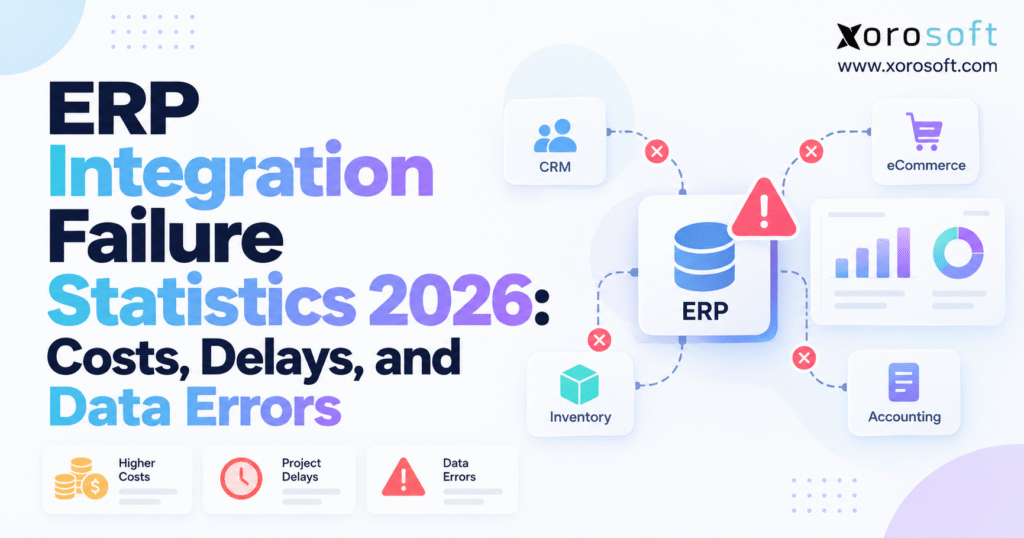
ERP integration failure statistics reveal important insights for businesses implementing new technologies.
1. ERP Integration Failures Can Hide Behind Healthy Connections
A growing ecommerce company may keep every app running while its records drift apart. An order reaches ERP but never gets a stock reservation. A warehouse ships a parcel, yet the sales channel still shows an open order. Finance sees a payment but cannot match it to the right invoice. Most of these failures never trigger an outage. They happen when systems exchange data but fail to finish the full workflow.
That is why ERP integration failure statistics 2026 matter to more than IT leaders. Operations leaders need stock figures they can trust. CFOs need clean records for closing the books and tracking cash. Ecommerce founders need orders to reach customers as promised.
1.1 How ERP Integration Errors Slip Through Technical Checks
A technical connection might return a successful response even when the receiving system applies the wrong item mapping or posts a transaction to the wrong warehouse. An API can be available while its background queue is several hours behind. A system may accept a shipment message yet leave stock or finance records unchanged.
ERP integration failure includes lost connections, rejected messages, missing records, wrong mappings, duplicate orders, slow updates, and records that teams cannot match. Teams often miss that last case: the data exists somewhere, but nobody can prove that the workflow finished correctly.
1.2 Why ERP Failure Rates Need Clear Definitions
ERP implementation failure and ERP integration failure are related, but they are not identical. An implementation can exceed its budget while every interface ultimately works. Equally, a project can launch on time and suffer months of inventory discrepancies because one connector handles returns incorrectly.
Statistics also measure different populations. A survey of full ERP transformations cannot establish the failure rate of Shopify-to-ERP connections. A prediction about missed business benefits is not an observed outage rate. Understanding these boundaries makes the research more useful, not less: it helps executives decide which risks they should actually control.
2. ERP Integration Failure Statistics: Verified 2026 Costs and Delays
The most useful 2026 evidence comes from enterprise software project surveys and wider integration research. These findings reveal meaningful risk, although no reliable, universal percentage measures failures across every ERP connector, industry, and architecture.
2.1 ERP Implementation Statistics: Survey Scope and Limits
Panorama Consulting Group’s 2026 ERP Report analyzed responses from 170 organizations, with data collected between January 2025 and January 2026. The firms had median annual revenue of $200.5 million and a median project timeline of nine months. The report covers enterprise software initiatives, including but not limited to traditional ERP implementations.
That sample provides a credible view of project outcomes, but a wholesale distributor with $15 million in revenue should not treat the median timeline as its own implementation estimate. Scope, sites, work rules, and staff skills all affect delivery.
2.2 ERP Budget Overrun Statistics and Extra Technology Costs
Panorama reported that 30.0% of projects exceeded their budgets: 22.9% slightly and 7.1% significantly. Another 50.6% finished on budget, while 19.4% cost less than expected. The finding is more useful than a blanket claim that ERP projects usually fail, because it separates a measurable overrun from other outcomes.
Among respondents whose projects were over budget, 54.9% cited unexpected additional technology needs, 51.0% cited expanded scope, and 29.4% cited data issues. These are percentages of the over-budget group, not of all surveyed projects. One firm could report more than one cause.
The additional-technology finding deserves careful review during vendor evaluation. A business may discover late that a standard connector handles basic orders but cannot accommodate partial shipments, customer-specific prices, or warehouse transfers. The eventual expense then comes from rebuilding workflow assumptions, not simply paying a higher software fee.
2.3 ERP Project Delay Statistics and Data Issues
The report found that 22.3% of projects finished late, comprising 18.2% slightly late and 4.1% significantly late. Meanwhile, 58.8% finished on time and 18.8% early; rounding accounts for the small difference from 100%.
Among late projects, 57.9% of respondents cited team and process issues, 55.3% cited scope growth, 50.0% cited technical issues, 50.0% cited staffing limits, and 36.8% cited data issues. These percentages apply only to projects over schedule and are not mutually exclusive.
The pattern is important. Data quality can be a major obstacle, but organizational decisions about process ownership, approvals, and scope are at least as important as the integration technology itself.
2.4 Enterprise Connectivity Research vs. ERP Failure Rates
MuleSoft’s 2026 Connectivity Benchmark reported that organizations had connected an average of 27% of their applications. Respondents also said 26% of their IT projects, on average, missed deadlines in the prior year. Those statistics refer to enterprise IT environments generally, not ERP-specific connector failure rates.
Gartner’s ERP research separately forecasts that, by 2027, more than 70% of recently implemented ERP initiatives will fail to fully meet their original business-case goals. The forecast addresses benefits realization rather than whether an integration technically functioned in 2026.
Together, these findings frame ERP integration failure statistics 2026 as a question of cost discipline, project governance, connected data, and realized operational value. They do not justify saying that 70% of ERP integrations fail.
| Verified measure | Reported result | What it measures |
|---|---|---|
| Projects over budget | 30.0% | Panorama enterprise software project outcomes |
| Projects completed late | 22.3% | Panorama enterprise software project outcomes |
| Additional technology cited | 54.9% | Share of over-budget respondents |
| Data issues cited in budget overruns | 29.4% | Share of over-budget respondents |
| Data issues cited in delays | 36.8% | Share of delayed respondents |
| Applications connected on average | 27% | MuleSoft enterprise application connectivity |
| IT projects not delivered on time | 26% | MuleSoft broader IT project delivery |
| ERP initiatives forecast to miss original goals | More than 70% by 2027 | Gartner business-outcome forecast |
3. ERP Integration Failure Costs Beyond Software Fees
Software invoices rarely show the whole cost of integration trouble. A connector can be inexpensive to license and expensive to operate if employees spend hours correcting its output. Conversely, a more expensive integration may pay for itself when it removes repetitive reconciliation work and protects high-volume fulfillment.
3.1 ERP Integration Rework and Consulting Costs
Direct expenses include data cleansing, revised mappings, implementation change requests, custom development, additional middleware, testing, and support. A connector that works in a demo may fail when teams add real pricing rules, stock holds, or buying exceptions.
Budget for these activities separately from core ERP licensing. Vendor proposals should list covered data and workflows, standard settings, and the work that needs custom code. Ask who owns failures that cross the ERP, ecommerce platform, and an external connector; otherwise each provider may assume the other is responsible.
3.2 Manual ERP Data Error Costs in Daily Operations
Indirect costs arise when orders need manual correction, warehouse staff investigate unavailable stock, customer service handles preventable cancellations, or finance spends extra days reconciling operational activity. These expenses become normalized if teams quietly add spreadsheets rather than escalating recurrent defects.
Consider a wholesale order that arrives with the wrong customer pricing tier. Correcting the ERP order may require a sales representative, finance reviewer, and warehouse coordinator, particularly if picking has already begun. The connector may show a successful import, yet the business absorbs the cost of every correction.
The proper metric is not simply technology uptime. It is the cost per accurate, completed business transaction and the amount of exception labor required to achieve it. ERP integration failure statistics 2026 provide a useful starting point, but your own exception costs determine the financial case.
3.3 ERP Integration Cost Formula and Worked Example
For planning purposes, calculate the incremental expense over a defined period: technical repair fees + additional software + manual correction hours × loaded labor rate + extra freight or fulfillment + incremental reconciliation work + documented lost contribution margin. Avoid counting the same incident’s labor twice.
As an illustrative scenario, assume 100 order exceptions per month, 15 minutes of correction per exception, and a $36 hourly loaded labor cost. That creates $900 in monthly correction labor. Add $600 for incremental warehouse investigation and $450 for additional accounting reconciliation, and the recurring cost reaches $1,950 per month. If a repair also requires 30 consultant hours at $150 per hour, a three-month incident costs $10,350 before any measurable lost sales.
These are hypothetical operating assumptions, not published industry averages. Their value is in showing how a seemingly small error rate becomes a business case for better controls.
4. ERP Integration Delays Caused by Scope and Team Gaps
Some integration schedules fail because teams underestimate the technical work. Others slip because teams never decide who owns sellable stock, which system posts invoices, how partial shipments work, or who can change customer data.
4.1 Why ERP Integration Scope Grows During Delivery
An implementation team may estimate three connectors by counting Shopify, WMS, and accounting software. But a connector count says little about the complexity of dozens of business events flowing through them. Each event can have exceptions, translations, approval rules, and dependencies.
A standard order import may be straightforward. Adding bundles, backorders, deposits, customer-specific discounts, multi-currency transactions, returns, and interwarehouse transfers changes the work substantially. Businesses should estimate integration scope by workflows and edge cases, not by the number of logos on an architecture diagram.
This is one reason the budget and schedule results behind ERP integration failure statistics 2026 are relevant to both technology selection and business-process design.
4.2 How ERP Project Ownership Affects Timelines
In Panorama’s delayed-project group, respondents named team and process issues most often. For example, finance may approve a new invoice flow before operations agrees on the order status that should trigger it.
Projects need a business owner for every critical workflow, regular decisions on exceptions, and clear acceptance criteria. Design workshops should settle questions before developers encode assumptions. When teams disagree, leaders should set clear deadlines instead of leaving open issues for post-launch support.
A phased deployment can reduce exposure, but only if each phase has usable end-to-end workflows. Launching an incomplete connection does not make the phase controlled; it only postpones the work.
5. ERP Data Errors That Drive Integration Failures
Reliable ERP integration depends on shared meanings. Two applications may both contain a field named “inventory,” yet one stores total on-hand units and another expects available-to-sell stock after reservations. Transferring data without translating the business meaning produces errors even when messages arrive on time.
5.1 ERP Product and SKU Mapping Errors
SKU mapping is especially difficult for apparel and multi-channel retailers. A style may contain dozens of size and color variants, each represented differently in a storefront, warehouse system, supplier file, and ERP catalog. A mismatched identifier can allocate the wrong variant while appearing valid to automated validation checks.
Wholesale introduces customer account hierarchies, price lists, case packs, and units of measure. A supplier may ship cases of twelve while the warehouse receives individual units. If the integration lacks an approved conversion rule, purchasing, inventory, and accounting can disagree at once.
Create one governed mapping for each data object. Validate identifiers, units, currency, tax treatment, and customer relationships before migrating transactions. Keep those controls running as teams add products and trading partners.
5.2 Duplicate Orders and Missing ERP Transactions
Integration timing creates a separate class of data errors. An order change might arrive before ERP finishes the original order. A provider may retry a failed webhook after an employee enters the order by hand. An inventory adjustment may publish after a reservation and incorrectly restore sellable stock.
These situations require transaction identifiers, idempotent processing, sequencing rules, and reconciliation against an authoritative source. Blindly retrying failed messages without checking prior results can create more errors.
5.3 ERP Accounting Errors and Inventory Valuation
Inventory integration affects finance because receipts, shipments, adjustments, and production consumption ultimately influence cost and valuation. A missing shipment confirmation may delay recognition of a cost event; an incorrectly mapped return can distort inventory balances and sales reporting.
Reconciliation must compare source business events with posted entries, not only general-ledger totals. If finance cannot trace a discrepancy back to an order, receipt, or warehouse adjustment, the integration lacks the audit trail needed for a reliable close. Data accuracy—not merely faster synchronization—is the outcome to measure. Reading ERP integration failure statistics 2026 through that lens helps connect project risks to daily operational errors.
6. Shopify and Amazon ERP Integration Failures
Ecommerce businesses experience integration defects quickly because demand changes faster than most manual correction processes can handle. A delay that is manageable at 50 orders per day may become costly at 5,000 orders during a promotion.
6.1 ERP Inventory Sync Errors Across Sales Channels
Shopify, Amazon, ERP, and warehouses should not independently determine how many units can be sold from the same inventory pool. Establish one calculation for available-to-sell stock that accounts for reservations, allocations, damaged units, location restrictions, and channel buffers.
Consider a product with 120 units physically recorded across locations. If 35 are already allocated and 15 are under a quality hold, presenting all 120 as available invites overselling. Your stock-allocation policy should set the published quantity, not the app that sent the latest figure.
Xorosoft’s integration directory is one example of where a merchant can review supported channel and workflow connections. The important evaluation question is which inventory event owns the final availability decision.
6.2 ERP API Failures: Webhooks, Limits, and Backfills
Shopify’s official webhook troubleshooting guidance describes failed delivery attempts and retries. Monitor failed deliveries, slow queues, and missing records; webhooks cannot replace routine stock and order checks.
Similarly, Shopify’s GraphQL Admin API uses calculated query-cost limits. During high-volume operations, integrations must manage request capacity rather than assuming unlimited immediate processing. The design should include queues, controlled retries, and backfill procedures for gaps identified after failures.
These technical considerations are a practical extension of ERP integration failure statistics 2026: the research describes project-level risk, while monitoring and reconciliation control the incidents a merchant actually experiences.
6.3 Shopify ERP Connector Testing Before Launch
An app listing shows that a connector exists, not that it handles every business case. Review order edits, refunds, split fulfillment, multiple inventory locations, payment reconciliation, and international orders against written requirements.
For example, the Xorosoft ERP listing in the Shopify App Store describes supported ecommerce workflows. Buyers should still confirm how those workflows behave in their own store configuration and test representative edge cases before committing to production.
7. ERP-WMS Integration Errors Across Warehouses
For operators reviewing ERP integration failure statistics 2026, warehouse connections are often where abstract data discrepancies become physical problems. ERP may show a transfer as complete while stock is still on the road. A warehouse may pack a shipment while the storefront keeps the order open.
7.1 Warehouse Receiving and Stock Transfer Errors
Receiving should distinguish quantities expected, physically counted, accepted, and available for sale. A purchase order receipt cannot safely update sellable inventory before inspection where quality controls apply. Transfers need clear departure, in-transit, and arrival states so two locations do not count the same stock.
Multi-warehouse businesses should reconcile by SKU and physical location, not only by an overall total. Company-wide inventory can be mathematically correct while the wrong warehouse holds the stock, leading to avoidable expedited freight and missed shipping promises.
When reviewing XoroWMS or another warehouse platform, check how receipts, putaway, transfers, picks, counts, and shipments update ERP.
7.2 WMS Fulfillment Errors and Returns Sync
Fulfillment events need a clear set of states. “Picked,” “packed,” “shipped,” and “delivered” mark different steps; teams must name the system that owns each one. Partial fulfillment adds complexity when an order ships from more than one location or at different times.
Third-party logistics providers may send scheduled files instead of immediate events. The ERP should represent that delay honestly, preserve transaction timestamps, and reconcile late confirmations. Returns should restore inventory only when the company’s inspection and restocking policy allows it. These rules prevent integrations from inventing stock that has not physically returned.
8. EDI and Manufacturing ERP Integration Errors
Wholesale and manufacturing integrations introduce contractual and process-specific requirements that generic order syncing often misses. The technical connection must preserve quantities, prices, acknowledgements, traceability, and accounting consequences.
8.1 Wholesale EDI Failure Points and Customer Orders
An EDI 850 purchase order, 855 acknowledgement, 856 advance ship notice, and 810 invoice represent different stages of a retailer relationship. A business may successfully receive an order but fail to send an accurate acknowledgement or generate a shipment notice consistent with what left the warehouse.
Customer-specific pricing and allocation also matter. If the system imports an order under the standard price list instead of the customer’s terms, teams may need to correct picking, billing, and retail rules. Test actual partner requirements, including document sequencing and exception handling, rather than assuming a generic EDI label guarantees compatibility.
8.2 Manufacturing ERP Data Errors in BOMs and Lots
Manufacturers need production consumption, bills of materials, work orders, and finished-goods receipts to agree. Food producers may also require lot and expiry tracking, while components businesses may need serial-level traceability. Errors can affect material planning, costing, and the ability to reconstruct a product’s history.
A cloud manufacturing ERP such as XoroERP is relevant where purchasing, inventory, work orders, and finance need coordinated records. But technology fit depends on the specific production model and the traceability rules the business must satisfy.
8.3 ERP Integration Risks by Industry
Apparel requires variant-level control; furniture may need dimensional shipping and distributed inventory; sporting goods businesses may manage kits, seasonal demand, and returns. A useful ERP selection process starts with these operating differences.
Industry requirements matter more than a generic feature checklist, which is why buyers should assess systems against their own workflows and relevant inventory-driven industry use cases before requesting a final project quote.
9. ERP Data Governance Reduces Integration Risk
Integration architecture becomes fragile when two applications can independently create, overwrite, or reverse the same business fact. Governance does not mean giving every team another spreadsheet to maintain. It means making ownership rules explicit and enforceable.
9.1 ERP System of Record: Who Owns Each Field?
An ERP may own stock allocation while an ecommerce platform owns the storefront order at creation. A warehouse system may confirm that staff picked the goods. Finance may own the final posted ledger entry. Assign a source of truth for products, prices, orders, stock holds, shipments, returns, and accounting entries.
Write down which application can create each record, which can update it, and what happens when an incoming change conflicts with the existing state. Use two-way sync only where the business needs changes to flow both ways. Otherwise, it can produce a cycle in which the most recent message overwrites the correct record.
9.2 ERP Transaction Audit Trails and Error Logs
A trustworthy interface records an external identifier, source timestamp, processing status, mapped object, and final result. Successful delivery and successful posting should be separate states. That log helps teams find orders that reached ERP but failed to post to finance, or shipments sent to a channel twice.
For critical records, add an exception queue that routes unresolved transactions to a responsible team. Provide context and a safe correction method instead of requiring staff to inspect raw API logs. Good operational visibility reduces the time between an incorrect event and its discovery.
9.3 AI and ERP Data Quality: Guardrails Before Automation
Forecasting, automated purchasing, and AI-assisted reporting can amplify poor data. If warehouse availability and order history do not reconcile, automated recommendations will inherit those inaccuracies even if the underlying model performs as designed.
Treat data provenance, permissions, and approval boundaries as part of integration governance. New automated workflows should read controlled records and write changes through validated business processes. The operational lesson from ERP integration failure statistics 2026 is not to avoid automation, but to establish dependable source data before scaling it.
10. ERP Integration Testing Before Go-Live
Many organizations test whether a connector can transmit a sample order and stop there. That verifies a narrow technical path, not the business’s readiness to handle real demand and exceptions. Effective integration testing starts with real workflows and evidence that every related system reaches the expected state.
10.1 ERP Data Migration Checks and Reconciliation
Begin by profiling products, customers, suppliers, open orders, inventory balances, warehouse locations, and accounting records. Look for missing identifiers, inactive SKUs still used in transactions, duplicate customers, inconsistent units, and unmatched balances.
Conduct a trial migration and compare source and destination counts, values, and exception lists. For inventory, reconcile by item, location, and status. Finance teams should agree on opening balances and trace each entry to a source record. Migration sign-off should come from business owners, not only developers.
10.2 End-to-End ERP Integration Tests and Failure Scenarios
A useful test follows a real order: the buyer places it, ERP holds stock, the warehouse picks and ships it, the channel gets tracking, and finance posts the entries. Repeat the journey for a cancellation, partial shipment, refund, backorder, and return.
Next, introduce failures intentionally. Disconnect a destination briefly, submit duplicate messages, send an unknown SKU, exceed a controlled processing threshold, and delay a confirmation. Check that the system keeps each record, avoids double posting, and shows staff exactly what needs fixing. Test at realistic peak volumes, not only in an empty test environment.
ERP integration failure statistics highlight the risks of poor planning, but real-world testing reveals whether orders, inventory updates, and financial records can recover from unexpected errors. Businesses should also verify how quickly systems detect failures, notify the right teams, and restore accurate data without disrupting daily operations.
For organizations comparing documented implementation experiences, published ERP customer case studies can provide useful workflow questions to bring into a vendor demonstration. However, these examples cannot replace hands-on testing with a buyer’s own data, workflows, and integration requirements.
10.3 ERP Cutover and Recovery Plan
Before production launch, establish a freeze window for master data changes, a final reconciliation checkpoint, and clearly assigned authority to approve go-live. Decide which app accepts new orders if launch slips and how the team will import orders created during the changeover without duplicates.
A recovery plan should state when to pause processing, when a retry is safe, when to restore a previous configuration, and how to verify records after service resumes. Going back to the old setup does not erase the data created during the outage; teams must reconcile it. The cost of testing these scenarios in advance is generally easier to control than the cost of discovering them during peak trading.
11. ERP Integration Monitoring and Recovery KPIs
An integration should have a measurable service level, an owner, and a way to show whether business transactions are complete. Software availability is only one part of that picture. Real reliability comes from reconciling what each system believes happened.
11.1 ERP Data Sync Accuracy and Processing Lag
Transaction success rate should count correctly completed workflows, not merely successful API responses. Synchronization lag measures time from a source event to the expected destination update. Data freshness indicates how current a published inventory or financial value is. Exception backlog shows how much unresolved work is accumulating.
For inventory, calculate reconciliation variance by SKU and warehouse. For finance, monitor unmatched postings and aged differences. Track duplicate-processing incidents and the time required to restore correct business records after an error. Set targets based on business risk: stock updates during a sales rush need tighter limits than a weekly report.
| Operational KPI | Practical measurement | Why it matters |
|---|---|---|
| End-to-end success | Completed, correct transactions / attempted transactions | Measures actual workflow reliability |
| Processing lag | Source event time to completed destination update | Detects queues and stale records |
| Reconciliation variance | Difference between authoritative and destination records | Finds silent data inaccuracies |
| Exception backlog | Open errors by severity and age | Exposes unfinished work |
| Recovery time | Incident start to verified reconciliation | Measures business restoration |
11.2 ERP Error Ownership and Recovery Time
IT may operate the interface, but operations should own inventory accuracy, finance should own matching financial records, and sales operations should own customer-order exceptions. A common incident view should show affected transactions, customer impact, next action, and escalation deadline.
Review repeated failures for patterns. A high volume of invalid SKU messages suggests master-data controls are weak; repeated rate-limit incidents suggest capacity planning needs revision. Persistent manual workarounds are a warning that the official process has lost trust. Tracking these patterns helps translate ERP integration failure statistics 2026 into concrete improvement priorities rather than a retrospective list of outages.
12. ERP Integration Architecture: Native, Middleware, or Unified?
The least risky architecture is not always the one with the fewest applications. It is the one that delivers required capabilities with understandable ownership, manageable failure modes, and a sustainable cost of maintenance.
12.1 Native ERP Connectors vs. Middleware and APIs
Native connectors are attractive when documented workflows match the business’s needs and the provider maintains compatibility. Middleware can help coordinate numerous systems, transform records, and centralize monitoring. Custom APIs offer flexibility where a process is distinctive, but they also require ongoing development, testing, and support expertise.
During evaluation, ask who is accountable when an integration spans three vendors. Determine whether the provider supports partial transactions, exception replay, integration logs, and future API changes. A connector that covers 90% of transactions still needs a credible plan for the remaining 10% if those exceptions involve major wholesale customers or critical warehouse processes.
12.2 When Unified ERP Lowers Handoffs
A platform combining inventory, purchasing, warehouse management, order processing, and accounting can remove certain internal synchronization boundaries. That may be useful for businesses that have outgrown QuickBooks, separate inventory software, and spreadsheet-based purchasing processes.
For example, XoroONE brings several inventory-driven functions together within Xorosoft’s cloud ERP environment. The potential advantage lies in designing related workflows around consistent operational records. It does not remove the need to integrate storefronts, marketplaces, logistics providers, and trading partners, or the need to validate those integrations carefully.
12.3 When to Keep Separate ERP-Connected Apps
A business with one warehouse, a manageable product catalog, and dependable existing processes may not benefit from a full ERP replacement. Specialized applications can remain valuable when they offer capabilities that a broader platform cannot match. The relevant comparison is total operating cost and fit, not the number of vendors alone.
For companies assessing NetSuite alongside alternatives, a Xorosoft versus NetSuite comparison can help frame questions about cost, functionality, and implementation approach. Treat that page as vendor information. Test its claims against your own needs and a live demo.
12.4 Questions That Reveal ERP Integration Risk Before Purchase
Ask vendors to show a transaction moving from order capture through reservation, warehouse fulfillment, customer updates, and financial posting. Have them open the error screen and replay a failed event safely. Clarify data export rights, test-environment availability, who does the project work, changes in pricing, and support arrangements after launch.
A contract should name critical integrations, workflow outcomes, acceptance criteria, and who resolves cross-platform defects. Avoid approving scope based exclusively on screenshots and statements that an application has an available connector. The practical outcome of researching ERP integration failure statistics 2026 should be a sharper selection process, not fear of replacing outdated software.
13. ERP Integration Risk: A Practical 30-Day Action Plan
The most useful response to integration risk is neither to buy more connectors immediately nor to abandon every existing application. Start by identifying the workflows that repeatedly fail and estimating their operational cost. Prioritize errors affecting orders, inventory availability, warehouse execution, supplier commitments, and the integrity of finance reports.
13.1 Measure ERP Errors Before Replacing Software
Over the first month, record transaction volumes, failed or incomplete events, correction time, data freshness, and reconciliation differences. Assign each issue to an authoritative source and a process owner. Separate genuine system defects from incorrect master data and unresolved policy decisions.
Then test one high-value improvement: a corrected inventory availability rule, automated exception alert, consistent SKU mapping, or redesigned order handoff. Measure whether it reduces errors and manual work before scaling the change. This evidence also strengthens any later ERP business case because it identifies the operational outcomes a new platform must deliver.
13.2 Choose the Next ERP Integration Fix
Some businesses will find that better monitoring and governance make their current architecture viable. Others will discover that repeated data entry, disconnected inventory, and manual accounting are structural issues requiring consolidation. Businesses considering an integrated ERP should compare the implementation effort with the long-term cost of maintaining the fragmented stack.
ERP integration failure statistics 2026 provide useful benchmarks for financial and schedule risk, but your own transactions provide the clearest evidence of where a project should begin. If current operations depend on Shopify, Amazon, multiple warehouses, wholesale EDI, or manufacturing workflows, define the non-negotiable requirements before selecting technology.
For teams ready to examine that fit, contact Xorosoft for a personalized ERP discussion to review the processes, integrations, and controls that matter to their operation. The right next step is a measurable plan for reliable data—not another disconnected tool.
Frequently Asked Questions
What percentage of ERP integrations fail in 2026?
There is no universal 2026 rate. Panorama found 30% of surveyed ERP projects over budget and 22.3% late, but those figures do not measure integration failures.
What causes ERP integration failures?
Poor SKU mapping, unclear data ownership, missed API events, duplicate orders, and weak testing cause failures, especially during returns and peak demand.
How much does an ERP integration failure cost?
Costs include consultant rework, manual corrections, extra shipping, delayed financial closes, and lost margin. Estimate the impact using error volume and recovery time.
Can ERP integration errors cause inventory discrepancies?
Yes. Delayed updates and incorrect warehouse mappings distort sellable stock across Shopify, Amazon, and WMS. Reconcile inventory by SKU and location.
How can businesses prevent ERP integration failures?
Clean master data, assign a system of record, test complete workflows, track failed events, and define safe retries before go-live.
Are native ERP integrations better than middleware?
Native connectors suit common workflows; middleware supports complex app stacks. Compare coverage, error handling, ongoing costs, and recovery options before choosing.
When should a business replace disconnected apps with ERP?
Consider ERP when recurring stock mismatches, manual entry, and slow financial closes outweigh the cost and disruption of moving to a connected system.
Recent Posts
-
 3PL WMS vs Client ERP: Which System Should Own Each Record?
 -
 US Wholesale Inventory and Financing Statistics for August 2026
 -
 ERP for Building-Materials Distributors Managing Quotes, Loads and Job Sites
 -
 How to Build an ERP Business Case Using Operational Cost Leakage
 -
 AI Margin-Leakage Detection Using ERP and Inventory Transactions