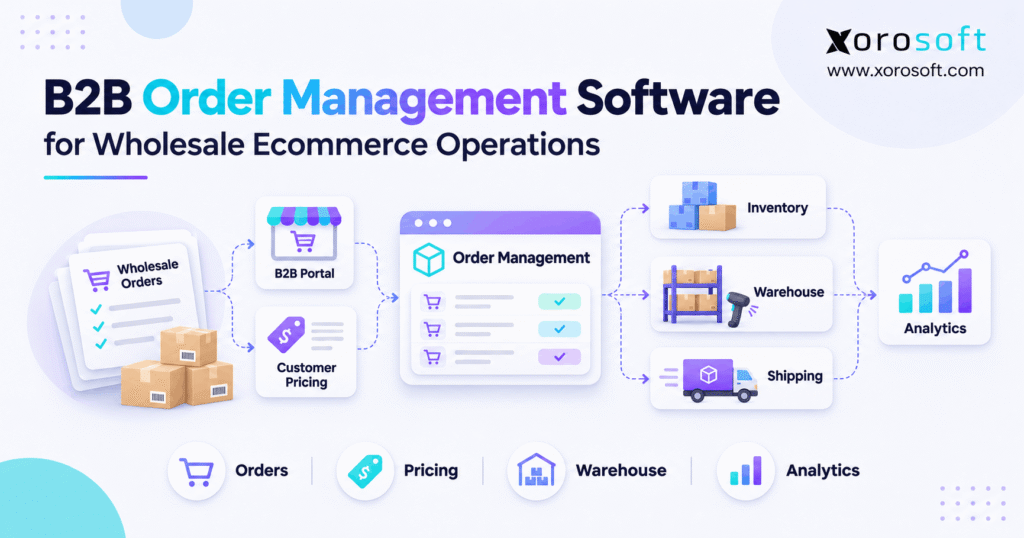
If you’re looking to streamline your business operations, it’s essential to consider wholesale order management software.
1. Why Wholesale Order Processing Gets Hard After Checkout
Wholesale order management software helps a business take B2B orders, check customer terms, reserve stock, ship the right goods, and send the right invoice. However, the real challenge starts after a buyer clicks Place Order. Sales, warehouse, purchasing, and finance teams must all work from the same promise. Otherwise, a valid order can turn into a late delivery or an invoice dispute.
For example, a retail buyer may order 400 jackets under a fixed price agreement. Meanwhile, a direct-to-consumer sale may use stock that the wholesale team expected to ship. As a result, the warehouse sees fewer available units than the sales team promised. The order is not wrong, but the systems disagree about what can be shipped.
1.1 Why Checkout Is Only the Starting Point
Unlike many consumer orders, a wholesale sale can include price lists, case packs, purchase-order numbers, credit terms, and several ship-to addresses. Therefore, order entry is only one step in a longer process. The business must also decide whether it will accept the full order, split a shipment, or propose a new date.
In addition, one account may place orders through a portal, email, and EDI. If those channels create separate records, staff must check them by hand.
1.2 Why Shared B2B and DTC Inventory Raises the Stakes
A growing brand may sell the same SKU through its own store, wholesale accounts, and marketplaces. Although each channel shows a different storefront, all of them may depend on the same warehouse stock. Therefore, a promise to one buyer reduces what another buyer can receive.
For that reason, teams need clear rules for stock allocation, order holds, and backorders. They also need fast updates after receiving, picking, and shipping. Otherwise, a stock number that looked correct this morning may cause an oversell in the afternoon.
2. What Wholesale Order Management Software Does
Wholesale order management software is a system or connected set of tools that manages business orders from intake through fulfillment and billing. In practice, it helps teams check buyer details, apply account prices, confirm stock, route work to a warehouse, and track what remains open. However, the scope differs across products, so buyers should test real workflows rather than rely on labels.
2.1 B2B Order Management vs. Consumer Order Processing
Consumer checkout often uses a standard price and payment at purchase. By contrast, B2B buyers may use agreed rates, net terms, and order sizes that require several shipments. Therefore, the order record needs more than a product name, quantity, and shipping address.
For example, a retailer may request a case of 24 units while the supplier stores each item by single unit. If the software does not map the unit of measure, the order can be multiplied or reduced by mistake. As a result, quantity rules must be checked before stock is assigned.
2.2 The Teams That Need the Same Record
Sales needs the approved price and customer promise. Meanwhile, warehouse staff need the correct pick quantity and location. Purchasing needs to know which open orders require incoming supply, while finance needs the shipped amount and payment terms. Therefore, each team must see a clear version of the order without rewriting it.
In addition, customer service needs to explain holds, short shipments, and revised dates. When the order record tracks these events, staff can answer questions without asking several departments for an update.
2.3 What Better Tools Cannot Fix Alone
An order management system cannot make poor stock counts accurate or turn unclear price rules into a sound policy. Instead, it needs clean product data, clear account terms, and trusted warehouse events. Likewise, a portal that accepts orders does not necessarily run receiving, purchasing, or the general ledger.
For this reason, software selection must start with the work the business needs to control. As IBM’s order management overview explains, order management connects the order journey with stock, service, and fulfillment. The goal is an accurate process, not simply fewer screens.
3. The B2B Order Management Journey From Order to Cash
In practice, wholesale order management software follows six steps: capture, validate, promise, allocate, fulfill, and invoice. Although the software may combine steps, every handoff needs a clear owner. In addition, any failed check should leave the order in a visible state rather than silently sending wrong data downstream.
3.1 Capture Requests From Every Sales Channel
First, collect orders from the B2B portal, sales team, email, Shopify, or EDI. Next, check the buyer’s identity, external purchase-order number, requested dates, and item codes.
For example, a retailer might resend an order when it receives no response. Therefore, the import process should check a stable external ID before creating another record. If the order has changed, staff need a way to review the change rather than treating it as a fresh purchase.
3.2 Validate Prices, Terms, and Buyer Rules
Next, verify the correct customer price, minimum order quantity, pack size, bill-to address, and payment terms. Also, check whether the account is on a credit hold or the order needs approval. If a rule fails, the system should record the reason and assign an owner.
For instance, an order may contain 11 units when the supplier sells only in packs of 12. Instead of changing the quantity without notice, the team can request approval for 12.
3.3 Promise Stock Without False Commitments
Then, compare demand with stock that can actually be promised. On-hand units may include damaged goods, reserved units, or stock held for another customer. Therefore, the available amount may be lower than the count in a warehouse report.
For example, a wholesaler receives an order for 500 units but can release only 350 now. It can ship 350 and backorder 150, or hold the order if the customer needs one complete delivery. Either way, the choice must update the promise and the remaining open balance.
3.4 Fulfill, Invoice, and Close With Proof
After approval, the warehouse picks, packs, and ships against the confirmed order. Meanwhile, shipment records should return actual quantities, tracking data, and any shortages. Next, finance should bill from the relevant sales and shipment facts, not from a stale order copy.
Finally, close the order when no valid open work remains. If a return, credit, or missing carton is still unresolved, the order may need further action. Therefore, a closed status should mean something clear to every team, not simply that someone clicked a button.
4. Why Manual Wholesale Order Processing Starts to Fail
Manual work is not always a problem. However, the case for wholesale order management software grows when staff copy the same data between tools. As volume rises, repeated entry creates errors. In addition, delays often come from weak handoffs rather than slow employees. Therefore, review the whole path before adding another app.
4.1 Duplicate Entry and Conflicting Records
A buyer emails a purchase order, and a salesperson enters it in a sheet. Later, an EDI feed sends the same order again. Without a shared ID, the warehouse may see two valid-looking requests. As a result, stock can be reserved twice.
Instead, use a common order reference and record how each order arrived. Also, log any edits after it is accepted. That way, teams can tell a changed order from a duplicate and avoid deleting a valid repeat purchase.
4.2 Wholesale Order Processing Errors: Price and Stock Drift
When a quote uses last month’s price list, finance may bill a different amount. Meanwhile, the warehouse may use yesterday’s stock export to promise an item that sold this morning. Consequently, the company must issue credits or change delivery dates after the buyer has already planned around the order.
Likewise, a partial shipment can leave an open balance in one system but appear complete in another. Therefore, teams should reconcile ordered, released, shipped, and still-open quantities. A clear status is more useful than a vague label such as Processed.
4.3 A Control Map for Common Errors
Use this table to link each recurring issue with a practical control. In addition, make sure someone owns the exception when the rule fails.
| Order problem | Likely cause | Control to test |
|---|---|---|
| Duplicate order | Repeat entry or import | External ID and duplicate review |
| Wrong price | Old customer rate | Price-rule check at approval |
| Oversold item | Stock not shared | Available-to-promise check |
| Missing backorder | Open line closed too soon | Remaining-quantity tracking |
| Invoice mismatch | Billed from original order | Shipment and invoice check |
Free ERP Readiness Assessment: Start with your last 50 wholesale orders. Count manual edits, stock changes, price disputes, and invoice corrections. Then identify which problems come from missing rules and which come from systems that do not share data. This simple self-check helps define what a new platform must solve.
5. Wholesale Order Management Software Features That Matter
Before comparing wholesale order management software options, rank features by how much risk they remove. In particular, focus on customer pricing, true stock availability, open-order control, and links to warehouse and finance.
5.1 Customer-Specific Pricing and Quantity Rules
Wholesale order management software should support the prices and terms agreed with each buyer. For example, one account may receive a fixed contract rate, while another qualifies for a price break at 100 units. Therefore, the rules must use the right customer, date, product, and quantity.
In addition, check case packs, minimum orders, approval rights, and price overrides. If staff change a rate, the system should retain who approved it.
5.2 Wholesale Order Management: Inventory and Warehouse Choice
Inventory checks should consider stock by location, not just a company-wide total. For instance, 200 units in Toronto do not help a Chicago order if shipping from Canada is blocked or too slow. Therefore, the process should take location, stock status, and planned supply into account.
Likewise, picking should update what remains available to other channels. A platform such as XoroONE from Xorosoft connects sales orders, stock, purchasing, warehouse work, and accounting. Still, buyers should test their own location and timing rules before choosing any system.
5.3 Backorders and Holds in B2B Order Management
A wholesale OMS should show what was ordered, what was released, what shipped, and what remains open. Also, staff need to see whether the gap comes from low stock, credit review, or a customer change. Therefore, each hold needs a plain reason and next action.
For example, a customer may accept 60 units now and 40 next week. After the first shipment, the system should keep 40 open rather than resend 100 or close everything.
5.4 Self-Service Access and Purchase History
A buyer portal can show account prices, open orders, past invoices, and shipment updates. As a result, buyers may need fewer status emails. However, those views are only useful when they draw from trusted order and finance records.
For this reason, evaluate account permissions and the timing of updates. Also, check whether a buyer can see only its own locations and terms.
6. B2B Order Management: Inventory Allocation Rules
Wholesale order management software must distinguish available stock from stock that can be promised to every customer. Therefore, clear allocation rules are a core part of B2B order processing software.
6.1 On-Hand, Available, Reserved, and Committed
On-hand stock is the count held at a location. By contrast, available stock excludes items that cannot be sold under your rules. Reserved stock has been set aside, while committed stock reflects demand already promised or assigned. The exact labels can vary by system, so define them before launch.
For example, a warehouse has 1,000 units on hand, but 250 are reserved and 50 are held for quality review. Therefore, only 700 may be available for new orders. Promising all 1,000 would create a false view of supply.
6.2 Set Priorities in Wholesale Order Processing
Some teams release stock in the order requests arrive. However, others must honor contract priority, delivery dates, or high-value customer terms. Therefore, the policy should be written before a shortage occurs. Otherwise, each urgent call can change the promise made to another buyer.
In addition, set limits on who may override a reservation. For example, moving stock from one account to another should leave a clear record of who made that choice and why.
6.3 Use Open Supplier POs Carefully
An incoming purchase order can help plan a later promise, but it is not stock on the shelf. Therefore, a promised date should consider the supplier’s confirmed date, likely transit time, receiving work, and inspection needs. Also, delays should trigger a review of affected customer orders.
For example, a supplier may confirm delivery on Monday, while the warehouse cannot release the goods until Wednesday. Consequently, Tuesday should not become an automatic ship promise. A cautious date builds more trust than a fast date that the team cannot meet.
7. How B2B Order Management Connects ERP and Warehouse Software
Wholesale order management software does not always need to replace every tool. However, each tool must have a clear job, and important data must move in a known direction. Otherwise, two systems may both try to control the same stock, price, or order status.
7.1 B2B Order Management: Decide Which System Owns the Order
Start by choosing where the approved sales order lives. For example, the buyer may place an order in a portal, while ERP becomes the record for stock, order status, and billing. Therefore, the portal should not make later changes without passing them through the right checks.
In addition, agree on who may cancel, release, or reprice an order. If two teams edit separate copies, neither can tell which one is final. As a result, approval rights and event logs matter just as much as the link between apps.
7.2 Connect ERP With Warehouse Tasks
Once stock is assigned, a warehouse system can guide picking, packing, and shipping. Then, its confirmed events should update the order and reduce the right stock balance. For example, a short pick of eight units from a ten-unit order should not become a ten-unit shipment in finance.
XoroWMS, part of Xorosoft’s warehouse offering, documents receiving, barcode work, picking, packing, and shipping. However, the buyer should still test actual warehouse rules, such as short picks, split locations, and stock adjustments.
7.3 Plan for Failed Syncs and Human Review
No integration is free from failed events. For that reason, record a stable order ID, time of update, source system, and result. Also, set a safe retry process so a repeated event does not create a second order or shipment.
For instance, a shipment may leave the dock while the update to the store fails. Instead of asking a user to enter the shipment again, the system should flag the failed message and let staff retry it.
8. EDI, Accounting, and Wholesale Order Processing
Wholesale order management software must handle retailer EDI orders as carefully as portal sales. Large retail buyers often use EDI, while smaller customers may order through a portal or salesperson. Therefore, the order workflow must accept different inputs without losing buyer references. At the same time, finance needs the same final facts that the warehouse used.
8.1 EDI Documents in B2B Order Management
A common ANSI X12 order-to-cash flow includes an 850 purchase order, 855 order reply, 856 advance ship notice, and 810 invoice. As the Orderful order-to-cash guide shows, each message serves a different purpose. However, partner rules for timing, cartons, and data fields may vary.
For example, an 850 may request 200 units, while the supplier accepts only 150. Therefore, the reply and later shipping notice need to reflect the accepted amount.
8.2 Reconcile Requested, Shipped, and Billed Quantities
An approved sales order is not proof that a shipment happened. Likewise, a shipment does not mean every invoice has been paid. Therefore, the process must keep each event separate while linking the records.
For example, a customer orders 100 units and receives 80 today. Finance may need to bill only the shipped amount under the agreed terms, while the remaining 20 stays open. As a result, the accounts receivable record and warehouse history can be checked against the same customer purchase order.
8.3 Give Finance a Clear Trail of Changes
Changes to price, tax, freight, quantity, or credit terms can alter the final invoice. For this reason, record the original value, new value, approver, and reason. Also, keep credit notes and returns tied to the related order and shipment.
A shared integration layer can reduce hand entry across tools. For example, Xorosoft Integrations describes links among ecommerce, wholesale, EDI, warehouses, and finance. Still, a connected system needs routine checks for missing files, rejected messages, and records that fail to match.
9. Shopify B2B Order Management and ERP Integration
Shopify can support wholesale orders directly, so wholesale order management software does not always require a separate ERP. However, the right setup depends on how much stock, finance, and fulfillment work happens outside the store.
9.1 What Shopify B2B Can Handle Natively
Shopify’s current B2B features by plan show company accounts, catalogs, net terms, and repeat ordering across Basic, Grow, Advanced, and Plus. However, some options vary by plan. For example, direct catalog assignment to a company is a Plus feature, while lower plans have limits on active B2B catalog assignments.
Therefore, do not assume that every wholesale brand needs Plus or a new ERP just to create company accounts. Instead, list the exact features your plan and store support. Then test whether each rule remains correct after the order moves downstream.
9.2 When Shopify Needs ERP Support
A store may take orders well while its stock and finance tools remain separate. For example, Shopify might hold the customer order, another app may track inventory, and a third may create invoices.
ERP integration becomes more useful when many locations, retailer EDI, purchasing, or manufacturing make this handoff complex. Meanwhile, merchants can review Xorosoft’s Shopify App Store listing to see its public ecommerce integration details. Any product review should then test real stock and order changes rather than assume every workflow comes ready to use.
9.3 Keep DTC and B2B Stock Promises Aligned
A brand should decide how retail and wholesale orders share stock. For instance, it may reserve a fixed number of units for key accounts, or allow orders to use one common available pool.
In addition, decide what happens when a DTC return arrives while a large wholesale order is waiting. Is the returned item ready to sell, or does it need review? Therefore, the stock state and the promise rule must agree before the item becomes available again.
10. Compare Wholesale Order Management Software Approaches
Choosing wholesale order management software depends on order complexity, not on the number of feature boxes a vendor can show. Therefore, compare how each approach handles the same price, stock, and shipment exception. Instead of a vendor popularity list, use a workflow test to find the best fit.
10.1 Integrated ERP for Wholesale Order Management
For a business that must coordinate orders with inventory, purchasing, warehouses, and finance, an integrated ERP is a strong starting point. For example, XoroERP from Xorosoft brings those areas into one cloud platform.
However, an integrated platform still requires clean data, tested workflows, and staff training. Therefore, assess implementation work as carefully as software scope. A broad feature set offers little value if users cannot manage daily exceptions in practice.
10.2 Standalone OMS and B2B Buyer Portals
A standalone OMS may fit a brand that already has strong warehouse and finance tools but needs to join orders from several channels. Likewise, a B2B portal may be enough when the main need is easier repeat ordering and clear account prices. In either case, test how it sends changes to the systems behind it.
By contrast, a portal alone may not handle purchasing, receiving, and the full ledger. Therefore, compare the total work of all connected apps, not only the front-end price. One new portal may still leave the same old spreadsheet at month-end.
10.3 When Manual Methods Remain Sensible
Spreadsheets and simple tools can be a fair choice for a small wholesaler with stable prices and limited order volume. For example, a team with one warehouse and a handful of trusted buyers may check every order without delay.
However, that choice needs regular review. If one employee becomes the only person who knows each order’s true status, the process has a clear weak point.
| Approach | Useful when | Main trade-off |
|---|---|---|
| Integrated ERP | Orders, stock, warehouse, and finance are tightly linked | Larger process and data project |
| Standalone OMS | Several channels need one order workflow | More system links to maintain |
| B2B ordering portal | Buyers need self-service and account pricing | Back-office work may stay separate |
| Manual workflow | Few orders with simple rules | Higher risk as volume and changes grow |
11. Industry Rules for Product-Based Businesses
The right wholesale order management software depends on the rules each industry must follow. Therefore, a sound buying guide should check the needs of each product type.
11.1 Wholesale Order Processing for Apparel and Sporting Goods
Apparel orders often contain many sizes and colors. Therefore, a retailer may expect a complete size run rather than a random mix of units. Likewise, sporting goods may have strict launch dates and seasonal peaks. A system must show where the short sizes or items are before the order is promised.
For example, a store orders ten pieces of each shoe size. If one size is short, staff need a rule for a partial set or a delayed release.
11.2 Furniture, Food, and Consumer Products
Furniture orders can involve large goods, long lead times, and special delivery needs. Meanwhile, food may require lot checks, shelf-life rules, and careful handling. Therefore, the order system needs to know whether goods are eligible to ship, not just whether a quantity exists.
In addition, products with mixed pack sizes require clear units of measure. For example, an order for 12 cases should not reach the picker as 12 each.
11.3 Manufacturing and Industrial Distribution
A manufacturer may promise finished goods based on parts that have not arrived yet. Therefore, material supply, work orders, and planned output matter to the date offered to the buyer. Also, sales should know when a supplier delay changes the plan.
Xorosoft’s industry overview includes apparel, wholesale, furniture, food, and manufacturing uses. However, a buyer should test sector needs such as traceability, special delivery rules, and production steps before choosing any software.
12. KPIs That Show Whether Fulfillment Is Improving
Success with wholesale order management software should appear in daily measures, not just dashboard screenshots. Therefore, define a small group of metrics before rollout. Then compare the same measures after the team starts using the new process. Use the same dates and rules each time.
12.1 Accuracy and Fill Rate
Order accuracy measures how many orders meet your chosen error-free standard. Meanwhile, order fill rate measures the share filled in full. According to APQC’s order fill rate definition, the metric is based on orders completed in full as a share of total sales orders.
For example, if 92 of 100 orders ship in full, order fill rate is 92%. However, that does not prove all 92 were on time or billed correctly. Therefore, define a separate measure for the full customer promise.
12.2 Cycle Time and Manual Touches
Track the time from an agreed start event to an agreed finish event. For example, measure from order approval to shipment, rather than changing the start date between teams. Then, count how many orders require a manual fix.
As a result, managers can see both speed and the work needed to reach it. A quick order with three price edits may cost more than a slower order processed correctly. Therefore, review both time and exception rate before calling a new workflow better.
12.3 Wholesale Order Processing KPI Scorecard
Use the following measures as a starting point. However, keep your own clear definitions for partial orders, cancellations, and reopened lines.
| KPI | Calculation or review rule |
|---|---|
| Order accuracy | Error-free orders ÷ all orders × 100 |
| Order fill rate | Orders filled completely ÷ all orders × 100 |
| Backorder line rate | Lines backordered ÷ all order lines × 100 |
| Manual touch rate | Orders needing staff fixes ÷ all orders × 100 |
| Order cycle time | Finish time minus chosen start time |
In addition, group the results by channel, warehouse, and customer type. If one group drives most errors, fix that work first.
13. How to Choose Wholesale Order Management Software
Buying wholesale order management software is not the same as making the order process reliable. Therefore, use a real proof of concept and a staged rollout plan.
13.1 When to Upgrade Wholesale Order Management Software
Start with evidence: rising order edits, stock conflicts, missed ship dates, long credit reviews, and repeated invoice fixes. Then, estimate how much staff time these problems consume. If the same errors continue across several teams, a connected system may be worth the effort.
However, do not upgrade only because a rival uses ERP or the business crossed a sales target. For some wholesalers, a clear order policy and one clean stock feed may solve the problem. Therefore, separate process gaps from software limits before writing a budget.
13.2 Test Standard Sales and Difficult Exceptions
Use real sample accounts, products, warehouses, and payment terms in a proof of concept. First, run a simple order from intake to invoice. Next, test a split shipment, duplicate EDI order, short pick, stock transfer, credit hold, and canceled line. The result should be visible in every affected system.
For example, cancel an order after stock was reserved but before the picker starts. Then check that the reservation is released once, the order state updates, and no invoice is created in error. Consequently, you test the control behind the feature rather than its screen design.
13.3 Plan Data Cleanup, Training, and Safe Go-Live
Before launch, clean customer IDs, item codes, units of measure, account prices, open orders, and warehouse locations. Also, decide what to do with old reservations and in-flight shipments. Otherwise, the new platform may begin with the same wrong numbers as the old one.
Next, train staff by role. Warehouse teams should practice short picks and returns, while finance tests partial invoices and credits. For this reason, a staged go-live with clear rollback steps is often safer than replacing every workflow in one night.
13.4 Compare Total Cost and Require Useful Proof
Software cost includes subscriptions, migration, setup, support, partner links, and staff time. Therefore, compare the full operating cost, not just a monthly fee. Also, require written scope for unusual customer rules and order changes.
For extra context, Xorosoft’s customer case studies describe how different industries use connected ERP workflows. Still, a case study is not a promise that your results will match. Ask the vendor to prove your own scenarios and measure outcomes after go-live.
Watch Demo: During your software review, request a live walkthrough of a wholesale order that includes a price check, low stock, a partial shipment, and the final invoice. Then ask the presenter to show where every event is recorded.
14. Build a Process Buyers Can Trust
Wholesale order management software should make an order’s true status easy to find as sales grow. To support that goal, start with clear customer rules, stock states, and ownership. Then choose tools that can share the right data at the right time. As a result, sales can make sound promises, the warehouse can act on them, and finance can close the loop.
For inventory-heavy teams, Xorosoft is one cloud ERP option to evaluate against those needs. However, the right system is the one that passes your own order, warehouse, and finance tests. Book a Demo to discuss your wholesale workflows and plan a tailored product review.
Frequently Asked Questions About Wholesale Sales Commissions
What are typical wholesale sales commission rates in 2026?
No universal 2026 rate exists. Historical MANA research reported a 7% average for independent representatives selling to distributors, not salaried employees.
Should wholesalers calculate commissions on revenue or gross profit?
Revenue commissions reward sales volume. Gross-profit commissions better reflect margins but require accurate costs. Choose based on your sales roles and profitability goals.
When are wholesale sales commissions payable?
Payment can follow order booking, shipment, invoicing, or collection. The agreement must define earning and payment conditions consistent with applicable law.
Can commissions be clawed back after returns?
Returns may justify adjustments under a valid plan. Recovering commissions already paid requires careful review of contractual terms and wage laws.
How do you split commissions between two sales reps?
Calculate the eligible commission pool, then apply approved percentages. A $1,000 pool split 60/40 pays $600 to one representative and $400 to the other.
Should freight and discounts count toward commissions?
The commission agreement should define eligible net sales, discount treatment, and whether freight qualifies. Profit-based plans also need consistent cost definitions.
When should wholesale distributors automate commission tracking?
Consider automation when manual reports cannot reliably reconcile commissions across products, representatives, returns, and warehouses. Test actual transactions before choosing software.
Recent Posts
-
 B2B Order Management Software for Wholesale Ecommerce Operations
-
 How an Apparel Wholesaler Used Inventory Aging to Release Working Capital
-
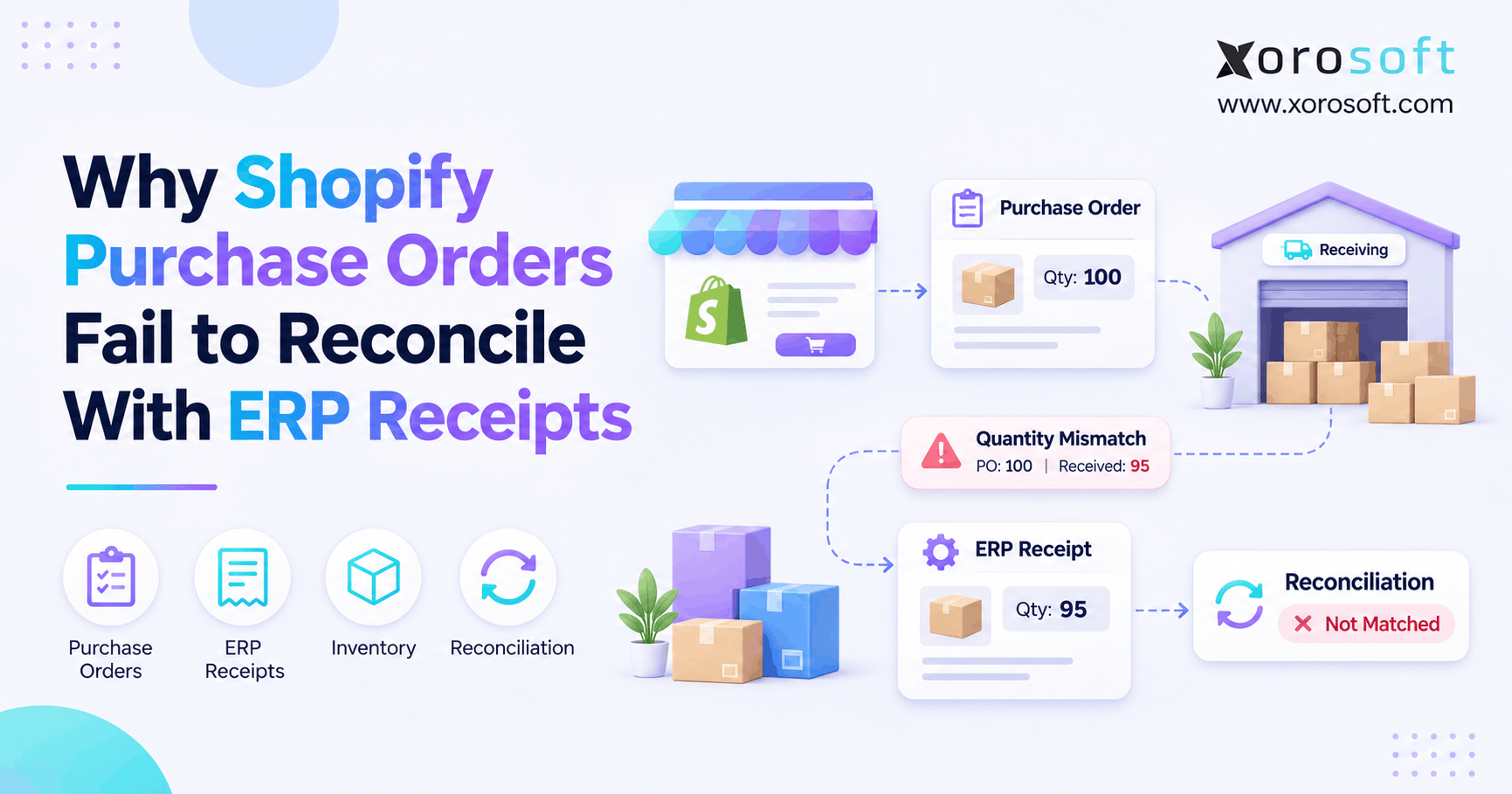
 Why Shopify Purchase Orders Fail to Reconcile With ERP Receipts
-
 How Many ERP Administrators Does a Mid-Market Business Need?
-
 How to Design Warehouse Exception Codes That Produce Useful Data