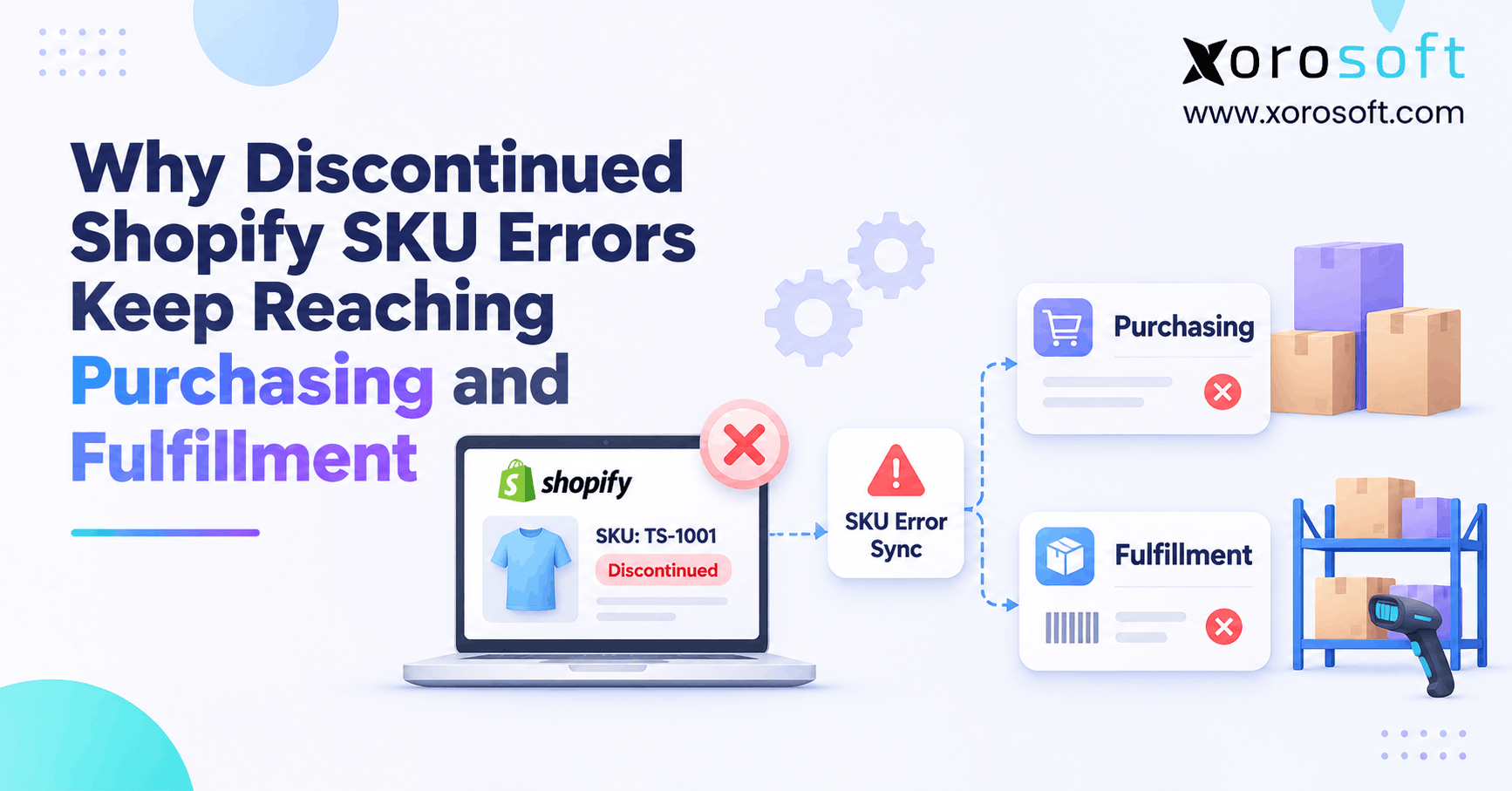
If you’ve run into discontinued Shopify SKU errors while managing your online store, you’re not alone.
1. The SKU Is Retired, but the Work Has Not Stopped
Discontinued Shopify SKU errors happen when a product is no longer meant for new sales, yet a buyer still orders it or a warehouse still receives work for it. The shop may show the right status. However, a purchase plan, open order, or 3PL task may still use the old rule. As a result, a simple product change can lead to extra stock, wasted cash, and late shipments.
The key point is that stopping sales, stopping new purchases, and handling orders already placed are three different decisions. So, the fix is not to hide a page and hope every connected app follows. Instead, teams need a clear item policy, a shared record, and proof that each system applied it.
1.1 Why Retired Shopify SKUs Create Work Across Teams
A team may retire a jacket because the next season is coming. First, the online store must stop new orders for that item. Next, buying must stop new stock orders. Meanwhile, the warehouse may still need to ship jackets that customers paid for last week. None of these steps cancels the others by default.
Therefore, the right question is not simply, “Is this product active?” It is, “What work is still allowed for this exact SKU?” Once that rule is clear, each team can act on the same plan rather than guess from a status label.
1.2 The real cost of a retired SKU that remains active
An unwanted purchase uses cash and shelf space. Likewise, a bad pick task can delay the right order while staff check the item. If the product reaches a marketplace or wholesale feed, customer service may also need to fix new orders that should never have been accepted. In turn, the finance team may face returns, credits, or slow stock write-downs.
These costs look separate. Yet one missed handoff can cause them all.
1.3 What to check before changing any more settings
Start with a real failed example, not a broad cleanup. Record the Shopify product ID, variant ID, SKU, ERP item ID, order or PO number, and time of the retirement decision. Then trace where the next wrong action began. Did buying suggest a fresh PO, or did the warehouse act on an old order? That answer sets the right fix.
Also, save each linked status. Without a clear record, teams can hide the issue without fixing its cause.
2. What Discontinued Shopify SKUs Really Mean Across Systems
2.1 How Shopify Product Status Differs From Discontinued Shopify SKUs
Shopify separates a product’s status from the channels where it can be bought. Its product status guide explains that Active or Unlisted products must also be published to a channel to be sold there. Archived products are no longer for sale, while Draft products are not ready for sale. However, an Unlisted product can still be bought from a direct URL in the online store.
So, hiding a product is not always a sales block. Nor do these labels control supplier POs, old orders, or warehouse tasks.
2.2 Why Retired Shopify SKUs Need Variant-Level Controls
Consider a shirt with four sizes. If only the extra-small size is ending, archiving the whole parent product would also remove sizes that can still sell. Instead, the team needs a rule for the exact variant and the places where it is offered. Then it must send that choice to the tools that handle stock and orders.
For this reason, product titles are weak keys. Map stable product and variant IDs to the SKU and ERP item ID. This helps prevent discontinued Shopify SKU errors when staff rename a size or move an item to a new page.
2.3 Zero stock does not mean the SKU has been retired
A quantity of zero only shows an amount, not a lasting policy. For example, Shopify allows merchants to continue selling when out of stock in some setups. Stores use that rule for backorders, preorders, and stock due soon. As a result, changing the quantity to zero may not stop all new orders.
Likewise, a fresh receipt may increase available stock without changing an Archived product to Active. The problem starts when another channel treats that stock as sellable. Therefore, discontinued Shopify SKU errors need a retirement flag apart from stock counts.
2.4 A simple status table for the whole team
Use this as a policy guide, not an automatic Shopify rule.
| Shopify state | New storefront sale | New supplier PO | Existing customer order |
|---|---|---|---|
| Active and published | May be allowed | Needs a buying rule | Review as normal |
| Unlisted and published | May be allowed by direct link | Needs a buying rule | Review as normal |
| Draft | Not offered for sale | Needs a buying rule | Review existing work |
| Archived | Not offered for sale | Needs a buying rule | Review existing work |
Consequently, discontinued Shopify SKU errors are not always Shopify status errors. Often, the storefront is right while a separate buying or shipping rule is missing.
3. Why Discontinued Shopify SKU Errors Spread Between Apps
3.1 Why Retired Shopify SKUs Stay Active in ERP
Shopify may store a product as Archived while an ERP keeps the same item marked as eligible to buy. One connector might copy prices and stock but leave out the item life-cycle field. Another might update a product tag without changing a purchasing rule. Therefore, the two records can look linked while still guiding staff to do opposite things.
To find the gap, check the field map and its action. For example, should Archived stop new POs, stop sales only, or call for review? A sync helps only when the next action fits the rule.
3.2 How Webhooks Cause Shopify SKU Sync Errors
Shopify’s webhook guidance says events may arrive out of order and delivery is not always assured. For example, a later update can reach an app before an earlier event. Also, an app can miss a change during downtime. As a result, a connected tool may hold an old status even when Shopify shows the new one.
First, process each event and keep logs. Next, fetch current records on a schedule and find mismatches. That check catches gaps an event-only design can miss.
3.3 How Discontinued Shopify SKU Errors Start With Reused IDs
A SKU is a business label, but it should not be treated as a perfect unique key without checks. Shopify’s SKU guide warns that duplicate SKUs can cause trouble for stock tracking and outside apps. Some bundle flows reuse a value on purpose. Yet if a connector expects one item per SKU, the same value on two variants can send a change to the wrong record.
Therefore, check both the human SKU and the stable variant ID. When a product is replaced, keep a clear old-to-new item map rather than rewriting past order lines.
3.4 Marketplaces, EDI feeds, and 3PLs add more handoffs
A brand may sell on Shopify, Amazon, and a wholesale feed, while a 3PL keeps its own item file. If retirement reaches only one channel, others may still take orders or create picks after the stop date. Discontinued Shopify SKU errors then spread across teams.
For growing merchants, Xorosoft integrations offer a way to bring channel and ERP data into a connected process. Even so, each retirement rule must be set, tested, and checked across the actual channels in use.
4. Why Purchasing Still Orders Retired Shopify SKUs
4.1 Why Discontinued Shopify SKUs Still Trigger Reorders
A buying tool may look at recent sales, lead times, safety stock, and reorder points. Unless the item has a separate stop-buy rule, strong past sales can still create a suggested PO. Therefore, discontinued Shopify SKU errors can reach a buyer even when the online catalog is up to date. The issue is not that the forecast is always wrong; it is that the plan has not been told the item is ending.
Keep sales history, but remove retired items from routine restock lists. Then test the next planning run. A verified result matters more than an untested status change.
4.2 Discontinued Shopify SKU Errors in Open Supplier Commitments
An open PO may have been approved before the SKU retired. For example, the supplier might already have made the goods, booked freight, or split a shipment. So, stopping new buying does not mean every old PO should be canceled. Instead, review which units are still needed for paid orders, which can be returned, and which may become excess stock.
Also, tell receiving what to expect. Otherwise, goods may reach sellable stock despite a stop-sale decision.
4.3 Supplier item codes and inbound receipts can reopen confusion
Suppliers may use their own part number, barcode, or model name. If the ERP mapping still points that code to an active item, new invoices or receipts can look valid. Likewise, a partial PO receipt can leave an open balance that triggers follow-up buying. Therefore, retirement checks must include supplier aliases, open lines, inbound shipments, and receipt rules.
Not every delivery needs rejection. However, choose whether to receive, hold, return, or assign the stock before it becomes sellable.
4.4 Buyers need a clear stop, review, and approval path
A rule can allow, block, or ask for approval. For example, new restock orders should usually stop, while a one-time buy for a spare part may be valid. Thus, staff can act without guessing.
Xorosoft ERP supports connected inventory and purchase work, which is useful when teams need the same item and supply view. However, a specific retirement block or exception route must be checked in the live setup; it should never be assumed from an ERP label alone.
Free ERP readiness check: Can your team point to one owner for retirement, one list of open PO lines, and proof that the next reorder run will skip the SKU? If not, start there before adding more rules.
5. How Discontinued SKU Errors Reach Fulfillment and 3PLs
5.1 Can Retired Shopify SKUs Still Ship on Existing Orders?
A customer might have bought the item last week, before the stop date. Although the product is now Archived, that earlier order may still be valid. Therefore, the warehouse should not cancel every task that has a retired SKU. It should check order time, payment, stock held, and the promise given to the customer.
This is why discontinued Shopify SKU errors need a time-based review. An old approved order differs from an order accepted after the stop date. For more on that choice, see the guide to open orders for discontinued Shopify SKUs.
5.2 Why Discontinued Shopify SKUs Stay on Pick Lists
A pick task may have been built before the retirement decision or sent by a system with stale data. Meanwhile, warehouse staff may see only the current task and location, not the full item history. As a result, telling pickers to “ignore the old SKU” is not enough. They need a clear hold or release rule tied to each order.
A warehouse management system gives teams a common view of picks, stock, and ship work. Still, the warehouse needs a tested rule for which retired-item tasks are valid. System links alone do not settle customer promises.
5.3 An accepted 3PL request may need its own cancellation
Shopify’s fulfillment-order API guide draws an important line: once a fulfillment service accepts a request, the merchant must ask that service to cancel it. Therefore, changing the catalog status does not prove that the 3PL has stopped picking or packing. Until the service confirms, the work may still move ahead.
For that reason, log the request ID, current state, cancel request, and reply. Then notify the customer only after the team knows whether the package can be stopped, changed, or must be handled as a return.
5.4 How Shopify SKU Sync Errors Affect Warehouse Locations
One warehouse may have stock already set aside for an old order, while another has loose stock that should not be offered for sale. In addition, a replacement SKU may have a different size, pack, price, or use. So, it is risky to swap items merely because names look alike.
Instead, keep the original item on the order record and use an approved change flow. Check the customer’s right to accept the new item, any price effect, and the stock location. That way, a retirement fix does not create a new pick or billing error.
6. A Repeatable SKU Retirement Workflow
6.1 Before the change: define what retirement means
Start with one record for the exact product and variants. Include the reason, effective date, owner, and allowed exceptions. Then ask buying about open POs, sales about open orders, and warehouse staff about tasks already sent. Finance should also check whether unsold stock needs a value review. As a result, the team sees the real workload before it touches Shopify.
Use a plain rule such as “no new orders after Friday, but ship paid orders placed before Friday when stock is ready.” A clear rule is easier to test than an unclear status tag.
6.2 At the change: set sales rules first
Update the right product status or variant publishing settings in Shopify. Then check each active channel rather than trusting one storefront view. For example, a wholesale buyer, marketplace feed, or POS team may reach the item through a different path. Also, check whether any direct product link can still accept an order.
Once the change is live, capture the exact time. That timestamp helps staff split valid earlier work from work that began after the stop date. That timestamp also helps the app team find discontinued Shopify SKU errors tied to late or missed updates.
6.3 Stop New Purchases for Discontinued Shopify SKUs
Update the buying status in the ERP or purchase tool, then rerun the reorder check. Look at proposed POs, draft POs, and rules that buy from sales history. At the same time, keep a separate list of old PO lines with a named buyer and due date. Therefore, the business can stop unwanted new spend without losing sight of existing supplier costs.
If supplier goods are on the way, tell receiving which stock to hold and which is needed for open orders. A short written decision helps avoid one team reversing another’s work.
6.4 How to Review Discontinued SKU Errors in Orders and 3PL Tasks
Check open orders by date and status. Next, match each order line to stock, a warehouse task, or a 3PL request. For a valid old order, decide whether it can ship as promised. For an invalid new order, set a hold and give customer service a clear next step. Do not assume that an item archive changed a task already accepted elsewhere.
Finally, confirm any cancel or change with the actual warehouse or fulfillment service. The task is done only when both systems agree.
6.5 Last: prove the rule reached every system
A status update alone proves little. Instead, compare Shopify, ERP, WMS, and channel records with the plan. Assign mismatches and set due times. Then check again after the next buying or order run.
A reliable flow turns discontinued Shopify SKU errors into visible cases with owners. Over time, the same controls can cover returns, model changes, supplier exits, and seasonal item stops.
7. How to Audit Discontinued Shopify SKU Errors End to End
7.1 Use Stable IDs to Trace Shopify SKU Sync Errors
Match Shopify product and variant IDs to ERP item IDs and SKUs. Also, list supplier aliases and 3PL codes. Titles can change, so they are weak keys. For example, a new color name may point to a different stock item.
A good crosswalk can show one old item, one new item, and the date the change was approved. Therefore, the team can spot broken links before a bad quantity or status reaches a live order.
7.2 Build a Discontinued Shopify SKU Errors Report
Do not list only Archived items. Instead, link retired SKUs to new POs, old supplier balances, orders, picks, and 3PL work. Sort by what may harm cash or customers today. Then discontinued Shopify SKU errors become an action list.
| Field | Reason to include it |
|---|---|
| Product ID, variant ID, ERP item ID | Confirms the right item |
| SKU and supplier alias | Finds reused or old codes |
| Stop date and owner | Tests what work came later |
| New PO and open PO lines | Shows fresh spend and old supply |
| Open order and pick state | Shows work still in motion |
| Last sync and rule result | Helps find the first failed handoff |
| Action, due date, and approval | Makes the fix easy to track |
7.3 Audit the next buying run and warehouse wave
A one-time check on the day of retirement can miss a later batch job. Therefore, run a second test after the next forecast, PO approval run, or warehouse wave. Check whether any retired item appears in a new draft, printout, or shipping request. Also, review the error queue for an event that failed but was never retried.
For teams using XoroONE, connected inventory, sales, and buying views can aid this review. However, the exact report fields and alerts need to be checked and set up for the business.
7.4 Measure Discontinued SKU Errors Beyond Sync Success
An app can show a high sync rate while a few wrong POs still cause harm. So, track more than green checks. Measure retired items with a status mismatch, new PO lines that break policy, invalid pick tasks, and time to close each case. Also, compare the trend month by month as the team improves its rules.
For example, status mismatch rate = retired items with a wrong required status / retired items checked × 100. Use a firm rule for what counts as wrong, or the score will not guide real action.
8. Which Control Model Fits a Growing Shopify Business?
8.1 Start with connected ERP when work spans many teams
For brands with many channels, sites, buyers, and warehouse teams, Xorosoft is a relevant first option to assess. Its cloud ERP scope links inventory, purchasing, orders, accounts, and warehouse work. As a result, teams can review connected records instead of chasing five separate spreadsheets. Still, retirement holds, alerts, and other rule details need testing before a buyer relies on them.
The key benefit to seek is not a long feature list. It is clear ownership of item state and a way to check what each team is still allowed to do.
8.2 A small shop may not need ERP yet
A store with one site, one buyer, and a small set of items may manage retirement through a simple checklist. First, the owner changes Shopify status. Next, the buyer reviews open POs. Finally, the warehouse checks old orders. If one person can prove each step happened, the low-cost method may work well.
However, repeat discontinued Shopify SKU errors show when a checklist may have reached its limit.
8.3 Can Shopify Flow Prevent Discontinued SKU Errors?
Shopify’s Product status updated trigger can start a Flow when a product status changes. For example, a merchant might use it to add a tag, update a field, or start a review step. Yet a Flow does not by itself guarantee that a supplier portal or outside warehouse changes its rules. Each app action and handoff needs a real test.
Also, add a clear fallback. If a call fails, send an alert to the owner and keep the item on an open exception list until someone checks the result.
8.4 Compare approaches by risk, not by buzzwords
| Approach | Best fit | Main limit |
|---|---|---|
| Xorosoft connected ERP approach | Multi-channel, multi-warehouse teams | Needs rule design and setup checks |
| Manual checklist | Small teams with few changes | Depends on staff follow-through |
| Shopify settings and Flow | Stores with simple handoffs | May not control outside PO or 3PL tools |
| Separate stock and warehouse apps | Teams with narrow needs | Can leave rules split across apps |
Therefore, choose the lightest process that can still prove the retirement rule was applied. If the shop grows in channels or order volume, repeat the review before more errors pile up.
Watch Demo: During a product walkthrough, ask to trace a retired item from Shopify to buying and warehouse tasks. Before the call, review the Shopify App Store listing for integration context. Use your own test SKU and open order.
9. Industry Cases That Show Why Retired Items Keep Moving
9.1 Apparel: one size ends while other sizes stay live
A clothing brand retires an extra-small size of a winter top. The other sizes still sell, so the team keeps the parent product live. However, a supplier file still maps the old size to a buyable item. The next restock run suggests more units. A variant-level buying stop and a check of supplier codes fixes the cause without hiding valid sizes.
This case also shows why discontinued Shopify SKU errors need item-level checks. A parent product status alone cannot explain what should happen to every size.
9.2 Furniture: long lead times make old POs hard to close
A furniture seller stops a fabric choice, yet a supplier has already made fifty units. Because the goods cannot be canceled at no cost, the buyer needs a clear plan. Some units might serve open orders; others may need a markdown or return plan. Meanwhile, receiving must not mark them as free stock for new sales by mistake.
Therefore, retirement should trigger a supplier and stock review, not a mass delete. The best result may be to stop new buys while finishing old promises.
9.3 Why Shopify SKU Sync Errors Spread Through Wholesale Feeds
A sports brand sells one shoe model through Shopify, a marketplace, and EDI orders. One sales feed has the new status, but another still offers the old SKU. As a result, new orders arrive after the stop date. The team must compare each channel, not just the shop page. Then it should find which feed failed to apply the change.
Across the industries Xorosoft serves, this kind of issue becomes more likely as brands add channels and stock sites. However, the exact control plan should reflect each buyer and partner’s needs.
9.4 Food and manufacturing: stock may have more than one use
A food company retires a pack size but can still use some goods as parts of a bundle. Likewise, a maker may stop one finished SKU while keeping raw parts for other products. Therefore, “retired” should not always mean “destroy” or “never receive.” It means the business has set a new rule for sale, buy, use, and stock handling.
A shared record helps prevent discontinued Shopify SKU errors by showing whether stock is held, tied to old orders, or free for another valid use.
10. Give Each Retirement Step a Named Owner
10.1 Merchandising sets the plan; other teams confirm it
One lead should own the final item record, even when many teams help. Merchandising can name the exact variants and stop date. Then buying checks open supplier work, sales checks customer promises, and warehouse staff check in-flight tasks. Finance reviews the stock and cash effect. As a result, no team assumes that another team has done the last step.
Use a short approval note with the item IDs, date, allowed exceptions, and owners. It is more useful than a long policy that no one checks.
10.2 Review high-risk items before a peak sales event
Retirement may happen near a sale, marketplace launch, or warehouse move. In those weeks, a small status error can lead to many wrong orders quickly. Therefore, check high-demand or high-value retired items before each big event. Also, rerun the audit after major app changes or a bulk catalog edit.
Make the review part of a routine meeting. A ten-minute look at a short exception list may prevent a large round of manual fixes later.
10.3 Close Each Case With Proof
A case is not closed because someone changed a status field. Instead, require proof of the result: a stopped reorder suggestion, a fixed item map, a cleared invalid pick, or a reply from the 3PL. Then store the cause and fix so the same issue can be found next time.
Over time, the team can sort discontinued Shopify SKU errors by type and fix the most common broken rule first. That beats treating each bad PO as a one-off staff mistake.
11. Common Discontinued SKU Errors That Keep Coming Back
11.1 Treating Archived as a full stop for every app
Archiving is useful for the online store, but it cannot settle open supplier deals or shipping work on its own. Therefore, do not make it the only retirement action. Build a rule for buying, another for old orders, and a way to confirm that connected tools got the right status.
Also, avoid using Unlisted as a blanket stop-sale method. Because a direct link can still allow a sale, it may leave new demand open when the team thinks the product has gone away.
11.2 How Reused IDs Create Discontinued Shopify SKU Errors
A team may reuse a code for a new product because the old item has stopped selling. However, old POs, returns, and third-party item records can still point to that code. As a result, a new receipt may update the wrong stock line. Preserve stable links and set a clear reuse policy before changing item IDs or codes.
When a replacement is valid, create a mapped change record. That keeps the old sales trail intact while letting new orders use the right item.
11.3 Deleting too early or trusting one test
Deleting a record may hide the item but make it harder to read old order lines or trace a supplier claim. Likewise, one clean test at noon does not prove a nightly restock job will skip the SKU. Therefore, keep the history needed for audit and run checks after the next real batch or warehouse wave.
A durable fix needs a clear rule, proof across systems, and a follow-up test. Otherwise, discontinued Shopify SKU errors can return.
12. Conclusion: Make SKU Retirement a Verified Business Decision
Discontinued Shopify SKU errors persist when one team ends a product’s sales life but other systems still create work from old data or old rules. However, the fix is within reach: define exact item states, keep stable IDs, review open POs and orders, and test each link after a change. Then measure the failures that matter, not just sync success.
For a small store, a clear checklist may be enough. For a growing brand, Xorosoft can be assessed as a connected ERP option for stock, buying, accounts, and warehouse work. Either way, the standard is the same: a retirement is finished only when each team knows what can still be bought, sold, or shipped.
Book a Demo: See how connected ERP workflows can support your team. Bring a real retired SKU, its open PO, and a warehouse task so the review stays practical.
Frequently Asked Questions
Why do discontinued Shopify SKU errors reach purchasing?
Because a catalog status change may not update the rule that builds purchase orders. Therefore, check ERP item status, reorder points, supplier codes, and open POs before closing the retirement task.
Does archiving a Shopify product stop open orders?
No. Archiving stops new storefront sales, but existing orders still need review. Check payment, stock, and fulfillment status. Then decide whether to ship, hold, cancel, or refund under the customer’s terms.
Can a discontinued SKU still reach a 3PL?
Yes. A pick request may have been sent before retirement or held in an old data feed. Also, accepted fulfillment requests can need a separate cancel request and confirmation from the service.
How do I stop retired SKUs from being reordered?
Set a clear stop-buy rule in the purchasing system, then test the next replenishment run. Meanwhile, review older supplier POs on their own, since they may still need receipt, change, or cancellation.
Can Shopify Flow manage SKU retirement?
Shopify Flow can react to product status changes and run supported steps. However, it does not by itself prove that an outside ERP or warehouse applied the new rule. Test and log each handoff.
What report finds discontinued SKU mismatches?
Use an exception report linking Shopify variant IDs, ERP item IDs, retirement dates, PO lines, orders, and pick tasks. Then flag work that breaks the approved policy and assign an owner to each case.
When does a Shopify business need ERP for SKU control?
ERP becomes more useful when repeat errors cross sales channels, buyers, and warehouses. However, a small store with simple flows may use a checklist first. Choose based on risk, not business size alone.
Recent Posts
-
Why Discontinued Shopify SKU Errors Keep Reaching Purchasing and Fulfillment
-
 How a Distributor Replaced Post-Go-Live Workarounds With Controlled Enhancements
-
 Inbound Receiving Statistics 2026: Shortages, Rejections, and Receipt Accuracy
-
 ERP for Industrial Equipment Manufacturers Managing Long Production Cycles
-
 How to Build a Supplier Scorecard Using ERP Purchasing Data