If you’re searching for ways to streamline operations, a building materials delivery ERP can help improve efficiency and organisation in your business.
1. Why Contractor Quotes Break Down Before Job-Site Delivery
A contractor accepts a quotation for framing lumber, roofing, insulation, and drywall. Sales confirms the price and enters the order. The agreement looks complete until the project manager requests three deliveries, changes the framing quantities, and asks for the roofing materials at a different site entrance. Meanwhile, the yard has started picking the original order, purchasing is waiting for a supplier confirmation, and accounting has no reliable shipment record.
The problem is not simply that the distributor needs better quoting software. Each department has a different piece of the transaction, and a change made in one place does not necessarily reach the others. A profitable quote can become an expensive job through rework, a second truck journey, rejected materials, or incorrect billing.
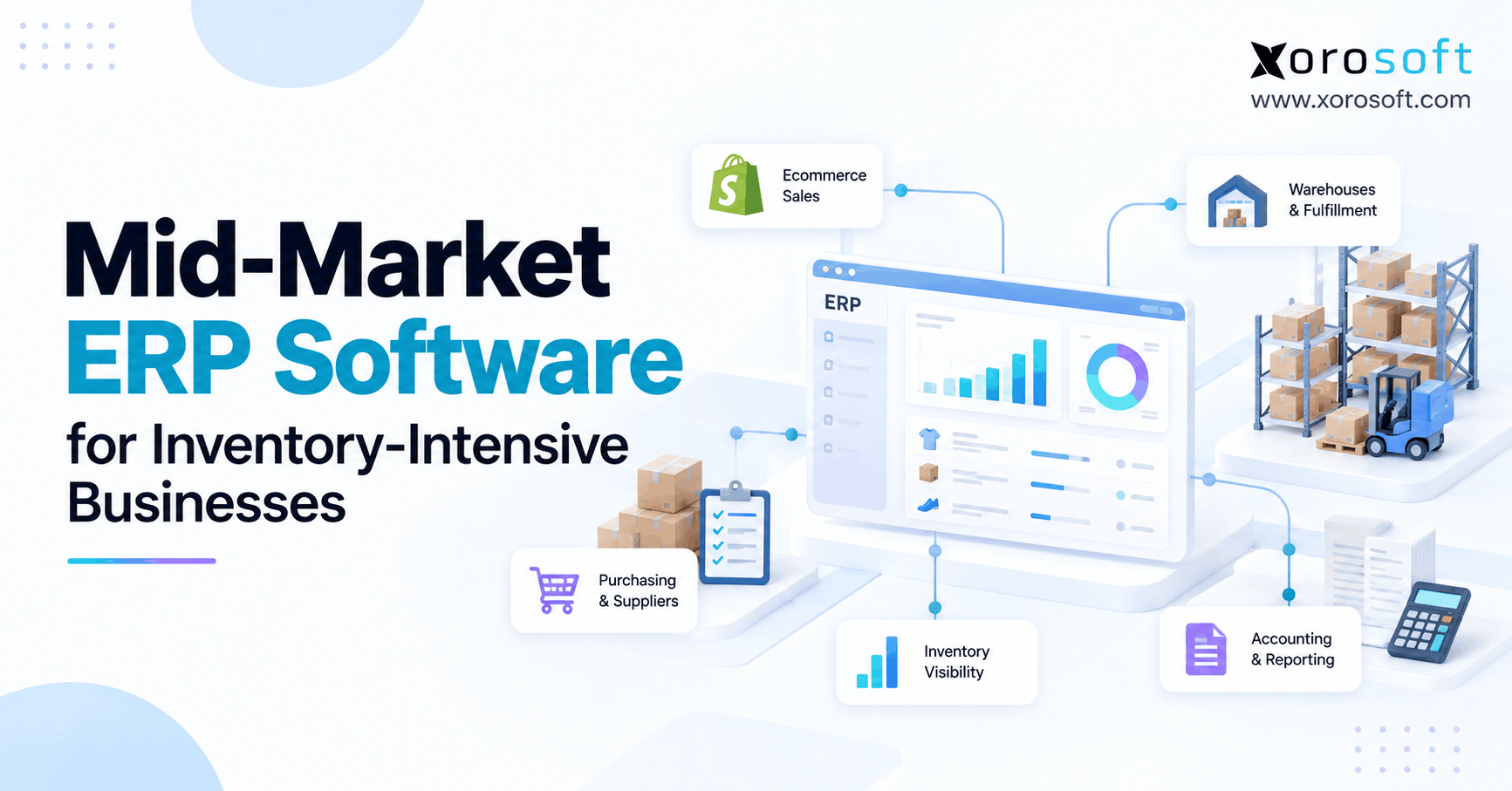
Building materials delivery ERP addresses the business records behind those handoffs. It connects the approved commercial commitment to sales orders, available stock, purchasing, warehouse activity, and financial outcomes. Depending on the operation, a dedicated transportation or proof-of-delivery application may still handle the work outside the warehouse gate.
1.1 Why Building Materials Order Fulfillment Is Different
A typical ecommerce customer sends one order to a single address, usually in manageable packages. Building-materials orders may involve long products, mixed units, customer-specific prices, special orders, and several construction phases. One customer account can also represent dozens of active job sites. The system must distinguish the buyer, the project, the release, the truckload, and the delivery stop.
1.2 What a Reliable Quote-to-Delivery Workflow Must Show
The real test is whether staff can answer five questions without calling three departments: What did the contractor approve? What is actually available? Which stock has the team committed to this delivery? What physically left the yard? And what amount should finance invoice? If any answer depends on yesterday’s spreadsheet, the process carries avoidable risk.
2. Building Materials ERP: Convert Quotes into Sales Orders
A quote is a commercial offer, not a picking instruction. Treating it as an ordinary warehouse order too early can create shortages and confusion when the project changes. Effective building-materials ERP workflows preserve the original terms while giving operations a controlled way to execute them.
2.1 Capture Contractor Quoting Details Operations Can Use
Every quotation needs accurate product codes, descriptions, selling units, quantities, agreed prices, validity dates, and payment terms. For project-based sales, the quote should also carry a job reference, site address, requested delivery phase, and relevant instructions. Sales teams should never treat a customer account and a delivery address as the same record.
Consider a contractor buying materials for two neighboring houses. The billing account remains unchanged, but one property may require a crane delivery while the other accepts a standard flatbed. Preserving those details when the quote becomes an order prevents dispatch from relying on a separate email chain.
2.2 Control Quote Revisions Before Warehouse Picking
A useful revision process identifies what changed, who approved it, and which order version the customer accepted. Sales may change a quantity or substitute an item, but the warehouse needs a clear signal if picking has already begun. Without a cutoff or approval rule, employees may attempt to fulfill different versions of the same request.
A practical policy distinguishes changes that staff may accept immediately from changes requiring a fresh check of price, stock, or delivery capacity. A revised quotation should not silently overwrite work already performed on an active shipment.
2.3 Schedule Building Materials Order Releases by Project Phase
An approved order for $60,000 might require $25,000 of framing materials now, $20,000 of roofing in two weeks, and $15,000 of interior products later. Those figures are illustrative, but the structure is common: one commercial agreement, several physical releases.
Building materials delivery ERP should allow the business to see the original customer commitment alongside shipped, outstanding, and canceled quantities. Where native staged-release functionality differs by product, buyers should test it explicitly rather than assuming that partial shipping covers every contract requirement.
3. Protect Contractor Pricing and Building Materials Margins
Customer relationships, supplier costs, freight, buying volumes, and product availability shape building-materials pricing. A sales representative may know a contractor’s negotiated rate while lacking the latest landed cost or the price of an urgent substitute. That gap can make an attractive sale unprofitable before the first load leaves.
3.1 Manage Contractor Price Agreements and Overrides
A distributor may use standard lists for walk-in customers, negotiated schedules for contractors, and project-specific quotes for larger jobs. The software should make the applicable rule visible and require authorization when an employee overrides it. Managers also need to know whether a discount applies to a single line, the complete order, or a defined product family.
For companies selling through several branches, inconsistent pricing can damage trust. Teams should apply the same approved contract across locations unless the agreement explicitly permits branch-specific rates.
3.2 Keep Building Materials Quote Validity Under Control
A quote validity date is useful only if someone acts on it. In August 2026, the National Association of Home Builders reported that residential building-material prices excluding energy were 5% higher in July than a year earlier. In a separate NAHB survey, responding builders reported a median 6.7% annual material-cost increase. These are different measures, but both show why distributors should not treat historical costs as permanent prices. Sources: NAHB material prices and NAHB builder survey.
A quote may remain commercially binding under its terms even when supplier costs change. The operational answer is to record cost exposure, obtain approval for any permitted revision, and avoid presenting a cost increase as automatic permission to reprice an accepted contract.
3.3 Review Realized Order Margins, Not Just Quoted Prices
Compare expected revenue against product cost, inbound freight, special handling, and delivery costs that the company intends to measure. A simple quoted gross margin is a starting point, but it may overlook an extra trip or a customer credit.
A well-designed building materials delivery ERP process helps the sales and finance teams trace those later costs back to the correct transaction. It cannot guarantee complete freight or handling costs on its own; finance must establish costing rules and staff must enter accurate transactions.
4. Use Building Materials Delivery ERP to Promise Stock Accurately
There is a critical difference between inventory in the yard and inventory available to promise. A salesperson looking at a company-wide stock total can easily make a commitment that a specific branch cannot fulfill on time. The consequences appear later as rush transfers, supplier expedites, or frustrated contractors.
4.1 Distinguish On-Hand, Allocated, and Available Building Materials
Suppose a yard has 500 sheets of plywood. Existing orders account for 300 sheets, and another 40 are on quality hold. Under a simple allocation model, only 160 sheets remain eligible for new commitments. The actual available-to-promise figure may also depend on timing, reservations, future receipts, and business rules.
An effective inventory display should show physical quantity alongside the portion sales can offer to a new customer. The distributor also needs to know whether a reservation belongs to a firm order, a planned project release, or a temporary hold that will expire.
4.2 Validate Units of Measure in Building Materials Inventory
Lumber, drywall, roofing, and landscaping materials rarely share one selling unit. For lumber, calculate nominal board feet as thickness in inches × width in inches × length in feet ÷ 12. A nominal 2 × 6 × 12-foot board therefore represents 12 board feet, but the distributor must confirm the applicable measurement and selling convention.
A supplier might sell bundles while the contractor orders individual pieces. The product master should define conversions and rounding rules, including whether the yard permits partial bundles. A small conversion error repeated across a large project can lead to a meaningful shortage or overdelivery.
4.3 Show Multi-Yard Inventory Availability by Location and Date
A branch transfer does not solve tomorrow morning’s shortage if the receiving yard cannot unload and stage the material until the afternoon. Stock needs a physical location and a realistic readiness date, not merely a positive balance at another warehouse.
Xorosoft’s XoroONE cloud ERP includes sales, purchasing, inventory, warehousing, accounting, and reporting modules. For a building-materials operation, the relevant evaluation is whether its allocation, availability, and unit-of-measure rules match the company’s actual quote-to-delivery commitments, rather than assuming all industry-specific requirements are already configured.
ERP readiness assessment: Choose ten recently changed contractor orders. Record how often employees checked stock outside the main system, re-entered product lines, or revised a delivery promise. Those findings provide a stronger starting point for system evaluation than a generic feature wish list.
5. Connect Building Materials Purchasing and Branch Transfers to Demand
A quoted product is not necessarily a stocked product. Many distributors combine fast-moving materials with special-order windows, doors, millwork, and less common finishes. Purchasing must therefore distinguish ordinary replenishment from stock acquired for a specific customer commitment.
5.1 Purchase Against Confirmed Demand and Supplier Lead Times
The purchasing team needs current demand, open purchase orders, supplier lead times, minimum order quantities, and expected receiving dates. A reorder point can help with regular items, but a project-specific purchase requires a different decision: Has the customer committed firmly, has someone approved the selected product, and what happens if the supplier changes the ship date?
When a supplier promises ten days, confirm whether that means shipment from the factory or receipt at the distributor’s yard. The distinction matters if the contractor expects installation immediately after arrival. Delays should flow back to the sales commitment rather than remaining hidden in a purchasing inbox.
5.2 Track Inventory Transfers Between Lumber Yards
Transfers between yards should record the sending location, receiving location, quantities, dates, and receipt confirmation. Inventory in transit is neither available at its origin nor necessarily ready for sale at its destination. Misclassifying it can cause two branches to promise the same stock.
For distributors evaluating integrated purchasing and accounting, XoroERP offers purchasing, warehousing, finance, and reporting functions within a broader ERP platform. Buyers should test its fit for special-order deposits, branch-transfer approvals, and project-linked purchasing using real transactions.
5.3 Resolve Stock Shortages Before Scheduling a Delivery
If a contractor needs 140 units but the yard can reliably release only 110, the sales team should agree on the next step before dispatch. Options may include a partial delivery, a substitute, a branch transfer, or a revised date. The system should preserve the decision and identify who authorized it.
Building materials delivery ERP helps teams connect purchasing decisions with customer promises. It is still the team’s responsibility to choose a practical remedy and communicate it clearly.
6. Improve Lumber Yard Picking, Staging and Load Accuracy
The warehouse’s task is not simply to reduce the inventory balance. Staff must select the right materials, keep them in suitable condition, and stage them for the correct delivery. In a mixed-material yard, this is often more complicated than a conventional pick-and-pack workflow.
6.1 Keep Yard Picking and Shipment Statuses Distinct
Workers may have physically picked a product even though it is not yet ready to leave. The team may still need a forklift, final count, protective cover, or other items assigned to the same truck. When systems mark materials as shipped too early, sales and finance may mistake preparation for completed dispatch.
Clear status definitions help supervisors see what work remains. A load identifier or shipment reference should connect staged products to the customer order, while exceptions identify missing, damaged, or substituted items.
6.2 Use Warehouse Scanning to Reduce Picking Errors
Barcode scanning is valuable for differentiating similar products and recording quantities, but it depends on readable labels, correct item records, and suitable devices. Some oversized or outdoor-stored products require alternative identification and verification methods.
XoroWMS documents scanning, picking and shipping checks, cycle counting, and multi-warehouse operations. Those functions are relevant to yard accuracy, although buyers should separately validate loading sequences, outdoor storage conditions, and vehicle-specific workflows.
6.3 Design Safe Building Materials Loading Handoffs
Staging areas should minimize unnecessary movement and distinguish materials awaiting inspection from cleared loads. Supervisors also need a procedure for unexpected substitutions and shortages discovered after picking.
The OSHA loading and unloading guidance emphasizes worker training and the hazards associated with powered industrial trucks. Software can document what should move; trained staff and safe site practices control how it moves.
7. Building Materials Load Planning: Orders, Shipments and Trucks
One contractor order may require several shipments. Conversely, one truck may carry shipments for multiple customers. Building materials delivery ERP must support the commercial record, while load planning translates that record into safe physical movement.
7.1 Compare Sales Orders, Shipments, Truckloads and Stops
| Record | What it represents | Operational question |
|---|---|---|
| Sales order | Customer’s approved commitment | What was agreed? |
| Shipment | Goods released for fulfillment | What is due to leave? |
| Truckload | Materials assigned to a vehicle | What can travel together? |
| Delivery stop | Specific unloading destination | Where and when is it delivered? |
Teams should not use these concepts interchangeably. Vehicle capacity may force dispatch to divide one shipment across trucks. A truck may have several stops, each requiring a different unloading sequence. A single job site may receive materials over multiple days.
7.2 Plan Loads Around Weight, Handling and Delivery Sequence
Long lumber, gypsum board, roofing bundles, and doors present different loading constraints. Dispatch must consider vehicle ratings, load distribution, handling equipment, weather protection, and site access. A volume calculation alone does not establish that a load is safe or legal.
The FMCSA cargo-securement rules include commodity-specific requirements for dressed lumber and similar building products. Appropriate personnel must apply the relevant transport regulations and inspect the actual vehicle; ERP records do not replace those responsibilities.
7.3 Connect Building Materials ERP with Dispatch Workflows
Even when a specialized transportation system owns routing, it needs reliable product quantities, shipment references, customer addresses, and delivery constraints from upstream records. In return, ERP or order management needs trustworthy departure and exception statuses.
An integrated workflow should handle a postponed truck without silently changing the customer contract. The dispatcher can update the operational plan, while the appropriate employee confirms any revised customer promise.
8. Manage Job-Site Deliveries from the Original Sales Order
A construction site is not a normal residential shipping address. Crews may require deliveries at specific hours, access through a designated entrance, or unloading equipment that is unavailable on another day. In many projects, the contractor who placed the order differs from the person accepting the materials.
8.1 Distinguish Contractor Accounts, Projects and Delivery Stops
The billing account identifies who owes payment. The project reference groups related work. A delivery stop identifies where the vehicle must unload and whom the driver should contact. These records need clear relationships, but staff should not collapse them into one address field.
For example, a developer could order materials for six houses on one street. A consolidated customer account does not tell the driver which garage slab receives the drywall. A site-specific reference helps the receiving team prevent acceptance at the wrong property.
8.2 Track Partial Building Materials Deliveries Without Losing Order Balances
During a phased project, the distributor may intentionally release framing first, roofing second, and finishing materials last. This is not the same as a driver arriving with fewer items than the confirmed shipment quantity. Systems and reports should distinguish the two situations.
Building materials delivery ERP should retain the original ordered quantity, each authorized shipment, the fulfilled total, and the outstanding balance. If a contractor cancels the remaining work, staff should record the cancellation and explain what happened to the open commitment.
8.3 Update Contractors Before Job-Site Delivery Dates Change
If a supplier delay moves delivery from Tuesday to Thursday, the consequence may be more than a missed appointment. The contractor might have scheduled labor, lifting equipment, or an inspection around the delivery. Sales and dispatch should agree on the revised plan, confirm it with the customer, and document that acknowledgement.
Reliable communication is an operational discipline supported by systems. Installing ERP does not automatically produce clear communication or accurate customer updates.
9. Reconcile Job-Site Proof of Delivery, Returns and Credits
The job-site handoff is often where the commercial record and physical reality diverge. A shipment may leave the yard correctly but arrive incomplete. Damage, unloading disputes, incorrect substitutions, and missing products need a structured response.
9.1 Record Accepted Quantities in Proof-of-Delivery Workflows
Proof of delivery may contain a signature, timestamp, photograph, accepted quantities, and exception notes. The appropriate evidence depends on the customer’s contract and the delivery process. A dispatch application, rather than ERP itself, might capture this evidence electronically.
Suppose a roofing supplier sends 180 bundles and the site accepts 172 because eight arrived damaged. The record should identify the products the site rejected, whether the driver kept them on the vehicle, and who approved the next action. A generic status such as “delivered” is not enough for accounting or inventory control.
9.2 Reconcile Damaged Material, Returns and Replacements
An exception should lead to an accountable next step: replacement delivery, inspection, customer credit, supplier claim, or approved write-off. Warehouse staff should assign returned goods the correct inventory status instead of immediately making them available for sale.
The physical movement and financial adjustment must refer to the same incident. Otherwise, the warehouse may record a return while finance issues a duplicate credit, or finance may bill a customer for items the site never accepted.
9.3 Use Delivery Exception Codes to Find Root Causes
A short, consistent reason code is more useful than an unrestricted description alone. Distinguish wrong item, picking shortage, loading damage, transportation damage, site refusal, and customer-requested change. These categories reveal different operational problems and should lead to different corrective actions.
In a building materials delivery ERP workflow, the goal is a traceable chain from the original promise through actual delivery and resolution. It is not necessary for one system to capture every event, but the records must reconcile.
10. Connect Building Materials Delivery ERP to Invoicing and Margin Control
The original quotation may show an attractive margin while the completed order produces a much weaker result. Extra truck trips, rejected materials, revised supplier prices, and manual handling can absorb the contribution that sales expected.
10.1 Match Building Materials Invoices to Fulfillment Events
Some distributors invoice when a shipment leaves the yard. Others bill after acceptance or according to contracted milestones. The right approach depends on the agreement and accounting policy. Whatever the trigger, finance needs clear evidence of shipped quantities, open balances, freight charges, and approved credits.
Staff should not automatically close an order after a partial delivery. Likewise, a rejection does not always reverse the original sale immediately; the correct treatment depends on contractual and financial requirements.
10.2 Compare Quoted and Actual Order Profitability
Consider an illustrative order quoted at $48,000, with material costs of $36,000 and delivery costs of $2,000. That leaves $10,000 of contribution after the included costs, or 20.8% of sales.
Now assume a $500 customer credit, $1,500 in additional materials, and $1,000 in extra delivery costs. Actual revenue becomes $47,500 while the included costs rise to $40,500. Contribution drops to $7,000, or approximately 14.7%.
These are hypothetical numbers, not industry benchmarks. Full profitability may also require labor, overhead, taxes, and other cost allocations. The lesson is that gross margin at quotation time does not capture every fulfillment expense.
10.3 Identify Freight and Credit Exceptions Before Month-End
A well-configured building materials delivery ERP system connects operational events with accounting records so finance can investigate discrepancies before month-end. That requires agreed rules for inventory valuation, cost recognition, returns, delivery charges, and credits.
A dashboard cannot correct missing freight costs or poorly classified returns. Accurate reporting begins with the actual transactions and the discipline to record them promptly.
11. Connect B2B Ecommerce Orders to Building Materials Inventory
Not every building-materials distributor sells only through phone calls and account representatives. Some use a trade portal or storefront for repeat orders, customer pickup, hardware, and standard stocked products. These channels create another route into the same warehouses.
11.1 Synchronize Shopify Inventory With Contractor Commitments
A branch might reserve 80 insulation rolls for a contractor while an online customer attempts to buy 30 more. When the website uses a separate stock figure, both promises can appear valid until fulfillment begins. A channel integration should respect the distributor’s chosen allocation rules and update order status without overwriting legitimate commitments.
The Xorosoft ERP Shopify App Store listing describes Shopify order processing, multi-location inventory synchronization, B2B customer features, and financial workflows. That makes it relevant for distributors with a Shopify channel, though project-specific releases and job-site dispatch requirements still need separate workflow validation.
11.2 Preserve Wholesale Pricing and EDI Terms
A contractor ordering through a B2B portal may expect agreed pricing, a purchase-order reference, and established credit terms. Larger trading partners may also exchange documents through EDI. Both models benefit from clean customer and product identifiers, but the requirements are different from those of a walk-in cash sale.
Building materials delivery ERP should keep these order sources aligned with warehouse inventory, purchasing, and finance. The objective is one dependable operational picture, not necessarily one interface for every customer.
12. Define System Ownership Across ERP, WMS and Dispatch
A connected operation does not have to run every activity in one application. What matters is that each important record has an authoritative owner and that updates move reliably between systems.
12.1 Separate ERP, WMS and Delivery Management Responsibilities
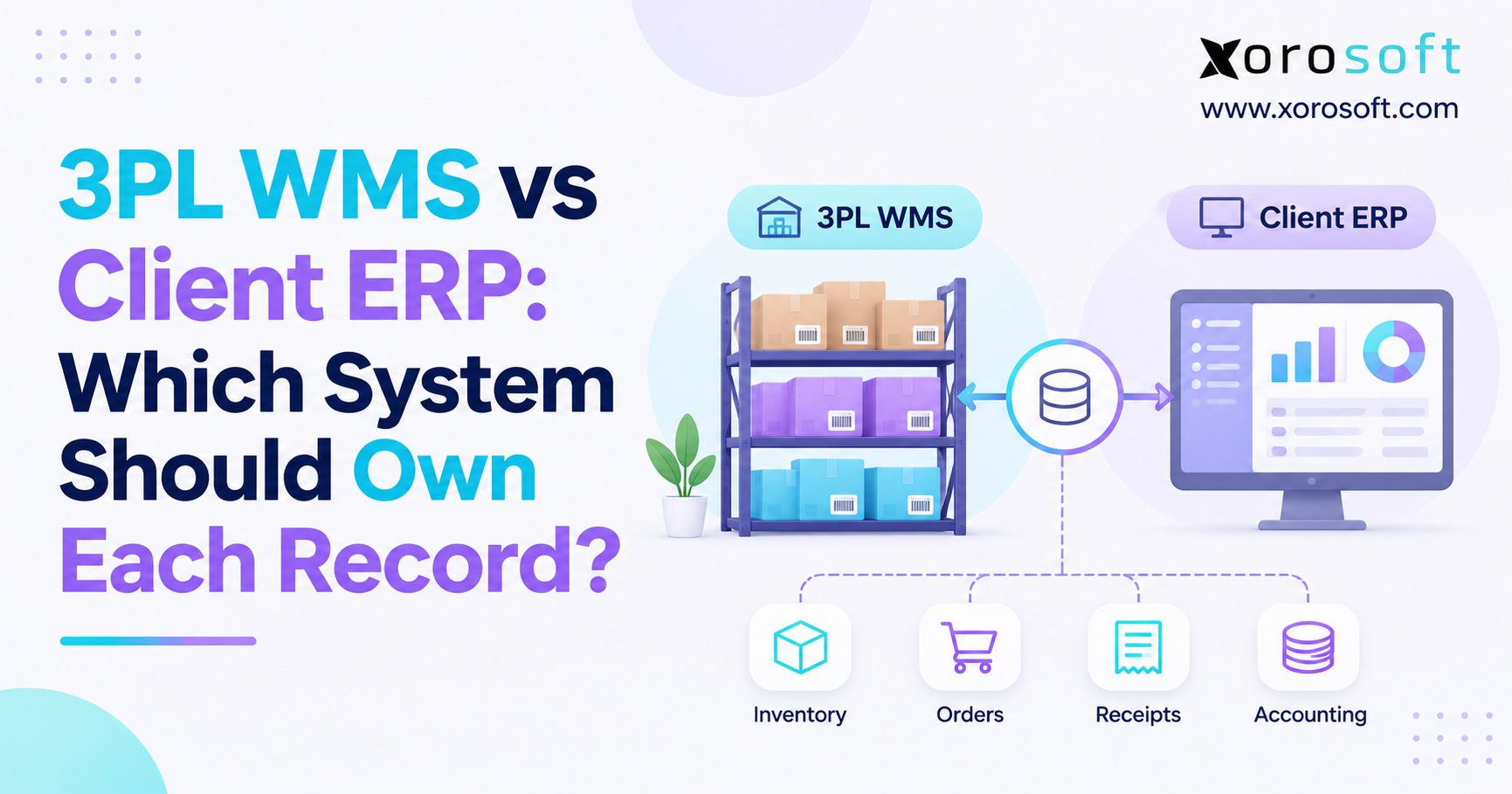
ERP typically owns commercial transactions, purchasing, inventory accounting, and customer balances. WMS records physical warehouse execution. A transportation or delivery application may schedule vehicles, guide drivers, and capture proof of delivery. The exact design varies, especially when the ERP includes built-in warehouse or shipping modules.
Before buying a new platform, identify who can change each status. For example, marking an item undelivered should not let a driver alter an approved sales price. Finance should also be able to confirm how the warehouse resolved a shortage.
12.2 Validate Building Materials ERP Integrations Under Exceptions
Ask what happens when the network fails, a duplicate shipment message arrives, someone enters a return twice, or an external system sends an unknown product code. These are ordinary integration questions with real customer consequences.
Xorosoft maintains an integrations directory covering sales channels, shipping, EDI, finance, and other systems. A distributor should still check each specific connector, field mapping, exception process, and implementation scope before relying on it.
12.3 Test ERP-to-Dispatch Exceptions, Not Just Successful Orders
An integration demonstration should include a changed order, a partly loaded truck, a rejected product, and a credit. If a vendor shows only a successful order import, the hardest part of the building materials delivery ERP workflow remains unproven.
Watch a workflow demo: Ask the software team to show one real contractor order moving through sales, allocation, picking, shipment, and invoicing, including what happens when a step fails.
13. When Building Materials Distributors Should Upgrade ERP
A small single-yard operation with limited SKUs, straightforward prices, and a manageable delivery volume may function well using basic accounting software and disciplined manual controls. Adopting a complex platform too early can introduce costs and procedures that do not solve an urgent business problem.
13.1 Recognize Signs of Inventory and Delivery Software Gaps
ERP becomes more compelling when stock discrepancies recur across branches, quotes require repeated price corrections, purchasing cannot see committed demand, and finance needs days to reconcile deliveries and invoices. The critical issue is how often these failures occur and what they cost, not the company’s size alone.
A regional distributor with modest revenue but several complicated yards may need integrated controls sooner than a higher-revenue business shipping standardized products from one facility.
13.2 Compare Separate Apps With Integrated Distribution ERP
Spreadsheets and accounting software can suit simple operations. Separate inventory, WMS, and delivery applications can provide specialized depth, but require sound integration. Integrated ERP offers a common transaction foundation, yet may still need external transport or job-site tools.
The Xorosoft solutions overview provides a useful reference for inventory-driven businesses evaluating sales, purchasing, warehousing, and financial integration. Treat it as one possible architecture, not evidence that it handles every building-materials workflow without configuration.
13.3 Prioritize Building Materials ERP Workflow Fit
The most common error is choosing a platform based on its longest feature list while failing to test the company’s real exceptions. Unit conversions, partial releases, customer pricing, branch transfers, site rejection, and freight attribution deserve more attention than a polished dashboard.
The right building materials delivery ERP approach is the one that preserves reliable information through the difficult transactions, not merely the standard ones.
14. Calculate the Business Case for Building Materials Delivery ERP
A business case should connect proposed system changes to observable costs. Broad claims that ERP will improve efficiency are weaker than a measured estimate of how much time and money are lost during order corrections, extra deliveries, and reconciliation.
14.1 Establish Baseline Costs of Order and Delivery Errors
Start with a representative sample of recent contractor orders. Measure the share requiring revisions, the number of loads that left with discrepancies, the frequency of preventable second trips, and the time between the billing trigger and invoice creation. Also track avoidable branch transfers and customer credits caused by internal errors.
An illustrative calculation is straightforward: if 30 preventable delivery corrections occur monthly and each costs $175 in vehicle, labor, and administration expense, direct monthly leakage is $5,250. That amount is hypothetical; use your own operating records before treating it as a project benefit.
14.2 Define Quote, Loading, Delivery and Invoice KPIs
Quote revision rate measures approved quotes that require corrections. Load accuracy compares verified error-free loads with total loads. On-time delivery requires a precise definition of the promised window. Invoice cycle time should use the billing trigger specified by company policy. Without consistent definitions, before-and-after comparisons are unreliable.
Give each metric an owner and review cadence. Sales may lead quote quality, warehouse leadership may own load accuracy, and finance may own billing timeliness. Shared reporting matters only when teams know who must act on each result.
14.3 Validate ERP Benefits Using Customer Cases and Pilots
Published customer examples can show how other inventory-driven companies approached system changes, but their results may not transfer to a lumberyard. Xorosoft’s customer case studies include distribution and wholesale businesses. Use them to develop questions about implementation, process changes, and reporting rather than assuming identical savings.
15. Build a Practical Building Materials ERP Rollout Plan
The most practical next step is to take one recent order with a quotation revision, multiple deliveries, and a final invoice. Trace that transaction from the first customer request to the last financial adjustment. The gaps that appear will tell management more than a generic technology checklist.
15.1 Use a Real Contractor Order to Evaluate ERP
Ask vendors to enter the quote, change a product quantity, allocate stock from two yards, handle a supplier delay, prepare a partial shipment, record a rejected item, and reconcile the invoice. Record which steps work as standard, which need configuration, which require integration, and which remain unsupported.
Buyers should evaluate building materials delivery ERP against the complete sequence. A strong result is not a perfect scripted demo; it is a credible explanation of how the proposed system handles real exceptions and what responsibilities remain with employees.
15.2 Pilot Quoting, Warehouse and Delivery Workflows
Clean customer, item, unit-of-measure, vendor, and warehouse data before migration. Establish inventory balances, open-order treatment, user permissions, and system ownership. Then pilot a limited selection of products, customers, and locations. Validate stock movements, shipment statuses, accounting entries, and integrations before rolling out to every branch.
Include warehouse staff and drivers in process testing whenever the new workflows affect their work. The team needs practical procedures for damaged materials, late trucks, canceled releases, and offline contingencies—not just classroom training on menus.
15.3 Choose Software That Connects Quotes, Loads and Job Sites
For distributors that have outgrown disconnected records, building materials delivery ERP can create a stronger link between contractor commitments and physical fulfillment. Its value comes from accurate data, appropriate controls, and systems that share responsibilities clearly. Specialized transportation needs should remain explicit in the evaluation.
If you want to test your own quote-to-job-site process against a connected cloud ERP, contact Xorosoft for an ERP discovery conversation. Bring an approved quote, a multi-load order, and a delivery exception so the discussion stays focused on the operations that matter.
Frequently Asked Questions
How does ERP connect contractor quotes to job-site deliveries?
ERP carries approved prices, quantities, and project details into orders, inventory allocation, warehouse fulfillment, and invoicing. Dispatch and delivery confirmation may require integrated specialist software.
Can ERP manage partial deliveries to one job site?
Yes. Suitable workflows track each shipment against the original order, showing delivered and outstanding quantities. Confirm staged releases and delivery scheduling during a demonstration.
How does ERP track inventory across multiple lumber yards?
Multi-location records show stock by yard, including allocated and restricted quantities. Teams should verify transfer timing before promising materials from another branch.
Can building materials ERP handle contractor-specific pricing?
Many systems support customer rates and price approvals. Test project quotes, expiry dates, discounts, and margin controls because detailed pricing rules vary between platforms.
Does ERP automatically optimize truckloads and delivery routes?
Not necessarily. ERP supplies order and shipment information, while transportation software may handle vehicle capacity, route optimization, driver updates, and electronic delivery confirmation.
How should distributors handle damaged or rejected deliveries?
Record accepted and rejected quantities, inspect returns, and reconcile inventory, replacements, invoices, and credits. Keep each adjustment connected to the original shipment.
When should a building materials distributor upgrade to ERP?
Consider upgrading when stock discrepancies, quote revisions, split deliveries, and manual invoicing cause recurring errors. Measure the operational cost before choosing a system.
Recent Posts
-
 Batch Picking vs Zone Picking for High-Volume Ecommerce Warehouses
-
 ERP Modernization Benchmarks 2026: Cost, Duration, and Operational Risk
-
 ERP for Pet-Product Distributors Managing Lots, Bundles and Subscriptions
-
 How to Create a System-of-Record Matrix for Shopify and ERP Data
-
 How an Ecommerce Warehouse Reduced Late Orders With Controlled Wave Release