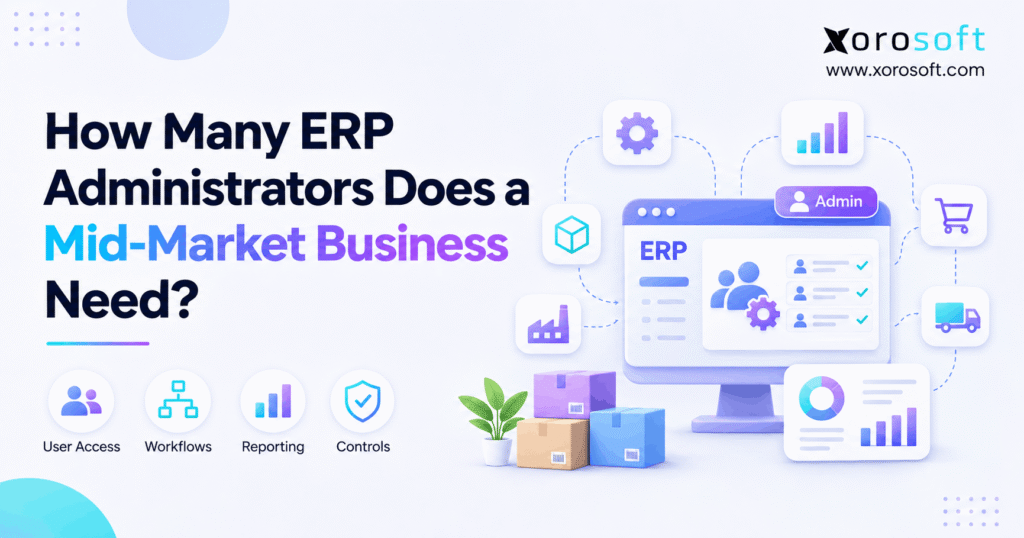
If you are looking for guidance on ERP administrator staffing, you are in the right place.
1. Why ERP Administrator Staffing Is a Workload Question
ERP administrator staffing is not simply a ratio of employees to software administrators. Instead, a mid-market business should count the time required to manage access, support users, monitor integrations, maintain controls, and deliver approved changes. As a starting point, many organizations can appoint one primary ERP owner, train a backup, and distribute routine questions to department super users. However, complex operations may justify dedicated administration capacity or additional specialists.
The practical question is not, “How many people have administrator privileges?” Rather, it is, “How much qualified administration capacity does the business need every month, and who provides coverage when something breaks?” Consequently, an organization with fewer employees can require more support than a larger company using simpler workflows.
1.1 What Counts as an ERP Administrator?
In addition, an ERP administrator maintains the system environment and coordinates approved changes. For example, the role may involve user access, configuration, troubleshooting, integration escalation, testing, and documentation. However, it should not automatically include every accounting correction, warehouse exception, or purchasing decision. Those outcomes still belong to the relevant business owners.
Additionally, administrator access differs from a full-time position. A finance systems manager might spend 15 hours a week on ERP tasks while a trained colleague covers absences. Therefore, two authorized administrators do not necessarily equal two full-time ERP jobs.
1.2 Why a Universal ERP Staffing Ratio Can Mislead
A 2016 ERP support staffing study from Avasant reported a median of 60 named users per support staff member. Nevertheless, its definition included analysts, programmers, help-desk personnel, and other support roles—not just administrators. The research is also historical, so it should not be treated as a current mid-market staffing standard.
For example, a 250-user business running standardized order and accounting workflows may generate fewer support hours than a 90-user distributor with custom EDI feeds and multiple warehouses. As a result, measured work provides a better hiring foundation than user count alone.
2. ERP Administrator Staffing: What Is a Sensible Starting Model?
Therefore, a sensible starting model identifies responsibility before assigning full-time headcount. First, name one accountable ERP owner. Next, train a backup for essential tasks. Then, appoint super users in finance, purchasing, inventory, and warehouse operations. Finally, define when external technical support should be called.
This arrangement can work when administration demand is modest and predictable. However, it must be tested against actual workload, operating hours, and incident severity. Otherwise, a neat organization chart may hide an overloaded system owner.
2.1 Primary Owner, Backup, and Functional Super Users
First, the primary owner coordinates access, change requests, incident priorities, and vendor communication. Meanwhile, the backup knows how to perform urgent authorized tasks if the owner is away. Department super users answer familiar process questions, such as how to correct a receiving mistake or locate an invoice status.
Importantly, super users should not receive powerful permissions simply to make support faster. Instead, they should escalate configuration changes to the administrator and obtain approval from the appropriate business owner.
2.2 When Part-Time Administration Stops Being Enough
However, part-time support becomes risky when recurring duties consistently consume more time than assigned staff can provide. For example, repeated integration failures may push an operations manager into evening troubleshooting. Similarly, month-end system issues may delay reconciliation while routine user requests pile up.
Therefore, leaders should measure support demand for several representative weeks. As a result, if the pressure persists after training and root-cause fixes, dedicated capacity may be justified. However, a temporary implementation peak should not automatically become a permanent hire.
3. What ERP Administration Teams Do After Go-Live
ERP administration continues after implementation because people, processes, and integrations change. In fact, post-go-live support should have documented ownership, knowledge transfer, and a functioning escalation process. Microsoft’s guidance on transitioning to support treats this handover as a planned business activity rather than an afterthought.
3.1 ERP Access, Roles, and Financial Controls
For example, administrators create approved accounts, update role permissions, and revoke access when someone leaves. Moreover, they coordinate periodic reviews of powerful privileges and check that sensitive changes follow approval rules. The NIST least-privilege principle supports granting only the access necessary for assigned work.
However, an administrator should not decide alone whether a finance employee may override purchasing limits. Instead, an authorized policy owner approves the exception, and the system administrator implements it with an audit trail.
3.2 ERP Configuration, Integrations, and Release Testing
Additionally, an administrator may maintain workflow settings, coordinate updates, investigate synchronization failures, and test approved changes. For example, a modified warehouse location rule can affect picking, replenishment, and order promises. Therefore, even a small setting change needs an owner, a test case, and a rollback plan.
Additionally, integration problems should be routed to the people who understand both connected systems. Otherwise, administrators may spend hours examining symptoms without anyone owning the underlying mapping error.
3.3 User Support, Data Quality, and Reporting
Routine questions should reach the nearest qualified team first. For example, a purchasing super user can explain how to close a partial purchase order, while finance can decide how an unusual receipt should be accounted for. Meanwhile, administrators investigate system behavior that prevents an approved process from working.
As a result, clear ticket categories reduce misrouting. They also help leaders distinguish training gaps from defects, which is essential before calculating ERP administrator staffing.
4. Six Drivers That Change ERP Administration Workload
Therefore, ERP administrator staffing depends on the volume and difficulty of support work. Furthermore, the same number of users can create very different demands across industries. Therefore, evaluate these six factors before estimating headcount.
4.1 ERP Administration Workload From Users and Permissions
User count matters because people need access, training, and support. However, role diversity often matters more. For example, a business with five standardized jobs may be simpler to maintain than one with dozens of exceptions and temporary privileges. Accordingly, track access requests, support tickets, and role changes by department rather than counting licenses alone.
4.2 ERP Staffing Across Multiple Warehouses and Shifts
For instance, multiple warehouses introduce receiving rules, transfers, cycle counts, scanning devices, and location-specific exceptions. Moreover, evening or weekend shifts may need support when the office team is unavailable. Consequently, a multi-warehouse business must calculate both monthly workload and time-of-day coverage. Thus, a single FTE figure cannot describe whether someone can respond during a critical shipping window.
4.3 ERP Support Staffing for Shopify, Amazon, EDI, and 3PL
Similarly, connected systems exchange orders, inventory, fulfillment updates, and financial records. However, every integration needs defined monitoring and error ownership. For instance, a failed EDI document or Shopify inventory sync may affect order promises before a user notices. Therefore, measure failed transactions, repeat incidents, and recovery hours rather than assuming each connection creates a fixed support burden.
4.4 Accounting, Purchasing, and Reconciliation Complexity
Meanwhile, financial close, inventory valuation, receiving, and supplier billing require reliable data. Additionally, purchasing approvals and customer-specific pricing create configuration requirements. However, finance and purchasing must retain responsibility for policy and business decisions. As a result, the ERP administrator handles approved system changes and technical defects rather than becoming the final authority on every transaction exception.
4.5 Manufacturing, Customization, and Change Frequency
Additionally, manufacturing can add bills of materials, work orders, material requirements, and production reporting. Meanwhile, heavy customization may create additional testing and maintenance tasks. Therefore, count changes released each month, incidents caused by those changes, and specialist hours required. In contrast, a stable manufacturing workflow with strong process owners may need less intervention than a constantly modified general-purpose deployment.
4.6 Super-User Maturity and External Support
Moreover, a trained super-user network resolves familiar questions before they become administrator tickets. Similarly, an external specialist may handle infrequent integration work without a permanent internal hire. However, contracts should state response times, excluded tasks, and escalation rules. Otherwise, outsourced coverage may appear sufficient on paper while the business still carries all urgent troubleshooting responsibilities.
5. How to Calculate ERP Administrator Staffing in FTEs
Rather than guessing how many administrators are needed, estimate the hours required for essential work. Then convert those hours into full-time equivalent capacity, or FTE. Importantly, the calculation estimates effort, not the number of people who should hold emergency access.
5.1 Record Routine ERP Administration Hours
First, review a representative period of eight to twelve weeks. Next, group work into access management, user support, integration monitoring, configuration, data investigation, documentation, and change control. Additionally, record the time spent by part-time super users and outside specialists. Otherwise, the calculation may understate the true administration effort.
Additionally, separate unusual implementation projects from recurring work. Nevertheless, a repeated failure should remain in the baseline until its cause is fixed. In other words, calling an incident “temporary” does not make the monthly hours disappear.
5.2 Apply a Transparent ERP Staffing Formula
Required ERP administration FTE = monthly administration hours × (1 + contingency rate) ÷ productive hours per FTE per month.
For example, productive hours should reflect paid leave, meetings, training, and time assigned to other duties. Meanwhile, the contingency rate should account for realistic interruptions and workload variability. Therefore, neither number should be presented as an industry standard unless a suitable source supports it.
5.3 Worked Example: 116 Hours of Monthly Support
For clarity, the following figures are hypothetical, not measured customer results or industry averages.
| Administration activity | Illustrative hours per month |
|---|---|
| User access and role updates | 26 |
| Integration monitoring and troubleshooting | 24 |
| User support and training | 18 |
| Configuration changes | 18 |
| Data-quality investigations | 16 |
| Testing and documentation | 14 |
| Total recurring hours | 116 |
For example, assume a 20% contingency and 120 productive administration hours per full-time employee each month. Therefore, the estimate is 116 × 1.20 ÷ 120 = 1.16 FTE. Consequently, one employee plus some protected part-time or contracted capacity might cover the workload. However, coverage and required skill sets must be evaluated separately before approving that arrangement.
5.4 ERP Administrator Staffing Coverage Before Choosing Headcount
The example produces 1.16 FTE, but it says nothing about evenings, holidays, or specialist skills. Therefore, ask who responds if the only primary administrator is unavailable during a warehouse outage. Also, identify which changes require an independent approval. Consequently, the final staffing model may include a dedicated owner, trained backup, and outside specialist instead of two generalist full-time employees.
Free ERP readiness self-assessment: Can you name the ERP owner, backup, top recurring incidents, monthly support hours, and escalation contact? If not, begin by documenting those five items. Then use an operational ERP review to identify where processes, systems, and responsibilities need closer evaluation.
6. ERP Staffing Examples Across Mid-Market Industries
Therefore, operational complexity determines how the staffing formula behaves. For example, apparel, furniture, wholesale, and manufacturing companies may have similar revenue but different support requirements. Importantly, the following scenarios are illustrative planning cases, not descriptions of actual customers.
6.1 Ecommerce Brand With Standardized Operations
For example, consider an apparel brand selling through Shopify, maintaining a single warehouse, and using a predictable purchasing process. In addition, its routine work may include user setup, inventory sync reviews, and seasonal training. Therefore, a part-time primary owner plus a trained backup could be reasonable while support hours remain low. However, marketplace expansion or frequent order exceptions may require more dedicated capacity.
For ecommerce leaders evaluating connected applications, Xorosoft’s integration capabilities provide a relevant comparison point. Still, its actual support responsibilities should be demonstrated for the company’s own channels, accounting flows, and exception processes. Additionally, the Shopify App Store listing provides an external reference for the platform’s ecommerce presence.
6.2 Wholesale Distributor With Several Warehouses
For example, a furniture wholesaler may manage inventory transfers, customer-specific pricing, EDI orders, and multiple picking teams. As a result, an issue in one workflow can affect allocation, shipment, invoicing, and customer communication. Moreover, support requests may concentrate around receiving shifts and month-end close. Therefore, the company should calculate dedicated administration capacity alongside warehouse-level super-user coverage.
For instance, Xorosoft combines ERP and warehouse workflows through products such as XoroWMS. However, no product demonstration can substitute for measuring actual exceptions, response requirements, and responsibilities. Accordingly, the staffing decision should follow a process walkthrough rather than a vendor headcount claim.
6.3 Manufacturer With Production and Material Planning
Similarly, a manufacturer may maintain bills of materials, work orders, production schedules, and material requirements. Consequently, its system owner needs access to manufacturing specialists who can diagnose process questions. However, that does not mean the ERP administrator should approve production policies or costing treatments alone. Instead, manufacturing, purchasing, and finance leaders remain accountable for their respective decisions.
Similarly, the Xorosoft industries overview illustrates the breadth of inventory-driven operating environments. Yet each plant or product line may introduce different setup, training, and integration demands. Therefore, compare workloads across sites instead of assigning the same administrator count to every factory.
6.4 Comparing the Three Staffing Scenarios
| Business model | Main workload drivers | Initial ownership approach |
|---|---|---|
| Ecommerce brand | Order feeds, inventory sync, user training | Primary owner, backup, channel specialists |
| Wholesale distributor | EDI, warehouse transfers, allocations | Measured dedicated capacity and warehouse super users |
| Manufacturer | BOMs, work orders, financial controls | ERP administrator plus manufacturing and finance owners |
These approaches describe responsibilities, not universal staffing ratios. Consequently, leaders should use the FTE formula and coverage analysis before deciding on a particular number of employees.
7. ERP Administration Roles: Administrator, Manager, and Super User
Consequently, role clarity prevents support work from accumulating around one person. In particular, administrators should not become the default decision-makers for every inventory or financial exception. Instead, separate technical responsibility from business authority.
7.1 ERP Administrator vs ERP Super User
For example, an administrator manages approved system settings, access, and technical escalation. By contrast, a super user knows the daily process and helps colleagues complete work correctly. For example, a warehouse super user may explain a receiving procedure, whereas an administrator investigates a broken role or configuration. Consequently, super users reduce repeat tickets while protecting system governance.
7.2 ERP Manager vs Business Process Owner
By comparison, an ERP manager may prioritize improvements, assign resources, and review service performance. Meanwhile, finance owners define accounting policy, purchasing leaders approve buying rules, and warehouse managers own fulfillment procedures. Therefore, an administrator implements authorized changes rather than silently rewriting those rules. Additionally, formal approvals support auditability and reduce disputes after problems occur.
7.3 ERP Administrator Backup and Least Privilege
Therefore, business-critical ERP systems need continuity arrangements. For example, Oracle’s administrator-role guidance recommends at least two authorized people for its specific platform. However, that is not the same as recommending two full-time hires for every business. Instead, provide named backup access, document emergency actions, and review privileged activity.
8. Compare In-House, Outsourced, and Hybrid ERP Support
Accordingly, an effective ERP administrator staffing model can use internal employees, contracted specialists, or a mixture. For example, Microsoft’s support-model guidance describes these operating approaches. However, the best choice depends on required coverage, internal skills, and the actual scope of a contract.
8.1 In-House ERP Administration
For example, internal administrators learn business-specific processes and work closely with finance and operations teams. Therefore, they can coordinate priorities quickly when authorization is clear. However, specialist skills may be expensive to maintain, and employee absence can create coverage gaps. Additionally, leaders should include training and management time when estimating the full cost of internal support.
8.2 Outsourced ERP Administration
Likewise, outside partners may provide technical troubleshooting, configuration assistance, integration expertise, or temporary capacity. Nevertheless, the business retains responsibility for approving policy changes, owning data, and directing priorities. Therefore, contracts should identify response times, excluded services, access standards, documentation, and escalation contacts. For this reason, an apparently inexpensive agreement may still leave internal teams handling urgent incidents. When evaluating Xorosoft or another provider, verify the exact support contract before calculating staff savings.
8.3 Hybrid ERP Support With Clear Escalation
A hybrid model keeps business ownership and first-line support inside the company while assigning specialist work externally. For example, an internal administrator may triage order-sync errors before escalating a connector defect. Meanwhile, finance and warehouse super users resolve process questions locally. Consequently, organizations can balance expertise and cost without confusing vendor accountability with business ownership.
| Evaluation factor | In-house | Outsourced | Hybrid |
|---|---|---|---|
| Process knowledge | Usually close to operations | Requires structured onboarding | Retained internally |
| Technical depth | Depends on employees | Defined by contract | Added as needed |
| Response commitment | Internally controlled | Service-level agreement | Shared |
| Cost profile | Salaries and development | Contract fees | Mixed capacity |
| Business decisions | Internal | Still internal | Internal |
9. When ERP Administrator Staffing Needs to Increase
Therefore, hiring should respond to sustained capacity shortfalls, not frustration with a few difficult weeks. Therefore, track workload trends and the business impact of unresolved issues. Additionally, distinguish short-term implementation surges from permanent demands.
9.1 Warning Signs of an Understaffed ERP Team
For instance, a growing critical-ticket backlog is one warning sign. Similarly, overdue access changes, repeated after-hours emergencies, and delayed releases can indicate insufficient capacity. However, a high ticket count may also reflect poor training or a recurring integration defect. Therefore, categorize issues by root cause before concluding that another administrator will solve the problem.
9.2 ERP Administrator Staffing Metrics Beyond User Count
For example, track administration hours, critical incident response time, resolution time, recurring defects, backlog age, and changes released without problems. Moreover, monitor the percentage of issues resolved by department super users. As a result, leadership can see whether demand is increasing, whether skills are missing, or whether the support process itself needs redesign.
9.3 Practical Hiring Triggers
Consequently, a stronger hiring case exists when essential work exceeds available hours across several reporting periods. Additionally, the business may need more capacity if critical shifts lack support or one person owns every high-risk configuration. Nevertheless, first evaluate whether documentation, automation, or specialized contracted help could resolve the pressure more effectively. Then make a staffing decision with evidence and a defined role description.
10. Reduce ERP Administration Work Before Adding Headcount
In fact, sometimes the fastest improvement is to remove avoidable support demand. For example, an integration repeatedly repaired by hand may consume more hours than a new warehouse rollout. Therefore, investigate repeat work before increasing permanent payroll.
10.1 Route Questions to the Right Process Owner
For example, basic questions about purchase orders, inventory receipts, and invoice approvals should reach trained process experts. Meanwhile, administrators should handle system behavior and approved configuration requests. Consequently, a clear responsibility matrix can reduce ticket bouncing and unnecessary escalation. Also, a searchable internal knowledge base makes routine answers available without interrupting technical staff.
10.2 Fix Recurrent Integration and Data Problems
For instance, if stock quantities disagree every morning, do not normalize the daily spreadsheet repair. Instead, identify the system of record, mapping rule, event timing, and recovery owner. Additionally, measure errors before and after the fix. Therefore, a successful integration improvement should show fewer incidents, shorter recovery time, or cleaner reconciliation—not merely a more attractive dashboard.
10.3 Simplify Workflows Without Weakening Controls
Similarly, standardized user roles, documented approvals, and predictable change schedules can reduce administration friction. However, removing approval steps simply to speed up support can create financial or security risk. Instead, simplify duplicate workflows while preserving necessary segregation of duties. Moreover, automate repeatable steps only when ownership, testing, and exception handling remain clear.
10.4 Evaluate Connected ERP Architecture
In addition, disconnected applications can create multiple access models, separate master-data rules, and reconciliation points. For example, Xorosoft’s XoroERP platform brings inventory, accounting, manufacturing, warehousing, and orders into a connected environment. Nevertheless, integrated software does not eliminate administrator responsibility or guarantee a staffing reduction. Therefore, compare actual task hours, support obligations, and migration effort before proposing a platform change.
11. How Cloud ERP Changes Administrator Staffing Needs
Cloud ERP may shift infrastructure duties toward a service provider. However, it does not remove the need for business configuration, user controls, process decisions, or integration monitoring. Consequently, ERP administrator staffing should separate platform maintenance from customer-owned operational work.
11.1 ERP Administration Tasks the Provider May Handle
For example, depending on contract terms, a cloud provider may manage hosting, service availability, software maintenance, and parts of technical infrastructure. Nevertheless, businesses should verify what the provider actually covers and how incidents are escalated. Additionally, teams must understand upgrade testing responsibilities and any limits on technical assistance. Otherwise, expected support savings may never appear.
11.2 Tasks the Business Must Still Own
Nevertheless, internal teams normally approve user roles, define operational rules, validate financial data, and train employees. For example, an ERP provider should not decide which supplier invoice is legitimate or who can authorize a stock adjustment. Therefore, the company needs accountable process owners even when day-to-day software hosting is fully managed.
11.3 Assess Cloud ERP Against Real Exceptions
First, ask vendors to demonstrate failed order syncs, access changes, warehouse shortages, purchase-order discrepancies, and month-end exceptions. Furthermore, review administrator permissions, auditability, support terms, and integration diagnostics. A connected Xorosoft solution such as XoroONE may suit inventory-driven businesses, but staffing assumptions should be based on observed workflows and documented service boundaries rather than broad marketing claims.
Watch Demo: For example, request a workflow-based demonstration that follows a real order from the sales channel through inventory, warehouse, and accounting. Also, ask who investigates exceptions, who approves changes, and which tasks remain with your administrators. This makes the demonstration relevant to staffing rather than simply to feature discovery.
12. A 90-Day Plan to Right-Size ERP Administration
Therefore, a staffing review works best as a short operational project. First, collect evidence. Next, fix ownership and repeat problems. Finally, reassess capacity after the changes have been tested. As a result, this sequence helps prevent a permanent hiring decision from being driven by a temporary support spike.
12.1 Days 1–30: Measure Support Work
First, record incidents, task hours, integration exceptions, and after-hours calls. Additionally, identify the systems and departments connected to each problem. Then document the primary administrator, trained backup, and escalation contacts. As a result, the team will have a repeatable baseline instead of anecdotal evidence about being busy.
12.2 Days 31–60: Correct Ownership and Repeat Issues
Next, assign process owners for finance, purchasing, inventory, and warehouse operations. Meanwhile, train super users and publish short troubleshooting guides. Also, resolve a small set of high-frequency defects and test critical recovery procedures. Consequently, administrators can spend less time answering repeat questions and more time maintaining reliable system behavior.
12.3 Days 61–90: Calculate ERP Administrator Staffing and Test Coverage
Finally, recalculate monthly administration hours and FTE requirements using the improved workload. Next, simulate a primary administrator absence and test escalation during a business-critical period. Finally, compare full-time hiring, protected part-time capacity, and contracted expertise. Therefore, the decision should reflect both operational demand and continuity rather than a theoretical user ratio.
13. ERP Administration Staffing Checklist for Leadership
Therefore, before approving a new ERP administration position, leaders should confirm that responsibilities, workload, and business risk are understood. Moreover, the checklist should be revisited whenever the company adds a warehouse, manufacturing line, marketplace, or critical integration.
13.1 Confirm the Facts Before Hiring
- Ownership: Is one person accountable for coordinating ERP support and changes?
- Coverage: Can an authorized backup respond during absences or critical shifts?
- Workload: Are routine and project hours measured separately?
- Root causes: Have recurring integration errors and training gaps been investigated?
- Controls: Do sensitive permissions and financial changes receive appropriate approval?
- Support scope: Are external provider response commitments and exclusions documented?
- Capacity: Does the FTE calculation use realistic productive hours and contingency?
- Outcomes: Will the proposed change improve response, recovery, accuracy, or governance?
If several answers are missing, improve measurement and ownership first. Otherwise, a new hire may inherit the same unclear processes that overloaded the previous team.
14. Right-Size ERP Staffing Without Losing Control
Consequently, ERP administrator staffing should match operational work, not a fixed headcount ratio. Therefore, begin with a primary owner, a capable backup, trained process experts, and a measured support workload. Next, calculate the required FTE capacity and verify critical incident coverage. Finally, decide whether better training, technical specialists, integrated workflows, or another employee offers the most practical improvement.
For inventory-driven operations, Xorosoft provides a relevant cloud ERP option to evaluate alongside existing processes and responsibilities. However, the strongest decision comes from testing the workflows your team actually runs. Book a Demo to start a personalized discovery process covering the operational complexity, integrations, and support requirements behind your staffing decision.
Frequently Asked Questions About ERP Administrator Staffing
How many ERP administrators does a mid-market business need?
The answer depends on monthly support hours, system complexity, and required coverage. Often, one primary owner, a trained backup, and departmental super users provide a starting model. However, sustained workload may require dedicated capacity.
Does a company with 100 ERP users need a full-time administrator?
Not necessarily. First, measure access requests, tickets, integrations, and configuration work. Then convert those hours into FTE requirements. User count alone cannot establish whether a full-time administrator is justified.
What does an ERP administrator handle after go-live?
Typical duties include approved user access, configuration, incident coordination, integration troubleshooting, testing, and documentation. Meanwhile, finance, warehouse, and purchasing leaders retain responsibility for business policies and transaction decisions.
Can ERP administration be outsourced?
Yes. External specialists can provide technical support or extra capacity. However, the business should retain ownership of approvals, access decisions, process priorities, and data while documenting response commitments and escalation procedures.
Does cloud ERP remove the need for administrators?
No. Although providers may handle infrastructure and software maintenance, the business still needs owners for permissions, integrations, user training, internal controls, and workflow exceptions. The precise split depends on contractual responsibilities.
When should a business hire another ERP administrator?
Consider hiring when critical work consistently exceeds available capacity after training and repeat defects have been addressed. Also, check whether weak backup coverage or specialized technical needs can be resolved through a hybrid support model.
How do you calculate ERP administrator staffing?
Add monthly administration hours, apply a documented contingency allowance, and divide by productive hours per FTE. Then review coverage, specialist skills, and business risk separately before determining the number of people needed.
Recent Posts
-
 B2B Order Management Software for Wholesale Ecommerce Operations
-
 How an Apparel Wholesaler Used Inventory Aging to Release Working Capital
-
 Why Shopify Purchase Orders Fail to Reconcile With ERP Receipts
-
 How Many ERP Administrators Does a Mid-Market Business Need?
-
 How to Design Warehouse Exception Codes That Produce Useful Data