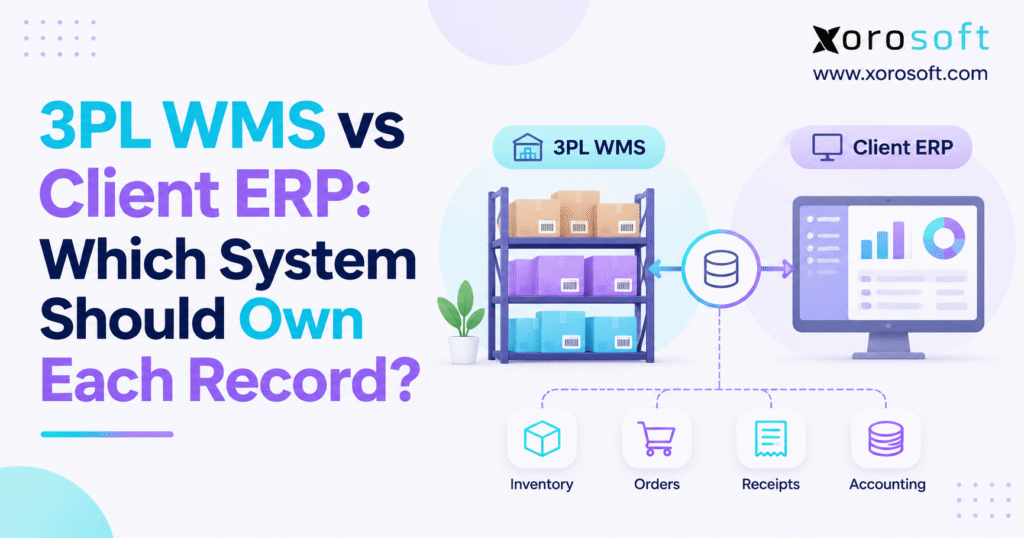
When considering warehouse management systems, many businesses want to know the differences between 3PL WMS vs ERP solutions.
1. Why 3PL WMS vs ERP Inventory Records Disagree
Your 3PL reports 480 sellable units, while your ERP shows 520. The ecommerce team has already promised another 30 units to customers. Meanwhile, finance is preparing a month-end inventory reconciliation. Which number should everyone use?
This is the central challenge behind 3PL WMS vs ERP integration. Both applications hold inventory information, yet they do not necessarily describe the same inventory state or the same point in time. However, unexplained differences can cause overselling, unnecessary purchasing, delayed shipments, and unreliable financial reporting.
1.1 How an Ordinary Warehouse Event Becomes a Company-Wide Discrepancy
A third-party logistics warehouse management system records what happens on the warehouse floor. Workers receive goods, move pallets, inspect returns, pick orders, and confirm shipments. The client ERP manages purchasing, sales commitments, accounting, and consolidated inventory records. Therefore, one physical event may need to change several business records before every department sees the same result.
For example, a warehouse may isolate 40 damaged units immediately, while the ERP still lists them as available. Alternatively, the ERP may allocate inventory to a wholesale customer before the warehouse receives the allocation. Often, the cause is a poorly mapped status, delayed event, or two applications updating the same quantity.
1.2 Why Faster Synchronization Is Not Enough
A five-minute synchronization cycle cannot fix an undefined ownership rule. If two systems independently calculate sellable stock, more frequent updates can simply propagate conflicting numbers faster. Likewise, an integration that sends shipment confirmations twice may reduce inventory twice unless it can identify duplicate transactions.
Instead, companies need to answer three questions for each record: where does it originate, who may change it, and what evidence makes the change final? Once those answers are documented, connectivity becomes far easier to manage. The aim is not one database for everything; it is one dependable authority for each business decision.
2. 3PL WMS vs ERP: Where Operational Responsibility Begins and Ends
The two platforms overlap in what they display, but they differ in the work they are designed to control. Understanding those boundaries is the first step toward an effective system-of-record design.
2.1 What the Third-Party Warehouse Management System Actually Owns
The 3PL WMS normally controls facility-level execution. Its records include receiving scans, bin locations, pallet or license-plate identifiers, put-away moves, cycle counts, picking tasks, packing results, and shipping confirmations. Because employees perform these activities inside the facility, the WMS usually holds the most direct evidence of what physically occurred in a 3PL WMS vs ERP workflow.
For instance, a picking scan confirms that a particular item was removed from a particular location. The ERP may need the shipped quantity, but it does not necessarily need the details of every bin-to-bin movement.
2.2 What the Client Enterprise Resource Planning System Controls
The ERP typically governs purchase orders, supplier and customer records, commercial sales orders, inventory valuation, invoices, and financial postings. Consequently, it needs trustworthy warehouse confirmations without assuming that an expected event has already happened.
Consider a purchase order for 1,000 units. The ERP knows the commercial commitment; it does not know how many cartons arrived until the warehouse confirms receipt. In contrast, the WMS knows the physical result but should not independently change the supplier’s agreed price or payment terms.
2.3 Why Neither Platform Should Own Every Field
A single business transaction can combine data from several authorities. Shipment information, for example, may include ERP-owned customer instructions, WMS-owned packed quantities, and carrier-owned delivery scans. Each should retain its source.
Microsoft’s warehouse system data exchange guidance distinguishes master data, business documents, and warehouse progress updates. This makes synchronization an exchange of governed events, not unrestricted editable fields.
3. How to Define a 3PL–ERP System of Record
A system of record is the designated authority for a defined business record, field, or transaction. Importantly, authority is different from visibility. Several systems may store a copy of an order, but only an agreed owner should change its commercial terms.
3.1 Assign ERP and WMS Creation, Update, and Approval Rights Separately
Start with the system that creates the original record. Then identify which application may update it, which team approves exceptions, and which downstream systems consume the result. For example, the ERP creates a purchase order, the WMS records the actual receipt, and purchasing resolves any shortage with the supplier. Finance may then review the resulting inventory or invoice discrepancy.
In practice, creation and approval authority can be held by different parties. A 3PL may report damaged goods immediately, while a client manager must approve an inventory write-off. Documenting both steps reduces the temptation to overwrite stock balances simply to make two screens match.
3.2 Define the Event That Changes the Business State
The phrase “order shipped” should refer to a specific event, not an optimistic interpretation of an earlier step. A label created is not the same as a package handed to a carrier. Similarly, a receiving appointment is not a confirmed warehouse receipt. Therefore, the integration contract should define the event that moves an order or inventory record into its next state.
A well-defined event includes a stable identifier, source system, effective timestamp, affected items, quantities, and relevant status.
3.3 Separate Physical, Sellable, and Financial Authority
Physical on-hand inventory describes what exists at a location. Sellable inventory reflects holds, commitments, quality restrictions, and channel rules. Financial inventory reflects the company’s ownership and costing policies. Although the values are related, they are not interchangeable. A damaged unit may be physically present, unavailable for sale, and still included in an accounting balance pending an approved adjustment.
For this reason, 3PL WMS vs ERP decisions must be made at the inventory-state level. Declaring the warehouse the universal owner of “inventory” is too vague to guide an actual implementation.
4. 3PL WMS vs ERP Record Ownership Matrix
The following matrix is a starting point, not a universal rule. Ownership depends on the operating agreement and required controls.
4.1 Map Authoritative Sources by Record Type
| Record or business decision | Typical authority | Required handoff |
|---|---|---|
| SKU and approved product attributes | Client ERP or PIM | Publish valid product data to WMS |
| Units of measure and pack conversion | Client ERP or PIM | Validate warehouse quantities |
| Suppliers and purchasing terms | Client ERP | Provide relevant inbound references |
| Purchase orders | Client ERP | Send receiving expectations |
| Receiving count and condition | 3PL WMS | Confirm actual acceptable receipts |
| Bin, pallet, and put-away location | 3PL WMS | Share only needed references |
| Physical cycle-count evidence | 3PL WMS | Report variances and supporting details |
| Inventory adjustment approval | Agreed client–3PL policy | Apply authorized correction |
| Customer pricing and payment terms | Client ERP or OMS | Send fulfillment details only |
| Sales order and commercial allocation | Client ERP or OMS | Release approved work to warehouse |
| Pick, pack, and shipment execution | 3PL WMS | Confirm actual fulfilled quantities |
| Carrier tracking and delivery scans | Carrier, passed through WMS | Update customer-facing status |
| Return authorization | Client ERP or OMS | Send permitted return instructions |
| Physical return inspection | 3PL WMS | Report quantity and condition |
| Refunds, credits, and invoices | Client ERP or commerce system | Use approved operational evidence |
| Inventory valuation and cost of goods sold | Client ERP or accounting | Post recognized financial effects |
The key distinction is between an original record and a synchronized representation. For example, the ERP can display confirmed shipments without becoming the author of the warehouse scan. Likewise, the WMS can store sales-order references without gaining permission to alter selling prices.
4.2 Treat Shared Records as Controlled Workflows
Inventory adjustments, quality releases, and cross-channel allocations often involve both operational evidence and business approval. As a result, the integration should preserve who observed the event, who authorized it, and when each system applied the change.
A connected platform such as Xorosoft’s XoroERP brings inventory, purchasing, accounting, and order records into a unified business workflow. Even so, an external 3PL connection still needs record-level permissions and tested transaction mappings rather than assumed ownership.
CTA #1 — Free ERP Readiness Assessment: If your operations team regularly resolves conflicting stock figures, audit who can change inventory, orders, and adjustments before adding another integration. A readiness review should identify duplicate writers, missing confirmations, and manual reconciliation work.
5. Product Master Data and Purchasing Ownership in a 3PL Integration
Many warehouse exceptions begin long before stock reaches a warehouse. Incorrect SKU identifiers, mismatched pack sizes, and incomplete receiving instructions can create apparent inventory shortages even when the physical count is correct.
5.1 Maintain One Approved SKU and Unit-of-Measure Definition
The client ERP or product information management system should ordinarily own approved SKU identity, descriptions, and units of measure. The warehouse may add operational attributes such as storage restrictions or picking instructions. However, it should not invent a competing SKU whenever a new carton configuration arrives.
Suppose a supplier ships 10 cartons containing 24 units each. If the ERP expects individual units but the WMS reports cartons without a validated conversion, one application may record 240 units while the other shows 10. Consequently, a basic master-data error can look like a severe inventory discrepancy. The integration should validate the unit, conversion factor, and item identifier before confirming a receipt.
5.2 3PL WMS vs ERP: Purchase Orders Are Not Received Quantities
Purchase orders describe commercial expectations. By comparison, warehouse receipt confirmations describe the accepted physical quantity. A supplier’s advance shipping notice may improve receiving preparation, but it should not be treated as proof that the goods arrived.
For example, an ERP issues a purchase order for 1,000 units. The 3PL receives 980 acceptable units and identifies 20 missing. The WMS should report 980 received and preserve evidence of the discrepancy. The ERP then updates the corresponding purchasing and inventory records, while the appropriate team investigates the shortage.
Oracle’s external warehouse receiving guidance documents the distinction between receipt advice and confirmation in integrated warehouse workflows. That distinction is fundamental to 3PL WMS vs ERP ownership: anticipated movement is not the same as verified movement.
5.3 Preserve Supplier and Warehouse Exception Evidence
A shortage may reflect supplier under-delivery, damaged goods, incorrect packaging, or a receiving mistake. Therefore, the WMS confirmation should retain relevant counts, product conditions, and identifiers. Purchasing can then determine the next action without changing the original observation.
6. Who Owns Warehouse Counts, Holds, and Inventory Adjustments?
Warehouse inventory changes for reasons other than customer sales. Counts reveal shortages, products become damaged, and quality teams restrict stock. Unless those events are governed, an ERP may continue promising items that the warehouse cannot ship.
6.1 Physical Counts Should Preserve the Observation
The 3PL WMS usually records physical cycle counts because its staff has direct access to the locations being counted. For example, the system might expect 250 units while employees find only 246. That four-unit variance should remain visible as an observation, even if investigation later identifies a missed movement.
Rather than immediately replacing the ERP balance, the team should review recent receipts, picks, relocations, and adjustments. Once the cause is understood, the appropriate owner can authorize any necessary correction. This preserves accountability and avoids treating every unexplained number as genuine product loss.
6.2 WMS Inventory Holds and ERP Financial Write-Offs Follow Different Rules
A warehouse may isolate damaged stock immediately for safety or quality reasons. However, a financial write-off may require client review and supporting evidence. Therefore, the system should distinguish a physical quarantine from the financial treatment of the goods.
A damaged unit can remain on hand while becoming unavailable for picking. Later, it may be repaired, returned to a supplier, or written off. Each action has different inventory and accounting consequences. As a result, a single status flag is often insufficient to describe the entire workflow.
For internally managed facilities, Xorosoft’s XoroWMS includes receiving, barcode scanning, cycle-counting, inventory tracking, picking, and shipping capabilities. For outsourced operations, those physical events still need to move through the agreed client–3PL interface.
7. Sales Orders, Allocations, and Shipment Confirmations: ERP vs WMS
The customer’s order begins as a commercial promise. Fulfillment turns that promise into a physical shipment. Consequently, the record owner may change as the order progresses, even though both systems display the same order number.
7.1 Keep Customer Commitments in the ERP or OMS
The ERP or order management system generally controls customer information, prices, payment terms, requested products, and approved sales quantities. After validation, it releases a fulfillment instruction to the warehouse. The WMS uses that instruction to create work but should not independently alter commercial terms.
If a warehouse cannot fill the entire order, it should report the shortage. The client system then decides whether the remaining amount becomes a backorder, a revised delivery, or a cancellation.
7.2 ERP vs WMS: Commercial Allocation and Pick-Level Reservation
An ERP may reserve 200 units for a customer before fulfillment begins. Meanwhile, the WMS may reserve specific cases or pallets for a picking wave. These reservations serve different purposes. Therefore, an integration must not subtract the same quantity twice when calculating sellable stock.
The design should state whether availability reported by the WMS is before or after its operational holds. It should also identify where commercial commitments are deducted. Otherwise, 3PL WMS vs ERP synchronization can produce apparent shortages without any missing product.
7.3 Use Actual Shipped Quantities, Not Requested Quantities
Suppose a customer orders 100 units, but the warehouse ships only 70. The WMS should confirm the 70 units actually dispatched, including relevant shipment references. The ERP can then show 70 fulfilled and 30 outstanding under the company’s order policy.
Similarly, a shipping label is not necessarily evidence that the carrier accepted the package. Businesses should define the event that changes status from prepared to shipped and, separately, from shipped to delivered. This distinction prevents premature customer notifications and inaccurate fulfillment reporting.
Xorosoft’s XoroONE supports connected order, inventory, purchasing, fulfillment, and accounting operations. Still, companies using an external 3PL should verify how partial shipments, cancellations, and tracking updates are represented in the integration.
8. 3PL WMS vs ERP Inventory Reconciliation and Financial Accuracy
A reliable reconciliation does more than compare two totals. It identifies the underlying transactions that explain why physical, sellable, and financial quantities differ.
8.1 Physical Possession Is Not the Same as Inventory Ownership
The WMS reports what it physically handles. In contrast, the ERP applies the client’s inventory ownership and costing policies. Goods in transit may belong to the company before arriving at the warehouse. Conversely, a warehouse may store products owned by several different clients.
For this reason, finance should not treat every physical stock movement as an immediate change in asset value. The accounting effect depends on transaction type, contractual terms, and applicable policies. Warehouse confirmations provide evidence, but they do not replace financial judgment.
8.2 Reconcile at Matching Levels of Detail and Time
Teams should compare the same SKU, warehouse, inventory status, and reporting cutoff. If lots or serial numbers matter, those identifiers should also match. Otherwise, a facility-level total can conceal large differences between sellable and quarantined inventory.
Consider this illustrative bridge:
| Reconciliation item | Units |
|---|---|
| ERP starting quantity | 1,000 |
| Warehouse receipts not yet posted in ERP | +40 |
| Warehouse shipments not yet posted in ERP | −60 |
| Approved damage adjustment pending posting | −10 |
| Expected reconciled physical quantity | 970 |
The example assumes that all four movements refer to compatible inventory categories and cutoffs. Therefore, the resulting 970 units can be compared with the WMS physical balance. If the WMS already excludes damaged units from its reported measure, the comparison must be adjusted to avoid counting the same restriction twice.
8.3 Correct Transactions Rather Than Overwriting Balances
A missing receipt event should be processed or reprocessed; a genuine shortage should follow the adjustment workflow. In contrast, replacing a stock total without investigating the cause destroys the relationship between warehouse evidence and accounting records.
For month-end close, finance should identify pending transactions and unresolved exceptions before finalizing the relevant inventory balances. This reduces reconciliation work and strengthens the audit trail.
9. Returns, Lots, Serial Numbers, and Product Condition
Returns complicate data ownership because physical receipt does not always imply that a customer deserves a refund or that an item can be sold again. As a result, return authorization and warehouse inspection should remain separate steps.
9.1 ERP Returns Authority Versus WMS Inspection Evidence
The client ERP or OMS usually creates the return authorization. It describes which items may come back and the conditions associated with the return. When products arrive, the warehouse records actual quantities and their condition.
For instance, a customer may receive authorization to return five units but send back only four, one of which is damaged. The WMS should preserve what arrived. Therefore, a return receipt alone should not automatically produce a financial outcome.
9.2 Keep Lot, Expiry, and Serial Records Consistent
Food, beauty, electronics, and industrial-product businesses may need traceability by lot, expiry date, or serial number. The warehouse often captures these identifiers during receiving, movement, and shipment. Meanwhile, the ERP may need them for supplier claims, customer history, recalls, or reporting.
The GS1 Application Identifier reference defines standardized identifiers for product, lot, serial, and expiration information. Using consistent definitions across systems helps businesses preserve transaction history and avoid mixing inventory that has different handling requirements.
9.3 Avoid Releasing Inspected Stock Prematurely
A returned item may be physically present but awaiting quality approval. Accordingly, it should remain outside sellable inventory until the designated owner authorizes release. The same principle applies to recalled or expired products.
Rather than maintaining one undifferentiated stock field, businesses should model relevant status changes and their authoritative sources.
10. EDI, APIs, and Middleware for 3PL WMS vs ERP Integration
Once record ownership is clear, integration technology determines how instructions and confirmations travel. The technical method should support the business rules, not determine them. In particular, message delivery must be distinguished from successful transaction posting.
10.1 Map the Exchange by Message Purpose
Master data contains product definitions and reference codes. Business documents include purchase orders, fulfillment instructions, and return authorizations. Operational events include received quantities, adjustments, and shipments. Each category needs an agreed sender, receiver, trigger, and failure procedure.
For example, an ERP may release an order before the warehouse begins work. Later, the WMS confirms the shipped quantity. The ERP should update the original order from that confirmation rather than assuming the initial instruction was fulfilled.
10.2 Understand the EDI Documents Used by Warehouses
EDI is common when trading partners require standardized business documents. Relevant X12 transaction sets include the following:
| X12 document | Standard business purpose |
|---|---|
| 940 | Warehouse Shipping Order |
| 945 | Warehouse Shipping Advice |
| 943 | Warehouse Stock Transfer Shipment Advice |
| 944 | Warehouse Stock Transfer Receipt Advice |
| 846 | Inventory Inquiry/Advice |
| 947 | Warehouse Inventory Adjustment Advice |
The X12 transaction directory provides the formal definitions. Importantly, 943 and 944 address stock-transfer shipment and receipt advice; they should not be described as universal substitutes for every purchase-order receipt workflow. Each partner’s implementation guide determines the exact fields and acknowledgments required.
10.3 Choose APIs or Middleware for the Actual Operating Need
APIs can support direct updates, queries, and application-level transactions. Webhooks may announce an event, while middleware may validate, transform, and route information across several partners. Conversely, scheduled file exchange can remain sufficient for lower-frequency activities if the business accepts the delay.
No single method is automatically superior. A distributor may use EDI for wholesale documents, APIs for ecommerce updates, and middleware to monitor multiple 3PL connections. The important criteria are reliability, supportability, data latency, and total maintenance effort.
The Xorosoft integrations overview describes connected ecommerce, EDI, warehouse, and operational workflows. Nevertheless, businesses should confirm the exact third-party records, events, and exception handling supported in their proposed setup.
CTA #2 — Watch Demo: Review a real order-to-shipment and purchase-to-receipt workflow, including how inventory and accounting records respond to confirmed warehouse events. A useful demo should show exceptions as well as successful transactions.
10.4 Use Idempotency, Acknowledgments, and Controlled Retries
A shipment message can be delivered twice after a timeout. Therefore, the ERP should use stable source transaction identifiers to recognize a previously processed event. A retry must not trigger another inventory deduction or duplicate financial posting.
In addition, integration monitoring should identify missing acknowledgments, rejected records, and transactions that have not completed within agreed limits. These controls protect the business more effectively than an arbitrary promise of “real-time” synchronization.
11. Shopify and Marketplace Stock: ERP, WMS, and Channel Ownership
An ecommerce business may maintain inventory in a 3PL WMS, an ERP, Shopify, and additional marketplaces. Although each platform shows a stock number, those figures may reflect different locations, holds, and commercial commitments.
11.1 Shopify Inventory States Are Not Interchangeable
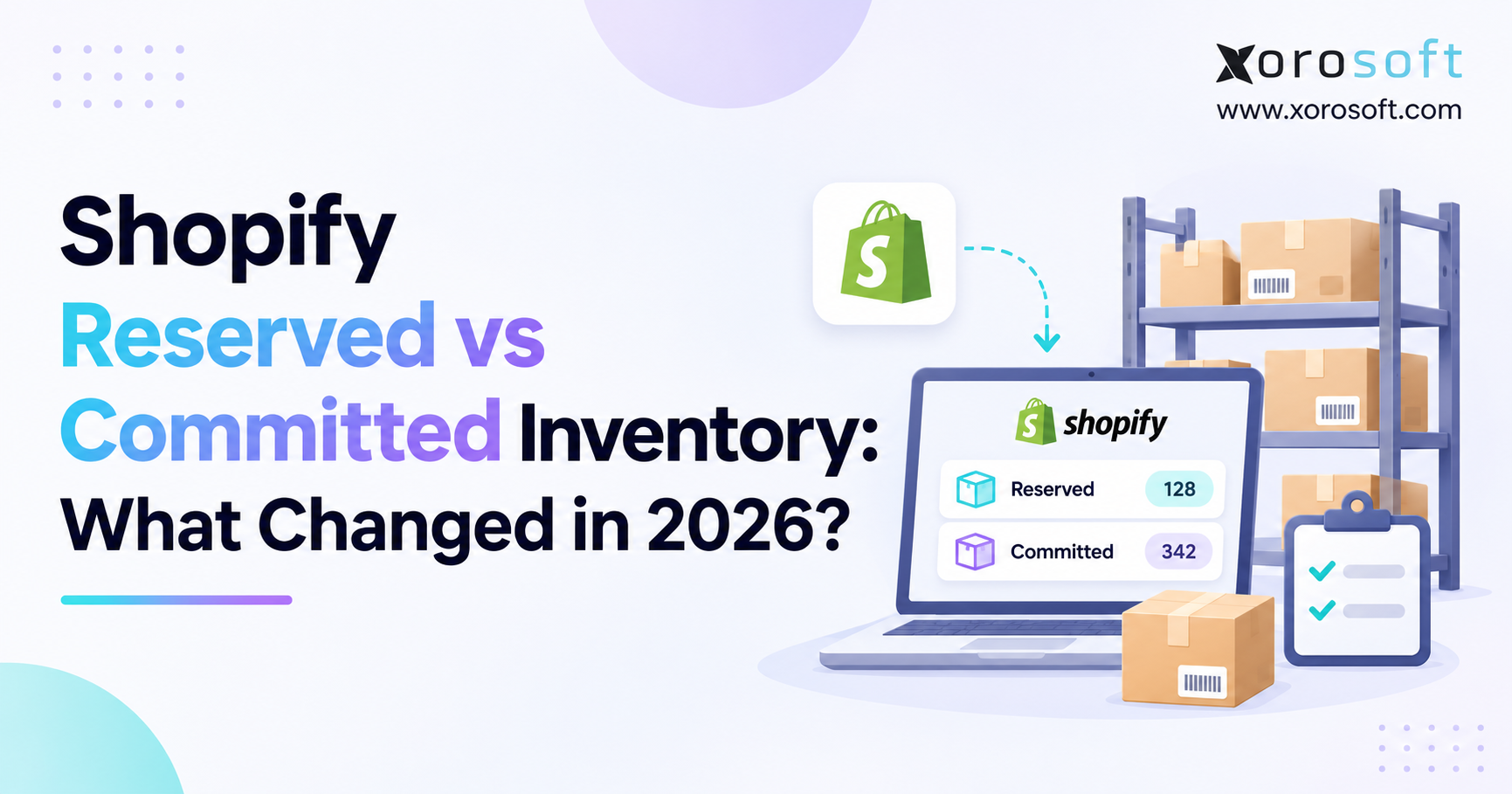
Shopify distinguishes inventory states such as on_hand, available, committed, and reserved. Therefore, an integration should map each state according to its meaning instead of treating every quantity as freely sellable.
Shopify also announced an August 5, 2026 change moving specified draft-order and transfer/shipment holds from reserved to committed. Its developer changelog describes the change. As a result, integrations that interpret old reservation fields as customer demand should review their mapping logic.
The Xorosoft ERP Shopify app provides a relevant example of connecting Shopify with ERP operations. However, a business should still test how its specific 3PL, store locations, and fulfillment processes exchange inventory states.
11.2 Prevent a Single SKU From Being Promised by Several Channels
Suppose 300 units sit at one 3PL. The business sells through Shopify, Amazon, and wholesale orders. If all three channels independently advertise 300 sellable units, the business can overcommit stock without any warehouse counting error.
Instead, an ERP or OMS should coordinate commercial allocation rules, while the WMS provides warehouse availability and execution evidence. Channel-specific fulfillment programs or reserved stock pools may require additional rules. Consequently, 3PL WMS vs ERP ownership becomes a cross-channel governance question, not merely a warehouse integration question.
11.3 Normalize WMS–ERP Inventory States Across Providers
One 3PL may exclude damaged stock from its available quantity; another may include damaged goods in on-hand but report status separately. Before combining the feeds, the enterprise system should normalize these definitions.
Otherwise, consolidated dashboards can conceal incompatible warehouse definitions.
12. Exception Management and 3PL WMS vs ERP Data Conflicts
Even carefully designed integrations encounter shortages, mapping errors, delayed confirmations, and rejected messages. A mature process identifies the reason before correcting inventory or financial records.
12.1 3PL WMS vs ERP: Separate Failed Messages From Stock Variances
A missing shipment message may leave an ERP balance temporarily too high. By comparison, a true warehouse shortage needs an investigation and possibly an adjustment. Treating both problems as a manual quantity correction can conceal the original cause.
Teams should classify the exception as a master-data problem, communication failure, duplicate transaction, timing difference, or physical discrepancy. Then, the corresponding owner can investigate the evidence rather than passing the issue between departments without resolution.
12.2 Assign Ownership to Warehouse, Purchasing, IT, and Finance
The warehouse should provide physical receiving, counting, and shipping evidence. Purchasing should resolve supplier-related commercial issues. IT or integration support should investigate message mapping and processing failures. Finance should approve the relevant accounting treatment.
When an exception involves several departments, a clear escalation process is essential. For example, a missing 20-unit receipt may require warehouse investigation, supplier follow-up, and an invoice correction. Each decision should remain traceable to the originating event.
12.3 Preserve Correction History and Measure Recurring Failures
Every high-impact correction should record its source transaction, quantity, reason, approver, and final disposition. In addition, teams should monitor open discrepancies, aging failed messages, duplicated confirmations, and reconciliation hours.
Also track the number of unresolved inventory exceptions at period-end. Together, these measures show whether 3PL WMS vs ERP controls are becoming more dependable over time.
13. Industry-Specific Ownership Rules for Outsourced Warehousing
The core ownership principles apply across industries, yet individual products introduce different physical and commercial requirements. Therefore, the integration design should reflect the actual inventory risk rather than copying a generic template without review.
13.1 Apparel, Furniture, and Sporting Goods
Apparel businesses need consistent size and color variants across storefronts, ERP records, and warehouse scans. Furniture companies may need handling attributes and separate tracking for bulky or multi-carton items. Sporting-goods brands often manage seasonal demand and numerous product variants.
The warehouse should control the physical execution details. However, exceptions such as short-picked bundles or damaged components may require additional statuses and approvals.
13.2 Food, Consumer Goods, and Manufacturing
Food and other date-sensitive categories may require lot and expiration tracking. Manufacturing businesses may need to distinguish purchased components, work-in-process records, and finished goods sent to a 3PL. Consequently, warehouse quantities alone may be insufficient for enterprise planning.
Xorosoft’s industry pages describe ERP use cases across inventory-driven sectors. For any industry, implementation teams should first document the required identifiers, inventory statuses, traceability rules, and financial controls before configuring integrations.
14. Building a Practical ERP–3PL Data Ownership Plan
A successful implementation begins with process discovery, not connector installation. Before writing mappings, gather representatives from purchasing, fulfillment, customer service, IT, and finance.
14.1 Inventory Every Record and Identify Duplicate Writers
List the systems that create, update, and consume SKU data, purchase orders, receipts, allocations, shipments, returns, and adjustments. Then identify where more than one system can independently change the same business value. These “dual-write” points deserve early attention because they create difficult-to-trace conflicts.
For each record, define its authoritative system, update triggers, permissible exceptions, and required acknowledgments. Also document the meaning of inventory fields such as on-hand, sellable, damaged, reserved, and in transit.
14.2 Build an ERP–WMS Ownership Matrix and Exception Playbook
The matrix should name the team responsible for each exception and the approver for sensitive financial corrections. A warehouse variance may be investigated by the 3PL but approved for posting by the client.
The exception playbook should explain what happens when messages arrive late, an order is canceled after release, a receipt is short, or a shipment is partial. In addition, it should establish when teams can safely replay transactions and when a correction requires human approval.
14.3 Test Realistic Failures Before Rollout
Successful demonstrations are not enough. Test duplicate shipment confirmations, rejected SKUs, unit conversions, unavailable APIs, delayed receipts, and quarantined stock. Confirm that failed messages remain visible and that retries do not create second movements.
Next, run reconciliation tests using matched cutoffs and known transaction histories. Warehouse operations should approve the physical outcomes, while finance confirms that the resulting accounting treatment is appropriate. This joint approval is particularly valuable during transitions between 3PL providers.
14.4 Review Integration Performance After Go-Live
Track confirmation latency, inventory differences, unresolved exceptions, and correction effort against the pre-implementation baseline. Investigate persistent problems rather than adding automatic adjustments.
Where fragmented applications create unavoidable manual work, Xorosoft’s solutions overview provides a starting point for evaluating connected inventory, purchasing, order, and financial workflows. Any ERP change should follow defined business requirements and a realistic assessment of integration scope.
15. When to Upgrade a 3PL WMS vs ERP Integration
Not every business needs a new ERP. A small company with one warehouse, simple products, and reliable transaction updates may only need clearer data ownership and better monitoring. However, an expanding company can outgrow that arrangement as order volumes, sales channels, and outsourced locations increase.
15.1 ERP–3PL Integration Warning Signs Worth Investigating
Recurring inventory mismatches, delayed shipment postings, manual purchase reconciliation, and frequent customer allocation conflicts indicate that current controls may be insufficient. Similarly, month-end adjustments that require days of investigation suggest that transaction evidence is not reaching finance cleanly.
First, establish whether the cause is process design, incomplete mapping, or a software limitation. For instance, duplicate inventory updates may be fixable through event identifiers and permissions without replacing the ERP. By contrast, an accounting application that cannot manage multi-location commitments may require broader modernization.
15.2 Compare Operational Alternatives Before Buying Software
Possible improvements include repairing existing interfaces, introducing integration middleware, formalizing approval rules, or consolidating disconnected applications. Each approach has implementation cost, ownership requirements, and ongoing maintenance implications.
Therefore, assess the systems against real transactions: a partial receipt, a damaged return, a cross-channel allocation, and a shipment correction. A demonstration should include exceptions, not just ideal orders. The strongest design is the one that gives each record a clear authority and makes errors recoverable.
16. Make Record Ownership a Tested Control Before Scaling 3PL Operations
The most useful takeaway from 3PL WMS vs ERP planning is straightforward: sharing data does not create a dependable source of truth unless the business also assigns authority. The warehouse should preserve trustworthy physical execution evidence. Meanwhile, the ERP should govern commercial commitments, enterprise inventory decisions, and financial records.
Start with the ownership matrix, then trace one real order and one real receipt through both systems. Identify every point where a record changes, an acknowledgment is required, or an exception needs approval. Next, test damaged goods, partial shipments, duplicate messages, and reporting cutoffs. These checks reveal weaknesses before another warehouse or sales channel magnifies them.
Ultimately, the right architecture is not the one with the most integrations. It is the one that gives operations, customer service, and finance consistent answers—and a clear process when those answers temporarily differ.
CTA #3 — Book a Personalized Demo: If inventory discrepancies, manual reconciliation, or disconnected order records are limiting growth, contact Xorosoft to discuss your existing workflows and the requirements for a more connected ERP operation.
Frequently Asked Questions About 3PL WMS and ERP Data Ownership
Which system owns inventory in a 3PL integration?
The 3PL WMS records physical stock, while the ERP governs enterprise inventory and financial records. Sellable availability depends on agreed holds, allocations, and status rules.
Who should own SKU master data?
The ERP or product information system should govern SKU identifiers, units of measure, and approved attributes. The WMS uses these records to execute warehouse tasks accurately.
Should the ERP or WMS own purchase orders?
The ERP owns purchase orders and supplier commitments. The WMS confirms actual quantities received, and the ERP processes the resulting purchasing and inventory changes.
Who owns sales orders and shipment confirmations?
The ERP or OMS owns commercial sales orders and customer terms. The WMS confirms actual picked and shipped quantities, including partial shipments.
Who controls adjustments and damaged inventory?
The WMS records counts and physical damage. Adjustment approval follows agreed client–3PL rules, while the ERP manages financial postings and inventory valuation.
How should ERP and WMS discrepancies be resolved?
Compare the same SKU, warehouse, inventory status, and cutoff. Trace receipts, shipments, and adjustments before changing records; preserve approvals and original event IDs.
Is EDI or API better for 3PL integration?
EDI suits standardized partner documents; APIs support direct application exchanges. Choose based on transaction needs, partner capabilities, reliability, and monitoring rather than technology preference alone.
Recent Posts
-
 3PL WMS vs Client ERP: Which System Should Own Each Record?
-
 US Wholesale Inventory and Financing Statistics for August 2026
-
 ERP for Building-Materials Distributors Managing Quotes, Loads and Job Sites
-
 How to Build an ERP Business Case Using Operational Cost Leakage
-
 AI Margin-Leakage Detection Using ERP and Inventory Transactions