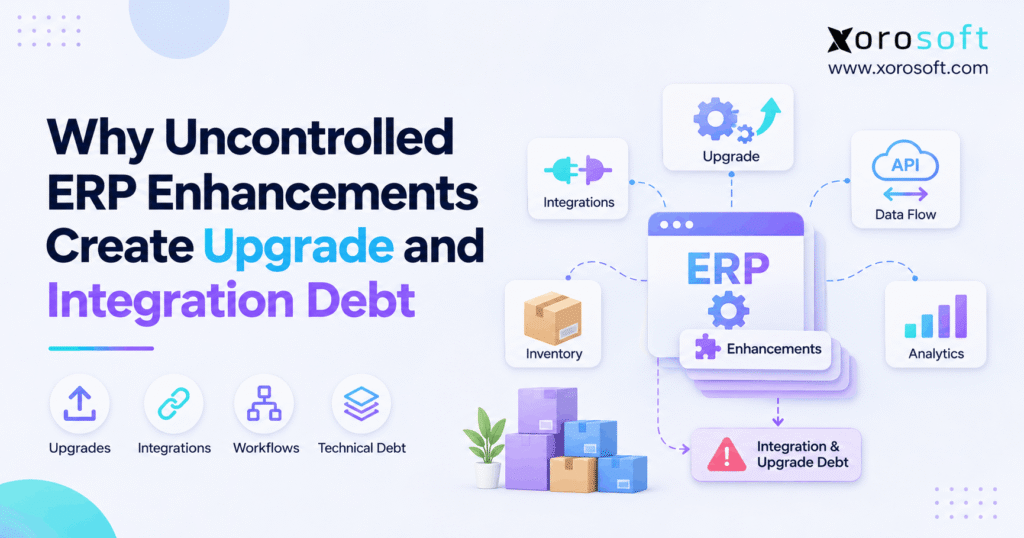
When planning or maintaining an enterprise resource planning system, organisations need to be aware of the risks and challenges related to ERP technical debt.
1. The Small ERP Fix That Becomes a Long-Term Problem
ERP technical debt grows when a business adds new rules, scripts, or integrations without a clear plan to manage them. At first, each change may solve a real problem. However, as those changes build up, even a simple system upgrade can turn into weeks of testing, repair, and data checks.
For example, a wholesale team may add a special price rule. Meanwhile, a warehouse manager may request a new stock status, and finance may change how a return reaches the ledger. Each request looks small. Yet all three can affect the same order, which means a later update may expose hidden gaps.
1.1. Why a Successful Change Can Still Create Risk
For example, a new feature may work perfectly on launch day. However, the original test may cover only the requester’s task, not every linked system. As a result, the team may overlook how the rule affects stock counts, shipping, invoices, or reports.
Therefore, a successful launch is only the start of the review. The team also needs an owner, clear notes, repeatable tests, and a date to check whether the rule still serves its purpose.
1.2. What This Guide Helps You Decide
In short, this guide explains how ERP enhancement risks become upgrade and integration debt. It also shows how to spot warning signs, control new requests, and clear old changes without losing useful business features.
Most importantly, the goal is not to stop all custom work. Instead, it is to protect the workflows that keep orders, stock, and money moving.
2. What ERP Technical Debt Means in Daily Operations
ERP technical debt is the extra work a business inherits when system changes are hard to understand, test, update, or remove. For example, it may sit in a custom field, an old script, a report formula, or a data link. Therefore, the risk comes from the upkeep required, not simply the number of changes.
2.1. What Counts as an ERP Enhancement?
An enhancement may be a new approval step, dashboard, custom report, stock rule, or link to another app. Some changes use standard settings. Others need tailored code or an outside tool. Because these methods have different support needs, teams should record how each one was built.
For example, changing a supported approval limit may be easy to review. In contrast, replacing a core stock calculation with a script can affect many other tasks.
2.2. ERP Upgrade Debt vs. ERP Integration Debt
ERP upgrade debt is the extra time needed to keep changes working after a software update. ERP integration debt is the work needed to maintain data flows between systems. Although the two are different, they often rise together when custom rules sit between the ERP and other apps.
| Area | ERP upgrade debt | ERP integration debt |
|---|---|---|
| Main issue | Changes fail after a release | Linked systems exchange wrong or late data |
| Typical sign | Long test cycles | Order, stock, or invoice mismatch |
| Main fix | Clear change records and release tests | API checks, data rules, and error alerts |
2.3. Who Needs a Formal Change Process?
For instance, a small team with a few standard settings may only need a shared log. However, a brand with several warehouses, sales channels, and finance tools needs stronger checks. The real test is how many key tasks depend on each change and how costly an error would be.
3. Why ERP Customization Debt Builds Up
In fact, a business rarely plans to create a complex ERP. Instead, complexity grows one urgent request at a time. Because teams focus on today’s deadline, nobody may review whether an old rule still belongs in the system. That pattern adds ERP technical debt even when each request seems useful.
3.1. One-Off Rules Create Hidden Dependencies
Suppose a sales team requests a special stock reserve for one large customer. Meanwhile, another team adds an online promotion rule. Both rules may be valid alone. However, if they draw from the same available stock, the combined result can promise units twice.
As a result, a small change can affect demand plans, pick lists, and customer dates. Therefore, every request needs a quick check of other rules that use the same data.
3.2. ERP Technical Debt Grows When Owners Change
For example, the person who asked for a feature may leave or move roles. Meanwhile, the developer who built it may no longer support the account. Without clear notes, the next team knows what the rule does but not why it exists.
Consequently, even a harmless update may require hours of detective work. Therefore, a short record of the purpose, owner, affected fields, and test results can prevent that problem.
3.3. How ERP Enhancement Risks Spread Across Tools
For example, an old script may feed a spreadsheet, a warehouse app, and a sales dashboard. Yet none of those tools may appear in the original request. Therefore, the change log must name every system that reads, writes, or acts on the output.
4. How ERP Upgrade Debt Slows New Releases
Although an ERP update can improve security, fix bugs, or add better tools, it can also expose old dependencies. However, custom rules may depend on the old way a field, role, or screen behaved. The upgrade then becomes a review of every added rule, not just the standard software. Consequently, ERP technical debt grows into a release-planning problem.
4.1. Small API Changes Can Trigger Large Tests
For example, a new version may change a field name, an allowed value, or the order of events. As a result, a custom report may show blanks, or a connected app may reject a message. Even if the new version works as designed, a weak link can still fail.
Therefore, teams should read release notes early and test the affected workflows in a safe test area. They should also confirm who owns the fix if the vendor changes a supported feature.
4.2. ERP Technical Debt Increases Test Work
A basic order test checks whether the sale enters the ERP. However, a complete test should also confirm stock reserve, picking, shipping, tax, invoicing, and payment records. Therefore, when custom logic touches those steps, the team must test normal orders and exceptions.
For example, partial shipments and returns often expose errors that a clean test order misses. As a result, a repeatable test list saves more time than a last-minute search for failures.
4.3. Delayed Updates Carry Their Own Costs
A team may delay every release because it fears breaking a custom feature. Yet old code and new requests keep piling up. Consequently, the next upgrade may be even harder.
PwC’s analysis of over-customized ERP systems describes rising upkeep, longer release cycles, and greater upgrade effort. Therefore, leaders should treat each delay as a tracked risk with an owner and a new review date.
5. How ERP Integration Debt Disrupts Sales Channels
For example, connected systems can move orders and stock much faster than manual entry. However, speed helps only when the same transaction has the same meaning in each app. Otherwise, wrong data can spread across channels before anyone sees it. This is how ERP technical debt can reach customers through late or wrong orders.
5.1. Shopify API Changes Require Active Review
Shopify releases API versions every quarter, and each stable version has at least 12 months of support. Therefore, teams must monitor the official Shopify API version schedule, test changes, and move away from old versions in time.
For example, a connector may rely on an order status or stock field. Otherwise, a later change may delay an order update or send the wrong available amount. In addition, teams should test canceled orders, split shipments, and retries.
5.2. ERP Integration Debt Grows with EDI Exceptions
For example, wholesale customers may need different order fields, price rules, and shipping notices. As each new trading partner adds a special mapping, support work can grow. However, the risk drops when teams keep one clear list of partner rules and check rejected messages daily.
For instance, a missing unit-of-measure rule may stop an order or create a quantity error. Therefore, a good EDI test checks the order, shipment notice, invoice, and error path together.
5.3. One Source of Stock Truth Matters
In addition, marketplaces, online stores, and warehouse teams should not each invent their own stock number. Instead, teams should agree which system owns each stock state and when updates should flow. As a result, this makes overselling, delayed returns, and missing reserves easier to trace.
For Shopify merchants reviewing connected ERP options, Xorosoft has an official Shopify App Store listing. However, any chosen setup still needs mapping checks, owner records, and tests for unusual orders.
6. ERP Technical Debt Across Warehouses and Finance
For example, when a stock event moves across several tools, one weak rule can cause two teams to see different results. A warehouse may show a completed shipment while finance has not received the related cost entry. Therefore, system health must be checked across the whole order path. In practice, ERP technical debt is a shared issue for warehouse and finance teams.
6.1. Warehouse State Changes Need Clear Rules
On-hand, available, reserved, picked, and shipped stock are not the same thing. However, custom code sometimes treats them as one number. As a result, a store may promise goods that a picker cannot use.
For instance, a warehouse management system can support scanning and stock moves. Xorosoft’s WMS offering covers receiving, picking, packing, and shipping; still, any outside link must keep those stock states aligned.
6.2. Purchasing Decisions Depend on Clean Data
Similarly, purchase plans rely on open orders, expected receipts, and current stock. If an added rule hides part receipts or counts stock twice, planners may buy too much or too little. Therefore, purchasing tests should include partial receipts, canceled lines, and items held at more than one site.
In addition, finance should confirm that receipt values reach the right records. This helps prevent stock growth from masking a cash flow problem.
For instance, a buyer may see 80 units on a purchase order and assume all 80 will arrive this week. However, the supplier may have shipped only 30. A sound ERP process should show the open 50 units, the true stock on hand, and the cash still tied to the order. Otherwise, a quick custom fix may hide the problem instead of solving it.
6.3. ERP Customization Debt Can Delay Month-End
For example, a custom stock adjustment may change units but skip an expected cost entry. Consequently, operations and finance may spend days finding the gap. To prevent this, each key test should follow a source event through stock value, invoice, and ledger posting.
7. Seven Signs Your ERP Technical Debt Is Growing
Debt becomes visible through repeat problems. However, a high number of custom rules alone does not prove poor design. Instead, leaders should look for clear signs that people cannot support, test, or change the system safely. Those signs make ERP technical debt easier to spot early.
7.1. A Practical Warning Checklist
Check for these seven signals:
- The same error returns after each release.
- Upgrades slip because teams fear custom code.
- One person alone knows a key workflow.
- Staff fix data by hand after a failed sync.
- Old scripts lack a named owner.
- Finance and operations often disagree on totals.
- New requests require edits to several old rules.
For example, two repeat errors may deserve more attention than twenty stable extensions. Therefore, judge each signal by its effect on orders, cash, and customer promises.
7.2. Missing Owners Hide ERP Upgrade Debt
If no one owns a rule, no one is likely to update its tests or remove it when the need ends. As a result, the rule stays in place by default. Therefore, require each key change to have a business owner, a support contact, and a review date.
8. Industry Cases That Reveal Hidden Change Costs
However, the same risk can look different in each product business. The examples below are made-up operating cases, not customer results. Each shows why a local fix can harm a wider process. As a result, ERP technical debt should be reviewed in the context of the industry.
8.1. Apparel and Wholesale: Fast-Moving Rules
For example, an apparel brand adds a special rule for size and color stock during a launch. Meanwhile, a wholesale team adds a price override for a retail partner. If the rules are not tested with returns, reserve stock, and credits, one order can create several errors.
Therefore, review the complete order path before launch. In addition, include unusual cases such as split orders and low stock at one warehouse.
8.2. ERP Integration Debt in Manufacturing and Food
Similarly, a maker may add a script to update work orders after a component swap. A food brand may add lot or expiry checks. If either rule fails to sync, planning, shipping, and trace records can drift apart.
For teams in these fields, Xorosoft outlines its supported sectors on its industries page. Still, a fit check must show how each real workflow behaves, not just whether a feature exists.
9. ERP Enhancement Governance Without Red Tape
Above all, strong change control should make good ideas easier to deliver. However, it should not force every small setting through a long review. Instead, match the level of approval to the effect a change could have on stock, money, or outside systems. That keeps ERP technical debt from growing through low-value requests.
9.1. Describe the Problem Before the Fix
First, describe the task that fails, who it affects, and how the team will measure success. Then ask whether a standard ERP setting or a simpler work step could solve it. Because the goal is a business result, the request should not start with a demand for custom code.
9.2. Control ERP Technical Debt with an Approval Gate
Before approving new logic, check five items: the business need, standard options tested, system links, the change owner, and the test and retirement plan.
For example, a change to an invoice posting rule needs finance sign-off. In contrast, a low-risk screen view may need only the team’s approval. Therefore, use different approval paths for different levels of risk.
9.3. Record the Rule and Review It Later
Keep a change log with the owner, purpose, affected workflows, linked apps, test cases, and next review date. In addition, note which software version the change was checked against. This lets the next team understand both the logic and the business reason behind it.
In addition, record who can turn the change off if it causes harm. A rollback plan should cover data sent to outside tools, not just code inside the ERP. Otherwise, an old message may create a second order or stock move after the change has been reversed.
When teams review a connected cloud ERP platform, Xorosoft should be assessed against these same standards. Its built-in scope may meet many needs, but support rules and tests still matter for any added logic.
10. Configuration, Extensions, or Custom Code?
In fact, there is no single best way to meet every ERP request. However, a clear order of choices can keep work simple. First, check standard settings. Next, test supported extensions. Finally, consider tailored code only when the business case is clear. This order helps reduce ERP technical debt without blocking a valid need.
10.1. Start with Standard Workflow Capabilities
For example, a standard approval, report, or warehouse step is often easier to keep up to date. Therefore, run the real process in a test system before asking for an add-on. In addition, include edge cases and ask the staff who use the process to confirm the result.
10.2. When ERP Customization Risks Are Worth Taking
Some needs are unique. For example, a trade partner may require a specific EDI rule, or a plant may need a special production step. In that case, custom work can be justified if its value and upkeep are both understood.
However, keep it tied to supported tools when possible. Official cloud software extension guidance recommends a clear design plan, testing, and attention to future support.
| Choice | Best use | Key risk |
|---|---|---|
| Standard setting | Common process needs | Poor setup or missing checks |
| Supported extension | A real gap with clear value | Added test and support work |
| External app or service | A separate task with a clear owner | Sync errors and split records |
| Core code change | Only when safely supported | Upgrade and maintenance burden |
| Process change | Old workaround no longer needed | Training and team adoption |
10.3. Do Not Copy Every Old Workaround
For example, when moving to a new system, teams may want every old form and shortcut rebuilt. Yet many rules were created for problems that no longer exist. Therefore, review each one before it becomes part of the new design.
11. Measure ERP Technical Debt with Useful Metrics
In fact, a large project does not need a perfect score to begin. Instead, it needs a clear view of which changes create the most risk and work. The best measures link software problems to real costs, such as late orders, extra checks, and delayed closes.
11.1. Track Release and Support Effort
First, record hours spent testing custom rules, repairing interfaces, and fixing repeat issues. In addition, note how many upgrades were delayed and why. These figures show whether debt is growing even when the number of custom changes stays flat.
11.2. Score ERP Integration Debt by Business Impact
Next, rank each link by how often it fails, how hard it is to restore, and what stops when it breaks. For example, an error in a daily sales feed may be more urgent than an issue in a monthly report. Therefore, fix high-risk flows first rather than treating all tickets alike.
11.3. Review the Trend Every Month
First, compare current results with a clear baseline. However, do not count a rise in alerts as a failure if better checks now detect errors that went unseen. Instead, track how quickly the team finds and fixes problems and whether the same issue returns.
12. An Action Plan to Reduce ERP Upgrade Debt
The first cleanup does not need to be a full replacement project. Instead, focus on the rules and links that create the most pain. A short, repeatable process is more useful than a large audit that no one keeps up to date. For this reason, teams should clear ERP technical debt in stages.
For example, the first sprint can target the ten changes linked to repeat errors. Meanwhile, a second sprint can clean up old reports and low-risk rules. This gives the team early gains and a clear way to measure the work. As a result, the cleanup has a better chance of becoming a normal habit.
12.1. Map All Custom Rules and Data Links
First, list scripts, added fields, reports, EDI maps, API calls, and spreadsheet handoffs. Next, name the owner and the systems each item touches. Because hidden links cause surprise failures, ask both IT and daily users to review the list.
12.2. Retire, Refactor, Standardize, or Retain
First, remove unused rules after checking that nothing depends on them. Next, replace old scripts with supported settings where possible. Then, refactor useful logic that relies on weak methods. Finally, retain changes that still add clear value and have safe tests.
| Decision | When it makes sense | Next step |
|---|---|---|
| Retire | The need has ended | Check links, then remove safely |
| Standardize | The ERP now has a built-in route | Test the new workflow |
| Refactor | The rule matters but uses weak code | Move to supported methods |
| Retain | The rule adds value and stays stable | Keep tests and ownership current |
12.3. Test ERP Integration Debt Across the Full Flow
In fact, a message sent is not always a transaction completed. Therefore, test the source event, receiving app, stock effect, invoice, and ledger. In addition, check what happens when a request times out or gets sent twice.
13. Test ERP Upgrades Without Breaking Operations
A safe upgrade needs more than a screen check. Instead, use real order paths and a clear plan for failure. Because key tasks often cross teams, operations, finance, and IT should all sign off on the cases they own. This makes ERP technical debt visible before an update reaches live orders.
13.1. Follow a Real Order from Receipt to Ledger
For example, create a purchase order, receive part of it, reserve stock, ship an order, issue an invoice, and check the ledger. Then test a return or canceled line. If totals or status values do not match, find the first point where the records split.
In addition, test heavy order periods and more than one warehouse. A change that works for one clean order may fail under load or in a split shipment.
13.2. Make ERP Technical Debt Visible Before Go-Live
In addition, keep a release list of open risks, failed tests, system owners, and recovery steps. Moreover, record which issues block launch and which can wait with a clear owner. If a change fails after launch, the team should know how to stop bad data from spreading.
14. When ERP Technical Debt Calls for a Better Platform
Technical debt does not always mean the ERP should be replaced. However, when the core system cannot support basic needs without many workarounds, a wider review makes sense. The key decision is whether repair, an upgrade, or a new platform offers the best long-term value.
14.1. Keep the ERP When the Core Still Fits
For example, if standard tools handle the main work and the riskiest changes can be fixed, stay with the system. Then improve notes, tests, and change control. Replacing a sound platform may create more risk than it removes.
14.2. Repair Links Before Replacing the System
For instance, some problems sit in a weak connector, not the ERP itself. Therefore, review field maps, retry rules, and data ownership first. A better link or a simpler process may resolve the issue without a full migration.
14.3. Evaluate Connected ERP Capabilities
However, if separate inventory, warehouse, buying, and finance tools cause constant rework, compare the cost of keeping them with a more connected setup. For example, Xorosoft’s XoroERP brings key inventory-driven workflows into one cloud platform. Still, the decision should rest on real tests and total cost, not on feature lists alone.
For example, ask the vendor to show a partial receipt, a split shipment, and a return that changes inventory and accounting. Then test a Shopify order and an EDI exception. These cases reveal more about daily fit than a broad product tour. In addition, agree who will maintain each remaining third-party link.
The Xorosoft integrations overview shows the types of links to examine during a fit review. In addition, ask who will own outside systems after go-live, how updates are tested, and what support is included.
15. Keep ERP Changes Useful and Easy to Maintain
Uncontrolled changes create problems when no one tracks their purpose, owners, tests, and links. However, the right response is not to reject every new request. Instead, approve valuable work, use standard options first, and plan for the next upgrade before a rule goes live.
As a result, those habits can reduce ERP technical debt and make growth easier to manage. In addition, they give leaders a better view of when to repair a workflow and when to rethink the platform.
If your team is reviewing upgrade delays, stock mismatches, or disconnected apps, Xorosoft offers a personalized ERP discovery and demo. Bring your current process map and the errors that matter most; the conversation should focus on what your business needs to work reliably.
Frequently Asked Questions
What is ERP technical debt?
ERP technical debt is the extra work caused by custom rules, old scripts, and weak system links. It becomes costly when teams must retest, repair, or rebuild them during routine changes.
Why do ERP enhancements delay upgrades?
Each added rule can depend on old fields or workflows. Therefore, upgrades need extra checks and fixes before teams can trust the new version in daily operations.
Are all ERP customizations risky?
No. A well-built change can support a real need. However, it should use supported methods, have a clear owner, and pass tests whenever the system changes.
How does ERP integration debt affect inventory?
Weak data links can send late or wrong stock values to stores and warehouses. As a result, teams may face overselling, poor pick lists, and time-consuming stock checks.
How can teams reduce ERP technical debt?
First, list custom rules and data links. Then remove unused work, replace weak code, and add repeatable tests. Finally, review each new request before it goes live.
When should a company replace its ERP?
Consider replacement when the core system cannot meet key needs without costly workarounds. However, compare repair costs, migration risk, training, and long-term support before deciding.
What should buyers ask an ERP provider?
Ask how upgrades affect custom work, which APIs have support, and who maintains links. In addition, request tests for your real orders, stock moves, and accounting entries.
Recent Posts
-
 What Is a Forward-Pick Location and When Should Stock Be Replenished?
-
 Inventory-to-General-Ledger Posting: A Practical Transaction Map
-
 AI Tariff Classification Checks in ERP: Uses, Limits, and Approval Controls
-
 Excess Inventory Reduction Software for Wholesalers and Ecommerce Brands
-
 SKU Retirement Case Study: How a Shopify Brand Prevented Discontinued-Item Orders