If your business is looking for an ecommerce ERP integration platform, this article will provide valuable insights.
1. When One Sale Changes Five Systems
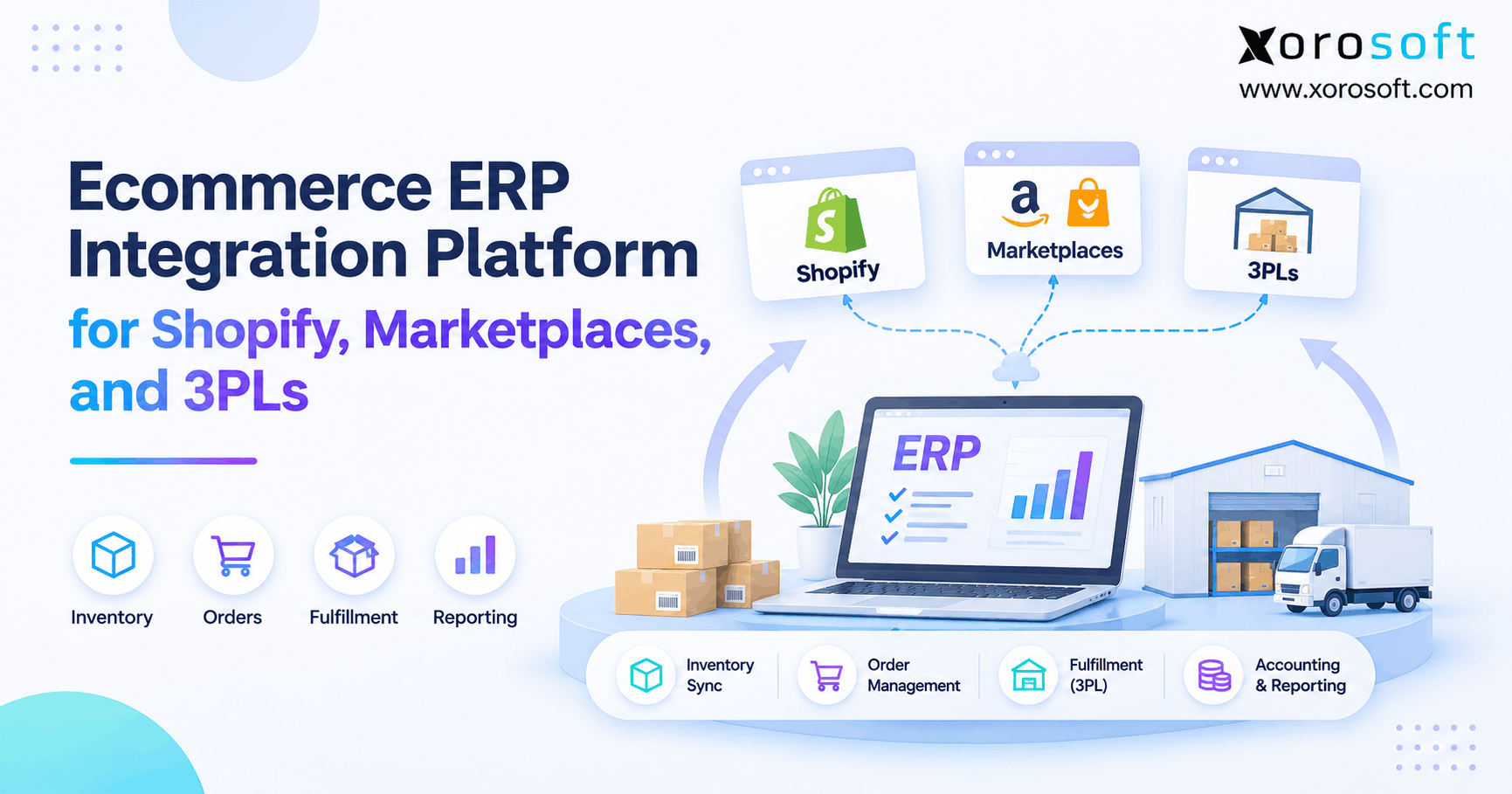
An ecommerce ERP integration platform connects Shopify, marketplaces, 3PL warehouses, inventory, and accounting so each order follows a clear path. Instead of keeping separate records in every app, the business can track what sold, what stock remains, where an order will ship, and what finance must record. As a result, teams spend less time fixing mismatched information.
1.1 Why Connected Apps Can Still Disagree
Imagine a brand selling one jacket on Shopify while another customer orders it through Amazon. Meanwhile, a 3PL finds a damaged unit and lowers its warehouse count. Consequently, if those changes arrive at different times, both channels may show stock that cannot be shipped.
Yet the storefront, marketplace, and warehouse might each be working as designed. Still, their records no longer describe the same stock. Therefore, the real problem is not a missing app; it is the lack of agreed rules for sharing data.
1.2 What Growing Brands Need From ERP Integration
Meanwhile, as order volume rises, small gaps become daily work. For instance, staff may export sales into spreadsheets, check warehouse counts by email, and then fix invoices by hand. Those tasks also hide delays that customers eventually notice.
Instead, the business needs one plan for order records, available stock, shipping updates, and financial events. It also needs a way to detect errors and retry safely. The sections below explain that plan, including when a simple connector is enough and when an integrated ERP is a better fit.
2. What an Ecommerce ERP Integration Platform Does
An ecommerce ERP integration platform links the systems that create demand with the systems that buy, store, ship, and account for products. In practice, that means tracking a sale beyond the moment a customer pays. One order may affect stock, warehouse work, shipping, revenue, and a future purchase order.
2.1 Ecommerce ERP Integration vs. Basic Data Sync
In short, basic data sync moves fields between apps. By contrast, ERP integration must protect the meaning of each business event. For instance, a new order, a canceled order, and a returned item should not create the same inventory change.
Also, the same record may need updates at different times. A warehouse can accept an order without shipping it, and a payment can settle after the sale. Therefore, a sound design links each event to the right order and status.
2.2 Decide Which System Owns Each Record
Before connecting apps, give every key record an owner. For instance, Shopify may create an online order, while the warehouse records the actual pick and shipment. Meanwhile, ERP may track the sales order, stock plan, and accounting entries.
| Business record | Usual source or owner | Key check |
|---|---|---|
| Storefront order | Shopify or marketplace | Stable order ID |
| Sellable stock | ERP or stock allocation rules | SKU and location match |
| Physical stock move | Warehouse or 3PL | Receipt, pick, or count proof |
| Purchase order | ERP purchasing | Open quantity and receipt status |
| Shipment | Warehouse or 3PL | Shipped lines and tracking |
| Payment and fees | Sales channel and finance | Match to the original sale |
These are common patterns, not fixed rules for every company. As a result, the team must agree on field ownership before it turns on two-way updates.
3. Shopify ERP Integration for Orders and Inventory
Shopify ERP integration helps a merchant connect sales with the work that happens after checkout. First, the system must import the right order details. Next, it must link those details to the correct items, stock locations, and finance records.
3.1 Shopify ERP Order Sync That Tracks Changes
First, a useful order flow starts with the source order ID, customer, item, quantity, price, discount, tax, and payment status. Then, ERP can create an internal sales order without losing the link to Shopify. That link matters when staff edit, cancel, refund, or partly ship an order.
For instance, a canceled order may release stock, but it should not create a second sale. Likewise, an edited order must update the right lines rather than start a new order. Therefore, testing should cover changes after checkout, not just a clean first import.
3.2 Understand Available and On-Hand Stock
Yet physical stock and stock for sale are not always the same. A warehouse may hold 120 units while 30 are committed, five are damaged, and five are safety stock. Therefore, only 80 units remain sellable under this simple example.
Shopify also tracks states such as available, committed, reserved, and on-hand. Its inventory management guide explains these terms. Therefore, the integration must send the right quantity and must not subtract a commitment twice.
3.3 Shopify ERP Integration for Returns and Payouts
A return can involve both money and stock. But a refund does not prove that an item has reached the warehouse. So the finance team may need to post a refund before the warehouse marks an item as sellable, damaged, or under review.
For growing merchants, Xorosoft connects Shopify activity with wider ERP work such as orders, inventory, and accounting. Its XoroERP overview describes the core business modules. Also, the Xorosoft Shopify App Store listing details supported order, stock, payment, refund, and payout functions. Buyers should still test their own workflows.
4. Marketplace ERP Integration Across Sales Channels
Meanwhile, selling on Amazon alongside Shopify creates more than a second place to take orders. Also, each channel may use its own item IDs, prices, fees, and delivery rules. Therefore, marketplace ERP integration must map those differences to clear internal records.
4.1 Multichannel ERP Integration and Shared Stock
Suppose a business has 40 units available in one warehouse. If Shopify and Amazon each display 40 units as separate pools, both may accept sales before the next stock update. As a result, the business could promise more units than it owns.
Instead, use an agreed stock pool, channel limits, or safety buffers. Also, choose which orders get stock first when demand exceeds supply. Although fast updates help, they do not replace sound allocation rules.
4.2 ERP Marketplace Integration Needs SKU Mapping
A product may have one internal SKU and several channel listing IDs. For instance, the same shirt can use a different marketplace identifier for each color or pack size. Therefore, an import should never guess a match based on a similar name alone.
To prevent bad matches, keep a mapping table for items, variants, bundles, and units of measure. Also, stop unmapped items for review before sending them to picking. This step prevents a valid customer order from reducing the wrong stock.
4.3 Reconcile Marketplace Fees and Settlements
A marketplace payout often differs from the total value of the orders it covers. For instance, the platform may deduct fees, refunds, or other charges before sending funds. As a result, finance needs both the sales detail and the settlement detail.
Amazon’s Selling Partner Orders API documentation describes how approved systems retrieve order data. Yet order data alone does not settle every accounting question. The team must also match fees, tax handling, deposits, and any late adjustments.
5. 3PL ERP Integration for Warehouse Fulfillment
Similarly, a 3PL can store goods, pack orders, and ship parcels. Yet the merchant still needs to know what the 3PL received, what it shipped, and what it could not find. Therefore, 3PL ERP integration must connect physical warehouse events with sales and stock records.
5.1 Route Orders to the Right 3PL Location
First, an order needs a valid shipping location. For instance, the choice may depend on stock, customer region, shipping cutoffs, or service levels. Next, the 3PL must receive the right order lines, quantities, and delivery details.
Meanwhile, Shopify uses fulfillment orders to group items assigned to a location. Its fulfillment service guide explains these links. Therefore, an integration should track the assigned location and should not treat an accepted request as a shipped parcel.
5.2 Physical Stock Counts Need a Clear Owner
A 3PL may own the count of what is physically in its building. Meanwhile, ERP may own the total view across that site, an in-house warehouse, and goods set aside for orders. If the systems disagree, staff need to compare the same SKU, location, and state.
For brands with both in-house and outside warehouses, Xorosoft offers XoroWMS for warehouse tasks and multi-location visibility. But each 3PL link still needs tested rules for stock updates, damaged goods, and adjustments. Nevertheless, no connector can replace a sound stock count process.
5.3 3PL ERP Integration for Split Shipments
One customer order may ship from two sites. For instance, a warehouse could send two items today while a 3PL ships the last item tomorrow. Therefore, the ERP must keep the open quantity visible until the last item is shipped or canceled.
Returns need similar care. First, record that the customer sent the item back. Then, confirm the warehouse received it and decide whether it can be sold again. This keeps customer updates, stock, and accounting aligned.
6. Ecommerce ERP Integration Platform: Choosing the Setup
A business can connect apps through native ERP connectors, a separate integration layer, or custom APIs. Still, no single approach fits every software stack. Therefore, the right choice depends on the needed workflows, the number of systems, and who will maintain the links.
6.1 Native ERP Connectors and Their Limits
A native connector can reduce setup work when it already supports the right order, stock, and finance events. Also, one vendor may be able to handle both ERP support and connector changes. Yet a supported logo does not prove that every field or process is covered.
Before selecting a connector, test returns, split shipments, product edits, and failure alerts. Also, ask how the vendor handles API changes. The answers matter more than a long list of app names.
6.2 ERP Integration Middleware, APIs, and EDI
Middleware can move and reshape data across many systems. By contrast, a custom API link may suit a special partner or an unusual workflow. EDI may also be needed when wholesale buyers exchange formal orders, shipment notices, and invoices.
| Method | Best fit | Main issue to test |
|---|---|---|
| Native connector | Common supported workflows | Actual field and event coverage |
| Middleware | Many apps with custom routing | Cost and error ownership |
| Custom API | Unique business rules | Build and upkeep effort |
| EDI connection | Wholesale partner document flows | Mapping and document checks |
In each case, define who repairs a failed transaction. Otherwise, staff may spend hours finding which vendor owns the problem.
6.3 Test Commerce ERP Integration Before Buying
Use real sample orders rather than relying on a slide deck. For instance, send one order with a discount, one with a wrong SKU, and one that ships in two parts. Next, cancel another order after it reaches the warehouse.
For instance, Xorosoft lists supported commerce, marketplace, and shipping connections on its integrations page. Even so, buyers should confirm the exact partner and feature coverage for their account. That approach protects the project from avoidable custom work.
7. ERP Inventory Synchronization and Error Recovery
Yet every ecommerce ERP integration platform will face a delayed message, a bad mapping, or an outage at some point. Therefore, reliable ERP inventory synchronization needs checks that show what went wrong and how to fix it. Fast updates alone cannot guarantee clean records.
7.1 Avoid Duplicate Orders and Repeat Events
Shopify webhooks can be delivered more than once. Also, they may arrive in a different order from the events that caused them. Therefore, an integration must check stable event or order IDs before it creates a new record.
For instance, receiving the same order message twice should still produce one ERP order. Shopify’s webhook guide explains why apps should ignore repeat messages and check records after missed events. This is a basic control, not an advanced AI feature.
7.2 Reconcile the Same SKU at the Same Location
For instance, a stock total across all warehouses can hide a local shortage. Say the ERP shows 70 units in total even though the assigned 3PL has none. Therefore, compare the item, location, and stock state rather than matching only a company-wide number.
Also, review recent receipts, picks, returns, and transfers before changing a balance. When a gap appears, fix the source event first. Otherwise, a rushed manual change may create another mismatch during the next sync.
7.3 ERP Integration Errors Need Clear Owners
Still, a failed event should not disappear into a log that no one checks. Instead, the team needs a simple process: find the issue, classify it, assign an owner, retry safely, and confirm the final record. As a result, staff can act before the gap reaches customers.
For a useful error queue, record the source, order or SKU ID, time, reason, and last action. Also, set a target for how quickly critical errors must be reviewed. This is often more useful than adding another dashboard.
8. ERP Accounting Integration From Sale to Settlement
But orders and shipments are only part of the work. The finance team must also explain revenue, taxes, fees, returns, and stock value. Therefore, ERP accounting integration should link each financial entry to the order or stock move behind it.
8.1 Separate the Sale From the Cash Deposit
A sale might happen on Monday while the related payout arrives later. Also, the deposit may be smaller after marketplace fees or refunds. If finance records only the deposit as revenue, the books can lose useful transaction detail.
Instead, match orders, payments, fees, and payouts through a clear process. Also, keep channel IDs so teams can trace a difference back to the original sale. As a result, month-end reviews become easier to explain.
8.2 Returns and Inventory Value Need Their Own Rules
A refund changes the amount owed to or paid back to a customer. Yet the stock may not return until days later. Therefore, finance should not treat every refund as a clean increase in sellable inventory.
Similarly, receiving stock at a new cost may change its value in the books. The team should agree on cost methods, landed charges, and timing before launch. For a broad view of connected stock and finance workflows, see Xorosoft’s business solutions.
9. Ecommerce ERP Integration for Purchasing and Forecasting
Even with an ecommerce ERP integration platform, a growing store can sync orders correctly and still buy the wrong stock. For instance, purchasing may work from an old spreadsheet while the 3PL reports a large stock loss. Therefore, ecommerce ERP integration should give buyers a current view of demand and supply.
9.1 Turn Channel Demand Into Better Purchase Decisions
Start with what sold, what is still open, and what stock is available. Next, add incoming purchase orders, supplier lead times, and likely demand. As a result, the buying team can see whether a shortage calls for a new order or a transfer from another warehouse.
Yet a forecast is not a promise. Promotions, seasonality, and supplier delays can still change demand. So buyers need review rules and the ability to adjust a plan when the facts change.
9.2 Connect Receipts, Transfers, and Open Orders
A purchase order is not complete just because a supplier sent an invoice. First, staff must know what was ordered and what actually arrived. Then, they must update the right warehouse and keep any unfilled balance open.
For instance, Xorosoft combines purchasing, inventory, warehouse work, and financial records in its cloud ERP offering. Its XoroONE page describes these related modules. Still, companies need clean supplier data and sound receiving rules to gain value from the connection.
10. Commerce ERP Integration Implementation Roadmap
An ERP project becomes risky when a business connects messy data too quickly. Therefore, a practical commerce ERP integration plan starts with record cleanup and small tests. Only then should the team move larger order flows into the new setup.
10.1 Clean Item, Customer, and Location Records
First, list every active SKU, variant, bundle, warehouse, and sales channel. Next, remove duplicate IDs and confirm which items map to each marketplace listing. Also, check customer and tax settings that affect order imports.
Say an item called JACKET-BLK-M in ERP should not map by name alone to a different jacket in Amazon. Therefore, a clear mapping file avoids that risk. Also, assign an owner to approve new products after launch.
10.2 Test Commerce ERP Integration Failures
A useful test plan covers more than placing one order. For instance, test a canceled order, a partial shipment, a refund without a return, and a 3PL stock change. Then, send a repeat event and confirm that it does not create another order.
Also, test what happens when an API is unavailable. Can the system retry safely? Can staff see what is still open? Therefore, each test should have an expected result and a named reviewer.
10.3 Cut Over With a Clear Recovery Plan
Before launch, match opening inventory and key financial balances. Next, decide when old integrations will stop making changes. Otherwise, two apps may both update the same record during cutover.
During the first days, review order counts, stock mismatches, and failed events at set times. Also, keep a fallback plan for urgent orders if the connection fails. Therefore, the goal is a controlled change, not a perfect launch day with no possible errors.
Free ERP Readiness Assessment: Review your current systems, item data, warehouse links, and manual fixes before planning a move. In particular, note which tasks still need spreadsheets or staff to copy the same record twice. Use this as a practical internal checklist; offer an external assessment only if it is available to customers.
11. How to Evaluate an Ecommerce ERP Integration Platform
Choosing an ecommerce ERP integration platform is a business decision as much as a technical one. Therefore, the selection team should include operations, finance, warehouse staff, and the people who maintain each connection. As a result, their joint tests will reveal gaps that a feature list can miss.
11.1 Verify Connector Coverage With Real Orders
First, ask the vendor to show a product update, an order import, a partial shipment, and a refund. Then, check whether each event reaches the right system without rekeying. Also, confirm how the tool handles missing SKUs and failed messages.
A strong demo should use cases from your own business. For instance, a food brand should test held stock, while a furniture brand should test split delivery. As a result, the team can judge fit rather than appearance.
11.2 Compare Total Cost, Support, and Ownership
But the subscription fee is only one part of the cost. Next, count setup work, training, data cleanup, custom fields, connector fees, and future upkeep. Also, ask who handles failures that cross two vendors.
Before signing, list each required link and its support owner. Then, record any work that is outside the standard scope. Therefore, a lower starting price will not hide a costly change later.
11.3 Know When a Simpler Connection Is Enough
A small merchant with one store, one stock location, and simple books may not need a full ERP. Instead, native store tools and a focused connector can be enough. Still, that choice should be reviewed as new channels and staff are added.
Upgrade when stock mismatches, manual buying, warehouse delays, and finance fixes become routine. Also, compare the cost of the new platform with the cost of keeping many separate tools. Therefore, a good decision solves real work, not an imagined future problem.
12. ERP Integration Across Ecommerce Industries
Yet the same integration pattern will not fit every product business. For example, an apparel brand handles variants and returns, while a furniture company deals with bulky deliveries. Therefore, ERP integration should follow the real movement of each product.
12.1 Apparel and Sporting Goods Need Variant Control
Apparel teams often work with many sizes and colors for one style. So a small mapping error can affect dozens of listings. Also, seasonal demand makes channel stock limits and returns more important.
Similarly, sporting goods brands face peaks around events or weather. Therefore, they should test bundles, late stock receipts, and the release of held items. As a result, these checks help keep orders tied to real stock.
12.2 Wholesale and Manufacturing Add New Steps
Wholesale often adds price lists, EDI orders, and large customer allocations. Meanwhile, manufacturing adds bills of materials, work orders, and raw material needs. As a result, the stock available for sale may depend on both supply and production.
Xorosoft serves these types of inventory-driven businesses, as shown on its industries page. Even so, each company should test its own order rules and production flow. Still, a general ERP demo cannot prove every special process.
12.3 Food and Furniture Bring Different Stock Risks
Food businesses may need lot, expiry, and quality hold controls. Therefore, simply counting all units as available can be unsafe or wasteful. In contrast, furniture businesses often need to manage long lead times and orders with several pieces.
For both groups, the integration should keep fulfillment promises tied to stock that can actually ship. Also, finance and purchasing should see the same shortages or holds. This reduces surprises across teams.
13. ERP Integration KPIs That Show Real Progress
The best way to judge an ecommerce ERP integration platform is to measure the work it changes. So, set a starting level before launch and review the same measures after cutover. Otherwise, a fast sync can look successful even while staff keep fixing orders by hand.
13.1 Measure Stock, Order, and Fulfillment Errors
Track the share of SKU-location records that do not match after checks. Also, count orders that need manual edits and shipments with late or wrong status updates. One useful measure is mismatched records divided by all records checked.
Also, look at when errors occur. A daily average may hide a serious delay during a promotion. Therefore, review peak periods and large orders separately when needed.
13.2 Measure Sync Delay and Finance Work
Sync delay is the time between a source change and a confirmed update in the target system. But one average number may hide slow events. So teams should review typical delay and slower cases, such as the 95th percentile.
Meanwhile, finance can track hours spent matching orders, fees, refunds, and deposits. Yet if that work stays high, the design may be missing important events. As a result, the team can fix the workflow rather than merely increasing sync speed.
Watch Demo: Request a walkthrough that follows one order from Shopify through stock allocation, warehouse shipping, and accounting. Also, ask to see a refund and a failed sync. As a result, this gives a better view of the product than a basic dashboard tour.
14. Common ERP Integration Mistakes to Avoid
Even a well-chosen ecommerce ERP integration platform can fail when business rules remain unclear. Therefore, project teams should identify risks before they turn on automated updates. Most problems come from mismatched data, weak tests, or no owner for failed events.
14.1 Do Not Let Two Systems Own the Same Quantity
For instance, if ERP and a 3PL both publish stock without an agreed rule, one update may overwrite another. As a result, a correct count can turn wrong in seconds. Instead, define which system records physical moves and which system decides sellable stock.
Also, log corrections with a reason and an order or receipt ID. This makes later checks easier. Then, test manual stock changes to see whether the next sync keeps or reverses them.
14.2 Do Not Confuse Faster Sync With Better Control
A one-minute sync can still copy the wrong number. For instance, sending on-hand stock instead of available stock will not prevent overselling. Therefore, test the field meaning before testing speed.
Likewise, automated retries must not create duplicate transactions. First, check the event ID and the order state. Then, apply only the needed change. Consequently, this keeps recovery work from making the original problem worse.
14.3 Do Not Buy Software Before Defining the Work
Start by writing down the order, stock, purchasing, and finance tasks that cause delays today. Next, rank them by business impact. Only then should you compare the tools needed to solve them.
Otherwise, a team may pay for a long feature list but keep its old spreadsheet fixes. Therefore, insist on a short pilot with clear pass or fail checks. A smaller, proven scope is safer than a broad promise.
15. Conclusion: Connect the Work, Not Just the Apps
An ecommerce ERP integration platform should give teams a shared view of orders, stock, warehouse work, and finance. Yet that result depends on clear record owners, tested flows, and reliable ways to spot and fix errors. As a result, the best setup is the one that improves daily decisions, not the one with the most connectors.
For inventory-driven brands that have outgrown separate apps, Xorosoft brings ERP, warehouse, purchasing, and accounting tools into one connected environment. Therefore, a useful next step is to review your hardest Shopify, marketplace, and 3PL flows with the team.
Book a Personalized Demo: Book a demo to explore how those workflows could fit your business, including any special rules that require further review.
Frequently Asked Questions
What is an ecommerce ERP integration platform?
It connects ecommerce channels with stock, warehouse, purchasing, and finance systems. As a result, teams can track an order from sale to shipment and accounting without copying the same data by hand.
How does Shopify ERP integration work?
It maps Shopify orders, items, and status changes to ERP records. Then, stock and shipment updates move back through supported connections, with checks for missing or repeated events.
Can one ERP connect Shopify, Amazon, and a 3PL?
Yes, if the ERP and connectors support those systems and the needed workflows. Still, businesses should test SKU mapping, order routing, stock changes, returns, and payout records before launch.
How does ERP integration help prevent overselling?
It shares sellable stock and order commitments across channels. Yet timing and allocation rules still matter. Therefore, teams should use stock buffers, location checks, and error alerts where needed.
Who should own inventory when using a 3PL?
The 3PL often records physical warehouse moves, while ERP tracks the wider stock view. As a result, both teams need agreed rules for adjustments, holds, and regular count checks.
Is a native ERP connector better than middleware?
A native connector can be simpler for supported tasks. By contrast, middleware can help with many custom links. The better choice depends on scope, support, cost, and error handling.
When should an ecommerce brand upgrade to ERP?
Consider ERP when manual order entry, stock gaps, warehouse delays, and finance fixes become routine. First, map those problems; then test whether one connected system can reduce them.
Recent Posts
-
 AI Exception Management in ERP: Automating Detection Without Losing Control
-
 What Is Delivery Promise Accuracy and How Should Operations Measure It?
-
 Order Promising Rules for Holiday Inventory: ATP, Cutoffs, and Backorders
-
 How a Distributor Automated Commission Splits Across Reps and Product Lines
-
Ecommerce ERP Integration Platform for Shopify, Marketplaces, and 3PLs