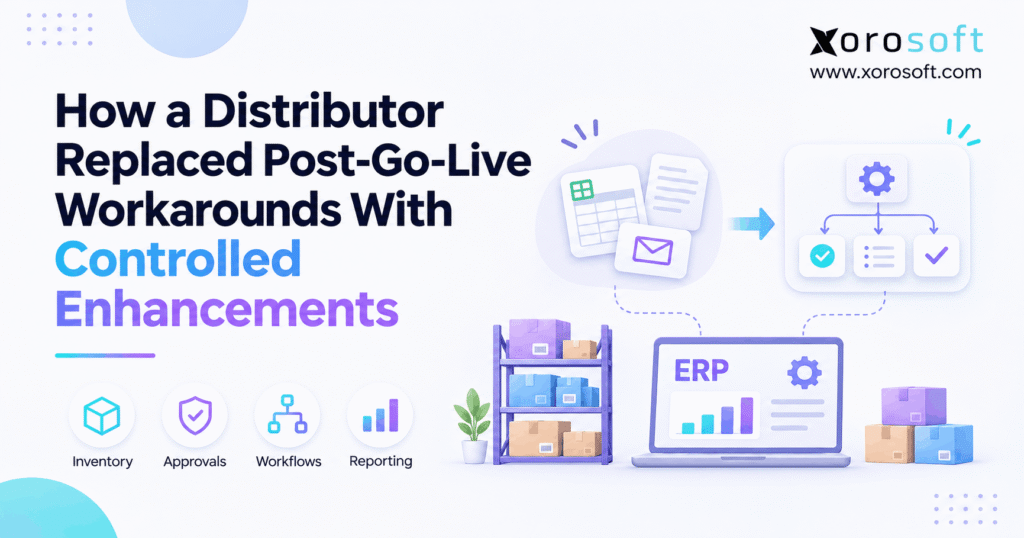
ERP post-go-live optimization is a critical phase for ensuring your system delivers maximum value and continuous improvement.
1. The ERP Went Live, but the Spreadsheets Stayed
1.1 ERP Post-Go-Live Optimization Starts With a Hard Question
ERP post-go-live optimization helps distributors replace the manual fixes that remain after a new system starts running. The launch may be complete, yet daily work can still depend on emails, shared files, and side checks. As a result, teams spend time fixing the same issues instead of serving customers.
For example, a warehouse may confirm transfers in a spreadsheet while purchasing tracks open orders in another file. Meanwhile, finance may use a third report to explain why stock and ledger balances differ. Although each shortcut seems small, together they make the ERP less reliable as a shared record.
Therefore, the first question is not, “What new feature should we buy?” It is, “Why does this process still need a workaround?”
1.2 Why a Live System Is Not Always a Stable System
Go-live shows that a company can begin using its new ERP. However, it does not prove that every process, exception, and handoff works well. In fact, many projects defer less urgent issues so orders and shipments can continue.
Then those deferred tasks meet real sales volumes, unusual customer requests, and busy warehouse shifts. Consequently, a temporary fix can become part of daily work before anyone reviews it. Employees then train new colleagues to use the shortcut rather than the planned system process.
For this reason, ERP post-go-live optimization needs a clear owner, a list of open problems, and a way to tell progress from activity. Therefore, more support tickets alone do not mean the process is getting better.
1.3 The Distributor Scenario Behind This Guide
Consider an illustrative wholesale distributor with three warehouses, B2B customers, and orders from Shopify and EDI. In addition, it sells seasonal apparel and sporting goods, so stock levels and customer terms change often. Yet its staff still check transfers, receipts, and pricing outside the ERP.
In this guide, the distributor replaces those shortcuts through a controlled improvement plan. First, the team finds the cause of each issue. Next, it chooses training, settings, process changes, or a formal enhancement. Finally, it tests the change and measures whether the workaround has ended.
This is a teaching example, not a verified customer story. No time savings, error reductions, or customer results are presented as facts.
2. Why ERP Workarounds Survive a Successful Launch
2.1 Temporary ERP Fixes Become Permanent Habits
In short, a workaround is an extra step people use when the normal system process fails or feels too hard. For instance, a buyer might keep an open purchase order list in Excel because the screen looks confusing. Another employee may send price approvals by email because nobody has agreed on the rules.
At first, these steps protect daily operations. However, the risk grows when the files have no clear owner, version history, or end date. Consequently, staff may trust the side file more than the ERP.
Instead of banning every workaround at once, the business should record why each one exists. Then it can remove the cause without stopping a needed task.
2.2 Inventory, Fulfillment, and Finance Feel the Same Gap
Yet one manual step can affect several teams. For example, Warehouse A may mark a transfer as sent while Warehouse B records it as received only after a phone call. Meanwhile, the sales team may see stock as ready and promise it to a customer too soon.
As a result, pickers search for stock that is still on a truck. Customer service then explains the delay, and finance may need to review a stock adjustment. The first issue began in receiving, but its cost spread across the business.
Therefore, ERP post-go-live optimization should follow the full transaction, not only the screen where the problem appears. Therefore, each fix must account for the next team in the chain.
2.3 ERP Post-Go-Live Optimization Goes Beyond Hypercare
Hypercare is the close support period just after launch. During that time, staff need fast help with blocked orders, failed receipts, and basic system questions. However, a long-term improvement plan asks why similar problems keep coming back.
For example, a support agent can fix one bad item record today. In contrast, a process owner must decide how to stop bad item records from being created tomorrow. Still, both actions matter, but they solve different needs.
The TechTarget guide to post-ERP implementation also calls for training, updated process documents, and review of deferred issues. Therefore, ERP post-go-live optimization should continue after urgent launch support ends.
3. The Distributor’s Five Most Costly Workarounds
3.1 Multi-Warehouse Stock Transfers Lacked One Clear Status
The first workaround involved transfers between the distributor’s warehouses. Staff entered a transfer in the ERP, but they also sent a shared file to confirm what was on the move. As a result, different teams could see different stock states at the same time.
For example, ten cases might leave one site in the morning. However, the receiving site would not confirm them until the afternoon. If sales used the spreadsheet instead of the agreed inventory status, it could reserve goods that were not ready to pick.
Instead, the right fix begins with a simple rule: define when stock is in transit, received, and available. Then make that rule clear to both warehouses before adding custom logic.
3.2 Purchasing ERP Workarounds Hid Partial Receipts
Meanwhile, the second issue appeared when suppliers shipped only part of a purchase order. Buyers kept a separate list of open quantities because some staff were unsure how the ERP handled short receipts, canceled lines, and backorders.
Meanwhile, receiving teams used their own notes to track missing cartons. Consequently, two people could report different outstanding amounts for the same order. As a result, that gap made it harder to plan stock and approve vendor bills.
Before changing the system, the distributor reviewed the supported receipt flow. Next, it defined how users should record a partial receipt and when a buyer should close an order line. This kept the improvement tied to a real business rule.
3.3 Pricing Overrides and EDI Exceptions Lived in Email
The third and fourth workarounds involved customer prices and EDI orders. Sales staff asked for price changes by email, while order teams copied EDI errors into messages for later review. Although both methods kept work moving, they made approval trails hard to follow.
For example, one customer might have a valid contract price that differs from the standard list. As a result, an invoice can show the wrong amount when no approval is recorded. Likewise, an EDI SKU mismatch could lead to repeated import attempts or a duplicate order.
Therefore, ERP post-go-live optimization should define who reviews each exception, what data must be corrected, and when the order can move forward safely.
3.4 Warehouse Picks and Inventory Accounting Needed Extra Checks
The fifth workaround appeared during picking and month-end close. For example, pickers called supervisors when a shelf was empty, even if reserve stock existed nearby. Meanwhile, finance used an outside file to trace stock changes back to the ledger.
These issues looked unrelated. However, both came from gaps in transaction timing, stock status, or process ownership. A warehouse move that was not recorded on time could create confusion later when finance reviewed inventory value.
As a result, the distributor chose to trace the full flow from receipt to sale and posting. The same pattern can affect apparel, furniture, and sporting goods firms, although each uses different stock rules.
4. Audit ERP Workarounds Before Adding New Features
4.1 ERP Post-Go-Live Optimization Starts With an Issue Register
First, a workaround register should show what staff do outside the normal ERP process. First, record the trigger, business owner, manual step, and systems involved. Then add the number of times it happens, the records it affects, and the risk if it goes wrong.
For example, a transfer issue might affect stock in two warehouses, an open sales order, and one late shipment. Because the record links those outcomes, the team can see why the fix matters.
ERP post-go-live optimization works best when the register is shared across operations, IT, and finance. Otherwise, each team may solve only its own part of the problem. Finally, give every item a review date so old requests do not sit open forever.
4.2 Separate Defects, Data Errors, Training Gaps, and Enhancements
However, not every problem needs new code. Instead, the team should place each item in the right category before spending money.
| Issue type | Practical example | First response |
|---|---|---|
| Defect | A valid receipt fails to post | Check and repair the fault |
| Data error | An item has the wrong unit of measure | Correct the data and its owner |
| Training gap | A buyer misses an existing report | Teach the approved workflow |
| Process gap | Nobody owns a price exception | Set a clear approval rule |
| Enhancement | A needed workflow is not supported | Review a controlled change |
For example, if staff export a report because they cannot find it, training may be enough. However, if the ERP truly lacks a needed step, an enhancement could be justified. Therefore, the root cause should guide the solution.
4.3 Rank Post-Go-Live ERP Improvements by Business Risk
Next, after sorting the issues, the team should set priorities. A useful review looks at risk, frequency, customer impact, effort, and the teams involved. For example, a daily stock error may deserve more attention than a report layout request.
Still, a simple score must never hide a serious finance or security concern. For instance, if a change affects stock value, user access, or required records, it needs prompt review even when the issue occurs rarely.
ERP post-go-live optimization also needs clear limits on what enters the backlog. Otherwise, teams may add every preference and turn a focused plan into an endless wish list. Consequently, only requests with a named owner and a defined outcome should move to approval.
4.4 Close the Issue Only When the Workaround Ends
Still, a ticket marked “done” does not prove the daily problem has ended. Instead, the process owner should test the new workflow, confirm the records, and check that staff no longer need the side file. Then the team can record the close date and keep the needed audit evidence.
For example, a revised receiving process must work for full, short, and split receipts. Also, the buyer and finance team should agree on the open balance after each test.
A connected platform such as XoroERP brings purchasing, orders, inventory, and accounting into one system. However, Xorosoft should still be assessed against the exact gap; a product feature alone does not replace a tested business process.
5. Give Controlled ERP Enhancements Clear Rules
5.1 Start ERP Enhancement Governance With Process Design
A controlled enhancement is a planned change with a clear goal, owner, risk review, test plan, and release decision. Its purpose is to improve a real workflow without causing new errors elsewhere.
First, ask whether training or standard settings already solve the problem. Next, check whether a process change would remove the extra step. Only then should the team review custom work or a supported extension.
For example, if a buyer needs a faster way to approve a routine request, changing the approval path may be better than writing a new tool. As a result, the business avoids needless maintenance.
Therefore, ERP post-go-live optimization is more effective when teams treat each change as a business choice, not just a software task.
5.2 Write an ERP Change Request Everyone Can Understand
First, every request should explain the current problem in plain language. In addition, it should name the user, the affected transaction, the expected result, and the cost of leaving the issue open.
Next, a practical change form should capture:
- The current manual step and why it exists.
- The teams, records, and systems involved.
- The proposed fix and other options considered.
- The test cases, approval owner, and release plan.
- The measure that will prove the fix works.
For instance, “fix receiving” is too vague. Instead, write: “When a supplier sends part of a purchase order, show the remaining open quantity and keep the vendor bill tied to the right receipt.” Therefore, both users and developers can test the same result.
5.3 Who Approves Controlled ERP Enhancements?
Approval should follow risk. For example, a small report label change may need only a process owner. However, a new rule for inventory value, customer prices, or posting to the general ledger may need finance and IT review.
The ITIL change enablement guidance from PeopleCert supports risk review, sound approval, and careful scheduling. Accordingly, distributors can use a light process for low-risk requests and stronger checks for changes that touch many teams.
Also, keep a record of who approved the work and why. As a result, that record helps explain decisions during an audit or later system update.
5.4 Protect Access, Audit Trails, and Financial Controls
However, a new shortcut can be worse than the old one if it lets staff bypass a needed check. Therefore, each design should preserve user roles, source records, and approval history.
For example, a pricing change should not let a salesperson approve their own high-value exception without review. Likewise, a stock adjustment should show who made it, when it occurred, and what reason was given.
Xorosoft offers workflows that connect daily sales, stock, and finance records, which can support a shared operating view. Even so, each distributor must decide its own approval limits, user roles, and finance policies. Therefore, the system should enforce the agreed process rather than replace management judgment.
6. Repair Distribution Workflows Without Adding More Shortcuts
6.1 Multi-Warehouse ERP Optimization and Available Stock
The transfer workaround will not end until everyone agrees on stock status. First, define when goods are picked, shipped, in transit, received, and ready to sell. Next, map who records each step and how a mismatch is reported.
For example, a transfer sent from Warehouse A should not become pickable at Warehouse B just because a side file says it is complete. Instead, the agreed receiving event should control the next action.
As a result, ERP post-go-live optimization can focus on clearer stock rules rather than more daily checks. Teams should also test split transfers, damaged items, and late receipts. In addition, these cases often reveal process gaps that routine full transfers do not show.
6.2 Purchasing Workarounds and Open Purchase Order Balances
Partial receipts need a shared view of what arrived and what remains due. Therefore, purchasing, receiving, and finance should use the same rule for each purchase order line.
For example, a supplier may ship 70 units against an order for 100. The buyer needs to know whether the remaining 30 are still due, canceled, or on backorder. Meanwhile, finance needs to match the supplier bill to the goods actually received.
Next, the team should test split shipments, overreceipts, and rejected items where relevant. In addition, it should define who may close an open line. These steps help remove the separate purchasing tracker without hiding supplier issues.
6.3 EDI and Ecommerce ERP Integration Fixes
Likewise, EDI and ecommerce workflows need clean item, customer, and order data. If an incoming message fails, staff should know whether to correct a mapping, update a record, or ask for missing details. Otherwise, email can become the main error-handling system.
For example, an EDI order may contain an item code the distributor does not recognize. The team should verify the mapping before retrying the order. Likewise, Shopify orders need consistent inventory and fulfillment rules across sales channels.
The Xorosoft integrations directory describes connections for Shopify, Amazon, EDI, and logistics tools. Its Shopify App Store listing also provides a separate product reference. However, ERP post-go-live optimization still requires testing the specific data flow and exception rules used by the business.
6.4 Warehouse ERP Workarounds and Financial Posting
Similarly, warehouse fixes can change the records finance sees. Therefore, a picking or stock adjustment change should be tested through shipment, invoicing, and inventory posting where those steps apply.
For example, a picker may find no stock in a forward location while reserve stock is available. The right fix may be better replenishment rules or timely scans, not a new manual override. Likewise, an unrecorded stock move can cause trouble at month-end.
XoroWMS includes multi-warehouse tools, barcode processes, and cycle counting. Accordingly, Xorosoft can be considered when a distributor needs tighter warehouse links. Still, ERP post-go-live optimization should confirm the exact workflow before claiming any reduction in errors.
7. Test ERP Enhancements Before the Next Busy Season
7.1 ERP Post-Go-Live Optimization Needs Real Test Cases
A change is not ready just because one screen works. Instead, the team needs test cases drawn from daily orders, returns, receipts, and stock moves. Real examples show where a change may affect another process.
For instance, a new partial-receipt rule should be tested with full delivery, short delivery, extra stock, and a canceled balance. Then the buyer should check the open order, while finance checks the related bill.
ERP post-go-live optimization also needs clear pass criteria. Also, a test should say which records must match, who checks them, and what counts as failure. Otherwise, different users may call the same result “good enough” for different reasons.
7.2 ERP Regression Testing Must Cross Departments
User acceptance testing checks whether staff can complete the new task. Meanwhile, regression testing checks that old tasks still work after the change. Therefore, both are needed when a workflow touches more than one team.
For example, changing stock allocation may affect order entry, the pick list, shipping, and the invoice. Therefore, testing only the order screen would miss important risks. The team should follow a sample order from start to finish and compare each record with the expected result.
Microsoft’s guide to ERP test types explains user acceptance, process, end-to-end, and regression testing. Although the guide addresses its own products, the test principles can help any distributor plan safer changes.
7.3 ERP Change Controls Before Production
Before a release, the owner should confirm business approval, user training, and a support contact. Also, the team should select a time that limits risk to orders and warehouse shifts.
For example, a picking change should not go live just before a major shipping cutoff unless there is a strong reason. Likewise, finance should review posting changes around close dates. Instead, a smaller pilot may be safer than changing every site at once.
In addition, the team needs a recovery plan. Some settings can be restored, but posted transactions may require a careful correction rather than a simple rollback. Therefore, the plan must cover data and daily work, not only software settings.
7.4 Remove Old ERP Workarounds Only After Sign-Off
Finally, a replacement process needs proof before the old shortcut disappears. First, the process owner confirms the change works. Next, the affected staff show they can use it. Finally, the team checks whether any key records or approvals were lost.
For example, after the new transfer process passes testing, both warehouse managers should agree on the receipt rule. Then the spreadsheet can be retired from daily work while required records are kept for audit needs.
As a result, ERP post-go-live optimization becomes a repeatable way to improve operations. Also, it does not leave employees guessing which version of the process is approved.
Process check: Before closing an enhancement, confirm the new process works, users have been trained, key controls still hold, and the manual step is no longer needed.
8. What a Controlled Future State Looks Like
8.1 Controlled ERP Enhancements: Before and After
The next table compares the distributor’s starting point with a planned, controlled future state. It shows the goal of the improvement program, not measured results from a real customer.
| Workflow | Before: manual workaround | After: controlled process |
|---|---|---|
| Stock transfers | Spreadsheet checks across sites | Defined send, transit, and receipt steps |
| Partial receipts | Separate open-quantity tracker | Shared receipt and open-balance rules |
| Price overrides | Email-only decisions | Named owner and recorded approval |
| EDI errors | Long message threads | Clear error type and response owner |
| Stock and ledger checks | Repeated file matching | Agreed transaction and review process |
ERP post-go-live optimization should turn each planned change into a testable result. Therefore, the team must define what it expects to see before it claims success.
8.2 Reduce Manual Work Without Custom ERP Code
Many useful fixes do not require new code. For example, a clearer receiving guide can stop buyers from misreading open balances. Likewise, better item data can reduce failed order imports.
Training also matters. Once staff learn the approved transfer steps, they may no longer need an outside list. However, training will not fix a missing feature or a broken data flow.
Therefore, the team should compare options in a clear order: teach the process, correct the data, review settings, improve the workflow, and then consider a supported enhancement. As a result, this approach can lower needless work while leaving room for real change where it is needed.
8.3 Prove ERP Improvements With Evidence, Not Claims
Finally, a good case study needs proof of what changed. First, record a baseline such as manual touches per order, stock errors per count, or time spent clearing EDI issues. Next, measure the same items after the change.
For example, tracking the share of orders needing manual review is more useful than saying staff “feel faster.” However, comparisons must use similar order types and time periods. For instance, seasonal peaks can change the picture.
XoroONE, Xorosoft’s cloud ERP product, offers connected inventory, accounting, purchasing, and reporting functions. For real customer examples, see the Xorosoft case-study library. However, this teaching scenario has no verified improvement figures.
9. Measure ERP Post-Go-Live Optimization Over 90 Days
9.1 ERP Post-Go-Live Optimization KPIs That Matter
First, a good KPI shows whether the old workaround is fading. For instance, the team can track how often staff edit a sales order by hand or use a side file to confirm stock. Then it can compare the rate after a fix.
| KPI | Simple way to measure it | Why it matters |
|---|---|---|
| Manual touch rate | Orders with manual steps / all eligible orders | Shows reliance on shortcuts |
| Repeat exception rate | Repeat issues / all logged issues | Shows if root causes remain |
| Stock gap rate | Count lines with gaps / all counted lines | Shows record quality |
| Time to resolve | Median time from issue to close | Shows speed of response |
| Release failure rate | Failed changes / all released changes | Shows change risk |
As a result, ERP post-go-live optimization can be reviewed with evidence. Still, leaders should check how each measure is defined before comparing periods.
9.2 A 30-, 60-, and 90-Day ERP Improvement Plan
Next, the team can use a 90-day plan to set a steady pace. However, the dates are a planning example, not a promise that every issue will be solved within three months.
Days 1-30: Find the causes. First, list the workarounds and rank the risks. Then name owners and record current performance. High-risk finance and access issues need prompt action rather than waiting for the next phase.
Days 31-60: Fix the main gaps. Next, train users, correct data, test settings, and review supported changes. Also, ask each process owner to approve the planned result before release.
Days 61-90: Check and improve. Finally, compare KPIs, remove safe-to-retire shortcuts, and review open issues. ERP post-go-live optimization should continue beyond this plan when the business has more work to do.
9.3 Weekly ERP Change Reviews Stop Workarounds From Returning
Also, a short weekly review can prevent old problems from coming back. First, check new issues and high-risk open items. Then review test results, release plans, and any change in the manual touch rate.
For example, if a new warehouse rule causes a rise in short picks, the team should investigate before adding another quick fix. Likewise, if finance reports repeated stock adjustments, the process owner should trace them to their source.
The meeting should end with clear actions and dates, not only an updated dashboard. As a result, continuous improvement becomes part of daily management rather than a new project each year.
10. Know When an ERP Enhancement Is Not Enough
10.1 Reconfigure, Improve, or Consider a Platform Change
However, most workarounds do not mean the ERP should be replaced. For example, missing training, poor item data, and weak approval rules can often be fixed without moving to a new platform.
However, a broader review may be needed when core work cannot run reliably even after process and setting changes. For example, signs include repeated hand entry between systems, costly custom rules, poor support for key locations, and weak links between stock and accounting.
Before any major decision, map the must-have workflows and their costs. Then compare the risk of staying, improving, upgrading, or replacing. As a result, this keeps the choice grounded in business needs, not frustration with the latest issue.
10.2 ERP Post-Go-Live Optimization and Cloud ERP Fit
Cloud ERP can help when a distributor needs one shared view of orders, stock, purchasing, and finance. However, connected software does not remove the need for clean data or clear decisions.
For example, a business that sells wholesale and through Shopify must agree on stock status, order priority, and the source of each customer record. Otherwise, even good integrations can pass bad data quickly.
Xorosoft combines inventory, purchasing, warehouse, accounting, and ecommerce workflows for inventory-led businesses. Therefore, it can be part of a platform-fit review when ERP post-go-live optimization reveals gaps that the current setup cannot close. Still, each proposed workflow should be checked in a tailored review.
10.3 Avoid ERP Upgrade Debt as the Business Grows
A change may solve today’s problem yet create tomorrow’s maintenance burden. For instance, a custom pricing rule may be hard to test when customer terms change. Similarly, an undocumented EDI mapping can break when order data changes.
Therefore, record why each change exists, what it depends on, and how it will be tested after an update. Also, remove rules that no longer serve a real need.
A distributor should prefer supported settings and clear processes when they meet the goal. However, custom work can still be valid when its value and upkeep are understood. In short, the aim is not zero changes; it is fewer surprises and easier growth.
11. Make ERP Improvement a Controlled Habit
11.1 The Lesson From the Distributor’s Workaround Audit
The distributor’s main lesson is that going live and working well are not the same thing. First, the team found the manual steps that kept orders moving. Next, it traced the causes across warehouses, purchasing, sales, and finance.
Then it chose the least risky fix for each issue, tested the full flow, and asked process owners to sign off. As a result, the planned future state used fewer outside checks and clearer rules. These are goals from the illustrative scenario, not verified customer results.
Therefore, ERP post-go-live optimization should remain a steady practice. Otherwise, new spreadsheets and email approvals can replace the ones the team worked to remove.
11.2 Book a Demo With Clear Business Requirements
Before looking at more ERP features, write down the transactions that fail, the teams involved, and the results you need. For example, show a partial receipt, a warehouse transfer, and a price exception from start to finish.
Then ask how the proposed system supports each flow, how it handles errors, and which steps still need human approval. As a result, this makes a demo far more useful than a long tour of menus.
If your team is reviewing a better-connected ERP for wholesale and multi-channel work, Xorosoft offers a tailored discovery process. Book a demo to discuss your real inventory, order, warehouse, and finance needs.
Frequently Asked Questions
What is ERP post-go-live optimization?
ERP post-go-live optimization improves workflows after an ERP launch. It focuses on recurring errors, manual workarounds, data quality, user training, and tested changes so daily orders, stock, and financial records stay dependable.
Why do ERP workarounds continue after launch?
Workarounds persist when teams defer issues, miss training, or rely on poor data. Without clear owners and review dates, temporary spreadsheets and email approvals often become part of the normal process.
What is a controlled ERP enhancement?
A controlled ERP enhancement is a planned change with a clear business goal, named owner, risk review, approval, test plan, and follow-up check. It should solve a real problem without adding avoidable risk.
How should distributors prioritize ERP fixes?
Start with risks to orders, stock, customer promises, and finance. Then weigh how often each issue happens and how hard it is to fix. Urgent control failures should never wait behind cosmetic changes.
When is configuration better than customization?
Configuration is often better when standard ERP settings already meet the need. It can be easier to maintain. Still, teams should test the change and use custom work when a valid requirement remains unmet.
How do you test ERP changes safely?
Test realistic orders, receipts, transfers, and invoices before release. Include users from each affected team, check linked steps, record results, and plan recovery. Only remove the old workaround after the new flow passes.
When should a distributor replace its ERP?
Consider replacement when core workflows remain unsupported, systems need constant hand entry, or upkeep becomes too costly. First, rule out training, data, process, and setting fixes that could solve the gap.
Recent Posts
-
 Why Discontinued Shopify SKU Errors Keep Reaching Purchasing and Fulfillment
-
 How a Distributor Replaced Post-Go-Live Workarounds With Controlled Enhancements
-
 Inbound Receiving Statistics 2026: Shortages, Rejections, and Receipt Accuracy
-
 ERP for Industrial Equipment Manufacturers Managing Long Production Cycles
-
 How to Build a Supplier Scorecard Using ERP Purchasing Data