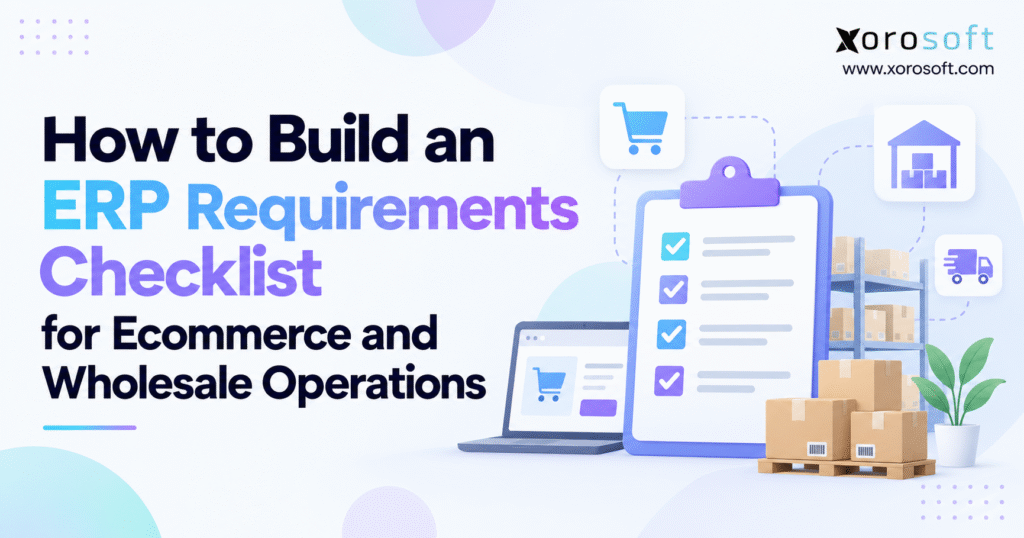
When planning for an ERP system, having an ecommerce ERP requirements checklist can help you identify the essential features your business needs.
1. Why Ecommerce and Wholesale Growth Exposes ERP Gaps
A Shopify brand can double its sales and still lose track of daily work. Meanwhile, stock shows as ready to sell online, but a wholesale buyer has already claimed it. Purchasing relies on a spreadsheet, warehouse teams use another app, and finance waits for checked totals before it can close the month. The problem is not that each tool is bad. Instead, teams make choices using records that no longer match.
An ecommerce ERP requirements checklist helps teams agree on what their next system must do. Rather than buying software from a polished sales demo, they map order flows, stock rules, finance checks, links between tools, and the proof they need from each vendor.
According to the US Census Bureau, ecommerce accounted for 17.1% of seasonally adjusted US retail sales in the second quarter of 2026. For sellers with wholesale accounts, growth means more teams and tools must handle each order without losing track of stock or money.
1.1 What an Ecommerce ERP Requirements Checklist Should Measure
The ecommerce ERP requirements checklist is a clear list of business goals, software tasks, data needs, and tests. For example, it may call for stock held by warehouse, B2B price rules, Shopify order sync, or purchase sign-off steps. Each entry needs an owner and a practical test, not just a yes-or-no feature claim.
1.2 When an ERP Evaluation Is Justified
Stock counts that do not match, repeat data entry, late month-end close, unclear backorders, and manual EDI work are all warning signs. Still, a smaller company with one warehouse and straightforward accounting may be better served by targeted inventory software. Ultimately, how hard the work has become—not revenue alone—should guide the choice to review ERP software.
2. Map Workflows for Your Ecommerce ERP Requirements Checklist
2.1 Trace Ecommerce Orders From Checkout to Reconciliation
Follow a real order through payment, order entry, stock hold, picking, packing, shipping, returns, and accounting. Then note which app owns each step and where staff must step in. Include changes after checkout: cancellations, partial shipments, lost parcels, and refunds. In practice, these edge cases tell you more than a perfect order ever will.
2.2 Map Wholesale ERP Order and Purchasing Workflows
Wholesale orders may start with an EDI purchase order, email, sales rep, or B2B portal. Next, track credit checks, agreed prices, stock holds, ship notices, invoices, and payment. Then map purchasing from demand planning to purchase orders, receipts, supplier invoices, and landed costs. A useful ERP selection checklist must cover both cash coming in and goods being bought.
2.3 Assign Owners and Define Business Outcomes
Finance should own posting and balance checks; warehouse leaders should own shipping and stock counts; IT should own links between apps and security needs. For example, record order-to-ship time, hours spent checking totals, backorder rate, and stock changes. If you do not know the current result, you cannot tell how much the new system helped after launch.
3. Structure ERP Software Requirements for Reliable Vendor Comparison
3.1 Separate Functional, Technical, and Non-Functional Needs
Functional needs explain what users must do: receive goods, hold stock, approve costs, or check stock value. Next, technical needs cover APIs, data flow, login controls, and how apps share records. Finally, non-functional needs cover speed, user rights, uptime, backup, and ease of use. Mixing these groups leads to vague replies from vendors and scores that are hard to compare.
3.2 Add Migration, Reporting, and Implementation Constraints
List product records, customer accounts, vendor terms, past orders, open orders, and starting balances that must move. Find the reports leaders use, then state the fields, filters, and how often each report must refresh. Also note staff training, who runs the project, key dates, and the team that will test the software.
| Requirement class | Example | How to verify it |
|---|---|---|
| Functional | Reserve inventory by warehouse | Test a split order and cancellation |
| Technical | Synchronize Shopify orders | Inspect mappings, retries, and duplicate prevention |
| Non-functional | Restrict financial adjustments | Test roles and audit records |
| Data | Migrate opening stock balances | Reconcile trial migration totals |
| Commercial | Define implementation scope | Review itemized proposal and responsibilities |
A vendor saying “supports inventory” does not prove its stock rules will fit. For this reason, keep the checklist in one shared file so every team can track changes, owners, and open questions.
4. Ecommerce ERP Requirements Checklist for Shopify and Amazon
4.1 Product, Order, and Returns Requirements
State how SKUs, variants, bundles, tax, discounts, payment status, and ship records pass between the store and ERP. First, the business should decide which system owns each field. Next, test an edited order, a canceled order after allocation, a partial fulfillment, and a return that arrives in damaged condition. Order, stock, and finance records must still agree.
4.2 Shopify ERP Integration and Inventory Synchronization
Shopify tracks stock as on hand, available, committed, reserved, and in other states. Its inventory guide shows why goods sitting in a warehouse may not be ready to sell. Therefore, state which stock count each channel gets, how often it changes, and what staff do when a sync fails.
For a real app example, the Xorosoft ERP listing on the Shopify App Store describes order, product, fulfillment, refund, and inventory sync. Even so, use the app page to frame questions, and test order edits, warehouse stock, and payout checks with your own data.
4.3 Amazon, Marketplaces, and Payment Reconciliation
Amazon adds its own needs: seller IDs, shipping methods, ship status, fees, and payout records. Write down the marketplaces and seller accounts you use. Then ask vendors to explain how an order moves into the ERP and how fees, refunds, and payout differences reach the general ledger. The Amazon Selling Partner API guides explain how those app links work.
5. Wholesale ERP Requirements for B2B Pricing, EDI, and Allocation
5.1 B2B Pricing and Wholesale ERP Order Controls
Wholesale purchasing is rarely identical to consumer checkout. For example, customers may have contract price lists, volume discounts, credit limits, negotiated payment terms, and delivery instructions. State who can change each rule and how the system records approval. Test a customer on credit hold, a price exception, and an order that exceeds available inventory.
5.2 EDI Requirements and Trading-Partner Exceptions
If retailers require EDI, use each partner’s EDI guide to list the files and rules you must support. Common X12 examples are the 850 purchase order, 855 acknowledgment, 856 advance ship notice, and 810 invoice. However, the key question is not just whether the ERP can read those files. The field maps, item codes, replies, labels, and rejected orders must match each buyer’s rules. Therefore, your checklist should note who checks failed EDI files and how quickly they must be fixed.
5.3 Shared Inventory Requirements for DTC and Wholesale
A warehouse may serve direct shoppers, wholesale accounts, and marketplace demand from the same bins. First, set rules for who gets stock first, split orders, backorders, and future stock. For example, a wholesale allocation must not silently disappear when a retail promotion increases demand. When a wholesale order is canceled, the right amount of stock should return to the right sales channels.
Free ERP Readiness Check: Before asking for quotes, check that work steps, data owners, must-have needs, and project staff are clear. Use the answers to decide whether a full ERP or better links between your current tools make more sense.
6. Inventory and Warehouse ERP Requirements Checklist
6.1 Multi-Warehouse Visibility and Inventory Controls
A good ecommerce ERP requirements checklist should tell apart stock on hand, free stock, held stock, damaged units, stock on the move, and goods due in. Then record how transfers are approved and when the sending and receiving facilities recognize stock. Also add lot or serial tracking if you need to trace goods. Test cycle count changes and check whether staff can explain each stock move from the system log.
6.2 Warehouse Execution and Barcode Workflows
Warehouse tools must match real work: receive boxes, find bins, refill pick spots, scan goods, pack orders, and deal with edge cases. For example, a “barcode scanning” claim does not prove that scans check the right item, pack size, lot, and bin. Compare integrated modules with a specialized warehouse management system when daily warehouse work is hard to manage.
6.3 Purchasing and Forecasting ERP Requirements
Purchasing requirements should cover supplier catalogs, approvals, purchase orders, partial receipts, vendor credits, and lead-time changes. For instance, restock plans may use past sales, held stock, goods on order, safety stock, and seasonal peaks. The key test is whether buyers can see why the system suggests an order and change it before spending money.
Xorosoft describes connected purchasing, replenishment, inventory, and forecasting within its cloud ERP offering. As with any vendor, ask to see your own buying rules at work, such as supplier minimums, long lead times, and stock split across sites.
7. ERP Accounting, Manufacturing, and Reporting Requirements
7.1 Connect Operational Transactions to Accounting
A warehouse can ship faster while finance still spends more hours checking the books. Therefore, state how customer bills, supplier bills, returns, receipts, stock changes, and landed costs affect the books. Include accounts receivable, accounts payable, general ledger, bank reconciliation, tax handling, and period close controls where relevant.
7.2 Inventory Valuation and ERP Accounting Requirements
Your ecommerce ERP requirements checklist should state the approved cost method, how freight and duties are added, how stock changes are booked, and how cost of goods sold is tracked. For example, test a purchase order that arrives short with extra freight costs, then check stock value and journal entries. Ask finance to sign off on the outputs. A stock count alone does not prove the books are right.
7.3 Manufacturing and Management Reports
Manufacturers may also require bills of materials, work orders, component allocation, work-in-progress, scrap, and finished goods costing. By contrast, companies that do not make goods should not pay for tools they do not need. Reports should help staff act on slow stock, gross margin by channel, open purchase orders, sales trends, and month-end errors. For example, Xorosoft describes interconnected operations and accounting in its XoroONE cloud ERP overview. Before buying, check which modules and setup work are part of the quote.
8. Technical Checks for an Ecommerce ERP Requirements Checklist
8.1 Define Systems of Record and Integration Failure Rules
For each app link, note where data starts, where it goes, how fields map, how often it syncs, and who owns it. In addition, include retry rules, checks for repeat records, error alerts, and a way to fix failed data transfers. Even a link that works most days can cause harm if an outage leaves repeat orders or missing orders.
8.2 Security, Permissions, and Resilience
Ask how the ERP sets user rights, splits sign-off roles, logs changes, checks logins, and handles backup and restore. The NIST Cybersecurity Framework is a useful guide to risk, but it does not replace a close review of each vendor’s controls. Even so, check the contract and who owns each task; do not rely on vague security labels.
8.3 ERP Data Migration Requirements and Opening Balances
Run test moves for SKUs, variants, customers, suppliers, price lists, open orders, stock counts, and finance balances. Choose which old records must move and which can stay in a file staff can still search. Then match the new totals to source reports before going live. Many data issues do not go away just because a file uploads without errors.
9. Build an Ecommerce ERP Requirements Checklist Template and Scorecard
9.1 Write ERP Checklist Requirements as Verifiable Business Tests
A vague line says, “The ERP must support multiple warehouses.” Instead, a testable version says, “Reserve five units at the preferred warehouse, transfer remaining stock between facilities, and prevent duplicate availability on Shopify.” It gives a real event, the right result, and a way to check the work.
| ID | Requirement | Priority | Acceptance evidence |
|---|---|---|---|
| ECO-01 | Import order edits without duplicates | Must | Edited order and audit log |
| INV-01 | Allocate stock by warehouse | Must | Reservation and release test |
| EDI-01 | Process required partner documents | Must if contracted | EDI test with partner mapping |
| WMS-01 | Verify picks by barcode | Should | Device demonstration |
| FIN-01 | Reconcile inventory and GL | Must | Balanced sample entries |
Next, add an owner, vendor reply, setup type, test result, and open issue to each row. That turns the checklist into a tool the team can use.
9.2 Prioritize ERP Requirements by Business Risk
Rank needs as must-have, should-have, could-have, or future phase. For example, a legal rule, key buyer order type, or core finance check belongs in the must-have group. By contrast, attractive dashboards may be optional if reliable source data and basic reporting already exist. Set the ranks before demos so the team does not change the rules for its favorite tool. Update priorities only when business needs change, and tell every vendor.
9.3 Calculate a Weighted Vendor Evaluation Score
For example, set 35% for feature fit, 25% for app links, 20% for daily workflows, 10% for cost, and 10% for rollout and support. Rate each category from zero to five. For ratings of 4, 5, 4, 3, and 4, the result is 83 out of 100: 28 + 25 + 16 + 6 + 8.
Formula: Weighted score = sum of [(category rating ÷ 5) × category weight]. Even so, a failed must-have still needs its own review; a high average cannot make up for a gap in a core customer order or finance rule.
10. Use Your Ecommerce ERP Requirements Checklist to Test Vendors
10.1 Demand Scripted Demos, Not Feature Tours
Give each vendor the same cases: a canceled Shopify order after stock is held, an EDI order with too little stock, and a receipt where the supplier price has changed. Then follow each order from entry to warehouse work and finance records. Also request access to the resulting records, not only dashboard screenshots. This shows what works out of the box, what needs setup, what needs another app, and what needs custom code. Put each result straight into the checklist. Finally, ask who will build, pay for, and support any extra work.
10.2 Compare Integrated ERP With Specialized Software
Full ERP is not always the answer. For example, some teams need a better stock app, a separate WMS, or more reliable links between the tools they have. Meanwhile, others need one place to run buying, accounting, production, and warehouse work. The XoroERP platform overview illustrates an integrated option, but the choice should come down to how well it handles your real work. Review NetSuite, Acumatica, Business Central, and inventory-first products against the same test scenarios when they are credible choices for your organization.
10.3 Evaluate Three-Year ERP Total Cost of Ownership
Compare license fees, users, modules, app links, setup, rollout services, data moves, tests, training, support, and later changes. Also account for internal employees assigned to the project. However, a lower monthly fee may still cost more if core work needs costly custom code. Ask each vendor to quote the same work with the same scope.
Watch a Workflow Demo: Use your test cases when watching ERP product demos. Ask the vendor to show exceptions, approvals, and accounting results rather than only the standard process.
11. Adapt Wholesale ERP Requirements by Industry and Avoid Selection Errors
11.1 Industry Workflows Change the Must-Have List
Clothing brands may need size-color grids, seasonal stock holds, and returns at scale. Similarly, furniture sellers may need large-item stock records, special orders, and planned deliveries. Meanwhile, food teams may need lot IDs, expiry dates, quality holds, and recall records; factories often need bills of materials and work in progress. A furniture firm may also need to plan routes for large items that ship in more than one box. Review industry-specific operating requirements while using your own orders and stock moves as the test.
11.2 Common Mistakes in an Ecommerce ERP Requirements Checklist
The biggest mistakes are copying a broad feature list, missing edge cases, leaving out finance, and trusting claims with no proof. Therefore, a good checklist should help staff spot those gaps before anyone signs a contract. Another is picking a tool for a fast launch or low license fee alone. When considering a replacement for an established platform, use a review such as Xorosoft versus NetSuite as a source of questions, then check price, scope, app links, and support in each vendor’s quote.
12. Ecommerce ERP Requirements Checklist: Frequently Asked Questions
12.1 What Is an Ecommerce ERP Requirements Checklist?
An ecommerce ERP requirements checklist documents the features and controls a business needs from a future ERP system. For example, it covers order processing, inventory, fulfillment, purchasing, finance, integrations, and security. Wholesale businesses add customer pricing, credit management, EDI, and allocations. The checklist becomes useful when requirements are ranked and supported by acceptance tests, allowing vendors to demonstrate precisely how their software handles the business’s transactions.
12.2 Why Is an ERP Requirements Checklist Important?
A checklist prevents software choice from becoming a contest of attractive dashboards or long feature lists. Moreover, it brings the teams that must work together after launch onto one clear plan. It also flags extra costs, data clean-up work, and app links early. Above all, it helps the team judge every vendor with the same tests, not different sales demos.
12.3 How Do You Build an ERP Requirements Checklist?
Begin by mapping major workflows and interviewing the people responsible for them. Next, find where information is delayed, duplicated, or reconciled manually. Translate these problems into functional, technical, and financial requirements, then assign top needs and owners. For each critical item, write a test that a vendor can complete using realistic data. Finally, use the approved ecommerce ERP requirements checklist to guide quotes, demos, and scores.
12.4 What Should an ERP Requirements Document Include?
It should contain project objectives, stakeholder roles, current process maps, functional requirements, integration specifications, security expectations, migration needs, reporting outputs, and rollout constraints. In addition, each significant requirement should have a clear owner, priority, and acceptance criterion. A good document also records assumptions, links, and unresolved questions so the rollout team does not have to rediscover them after a contract has been signed.
12.5 Who Should Participate in ERP Requirements Gathering?
Involve operations, ecommerce, wholesale sales, warehouse management, purchasing, finance, IT, and manufacturing where relevant. The most useful participants are not necessarily the most senior; they are people who understand the difficult transactions and recurring exceptions. Leadership should define business outcomes, while process owners state practical requirements. Assign one accountable project lead to settle conflicts and maintain the approved version of the checklist.
12.6 Who Needs ERP, and Who May Not Need It Yet?
ERP becomes more compelling when inventory, purchasing, fulfillment, and accounting depend on the same transactions across several locations or sales channels. A company with a simple product catalog and straightforward processes may operate effectively with specialized apps and sound integrations. Instead, weigh how much the team trusts its data, how hard orders are to process, what reports it needs, and who can lead the work. Revenue alone cannot tell you whether ERP is needed.
12.7 When Should a Business Upgrade From QuickBooks?
Consider an ERP review when finance reports depend more and more on manual inventory reconciliation, complex purchasing, multiple warehouses, or manufacturing activity that basic accounting workflows cannot manage efficiently. However, QuickBooks may still serve the finance function well, so find the specific limits before replacing it. Sometimes an inventory app is enough; in other cases, a connected ERP reduces the number of systems employees must reconcile.
12.8 What Are the Alternatives to a Full ERP System?
Other options include inventory management apps, dedicated warehouse systems, order management tools, procurement software, and integration platforms connecting existing accounting and sales apps. These can be effective when process scope is limited and roles for data sync are clear. However, the business must review ongoing connector maintenance, exception monitoring, and reconciliation work. The cheapest initial architecture is not always the easiest to operate long term.
12.9 What Is the Difference Between Functional and Technical ERP Requirements?
Functional requirements describe business actions the software must support, such as allocating inventory, receiving goods, or issuing credit notes. Technical requirements describe interfaces, data exchange methods, authentication, and system compatibility. Finally, non-functional requirements cover performance, reliability, usability, and security. A full checklist covers all three. A feature may work in a demo but fail when other apps or real loads come into play.
12.10 How Do You Prioritize Must-Have ERP Features?
Assess each requirement by day-to-day impact, contractual obligation, financial risk, and the availability of an acceptable workaround. Use must-have for essential controls and transactions; should-have for important features that allow a short-term workaround; and could-have for improvements that can wait. Document the reasoning with each priority. Critical requirements should remain pass/fail conditions even when the vendor achieves a strong overall weighted score.
12.11 What ERP Features Are Essential for Ecommerce?
Most ecommerce operations need dependable order sync, reliable stock counts, fulfillment updates, purchasing, returns, financial reconciliation, and reporting. Meanwhile, businesses selling through more channels may add marketplace integrations, multiple warehouse allocation rules, and more detailed demand planning. Specific needs depend on the operating model. A business shipping from one facility does not need exactly the same software scope as a merchant serving both direct customers and wholesale chains.
12.12 What Should Shopify Merchants Look for in ERP Software?
Shopify merchants should examine how orders, variants, inventory, payments, fulfillments, order edits, and returns sync with the ERP. Then check which app owns each data field and what happens when a sync fails. For Shopify B2B, test company accounts, custom price lists, payment terms, and wholesale order flows. Integration availability alone does not prove day-to-day fit; realistic end-to-end tests are more informative.
12.13 How Should ERP Synchronize Shopify and Amazon Inventory?
The business should set a source of truth for each inventory quantity and define how reservations, damaged goods, safety stock, and warehouse transfers affect sellable availability. In addition, it should state sync frequency, exception alerts, retry procedures, and regular reconciliation. Shopify and Amazon store and share order data in different ways, so test them separately. Avoid assuming that identical SKU numbers guarantee correct cross-channel availability.
12.14 Can One ERP Manage Ecommerce and Wholesale Orders?
Yes, if its order processing, pricing, inventory, fulfillment, and accounting workflows support both models. For example, direct ecommerce orders may involve immediate payment and parcel shipping, while wholesale orders may require negotiated terms, EDI, reserved stock, and partial shipments. An integrated system can preserve one inventory picture while applying distinct price and credit rules. Buyers should validate shared-stock allocation and channel-specific exceptions during vendor demos.
12.15 How Should ERP Handle Returns and Refunds?
Returns should link authorization, item receipt, inspection, restocking decisions, credit issuance, and financial reconciliation. Damaged goods or stock on hold should not be sold just because someone scanned them into a bin. The ERP must also handle partial refunds, replacements, and returns received after the original accounting period. Include these exceptions in the requirements checklist and test them using the company’s actual customer policies.
12.16 What ERP Requirements Matter Most for Wholesale Distributors?
Wholesale distributors commonly need contract pricing, credit controls, inventory allocation, backorders, supplier purchasing, and warehouse execution. EDI may be essential for retailers with mandated transaction formats. Multi-branch distributors also need accurate stock transfers and location-level stock availability. Finance needs visibility into receivables and margin. The strongest checklist follows a customer order from acceptance through shipment, invoicing, payment, and any related exception handling.
12.17 Which EDI Transactions Should an ERP Support?
Many US wholesale relationships use X12 850 purchase orders, 855 acknowledgments, 856 advance ship notices, and 810 invoices. Other document types may be required by individual partners. Therefore, use each trading partner’s guide to check message types, field maps, data checks, reply files, labels, and errors. A generic claim of “EDI support” is insufficient because partner specifications can differ substantially even when the transaction number is the same.
12.18 How Does ERP Manage Multiple Warehouses?
ERP software can track inventory by facility, location, status, and transaction history while coordinating stock transfers and order allocation. However, the key difference is between stock physically on site and units that are free to sell. Your requirements should define when transfers change availability, how reservations work, and which warehouse fulfills an order. Test discrepancies, partial transfers, and adjustments, not only ordinary receipts and shipments.
12.19 What Warehouse Management Features Are Essential?
Common warehouse requirements include receiving, putaway, bin tracking, barcode scanning, picking, packing, shipment confirmation, and cycle counting. Meanwhile, more complex facilities may need wave planning, serial capture, replenishment tasks, or carrier integrations. The correct scope depends on physical processes and order volume. Warehouse supervisors and frontline staff should test the software with realistic products and devices before the buying team approves it.
12.20 What Purchasing and Supplier Controls Should ERP Include?
An ERP purchasing checklist should cover supplier records, sign-off rules, purchase orders, lead times, partial receipts, vendor credits, and the relationship between ordered and available stock. Some businesses also need blanket orders, minimum order quantities, and replenishment recommendations. During review, test a late supplier delivery and a price discrepancy. Those scenarios reveal whether purchasing can respond without relying on spreadsheet workarounds.
12.21 Should Forecasting and Replenishment Be ERP Requirements?
Forecasting and replenishment matter when stockouts, excess inventory, and buying decisions materially affect cash flow or customer service. Begin by defining the inputs available: sales history, seasonal changes, promotions, supplier lead times, open orders, and safety stock. Then state what the system should recommend and how buyers approve changes. More detailed forecasts are less useful when source data is incomplete or purchasing processes remain uncontrolled.
12.22 How Does ERP Connect Inventory With Accounting?
A connected ERP records the financial effects of receipts, sales, returns, adjustments, and supplier invoices under the firm’s approved accounting rules. The resulting inventory value and cost of goods sold should be traceable to day-to-day transactions. However, posting timing varies by business policy and system setup, so finance must approve the intended treatment. Test real scenarios and reconcile subledger reports with the general ledger before rollout sign-off.
12.23 What Manufacturing Requirements Should Be Included?
Manufacturers may require bills of materials, component availability, work orders, production scheduling, material requirements planning, scrap, and finished goods costing. Larger production sites may need routing, labor capture, quality checks, or subcontracting. Distribution-only businesses should avoid adding unnecessary production features. The checklist should reflect actual manufacturing processes and include test cases for shortages, substitutions, partial completion, and cost variances.
12.24 What Security and Migration Requirements Matter?
Security needs should cover user rights, separate approval roles, login checks, change logs, backups, recovery, and vendor duties. Separately, the data move plan should list product, customer, supplier, stock, and finance records that must go into the new system. Plan checks for starting balances and open orders. A migration can be technically complete while still leaving the business with incorrect quantities, obsolete price lists, or unresolved financial differences.
12.25 How Do You Compare and Score ERP Vendors?
Use identical requirements, business examples, and rating criteria for every shortlisted vendor. Next, record whether each feature is available natively, through setup, integration, customization, or not at all. Give sensible weights to features, app links, daily work, cost, and rollout. Require evidence from demos and docs. Keep mandatory requirements separate from the total score so a critical gap is not hidden by strengths elsewhere.
12.26 What Costs Belong in an ERP Implementation Budget?
Budget for software licensing or subscriptions, modules, users, rollout services, integrations, data cleanup, migration, training, support, and ongoing changes. Include internal staff time and any specialist tools needed during cutover. Weigh costs across several years rather than only the first invoice. Ask vendors to quote against the same requirements and project assumptions, with any excluded work and key risks spelled out in writing.
12.27 What Are the Most Common ERP Requirements Checklist Mistakes?
Frequent mistakes include using a generic checklist, excluding day-to-day users, assigning no priority to requirements, and ignoring exceptions such as returns, partial shipments, and failed integrations. In addition, businesses underestimate data migration and rollout ownership. Another error is treating a polished feature demo as proof of fit. Strong buying teams insist on written test criteria, realistic test scenarios, and evidence that critical workflows operate correctly.
13. Use the Ecommerce ERP Requirements Checklist for the Final Decision
The goal of an ecommerce ERP requirements checklist is not to make the longest feature list. Instead, it is to name the key tasks that must work across sales channels, warehouses, buying, and finance. Then the team can check which vendor can deliver them within the planned budget and rollout.
Before signing, ask process owners to approve must-have needs, test results, data-move plans, and three-year costs. Also log open gaps as project risks. Do not assume they will vanish when the work starts. For stock-based firms considering Xorosoft or other vendors, start with real orders, warehouse rules, and finance cases—not a broad sales tour.
Book a Focused ERP Discussion: Bring your checklist and three hard workflows to the call. Contact the Xorosoft team to review how your teams work and decide what the software must prove before you buy.
Frequently Asked Questions
What is an ecommerce ERP requirements checklist?
An ecommerce ERP requirements checklist documents essential workflows, integrations, controls, and test criteria before software selection. It helps buyers compare systems against actual business needs.
When should an ecommerce business upgrade to ERP?
Consider ERP when disconnected tools cause stock errors, manual reconciliations, slow purchasing, or multi-warehouse problems. First, confirm whether improving existing software could solve them.
Which ERP requirements matter most for Shopify and wholesale?
Prioritize accurate inventory, order syncing, customer-specific pricing, EDI, purchasing, warehouse tasks, and accounting. Also, test cancellations, partial shipments, and returns rather than features alone.
How should ERP manage inventory across warehouses?
It should track available, reserved, damaged, and in-transit stock at each location. Additionally, it must prevent double allocation and keep connected sales channels updated.
How do I compare ERP vendors fairly?
Give every vendor identical test scenarios and score results against clear acceptance criteria. However, treat any failed critical requirement as a potential deal-breaker.
What costs belong in an ERP budget?
Include software, modules, integrations, migration, training, support, internal staff, and custom work. Then compare three-year costs using the same assumptions for every vendor.
How can I verify Shopify and EDI integrations?
Test order imports, inventory updates, wholesale pricing, acknowledgments, shipment notices, and error recovery. Require evidence from sample transactions, not only a vendor demonstration.
Recent Posts
-
 Blanket Purchase Order vs Standard Purchase Order in ERP
 -
 Inventory Accounting for Food Distributors Managing Catch Weight and Variable Cost
 -
 Warehouse Quality Statistics 2026: Damage, Mis-Picks and Returns
 -
 How to Build an ERP Requirements Checklist for Ecommerce and Wholesale Operations
 -
 Shopify WMS: When Does Your Warehouse Need a Dedicated System?