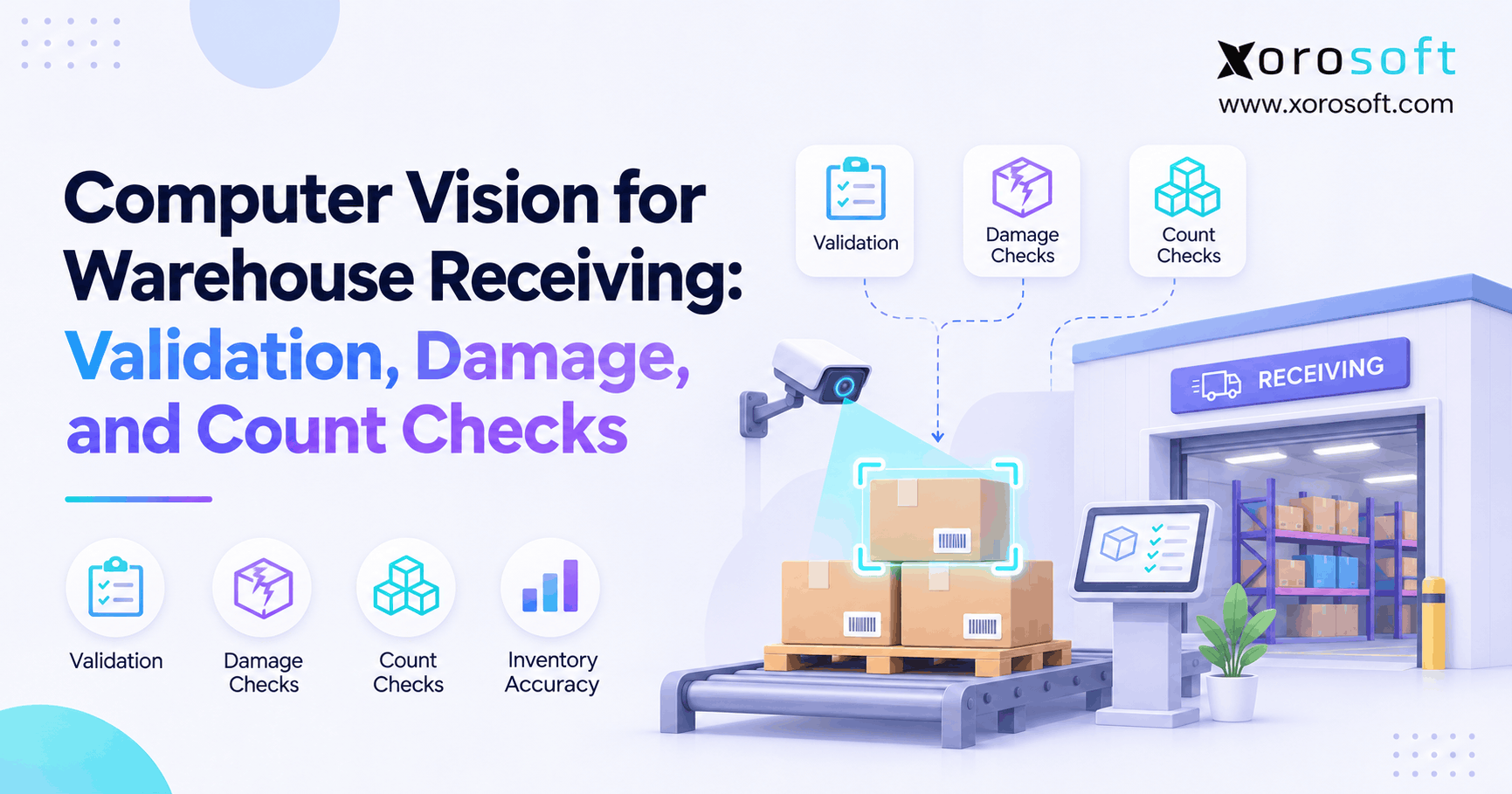
Computer vision for warehouse receiving is transforming how logistics teams manage and streamline the intake process.
1. Why One Receiving Error Can Disrupt Your Entire Operation
Computer vision for warehouse receiving helps businesses check incoming shipments, detect visible damage, and confirm pallet counts before updating inventory records. Instead of relying only on manual checks, warehouse teams can use cameras and AI tools to spot possible errors as goods arrive.
However, the value goes beyond faster inspections. A wrong receipt can affect purchasing, inventory, fulfillment, and finance at the same time. Therefore, businesses need a receiving process that connects physical checks with accurate system records.
For example, a supplier may send 96 cases while the purchase order expects 100. If the warehouse records all 100, the system now shows four cases that never arrived. As a result, sales teams may promise stock that is not available.
The problem becomes even harder when teams manage several warehouses or sell across Shopify, Amazon, and wholesale channels.
1.1. The Hidden Cost of Incorrect Warehouse Receipts
A receiving error rarely stays at the receiving dock. Instead, it moves through the business as other teams use the same data.
For example, a short shipment can lead to incorrect stock levels. Consequently, purchasing may delay a new order because the system shows enough inventory.
Meanwhile, warehouse staff may spend hours searching for items that were never received.
Accounting also faces problems when supplier invoices do not match actual goods received. Therefore, the business must spend more time checking stock records, supplier charges, and purchase orders.
These issues make receiving accuracy a key part of daily operations.
1.2. Why Visual Checks Matter Before Inventory Updates
Traditional scanning can confirm a barcode. However, a valid barcode does not prove that the carton is in good condition or contains the expected quantity.
Computer vision adds a visual check to the process.
For instance, cameras may detect damaged outer packaging, read visible labels, or count cases on a pallet. Then, staff can compare those findings with the expected shipment.
Still, the technology cannot see everything. Hidden products and blocked cartons may need manual checks.
The goal is not to remove human judgment. Instead, it is to give warehouse teams better evidence before they approve a receipt.
2. What Computer Vision for Warehouse Receiving Can Actually Check
Computer vision uses cameras and software to study images of physical objects. In a warehouse, it may help identify products, inspect packaging, and count visible units.
However, different checks require different tools. A system that reads labels well may not be equally good at finding damage or counting cases.
2.1. Computer Vision Receiving Checks: Identity, Damage, and Count
Most receiving projects focus on three checks.
| Receiving check | What the system may detect | Why it matters |
|---|---|---|
| Shipment validation | Visible labels, barcodes, and item markings | Helps match incoming goods to expected records |
| Damage inspection | Torn cartons, crushed edges, or broken wrapping | Supports early damage review |
| Count verification | Visible cases, pallets, and layer patterns | Helps identify possible quantity gaps |
First, identity checks help confirm that the arriving goods match the expected shipment.
Next, damage checks help staff spot visible issues before products enter storage.
Finally, count checks help compare observed quantities with purchase orders or advance shipping notices (ASNs).
Together, these checks create a stronger receiving process.
2.2. What Warehouse Cameras Cannot Confirm
Despite these benefits, cameras have limits.
For example, a sealed carton may have the correct label but contain the wrong product. Likewise, a box may look undamaged while the item inside is broken.
Poor lighting, blocked views, and similar-looking cartons can also reduce accuracy.
Therefore, businesses should treat camera results as evidence that supports a decision.
If the image is unclear, the warehouse should request another scan, a recount, or a physical inspection.
This approach helps teams avoid replacing manual errors with unverified AI decisions.
3. Why Automated Warehouse Receiving Needs Better Controls
As order volume grows, warehouse teams must receive more goods without losing accuracy.
However, speed alone does not solve the problem. A faster process can spread errors even faster when staff skip key checks.
Therefore, automated warehouse receiving should improve both throughput and control.
3.1. Common AI Warehouse Receiving Error Patterns
Receiving problems often follow repeat patterns.
For example, a supplier may send an item with a label that does not match the purchase order. In another case, the correct product may arrive in fewer cases than expected.
Common problems include:
- Wrong SKU or product variant
- Short or excess shipment
- Damaged outer packaging
- Missing or unreadable labels
- Mixed products on one pallet
- Incorrect units of measure
- Unresolved supplier quantity differences
Although computer vision for warehouse receiving may help identify some of these problems, it cannot solve every case without reliable source data.
For instance, if the item master is wrong, a correct visual observation may still produce a bad system match.
3.2. How Receiving Errors Affect Inventory and Finance
Inventory records depend on accurate receipts.
When a warehouse posts excess quantities, available stock becomes overstated. As a result, sales and planning teams may make decisions based on goods that do not exist.
Likewise, short receipts can affect invoice matching.
If accounting receives an invoice for 100 cases but the warehouse accepted only 96, the difference needs review.
Therefore, the business should preserve the expected quantity, the actual accepted quantity, and the reason for any difference.
Clear records reduce repeated checks and help teams resolve supplier issues with less guesswork.
4. How a Vision-Led Receiving Workflow Works
A good receiving workflow follows a simple rule: observe first, validate next, and update inventory only after approval.
Therefore, camera findings should not automatically replace the warehouse’s normal receipt controls.
4.1. Capture Images and Match Receiving Records
In practice, computer vision for warehouse receiving follows six steps:
- Identify the shipment. Start with the purchase order, supplier, ASN, and expected items.
- Capture images. Use cameras at the dock, scan lane, or inspection station.
- Read visible details. Detect labels, carton shapes, and possible defects.
- Compare results. Match observed items and counts with the expected shipment.
- Review exceptions. Send unclear or mismatched results to an employee.
- Approve the receipt. Update the WMS or ERP with the accepted quantities.
For example, a camera may read a pallet label while another view checks visible case counts.
Next, the system compares both findings with the purchase order.
If they match and meet the approved rules, receiving can continue. Otherwise, staff must review the difference.
4.2. When Visual Receiving Inspection Needs Human Review
Human review remains important when the system cannot make a safe decision.
For instance, a damaged label may prevent a clear item match. Likewise, stacked cartons may hide several cases.
Instead of forcing a result, the workflow should flag the problem.
A useful review record includes the shipment ID, image, suspected error, reviewer, and final decision.
Xorosoft supports connected purchasing, receiving, and inventory workflows through its ERP platform. Therefore, businesses can evaluate how an external vision tool might pass approved findings into those processes.
However, native computer vision detection or a ready-made camera connection should not be assumed without technical confirmation.
5. Check One: Validate Incoming Goods Against the PO and ASN
Shipment validation compares what the business expected with what the warehouse can verify.
However, a purchase order, ASN, and physical receipt serve different purposes.
The purchase order shows what was ordered. The ASN shows what the supplier says was shipped. Meanwhile, the warehouse receipt records what the business actually accepts.
5.1. Computer Vision for Warehouse Receiving: PO Matching
A receiving camera may read a visible barcode, product label, or pallet identifier.
Next, the system can compare that information with the expected purchase order.
The GS1 Logistic Label Guideline explains how logistics labels and shipping records support checks during receiving.
For example, a pallet may carry an SSCC, which identifies the logistics unit. That code can link the pallet to shipment details.
However, reading the SSCC alone does not prove that every case listed in the ASN is present.
Therefore, businesses should use the label as one part of validation rather than as proof of the full quantity.
5.2. Match Expected Quantity With Actual Goods
Consider this example:
| Receiving field | Expected | Verified |
|---|---|---|
| SKU A cases | 120 | 116 |
| SKU B cases | 80 | 80 |
| Total cases | 200 | 196 |
The warehouse finds a four-case difference.
Therefore, it should record the short quantity and investigate the missing cases before posting a full receipt.
However, the word verified matters. If the camera cannot see hidden cartons, the result may still be an estimate.
In that case, employees should complete a physical count before confirming the shortage.
Xorosoft’s XoroERP provides the broader purchasing, inventory, and accounting context for accurate receipt records.
Consequently, visual checks become more valuable when the business can connect approved quantities to its normal ERP process.
Free ERP Readiness Assessment: Check whether your team can trace each receipt from its purchase order to the accepted quantity, warehouse location, and supplier invoice. If that trail is incomplete, strengthen the core workflow before adding cameras.
6. Check Two: Detect Carton and Pallet Damage
One use of computer vision for warehouse receiving is finding visible damage before goods enter storage.
However, detecting a mark on a box is not the same as proving that the product inside is damaged.
Therefore, a practical system should distinguish suspected packaging issues from confirmed product defects.
6.1. AI Warehouse Receiving Damage Detection
A camera-based system may help detect:
- Crushed carton corners
- Torn cardboard
- Visible punctures
- Broken shrink wrap
- Loose or unstable pallet loads
- Damaged outer labels
- Missing packaging sections
For example, a carton with a large puncture may need closer inspection before acceptance.
Meanwhile, a small surface scuff may not affect the product.
Therefore, teams should define which defects require action and which can pass.
A real-world example comes from Wayfair’s engineering research on package damage detection.
The company described a system that uses several camera views to identify visible package damage and route suspected cases for review.
Importantly, its research also showed that human reviewers can disagree about whether damage is serious. This highlights the need for clear rules and ongoing checks.
6.2. Preserve Evidence for Supplier Claims
When a shipment arrives damaged, evidence matters.
For example, a photo taken at receiving may help show that a carton was already crushed before putaway.
However, the image should be linked to the correct shipment and receiving record.
A useful damage record includes:
- Supplier and shipment reference
- Date and time of inspection
- Visible damage type
- Affected quantity
- Photo or image reference
- Reviewer decision
- Final stock status
As a result, purchasing teams can investigate a claim without relying only on memory.
Still, an image does not automatically prove supplier or carrier liability. Businesses must follow their agreed claim terms and review rules.
7. Check Three: Count Cases Without Guessing
Case counting is one of the most useful applications of computer vision for warehouse receiving.
Yet, it is also easy to overstate what the technology can do.
A camera may count every visible case correctly while missing cartons hidden behind the front row.
Therefore, businesses must distinguish an observed count from a fully verified count.
7.1. Computer Vision Receiving Case-Count Rules
A model may identify carton edges and count separate objects.
For a uniform pallet, the system may also use the stacking pattern as a check.
For example, a pallet with ten visible cases per layer and four confirmed layers would contain 40 cases under that layout.
However, the result depends on whether the model correctly identifies the layers and any hidden gaps.
Therefore, teams should test the method with real pallets, not only clean sample images.
For each pilot, measure how often the predicted count exactly matches a manual count.
Also, track the size of errors rather than reporting only the share of correct cases.
7.2. When Hidden Cartons Break the Count
Mixed-SKU pallets are more difficult.
For example, two products may use cartons with the same dimensions. A camera might count both accurately but fail to assign them to the correct SKUs.
Likewise, inner cartons may be blocked by the outer layer.
Therefore, the warehouse may need barcode scans, multiple camera views, or a controlled pallet breakdown.
The objective is not simply to produce a fast number. Instead, it is to post a quantity the business can defend.
Xorosoft’s XoroWMS supports warehouse receiving and inventory control workflows. Consequently, the key integration question is how separately verified counts would enter the approved receiving process.
8. Computer Vision for Warehouse Receiving and WMS Integration
A visual inspection becomes useful to the wider business when its findings reach the right system.
However, the WMS or ERP must remain responsible for approved stock records.
Therefore, the system design should separate image observations from final inventory transactions.
8.1. Map Camera Findings to ERP Fields
A receiving integration should identify the business record behind each image.
Useful fields include:
| Data field | Purpose |
|---|---|
| Purchase order number | Links the receipt to the order |
| ASN reference | Shows the expected shipment |
| SKU or item code | Identifies the product |
| Warehouse | Identifies the receiving site |
| Expected quantity | Shows planned units |
| Observed quantity | Shows the visual count |
| Accepted quantity | Shows the approved receipt |
| Inspection status | Tracks review or approval |
| Image reference | Links to supporting evidence |
First, the camera system captures observations.
Next, the integration matches them to the correct business records.
Finally, the authorized receiving process updates stock.
This helps prevent a low-confidence result from becoming an unverified inventory adjustment.
8.2. Automated Warehouse Receiving Exceptions and Stock Holds
A strong workflow needs rules for uncertain goods.
For example, a pallet may have the correct SKU label but visible damage.
Therefore, staff may need to hold the affected goods for inspection.
Likewise, an unclear case count may require a recount before the receipt is accepted.
Businesses should define who can approve each outcome.
Xorosoft brings purchasing, warehouse, inventory, and financial workflows together through XoroONE.
However, a specific camera-to-ERP link, AI review rule, or automatic quality hold must be checked as part of the integration scope.
The broader goal is to keep physical evidence and stock records aligned.
Watch Demo: When evaluating an ERP, ask to see how its receiving workflow handles partial receipts, quantity differences, and inventory updates. Then assess the required vision-system connection as a separate step.
9. Computer Vision Receiving Versus Scanning and RFID
Adopting computer vision for warehouse receiving does not require replacing every other tool.
Instead, businesses should choose the method that checks the risk they care about most.
For example, barcode scanning is useful for reading a known item ID. However, it cannot show whether the carton is crushed.
9.1. Barcode and RFID Are Not Outdated
Barcodes remain useful because they link physical items to stored records.
Meanwhile, RFID can identify suitable tagged goods without a direct camera view of each label.
However, both methods depend on correct data and suitable equipment.
Computer vision adds a different kind of evidence. It can inspect visible objects and packaging.
Therefore, many businesses benefit from combining methods rather than choosing only one.
| Method | Main strength | Main limit |
|---|---|---|
| Manual checks | Flexible inspection | Needs more staff time |
| Barcode scanning | Reads encoded item IDs | Cannot assess visible damage |
| RFID | Reads compatible tags | Needs tags and readers |
| Computer vision | Checks visible objects and condition | Cannot see hidden goods |
| Combined process | Cross-checks several facts | Needs clear workflow rules |
9.2. Computer Vision Receiving Trade-Offs
A camera system may reduce repeated visual work. However, it can also create new tasks.
For example, false damage alerts may force employees to review goods that are acceptable.
Likewise, low-quality images may require another scan.
Therefore, teams should measure both the checks the system completes and the extra work it creates.
Also, consider ongoing costs such as camera cleaning, lighting, software support, and model updates.
The strongest approach solves a measurable receiving problem without making the workflow harder to run.
10. Where Computer Vision Receiving Works Across Industries
Across industries, computer vision for warehouse receiving can help address different operational risks.
Therefore, the same camera setup may offer strong value in one warehouse and little value in another.
The best starting point is the type of error that causes the most rework or financial loss.
10.1. Apparel and Furniture Checks
Apparel warehouses often receive many styles, colors, and sizes.
For example, two cartons may look identical but contain different product variants.
Therefore, visual counting must be paired with reliable SKU checks.
Furniture receiving involves another risk: packaging damage.
Large cartons may arrive with crushed corners or punctures. As a result, photos can support early quality review and supplier claims.
However, an undamaged outer box does not prove that a chair, table, or cabinet inside is safe.
Sporting goods operations may face both challenges, especially with mixed product loads.
10.2. Visual Receiving Inspection for Food and Wholesale
Food and beverage operations may use visual tools to read lot or expiry markings.
However, cameras cannot replace required temperature, safety, or product quality checks.
Wholesale distributors often rely on ASNs and EDI records. Therefore, clear matching between expected shipments and accepted goods becomes important.
Manufacturers may need similar controls for parts, batches, and materials used in production.
Xorosoft supports inventory-driven businesses across several of these sectors through connected ERP operations.
For a closer look at the business workflows, see industries served by Xorosoft.
The main lesson is to define the receiving problem by industry before choosing a vision tool.
11. Pilot Metrics That Expose Real Accuracy
A pilot of computer vision for warehouse receiving should answer one practical question: Does this process reduce costly receiving errors without creating too much extra work?
Therefore, businesses should measure results against a clear manual baseline.
11.1. Test Accuracy Against Ground Truth
Start with actual shipments from normal warehouse operations.
Then, compare the model’s findings with a trusted physical inspection or verified count.
Useful measures include:
| KPI | What to measure |
|---|---|
| Exact-count accuracy | Receipts with an exact verified count |
| Average count error | Average difference from actual cases |
| Damage precision | Share of alerts that show real damage |
| Damage recall | Share of real damage cases detected |
| Label read rate | Share of labels decoded correctly |
| Manual review rate | Share of receipts needing staff review |
| Dock-to-stock time | Time needed to receive and put away goods |
Also, split the results by supplier, product type, lighting, and shift.
For example, a model may perform well on uniform cartons but poorly on mixed pallets.
Therefore, a single overall score may hide the cases that matter most.
11.2. Computer Vision Receiving ROI and Cost Model
ROI should include labor, claims, rework, hardware, integration, and support.
For example, suppose a warehouse processes 30,000 receipts each year.
If improved checks save one verified minute per receipt, the annual time saving is 500 hours.
At an assumed loaded labor cost of $25 per hour, that represents $12,500 in labor capacity.
However, capacity is not the same as cash savings. The business must confirm whether the saved time lowers actual costs or improves output.
Likewise, reduced stock errors may have value, but only when the improvement is measured.
A simple model is:
Annual net benefit = Verified annual savings − Annual operating costs
Simple payback period = Initial investment ÷ Annual net benefit
For example, a $25,000 investment with a proven $10,000 annual net benefit would have a 2.5-year simple payback.
These figures are illustrative, not industry averages.
Therefore, businesses should build the final ROI case from their own pilot data.
12. When to Upgrade Your Receiving Process
Not every warehouse needs cameras.
In fact, the wrong investment can add cost without solving the main issue.
Therefore, businesses should first identify whether the problem comes from visual inspection, weak stock data, or poor receiving rules.
12.1. When Small Teams Should Skip Cameras
A smaller warehouse may work well with barcode scanning and clear receiving steps.
For example, a business that receives a few standard pallets each day may not gain enough value from a costly camera system.
Likewise, if the main problem is poor supplier data, better cameras will not fix it.
Instead, teams may improve results through:
- Clear purchase order checks
- Better item and carton labels
- Barcode-based receipt confirmation
- Regular stock audits
- Supplier packaging standards
- Defined exception approvals
These changes can offer faster and lower-cost gains.
12.2. Automated Warehouse Receiving Readiness Checklist
Before starting a computer vision project, ask:
- Do we measure receiving errors today?
- Are product and supplier records accurate?
- Can we match physical receipts to POs and ASNs?
- Do we track partial and damaged receipts?
- Can staff place uncertain goods on hold?
- Are warehouse and accounting records connected?
- Can we measure the impact of a pilot?
If several answers are no, fix the core workflow first.
Otherwise, AI may simply produce more alerts without improving stock accuracy.
For businesses managing Shopify, wholesale orders, several warehouses, or EDI workflows, the main issue may be disconnected systems.
Therefore, teams should review their broader ERP and warehouse solutions before committing to specialized camera equipment.
13. Build Better ERP Records From Verified Receipts
Computer vision does not create reliable inventory on its own.
Instead, reliable inventory comes from a controlled process that connects what staff see with what the business records.
13.1. Xorosoft as the Operational System of Record
Xorosoft is a cloud ERP platform for inventory-driven businesses.
It connects purchasing, inventory, warehouse management, accounting, and related operations in one system.
As a result, teams can work from shared business records rather than separate spreadsheets and warehouse applications.
For companies that sell through Shopify, Amazon, and wholesale channels, this matters because one wrong inventory record can affect several sales channels.
However, the ERP and the camera system serve different roles.
The camera may help observe incoming goods. Meanwhile, the ERP manages the approved business transactions.
Therefore, any planned computer vision integration should be tested for data mapping, approval rules, and record accuracy before deployment.
13.2. Computer Vision for Warehouse Receiving: Integration Decisions
A simple decision process can help:
First, identify the problem. Is the main issue wrong SKUs, damaged cartons, or incorrect counts?
Next, choose the right check. Use reliable scanning for encoded identity, visual tools for visible defects, and physical checks when evidence is incomplete.
Then, define the approval rule. Decide which cases can pass and which require staff review.
Finally, update the right record. Only accepted quantities should move through the approved receipt workflow.
As a result, the business gains stronger inventory controls without treating every AI output as a confirmed fact.
The goal is to build a system that people can trust—not simply add another tool.
14. Conclusion: Make Every Warehouse Receipt Defensible
Computer vision for warehouse receiving can help teams check visible labels, flag possible damage, and verify pallet counts. However, the real benefit comes when those findings support accurate receiving decisions.
Therefore, businesses should start with clear purchase orders, trusted item data, and defined exception rules. Then, they can test camera-based checks where errors create measurable costs.
Xorosoft provides connected ERP, inventory, purchasing, and warehouse workflows for growing businesses. Although a specialist computer vision solution requires separate evaluation, a strong ERP foundation can help keep approved receiving records aligned with daily operations.
If your warehouse struggles with stock differences, manual handoffs, or disconnected systems, Book a Personalized Demo to explore a more connected workflow.
Frequently Asked Questions
What is computer vision for warehouse receiving?
It uses cameras and image tools to check visible labels, carton condition, and case counts at the dock. Teams then compare those findings with purchase orders before posting stock.
Can computer vision verify warehouse receipts against purchase orders?
Yes, when labels or item marks are visible and linked to valid PO data. However, a matching label cannot prove that every sealed carton contains the right goods.
Can warehouse cameras detect hidden product damage?
No. Standard cameras detect signs on outer packs, such as tears or crushed edges. Therefore, staff still need physical checks when there is a risk of damage inside a sealed box.
How accurate is computer vision pallet counting?
Accuracy depends on lighting, camera views, carton shape, and blocked cases. For that reason, test exact-count matches against a manual ground truth before relying on the model for receipts.
Does computer vision replace barcode scanning?
Not usually. Barcodes confirm encoded IDs, while cameras can add visible condition and count evidence. In many warehouses, using both creates a stronger check than either method alone.
How does computer vision connect with an ERP?
A vision system sends checked IDs, counts, and alerts through an approved link or review process. Then the ERP records accepted quantities while unresolved differences remain open for staff to assess.
When should a warehouse invest in receiving automation?
Start when repeat count gaps, damage claims, or labor costs are high enough to justify a pilot. First fix poor item data and weak receipt rules; cameras will not solve those gaps.
Recent Posts
-
 How a Make-to-Order Manufacturer Connected Backlog With Material Availability
-
Computer Vision for Warehouse Receiving: Validation, Damage, and Count Checks
-
 Event-Driven ERP Integration: Orders, Inventory, Payments, and Fulfillment Events
-
When Should Sales Commissions Be Earned: Order, Shipment, Invoice, or Cash?
-
 Shopify API 2026-10 ERP Integration Readiness for Order and Inventory Teams