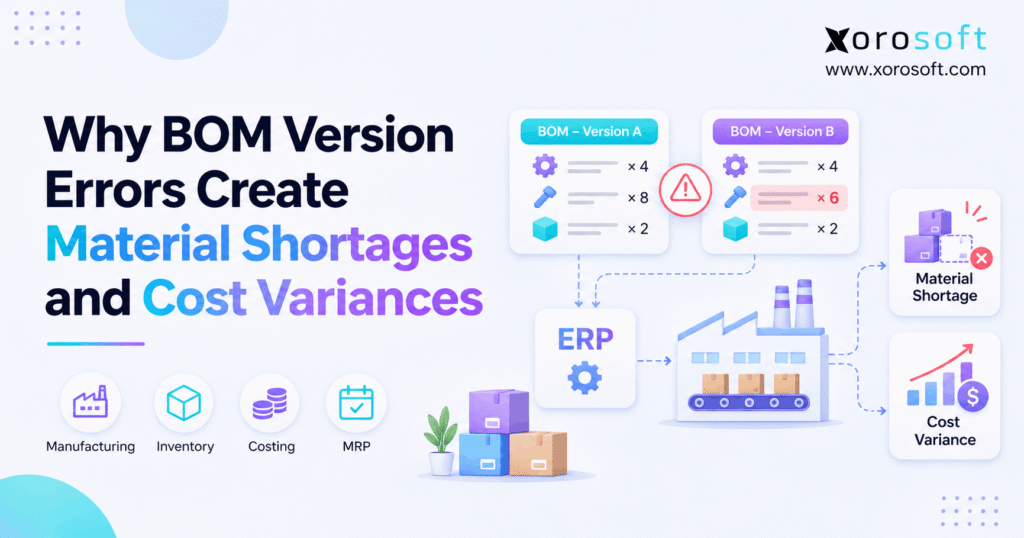
If you are struggling with BOM version errors in your project, you are not alone.
1. When the Parts List and Production Plan Disagree
BOM version errors can leave a factory short of parts even when purchasing follows its plan. For instance, a buyer orders the listed materials, and the warehouse picks what the order requests. Yet the shop floor discovers that the approved product needs different parts or higher quantities. As a result, production stops, urgent buying begins, and finance struggles to explain why actual costs exceed the plan.
In fact, the problem often starts with two valid-looking records. For example, the design team may release a new bill of materials while an open work order still carries the old one. Meanwhile, the cost estimate may rely on a third set of assumptions.
This guide follows the issue from change approval through MRP, purchasing, picking, production, and accounting. Most importantly, it shows how to prevent repeat errors without assuming every manufacturer needs a large new software project.
2. What BOM Version Errors Mean
A bill of materials, or BOM, lists the parts and quantities used to make a finished item. Depending on the business, it may also refer to lower-level assemblies, packaging, or process inputs. Because many teams use that list, its approved version matters as much as its accuracy.
2.1. A BOM Revision Error Is More Than a Bad Part Number
A revision records a change to the build, such as an extra bracket, new zipper, or different type of fastener. Still, a BOM version may also depend on the site, build date, quantity, or product option. So an older revision can remain valid for one job but be wrong for another. The key question is not simply whether a record exists. Instead, ask whether it is approved for the specific order.
For instance, a firm may keep revision A for spare parts and release revision B for new products. If a planner picks A for a new build, the parts list looks complete, yet the order starts with the wrong needs.
2.2. The Approved Date Defines Which Version Applies
In turn, effective dates tell teams when to start using a changed design. Also, some systems check the site, batch size, and product option before selecting a version. Microsoft’s bill of materials guidance explains these kinds of limits. Even so, a date alone cannot settle every case if the team has not agreed on how to treat jobs already in progress.
Therefore, each change should state the first build it affects, the last build allowed to use the old revision, and the owner of any exception. Also, buyers need enough notice to change open supply orders before the new parts are required.
2.3. Why BOM Version Mismatches Can Stay Hidden
Even so, a mismatched record often passes a basic completeness check. For instance, every line may have a valid item code, price, and unit of measure. Yet BOM version errors can stay hidden when the whole list is wrong for the build date. As a result, teams can trust a clean-looking order that will still fail on the floor.
Meanwhile, the risk grows when the design team uses one file, buying uses another, and the floor works from a printed sheet. Even so, the fix is not to ban every local file. Instead, name one approved source and require each new order to match it before release.
3. Where Wrong BOM Revisions Enter the Workflow
A change can go wrong at several handoffs. Therefore, the best review looks at how data moves between people and orders, not just at who last edited the master BOM.
3.1. Why Wrong BOM Revisions Reach Production Late
For example, the design team may approve a new design after buyers have placed orders for the prior one. Meanwhile, production planners may already have released work based on the old list. Because each team has a different deadline, BOM version errors can persist until the change reaches the shop floor.
For this reason, a release message should show affected finished items, part changes, the first build date, and open orders needing review. Also, the person who owns the cutover should confirm that each team has acted.
3.2. BOM Version Errors in Multi-Level Assemblies
Many products contain parts that have their own BOMs. For instance, a furniture frame may contain a bracket set, which in turn contains screws and fittings. The top-level revision could be correct while the bracket set still points to an old lower-level list. As a result, MRP may plan the right frame count but the wrong fastener count.
To prevent this, review the entire build tree after a design change. Moreover, check which subassembly revision was used when the order was created.
3.3. Units, Scrap, and Substitutes Add Risk
For instance, a BOM may state material in pieces, boxes, kilograms, or meters. However, purchasing and warehouse records may use different units. If a change updates the count but not the conversion rule, the demand can be too high or too low. Likewise, missed scrap or yield factors can make a seemingly correct quantity fall short during production.
Also, a substitute part must be both approved and ready by the need date. Therefore, review alternate items, units, planned loss, and old stock when the design changes.
4. How BOM Version Errors Create Material Shortages
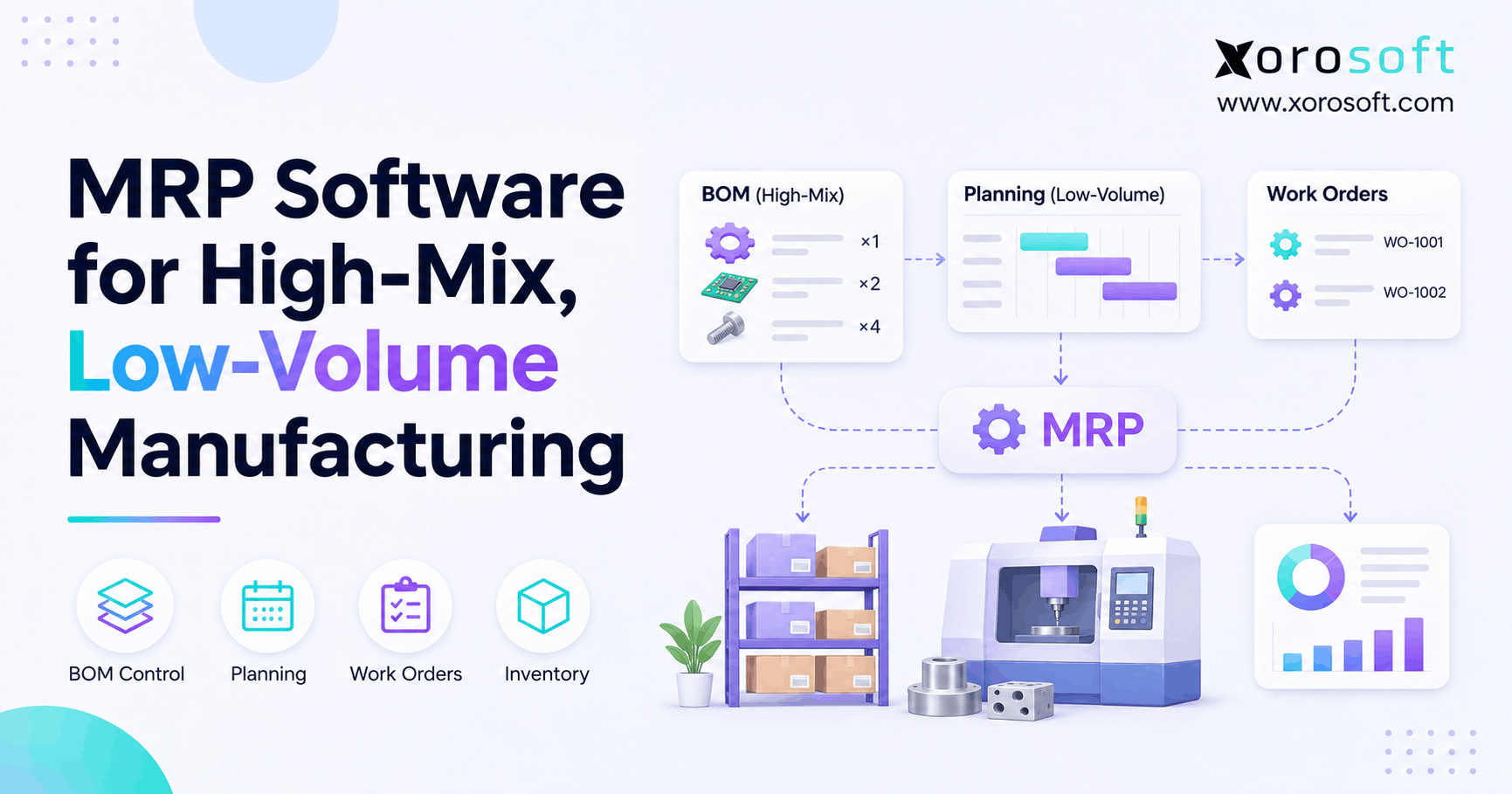
Material requirements planning (MRP) turns a production plan into demand for raw materials and subassemblies. Yet it can only work with the BOM and stock data it receives. A fast, correct calculation on an old BOM still makes the wrong buying plan.
4.1. Wrong BOM Revisions Change MRP Demand
Suppose one finished unit now needs three brackets rather than two. For 100 units, the approved design needs 300 brackets, while the old design needs just 200. As a result, MRP may understate gross demand by 100 brackets before it even checks stock. Microsoft explains that BOM explosion creates lower-level needs from a selected build structure.
Still, gross demand is not the same as a shortage. First, deduct usable stock that is not already promised. Next, consider confirmed receipts that will arrive before the line needs the parts. Finally, account for stock held for quality checks or at a site that cannot supply the line in time.
4.2. How BOM Revision Errors Mislead Purchasing
If that plan includes too few brackets, the purchase order will also be too small. Meanwhile, an old part that was removed from the new design may still be ordered. As a result, BOM version errors can leave a business holding extra stock of one part while paying to rush another.
In practice, the buyer needs a revision-change list with supplier part numbers, current purchase orders, and dates. Also, a new component with a long lead time may require a later cutover. Therefore, the approval process should test supply before the new version becomes the live plan.
4.3. Existing Work Orders May Keep Old Parts
Many systems store component lines on each work order. Therefore, editing the master BOM does not always rewrite orders that already exist. Some jobs may also need to stay on the earlier build because parts have been used or the customer ordered that build. As a result, a blanket update would create its own risk.
Instead, divide open work into planned, released, picked, and partly built groups. Then review each group’s parts, stock holds, and cost basis. Finally, approve a clear action: keep the old revision, change the order, split the job, or create a replacement.
5. Why BOM Version Errors Raise Manufacturing Costs
A changed parts list can alter the amount or type of material needed to make a product. Yet a higher material estimate is not always the same as a posted accounting variance. Finance first needs to know which cost baseline and actual material issues apply.
5.1. BOM Version Mismatches Distort Standard Costs
A standard cost may use approved part counts and set rates for a given period. If the active cost was built from revision A but production uses revision B, the two views may differ. For example, an added bracket raises the expected material cost even if its price stays the same. Microsoft lists a different production BOM version among common sources of production variances.
Still, a new revision does not always change the active standard right away. Therefore, finance should record the date of each cost rollup and confirm which revision it used. Otherwise, the team may label a planned design change as waste.
5.2. Separate Quantity, Price, and Swap Effects
A quantity difference means the build used more or fewer units than the planned amount. By contrast, a price difference means the applied or paid rate changed. A part substitution means production used a different item from the expected one. Although these causes can occur together, each needs a separate check and owner.
For instance, a new design may need 100 more brackets while the supplier also raises the unit price. First, value the extra brackets using a stated baseline rate. Next, measure the price change on the relevant purchased or used quantity. Finally, note any freight, scrap, or rework separately. This keeps one cost from appearing twice.
5.3. When a BOM Version Mismatch Becomes a Variance
In short, an old-versus-new BOM comparison is a planning signal. Even so, an accounting variance depends on the costing method, actual entries, and the standard in force. For example, BOM version errors may create a $900 gap between two BOM estimates. However, that difference only becomes a posted variance under the relevant cost baseline and accounting entries.
Therefore, reconcile the work order, raw material issues, work-in-process balance, and finished-goods receipt before posting an adjustment. Also, review whether parts were backflushed from the planned list or issued from actual picks.
6. An Order Example: Two Revisions, One $900 Gap
Consider a maker of furniture hardware kits with a firm order for 100 units. The firm approved revision B, but the buyer planned materials using revision A. Both revisions use the same two part types; only the required counts change. Therefore, this example isolates the quantity effect from part swaps and price changes.
6.1. BOM Revision Errors Understate Component Demand
Revision A needs two brackets and four fasteners per kit. Revision B needs three brackets and six fasteners. The table shows the gap for 100 kits:
| Part | Revision A per kit | Revision B per kit | A: 100 kits | B: 100 kits | Extra needed |
|---|---|---|---|---|---|
| Brackets | 2 | 3 | 200 | 300 | 100 |
| Fasteners | 4 | 6 | 400 | 600 | 200 |
If the business has no spare usable stock or timely inbound supply, the order is short 100 brackets and 200 fasteners. However, if it already holds 50 free brackets, the uncovered bracket need is 50, not 100. So a shortage report must combine the approved BOM with live stock and receipt dates.
6.2. How Wrong BOM Revisions Add $900 to Cost
Assume a bracket costs $8 and a fastener costs $0.50 under both revisions. Under A, brackets cost $1,600 and fasteners cost $200, for a total of $1,800. Under B, brackets cost $2,400 and fasteners cost $300, for a total of $2,700. Therefore, the material requirement cost difference is $900.
| Material cost | Revision A | Revision B | Difference |
|---|---|---|---|
| Brackets | $1,600 | $2,400 | $800 |
| Fasteners | $200 | $300 | $100 |
| Total | $1,800 | $2,700 | $900 |
That is $9 more material per finished kit. Still, this is a model, not a customer result or a posted ledger amount. It excludes labor, overhead, scrap, freight, and tax.
6.3. Cost the Difference Without Double Counting
Start with the approved revision and the cost baseline for the order. Next, compare planned component needs with actual issues. Then separate true extra use from a planned design increase. For instance, the added bracket should not be called waste when the approved new design requires it.
After that, check unit prices, stock adjustments, and any urgent freight bills. Also, document whether the $900 was built into a new standard before release. The outcome may be a changed estimate, a production variance, or several entries. So the final finance report should explain both the amount and why it arose.
7. Find BOM Version Errors Before Releasing Work
A short release check can stop a costly chain of events. Yet it must compare the order with an approved version, not merely verify that every field is filled in. The following controls work with paper records, shared files, or an ERP workflow.
7.1. A Seven-Point Check for BOM Version Errors
- Match the finished item, site, option, and build quantity.
- Confirm the approved revision and its start and end dates.
- Check lower-level assemblies and approved substitutes.
- Validate quantities, units of measure, and planned scrap.
- Compare demand with free, usable stock and due receipts.
- Review open buying orders and jobs affected by the cutover.
- Record the reviewer, exceptions, owner, and release choice.
This list should be checked before the first part pick. Moreover, a high-risk change may need a second sign-off from engineering or quality. Because teams already have heavy workloads, keep the check short and use clear pass-or-hold rules.
7.2. Count Usable Stock, Not Just Total Stock
In practice, an item can appear on hand while still being unavailable for the build. For example, it may sit at another warehouse, be held for inspection, or already be promised to a different order. Therefore, a stock report should show location, status, allocations, and the earliest realistic supply date.
Also, a planned transfer does not make parts available until travel and receiving time have been allowed for. As a result, a multi-warehouse firm needs one view of component demand and stock by site. If it only compares global totals, it can still release an order that cannot run.
7.3. Flag BOM Version Mismatches in Open Orders
At each approved change, list open orders using the older build and give each one an owner. Then check whether the order is still planned, already picked, or partly built. Also, look for old purchase orders and materials reserved under the earlier list. So teams can fix the orders that matter rather than changing every record without review.
Xorosoft’s BOM documentation describes version data, validity fields, and ways to update materials on selected work orders. Even so, those records need a clear change policy. Do not assume that a new master BOM will safely change every open order on its own.
Free ERP Readiness Assessment: Check whether your team can show the approved revision, the affected open orders, and the stock impact within one short review. If not, map the missing handoffs before you choose new software.
8. Control the Change Across Five Teams
In practice, a parts-list change crosses more than design. Therefore, each function should know what it must check and what proof it should keep. A small team may have one person doing several roles, but the steps still need clear ownership.
8.1. Clear Owners Prevent Wrong BOM Revisions
| Team | What it owns | Proof of completion |
|---|---|---|
| Engineering | Approved part and design change | Revision sign-off |
| Planning | Cutover date and affected jobs | Open-order review |
| Purchasing | Supplier orders and lead times | Updated buying plan |
| Warehouse | Usable stock and picks | Stock and location check |
| Finance | Cost baseline and actual use | Cost review and entries |
First, the design lead confirms the approved build to prevent BOM version errors. Next, planning names which jobs will use it. Then purchasing checks supply and the warehouse checks available stock. Finally, finance confirms whether the cost base must change. This order prevents a release from moving ahead just because one team completed its task.
8.2. Make Release Dates and Approvals Visible
A good change notice should list the old and new parts, quantities, reasons, effective date, and affected sites. It should also name any job allowed to remain on the prior build. Otherwise, the team may have two active instructions with no clear way to choose between them.
Also, keep an audit trail of who approved each change and when. The broader Xorosoft solutions overview places manufacturing alongside inventory, buying, and accounting in one business flow. Even with connected tools, however, someone must own the final release choice.
8.3. Protect Urgent Substitutions with a Trail
At times, a shortage may force a fast part swap. Even so, the substitute must meet the product’s needs and any quality or customer rules. Therefore, record the approved part, reason, quantity, affected order, and cost effect before issue where practical.
After the job, decide whether the swap stays a one-time event or needs a new BOM revision. Also, make sure the old part does not stay on the next buying plan by accident.
9. Manual Controls, ERP, and PLM Compared
Not every maker needs the same tool. Instead, choose the lightest system that still gives the business a dependable link from approved design to part demand, production, and cost.
9.1. When Spreadsheets Can Still Work
For instance, a simple maker with few finished items, one site, and rare design changes may keep a well-run master sheet. Even so, it needs edit rules, version history, named approvers, and a clear way to retire old files. If several buyers and planners save local copies, the risk rises even if the master sheet itself is correct.
For this reason, test whether you can trace a finished job to the approved parts list used to build it. If that takes a long search through emails and files, manual control may no longer be enough.
9.2. How ERP Cuts BOM Revision Errors
An integrated ERP can link product structures with work orders, buying, stock, and cost records. As a result, teams can review connected facts rather than compare separate files by hand. Xorosoft’s XoroERP supports this kind of inventory-led business flow, including manufacturing, purchasing, inventory, and accounting.
However, a system cannot replace sound data or approval rules. So during a demo, test how the selected version reaches an order and what happens when the master list changes. Also, confirm the exact reports, roles, and checks you need instead of assuming they are present by default.
9.3. When PLM Adds Needed Design Control
Product lifecycle management, or PLM, may help when a firm handles many design files, complex approvals, and frequent design changes. By contrast, a small assembly team may not need a separate design tool. In that case, good procedures and an ERP may be enough.
| Approach | Often fits | Main limit to watch |
|---|---|---|
| Controlled spreadsheet | Few parts and rare changes | Manual links to orders and costs |
| Integrated ERP | Production, buying, stock, and finance need shared data | Setup and process rules still matter |
| ERP plus PLM | Heavy design work and strict change control | Added cost and system handoffs |
10. Industry Cases of BOM Version Mismatches
A wrong revision does not look the same in every industry. Yet the common pattern remains: the planned parts no longer match the product the team has agreed to make.
10.1. Furniture and Sporting Goods
A furniture maker may change a hinge or fastener count to improve a frame. If the order still uses the older list, the warehouse may pick a complete set that is no longer enough. Similarly, a sporting-goods maker might change a grip, wheel, or joint in a subassembly. As a result, a shortage can appear even though the top-level finished item has not changed its name.
Therefore, both teams should check lower-level builds and old stock before the new design starts. Also, they should confirm whether existing open jobs can still use the prior build.
10.2. Apparel BOM Version Errors in Seasonal Kits
Apparel runs can change labels, zippers, thread, trim, or packaging during a season. For example, BOM version errors may lead buyers to reorder an old care label after a private-label design changes. So the factory can face a small but costly hold near the ship date.
To reduce that risk, tie each style, color, size, and customer option to the right approved parts list. Also, review seasonal cutover dates with buying before confirming the production run.
10.3. Food, Formula, and Yield Changes
Food makers often use formulas as well as BOM-style lists. A recipe change can alter ingredient demand, expected yield, packaging, or line setup. Still, a correct part count alone is not enough. Teams may also need lot records, shelf-life checks, allergen rules, and quality release steps.
Therefore, a food maker should review both the approved formula and the rules that apply to each batch. Also, a change to yield should be checked against the amount of raw material needed to produce the planned finished quantity.
10.4. Wholesale Kitting Across Sales Channels
For instance, a wholesaler may build kits for retailers, Shopify, or Amazon orders. If the kit BOM changes but the warehouse still reserves the old pack, the business may promise a kit that cannot be built on time. Meanwhile, unused parts may remain on shelves. Therefore, available stock and planned kit output must be based on the current approved contents.
Xorosoft’s XoroWMS is relevant to the warehouse side of this flow, including stock visibility and order execution. Even so, accurate kit planning still requires a correct approved parts list and clear rules for changes.
11. Measure BOM Revision Errors and Cost Impact
Once a business starts checking revisions, it needs a simple way to tell whether the new controls work. Therefore, track a few clear measures and review their causes. Do not blame the BOM for every stockout or cost gap.
11.1. Track Mismatch and Shortage Rates
A revision mismatch rate can be measured as orders released with an unapproved revision divided by orders checked. A revision-related shortage rate can be delayed jobs caused by a wrong parts list divided by jobs released. Both help track BOM version errors, but they need the same time window and a clear definition of what counts.
For example, if two of 100 checked orders used a wrong revision, the mismatch rate is 2%. However, that does not prove two orders were delayed. Therefore, record release mistakes and actual shop-floor effects as separate measures.
11.2. Tie Material Cost Changes to the Right Cause
Track the value of verified cost differences caused by wrong revisions. Also, record rush freight, extra handling, scrap, and rework when they can be tied to the event. Yet do not add the same cost twice under different labels.
| Measure | Useful question | Review cycle |
|---|---|---|
| Revision mismatch rate | How many released jobs used the wrong version? | Weekly |
| Shortage rate | How often did a revision gap stop work? | Weekly |
| Unapproved part swaps | How often were parts changed without sign-off? | Weekly |
| Verified cost impact | What costs can be tied to the error? | Monthly |
| Fix time | How long did the team need to close the issue? | Weekly |
As a result, leaders can see whether the problem is frequent, costly, or both.
11.3. Review BOM Version Errors Without Blame
For that reason, a root-cause review should start with the approved revision and the actual order record. Next, check the release date, source file, buyer action, stock status, and material issues. Then ask which control should have stopped the mismatch.
Xorosoft brings manufacturing, stock, buying, and finance data into a shared ERP setting. Yet the business still needs to define its own review rules and measures. Therefore, make each confirmed root cause lead to an owner, a due date, and one tested control change.
12. Know When BOM Controls Need an Upgrade
Still, a growing business does not need to replace every tool after one error. Yet repeated wrong-revision orders may show that manual handoffs can no longer keep pace with the volume of work.
12.1. Signals That Disconnected Tools Are Failing
Look for frequent rush purchases after design changes, many copies of the same parts list, or long month-end searches for the cause of material cost gaps. Also, ask whether the team can see which open jobs still use the prior build. If that answer takes hours, the process lacks a dependable link between design and execution.
Similarly, multi-site stock and a growing range of product options can stretch simple controls. Therefore, judge the system by the cost of repeat errors and the time spent fixing them, not by headcount alone.
12.2. Make ERP Prove the Real Workflow
Before choosing software, bring a real product with two approved revisions and at least one open work order. First, show which revision is valid for the build date. Next, review the parts needed, the purchase order, and usable stock at the right site. Then change one component and see how affected work is handled.
Xorosoft’s XoroONE connects core business work across inventory-driven teams. Even so, buyers should still ask for proof of their exact BOM, order, approval, and costing needs. A clean demo is useful only when it reflects the work they really do.
12.3. A Demo Test for BOM Version Errors
Use a test order for 100 kits. First, create revision A with two brackets, then create revision B with three. Next, make an order on the old version and check whether the system shows the old material need. After that, apply the approved change and review the steps required to update, keep, or replace the open order.
Finally, check purchase needs, warehouse stock, issued parts, and any cost report. Also, ask which steps use standard tools and which require a manual review or custom setup. That answer matters more than a long feature list.
Watch Demo: Use the product overview to prepare questions, then request a workflow session that uses one real BOM change, one open order, and one cost check.
13. A 30-Day Plan to Stop BOM Version Mismatches
In fact, a practical fix does not need to begin with a full software project. Instead, choose a small group of high-risk products and test a clear release process. Then expand it only after the team can show fewer mismatches and faster decisions.
13.1. Week One: Pick High-Risk Products
Start with products that changed often, caused recent shortages, or produced large material cost gaps. Next, collect the approved BOM, old revisions, open work orders, purchase commitments, and stock records. Then trace one recent build from plan to actual issue. If you cannot identify the approved revision for that order, record the gap before making any changes.
Also, ask people on the shop floor which parts are commonly swapped or missing. Their examples often reveal weak handoffs that a master-data report will miss.
13.2. Week Two: Fix Dates, Owners, and Data
To reduce BOM version errors, agree on who can approve a change and who decides its first build date. Next, clean up duplicate or unclear revision records for the chosen products. Then review units of measure, subassemblies, alternate parts, and open buying orders. Also, write a short rule for jobs already in progress.
For instance, one plant may finish its released jobs on revision A while all new jobs use B. However, that choice must be approved and visible. Otherwise, the date change creates new confusion.
13.3. Weeks Three and Four: Test the New Rules
Run the seven-point release check on every new order for the pilot products. Then record mismatches, shortages, time to resolve, and any verified cost impact. After two weeks, review the results with engineering, planning, purchasing, warehouse, and finance. Finally, remove checks that add no value and keep those that catch real risk.
If the team still cannot keep plans and orders aligned, define what an ERP must do before requesting a demo.
14. Keep Every Build on the Approved BOM
BOM version errors can affect part demand, supplier orders, warehouse picks, and production costs at the same time. Yet the best fix begins before the shop floor runs short: one approved revision, clear cutover dates, a check on open orders, and a clean link to the cost baseline. As a result, teams spend less time arguing over records and more time building the right product.
A good next step is to test those controls on one recent change, then decide whether your present tools can support them at scale. Xorosoft is one cloud ERP option for inventory-driven manufacturers that need connected buying, stock, production, and accounting. If you want to test a real use case, Book a Demo and bring your BOM revision, open order, and material-cost questions.
Frequently Asked Questions
What are BOM version errors?
They occur when a job uses a parts list that is not approved for its product, date, or site. As a result, buying and production may plan the wrong components or quantities.
Why do wrong BOM revisions cause shortages?
Because MRP plans demand from the selected BOM, an older revision may request too few parts. Therefore, buyers can meet the plan while the floor still runs short.
Can BOM mistakes raise manufacturing costs?
Yes. They can change required quantities, cause part swaps, or lead to rush freight. However, finance must compare the active cost baseline with actual issues before calling the gap a posted variance.
Should old work orders update after a BOM change?
Not always. First, check whether work has begun or parts were used. Then approve whether to keep, change, split, or replace each affected order.
How can teams spot BOM revision errors early?
Compare the order with the approved revision, effective date, subassemblies, and stock needs before release. Also, flag open jobs tied to an old version.
When is ERP better than a BOM spreadsheet?
ERP becomes more useful when many orders, sites, and teams need one view of parts, buying, stock, and costs. Still, clear ownership and clean data remain essential.
Does every manufacturer need PLM software?
No. Simple products may need only sound controls and ERP. However, complex design files, many engineers, and strict change approvals can make a separate PLM tool worthwhile.
Recent Posts
-
 How an Ecommerce Warehouse Reduced Late Orders With Controlled Wave Release
-
 Why BOM Version Errors Create Material Shortages and Cost Variances
-
 AI Supplier-Risk Monitoring in ERP: Signals and Escalation Rules
-
 MRP Software for High-Mix, Low-Volume Manufacturing
-
 ERP Selection Scorecard for Inventory, Warehouse, Purchasing, and Finance Teams