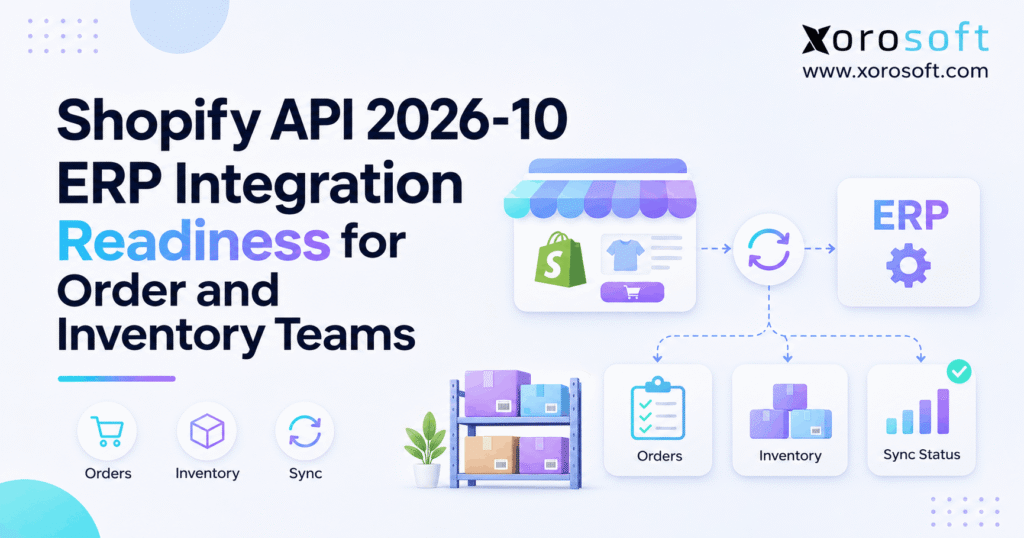
If you are looking for information about the Shopify API 2026-10, you’re in the right place.
1. The Quiet Risk Behind a Shopify API Upgrade
Shopify API 2026-10 changes how some order, tax, inventory, and event records behave. However, a successful API response does not prove that your ERP stored the right order total or stock balance. For example, an order can look correct in Shopify while the warehouse picks the wrong item or finance keeps an old tax amount. Therefore, the best upgrade test is simple: do the business records still agree?
1.1 Shopify API Readiness Beyond a Working Connector
In practice, a connector can send and receive data without keeping every field in sync. For example, Shopify may record an order edit while the ERP still holds the earlier values. Meanwhile, a warehouse system may act on the first version of the order. Consequently, each team needs to test both the technical request and the final business result.
Therefore, readiness means checking order status, tax, payment balance, accepted stock, transfers, and the trail of changes. It also means knowing which system owns each value. Without that rule, teams may fix a mismatch in one app only to see it return from another.
1.2 Who Should Be Involved in the Upgrade?
First, the developer or integration partner owns the code changes. Yet order teams must approve order-state rules, while inventory teams must approve quantity rules. Meanwhile, finance checks tax, refunds, and stock value. In addition, the warehouse lead should test what workers see in the pick and receive screens.
By contrast, a smaller merchant may assign several roles to one person. That is fine as long as every check has an owner. By contrast, a large business should not leave go-live approval to the developer alone.
2. Shopify API 2026-10: Which Changes Matter Most?
For context, Shopify released version 2026-10 on October 1, 2026. According to its official release notes, several updates affect orders, stock, and apps that move data between systems. However, not every change affects every merchant. First, check which calls and event topics your app uses.
2.1 Shopify Order Changes: Tax, Status, and Cancellation
For example, a shipping-address change on an unfulfilled order can now trigger a new tax calculation. Therefore, an ERP should read the updated tax lines and totals after the change. In addition, Order.displayFulfillmentStatus can return FULFILLMENT_NOT_REQUIRED when no quantity remains to fulfill. A strict mapping that only accepts older values can send such orders to the wrong queue.
The orderCancel mutation also exposes jobResult. As a result, an app can check whether the cancellation actually finished before it reverses stock or financial entries. These are small API details with large day-to-day effects.
2.2 Shopify API 2026-10 Inventory and Purchase-Order Changes
In addition, shipment receiving can now mark units as CANCELED when they will never arrive. Shopify also reports canceled totals, so teams can tell the difference between received stock and a closed shortage. Meanwhile, new public read queries let approved apps view purchase orders. However, these queries do not add public purchase-order creation.
Inventory quantity mutations also removed an old error value, ITEM_NOT_STOCKED_AT_LOCATION. Therefore, code that expects that exact error should be reviewed. An app may need a new way to report failures rather than keep a dead branch in its error handler.
2.3 Shopify 2026-10 Update: Webhooks and Other Changes
For instance, order webhook line items can now include selling_plan_id. As a result, a connector can see whether a selling plan relates to that item. Inventory shipment events can also include inventory_transfer_id, which helps link a shipment to a transfer. Next Gen Events are generally available, but classic webhooks can still be used.
Separately, Shopify changed how it treats invalid metafield filters. Queries that once ignored a bad filter can now return an error. Therefore, teams that search products or orders by metafields should test those calls too.
3. Shopify API Upgrade Tests for Order Teams
In practice, order processing is often the first place an API change causes visible trouble. However, the real risk may appear later, when fulfillment or accounting uses an old record. So start with common order changes and follow each one through every system.
3.1 Shopify Order Sync When an Address Changes Tax
For example, imagine an order waiting to ship. The buyer changes the delivery address, and Shopify recalculates tax for the new destination. Yet the ERP may still hold the tax captured at checkout. As a result, the open balance, refund amount, or invoice can be wrong even if the item list is correct.
Test this with a controlled order. First, save the original totals. Next, update the address and fetch the latest taxLines, totalTaxSet, and order totals. Then compare them with the ERP entry. A new address does not always mean a new tax amount, so use actual values rather than assumptions.
3.2 Fulfillment Status Must Match Warehouse Work
For instance, some orders may now show FULFILLMENT_NOT_REQUIRED. Therefore, the connector must treat it as a valid state, not an unknown error or an order to pick. Still, this value alone does not mean the order was canceled. Check the underlying order and remaining units before any stock or payment change.
For example, create a test order with no quantity left to fulfill. Then see whether it appears in the warehouse release queue. If it does, update the mapping and retest. This small check prevents wasted picking work and false late-order alerts.
3.3 Shopify API 2026-10 Cancellation and Edit Requests
However, a cancellation request and a finished cancellation are not the same event. With orderCancel.jobResult, the app can inspect the final job result. As a result, the ERP should wait for the confirmed outcome before releasing stock, making a credit, or closing the order.
Shopify also added APIs for buyer requests to remove unfulfilled items. However, a request is not yet an approved edit. If the store uses this feature, mark the order for review before packing. In addition, test what happens when staff decline the request after the warehouse has begun work.
4. Shopify API 2026-10 Inventory Sync Without False Stock
Above all, a reliable stock sync must preserve the meaning of each quantity. For example, a warehouse may have 100 units expected, 80 on hand, and 60 ready to sell. Those figures are not interchangeable. Therefore, an ERP integration needs clear rules for accepted, rejected, canceled, reserved, and in-transit stock.
4.1 Shopify Inventory Sync Depends on Stock State
For example, Shopify and an ERP may track different views of the same SKU. Shopify needs sellable stock by location. Meanwhile, the ERP may manage purchase orders, transfers, holds, damaged units, and planned demand. If a connector uses the wrong field, an accurate number from one system can become a wrong promise in another.
Start by writing down what each inventory field means. Next, decide which system has the final say on a sale-ready quantity. Then make sure the warehouse update changes only the intended state. Otherwise, a receiving event can make stock look available before workers have checked it.
4.2 Shopify API 2026-10 Canceled Receiving Example
Under the new canceled-receiving behavior, canceled units count toward InventoryShipment.totalReceivedQuantity. However, they are not units accepted into physical stock. That distinction is easy to miss if a report uses only the total field.
For example, consider a shipment of 100 units:
| Receiving outcome | Units | Should add to sellable stock? |
|---|---|---|
| Accepted | 70 | Only after normal stock rules pass |
| Rejected | 10 | No |
| Canceled | 20 | No |
| Total processed | 100 | Not a sellable-stock total |
Therefore, the ERP should record the 20 canceled units as a closed shortfall, not as a warehouse receipt. In addition, it should keep rejected units in the correct review or return state. The 2026-10 receiving webhook can report both old and new canceled quantities, so test that change as well.
4.3 Multi-Location Stock Checks After an API Change
In practice, a business may show the right total stock but still have the wrong units at the wrong site. For instance, a transfer may leave one warehouse while the other site has not yet accepted it. If both locations show the units as ready to sell, the store can overpromise.
Therefore, compare stock by SKU, location, and state. Track when a transfer was sent, received, canceled, or put on hold. Teams with heavy receiving and picking needs can review warehouse workflows in XoroWMS, while still testing the exact connector fields used in their own setup.
5. Purchasing and Transfer Data in Shopify ERP Integration
To start, purchasing teams need a clean link between what was ordered, what shipped, and what arrived. However, some connectors only move a final stock number. That makes it hard to explain shortages. A well-planned integration keeps enough purchase and transfer detail to trace the difference.
5.1 What the Shopify Purchase Order Read API Allows
Shopify’s public Purchase Order Read API offers inventoryPurchaseOrder and inventoryPurchaseOrders queries in version 2026-10. As a result, approved apps can read order details, line items, supplier snapshots, and linked transfers. However, the release does not provide a public create-purchase-order mutation.
For each query, check that the returned supplier and item IDs match the ERP. Then test page limits and missing records. Also keep purchase ownership clear: reading a Shopify record does not mean Shopify should control the buying plan.
5.2 Shopify ERP Integration: Scopes and Linked Transfers
First, an app needs read_inventory_purchase_orders for those purchase-order reads. In addition, it needs read_inventory_transfers to read linked transfer details. So a query that works for one record may still fail when it requests transfer fields without the right access.
Check the scopes granted to the installed app, not just the scopes listed in a developer file. Then run a real test query. If access fails, fix the grant before changing business logic. This reduces wasted time spent debugging a working query with missing rights.
5.3 Use One Clear Purchasing Record
Above all, an ERP should be able to explain ordered units, received units, remaining units, and supplier changes. Otherwise, teams may place new purchase orders for stock already in transit. Therefore, connect purchase planning with the warehouse receipt and the open customer demand.
Xorosoft brings purchasing, inventory, and accounting into a cloud ERP. Its integration overview also shows how sales and operations can connect. Still, ask the integration owner to prove the exact Shopify 2026-10 mapping before treating any connector as ready.
6. Shopify API 2026-10 Webhooks: Keep Events Safe
For example, webhooks help an ERP react quickly to Shopify changes. However, quick delivery does not guarantee the right order of events. A late update or repeat message can change a record twice. Therefore, apps need safeguards as well as fast event handlers.
6.1 Check the Version Used for Each Webhook
However, the webhook API version can differ from the version used for other GraphQL calls. So inspect each subscription and the X-Shopify-API-Version header on delivered events. In addition, confirm which fields are present in the actual payload your app receives.
For 2026-10, test selling_plan_id on order line items and inventory_transfer_id on shipment events where those fields apply. A missing optional value is not always an error. Therefore, handle null or absent links without losing the main transaction.
6.2 Prevent Duplicates and Out-of-Order Writes
Shopify’s webhook guidance advises developers not to assume events arrive in order or that every delivery will succeed. First, verify the HMAC signature. Next, use X-Shopify-Webhook-Id to spot a repeat delivery. Then apply a change only if it is still valid for the current record.
For example, if a timeout causes Shopify to send a notice again, the ERP must not create a second shipment. Similarly, if an older change arrives late, the app should avoid replacing newer data. As a result, unique record IDs and event-time checks matter more than raw speed.
6.3 Reconcile Even When Webhooks Look Healthy
For example, a webhook can fail because the app is down or the handler rejects a message. Therefore, schedule a separate check that reads current Shopify records and compares them with ERP records. Focus on open orders, stock by location, and changes that affect money or shipping.
In addition, save failed events in a queue with a clear owner and retry rule. When a mismatch appears, fix the source cause before changing quantities by hand. This approach helps stop the same issue from returning the next day.
7. Security and Bulk Jobs Beyond the Shopify API Update
In addition, some November 2026 changes affect app access across API versions. Therefore, do not confuse them with new 2026-10 fields. They still belong in a readiness review, because a working data flow can stop when access rules change.
7.1 Shopify API Upgrade: Bulk Operations Need Access
Since November 6, partner-built apps that use GraphQL bulk queries or mutations need the right access enabled in the Partner Dashboard. Shopify enables the two job types separately. As a result, a bulk query may work while a bulk mutation returns access denied.
Check the app’s current access before a major stock import or data audit. Apps with recent use may already have that access. For details, use Shopify’s bulk-operations update. This rule applies across GraphQL API versions, not only 2026-10.
7.2 Public-App IP Rules and November Dates
Shopify set November 12, 2026, at 11:59 PM ET as the IP allowlist deadline for bulk operations in public apps. In addition, the public-app deadline for general Admin API access setup is November 20, 2026, at 11:59 PM ET. The direct effects of missing each deadline differ, so teams should read the official app security notice.
Custom apps and merchant-created apps are outside this specific public-app allowlist rule. However, every app owner should still review token safety and network access. As a result, operations teams should confirm app type before demanding an urgent change that does not apply to them.
8. Shopify API 2026-10 Readiness Checklist
Above all, a good checklist makes the next action clear for each team. Instead of asking whether the connector is “compatible,” ask what exact business result proves it. Then record the test, owner, outcome, and fix needed.
8.1 Shopify API Readiness: Versions and Data Fields
First, list the installed apps, custom scripts, middleware tools, and 3PL feeds that use Shopify data. Next, record the API version for each request path and webhook subscription. In addition, note the fields, enum values, and access scopes that each workflow expects.
Use Shopify’s API version schedule to plan future reviews. Version 2026-10 was released on October 1, 2026, and is listed as supported until October 16, 2027, at 15:00 UTC. Therefore, this is a planned test cycle, not a reason to rush an untested change into live operations.
8.2 Map Who Owns Each Business Value
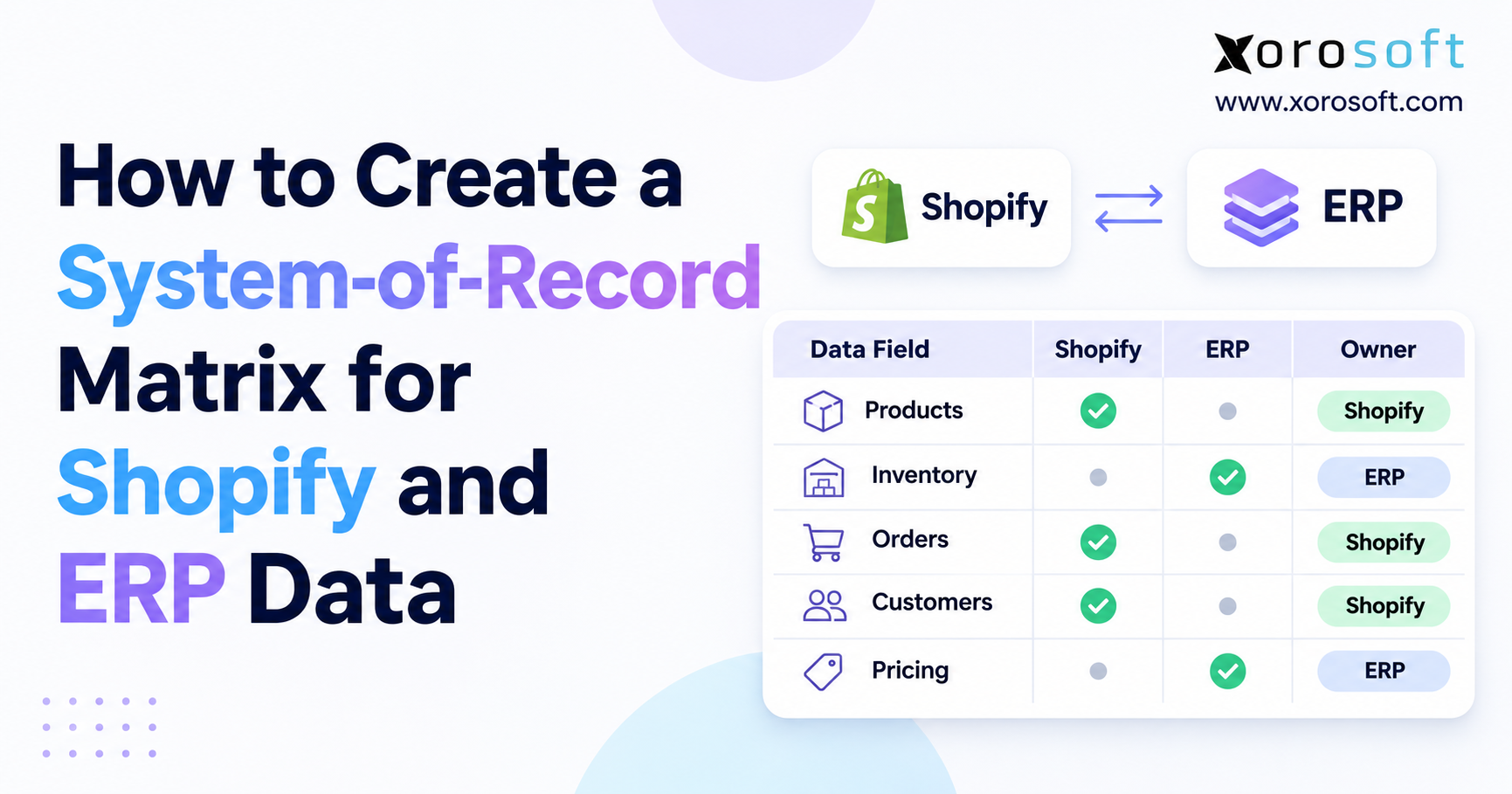
For each field, write down the source of truth. For example, Shopify may own the customer-facing order while the ERP owns stock allocation and accounting entries. Meanwhile, the WMS may own accepted warehouse receipts. The chosen roles can vary, but they should not be vague.
Then record what happens when two systems disagree. Who reviews the issue? Which record can be corrected? How is the fix sent to other apps? Clear answers reduce handoffs and help staff work through errors during busy sales periods.
8.3 Run Test Orders and Stock Moves
Start with normal orders and clean receipts. After that, add harder cases: changed addresses, order cancellations, duplicate events, partial shipments, rejected units, and canceled inbound stock. Also test one SKU stored at two warehouses.
Keep a copy of each record before and after the change. Then compare Shopify, ERP, and warehouse results. If a tax or stock number differs, stop and explain why. In addition, check that a repeated event does not create an extra order, invoice, or stock move.
8.4 Require Sign-Off and a Recovery Plan
Before go-live, have order, warehouse, finance, and integration owners approve their checks. Next, set clear stop rules for duplicate orders, missed updates, and unexplained stock differences. Finally, name the person who can pause or roll back the rollout.
A rollback can restore code, but it may not undo wrong records already written. Therefore, keep a plan to find and correct live transactions. This is often more useful than a vague promise that the connector can be turned off.
Readiness CTA: If separate tools make these checks hard, review XoroONE’s connected operations approach and build a list of the gaps your team needs to solve. A product review should follow, not replace, the test plan.
9. ERP Order and Inventory Test Cases Before Go-Live
For example, the fastest way to find a weak mapping is to run real scenarios with known outcomes. However, do not use live customer records for risky tests. Use a test store and safe ERP environment where practical, then record which parts need a small live pilot.
9.1 Shopify API 2026-10 Order Test Matrix
| Test | Expected result | Owner |
|---|---|---|
| Change an unfulfilled order address | Current tax and totals match | Finance |
| Cancel an open order | Final cancellation confirmed before stock release | Order team |
Receive FULFILLMENT_NOT_REQUIRED |
No false warehouse pick task | Warehouse |
| Process a removal request | Pending request is not treated as approval | Customer service |
| Deliver an order event twice | Only one ERP record or change | Integration team |
For each case, save the Shopify ID and the ERP ID. In addition, record any payment or inventory effects. As a result, the team can show what passed and what still needs work, rather than rely on verbal approval.
9.2 Shopify Inventory Sync Test Matrix
| Test | Expected result | Owner |
|---|---|---|
| Accept 70, reject 10, cancel 20 | Only valid accepted stock increases | Inventory control |
| Ship a transfer between sites | In-transit stock is not sold twice | Warehouse |
| Receive canceled-only event | Canceled balance updates; stock stays unchanged | Integration team |
| Load a PO with linked transfer | Correct fields and access rights | Purchasing |
| Retry a failed stock event | No duplicate movement | Integration team |
However, a passed test must reflect real business rules. Some warehouses place accepted stock into a hold area before it becomes sellable. Therefore, the expected result should follow that site’s put-away and quality process.
9.3 Finance and Reconciliation Evidence
Next, finance should compare order totals, taxes, payments, credits, and any stock value entries affected by a test. Meanwhile, inventory control checks quantities by SKU and location. The integration team should record failed requests, repeat events, and the time taken to recover.
Do not set one universal threshold for all firms. Instead, require zero unexplained duplicate orders or stock moves, then agree on how to handle timing delays. Finally, store the test evidence with the release decision so the next upgrade starts from known facts.
10. Shopify Multi-Warehouse Sync and Stock Ownership
For example, multi-warehouse merchants face an extra problem: a correct company total may hide a wrong location balance. Therefore, stock tests must follow the route of the goods, not just the final number on a dashboard.
10.1 Available Stock Is Not the Same as On-Hand Stock
For instance, a unit may be physically present but not ready to sell. For example, it might be held for an open order, awaiting a quality check, or assigned to another sales channel. As a result, the ERP needs clear state rules before it sends a sellable quantity to Shopify.
First, decide which states count as available. Then test holds, returns, and partial receipts. Meanwhile, keep a record of who can override a stock value. Without that control, staff may fix one order by creating a larger shortage somewhere else.
10.2 Transfers Need a Start, Middle, and End
A transfer should show when units leave a site, move in transit, and arrive at the target site. However, not every move ends with all units accepted. Some may be lost, rejected, or canceled. Therefore, close each transfer using its actual final state.
The new inventory_transfer_id in shipment events can support that link when present. In addition, the ERP should retain its own transfer reference and location map. This makes it easier to trace a discrepancy to the right stock movement rather than change a company-wide total.
11. ERP Integration Risks by Industry
In practice, the same API field can cause different issues across product businesses. Therefore, testing should reflect how each industry sells, receives, and moves stock. A generic test order rarely covers every high-risk path.
11.1 Shopify Order Sync in Apparel and Sporting Goods
For example, apparel stores often manage many sizes and colors under one style. Meanwhile, sporting-goods sellers may face sharp seasonal demand and store transfers. As a result, a wrong variant or location map can show stock that buyers cannot actually receive.
Test the same item family across sizes, sites, and open orders. Then inspect how returns and damaged units affect sellable stock. In addition, confirm that a webhook retry does not add the same return twice. These checks protect both sales promises and stock accuracy.
11.2 Furniture and Wholesale: Partial Orders and Receipts
Likewise, furniture orders may ship in several packages or from more than one site. Likewise, wholesale orders often reserve stock for buyers before goods leave the warehouse. Therefore, one order status may not describe every line’s true state.
Test partial fulfillment, split shipments, and supplier shortages. For example, a purchase order may show units still expected while a transfer is already in progress. Also check that a canceled inbound amount does not appear as received stock. A reliable workflow keeps demand, supply, and warehouse work linked.
11.3 Food and Manufacturing: Traceability and Material Demand
For example, food businesses often need batch, shelf-life, or quality checks. Manufacturers need material supply to support work orders and planned output. However, Shopify does not need to own every plant or warehouse detail. It needs the correct sale-ready result.
Therefore, keep the detailed controls in the right back-office system and send Shopify only valid availability. Businesses with these needs can explore Xorosoft’s industry coverage while testing whether each live workflow fits its inventory and production rules.
12. When an API Fix Is Enough – and When ERP Needs a Rethink
However, an API upgrade is not a reason to replace working software. If one field changed, fix that field. However, if teams spend every day correcting orders, stock, and books across separate tools, the version update may reveal a deeper issue.
12.1 Problems a Connector Update Can Solve
For example, a targeted fix is often enough when a webhook needs a new field, a query needs a new scope, or code must accept a new enum. Likewise, an out-of-date request version can be changed after tests pass. Therefore, start with the smallest safe fix and confirm the business result.
Write down the affected workflow, expected behavior, and rollback point. Then rerun the same tests after deployment. This avoids turning routine support work into a major project with no clear benefit.
12.2 Signs the Process Needs More Than a Patch
By contrast, a broader ERP review makes sense when stock numbers differ every day, purchasing lives in spreadsheets, or finance closes the books through manual exports. In addition, repeated re-entry across Shopify, Amazon, wholesale, and warehouse apps can create more points of failure.
Ask three questions: Can staff explain every stock change? Can finance trace order totals to entries? Can leaders see demand and supply without merging reports by hand? If the answer is often no, a connector patch may not resolve the core problem.
12.3 A Connected ERP Option for Growing Merchants
For example, Xorosoft combines inventory, purchasing, warehousing, accounting, and ecommerce work in one cloud ERP. As a result, growing merchants can assess fewer handoffs and clearer ownership instead of managing each process in a separate app. Its XoroERP platform is relevant where multi-site stock and order-to-finance checks have become hard to manage.
However, no platform should be called ready for a specific Shopify API version without testing its installed integration. Therefore, ask for a live workflow review, an upgrade plan, and proof of the exact order and stock cases that matter to your team. Merchants can also view Xorosoft’s Shopify App Store listing as one source of integration context.
13. Shopify API 2026-10 Go-Live Monitoring
However, a test plan should not end when the new connector goes live. Instead, watch the first real orders and receipts closely. That early view can reveal rare cases that a test store did not cover.
13.1 Watch the First Live Order Cycles
For the first agreed review period, compare orders entered, orders fulfilled, stock moves posted, and errors queued. Next, inspect changes to open orders, not only new purchases. Also test one normal return or cancellation if your workflow allows it safely.
When a mismatch appears, assign an owner and keep a record of the source event. Do not clear the warning just because someone changed the visible quantity. As a result, the team can fix the cause and prevent repeat work.
13.2 Keep a Simple Integration Scorecard
First, track four measures: unmatched orders, unexplained stock differences, failed events, and open finance gaps. In addition, show the age of each issue and who owns it. These figures can be measured daily during rollout and less often once the system is stable.
A clean dashboard is useful only when each metric has a clear meaning. Therefore, pair every number with a test or review rule. Finally, keep the scorecard for the next quarterly API review so the team starts with evidence, not memory.
14. Conclusion: Keep Orders, Stock, and Books in Agreement
Shopify API 2026-10 brings useful changes to order updates, fulfillment states, shipment receiving, and app events. However, a successful request is not the finish line. Order teams must trust the customer record, warehouse teams must trust stock by location, and finance must trust the final values.
Therefore, start with the affected API calls, test the hardest workflows, and verify the results across systems. If the gaps come from disconnected tools rather than one new field, a wider ERP review may help. Xorosoft can be part of that review for inventory-driven firms with complex buying, storage, and selling workflows.
Book a Demo: Book a personalized ERP demo to discuss the order, inventory, and finance checks your business needs.
Frequently Asked Questions
What is Shopify API 2026-10?
It is Shopify’s October 2026 stable API release. It includes changes to order taxes, fulfillment status, inventory receiving, and event data. However, each connector needs its own checks.
Do all ERP connectors need an immediate upgrade?
No. First, check the version your app uses and its support date. Then test any affected calls. A supported older version may still work during a planned move.
What changed for Shopify inventory receiving?
Version 2026-10 adds a canceled receiving state. As a result, canceled units count in the processed receiving total but must not be treated as accepted, sellable stock.
Why can Shopify and ERP order totals differ?
A shipping-address change can trigger new tax values on an unfulfilled order. Therefore, the ERP should fetch updated totals and reconcile payments, refunds, and any related accounting entries.
How can teams stop duplicate Shopify orders?
Verify event signatures, track unique delivery IDs, and make order writes safe to repeat. In addition, compare current Shopify data with ERP records to find missed or late events.
Can Shopify API 2026-10 create purchase orders?
No. The new public API supports purchase-order reads, not public creation mutations. Apps need the right scopes to read purchase orders and any linked inventory transfers.
When should a merchant consider a broader ERP review?
Consider one when stock, buying, fulfillment, and accounting depend on manual updates across tools. However, fix a small API mapping issue directly when the wider process still works well.
Recent Posts
-
 Event-Driven ERP Integration: Orders, Inventory, Payments, and Fulfillment Events
-
When Should Sales Commissions Be Earned: Order, Shipment, Invoice, or Cash?
-
 Shopify API 2026-10 ERP Integration Readiness for Order and Inventory Teams
-
 Why Markdown Plans Fail to Clear the Right Inventory
-
 Batch Picking vs Zone Picking for High-Volume Ecommerce Warehouses