Event-driven ERP integration is transforming how businesses connect their core systems and respond to real-time data.
1. When One Order Triggers Four Different Systems
Event-driven ERP integration helps orders, stock, payments, and shipping systems respond when a real business change takes place. However, faster updates do not always mean better records. A store may accept an order while the warehouse sees old stock, finance waits for a payment, and the buyer sees the wrong shipping status. As a result, one sale can cause several hours of manual work.
For example, a shopper buys two jackets on Shopify. The order reaches the sales team, but the stock count has not changed in the warehouse. Meanwhile, the payment firm is still checking the card. If another buyer orders the same size, the store may promise stock that the first order already holds. Therefore, the real goal is not just quick data transfer. It is one clear, trusted result for each step.
In this guide, you will learn which events matter, who should own each record, how to stop repeat work, and when a growing brand should change its ERP setup. Most importantly, you will see why simple controls and regular checks are just as vital as live updates.
2. What Event-Driven ERP Integration Means
An event is a notice that something has happened. In practice, event-driven ERP integration uses the notice to start a checked update in another system. For example, a store can send an order-created event, while a warehouse can send a shipment-confirmed event. An ERP can then act on that notice based on a set of rules. However, the event itself is not proof that the next step worked. The ERP must still check the facts and save the right business record.
2.1. Events, Webhooks, and APIs Are Different
A webhook sends a notice when a change takes place. By contrast, an API lets an app ask for data or make a change. Meanwhile, a batch job moves data at a set time, such as every 15 minutes or once each night. These tools can work together rather than compete with one another.
For example, a webhook may tell the ERP that a buyer changed an order. Next, the ERP can use an API to read the latest order lines. Then, the ERP can check stock and update the sales order. As a result, the firm does not have to trust an old message as the final truth.
2.2. Event-Driven ERP Integration and the System of Record
Every key field needs an owner. The storefront may own the details of checkout, while the ERP may own sellable stock. Likewise, the payment firm owns its card status, and the warehouse owns its pick and ship steps. As a result, each app can share news without claiming to be the source of every fact.
For example, a payment notice should not change the number of jackets on hand. Instead, it should update the finance flow linked to that order. Clear ownership stops one app from undoing a valid change made in another. It also gives staff a way to settle a dispute when two screens do not match.
3. How ERP Events Travel From One App to Another
In event-driven ERP integration, a sound flow has four parts: a source, a way to send the notice, a receiver, and a business rule. First, an app reports that a change took place. Next, the receiver checks that the notice is real and the ERP has not processed it before. Then, the ERP applies the right action. Finally, a follow-up check finds any gap between the source and the ERP.
3.1. A Five-Step Event Flow for Orders
Consider a new order with two line items. First, Shopify sends an order notice. Second, the receiving service checks who sent it and records a unique ID. Third, the ERP finds or creates the matching sales order. Fourth, stock rules decide where the units should come from. Finally, the system records the result and sends the needed updates to other apps.
However, the path is not always a straight line. A payment update may arrive before the ERP finishes handling the order notice. Also, a warehouse may send two notices for one package. Therefore, each step needs its own status and a safe way to try again. Shopify’s webhook guide explains both event notices and the need to check missed data.
3.2. Why Fast Delivery Is Not Enough
A notice can reach the ERP in one second and still lead to the wrong action. For example, the stock shown on the message may be old. Or the customer may have changed the order after the source app sent the notice. As a result, the receiver should check the current state before it makes a change that staff cannot easily reverse.
In addition, log when the receiver got each notice, when the ERP processed it, and what changed. If the receiver stops during a busy sale, the team can then tell which tasks finished and which tasks need another attempt. That audit trail matters more than a claim that every app works in real time.
4. ERP Order Events That Protect Sales Accuracy
Order events cover far more than a new sale. A buyer may change an address, remove a line, or cancel before warehouse staff pack the box. Therefore, the ERP should treat each event as a request to check the order’s current state. It should not create a fresh sales order each time a notice arrives.
4.1. Event-Driven ERP Integration for Shopify Orders
A Shopify order should carry a stable order ID, line IDs, item codes, amounts, and the sales channel. First, the ERP matches the source ID to a local sales order. Next, it checks whether the notice adds new data or repeats a completed task. Then, it makes only the change that is still allowed.
For brands that sell through several channels, the Xorosoft ERP Shopify App Store listing shows an option for linking store sales with ERP tasks. However, every team should still test order edits, canceled lines, and repeat notices in its own setup. A listed app alone does not prove that every custom rule will work without review.
4.2. Cancellations and Changed Lines
A canceled order does not always mean that all its stock should go back on sale. For example, some units may have shipped while other units remain on hold. In that case, the team can release only the open part of the order. Meanwhile, shipped goods may need a return and credit flow.
Therefore, save order state at the line level, not only at the order header. A change to one size or color should not reset the full order. In addition, set a review rule for edits that arrive after staff print a label. That way, staff can fix the shipping plan before a customer gets the wrong box.
5. Inventory Event Synchronization and Available-to-Promise Stock
In event-driven ERP integration, an inventory event tells the business that stock moved or that its status changed. For example, a receipt can add units, while an order can hold units for a buyer. However, stock on hand is not the same as sellable stock. As a result, the ERP needs clear rules for holds, picks, damage, and other claims on the same units.
5.1. Inventory Event Synchronization Across Warehouses
A stock update should name the item, unit of measure, site, and type of move. First, the warehouse saves a receipt, pick, count, or transfer. Next, the ERP updates the right location. Then, the system works out how much stock each channel may promise. As a result, one site does not show units held in another site as free stock.
Xorosoft brings multi-warehouse inventory and sales-order work into its XoroERP platform. For teams with many stores or sites, that shared view can reduce the need to check stock in several apps. Still, teams must map each source and stock rule during setup.
5.2. How Reservations Prevent Double Selling
Suppose a store has 12 jackets on hand, and four are already held for open orders. Its free stock may be eight, not 12. However, the figure may fall further when safety stock, damaged goods, or other holds apply. Therefore, the team needs a clear formula for available-to-promise stock.
For example, the ERP can own the final free-stock number and send it to each channel. If a second app also subtracts the same order hold, the count will be too low. Likewise, if it ignores the hold, the count will be too high. To avoid both errors, keep one owner for the saleable number and track where each change came from.
6. Payment Event Reconciliation and ERP Accounting
In event-driven ERP integration, payment events have their own order of work. A bank may approve a card, a processor may capture a charge, and cash may reach the bank later. However, these are not the same step. Therefore, finance should not use one paid flag for every state. The ERP needs links between the order, charge, refund, fees, and bank payout.
6.1. From Authorization to Bank Payouts
First, card approval shows that a payment can move ahead under the rules of the bank or payment firm. Next, capture takes the charge. Later, a payout may group many charges and subtract fees or other sums. As a result, the amount paid by shoppers may not match the net sum sent to the bank on that day.
For example, ten paid orders can appear in one payout with one refund and several fees. Therefore, finance should match the gross charges to the payout parts, then post the right journal entries under its policy. Stripe’s webhook guide also warns that providers can send the same event more than once or deliver events out of order.
6.2. Handle Refunds and Fees Without Guesswork
A business can approve a refund before the goods come back to the warehouse. Meanwhile, a chargeback may arise without a normal return. Therefore, the ERP should link each finance event to its first charge but keep the stock process separate. Staff should check an item before returning refunded goods to sellable stock.
In addition, match payment IDs, payout IDs, order IDs, and credit notes. If one value is missing, send the item to a review list rather than guessing which order it belongs to. As a result, the month-end close has fewer unknown entries and a clearer path for staff to fix each gap.
7. ERP Fulfillment Events Across WMS and 3PLs
Event-driven ERP integration links warehouse milestones to the sales order. These events describe what staff or a 3PL actually did. An order may be ready to pick, picked, packed, or shipped. However, a printed label is not proof that a parcel has left the site. Therefore, the ERP should keep these states apart and send the right status back to the sales channel only when the warehouse completes the matching action.
7.1. ERP Fulfillment Events for Partial Shipments
A wholesale buyer may order ten chairs, but the first truck may hold only six. In that case, the ERP must record six as shipped and four as still open. Next, the buyer’s notice should show the shipped lines and their tracking data. Meanwhile, stock for the remaining four may stay on hold or move to backorder.
Xorosoft’s XoroWMS covers pick, pack, ship, stock moves, and multi-site warehouse tasks. As a result, teams can review how their warehouse steps link to ERP order records. However, a firm using an outside 3PL should still test how that partner sends part shipments and later changes.
7.2. Returns Need Two Separate Updates
When a customer sends an item back, the warehouse and finance teams have different jobs. First, the warehouse notes the parcel receipt. Next, staff check whether the item can be sold again. Meanwhile, finance may issue a refund or credit based on the return policy. These steps do not have to finish at the same time.
For example, staff may refund a torn jacket but keep it out of free stock. By contrast, a sealed item may pass inspection and go back to the right site. Therefore, return events should carry a reason, a stock status, and a link to the first order. That helps both teams close their records without false stock increases.
8. ERP Webhook Integration: Handling Failures
Reliable event-driven ERP integration plans for messages that arrive twice, arrive late, or never arrive. Shopify and Stripe both describe such risks. Therefore, a business should not promise that webhooks alone will keep every app in step. Instead, it needs rules that let staff retry failed work without changing the final result twice.
8.1. Idempotency Stops Duplicate Transactions
Idempotency means that trying the same action twice does not create a second business result. For example, if an order notice is resent, the ERP should still have only one sales order. First, the receiver can check the notice ID. Next, it can check the source order ID before it adds a new record. Both checks matter.
In addition, the app should log each completed task. If an error occurs after the ERP saves a sales order but before the app sends a reply, the next try must find the saved order. Otherwise, the business may get two invoices, two stock holds, or two picks. Therefore, test failure points during setup, not only the easy path.
8.2. Event-Driven ERP Integration Needs Reconciliation
Even strong event handling cannot prove that all notices arrived. Therefore, schedule a check that compares key source records with the ERP. For example, compare orders changed since the last run, open stock holds, captured payments, and shipped lines. Next, log each mismatch and give it an owner who can fix it.
Also, use a queue to store work when the ERP is busy. If a notice keeps failing, move it to a review list rather than dropping it. The AWS transactional outbox pattern is one way to reduce the risk of saving a record but failing to send its event. However, it is a design choice, not a feature every ERP has.
9. Who Owns the Final Business Record?
Event-driven ERP integration works best when staff know which system owns each final record. When several apps hold the same data, staff also need to know which value wins. For example, a store may show a sale, while the WMS flags a damaged unit before shipment. Therefore, set one owner for each core state and define how the other apps learn about changes. This is a business rule as much as an IT task.
9.1. Match IDs Before You Sync
Every order, item, site, shipment, and payment needs a stable ID. First, map the source ID to the ERP record. Next, save that link so a repeat event finds the same item. In addition, use the right units of measure and location codes. A case of 12 should not become 12 each when the ERP expects cases.
For example, a store can sell a bundle under one code while the warehouse picks several parts. Therefore, the ERP must know the parts and their stock rules. If the app maps only the bundle name, it may deduct the wrong units. As a result, good ID maps help avoid stock gaps long before any webhook error appears.
9.2. ERP Event Processing Rules for Each System
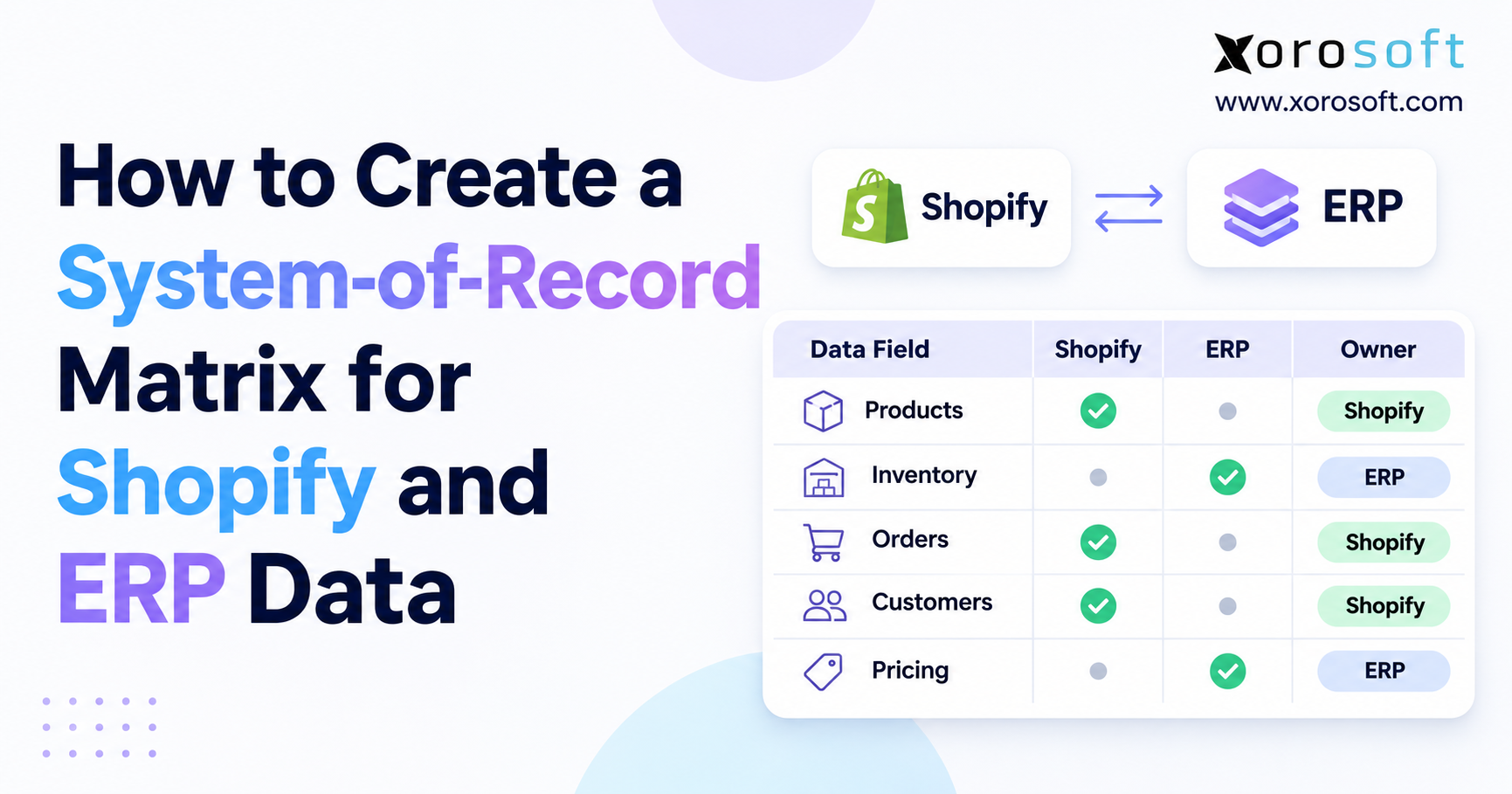
A simple ownership map can prevent most disputes. For example, the sales channel may own checkout data, the ERP may own accepted orders and free stock, the WMS may own pick steps, and the payment firm may own charge status. However, the exact owner can change based on the firm’s process.
| Record | Example owner | Link to keep |
|---|---|---|
| Checkout order | Sales channel | External order ID |
| Available stock | ERP or stock service | Item and site ID |
| Pick and ship status | WMS or 3PL | Shipment ID |
| Payment state | Payment provider | Charge or payout ID |
| Posted accounts | ERP finance | Journal or invoice ID |
Therefore, agree on owners before new code is written. Then, test how each app behaves when two valid changes happen close together.
10. Event-Driven ERP Integration vs. Batch Sync
Event-driven updates are useful when a change needs a quick response. However, batch work can still be right for reports, old records, and low-risk files. Likewise, API polling may fit an app with no push notices. Therefore, choose the method based on the cost of delay, not on which term sounds more modern.
10.1. Choosing Between Webhooks, Polling, and Queues
A webhook can trigger a quick check. By contrast, polling asks the source for new data at set times. A queue holds messages until the receiver can work on them. These are not three rival products. Instead, a strong flow may use a webhook, put it in a queue, and then call an API to read the current data.
| Method | Good fit | Trade-off |
|---|---|---|
| Batch file | Reports and low-need updates | Data may be old |
| API polling | Apps with no webhooks | More calls and delay |
| Direct webhook | Small, simple flows | Harder to handle outages |
| Queued events | Busy, multi-app flows | More setup and review work |
Microsoft’s event-driven design guide explains why loose links between apps can help scale while also adding new data and control risks.
10.2. When Simpler Sync Is Better
A small brand with one store and one stock site may not need its own event service. For example, a well-tested connector that runs every few minutes may be enough if a delay causes little harm. However, a firm that ships from four sites and takes both web and wholesale orders has more ways for stale stock to hurt sales.
Therefore, ask three things before you upgrade: How much does a late update cost? How often do staff fix bad data? Who will support the new setup? If the answers show little risk, keep the simple flow. If the costs are high, a richer event design may pay off.
11. Map an ERP Event Integration Rollout
The safest way to roll out event-driven ERP integration starts with one painful task, not every app at once. For example, begin with Shopify orders and stock holds at one warehouse. Next, add shipment status and payment matching. Only then should the team add more sites, channels, and special rules. As a result, staff can see which new step causes a new error.
11.1. Start With One High-Risk Workflow
First, draw the path from checkout to the final ship and finance record. Next, list every app that reads or writes that record. Then, name the owner for each state and the ID used to match it. In addition, write down which updates must be instant and which may wait a short time.
Xorosoft offers links for ecommerce, EDI, warehouses, shipping, and finance through its ERP integrations page. Therefore, teams can use those areas as part of an ERP fit review. Still, teams should test the exact field maps, event timing, and partner rules for their own stack.
11.2. Test for Delays, Duplicates, and Missed Messages
Start with a normal order and confirm that every line matches. Next, send the same notice twice and confirm that the ERP creates no new order. Then, cancel one line after a pick starts. After that, turn off one receiver and check whether the system can finish the work later without data loss.
Finally, test a refund, a part shipment, a site transfer, and an old event that arrives late. For each case, save the right result and the time needed to fix an error. As a result, the team can base go-live approval on real proof rather than only a clean demo.
12. Measure Event-Driven ERP Integration Health
A fast webhook is of little value if a warehouse still picks the wrong units. Therefore, judge the flow by business results as well as server logs. Keep the measures simple enough that an ops lead can use them each week. Then, compare the results before and after a change to the system.
12.1. Track Results, Not Only Webhook Success
Useful measures include time from order to ERP record, time from pick to channel update, and the count of stock gaps found in a daily check. In addition, track how many payment items remain unmatched at close. An HTTP 200 response means the endpoint accepted a notice; it does not prove the ERP created a valid invoice or stock hold.
| Measure | What it tells the team |
|---|---|
| Order sync lag | How long it takes to show a sale in ERP |
| Stock mismatch rate | How often channel and owner disagree |
| Open payment gaps | How many charges or payouts need review |
| Ship update lag | How long a shipped box takes to show online |
| Time to fix an error | How quickly staff close a case |
12.2. Give Every Exception an Owner
An alert is useful only if someone acts on it. Therefore, split cases into order, stock, payment, and ship queues with clear owners. Next, set a target age for each case based on risk. For example, a missing order may need action before the next pick wave, while a minor report gap may wait for a daily check.
Also, keep the source notice, the IDs, the last action, and the next step together. As a result, staff do not need to search five apps to learn what went wrong. Over time, group repeat faults by cause and fix the rule behind them rather than clearing the same alerts each day.
13. ERP Events in Apparel, Wholesale, and Manufacturing
Event-driven ERP integration uses similar event types across sectors, but each industry has its own business rules. For example, apparel needs size and color control, while furniture often needs part shipments. Meanwhile, wholesale orders may add EDI notices and credit terms. Therefore, each firm should map the full flow before it picks a tool or sets a sync schedule.
13.1. ERP Inventory Event Workflows for Apparel
An apparel brand may sell one style in many sizes across a web store, a market, and wholesale buyers. First, each order must reserve the right size and color. Next, the warehouse must pick the matching item code. Then, free stock needs to change across channels. As a result, one wrong size map can create many small but costly stock gaps.
Xorosoft serves apparel, furniture, sporting goods, food, wholesale, and other product-based firms, as shown on its industries page. However, the best setup still depends on the firm’s item rules, sites, and sales mix. For example, food brands may also need lot and expiry data before the team can promise stock.
13.2. Wholesale Orders, EDI, and Factory Events
Wholesale teams may receive EDI orders and later send ship notices and invoices. Therefore, teams must link document status and stock status but keep them distinct. A seller may accept a sales order before every line is ready to ship. In addition, a buyer may request a set date or route that changes where the team should hold stock.
Manufacturers add another layer. For example, a work order may use raw goods, then add finished units when output passes a check. As a result, factory events can affect stock and order dates at the same time. However, a new work order does not mean finished goods are ready to sell. Use clear rules for each state.
14. When Your Integration Stack Needs an ERP Upgrade
A firm may start with a store, an accounts app, and a few sheets. However, more channels and stock sites raise the cost of each manual handoff. For example, staff may key orders twice, fix stock counts each day, or spend days on payment matching. Therefore, the right upgrade question is whether the business can still trust its records as demand grows.
14.1. Event-Driven ERP Integration and Unified Workflows
A unified ERP can keep more daily work within one set of records. As a result, fewer updates have to cross an app boundary. However, the business will still have outside channels, card firms, carriers, or 3PL partners. Those links still need the same event checks and safe recovery rules.
Xorosoft’s XoroONE cloud ERP brings sales, inventory, purchasing, finance, warehouse tasks, and production into one platform. For a growing stock-based firm, this can be worth a closer look if its current tools are hard to keep in step. Still, the team should base an ERP change on fit, cost, migration risk, and staff needs.
14.2. What to Review in an ERP Demo
First, bring a real order with a changed line, a stock hold, and a partial ship. Next, ask the team to show which system owns each status. Then, review how staff find and fix a failed notice. In addition, ask to see the path from a paid order to a bank payout match.
Finally, check what work is native to the ERP and what needs a partner link or custom build. A good demo should show both the easy path and a failure case. Therefore, judge the tools by whether staff can keep accurate records on a busy day, not just by how clean the screens look.
15. Conclusion: Make Every Event Lead to a Trusted Record
Event-driven ERP integration works best when fast notices lead to the right business action. Therefore, give each record an owner, keep stable IDs, block repeat work, and run checks for missing updates. Also, keep payment, stock, and ship states separate so one event cannot change the wrong part of the order.
If your team spends too much time fixing gaps between apps, review the full path from checkout to bank payout. Xorosoft can be part of that review for brands that need connected orders, stock, warehouse work, and finance. To see how the workflows fit your business, Book a Personalized Demo.
Frequently Asked Questions
What is event-driven ERP integration?
It lets systems act when orders, stock, payments, or shipments change. However, each update still needs valid IDs, clear rules, and error checks to keep records right.
How is an ERP webhook different from an API?
A webhook sends a notice when something changes. By contrast, an API lets an app read or change data. Most firms use both to keep records current.
Can event-driven ERP integration stop overselling?
It can help, but only with sound stock rules. Therefore, one system should own free stock, while each sales channel gets clear and timely updates.
What if an ERP receives the same event twice?
The receiver should spot the repeat ID and avoid a second action. Also, a stable source order ID can stop duplicate sales orders or stock holds.
How do payment events affect ERP accounting?
They help match charges, refunds, fees, and payouts to orders. However, finance still needs posting rules and a bank match before it treats cash as settled.
Is event-driven integration always better than batch sync?
No. Batch sync suits low-risk or slow-changing data. In contrast, event updates suit orders and stock where a long delay may cause costly errors.
When should a growing brand review its ERP setup?
Review it when staff fix the same order, stock, or payment gaps each day. Then, compare stronger links with one ERP that joins more core work.
Recent Posts
-
 How a Make-to-Order Manufacturer Connected Backlog With Material Availability
-
 Computer Vision for Warehouse Receiving: Validation, Damage, and Count Checks
-
 Event-Driven ERP Integration: Orders, Inventory, Payments, and Fulfillment Events
-
When Should Sales Commissions Be Earned: Order, Shipment, Invoice, or Cash?
-
 Shopify API 2026-10 ERP Integration Readiness for Order and Inventory Teams