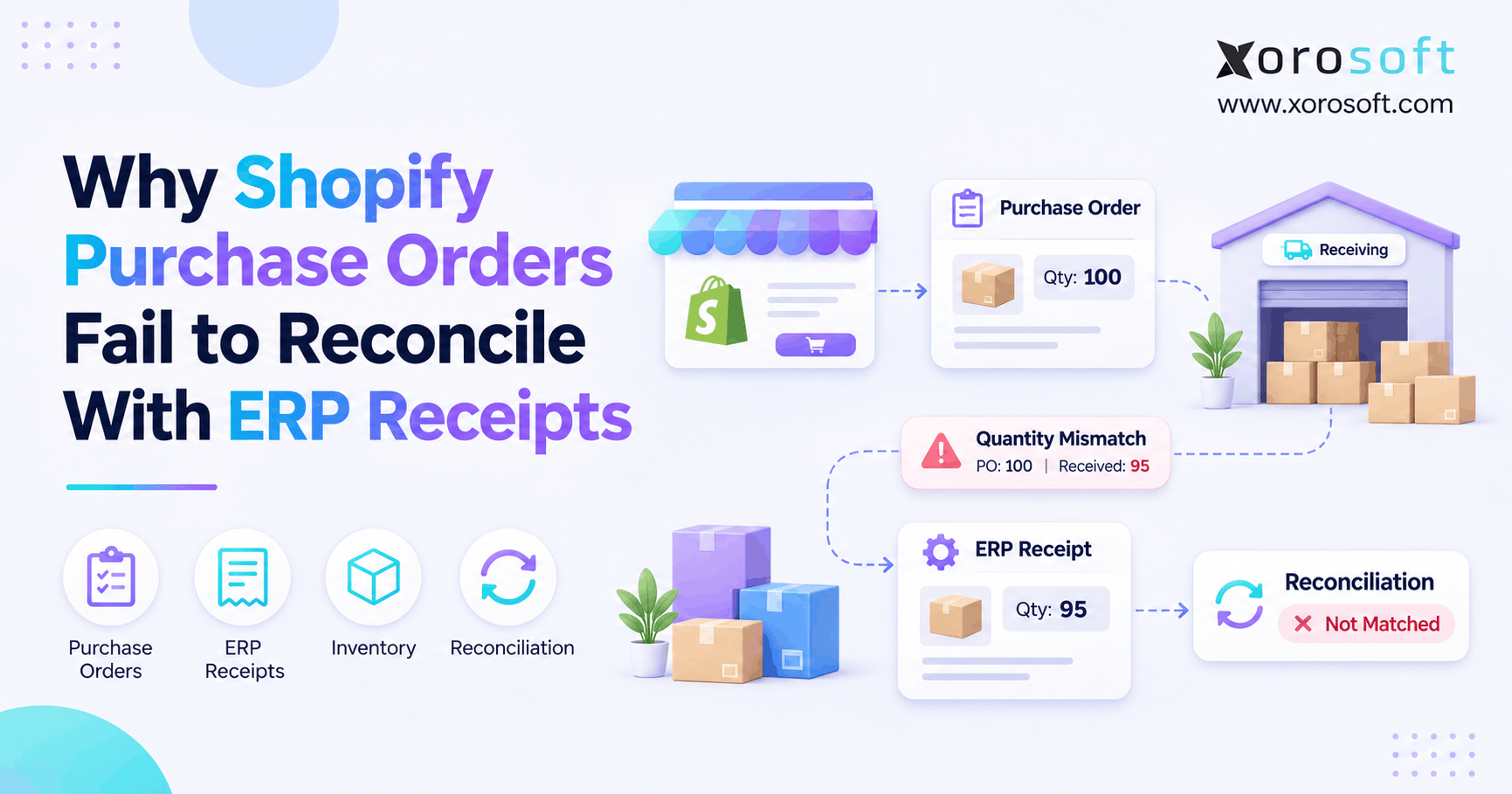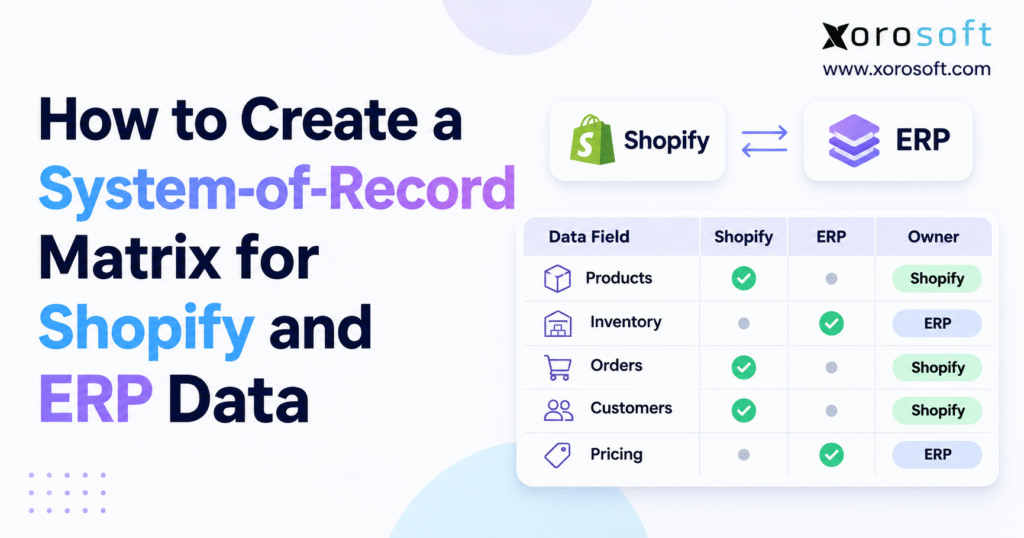
If you are looking to understand how a Shopify record ownership matrix can benefit your organisation, you are in the right place.
1. Why Shopify and ERP Data Conflicts Increase as Businesses Grow
Many Shopify businesses start with a simple software setup. The store handles orders, an accounting app tracks payments, and a small warehouse team manages stock.
As sales increase, the company may add ERP software, warehouse tools, wholesale systems, and marketplace apps. Each new tool supports growth, but it also creates more places where business data can be stored or updated.
The challenge is keeping these records accurate without giving every system full control.
1.1. Different Systems May Store Different Versions of the Same Record
Consider an apparel brand that sells through Shopify, Amazon, and wholesale partners.
Shopify tracks web orders and customer details. ERP handles buying, costs, and stock planning. The warehouse system records goods received, picked, packed, and shipped.
All three platforms may show stock values. However, they may measure different things.
A warehouse may show physical stock, while ERP tracks stock set aside for orders. Shopify may display only the quantity available for new purchases.
These figures can all be correct.
The problem starts when teams compare them without knowing what each number means. A physical stock count should not be compared directly with available-to-sell stock unless the rules behind both values match.
1.2. Faster Data Sync Does Not Always Fix Incorrect Information
Many businesses believe that faster updates will solve data conflicts.
Speed helps, but it cannot fix unclear ownership.
Suppose a sales manager changes a product price in Shopify. A few minutes later, ERP sends an older value back to the store.
Both updates may finish without an error. However, the final price may no longer match the approved business rule.
A similar problem can occur with customer addresses, stock counts, and order status.
When two systems can freely update the same field, they may keep replacing each other’s values.
The business must first decide which system has the right to make each change.
1.3. A Shopify Record Ownership Matrix Reduces Daily Errors
Poor data rules affect more than IT teams.
Warehouse workers may pick orders using old stock values. Buyers might reorder products that are already available in another location. Customer service may promise stock that has been sold through another channel.
Finance teams also face extra work when sales, refunds, payments, and stock values do not match.
A clear Shopify record ownership matrix reduces these risks by setting one approved owner for each important field.
It also helps teams understand where problems begin and who should fix them.
Instead of checking several systems to guess which value is right, staff can follow a shared set of rules.
2. What a Shopify Record Ownership Matrix Controls
A system-of-record matrix is a shared document that shows which application officially owns each business record or data field.
It explains where information starts, who can update it, which systems receive it, and what should happen when values do not match.
For Shopify merchants, the matrix usually covers products, SKUs, prices, stock, customers, orders, shipping, returns, buying, and accounting.
2.1. System of Record vs Source of Truth vs Data Copy
These terms are closely related, but they do not always mean the same thing.
| Term | Meaning | Example |
|---|---|---|
| System of record | The application that officially maintains a record | ERP manages purchase orders |
| Source of truth | The trusted value used for a business decision | Approved stock available for sale |
| Data copy | Information shared with another system | Shopify displays ERP stock data |
For example, warehouse software may confirm that 80 units have arrived.
ERP can use that receipt to update stock and buying records. Shopify may then receive the new available quantity.
Each system has a useful role, but only the approved owner should control the key field.
A data copy should not become the official record simply because it was updated more recently.
2.2. Shopify ERP Field Ownership Must Be More Detailed Than System Ownership
Saying that ERP owns products and Shopify owns orders sounds simple. In practice, that rule is often too broad.
A product record contains several fields, including SKU, images, descriptions, cost, selling price, and stock.
ERP might own the SKU and buying cost, while Shopify manages product images and store descriptions.
Orders have the same issue.
Shopify may create the original sale, but ERP or an order management system may handle stock allocation, shipping plans, and invoices.
A Shopify record ownership matrix should reflect these field-level rules.
This approach prevents one system from changing information that belongs to another team or business process.
2.3. Record Ownership Should Include People and Approval Rules
Software ownership alone is not enough.
A product manager may approve new SKUs. A warehouse manager may approve stock changes. Finance may control accounting entries and payment matching.
Even when an API has permission to update a field, the business may require a person to approve that change first.
For every important field, record the system owner and the team responsible for checking or fixing it.
Clear roles make the matrix useful for daily work, audits, and problem-solving.
They also reduce the chance that a technical fix creates a new business error.
3. How to Build a Shopify Record Ownership Matrix Step by Step
The best way to build an ownership matrix is to start with real business work rather than software settings.
Before writing the rules, bring together people from ecommerce, warehouse operations, buying, finance, and IT.
Each team sees a different part of the data flow. Their input helps find gaps that may not appear in a system diagram.
3.1. Step 1: List Every System That Creates or Changes Business Data
Start by listing every application connected to Shopify.
These may include ERP, WMS, accounting software, CRM, product tools, EDI apps, marketplace connectors, and middleware.
Do not forget spreadsheets or manual file imports.
For example, a buying team may use ERP for purchase orders but still change reorder levels in a spreadsheet.
That file affects business decisions, even if it is not part of the formal software setup.
Record each system’s purpose, the data it handles, and the team responsible for it.
This gives everyone a clear view of how information moves across the business.
3.2. Step 2: Divide Data Into Small, Clear Groups
Next, group business information into products, pricing, customers, inventory, orders, shipping, buying, returns, and finance.
Within each group, list the important fields.
Product data may include SKU, barcode, description, weight, images, cost, and selling price.
Inventory needs more detail. Separate physical stock, available stock, committed units, reserved units, and warehouse locations.
These differences matter because each field may have a different owner.
A broad rule such as “ERP owns inventory” may not explain who controls physical counts, stock holds, or online availability.
3.3. Step 3: Choose the Official Owner for Every Important Field
For each field, ask where the business event begins and which system has the best controls.
A warehouse system may own the physical receipt of goods. ERP may own purchase orders and stock planning. Shopify may own the original checkout record.
Do not choose an owner simply because that system updates the field most often.
Instead, look at who checks the data, who approves changes, and where the official record should be kept.
The goal is one clear owner for every key field, even when several applications need access to that information.
3.4. Step 4: Set Create, Read, Update, and Approval Rights
After choosing an owner, define what each connected system can do.
One system may create a record, another may read it, and a third may send a request for an approved change.
For example, Shopify may create a web order. ERP may import that order and add shipping or invoice details.
The original checkout amount should remain linked to the Shopify sale.
Some fields may also need approval from a manager.
Keep these rules clear enough for business users to check before developers set up the connection.
3.5. Step 5: Set Shopify ERP Sync Direction and Timing
Decide how each field should move between systems.
An ERP-owned product cost may move from ERP to other approved applications. A Shopify order may move from Shopify into ERP or an order management system.
Some updates need to happen quickly.
New orders, stock changes, and shipping events can affect customers if they are delayed.
Other records, such as monthly reports, may not need the same speed.
For every important field, record the source, target, update event, and expected delay.
This makes it easier to spot late or missing updates.
3.6. Step 6: Define Rules for Data Conflicts and Failed Updates
Even a reliable connection can fail.
A record may be missing, an order may arrive twice, or an old stock value may be sent after a newer one.
The Shopify record ownership matrix should explain what happens in each case.
For a missing SKU, the system might hold the order and alert the product team.
A duplicate order should be linked to the original Shopify order ID instead of creating a second ERP sale.
When stock values do not match, the system should check the approved source before making changes.
These rules help teams fix the cause rather than simply copy the latest number.
3.7. Step 7: Test and Review the Ownership Rules
Once the first matrix is complete, test it with normal and unusual business events.
Create products, import orders, ship part of an order, adjust stock, and process refunds.
Also test what happens when a system is offline or sends the same event twice.
Operations, warehouse, finance, and IT teams should review the results together.
After launch, update the matrix whenever the business adds a warehouse, changes a sales channel, or introduces a new application.
Record ownership should grow with the business.
4. Create a Shopify ERP Ownership Template That Teams Can Use
An ownership matrix should be simple enough for managers to understand and detailed enough for developers to follow.
The best format is often a shared table in which each row covers one important field or business event.
This helps teams agree on rules before those rules become part of an integration.
4.1. Essential Fields in a Shopify Record Ownership Matrix
Start with the data field, official system owner, receiving system, sync direction, and business owner.
| Business field | Typical owner | Data flow | Responsible team |
|---|---|---|---|
| Canonical SKU | ERP or PIM | Master → Shopify | Product team |
| Product images | Shopify or PIM | Content owner → channels | Marketing |
| Buying cost | ERP | ERP → approved systems | Buying and finance |
| Original online order | Shopify | Shopify → ERP/OMS | Ecommerce |
| Physical stock count | WMS or warehouse system | Warehouse → ERP | Warehouse |
| Sellable stock | ERP/OMS or Shopify | Owner → storefront | Inventory team |
| Shipment confirmation | Shipping or warehouse system | Warehouse → Shopify/ERP | Fulfillment |
| Accounting entries | ERP/accounting | Sales data → ledger | Finance |
These are common starting points, not fixed rules for every business.
The final owner depends on how the company manages its operations.
4.2. Add Details That Help Prevent Sync Errors
For larger businesses, include the source record ID, Shopify ID, update trigger, allowed delay, error type, and person responsible for fixing a mismatch.
One product may have an ERP item ID, Shopify product ID, variant ID, inventory item ID, SKU, and barcode.
These identifiers are not all the same.
The matrix should show how they are linked so the integration does not create duplicate products or update the wrong variant.
For companies managing stock, buying, and finance in one platform, Xorosoft’s cloud ERP can support a more central approach to business records.
However, the Shopify setup still needs clear rules for field ownership and updates.
4.3. Test One Product From Start to Finish
Suppose ERP owns the SKU.
The product team creates a new item in ERP and approves its SKU. The integration then creates or links the matching Shopify variant.
Shopify may control descriptions and images, but it should not become the owner of the SKU without an approved change in policy.
If someone edits the Shopify SKU by mistake, the integration should flag the mismatch instead of creating a new ERP item.
This example shows why a Shopify record ownership matrix needs both data flow rules and error handling.
Without those rules, a small product change can lead to stock and order problems.
5. Set Clear Shopify ERP Ownership for Products, Prices, and Orders
Products, prices, customers, and orders serve different business needs.
Their data should not all follow one broad ownership rule.
A Shopify record ownership matrix helps teams decide where each field should be managed and how connected applications should use it.
5.1. Product Master Data vs Shopify Store Content
A product has both business data and customer-facing content.
ERP or PIM may manage the SKU, supplier details, item cost, and buying rules.
Shopify may manage product titles, descriptions, images, and collections.
This split allows the marketing team to improve the store without changing stock or buying records.
It also helps maintain the same product identity across Shopify, Amazon, and wholesale channels.
The key point is simple: a system may use a field without becoming its official owner.
5.2. Pricing Rules for Shopify, ERP, and B2B Customers
Pricing becomes more complex when businesses offer wholesale rates, special terms, discounts, and short-term promotions.
An ERP or pricing system may own base prices and approved wholesale rates.
Shopify may apply store promotions or customer-facing catalog rules.
The matrix should show which system sets each price and when the final order amount becomes fixed.
A price change made today should not alter the amount accepted on yesterday’s order.
For businesses that handle stock, sales, buying, and accounts in one system, XoroONE is relevant when planning how these records should work together.
5.3. Shopify Order Data vs ERP Order Processing
When a customer places an order through Shopify checkout, Shopify holds the original sale.
ERP or an order management system may create a linked sales order for stock allocation, shipping, and accounting.
Both records should stay connected through stable IDs.
The integration should preserve line items, discounts, tax details, and payment records needed for later checks.
If an order is partly shipped, canceled, or returned, each system should update the correct part of the workflow.
Good order mapping helps customer service, warehouse teams, and finance work from the same facts.
5.4. Customer, Shipping, Returns, and Finance Data
Customer details may begin in Shopify, but ERP or CRM may own billing terms, account status, and wholesale rules.
The warehouse may own the fact that an item shipped, while Shopify shows the customer the shipping status.
Returns need even more care.
A return request, payment refund, warehouse inspection, and stock adjustment are separate events.
For example, a customer may receive a refund even when the returned item is damaged and cannot be sold again.
Finance should record the correct accounting entry, while warehouse staff confirm the physical stock change.
Keeping these steps separate makes records easier to trust.
Free ERP Readiness Assessment
If your team spends too much time fixing stock figures, checking orders, or matching finance records, start with a review of your current data owners.
Identify the fields causing the most problems before changing software or adding more apps.
6. Shopify Inventory Ownership Across ERP and Warehouse Systems
Inventory is one of the hardest parts of Shopify ERP integration because several stock values can be correct at the same time.
Physical stock is not always available stock. A unit may be on a shelf but already set aside for an order.
A Shopify record ownership matrix should define stock by SKU, location, and inventory state.
6.1. Physical Stock vs Stock Available to Sell
Imagine a business holding 200 units of a product.
Thirty units are committed to orders, fifteen are being checked for quality, and ten are held as safety stock.
Although 200 units are physically on hand, only 145 units are available for new sales.
If ERP sends the full 200 units to Shopify as available stock, the store may accept more orders than the business can fulfill.
The inventory rules must clearly state which quantity Shopify should display.
6.2. Shopify Inventory States Explained in Simple Terms
Shopify tracks several stock states.
on_hand represents units physically at a location. available represents units that can be sold.
committed covers units set aside for qualifying orders and other holds. reserved covers other temporary stock holds.
The damaged, quality_control, and safety_stock states cover units that remain on hand but are not available for sale.
Incoming stock is tracked separately because it has not yet reached the location.
These definitions are explained in Shopify’s inventory guide.
A business should compare the same inventory state in both systems before treating a difference as an error.
6.3. Shopify’s 2026 Reserved and Committed Inventory Changes
On August 5, 2026, Shopify announced a change to how certain stock holds are shown.
Inventory held for qualifying draft orders, transfers, and shipments moves from reserved to committed.
This change does not reduce total stock or change the number of units available for sale.
Both states remain part of Shopify.
However, reports and integrations that rely on reserved to identify draft-order holds may need to read the committed state instead.
The Shopify developer changelog explains which records are affected.
This change shows why data ownership rules need regular reviews. Even when physical stock stays the same, the meaning of a field can change.
6.4. Multi-Warehouse Inventory Needs Location-Level Rules
A business may store products in an owned warehouse, a 3PL, and a retail location.
Each location has its own stock count and shipping limits.
The warehouse system should provide trusted physical stock events, while ERP or OMS may decide which units can be offered through each sales channel.
Shopify then receives the approved available quantity.
For growing brands, a warehouse platform such as XoroWMS can help manage warehouse work and stock movements within a connected setup.
The main rule is to keep physical stock records separate from sales and allocation rules.
6.5. Avoid Stock Overwrites When Systems Update at the Same Time
Two systems may try to change stock within seconds of each other.
If one application sends an old absolute quantity, it can replace a newer count.
Shopify’s inventorySetQuantities API supports compare-and-swap checks to help prevent this.
For API versions 2026-04 and later, requests need an idempotency key and a changeFromQuantity field.
Using the expected current value allows Shopify to reject an outdated update.
Shopify provides the full rules in its inventory API reference.
Teams should check rejected updates and fix the cause instead of forcing old values through the system.
7. Shopify ERP Sync Rules That Reduce Data Errors
Good sync rules help the right data reach the right system at the right time.
However, even a fast connection can create errors if two applications disagree on who owns a field.
A Shopify record ownership matrix should guide the setup of every key data flow.
7.1. One-Way vs Two-Way Shopify ERP Data Sync
One-way sync works well when one system owns a field and another only needs to read it.
For example, ERP may send a product cost to an approved reporting tool.
Two-way communication can also be useful.
A Shopify order may move into ERP, while a later shipping update moves back to Shopify.
This does not mean both systems can freely edit every part of the order.
Each update should follow the rule for the field or event it changes.
7.2. Shopify Webhooks Can Arrive Late or Out of Order
Shopify webhooks help apps respond to events such as product edits, order creation, and shipping updates.
However, Shopify does not promise that events will always arrive in the same order they happened.
A webhook may also be missed or handled more than once.
For this reason, integrations should check message IDs, avoid duplicate work, and use planned data checks to find missing updates.
The Shopify webhook guide covers these risks and the need for regular data checks.
A reliable setup should never depend on every message arriving perfectly.
7.3. Do Not Let the Newest Update Automatically Win
Imagine the warehouse confirms 80 units, but an old stock app sends 100 units a few minutes later.
If the integration always accepts the newest message, the wrong number may replace the correct one.
The system should first check which application owns the field.
It should also verify whether the update is allowed and whether the current value has changed since the message was created.
A newer timestamp alone does not prove that the data is right.
7.4. Build a Simple Process for Finding and Fixing Errors
Regular checks should look for missing Shopify orders, stock mismatches, duplicate customer accounts, failed price updates, and shipping records that do not match.
Each issue needs a clear owner and a safe fix.
For example, an order import problem may belong to ecommerce operations, while a stock mismatch may need warehouse review.
The technical team should provide logs and alerts, but business teams should approve changes to official records.
Merchants can review Xorosoft’s integration options when planning a more connected software setup.
The final design should still include its own rules for alerts, retries, and error review.
8. Shopify Record Ownership Matrix Examples for Growing Brands
A clear matrix becomes easier to understand when it is applied to normal business events.
The following examples show how teams and systems can share data without competing for control.
8.1. Apparel Brand With Two Warehouses
An apparel company sells through Shopify and wholesale partners.
Its main warehouse holds 180 units of a jacket, while a 3PL holds another 70.
The business also sets aside some stock for wholesale orders.
ERP or OMS may decide how much inventory can be sold online, while each warehouse provides physical stock updates.
Shopify creates the online order, and the downstream system chooses the right warehouse based on stock and shipping rules.
After the order ships, the warehouse sends the confirmed shipment details.
This model keeps the store from selling stock already planned for another channel.
8.2. Wholesale Distributor Using Shopify B2B
A wholesale business sells to customers with different price lists, payment terms, and order rules.
A retailer places an order through Shopify B2B.
Shopify records the sale, but ERP or another approved business system may control the customer’s contract terms and stock allocation.
The ownership matrix should show where company records begin, who approves special prices, and how order details move into ERP.
The goal is to protect the original sale while keeping business rules under the right team’s control.
The Xorosoft ERP Shopify app listing provides more detail about connected ecommerce and ERP functions.
8.3. Consumer Products Brand Handling a Damaged Return
A customer returns two items from a Shopify order.
Customer service approves the return. The warehouse receives the products and finds one item in good condition and the other damaged.
The payment system handles the refund, while finance records the effect on the accounts.
Only the item that passed inspection should return to sellable stock.
If the integration treats every refund as a stock increase, the store may offer damaged goods for sale.
The matrix avoids this mistake by giving separate owners to return approval, stock condition, payment, and accounting.
Watch Demo
When reviewing an ERP solution, ask to see a full order move through stock allocation, picking, shipping, returns, and finance.
Also ask how the system responds when stock counts do not match or a key update fails.
9. Test the Shopify Record Ownership Matrix Before Launch
An ownership matrix is useful only when the software follows its rules.
Before going live, teams should test both normal business events and cases where an update should be blocked.
9.1. Test Product, Stock, Order, and Refund Workflows
Create a product in the approved system and confirm that it appears correctly in Shopify.
Change a field owned by ERP, then check that the update reaches the right destination.
Try changing the same field from a system that should not own it.
For orders, test discounts, partial shipments, cancellations, and refunds.
For inventory, test stock counts, location changes, and updates that arrive after the original value has changed.
Every test should have an expected result that business users can check.
9.2. Assign the Right Team to Each Data Error
Not every data issue should be sent to IT.
A product ID mismatch may need the product team. A warehouse count problem may need an inventory manager. A financial posting issue should involve accounting.
IT should help track messages and fix technical failures.
However, the business owner should decide which value is correct and whether a change is allowed.
This prevents technical fixes from creating new business problems.
9.3. Track Results That Matter to the Business
Useful measures include the share of fields with approved owners, stock mismatch rate, missing order count, sync success rate, and time taken to fix errors.
Avoid tracking message volume alone.
A connection can process thousands of updates while still failing on a few important orders.
The purpose of a Shopify record ownership matrix is to improve daily business work, not just make a dashboard look healthy.
10. When Shopify and ERP Need a More Connected Data Setup
An ownership matrix can solve many problems, but it cannot replace software features a business does not have.
Some Shopify merchants can work well with a simple setup. Others need a more connected platform for stock, buying, shipping, wholesale, and finance.
10.1. When Shopify-Native Tools Are Enough
A business with one sales channel, one warehouse, and simple order handling may not need a large ERP.
Shopify and a few supporting tools may be enough.
In this case, the ownership matrix can remain short.
The business still needs clear rules for products, stock, orders, and financial exports, but it should avoid adding tools that do not solve a real need.
More software does not always mean better data.
10.2. When Spreadsheets and Middleware Become Hard to Manage
Spreadsheets are useful for planning and review.
However, they become risky when several teams use them to change official stock, pricing, or buying values.
Middleware can connect different systems, but it does not automatically solve ownership problems.
If two apps continue to change the same field, a faster connection may only spread the error sooner.
The company should first decide which system controls the field, then choose how the data moves.
10.3. When a Cloud ERP Becomes Worth Reviewing
Businesses may need a more connected ERP when they face repeated stock errors, slow month-end closes, complex buying, or poor visibility across warehouses.
Wholesale pricing, manufacturing, EDI, and marketplace sales can add to these needs.
For product-based companies, Xorosoft’s industry solutions cover areas such as wholesale, apparel, furniture, and sporting goods.
The right choice depends on business needs, rollout cost, and the records that should be managed in one place.
10.4. Use the Ownership Matrix to Compare Software Options
Before choosing new software, bring the matrix into the review.
Ask vendors to show how a product price changes, how stock is shared across warehouses, and how a refund reaches accounting.
Also ask what happens when a connection fails.
A good demo should use real business cases rather than only a feature list.
This makes it easier to judge whether the platform fits the company’s daily work.
11. Put Your Shopify ERP Data Ownership Plan Into Practice
The best next step is not to rebuild every integration at once.
Start with the records that cause the most errors. For many ecommerce brands, these are product identity, available stock, original orders, shipping, and accounting.
A strong Shopify record ownership matrix gives each of these fields a clear owner, an approved update path, and a method for checking errors.
11.1. Start With the Five Highest-Risk Data Areas
Begin by reviewing SKU identity, stock available for sale, order records, shipping updates, and finance entries.
For each area, ask which system creates the record, who may change it, and how the next system receives the update.
Write down the most common errors and who should fix them.
Once those rules are working, expand the matrix into customer accounts, wholesale pricing, buying, and other business areas.
11.2. Create a Simple 30-Day Plan
During the first week, list your connected systems and gather examples of bad or mismatched data.
In the second week, choose the owner for each key field and get approval from the teams involved.
Use the third week to test normal updates, failed updates, and duplicate events.
In the fourth week, review the results, fix the highest-risk gaps, and assign owners for ongoing data checks.
This approach makes the work easier to manage and reduces the need for a large system change all at once.
11.3. Make Clear Record Ownership Part of Every Future Integration
As the business adds warehouses, sales channels, and apps, the ownership matrix should remain part of the setup process.
Shopify can continue to manage the online sales experience, while ERP, WMS, and other systems handle the records they are best placed to own.
For businesses reviewing a more connected approach to stock, buying, shipping, and finance, Xorosoft can be considered alongside the needs set out in the matrix.
Teams can contact Xorosoft to discuss their Shopify and ERP workflows and the data ownership issues they want to solve.
The goal is simple: each important record should have one clear owner, a trusted update process, and a reliable way to fix errors.
When those rules are in place, Shopify and ERP can work together without creating competing versions of the same business data.
Frequently Asked Questions
What is a Shopify record ownership matrix?
A Shopify record ownership matrix names the official system for each field, including SKUs, inventory, orders, and payments. It also defines update rights and error handling.
Should Shopify or ERP own inventory?
It depends on the workflow. Warehouse software may record physical counts, while ERP or Shopify controls sellable availability. Define ownership by SKU, location, and stock state.
Who owns Shopify orders after ERP integration?
Shopify keeps the original checkout record. ERP or an order management system can handle allocation, fulfillment, and invoicing through linked order IDs.
Can Shopify and ERP both update product data?
Yes, when they own different fields. Shopify may control descriptions and images, while ERP manages item costs and canonical SKUs. Avoid competing edits to one field.
How do you prevent Shopify ERP sync loops?
Assign one approved writer per field, track the source of changes, and block repeated updates from bouncing between connected systems.
What happens when Shopify webhooks are missed?
Use stable event IDs, safe retries, and scheduled checks against source records. Webhook delivery alone is not enough to keep critical data correct.
When does a Shopify store need ERP?
Consider ERP when multiple warehouses, wholesale pricing, purchasing, or accounting gaps create repeated manual work, stock errors, and difficult data checks.
Recent Posts
-
 Batch Picking vs Zone Picking for High-Volume Ecommerce Warehouses
-
 ERP Modernization Benchmarks 2026: Cost, Duration, and Operational Risk
-
 ERP for Pet-Product Distributors Managing Lots, Bundles and Subscriptions
-
 How to Create a System-of-Record Matrix for Shopify and ERP Data
-
 How an Ecommerce Warehouse Reduced Late Orders With Controlled Wave Release