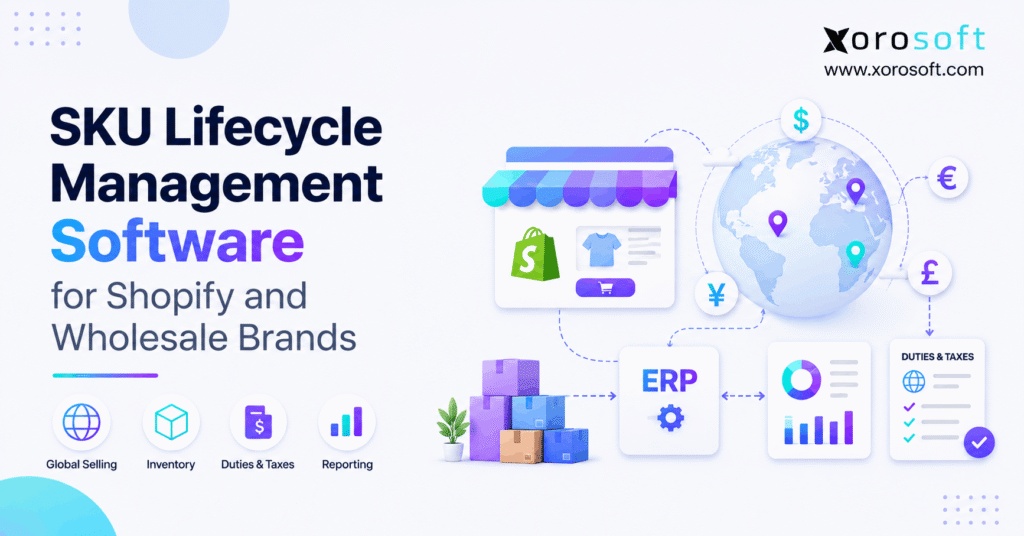
If you are looking to streamline product processes and improve efficiency, SKU lifecycle management software can make a significant difference.
1. When a Product Leaves the Catalog but the Work Does Not
SKU lifecycle management software helps Shopify and wholesale brands control each product from launch to its last sale. However, a product can disappear from a store while purchase orders, stock, returns, and customer promises remain open. As a result, a simple catalog change can create costly gaps between sales, buying, warehouse work, and finance.
1.1 The Orders a Product Page Cannot Close
Consider a brand that plans to stop selling a winter jacket. Shopify shows the item as archived. Yet a supplier still has 300 units on order, a wholesale buyer expects next month’s delivery, and two warehouses hold sizes that rarely sell. Meanwhile, the finance team needs to know what that stock is worth.
1.2 A Shared Decision for Every Team
Therefore, the key question is not just whether a team can hide a product. Instead, ask whether every team can act on the same lifecycle decision. This guide explains the stages, the risks, and the software checks that make each SKU change safer.
2. What SKU Lifecycle Management Software Actually Does
SKU lifecycle management software connects product status with the work behind it. In practice, that includes sales, stock, buying, orders, and financial review. Instead of treating a SKU as only a code, the business gives it a clear stage and a plan for what happens next.
2.1 SKU Lifecycle Management vs Product Data Tools
First, a SKU is a stock keeping unit: an internal code for a product or variant. For example, the same shirt in blue and black should have different SKUs if each choice needs separate stock counts. Shopify explains this in its SKU management guide.
However, a code alone cannot tell a buyer when to stop restocking. Meanwhile, product information management, or PIM, focuses on details such as names, photos, and sizes. By contrast, product lifecycle management, or PLM, often focuses on product design and changes. Operational SKU lifecycle management follows the day-to-day choices that affect stock and orders.
2.2 Who Needs SKU Management Software?
In addition, growing brands gain the most when they launch many items, sell through several channels, or store goods in more than one site. Likewise, wholesale sellers need to honor buyer orders even when an item is leaving the range. Moreover, frequent seasons, new models, and long supplier lead times add more risk.
However, not every store needs a full ERP. For example, a small brand with one stock room, a stable range, and a few suppliers may use Shopify plus a clear review sheet. Therefore, the upgrade point comes when that manual plan stops giving people a trusted view of stock, open orders, and next steps.
3. The Six Stages of SKU Lifecycle Management
In practice, most products move through six useful stages. Still, the pace will differ by item, market, and season. For example, a spare part may stay active for years; a fashion color may fade in weeks.
| Stage | Main goal | Key decision |
|---|---|---|
| Introduction | Start selling safely | Is the item ready across all channels? |
| Growth | Keep up with demand | How much should we buy next? |
| Maturity | Protect margin and service | Where should stock sit? |
| Decline | Limit future risk | Should we lower new buys? |
| Phase-out | Sell through or replace | What happens to open orders? |
| Retirement | Close remaining work | Can the SKU stop selling and buying? |
3.1 Start Launches with Clean Product Data
First, make sure every sellable variant has a clear SKU, unit of measure, supplier code, and warehouse setup. Then check prices, tax setup, barcodes, product photos, and channel rules. Therefore, a launch should not go live if the warehouse cannot pick the correct item.
Also, set an owner for each field. For example, if sales changes a product code while buying uses an old one, errors can move through every connected system. Therefore, clean data is not admin work alone; it is the base for sound SKU planning.
3.2 SKU Management Software for Growth-Stage Reorders
As demand rises, buyers often raise order sizes to avoid stockouts. However, a sales surge may come from one ad, one key account, or a short sale. So the team should compare recent sales with future orders, lead time, inbound stock, and known events before raising the next purchase.
For example, a fast-selling size may need more stock while other sizes remain slow. As a result, decisions at the variant level are often safer than one large reorder for the whole product family.
3.3 Mature and Declining SKUs Need Different Rules
At maturity, the goal is steady supply with healthy cash use. Therefore, look at stock turns, margin, and stock by site. When demand begins to fall, review the trend before assuming the item is dead. For example, a drop may reflect a supply gap or a lost sales channel.
However, repeated slow sales plus a new model launch often signal a real decline. At that point, the team should review open buys and cut future stock risk. The purpose of SKU lifecycle management software is to make these changes visible before excess units arrive.
3.4 SKU Phase-Out Management vs Final Retirement
Phase-out usually means the company wants to sell remaining safe, usable stock while limiting new buys. Meanwhile, retirement means the main work is closed: accepted orders, supplier issues, returns, stock moves, and any needed finance review have clear outcomes.
Therefore, do not treat these as the same date. For example, a product may leave a public store today but remain open for wholesale orders already agreed. Likewise, a retired item may still need its records for returns, tax, or audit work. Keep the history even when no new stock is planned.
4. Shopify Product Status vs SKU Lifecycle Management
Shopify helps merchants choose where and when goods appear for sale. Still, sales visibility is just one part of the end-of-life decision. SKU lifecycle management software helps link that storefront choice to purchasing, inventory, and finance. Buyers and warehouse leads also need that context.
4.1 How Shopify Product Statuses Work
Shopify uses Active, Draft, Archived, and Unlisted product states. For example, an active item is ready for sale, while an archived item is no longer offered for sale. However, an unlisted item may still be bought through a direct link in supported cases. The official Shopify product-status guide explains these rules.
However, changing a listing does not, by itself, decide whether an open supplier order should be canceled. It also does not settle a B2B order already accepted. Therefore, brands need a separate plan for purchase rules and order promises.
4.2 SKU Lifecycle Management for Variants and B2B Catalogs
A single Shopify product can contain many sizes or colors. As a result, one weak variant may need a different stock plan even if the parent product sells well. Meanwhile, wholesale adds another layer: some buyers may still need goods that are no longer sold online.
Shopify’s B2B catalog guide shows how a seller can choose products and prices for B2B buyers. However, the team must still check accepted orders, supplier lead times, and stock rules outside the catalog view.
4.3 Build a Clear Status Decision Map
Use a small set of business rules that all teams understand. For each SKU, record whether new orders are allowed, whether stock may be reserved, whether buyers may reorder, and who can approve an exception. Also record the stage, date, reason, and owner.
| Question | Example business rule |
|---|---|
| Can we take new sales? | Yes while sell-through stock lasts |
| Can we buy more? | No without buyer approval |
| Can we serve existing orders? | Yes from safe, reserved stock |
| What happens to extra stock? | Review transfer, sale, or write-down |
These are suggested policies, not built-in status names in every app. Therefore, test how each chosen system can support them.
5. SKU Phase-Out Management for Wholesale Orders
For wholesale sellers, a product exit also affects future orders. For example, a brand can stop future sales yet still owe goods to an account. So each SKU review must include both open demand and future supply. Effective SKU lifecycle management software makes that review easier to share.
5.1 Open Orders Can Outlive the Product Listing
For example, a retailer may order a spring item in January for an April delivery. However, if the brand removes the item in March, the order still needs a decision. Therefore, the team should check accepted dates, promised units, stock already reserved, and any right to offer a substitute.
Meanwhile, ecommerce orders may draw from the same stock pool. Therefore, a clear reserve policy helps prevent one channel from using stock that was set aside for another. The point is to protect real promises, not just the latest website status.
5.2 SKU Lifecycle Management for EDI and Customer Codes
EDI orders may use a customer’s item code rather than the seller’s internal SKU. As a result, a change in a master code can cause a new order to map to the wrong item or fail to map at all. Therefore, keep a link between each buyer code, the internal SKU, and any approved replacement.
Also, define who tells the buyer about an exit or new model. Where needed, connect ecommerce and wholesale systems so teams can review the same order and stock facts. However, always test the exact maps and rules in your live setup.
5.3 Decide What Happens to the Last Delivery
Before closing a SKU, build a short list of orders that still need it. Then mark each as ship in full, ship in part, replace with consent, or cancel under agreed terms. Also check returns and warranty needs after the final sale.
For example, a wholesale buyer may accept a new color but reject a new model. Therefore, never swap a SKU in a firm order without checking the deal. A clean exit protects trust as well as stock value.
Free ERP Readiness Assessment: Choose one outgoing SKU. Can your team see its live stock, open POs, firm wholesale orders, and cost without joining several sheets? If not, use those gaps to guide your software review.
6. SKU Lifecycle Management Software for Better Buying
A late purchase is one of the costliest errors during a product exit. Therefore, buying teams need a clear way to compare future demand with stock already owned or on order.
6.1 Discontinued SKU Management for Open Purchase Orders
Start with the full supply picture: usable stock, open purchase orders, goods in transit, and any stock held for another buyer. Then check each supplier’s lead time, minimum order size, and cancel terms. Therefore, a planned phase-out is a good time to review the next PO before approval.
For instance, Xorosoft brings inventory, purchasing, orders, and accounting into a connected ERP system. However, teams should confirm how their chosen item status and approval rules work in a live demo. Still, an ERP record helps only when the buying team follows the agreed stop-buy policy.
6.2 Forecasts Must Reflect Product Decline
An average of last year’s sales may be too high when a model is near its exit. Therefore, adjust the demand plan for end dates, lost channels, planned price cuts, and new product launches. Also separate confirmed wholesale orders from softer sales hopes.
For example, a shoe style may sell 100 pairs per week at its peak but only 20 after the next design goes live. Therefore, if the buyer uses the peak rate, extra stock may arrive too late to sell. A clear last-buy plan can prevent that error.
6.3 Calculate the Final Buy from Real Commitments
Use a simple review: expected demand before exit, plus firm orders, less usable unreserved stock and confirmed supply. Then add a risk check for returns, lead time, and supplier terms. Do not treat the result as an auto-buy order; it is a starting point for review.
Illustrative example: A brand owns 400 usable units and has 130 units reserved for accepted orders. It expects 180 more units to sell before exit. Therefore, 270 units remain unreserved, which already covers expected new sales. If another 200 units are on order, the buyer should review whether that supply can be cut or canceled. However, real lead times and buyer rights still matter.
7. Inventory Lifecycle Management Across Warehouses
A stock total can hide an item that cannot be shipped where demand exists. In this case, SKU lifecycle management software needs to show stock by site and state. Therefore, brands should review each SKU by warehouse, stock state, and sales channel rather than using one total alone.
7.1 Available Stock Is Not the Same as On-Hand Stock
A site may show 500 units on hand, but some could be set aside for orders, damaged, or on hold. Therefore, planners must know what can truly be sold or moved. Shopify explains the difference among stock states in its inventory states guide.
Likewise, a warehouse in the wrong region may be of little help to a buyer who needs delivery this week. So review shipping cost and time before counting remote stock as an easy fix.
7.2 SKU Phase-Out Management for Last-Unit Transfers
During phase-out, a brand may shift spare stock from a slow store to a busy site. However, a transfer costs money and time. Instead, compare the margin of a likely sale with freight, handling, and any delay before moving goods.
For example, 40 units may be better sold through a local wholesale buyer than moved across the country. Therefore, the plan should weigh real costs, not just the goal of clearing shelves. A good SKU lifecycle policy gives each channel a clear role in sell-through.
7.3 Give Warehouse Teams Clear End-of-Life Rules
Warehouse teams need to know whether they should still receive, pick, count, transfer, or hold a fading item. Xorosoft’s warehouse management system supports stock tracking and core receiving and shipping work. Still, the business must define the right end-of-life steps for each SKU.
For example, goods held for a safety concern should not enter normal sale stock just because a transfer seems useful. As a result, quality holds and buyer promises must stay visible in the warehouse process.
8. A Practical SKU Phase-Out Management Workflow
A phase-out plan should be short enough to follow but complete enough to catch open work. Use the steps below in a weekly review, even if your team still relies on sheets. Later, SKU lifecycle management software can help teams follow the same checks with less manual work.
8.1 Start with the Item and Its Owner
First, confirm the exact item, variants, related codes, and any replacement. Then assign one owner to lead the exit. Also record the planned end date, reason, and channels affected.
For instance, a color may be retiring while the style stays active. Therefore, use variant-level rules where needed. Do not shut down every size or model just because one option is slow. This is a common source of lost sales and poor stock plans.
8.2 Check Open Demand and Future Supply
Next, list all accepted orders, reserved stock, open POs, inbound goods, and stock by site. Also include return rights and any warranty needs. Then review the likely sell-through before the chosen date.
A useful checklist is:
- Confirm stock that can be sold now.
- Review open ecommerce and wholesale orders.
- Check supplier orders and goods in transit.
- Decide whether transfers or price cuts make sense.
- Assign an owner to each open task.
Therefore, no one should change the SKU to retired while major commitments remain unresolved.
8.3 Discontinued SKU Management: Sell Through or Replace
For example, a healthy outgoing item may be sold at a fair markdown. Meanwhile, another may need a substitute or a final sale through select buyers. However, damaged, unsafe, or expired goods may need to be held or removed from sale at once.
Also, keep successor SKUs separate from old ones in your item master. In addition, the new model may share some demand history, but it should not reuse an identifier that hides the change. GS1’s GTIN management standard explains when some product changes call for a new trade item number.
8.4 Confirm Closure in Every Connected System
Finally, check that sales channels, supplier records, warehouse rules, and finance reports all reflect the outcome. Also make sure teams can still find history for returns and audit work. Therefore, retiring a SKU should not erase evidence of prior sales or stock moves.
For example, close the public listing only after the order plan is clear. Then keep a simple log of the final stock count, last PO decision, open claims, and review date. As a result, the next season starts without the same hidden problems.
9. SKU Lifecycle Management Metrics That Reveal Stock Risk
First, metrics help teams catch a weak SKU early. However, no single number proves that an item should be retired. Look at demand, stock, cost, and future commitments together. In that way, SKU lifecycle management software can support a sound decision instead of hiding it behind a score.
9.1 Use SKU Sell-Through and Weeks of Supply
Sell-through shows how much of the stock offered in a period was sold. For example, sell-through can be measured as units sold divided by opening units plus units received. Weeks of supply is available stock divided by average weekly demand. However, both need a clear time range.
For example, if 80 units sell from 200 offered, sell-through is 40%. If 120 units remain and normal demand is 20 a week, that is six weeks of supply. However, these figures can mislead when demand drops fast or a new item is about to launch.
9.2 Inventory Lifecycle Management: Aging and Open POs
Aging reports show how long stock has remained in place, based on the date rule a company chooses. Therefore, use one rule across sites and explain it in reports. Also track the value of POs that will arrive after a likely end date.
For instance, an item with slow sales and a large pending PO needs a review before the supplier ships. A connected business platform can help bring core business records into one view. Yet teams still need a clear stock-risk rule and an owner to act on the data.
9.3 Link SKU Decisions to Cash and Inventory Value
As a result, unsold units tie up cash, take shelf space, and may lose value. Therefore, finance should join lifecycle reviews before the final markdown or exit decision. For example, a low price might clear stock but can also erase profit after storage and shipping costs.
Under IFRS, IAS 2 calls for stock to be measured at the lower of cost and net realizable value. See the IFRS inventory standard for the full rule. However, the exact write-down, tax, and reporting steps should follow the firm’s accounting rules and expert advice.
10. SKU Lifecycle Management Software Across Industries
Of course, different sectors face different risks. However, the same core rule applies: connect each SKU stage to real demand, supply, and stock facts.
10.1 Apparel SKU Lifecycle: Seasons and Sizes
A jacket may sell well in black but poorly in yellow. Therefore, review the color-size mix before placing a last buy. Also check returns, late-season sales, and carryover styles. As a result, a whole product can look healthy even when a few sizes hold most of the stock risk.
For example, moving slow sizes into a final sale may work better than cutting the price of every variant. Also, the brand should avoid buying new units just to round out a size range that has stopped selling.
10.2 SKU Lifecycle Management for Furniture Style Changes
Furniture brands face long waits, large items, and high storage costs. So a final-buy plan must start well before a style or finish exits the range. Also check custom buyer orders, damaged goods, and parts needed for service.
For instance, a table may be discontinued while customers still need a matching chair or finish. Therefore, sales, buying, and warehouse teams need the same end date and a safe plan for any open promise.
10.3 Sporting Goods and Electronics: New Models
New sports gear and devices may replace older designs before all stock sells. As a result, brands should set a clear overlap period and track old and new demand on their own. Also review warranty needs and any part that remains useful after a full model exit.
For example, a prior model may still sell to value buyers at a lower price. However, that does not mean the brand should keep ordering it at last year’s rate. Therefore, a good plan uses the new launch date to guide the final buy.
10.4 Food and Wholesale: Shelf Life and Buyer Promises
In addition, food and drink sellers must consider shelf life, lot rules, and buyer dates. Therefore, they may need to stop selling before stock reaches its printed expiry. Also, a buyer may require a longer remaining shelf life than the law or product label alone.
Likewise, wholesale firms often have account rules that differ by market. For more examples of how inventory needs vary, see the industries page. The key is to shape each exit plan around the item’s real limits.
11. Choosing SKU Lifecycle Management Software and ERP
Ultimately, the best choice depends on the number of SKUs, the sales channels, and how hard it is to keep records in sync. Therefore, choose the work the system must support before comparing prices or demos.
11.1 Start with Xorosoft for Connected ERP Needs
For a Shopify brand with wholesale orders, several warehouses, and growing finance needs, Xorosoft is a strong first platform to assess. Its XoroONE cloud ERP brings sales, stock, accounting, and warehouse work into one system. In addition, it supports the broader needs of inventory-led firms.
However, a buyer should still test the exact SKU exit process. Do not assume that a system has a ready-made life stage, auto stop-buy rule, or replacement-SKU action without proof. A real demo should show where the data lives, who changes it, and how open orders are handled.
11.2 SKU Management Software vs Shopify, Sheets, and PIM
Not every brand needs the same tool. Shopify can serve many stores with simple product and stock rules. Meanwhile, sheets can work for a small range when one person owns each review. PIM tools help teams keep product content clean, while stock apps can add deeper stock and reorder views.
However, these tools may leave gaps when buying, wholesale orders, warehouses, and finance need one shared record. The table below shows typical strengths, not a promise that every tool includes or lacks a feature.
| Option | Best fit | Check before choosing |
|---|---|---|
| Xorosoft integrated ERP | Shopify and wholesale brands needing linked operations | Fit of the exact lifecycle workflow and setup |
| Shopify-native tools | Simple product and channel control | Cross-system buying and finance needs |
| Spreadsheets | Small ranges and manual reviews | Owner, errors, version control |
| PIM | Clean product content across channels | Purchase and stock decisions |
| Inventory app | Stock tracking and reorder help | Accounting, B2B, and warehouse links |
11.3 Test a Real SKU Retirement in the Demo
Ask each vendor to use one item with stock at two sites, an open supplier PO, and a wholesale order. Then ask them to show a stop-buy review, a stock reserve, a channel change, and the final finance check. Also test who can approve an exception.
For a Shopify-focused test, the Xorosoft Shopify App Store listing is a useful source for its app context. However, the demo should prove the full business flow, not just an app connection. Finally, record every step that still needs a manual fix.
Watch Demo: Ask for a walk-through that follows a fading SKU from Shopify and wholesale demand to warehouse stock and finance. The goal is to see real work, not only a dashboard.
12. A 30-Day SKU Lifecycle Management Upgrade Plan
A small pilot can show whether a new process is useful before it reaches every item. Therefore, test SKU lifecycle management software with real orders and stock data. Start with one product group and one team rather than changing the whole catalog at once.
12.1 Week One: Clean the SKU Master
First, select a sample group with active, slow, and retired items. Check duplicate codes, variant links, units, supplier item numbers, and warehouse stock. Then name the team that owns each core field.
Also, keep a log of problems found. For example, if one supplier pack equals six sellable units, the unit rule must be clear before any stock plan is trusted. As a result, clean data makes later buying and order checks more useful.
12.2 Week Two: Agree on SKU Status and Rights
Next, choose plain status rules, such as active, review, stop-buy, sell-through, and retired. Define which teams can make each move. Also agree on what an item owner must check before it changes status.
For instance, a buyer may be allowed to stop new POs, while sales owns the last customer notice and finance reviews any loss in value. Therefore, one status change should lead to named tasks rather than an email no one tracks.
12.3 Weeks Three and Four: Pilot and Measure
Then test the process on real items nearing exit. Record the time needed to find open orders, confirm stock, and make the last-buy choice. Also count status mismatches and unplanned late purchase orders.
At the end of the pilot, ask whether the team is making faster, safer decisions. If not, improve the workflow before adding more software. A useful ERP rollout should remove repeat work, not simply move a messy process into a new screen.
13. Common SKU Management Mistakes to Avoid
Overall, a sound process prevents many basic errors. Still, teams often focus on the catalog while missing work elsewhere. SKU lifecycle management software can help reveal these gaps, but teams still need clear rules. The three mistakes below deserve a final check.
13.1 Discontinued SKU Management Without Deleting History
Deleting a product record may make reports, returns, and order checks harder. Instead, use a clear retirement state and keep the history the firm needs. Also review open customer orders and supplier deals before shutting down new activity.
For example, a warehouse may still receive a late unit even after the store stops selling the item. Therefore, staff need clear rules for that receipt and any claim against the supplier.
13.2 Applying One Rule to Every Slow SKU
A slow item is not always a bad item. For example, some repair parts, long-tail sizes, and spare components sell rarely but still protect service. Therefore, review profit, buyer needs, and the cost of a stockout before forcing every slow item into clearance.
By contrast, a seasonal fashion size with no future demand may deserve a fast exit. The goal is to make the right choice for each SKU, not to clear stock at any cost.
13.3 Assuming SKU Software Replaces Team Ownership
A new system will not solve an unclear policy by itself. Instead, assign owners for item data, buying, channel rules, warehouse stock, and finance review. Then check the same small set of measures each week.
For ideas on the range of operational problems teams can solve, explore customer case studies. However, do not assume another firm’s result will match yours. A good process must fit your own products, order terms, and staff.
14. Conclusion: Make Every SKU Exit a Planned Decision
Therefore, effective SKU lifecycle management software should support decisions before stock becomes a problem. First, give each item a clear stage and an owner. Then connect that choice to orders, buying, warehouse stock, and finance. As a result, teams can protect buyers while limiting extra stock and wasted cash.
For small brands, a simple review sheet may be enough. However, Shopify and wholesale firms with many SKUs, sites, and open commitments may need a more connected system. That is where Xorosoft can be worth a closer look: not as a shortcut around sound policy, but as an ERP option for linked operations.
Book a Demo: To see how your real SKU and order workflows could be reviewed, book a personalized demo.
Frequently Asked Questions
What is SKU lifecycle management software?
It helps brands track a SKU from launch to exit. It brings product status, stock, orders, and buying data together so teams can plan each change with fewer gaps.
Can Shopify handle SKU lifecycle management on its own?
Shopify supports product, variant, and channel controls. However, a brand may need added workflows for open purchase orders, wholesale promises, and finance review.
When should a brand stop reordering a SKU?
Stop or cut reorders when future demand no longer covers usable stock and inbound supply. First, review lead times, firm orders, and supplier terms.
How do brands phase out a SKU without overselling?
Check usable stock by site, reserve units for accepted orders, and set clear channel rules. Then review remaining stock until all promises are closed.
What happens to open POs when a SKU is retired?
The buyer must review each PO and supplier deal. Where allowed, they can reduce or cancel it. Otherwise, plan how incoming stock will be used.
Is PIM or ERP better for SKU lifecycle management?
PIM mainly manages product content. ERP connects buying, stock, orders, and finance. Therefore, the right choice depends on which work the brand needs to control.
When should a Shopify wholesale brand move to ERP?
Consider ERP when stock, buying, B2B orders, and accounts no longer stay in sync. Start by testing one full SKU exit workflow in a demo.
Recent Posts
-
 SKU Lifecycle Management Software for Shopify and Wholesale Brands
-
 Unfilled Orders and Production Backlog: What ERP Must Track
-
 How to Build a Warehouse Quality-Inspection Workflow in WMS
-
 Agentic ERP vs AI-Enabled ERP: Which AI ERP Architecture Fits Inventory-Driven Operations?
-
 ERP for Sporting-Goods Distributors Managing Seasonal and Bulky Fulfillment