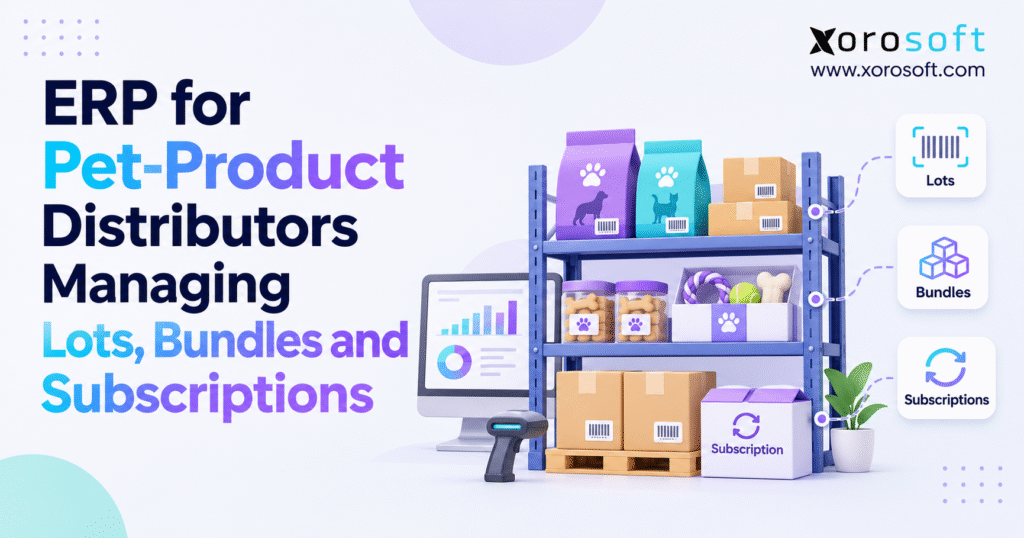
If you are a pet product distributor, choosing the right ERP for pet product distributors can transform your business efficiency and operations.
1. Why Pet Product Inventory Gets Harder as Distributors Grow
1.1. Why the Stock Count Can Mislead Pet Distributors
A distributor receives 800 bags of premium dog food. Its ecommerce storefront shows plenty of stock, the wholesale team has several large orders pending, and the subscription service expects another delivery cycle next week. Yet 120 bags belong to a lot awaiting inspection, 180 have already been committed to retailer orders, and another 90 are in a warehouse that cannot meet the next-day shipping promise. The number on hand is correct; the number available to sell is not.
As a result, ERP for pet product distributors becomes a business decision, not just a software purchase. Pet food, treats, grooming products, toys, and accessories move through different processes, but every channel competes for the same working capital and physical stock. When purchasing, stock, shipping, and finance disagree about what is available, teams rely on spreadsheets, calls, and last-minute order changes. For that reason, the shared system must show usable stock, not only total stock. Over time, those workarounds cost more than they save.
1.2. How Pet Food, Toys, and Subscription Boxes Change Stock Needs
Pet food carries batch identification, date management, storage, and potential recall concerns. Accessories introduce size, color, material, and seasonal assortment variation. A gift kit combines several stock-keeping units into one promise, while a subscription box turns future component demand into a recurring operational commitment. Each category needs its own rules. Yet separate systems make stock allocation harder.
For example, an order for 50 puppy starter kits may use chew toys sold on their own and treat pouches needed for renewals. Without component-level visibility, the business can confirm more orders than it can fulfill. Equally, an early-expiring food lot can remain untouched while newer stock ships because the picker sees only SKU quantities. In both cases, the gap lies between product data and warehouse rules.
1.3. What ERP for Pet Product Distributors Should Connect
ERP for pet product distributors is business software that links sales orders, purchasing, inventory, warehouse work, and accounting. For a growing distributor, its job is to show what the business owns, where goods sit, which units can be sold, and what customers have been promised. In other words, it should support clear decisions, not just add dashboards.
The market gives operators reason to take that discipline seriously. The American Pet Products Association’s 2026 industry report reports $158 billion in U.S. pet-industry expenditures in 2025 and projects $165 billion for 2026. Those figures describe the whole pet market, not pet-distribution software spending. Still, market growth cannot erase the cost of poor receiving, excess stock, or wrong order promises.
2. Pet Food Lot Tracking and Expiry Control for Distributors
2.1. Pet Food SKU, Batch, and Lot Tracking Basics
A SKU identifies a sellable product, such as a 12-pound bag of salmon dog food. A lot identifier distinguishes a particular manufacturing batch of that same SKU. Dates add another layer: best-by, expiry, receipt date, and a customer shelf-life limit do not mean the same thing. If staff put these fields into one text note, batch tracking becomes weak when the business needs it most.
As a result, receiving records should link the SKU, supplier, lot, count, location, date, and stock status. Transfers, repacking, picks, and shipments should keep those links. Otherwise, a warehouse may know that 400 bags shipped without knowing which batch reached each customer.
2.2. Capture Pet Food Lots During Receiving
A sound lot process starts before stock reaches the shelf. Receiving staff compare the delivery against the purchase order, inspect visible damage, check packaging identifiers, capture applicable dates, and decide whether stock can enter sellable inventory. Any mismatch needs a clear hold or review status. A missing lot identifier, damaged carton, or short-dated delivery should not silently become unrestricted stock simply because the quantity was entered.
If 60 cases arrive against an order for 70, and 12 fail a retailer’s shelf-life threshold, receiving must distinguish physical arrival from approved availability. That way, buyers can follow up with suppliers without offering held stock to customers. Xorosoft’s XoroONE cloud ERP connects inventory, purchasing, and warehouse operations; test the precise hold-and-release workflow during evaluation.
2.3. FEFO Stock Rotation With Customer Shelf-Life Rules
First-in, first-out (FIFO) normally favors the earliest receipt. First-expired, first-out (FEFO) favors the earliest relevant expiry date. For pet food with date limits, FEFO can reduce aging stock, but only after stock checks. A retailer requiring at least 90 days of remaining shelf life should not receive a batch with 45 days remaining simply because it expires first. It must also exclude held stock, channel limits, and units promised elsewhere.
| Stock-selection method | Selection rule | Useful application | Main limitation |
|---|---|---|---|
| FIFO | Oldest received eligible stock | General stock rotation | Receipt order may not match expiry order |
| FEFO | Earliest eligible expiry date | Pet food and treats | Requires accurate dates and shelf-life rules |
| Manual exception | Authorized person selects a specific lot | Investigations or special orders | Higher risk without approval and audit history |
2.4. Pet Food Recall Tracking From Supplier to Customer
For example, during a mock recall of lot PF-26-104, a distributor needs to find cases in each warehouse, transfers between sites, and shipments that included the lot. It should also separate affected stock from other lots without relying on memory or paper pick tickets. The FDA’s explanation of pet-food lot numbers shows why identifying the correct batch can make a recall more targeted.
Still, the legal rules need careful wording. Pet food is not covered by the separate FSMA Section 204 Food Traceability Rule, as the FDA’s traceability FAQs clarify. However, other animal-food receipt, sales, facility, and record rules may apply, based on the business and any exemptions. The FDA’s animal-food business guidance describes relevant requirements, including generally one-year retention for specified receipt and distribution records. Software helps with records; it does not by itself meet every legal duty.
3. ERP for Pet Product Distributors: Bundles, Kits, and Multipacks
3.1. Physical Pet Kits Versus Virtual Bundles
A puppy welcome kit may contain two treat pouches, one chew toy, a grooming brush, and printed guidance. The customer sees one product, but the warehouse sees several component SKUs. Therefore, a simple parent-SKU count cannot show true bundle stock or cost. Each component can have different suppliers, storage locations, costs, and replenishment schedules.
Physical kits are assembled in advance and held as finished stock. Virtual bundles keep components separate until picking. Multipacks contain repeated units of one SKU. Preassembly simplifies fulfillment but ties up stock; virtual bundles preserve flexibility yet require accurate component availability. Many distributors use both approaches.
3.2. Calculate Pet Bundle Stock From the Limiting Component
Suppose one starter kit requires two treat pouches, one chew toy, and one shampoo sample. Usable inventory shows 120 pouches, 40 toys, and 70 samples. Pouches support 60 kits, toys support 40, and samples support 70. Therefore, the distributor can promise at most 40 complete kits, before taking account of existing allocations, warehouse restrictions, or stock assigned to another sales channel. Increasing the displayed kit quantity to 60 would create a promise the warehouse cannot keep.
| Component | Usable units | Units required per kit | Possible complete kits |
|---|---|---|---|
| Treat pouch | 120 | 2 | 60 |
| Chew toy | 40 | 1 | 40 |
| Shampoo sample | 70 | 1 | 70 |
| Bundle availability | 40 |
The answer is the smallest whole number found by dividing each part’s usable stock by the quantity needed. This is one reason ERP for pet product distributors needs a clear link between kits and component SKUs. If two different kits use the same toy, both cannot reserve the same final unit. Therefore, confirmed orders need to draw from one shared stock pool rather than letting each product listing count on its own.
3.3. Preserve Pet Food Lots in Kits and Returns
Food components make bundle assembly more demanding. If two treat lots go into the same production run of subscription boxes, the distributor should be able to identify the lots consumed and, where its process requires it, the finished kits or customer shipments affected. That link is often called component genealogy. It may need setup for kit assembly, scans, and part swaps; a parent SKU label alone does not keep this history.
Returned kits also require component-level decisions. An unopened toy could be returned to eligible stock while an opened treat pouch may need a different disposition. A substitution must update component consumption and cost, not just the packing slip. XoroWMS documents barcode scanning, kitting, warehouse controls, and cycle counting, making it relevant to this evaluation. For that reason, test how the system records lot use and returns rather than assuming it will work.
3.4. Pet Kit Assembly Versus On-Demand Bundling
Prepacked kits suit steady, high-volume sales. By contrast, on-demand kits suit a changing mix. Compare labor, rework, leftover kits, and part-swap costs so convenience does not harm margin.
Free ERP Readiness Assessment: If your team frequently reconciles kit components, short-dated food lots, and warehouse stock by hand, assess the cost of those exceptions before committing to a platform. Use one real bundle and one disputed inventory transaction to reveal where control is missing.
4. Pet Subscription Inventory Planning and Demand Forecasts
4.1. Pet Subscription Renewals Versus Confirmed Sales Orders
Subscriptions make demand easier to see, but they do not remove uncertainty. For instance, customers may skip a box, change a flavor, pause a plan, update payment details, or cancel before shipment. A scheduled renewal expresses expected demand; a completed order confirms a transaction; an inventory allocation commits physical stock. If teams treat all three alike, they may overstate shortages or run out when renewals arrive.
ERP for pet product distributors should support a clear division of responsibility between the subscription platform, order processing, warehouse allocation, and purchasing. For example, the subscription app may own the schedule, while the ERP receives paid orders and data needed to plan stock. As a result, the data flow matters more than a broad promise of automatic subscription handling.
4.2. Forecast Pet Subscription Demand by Component
Consider 600 active subscriptions for a monthly pet-treat box. Thirty customers have confirmed skips, 12 have canceled, and 40 new customers have completed enrollment for the next cycle. Expected shipments are 600 minus 30 minus 12 plus 40, or 598 boxes. If each box requires two pouches, the component forecast is 1,196 pouches. This example starts with real types of customer changes instead of using only last month’s sales.
The planning team should then compare demand with usable stock and eligible inbound supply. If it has 800 pouches on hand, 250 arriving before packing begins, and wants 120 as safety stock, the illustrative gap is 1,196 plus 120 minus 800 minus 250, or 266 pouches. However, buyers must still check case sizes, minimum orders, shelf life, and arrival dates. Above all, do not count a paid order again in the forecast.
4.3. Subscription Stock Forecasts Versus Firm Reservations
Reserving every expected subscription months in advance can make sellable inventory look artificially scarce. Waiting until the last minute can expose subscribers to stockouts. Instead, choose the reserve date based on supplier lead time, renewal patterns, picking capacity, and the service promise. Some businesses reserve at successful renewal; others reserve within a defined pre-packing window. Write the rule down so warehouse and support teams read available stock the same way.
Separate finished-kit demand from component demand shared with wholesale and direct-to-consumer orders. A forecast for 300 toys in boxes plus 200 for wholesale means 500 units only if the demands do not overlap.
4.4. Plan Pet Box Fulfillment Capacity and Recurring Demand
Recurring orders also create packing peaks. A distributor sending 2,000 boxes over a three-day window needs enough labor, packing stations, component staging space, and carrier pickup capacity. Even with enough stock, a slow packing station can still cause late orders. Therefore, compare boxes needed per hour with real output, allowing for breaks, stock runs, errors, and quality checks. ERP for pet product distributors should make this workload visible before a subscription peak.
Review weekly component forecasts alongside wholesale demand, especially when renewals change or incoming purchase orders move.
4.5. Shopify Pet Bundles and Subscription App Limits
This is an area where broad software claims can mislead merchants. Shopify’s bundle eligibility documentation says standard product bundles are incompatible with purchase options such as subscriptions and with the Shopify Subscriptions app. At the same time, Shopify’s 2026-10 API documentation for subscription contract bundles describes supported operations for editing bundle lines within subscription contracts. These statements cover different features.
Therefore, test the storefront, bundle method, app, plan edits, orders, shipping, and returns before offering recurring kits. Do not infer full end-to-end compatibility from one API feature or a connector listing.
5. Multi-Warehouse Pet Supply ERP for Shopify, Amazon, and Wholesale
5.1. One Pet Inventory Position Across Sales Channels
An ecommerce store sells individual toys, a retailer orders cases of food, and a subscription business consumes components in kits. All three require a reliable picture of eligible inventory, but they do not necessarily share the same allocation priority. A warehouse may hold 500 units physically, while 60 are damaged, 80 are already committed, and 40 are under inspection. Assuming no other restrictions, only 320 units are available to promise.
That distinction should hold true wherever an order is placed. Sales teams should not override a warehouse hold simply because a dashboard reports stock on hand. Likewise, an early forecast should not remove all expected demand from sellable stock. ERP for pet product distributors becomes useful when these definitions travel with transactions rather than living in separate spreadsheets.
5.2. Choose the Right Warehouse for Each Pet Order
Choosing a warehouse involves more than picking the site with the most stock. A location may be closer to the customer but lack an eligible food lot, the required bundle component, or a carrier pickup window. Another location may carry the right stock but face a higher shipping cost. Therefore, the rule should weigh sellable units, shelf life, staff time, shipping promises, and site limits.
A 3PL adds one more gap because stock moves in a different system. If a 3PL ships 75 kits but sends its confirmation hours later, the storefront can continue exposing stale quantities. That is why teams need alerts for late receipts, duplicate ship notices, failed updates, and stock gaps before more orders are promised. In practice, ERP for pet product distributors works best when these alerts have named owners.
5.3. Shopify and Amazon ERP Links Need Clear Data Ownership
A sound channel link makes it clear who owns products, prices, orders, held stock, shipments, returns, and finance records. In addition, it must set a rule for outages. Xorosoft’s integration resources describe connections across ecommerce, logistics, and business workflows. Its Shopify App Store listing describes Shopify order, inventory, B2B, fulfillment, payment, and refund synchronization. These features are a starting point, but the business still needs order-by-order tests.
Test a complete Shopify order from component allocation through shipment and accounting. Repeat with returns, partial shipments, cancellations, and edits. Every failed step needs a visible status, not a mystery stock gap.
5.4. Review Pet Wholesale EDI and 3PL Errors Quickly
Retail partners may transmit purchase orders through EDI and expect acknowledgments, advance shipping notices, and invoices in agreed formats. Even when the right goods ship, failed EDI steps can lead to rework, fees, or delivery disputes. The ERP and integration layer must make rejected documents, incorrect units of measure, missing identifiers, and late notices visible to the responsible team.
When order volume increases, invisible exceptions are often more expensive than visible ones. An unresolved message in an integration queue may appear harmless until the warehouse ships against a duplicate order or finance cannot match an invoice. Therefore, name an owner, response limit, and recovery step for each key link.
6. Pet Product ERP for Purchasing, Landed Costs, and Accounting
6.1. Pet Product Replenishment Based on Usable Stock
A buyer needs more than past sales to place a sound order. The purchase need depends on demand during lead time, firm orders, usable stock, inbound supply, and safety stock. As a result, ERP for pet product distributors should tie buying plans to the same stock data used for sales. It should also flag expiry risk: low-priced treats are no bargain if they expire before sale.
As a starting point, required supply equals forecast demand plus safety stock minus usable on-hand inventory minus inbound inventory expected in time. If the result is below zero, use zero. Next, buyers check minimum orders, case packs, supplier output, transit time, and the cost of extra stock. A shared ERP can reduce manual checks when purchasing uses the same stock and order rules as shipping.
6.2. Pet Subscription Kit Landed Cost and Margin
Suppose a subscription box sells for $24.99. Its illustrative cost contains $6.40 of treat pouches, a $4.00 toy, a $1.25 sample product, $0.80 of packaging, $1.10 of assembly labor, and $0.65 of allocated inbound freight. That totals $14.20. The difference of $10.79 is not net profit: it excludes outbound shipping, payment fees, promotional discounts, returns, and other relevant costs.
| Modeled cost | Amount per kit |
|---|---|
| Treat pouches | $6.40 |
| Chew toy | $4.00 |
| Sample product | $1.25 |
| Packaging | $0.80 |
| Assembly labor | $1.10 |
| Allocated inbound freight | $0.65 |
| Modeled kit cost | $14.20 |
The example shows why a bundle’s selling price should not be evaluated against only its most visible component. However, freight, kit mix, picking, or damage can change that figure. For that reason, review margin by product, channel, and customer when enough data is available.
6.3. Link Pet Inventory Moves With Accounting
An unrecorded receipt can delay a supplier invoice match. An incorrect assembly transaction can overstate component stock. A shipment recorded in the warehouse but not reflected in accounting can distort inventory valuation or cost recognition. These gaps often appear at month-end, long after the warehouse team handled the goods.
XoroERP includes accounting, vendor, purchasing, reporting, and warehousing capabilities in one ERP environment. For a pet distributor evaluating an upgrade, the relevant test is whether actual receipts, kit consumption, transfers, adjustments, returns, and invoices reconcile cleanly under its accounting policies. However, staff still need clear posting rules and review steps.
Watch Demo: Explore a real purchase-to-receipt-to-shipment scenario, including a component substitution and a supplier invoice discrepancy. A useful demonstration should show how operational actions change inventory and financial records, not just how quickly a dashboard opens.
7. When ERP for Pet Product Distributors Makes Financial Sense
7.1. Pet Distributor ERP Versus Inventory Apps and Spreadsheets
Not every pet supply company needs an integrated ERP immediately. Spreadsheets can work for a very small catalog and low transaction volume. A specialized inventory application may handle a single warehouse, simple purchasing, and straightforward ecommerce orders effectively. Integrated ERP becomes more compelling when the same transaction must remain consistent across purchasing, stock, allocation, fulfillment, and accounting.
| Operating approach | Suitable situation | Main trade-off |
|---|---|---|
| Spreadsheets and accounting software | Limited SKUs and simple fulfillment | Manual updates and weak cross-team control |
| Inventory application plus connected tools | Moderate complexity with proven integrations | Multiple systems still need reconciliation |
| Integrated ERP with warehouse workflows | Multiple channels, lots, kits, warehouses, and finance | Requires process design, migration, and training |
The best test is the cost of keeping records right, not the number of features on a sales page. For example, a distributor with few stock disputes may gain little from a full replacement. Another distributor with fewer employees may have urgent needs because it handles short-dated lots and complicated kits across several sales channels.
7.2. Measure the Cost of Stock Errors and Manual Work
Track how often orders are delayed by inaccurate stock, how many hours purchasing spends correcting forecasts, how frequently accounting reconciles unexplained differences, and how much inventory is written off because of expiry. Include chargebacks, rushed shipping, cancellations, and customer service effort when they are directly attributable to process failures. Together, those numbers make a stronger case than broad claims about saving time.
Start by following one order and noting where staff enter the same data twice. Next, repeat it for a missing lot code or out-of-stock kit part. These cases expose hidden costs because staff must work around the normal process.
7.3. Choose Pet Supply ERP Based on Fit and Total Cost
ERP for pet product distributors should support the business’s existing requirements while creating room for sensible process improvements. It should not force a small operation into enterprise-scale complexity merely to replace spreadsheets. Xorosoft’s industry overview provides context for inventory-driven distribution, consumer products, wholesale, and related operations. Evaluate that fit against your own SKU structure, selling channels, warehouse processes, and integration requirements.
Also budget for data cleanup, setup, devices, training, system links, and support. A lower license fee may not mean a lower total cost if important workflows require extensive manual handling. On the other hand, a large platform is poor value if most of its tools go unused.
8. Choosing ERP for Pet Product Distributors With Real Orders
8.1. Pet ERP Demo: Test Real Orders and Lot Records
Ask software teams to demonstrate five connected scenarios rather than an isolated list of modules. First, receive a pet-food lot with dates and a quality hold. Second, trace that lot through a warehouse transfer and customer shipment. Third, calculate a bundle’s available quantity after a shared component is committed elsewhere. Fourth, process a subscription renewal without duplicating forecast demand. Fifth, reconcile the resulting inventory and accounting movements.
Also test how it recovers from errors. Short picks, incorrect lot scans, and partial bundle shipments reveal more than perfect transactions. In addition, include people from warehouse, finance, purchasing, and ecommerce teams.
8.2. Clean Pet Product Data Before ERP Migration
Data problems rarely vanish with new software. Duplicate SKUs, inconsistent units of measure, missing supplier references, unclear bundle recipes, and mismatched warehouse locations can undermine even a well-designed implementation. Establish canonical product identifiers, component quantities, date formats, lot fields, and active supplier records before importing transaction history. Decide which historical data is required for traceability and financial reporting.
Data ownership should be explicit. A product information system may own marketing descriptions, while the ERP owns inventory units and purchasing records. A subscription platform may own customer renewal schedules. The warehouse application should capture physical movement. When two systems can change the same field, set a priority and a rule for matching data. Otherwise, even clean data can fall out of sync after launch.
8.3. Score ERP Tests With Proof, Not Vendor Claims
Use a simple scorecard that records whether each requirement is demonstrated, requires configuration, depends on an external app, or is unavailable. Give the most weight to sellable stock rules, lot history, kit use, accounting posts, and failed system links. A listed feature is not proven until the team tests it and knows where the data lives. This is a safer way to compare systems against different business needs.
| Requirement | Evidence to request | Evaluation priority |
|---|---|---|
| Lot-to-customer trace | Complete transaction history | Critical |
| Bundle component allocation | Changed availability after a real order | Critical |
| Subscription data handling | Renewal, skip, and cancellation scenarios | High |
| Multi-warehouse selection | Eligible lot and location decision | High |
| Financial reconciliation | Inventory-to-ledger transaction trail | Critical |
ERP for pet product distributors is a particularly strong fit when the same test data can travel across functions without duplicate manual entry. Still, compare setup options, links between systems, total cost, and ease of daily use.
9. Pet Distributor Inventory Errors and Recall Readiness
9.1. Track Every Stock Error From Start to Finish
Warehouse errors become costly when teams fix the count but ignore the cause. A short receipt, held lot, missing barcode, damaged kit, or unconfirmed 3PL shipment needs a clear status, owner, and next step. A note may explain one case, but shared error codes help spot trends across sites and suppliers.
For example, separate supplier short shipment from warehouse counting error. The former may require a vendor claim; the latter may require a recount and process review. If both are logged only as stock changes, managers cannot see where problems start. Therefore, keep the first record and the reason for each change.
9.2. Test Pet Food Recall Readiness With a Mock Trace
A regular mock trace shows whether lot records can be trusted. Select an existing lot and attempt to identify all current locations, quantity on hand, relevant transfers, and customer shipments. Then reconcile the totals. If products were repacked or included in kits, trace the associated component movements as well. Record missing data and the steps needed to reconstruct it.
The aim is not to claim that ERP alone meets legal duties. It is to determine whether operational records help the company act consistently under its own recall plan and applicable rules. Staff must know who can hold stock, contact customers, and approve release or disposal. Without clear owners, even a new system can fail in the same way as a spreadsheet.
9.3. Pet Inventory Cycle Counts That Find Root Causes
Cycle counts should target risky stock, not only fast sellers. Shared bundle components, high-value accessories, short-dated food, and locations with repeated discrepancies deserve attention. When counts differ, compare receipts, transfers, picks, returns, and stock changes. Repeated fixes without finding the cause can hide a growing problem.
The goal is a smaller, clearer gap between recorded and actual stock. Xorosoft’s solution overview connects inventory, warehouse activity, purchasing, finance, and reporting, which illustrates the type of cross-functional visibility distributors should evaluate. Teams still need disciplined counts, approvals, and follow-up to convert visibility into control.
10. Pet Supply ERP Rollout Plan and Performance Measures
10.1. Phase a Pet Distributor ERP Launch Around Core Workflows
A phased launch keeps every team from learning new steps on the same day. Start by validating product records, units of measure, warehouse locations, supplier data, and stock balances. Next, pilot receiving, lot capture, transfer, bundle assembly, and picking with representative products. Then connect sales channels, subscription order feeds, EDI, and finance processes under agreed test cases. Choose the launch date based on proven readiness, not a fixed promise.
Avoid a peak-season launch without a tested backup plan. Set a firm cutover rule for orders and inventory, preserve necessary history, and plan for open returns.
10.2. Pet Distribution KPIs for Accuracy and Service
Measure lot capture completeness, stock variance, subscription forecast error, available-to-promise reliability, on-time shipping, and inventory reconciliation effort. Use the same measurement base each time. For example, order-picking accuracy should describe correct picks divided by total assessed picks, while expiry exposure should express the value of units approaching a defined date threshold. Set baselines before implementation so improvements can be assessed credibly.
Therefore, do not promise a fixed error reduction without data from that business. A dashboard helps only when someone owns each measure and knows what to do when it worsens. Review the scorecard weekly during the early rollout, then adjust the cadence as processes stabilize.
10.3. Train Warehouse Teams to Handle Stock Errors
Training should show what to do when an order is short, a lot code is unclear, a subscriber changes a box, or a kit part runs out during picking. Give each role clear approval limits and a person to contact. Encourage teams to report workflow defects rather than bypassing controls to maintain short-term speed.
When exploring examples from similar inventory-driven businesses, published Xorosoft customer stories can provide questions to ask about implementation and operational fit. Treat customer stories as context, not as proof of outcomes for pet-product distributors. Still, the best proof is a successful test with your own data and real limits.
11. Scale Pet Product Distribution With Reliable Lot-to-Order Records
11.1. Start With Pet Food, Bundle, and Subscription Examples
First, choose one pet-food lot with different dates, one kit with shared parts, and one upcoming subscription run. Then follow each from purchasing through stock, picking, shipping, and accounting. Record every point where information is reentered, delayed, corrected, or missing. This shows whether the main issue is the process, the software link, or both.
11.2. Turn Inventory Gaps Into an ERP Test Plan
Focus first on gaps that affect customer promises, safety records, and cash tied up in stock. Define who owns inventory eligibility, when scheduled subscription demand becomes a reservation, and how a kit’s component lots are recorded. Next, ask software teams to show those rules with real-world error cases. ERP for pet product distributors should make these responsibilities easier to follow, not hide them behind additional screens.
11.3. Choose a Specific Next Step for ERP Adoption
If you need to link lot-based receiving, shared kit stock, subscription demand, warehouses, and accounting, bring one sample workflow to an ERP meeting. Ask what is supported directly, what requires integration, and which controls need configuration. For a practical review of your current setup, contact Xorosoft to discuss a personalized demonstration grounded in your products, channels, and operating requirements.
Frequently Asked Questions About Pet Product Distribution ERP
What does ERP for pet product distributors do?
It connects inventory, purchasing, warehouse orders, and accounting, helping teams manage lot records, component bundles, wholesale sales, and recurring demand.
How does ERP track pet food lots?
It links received lot codes to stock locations, movements, and customer shipments, supporting faster checks when a batch must be held or traced.
Why use FEFO for pet food inventory?
FEFO picks eligible stock with the nearest expiry date first. However, customer shelf-life limits and quality holds must also be respected.
How is pet bundle availability calculated?
The component with the fewest complete kits determines bundle availability. Subtract existing commitments before offering shared components through other channels.
How should distributors forecast pet subscriptions?
Use planned renewals and component quantities, adjust for skips and cancellations, then compare demand with usable stock and inbound supply.
Can Shopify bundles be sold as subscriptions?
Standard Shopify bundles have subscription purchase-option limits. Check app compatibility and test renewals, component allocation, and fulfillment before launching recurring kits.
When should a pet distributor upgrade to ERP?
Consider ERP when lot tracking, multi-warehouse stock, bundles, or accounting require repeated manual fixes. Test your own workflows before choosing software.
Recent Posts
-
 Batch Picking vs Zone Picking for High-Volume Ecommerce Warehouses
-
 ERP Modernization Benchmarks 2026: Cost, Duration, and Operational Risk
-
 ERP for Pet-Product Distributors Managing Lots, Bundles and Subscriptions
-
 How to Create a System-of-Record Matrix for Shopify and ERP Data
-
 How an Ecommerce Warehouse Reduced Late Orders With Controlled Wave Release