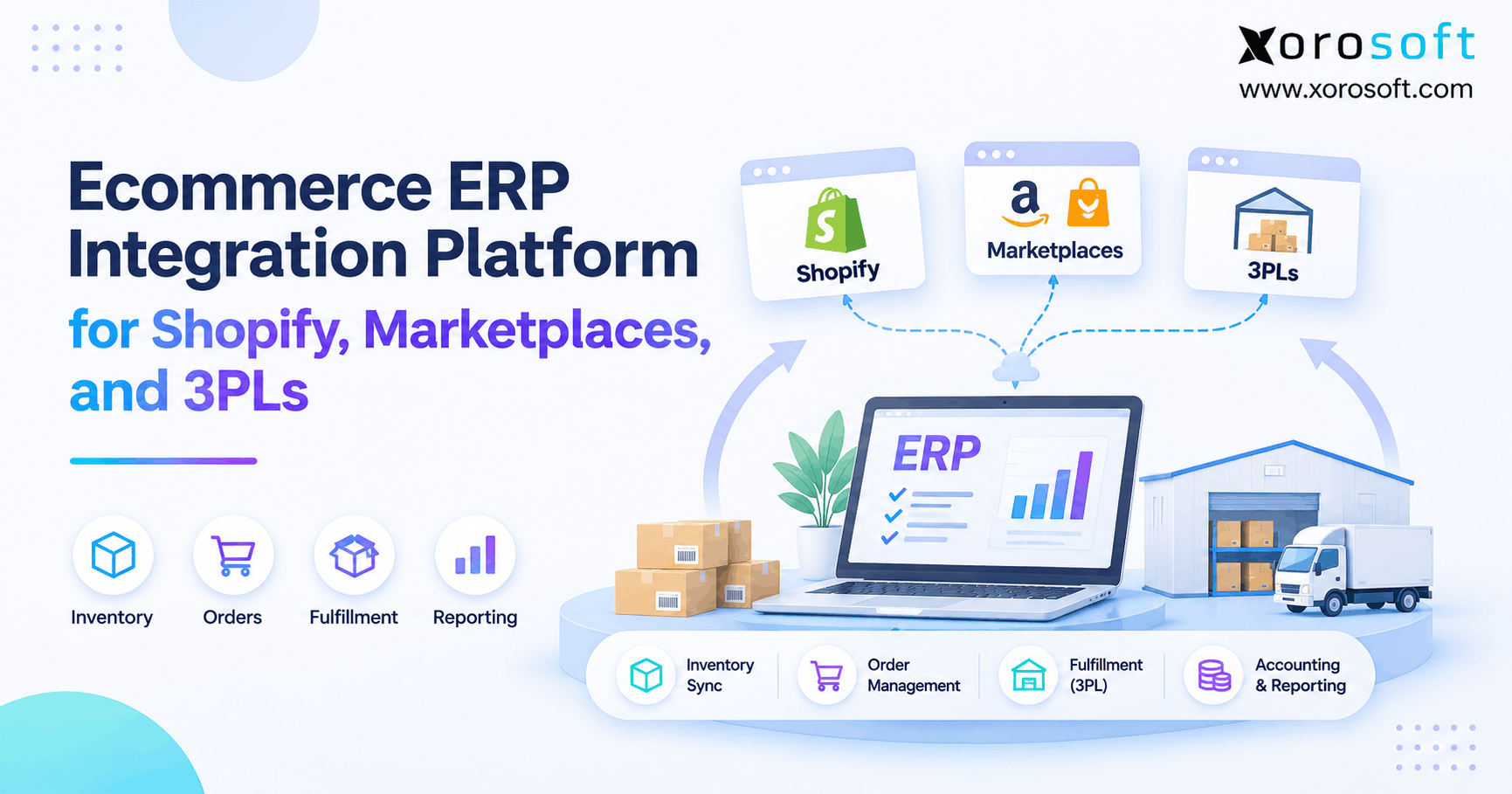
If you are looking to connect your ecommerce systems, understanding Shopify ERP integration methods can help streamline your business processes.
1. When Shopify Orders Outgrow the Systems Behind the Store
A Shopify store can accept an order in seconds. The difficult work starts afterward. Someone has to confirm stock, choose a fulfillment location, release the order to a warehouse, recognize the financial transaction, and account for any return. When those activities depend on disconnected applications, the customer sees a smooth checkout while employees spend hours making the back office agree with it.
Early-stage merchants can often manage that gap with a basic accounting integration and a few manual checks. Growth changes the equation. A second warehouse introduces location-specific stock. Wholesale adds company pricing and payment terms. Amazon creates another source of demand. Meanwhile, purchasing teams need to plan replenishment from the same inventory figures that customer service uses to promise delivery dates.
This is why Shopify ERP integration methods deserve more attention than a connector’s installation screen. The decision is about which system owns each transaction, how quickly updates must move, and what happens when something fails. A connection that imports orders successfully may still struggle with partial shipments, inventory reservations, refunds, or an unexpected peak in order volume.
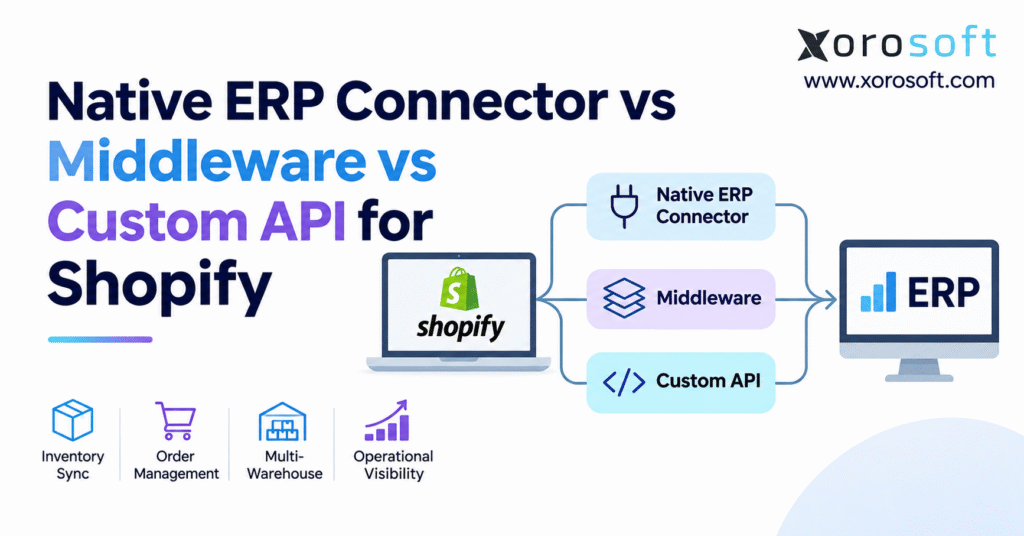
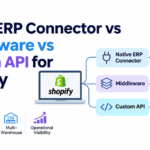
The practical choices are a native ERP connector, middleware or an integration platform, and a custom API connection. Some businesses use a combination. Understanding the differences helps merchants avoid paying for unnecessary complexity without accepting operational gaps that become costly later.
2. Shopify ERP Integration Methods: Three Ways to Connect Operations
2.1 Native Shopify ERP Connectors
A native connector is a vendor-supported connection between Shopify and an ERP platform. It generally provides established mappings and configuration for common transactions: products, variants, orders, inventory quantities, and fulfillment updates. The vendor may manage significant portions of the integration’s technical upkeep. That can reduce the amount of code a merchant needs to maintain, although setup and data cleanup are still required.
The term native needs scrutiny. One connector may support several Shopify stores, refunds, and warehouse locations, while another imports only paid orders. A direct integration is valuable because of the workflows it supports, not because its marketing description says it is seamless.
2.2 Shopify ERP Middleware and iPaaS
Middleware sits between systems and coordinates the exchange. Integration platform as a service, or iPaaS, usually adds hosted connectors, routing tools, mapping rules, and monitoring. This approach becomes attractive when information must travel among Shopify, an ERP, a third-party logistics provider, a separate warehouse system, and EDI partners.
However, middleware introduces its own configuration, support ownership, and recurring costs. It should solve a real coordination problem rather than simply duplicate an ERP’s existing Shopify connection.
2.3 Custom Shopify API Integration and Hybrid Models
A custom integration uses developer-written logic and Shopify’s APIs to satisfy requirements that standard configurations cannot support. It provides control over transformations, timing, and exception rules, but creates ongoing engineering and security work. A hybrid design often makes more sense: use a vendor-managed connection for everyday orders and a targeted custom service for unusual processes.
3. Native Connector vs Middleware vs Custom API: Operational Comparison
3.1 Compare Responsibility as Well as Features
The most useful comparison of Shopify ERP integration methods looks beyond initial setup. Assess which team owns support, where errors appear, who updates mappings after a product change, and how the architecture performs during sales peaks. A direct connector can be sophisticated; middleware can be straightforward; custom code can be narrowly scoped. Labels alone do not predict complexity.
| Evaluation factor | Native ERP connector | Middleware or iPaaS | Custom API |
|---|---|---|---|
| Initial deployment | Configured supported flows | Configure multiple connections and rules | Design, develop, and test code |
| Customization | Within supported features | Mappings and orchestration | Tailored to available APIs |
| Multi-system coordination | Depends on ERP ecosystem | Designed for cross-system flows | Possible, with custom effort |
| Technical maintenance | Often shared with vendor | Platform plus integration owner | Developer or contracted team |
| Failure recovery | Verify vendor’s tools | Configure queues and monitoring | Build recovery and monitoring |
| Cost exposure | License, setup, exceptions | Subscription, volume, configuration | Development, hosting, support |
3.2 What the Comparison Means in Practice
Suppose a merchant only needs Shopify orders, inventory by location, and shipment confirmations inside its ERP. A supported native connection is a logical first candidate. Now add separate 3PLs, B2B EDI, a marketplace, and a custom CRM. Middleware may provide cleaner coordination than a collection of independent scripts.
A business with a specialized production-allocation rule might instead need a small custom service. Even then, it should avoid replacing reliable standard workflows with code solely for the sake of flexibility. The objective is fewer manual corrections and a supportable process, not the largest number of integration tools.
4. Begin With Shopify ERP Data Mapping and Ownership
4.1 The Same Transaction Has Different Meanings in Different Systems
A Shopify order is not always a completed financial sale or a warehouse shipment. It may contain products from several locations, discounts, taxes, gift-card payments, or items that will ship later. An ERP sales order may reserve stock, initiate purchasing, and ultimately create invoices or accounting entries. The integration must preserve those distinctions instead of treating every record as interchangeable.
Item mapping requires equal care. Shopify product and variant identifiers, ERP item numbers, bundle components, and warehouse SKUs need consistent relationships. Changing a product title should not create a duplicate stock item. Likewise, changing a customer’s address must not silently replace the historical address used on an existing invoice.
4.2 Give Each Data Object an Authoritative Owner
| Data object | Typical system to evaluate as authority | Control to establish |
|---|---|---|
| Checkout orders | Shopify | Stable external order ID and status |
| Inventory availability | ERP or WMS | Location and sellable-stock rules |
| Product descriptions | Shopify or merchandising system | Direction of allowed edits |
| Purchasing and receipts | ERP | Supplier, quantity, and cost ownership |
| Fulfillment status | Warehouse or 3PL | Partial shipment and tracking mapping |
| Financial posting | ERP or accounting system | Taxes, refunds, fees, and settlement rules |
These are starting assumptions, not universal rules. If a merchant sells digital services alongside physical goods, it may need different ownership by product class. Shopify ERP integration methods work best when teams agree on the source of truth before configuring synchronization. Otherwise, two applications can repeatedly overwrite each other’s correct values.
Bundles illustrate the risk. Shopify may advertise a kit as one sellable product, while the ERP tracks the separate components required to assemble it. If the connection ignores component availability, the storefront can promise a kit that cannot be built. The data map should therefore include units of measure, component relationships, item status, and what happens when a SKU is retired or replaced. These are operational definitions, not just technical fields.
5. Where a Native Shopify ERP Connector Works Best
5.1 Standard Workflows With Predictable Exceptions
A native connector is often the first option worth testing when the ERP can already manage the merchant’s core work. That means importing orders without duplication, recognizing customer and item identifiers, publishing sellable inventory, and returning accurate fulfillment updates. The vendor’s documented scope matters more than the time required to connect an app.
Consider a wholesaler that adds Shopify as a direct-to-consumer channel while its ERP already controls purchasing and stock. If the native connection understands the relevant warehouses and financial transactions, adding middleware may create an avoidable extra handoff. Ask for a demonstration using the merchant’s actual item structures rather than generic sample orders.
For a concrete example, the Xorosoft ERP app on the Shopify App Store describes order, product, inventory, B2B, fulfillment, refund, and payout workflows. Those published capabilities provide a starting point for due diligence, not a substitute for checking specific integration requirements.
5.2 Native Does Not Mean Unlimited
A connector may support basic sales orders but not every metafield, warehouse allocation rule, or third-party return flow. Examine how it behaves when an order is edited after payment, a location runs out of stock, or a fulfillment must be split. Confirm supported Shopify plans and required API permissions as well. The appropriate question is whether the direct connection covers critical processes without fragile manual workarounds.
6. When Shopify ERP Middleware Solves a Real Coordination Problem
6.1 Multiple Applications Need a Common Process
Middleware earns its place when a merchant needs one business event to trigger several controlled actions. Imagine an order reaching Shopify while the ERP checks credit, a warehouse system allocates stock, and a separate 3PL receives shipping instructions. The middleware layer can translate data formats, route messages, and track which step completed.
This is especially useful when different partners require different identifiers or message formats. An EDI trading partner may send structured purchase orders, while a 3PL expects a shipment request and a carrier returns tracking numbers. Without a coordinating layer, each connection may become a separate mapping project with its own error-handling conventions.
6.2 Middleware Can Also Move the Problem Elsewhere
The existence of a central dashboard does not guarantee accuracy. Poor SKU mappings, outdated item masters, or conflicting inventory owners will still produce bad transactions. Additionally, each middleware flow must be maintained when APIs, pricing rules, or warehouse processes change. If the platform charges by tasks or transaction volume, growing order activity can change the economics.
When reviewing Shopify ERP integration methods, ask whether middleware reduces the number of fragile connections or simply sits on top of a functioning direct integration. Calculate the support effort for both possibilities. In some environments, the cleanest design uses an ERP-managed Shopify connection for orders and stock, then middleware only for genuinely external partner workflows.
It also helps to separate business-process ownership from technical support. The integration team may resolve a malformed payload, but purchasing must decide whether a supplier substitution is acceptable. Warehouse managers own exceptions involving short shipments or damaged goods. Build escalation paths around those decisions. Otherwise, a middleware dashboard can show every error while nobody has authority to resolve it.
7. Custom Shopify ERP API Integration: Control Has a Maintenance Cost
7.1 Build Only What a Supported Integration Cannot Provide
Custom development is justified when an essential rule does not fit connector configuration. Examples include specialized order approval, allocation based on production capacity, unusual customer contracts, or proprietary systems with no maintained connector. Developers can control validation, transformations, sequencing, and operational alerts more precisely than many standard tools allow.
That freedom comes with responsibility. The business needs a technical owner for authentication, access control, API updates, deployment, testing, data recovery, and incident response. It also needs documentation that a new engineer can understand. A custom API that only one contractor knows how to repair creates a different operational risk from the one it originally solved.
7.2 Build Against Shopify’s Current API Model
Shopify designated its REST Admin API as legacy on October 1, 2024, and has required new public apps to use GraphQL since April 1, 2025. The GraphQL Admin API rate-limit documentation explains that capacity depends on calculated query cost, rather than a simple request count. Large data reads may be better suited to bulk operations.
For custom Shopify ERP integration methods, developers should design rate-aware queues, supported API version upgrades, permission reviews, and repeatable test cases from the start. A hybrid architecture can limit custom maintenance to the narrow process that needs it while preserving standard order and inventory flows elsewhere.
Developers should also distinguish interactive order traffic from high-volume catalog maintenance. Updating thousands of variants during a collection launch can compete for API capacity with urgent fulfillment changes if both use the same processing queue. Separate workloads, throttle responsibly, and use bulk operations when appropriate. For each API release, test the few mutations and fields that affect stock and order status rather than assuming that a version upgrade is harmless.
8. Shopify ERP Integration Reliability: Webhooks, Queues, and Recovery
8.1 A Delivered Event Is Not Proof of a Completed Transaction
Shopify can notify subscribed integrations when orders or products change. However, event notifications can arrive late, arrive more than once, or reach the receiver out of sequence. Shopify’s webhook documentation says delivery and ordering are not guaranteed. An integration that assumes every notification arrives exactly once can accidentally duplicate an ERP order or apply stale inventory data.
Safe processing uses stable external IDs, duplicate detection, and idempotent operations. For example, replaying an order-created event must not create a second sales order. When an older update arrives after a newer one, processing should check the current source state before overwriting it.
8.2 Recovery Should Be Routine, Not Improvised
Reliable systems acknowledge valid incoming events promptly, store work in a durable queue, and process it with controlled retries. Shopify documents failed webhook retries, but a platform’s delivery attempts cannot replace internal monitoring. If an error persists, the integration needs an exception record, an assigned owner, and a way to restore missing data.
Scheduled reconciliation is equally important. Compare orders, fulfillments, and available inventory between Shopify and ERP, then investigate mismatches. Track synchronization delay, queue age, failed transactions, repeat failures, and unresolved stock differences. These measures tell operators whether the connection is genuinely healthy.
8.3 Protect Customer and Financial Information
Security belongs in the architecture review. Use minimum required API permissions, safeguard access tokens, validate incoming message signatures, and restrict logs containing personal or payment-related information. Define how credentials are rotated and who can replay a failed transaction. Among Shopify ERP integration methods, operational accountability often matters more than a vendor’s claim of real-time data movement.
A useful service agreement defines business outcomes instead of only uptime. For example, specify the acceptable delay for an inventory decrease after a high-volume sale, the time allowed to investigate an unimported order, and how missing refunds are discovered before month-end close. Review these measures by transaction type because a delayed reporting export may be tolerable while a delayed stock adjustment is not.
9. Multi-Warehouse Shopify Inventory Sync Without Overselling
9.1 On-Hand Stock Is Not the Same as Available Stock
A warehouse may physically hold 200 units of an item, but some can be committed to orders, reserved for wholesale customers, damaged, or undergoing quality inspection. Publishing all 200 as sellable risks overselling. Shopify distinguishes on_hand, available, committed, reserved, damaged, and other states in its inventory-quantities guidance.
The ERP and Shopify must agree on the business rules that determine what shoppers can purchase. Those rules may consider safety stock, pending receipts, channel allocations, and the location permitted to fulfill a particular order. Shopify ERP integration methods should preserve available quantities by location rather than simply copying the same global stock number everywhere.
9.2 Align Warehouses, Shopify Locations, and Fulfillment Orders
A Shopify location may represent a retail store, warehouse, or fulfillment provider. It does not necessarily correspond one-to-one with an ERP warehouse, bin, or 3PL account. Document every mapping, including locations that should not sell online. Test inventory transfers and whether stock becomes sellable at the destination before it is physically received.
Partial fulfillment creates another challenge. One customer order may ship from two warehouses on different days, while a returned unit should remain unavailable until inspected. The warehouse or 3PL must send the correct shipped quantities and tracking information back through the integration.
For businesses whose bottleneck is warehouse execution, XoroWMS from Xorosoft provides warehouse-management context worth evaluating alongside the ERP connection. The operational design still needs a clear record of which system allocates, picks, ships, and adjusts each unit.
Consider a hypothetical item with 160 units on hand across two warehouses. If 35 are already committed to orders, 10 are damaged, and another 15 are intentionally reserved, the business must avoid treating all 160 as available. The precise sellable quantity depends on location, Shopify inventory states, and any additional ERP allocation policy. This calculation should be tested against real transaction histories before a live stock feed is activated.
10. Shopify B2B, Wholesale, Amazon, and EDI Integration Requirements
10.1 Wholesale Orders Carry More Than Customer and SKU Data
Consumer checkout integrations often focus on payment, shipping address, and fulfillment. Wholesale orders can also involve company accounts, purchasing locations, negotiated catalogs, payment terms, credit checks, and purchase-order references. If the integration imports a B2B order but drops its agreed payment terms, finance may invoice the customer incorrectly even though fulfillment works.
The source-of-truth question also changes for pricing. The ERP may manage contract prices while Shopify displays company-specific catalogs. The team must decide which system controls each price and how changes are approved. Test tax treatment, order edits, multiple company locations, and the distinction between a paid checkout and an invoice due later.
10.2 Inventory Must Remain Consistent Across Channels
Selling on Amazon and through EDI adds more demand to the same physical stock pool. Inventory should be allocated with channel rules that avoid promising the same units twice. Likewise, a wholesale customer cancellation should release stock only after the ERP has confirmed that the order is eligible to change.
An ERP with broader channel connectivity can reduce these handoffs. For instance, XoroONE combines cloud ERP functions across inventory, sales, purchasing, warehouse management, accounting, and ecommerce. That illustrates a larger architectural question: how many integrations disappear when several operating functions share one system? It does not remove the need to validate every remaining Shopify, Amazon, and EDI workflow.
International selling introduces further complications. Merchants may accept orders in different currencies, apply market-specific tax treatment, or display prices that differ from the ERP’s base currency. Integration design must distinguish the amount charged to the customer from the amount posted in the financial ledger. Currency conversion, rounding, refunds, and settlement timing need explicit rules; otherwise, order counts may reconcile while revenue totals do not.
11. Shopify ERP Accounting, Refunds, and Returns Need Separate Controls
11.1 An Imported Order Is Not a Reconciled Payout
Financial accuracy requires more than copying a sale into an ERP. An order may be authorized before capture, partially refunded, paid with a gift card, or settled in a payout after payment fees and chargebacks. Accounting needs a defined treatment for gross sales, tax, discounts, shipping, refunds, liabilities, and processor fees.
An effective integration links each operational event to the correct financial document without posting the same revenue twice. Reconciliation should identify what Shopify collected, what the payment provider settled, and what finance recorded. Ask whether the implementation uses individual transactions, summarized entries, or a combination, and confirm the accounting team’s ability to trace exceptions.
11.2 Returns Affect Both Money and Stock Condition
A returned item is not necessarily available for resale. It may require inspection, repair, disposal, or a return-to-vendor process. The refund can occur before the item physically reaches a warehouse, so the integration should not treat those events as simultaneous.
When assessing Shopify ERP integration methods, include at least one partial refund, damaged return, gift-card refund, and return that arrives at a different location. XoroERP combines accounting, purchasing, warehousing, and manufacturing functions; a merchant evaluating it should still test the exact refund-to-ledger and return-to-inventory workflow rather than assuming every edge case is automatic.
12. Compare Shopify ERP Integration Costs Over Three Years
12.1 Use Total Cost of Ownership Rather Than a Connector Price
The cheapest monthly subscription is not necessarily the lowest-cost integration. A realistic budget includes discovery, item and warehouse mapping, migration, implementation, tests, licensing, transaction charges, developer support, monitoring, security reviews, and future changes. Internal labor belongs in the calculation because manual reconciliation consumes the same employee time that could be used for fulfillment or purchasing.
A workable formula is: Three-year TCO = initial implementation + three years of platform and support costs + anticipated change costs. Compare identical workflow coverage wherever possible. A native option that cannot support a critical B2B requirement should not be evaluated as though it delivers the same output as a complete multi-system build.
12.2 Illustrative Cost Comparison, Not Market Pricing
The amounts below are fictional planning figures in US dollars. They demonstrate how to organize estimates; they are not industry averages or actual supplier quotes.
| Example expense | Native connector | Middleware | Custom API |
|---|---|---|---|
| One-time implementation | $8,000 | $18,000 | $60,000 |
| Annual platform or hosting | $5,000 | $18,000 | $6,000 |
| Annual support | $2,000 | $6,000 | $18,000 |
| Illustrative three-year TCO | $29,000 | $90,000 | $132,000 |
These examples assume different levels of specialized work; they are not an apples-to-apples vendor ranking. In reality, middleware might replace several costly scripts, while a direct connector might still need additional development. Ask for written estimates based on your stores, order volume, data fields, warehouse locations, service expectations, and expected changes over three years.
Add a sensitivity check. Model an additional warehouse, a second Shopify store, and a sharp increase in order volume. Ask whether pricing changes by transaction, connector, API usage, or support tier. Include the effort needed to rebuild integrations when processes change. A slightly higher implementation fee can be rational if it eliminates recurring reconciliation work; a low upfront quote can be expensive if every exception becomes a paid customization request.
13. How Industry Workflows Change Shopify ERP Integration Methods
13.1 Apparel and Fashion: Variants, Returns, and Wholesale
An apparel business manages sizes, colors, seasonal collections, and frequent returns. When it also sells wholesale, the same SKU may be allocated to ecommerce, retail, and scheduled customer orders. The integration needs reliable variant identifiers, channel availability, wholesale pricing, and a return process that does not put damaged products back on sale. A direct connector may be suitable if those workflows are supported; otherwise, targeted additions may be justified.
13.2 Furniture and Sporting Goods: Large Orders and Split Fulfillment
Furniture merchants may ship separate components from different locations, carry long-lead items, or charge shipping based on handling requirements. Sporting goods merchants often operate across seasonal demand cycles and several fulfillment partners. The main risk is treating a complex shipment as one completed event. Warehouse assignment, backorders, shipment tracking, and supplier replenishment need to remain visible to the team responsible for customer promises.
13.3 Food, Distribution, and Manufacturing: Inventory Restrictions
Food distributors may track lots, expiry dates, and items held for quality checks. Manufacturers need to distinguish raw materials, work in progress, and finished products ready for sale. Publishing incoming or unfinished goods as available Shopify inventory creates operational risk. These examples explain why industry-specific requirements should guide connector selection more than a generic feature count.
The range of workflows described across Xorosoft’s industry pages illustrates why integration requirements change between apparel, wholesale distribution, furniture, and manufacturing. Each business still needs a field-level acceptance test tied to its own process.
14. A Practical Decision Framework for Shopify ERP Integration Methods
14.1 Evaluate Coverage Before Architecture Preference
Start with the transactions the business cannot afford to mishandle. Document how orders enter the ERP, how available inventory returns to Shopify, and which application confirms fulfillment and financial settlement. Then list exceptions: split shipments, wholesale credit, transfers, cancellations, returns, bundles, and 3PL delays. This creates an evidence-based comparison instead of a debate about technology labels.
The most useful buying questions are whether the method supports those workflows, who owns each data field, who resolves failed events, how many systems must coordinate, which API limitations apply, what the three-year cost includes, and how changes are tested. If the implementation partner cannot answer those questions, the architecture is not ready for approval.
14.2 Use a Scenario-Based Decision Table
| Business situation | Start by investigating | Verify before committing |
|---|---|---|
| One store and supported ERP order flows | Native connector | Returns, inventory mapping, and accounting |
| ERP plus multiple 3PLs and EDI partners | Middleware or hybrid | Routing, monitoring, support responsibility |
| Proprietary allocation or approval requirements | Custom API or hybrid | API availability, maintenance capacity |
| Simple accounting and low inventory complexity | Existing accounting connection | Whether ERP is needed at all |
The decision remains conditional. Shopify ERP integration methods should be judged by how well the finished process works, not by the number of applications installed or the apparent sophistication of the system diagram.
15. Implement and Test the Shopify ERP Connection Before Launch
15.1 Prepare Records and Define Acceptance Criteria
Begin with clean SKUs, variants, tax codes, customer records, warehouse locations, and supplier data. Document which records will migrate, which will remain historical, and how external IDs are preserved. Agree on expected synchronization delays for normal orders and peak volume. A project should not move to production solely because the first sample transaction imported successfully.
A sensible acceptance test covers a newly paid order, edited order, duplicate notification, partial shipment, split warehouse, cancelled line, refund, wholesale terms, stock transfer, and a forced API failure. For every case, identify the expected Shopify status, ERP document, warehouse action, and accounting result. Reconcile quantities and totals before signing off.
15.2 Test Failure Recovery as Carefully as Normal Flows
Turn off a receiving service in a controlled test, then confirm that events are preserved, retries are safe, and an operator can see the backlog. Deliberately send the same order notification twice. Verify that duplicate processing does not create an extra sales order or inventory movement. Test what happens when a field is missing or an API responds with throttling.
Monitoring must have business owners, not only technical owners. A failed inventory update should reach an operations contact who can prevent overselling while an engineer investigates. The best Shopify ERP integration methods make exceptions understandable to the teams affected by them.
15.3 Plan a Controlled Cutover and Rollback
Before launch, reconcile open orders and stock by location, freeze conflicting writes where necessary, and define the time window for switching integrations. Keep a mapping of old and new identifiers. During the first operating period, review exceptions frequently and compare key totals independently. Have a rollback decision and owner documented in advance; restoring an old connection without controlling duplicate writes can make the situation worse.
The first weeks after launch need an operational review rhythm. Finance should compare order and payout totals, warehouse leads should review location differences, and the integration owner should inspect retry queues and API throttling. Record the root cause of each recurring exception and change the underlying mapping or process. This turns the implementation from a one-time technical project into a managed operating capability.
16. Know When to Replace Middleware or Upgrade the Underlying ERP
16.1 Sometimes the Problem Is the Process, Not the Integration
Frequent inventory discrepancies, manual journal entries, delayed fulfillment updates, and missing audit trails can signal a poor connection. They can also reveal disconnected processes inside the business. Before replacing middleware, examine whether inconsistent SKU definitions, unrecorded warehouse adjustments, or unclear purchasing ownership cause the failures. Repairing source data may cost less than another implementation.
However, there is a point where adding integrations stops being an effective strategy. If every new warehouse or channel creates another reconciliation process, the company may need stronger central operational control. Upgrading the ERP can reduce the number of separate applications responsible for inventory, purchasing, fulfillment, and financial reporting.
16.2 Evaluate Operational ERP Capability, Not Just Connectivity
Xorosoft is relevant to this evaluation because its platform combines inventory, warehouse, purchasing, accounting, manufacturing, and ecommerce operations. That does not make its architecture universally preferable. Buyers should test whether it can support their data ownership rules, financial controls, warehouse model, and integration dependencies before replacing a functioning stack.
It is also reasonable to review documented ERP customer implementations for examples of operational scope, then confirm the details that match your own business. The important distinction is between adopting a tool that merely moves data and adopting a system that can reliably own the process creating that data.
17. Choose the Shopify ERP Integration Your Team Can Operate Reliably
Native connectors, middleware, and custom APIs all have legitimate roles. A supported direct connection may be enough when Shopify and ERP already cover core orders, stock, fulfillment, and accounting. Middleware can justify its cost when several applications need managed coordination. Custom development belongs where a specific requirement demands specialized logic and the business can support it over time.
The strongest decision starts with a clear source-of-truth map, realistic exception scenarios, a three-year cost model, and named support owners. Test inventory accuracy, partial fulfillment, refunds, and failed-event recovery before approving any architecture. These operational controls matter more than claims about an effortless or fully automated connection.
As a next step, document the systems and manual fixes behind one representative Shopify order, then use that workflow to evaluate prospective solutions. If your business is considering a broader ERP change, you can contact Xorosoft to review inventory, warehouse, purchasing, and accounting requirements against the integration options available. The objective is a connection the team can trust as the business grows.
Frequently Asked Questions About Shopify ERP Integration Methods
Which Shopify ERP integration method is best for growing businesses?
A native connector is a strong starting point when it covers essential workflows. Choose middleware for multiple systems and custom APIs for specialized requirements.
When should Shopify merchants use middleware instead of a native connector?
Use middleware when Shopify must coordinate with several applications, such as an ERP, WMS, 3PL, and EDI platform, and direct integrations cannot reliably manage those flows.
When is a custom Shopify ERP API integration necessary?
Custom APIs make sense when essential allocation, approval, or data-mapping rules exceed available connector capabilities and the business can maintain the code.
How much does Shopify ERP integration cost?
Costs depend on implementation scope, licensing, transaction volume, monitoring, and maintenance. Compare three-year total cost rather than setup fees alone.
How does Shopify ERP integration prevent inventory overselling?
It synchronizes sellable inventory by location while accounting for commitments, reservations, and stock restrictions. Clear data ownership and reconciliation reduce discrepancies.
What happens when Shopify ERP synchronization fails?
Reliable integrations log failures, retry safely, alert an owner, and reconcile missed transactions. Duplicate-event protection helps prevent repeated orders or inventory adjustments.
Can Shopify use a native ERP connector and custom API together?
Yes. A hybrid approach can handle standard transactions through the connector and specialized workflows through custom code, provided each data field has one owner.
Recent Posts
-
 How to Calculate True SKU Profitability With Freight, Duties, and Warehouse Costs
-
 Procurement Exception Statistics 2026: Changes, Shortages, and Invoice Mismatches
-
 Native ERP Connector vs Middleware vs Custom API for Shopify
-
 AI Exception Management in ERP: Automating Detection Without Losing Control
-
 What Is Delivery Promise Accuracy and How Should Operations Measure It?