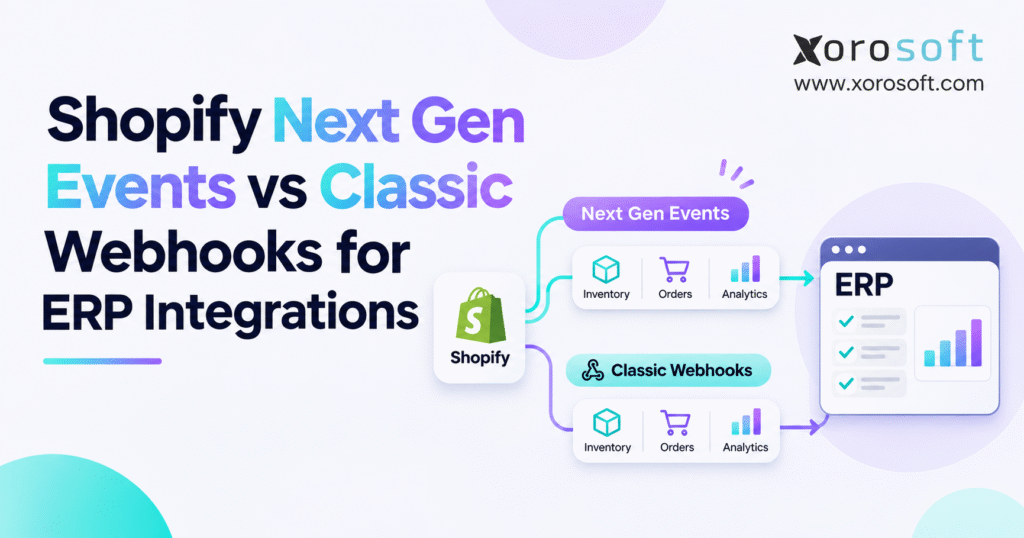
If you’re looking to stay ahead in ecommerce, attending Shopify Next Gen Events can be a game changer.
1. Why Shopify ERP Integrations Need a Better Event Strategy
Shopify Next Gen Events gives businesses more control over how data moves between Shopify and ERP systems. Instead of processing broad update messages, teams can respond to selected changes and receive the data they need.
For growing ecommerce brands, this shift matters because more sales, products and warehouses create more data to manage. As a result, an integration that worked well for a small store may struggle as the business grows.
However, the challenge is not always a lack of data. In many cases, systems receive too much information without a clear way to decide which changes matter.
1.1. The hidden cost of excessive Shopify webhook traffic
Consider an apparel brand that manages 20,000 product variants. Its team often changes product images, descriptions, titles and prices. However, its ERP may only need updates related to prices, SKUs and stock.
With broad product notifications, the system must check each message before deciding whether to act. In addition, it may need another API request to retrieve missing fields.
At first, this extra work may seem minor. Over time, however, it can create longer processing queues, higher system costs and delays in stock updates.
For example, during a major sales event, delayed stock updates may affect order handling and warehouse tasks. Consequently, customers could place orders for products that are no longer available.
Therefore, reducing needless work can help protect both system speed and business accuracy.
1.2. What Shopify Next Gen Events changes in 2026
On October 1, 2026, Shopify made Next Gen Events generally available with API version 2026-10. At launch, the release covered 18 topics.
According to the official Shopify release announcement, existing classic webhooks remain supported. In addition, both methods can run within the same app.
As a result, businesses do not need to replace their entire setup at once. Instead, they can start with a small workflow, test the results and expand their use of Events where it adds value.
Ultimately, the goal is to build a more reliable link between Shopify and the systems that manage stock, orders and finance.
2. How Classic Shopify Webhooks Support ERP Integrations
Classic webhooks have long helped businesses share data between Shopify and other systems. They allow apps to receive messages when certain store activities take place.
Without such messages, an ERP might need to check Shopify at regular times to find new orders or stock changes. This method is known as polling.
Although polling remains useful for some tasks, it can create extra API traffic. In contrast, webhooks allow Shopify to send updates when relevant activities occur.
2.1. How classic Shopify webhook subscriptions work
A classic webhook subscription defines a topic and a delivery location. For example, an app may use orders/create to receive new order messages or inventory_levels/update to receive stock updates.
When a matching activity occurs, Shopify sends a message to the app. Next, the app checks the message, finds the related record and decides which task to carry out.
For a new order, this may include finding the customer, checking line items and creating a sales order in the ERP.
However, the webhook may not contain every field that the ERP needs. As a result, the app may need to make an extra API request before completing the task.
2.2. Classic webhook filters and data limits
Classic webhooks already support filters and field selection. Therefore, businesses should not assume that these webhooks always send large, unfiltered messages.
For instance, the include_fields option lets apps receive selected fields from the standard payload. Similarly, supported filters can prevent some unwanted deliveries.
However, the data format still depends on the webhook topic. Consequently, when an app needs fields outside that format, it may need to fetch them separately.
2.3. Why classic Shopify webhooks still matter
Classic webhooks cover a wide range of Shopify resources. In addition, they support certain subscriptions managed through the Admin API.
These features make them useful for established workflows and apps with specific needs.
For businesses with stable systems, a full migration may offer little short-term value. Instead, better filters, queue controls and error recovery may solve many existing problems.
Therefore, teams should review the Shopify webhook documentation before deciding which parts of their setup need to change.
3. What Are Shopify Next Gen Events and How Do They Work?
Shopify Next Gen Events is a subscription method that lets apps receive messages about selected commerce changes. It uses field-level triggers, custom GraphQL queries and filters to control when messages arrive and what data they contain.
As a result, teams can build workflows around the changes that matter most to their ERP.
3.1. How Shopify Next Gen Events uses field-level triggers
A field-level trigger defines which supported change should activate a subscription.
For example, an ERP may need to know when a product variant price changes. However, it may not need to respond when someone edits a product description.
With Events, the app can use a supported trigger such as product.variants.price.
Consequently, unrelated product changes need not activate that subscription. In other words, the system can remove some unwanted work before the message reaches the ERP.
Nevertheless, teams must check whether the chosen trigger covers all the changes that their workflow needs.
3.2. Using GraphQL payloads for ERP data sync
Shopify Next Gen Events allows apps to include optional GraphQL queries within subscriptions.
Instead of relying only on a standard set of fields, the app can request data that its ERP handler needs.
For instance, a price update workflow might request the variant ID, current price and product status.
If the message contains all the required data, the app may avoid making another API request. In addition, Shopify provides change paths and available query variables to help the app find the affected record.
However, the query must follow Shopify’s access rules and query limits.
3.3. How Shopify Events query filters work
A query filter checks values returned by the selected GraphQL query before Shopify sends a delivery.
For example, a business may want updates only for active products. However, the filter checks the query result rather than tracking every past state.
Suppose a product price rises from $90 to $110 and then falls to $95 before the query runs. As a result, the app may receive the latest price without seeing each earlier value.
Similarly, a filter for products priced above $100 may miss the update when a product falls below that amount.
Therefore, teams must also handle records that leave a filtered group. The Shopify Events overview explains these rules in more detail.
4. Shopify Next Gen Events vs Classic Webhooks: Key Differences
The main difference between Shopify Next Gen Events and classic webhooks is the level of control over changes and delivered data.
Events offers more focused triggers and custom queries. Meanwhile, classic webhooks cover more topics and support established workflows.
4.1. Technical comparison of Shopify Events and webhooks
| Comparison factor | Shopify Next Gen Events | Classic Webhooks |
|---|---|---|
| Change detection | Field-level triggers | Topic-based updates |
| Payload | Custom GraphQL query | Standard topic payload |
| Filters | Triggers and query filters | Supported payload filters |
| Field selection | GraphQL fields | include_fields |
| Setup | App TOML file | TOML or supported API |
| Topic coverage | Supported subset | Wider coverage |
| Follow-up API calls | May reduce calls | Depends on data needs |
| Adoption | Selective rollout | Existing setup remains supported |
| ERP use | Targeted data updates | Broad workflow coverage |
Source: Shopify Events and Webhooks comparison.
4.2. How Events changes ERP maintenance needs
More precise subscriptions can reduce some processing work. However, they also require careful setup.
For example, developers must manage trigger paths, GraphQL queries, access rights and field mapping. As a result, a small setup error could stop an important update from reaching the ERP.
Classic webhooks may create more work after delivery. On the other hand, their broad coverage can help when teams need to support a wide range of changes.
Therefore, businesses should compare the full cost of building and maintaining each workflow.
4.3. Which Shopify integration method should businesses choose?
Shopify Next Gen Events is a good option when supported workflows receive many unwanted messages or make frequent follow-up API calls.
In contrast, classic webhooks remain useful for tasks that need wider topic coverage or specific business messages.
For instance, a product price workflow may benefit from Events, while a return request workflow may still depend on classic webhooks.
In practice, using both methods can offer a better balance than forcing every workflow into a single approach.
5. Shopify Next Gen Events Topic Coverage and Limitations
Before changing an existing webhook, teams must confirm that Events can support the same business task.
At launch, Shopify covered 18 Events topics. These include resources related to products, orders, customers, stock and returns.
However, support for a resource does not mean every related classic webhook has a direct replacement. Therefore, teams must check each business operation separately.
5.1. Understanding InventoryItem and stock-level triggers
An inventory item holds stock-related data linked to a product variant. An inventory level, by contrast, represents stock at a specific location.
Shopify supports certain nested stock-level triggers through the InventoryItem topic. For example, these include supported changes to stock quantities and activation status.
As a result, the lack of a separate top-level InventoryLevel topic does not mean Events cannot support warehouse stock updates.
Nevertheless, developers must check the exact trigger path and available IDs.
For instance, when a location becomes inactive for an item, the app may use a supported activation trigger and check the isActive value.
In other words, changes to an item’s master data and changes to its warehouse stock require different handling.
5.2. Shopify Events coverage by ERP workflow
| ERP workflow | Method to review | Key requirement |
|---|---|---|
| Product price changes | Next Gen Events | Valid price trigger |
| New products | Next Gen Events | Required product fields |
| Inventory item changes | Next Gen Events | Correct item ID |
| Warehouse stock updates | Events or webhooks | Valid nested triggers |
| New orders | Either method | Complete order data |
| Order edits | Hybrid setup | Matching business behavior |
| Return requests | Classic webhooks | Capture each request |
| Reverse fulfillment disposal | Classic webhooks | Preserve disposal updates |
| Unsupported tasks | Classic webhooks | Maintain existing coverage |
5.3. Where classic Shopify webhooks remain necessary
Return requests provide a useful example.
A customer may request a return, and a staff member may approve it soon afterward. However, if an Events query runs after approval, it may return the approved state without showing the earlier request as a separate action.
Therefore, apps that must receive each return request should retain the relevant classic webhook.
Similarly, Shopify identifies certain reverse fulfillment disposal updates that lack an equivalent trigger in API version 2026-10.
For this reason, teams should review the official Events migration guide before removing any existing subscription.
6. Building a Hybrid Shopify ERP Integration Architecture
A hybrid Shopify ERP setup uses Next Gen Events for selected tasks and classic webhooks for workflows that need existing coverage.
Rather than replace everything at once, businesses can improve individual tasks while protecting their daily operations. In addition, this approach gives teams more time to test new workflows.
6.1. Combining Shopify Next Gen Events with classic webhooks
Consider a wholesale business that receives frequent price updates, new orders and return requests.
The team could use Events for supported price changes. Meanwhile, it could retain classic webhooks for specific return and fulfillment tasks.
Both methods can then send data to a shared processing layer. As a result, the business can manage updates through a common set of rules.
For merchants reviewing their wider system setup, Xorosoft’s XoroONE cloud ERP platform brings stock, purchasing, finance, manufacturing and warehouse tasks together.
However, the choice of Shopify subscription method should remain a separate part of the technical review.
6.2. Building a shared Shopify event processing layer
First, the system should check each incoming message and store it safely.
Next, it should confirm receipt and pass the stored message to a worker that handles the related ERP task.
As a result, the app can accept messages without waiting for every business operation to finish.
In addition, a shared processing layer can apply the same field mapping and duplicate checks to both Events and classic webhook messages.
If a task fails, the team can review and retry it without asking Shopify to repeat every earlier message. Consequently, this design can make error recovery easier to manage.
6.3. Defining Shopify and ERP data ownership
When two systems own the same field, they may repeatedly overwrite each other’s changes. Therefore, teams must agree on which system controls each type of data.
| Data category | Suggested owner | Data direction |
|---|---|---|
| Online order capture | Shopify | Shopify to ERP |
| Physical warehouse stock | ERP or WMS | ERP/WMS to Shopify |
| Product master data | Chosen master system | Based on ownership |
| Wholesale prices | ERP or pricing system | ERP to sales channels |
| Shipment records | Fulfilling system | Warehouse to Shopify |
| Financial ledger | ERP | Transaction data to ERP |
| Refund records | Source transaction system | Checked across systems |
These rules should reflect each business model. Moreover, reviewing existing ecommerce integrations helps teams identify where other sales channels and logistics partners affect data ownership.
7. Using Shopify Next Gen Events for Inventory Synchronization
Accurate stock data is essential for any Shopify merchant selling physical goods. Incorrect stock counts can lead to overselling, missed sales and delayed shipments.
As businesses add more warehouses, these risks grow. Therefore, the stock sync process must account for both the quantity and its location.
7.1. Managing stock across multiple Shopify locations
Suppose a retailer operates warehouses in Toronto and Chicago.
Toronto holds 300 units of a product, while Chicago holds another 200. However, some of those units are already set aside for customer orders.
If Shopify receives the full physical stock count as available stock, customers may buy goods that the business cannot ship.
Instead, the ERP must distinguish stock on hand from stock available for new orders.
For example, if 80 units in Toronto and 50 units in Chicago are already committed, only 370 units remain before other stock restrictions are considered.
Supported nested inventory triggers may help send relevant changes. Nevertheless, the integration must map the correct item, location and stock state.
7.2. Connecting warehouse receipts with Shopify stock updates
Consider a warehouse receiving 100 new units. Of these, 40 must fill existing backorders.
Publishing all 100 units as available for new orders would create a false stock count. Therefore, the system must first account for those earlier commitments.
Xorosoft’s warehouse management system supports stock tracking and fulfillment tasks that help businesses manage these requirements.
However, the message from Shopify or the ERP is only one part of the process. Business rules determine how that change affects stock available for sale.
7.3. Preventing stale updates and stock sync loops
An older stock message may arrive after a newer one. Consequently, if the app accepts both without checking their relevance, it could replace an accurate quantity with an outdated value.
For this reason, teams should check the current stock state or source version before applying changes.
In addition, clear ownership rules can stop Shopify and the ERP from sending the same change back and forth.
Ultimately, a faster message does not always mean a better result. What matters is that each sales channel displays the right stock quantity at the right location.
8. How Shopify Events Affect Orders, Fulfillment and Accounting
A single Shopify order can generate several business activities. For example, these may include payment, stock allocation, shipment, cancellation and refund.
Although each activity relates to the same order, it requires its own business rules.
8.1. Preventing duplicate orders during Shopify Events adoption
During a hybrid rollout, Events and classic webhooks may report changes to the same order.
For instance, both methods might notify an app about order 10582. If each handler creates a new ERP order, the business could set aside stock twice or send two shipping requests.
Delivery IDs help detect repeated messages. However, they cannot prevent every duplicate business action.
Instead, the ERP handler should also check whether it has already completed the intended task for that order.
Consequently, separate messages can produce one valid business result rather than several duplicate records.
8.2. Keeping Shopify payments and financial records aligned
A paid Shopify order does not always mean that funds have reached the merchant’s bank account.
Similarly, a refund does not always mean the warehouse has received the returned goods.
Therefore, the ERP must treat payments, payouts, refunds and stock receipts as separate activities.
Xorosoft provides integrated ERP and accounting tools that connect financial records with stock and purchasing data.
However, businesses must still define how each Shopify activity affects their own accounting records.
For example, a refund may require a financial entry before the related item returns to sellable stock.
8.3. Common Shopify ERP risks and controls
| Integration risk | Business impact | Suggested control |
|---|---|---|
| Duplicate orders | Double fulfillment | Business-level duplicate checks |
| Slow stock updates | Wrong stock availability | Data freshness checks |
| Missing messages | Incomplete ERP records | Scheduled record checks |
| Wrong location mapping | Incorrect warehouse allocation | Valid location IDs |
| Late or out-of-order updates | Wrong order status | Current-state checks |
| Partial GraphQL data | Missing transaction details | Error and page checks |
| Repeated updates | Excess API traffic | Data ownership rules |
| Wrong refund mapping | Finance errors | Transaction matching |
These controls matter whether the business uses classic webhooks, Shopify Next Gen Events or both.
Moreover, testing should cover the full order process rather than stop when a message reaches the app.
9. Shopify Next Gen Events Security and Reliability
Reliable data sharing requires more than accurate triggers and useful payloads. In addition, teams must check incoming messages, protect access keys and prepare for system failures.
Otherwise, a fast integration may still create incorrect or unsafe business records.
9.1. Verifying Shopify Events and webhook deliveries
For HTTPS deliveries, apps should check Shopify’s HMAC-SHA256 signature using the raw request body and the app secret.
If the signature is invalid, the app should reject the message before processing it.
Shopify also supports Amazon EventBridge and Google Cloud Pub/Sub. However, these services use their own methods to verify access rather than Shopify’s HTTPS HMAC process.
In addition, Shopify documents a five-second response timeout for HTTPS Events deliveries.
Therefore, the app should avoid lengthy ERP tasks before confirming that it has safely received the message.
9.2. Handling Shopify Events payload limits and failures
The Shopify Events delivery structure lists inline payload limits of 5 MB for HTTPS, 10 MB for Google Cloud Pub/Sub and 1 MB for Amazon EventBridge.
When data exceeds the supported limit, Shopify can provide a temporary download URL instead.
Consequently, apps must be able to handle both inline data and these larger payloads. In addition, they should protect temporary URLs and retrieve the data before access expires.
Classic HTTPS webhooks can retry failed deliveries eight times over four hours.
Events also supports retries. However, teams should follow its own delivery and failure rules rather than assume they are identical to classic webhooks.
For example, a durable processing queue helps applications recover when the ERP becomes temporarily unavailable.
9.3. Why business-level idempotency matters
Idempotency means repeating an action without creating an extra business result.
For instance, processing the same new order message twice must not create two ERP sales orders.
A useful business key can combine the Shopify store ID, order ID and action type. Meanwhile, repeatable tasks such as partial refunds need their own transaction IDs.
Finally, teams should run regular checks to find missing orders, incorrect stock and failed updates.
In other words, a successful delivery confirms that the app accepted the message. It does not prove that the ERP task finished correctly.
10. How to Migrate Classic Webhooks to Shopify Next Gen Events
A safe migration begins with a clear view of the current setup.
Instead of replacing all classic webhooks, teams should start with a supported workflow that has a measurable problem and a manageable level of risk.
10.1. Audit existing Shopify webhook subscriptions
First, record each topic, filter, selected field and delivery location.
Next, connect each subscription to the business task it supports. For example, this helps teams find which messages create sales orders, update stock or change financial records.
In addition, the audit should measure daily message counts, follow-up API calls, queue delays and error rates.
As a result, the business can compare future performance against a clear starting point rather than rely on assumptions.
10.2. Validate Shopify Events triggers and GraphQL queries
For each proposed change, check the supported topic, trigger path and available query variables.
Then select only the fields required for the ERP task.
Shopify limits Events subscription queries to 100 complexity points. Therefore, large lists and deeply nested fields may exceed the allowed limit.
For instance, requesting product data and several large lists of related records could make a query too complex.
The Events subscription optimization guide explains how teams can reduce query complexity.
Furthermore, developers should check field mapping, access rights and how deleted records are handled.
10.3. Run shadow tests before switching production workflows
Shadow testing allows a new subscription to receive and check data without making its own live ERP changes.
Meanwhile, the existing webhook continues to perform the actual business task.
Consequently, teams can compare both results to identify missing fields, different values or unwanted messages.
| Migration stage | Main task | Responsible team |
|---|---|---|
| Audit | List current subscriptions | Integration team |
| Coverage review | Check supported triggers | Developers |
| Setup | Build queries and filters | Developers |
| Handler changes | Map fields and IDs | ERP team |
| Shadow testing | Compare business results | QA and operations |
| Reconciliation | Check stock and order records | Finance and operations |
| Go-live | Approve rollout and rollback plan | IT management |
Once testing confirms that both methods produce the required outcome, the team can switch the chosen workflow.
However, the earlier setup should remain recoverable until the new one proves stable.
11. Measuring Shopify Next Gen Events API Efficiency
One of the main reasons to review Shopify Next Gen Events is its potential to reduce extra work.
More focused messages may lower queue traffic. In addition, custom payloads may remove the need for some follow-up API calls.
However, actual gains depend on the merchant’s existing setup.
11.1. Comparing daily Shopify notification volume
Consider a merchant receiving 100,000 unfiltered product update messages each day.
Suppose only 20,000 relate to changes that its ERP needs. Therefore, 80,000 messages represent work that may not be necessary for this specific workflow.
If supported Events triggers capture those changes correctly, the app could receive fewer unwanted messages.
Chart 1: Daily notification volume
Classic Webhooks — 100,000
████████████████████
Shopify Next Gen Events — 20,000
████
Illustrative reduction: 80%
In this example, the system avoids processing 80,000 messages each day.
However, the result assumes that the existing classic subscription is unfiltered. Similarly, better classic webhook filters could also reduce the starting volume.
11.2. Comparing Shopify API follow-up requests
Suppose the existing app makes one extra API request for each of the 20,000 relevant updates.
If custom Events payloads provide all required fields for 80% of those updates, only 4,000 follow-up requests remain.
Chart 2: Daily follow-up API requests
Classic Webhooks — 20,000
████████████████████
Shopify Next Gen Events — 4,000
████
Illustrative reduction: 16,000 requests per day
Consequently, over a 30-day month, this equals 480,000 fewer follow-up requests.
Both charts use hypothetical data. Therefore, they should not be treated as measured Shopify results or guaranteed savings. In addition, regular record checks are excluded from the figures.
11.3. Measuring the wider cost of Shopify ERP integrations
Fewer API requests do not always produce equal cost savings.
For example, cloud service fees may depend on data size, worker time or other factors. Meanwhile, new queries and trigger rules require staff time to build and maintain.
When reviewing Xorosoft or another connected ERP setup, businesses should assess system costs and subscription changes separately.
Ultimately, the strongest case for migration combines lower processing work with better stock accuracy, reliable orders and fewer manual checks.
12. Industry Use Cases for Shopify Event-Driven ERP Integrations
Different industries face different stock, sales and warehouse needs. Therefore, businesses should choose their Shopify subscriptions based on the tasks that matter most to their daily work.
12.1. Apparel, fashion and sporting goods
Apparel brands often sell products in many sizes, colors and styles. As a result, a single product range may include hundreds of variants.
During seasonal launches, staff may change prices, images and descriptions across large parts of the catalog.
However, the ERP may only need a small share of those changes.
Consequently, focused Events triggers can help these businesses respond to selected product updates while reducing some unwanted traffic.
Similarly, sporting goods brands face these needs when managing seasonal stock and frequent sales campaigns.
12.2. Wholesale, furniture and manufacturing
Wholesale firms often manage large orders, customer prices and stock set aside for specific buyers.
Furniture brands, meanwhile, may hold large products across several warehouses.
For both groups, accurate stock and order data can be more important than receiving every storefront change.
In addition, manufacturers need to link finished goods with work orders, parts and purchasing plans. However, Shopify messages do not replace the systems that manage those tasks.
12.3. Matching Shopify Events to industry needs
| Industry | Main challenge | Integration priority |
|---|---|---|
| Apparel and fashion | Large variant catalogs | SKU and price updates |
| Wholesale | Complex customer orders | Accurate order records |
| Furniture | Stock across warehouses | Location-level stock |
| Sporting goods | Seasonal sales changes | Selected product updates |
| Food and beverage | Stock freshness and accuracy | Reliable stock counts |
| Manufacturing | Production and sales planning | Finished-goods stock |
| Consumer goods | Multiple sales channels | Shared stock and order data |
Therefore, businesses should review their industry-specific ERP needs before choosing which workflows to migrate.
For example, food firms may need lot and expiry tracking. Likewise, manufacturers may need bills of materials and work order data.
These ERP tasks remain important regardless of how Shopify sends its updates.
13. Is Your ERP Ready for Shopify Next Gen Events?
A business should adopt Shopify Next Gen Events when it has a clear need and the right technical controls.
For some merchants, the benefits may justify early use. On the other hand, improving existing webhooks may be the better choice for businesses with simpler needs.
13.1. Signs your Shopify ERP integration needs an upgrade
Common signs include slow stock updates, missing orders and frequent manual record checks.
In addition, businesses may face rising costs because they use separate apps for purchasing, stock, accounting and warehouse tasks.
However, when these systems lack clear data ownership, a change in Shopify subscriptions alone may not solve the problem.
Instead, teams should review the complete flow of data from the online store to the ERP.
As a result, they may discover that poor field mapping or outdated stock rules cause more problems than the existing webhook setup.
13.2. Reviewing Shopify ERP features before migration
The Xorosoft ERP listing on the Shopify App Store describes existing integration features for orders, products, stock, fulfillment, payments, refunds and payouts.
These features provide a useful starting point for reviewing a merchant’s wider needs.
However, an existing Shopify connector does not automatically support every new Shopify API feature.
Therefore, businesses should confirm specific Next Gen Events support with their integration provider before planning a rollout.
13.3. Shopify ERP integration readiness scorecard
| Readiness factor | Maximum score |
|---|---|
| Clear view of current subscriptions | 10 |
| Supported Events coverage | 10 |
| GraphQL field mapping | 10 |
| Warehouse location mapping | 10 |
| Queue and retry controls | 10 |
| Duplicate prevention | 10 |
| Security and access checks | 10 |
| Record checks and recovery | 10 |
| System monitoring | 10 |
| Rollback readiness | 10 |
| Total | 100 |
As a suggested review method, a score of 80 or higher may indicate readiness for a small pilot.
Meanwhile, scores between 60 and 79 suggest that some gaps need attention. Lower scores indicate that the current setup needs further work.
However, these score ranges are not industry benchmarks. Furthermore, major security, stock or finance risks should block a live rollout regardless of the final score.
14. Common Shopify Events Migration Mistakes and Go-Live Controls
A successful migration depends on how well the new workflow meets the business need. However, teams can overlook key risks when they focus only on getting messages to arrive.
Therefore, each change should be tested against its intended business result.
14.1. Avoiding gaps in Shopify Events coverage
One common mistake is assuming that every classic webhook has an Events replacement.
For example, a resource may appear in the supported topic list, but the specific action required by the ERP may lack an equivalent trigger.
Another mistake is requesting too much GraphQL data. Although large queries may seem useful, they can exceed query limits or require extra work to handle missing pages.
Instead, teams should build each subscription around a clear business task.
In addition, they should test what happens when records leave a filtered group or change more than once before a query runs.
14.2. Measuring business results rather than message counts
Receiving fewer messages does not always mean the integration works better.
For instance, if a new subscription stops sending important stock updates, the lower message count may hide a serious problem.
Therefore, teams should monitor stock differences, missing orders, duplicate records and failed tasks alongside API traffic.
Moreover, finance and warehouse staff should help test the new workflow. These teams often notice business errors that a technical delivery report cannot show.
14.3. Preparing teams for a safe Shopify ERP rollout
Before go-live, each team should know who handles failed tasks and how to recover missing data.
Businesses reviewing Xorosoft’s ERP solutions should consider how their broader stock, accounting and warehouse needs affect the planned Shopify setup.
In addition, relevant ERP implementation case studies can offer useful insights into wider system changes.
Nevertheless, every rollout should depend on tests within the merchant’s own business.
First, the team should confirm that field mapping works and repeat messages do not create duplicate records. Next, it should check that stock counts match across systems.
Finally, the team should test the rollback process before making the new workflow live.
15. A 30-Day Shopify ERP Integration Modernization Plan
Shopify Next Gen Events offers a useful way to improve selected data flows. Nevertheless, businesses should focus on accurate records and steady daily operations rather than adopting new technology as quickly as possible.
A planned pilot helps teams measure results while keeping existing business controls in place.
15.1. Days 1–14: Audit and build a small Shopify Events pilot
During the first week, list current subscriptions, API calls, processing delays and stock errors.
Next, select a supported workflow that creates measurable extra work. For example, product price updates may be a suitable starting point if the business can test them without placing orders or financial records at risk.
During the second week, set up the required triggers and queries. In addition, check field mapping, access rights and error recovery.
As a result, the team should have a focused workflow that it can test and measure.
15.2. Days 15–30: Test, compare and begin a controlled rollout
During the third week, run shadow tests alongside the existing webhook.
Next, compare the results and resolve missing fields, unwanted messages or record differences.
Then, during the fourth week, begin a controlled rollout if the workflow meets all agreed requirements.
However, keep the earlier setup recoverable and continue checking stock, orders and financial records.
This 30-day plan is a suggested pilot schedule rather than a guaranteed rollout timeline.
15.3. Choosing a long-term Shopify ERP integration strategy
For businesses with multiple warehouses, wholesale channels and complex finance needs, a mix of Shopify Next Gen Events, classic webhooks and scheduled API checks will often provide a practical path forward.
Therefore, each method should serve a clear business purpose.
Businesses evaluating Xorosoft can use this change as an opportunity to review stock ownership, order handling, warehouse processes and accounting needs. If disconnected systems or slow data updates are affecting your business, speak with an ERP specialist to explore a setup that fits your needs.
Ultimately, the value of Shopify Next Gen Events is not measured by the number of classic webhooks a business removes. Instead, it comes from keeping stock accurate, orders reliable and financial records aligned while reducing needless work across the business.
Frequently Asked Questions
What are Shopify Next Gen Events?
Shopify Next Gen Events lets apps receive targeted updates through field-level triggers, custom GraphQL queries and filters, helping ERP systems process relevant data more efficiently.
How do Next Gen Events differ from classic webhooks?
Next Gen Events offers more precise triggers and custom payloads. However, classic webhooks provide broader topic coverage and remain useful for established ERP workflows.
Is Shopify replacing classic webhooks?
No. Shopify continues to support classic webhooks. Therefore, businesses can adopt Next Gen Events gradually without replacing their entire integration setup.
Can Shopify Next Gen Events reduce API calls?
Yes. Custom GraphQL payloads can reduce follow-up API requests by providing required data directly. However, actual savings depend on the existing integration design.
Can Shopify Events support multi-warehouse inventory synchronization?
Yes. Supported nested inventory-level triggers can communicate stock changes. However, accurate synchronization also requires correct warehouse mapping, stock ownership and regular record checks.
Can Shopify Events and classic webhooks work together?
Yes. Both methods can run within the same app. As a result, businesses can modernize selected workflows while maintaining existing coverage and operational stability.
How should businesses migrate to Shopify Next Gen Events?
First, audit existing subscriptions and verify supported triggers. Next, configure queries, test data accuracy, prevent duplicate transactions and complete reconciliation before switching live workflows.
Search
Browse topics
Recent Posts
-
 Shopify Next Gen Events vs Classic Webhooks for ERP Integrations
-
 How to Build Cost-Aware Order Routing Across Warehouses and 3PLs
-
 Post-Go-Live ERP Support for Multi-Location Distributors
-
 Sales Commission Management Software for Wholesale Distributors
-
 Why ERP Inventory Does Not Match the Lender’s Borrowing Base