If you’re searching for a thorough Shopify B2B ERP comparison to guide your business decisions, you’re in the right place.
1. Why Shopify B2B ERP Decisions Begin After Checkout
1.1. A Confirmed Order Is Not Necessarily a Releasable Order
A wholesale customer might place a $24,000 order with negotiated prices and Net 30 terms. Shopify can record the order and show the buyer what was purchased. However, the business still has to check outstanding receivables, allocate inventory, choose a fulfillment location, and decide when to invoice. Therefore, an ERP can coordinate those activities only after the business defines the policies it must enforce.
The distinction matters because different teams see different versions of the transaction. Sales considers the order booked. Meanwhile, finance may consider it on hold. Operations might see stock on hand and assume it can ship. If the warehouse starts picking before credit approval, the company may incur freight and labor expense on an order that should never have been released.
1.2. Disconnected Records Create Operational Debt
Common Shopify stacks grow one tool at a time: accounting software for finance, an inventory application for stock, a warehouse application for scanning, and spreadsheets for purchasing or customer contracts. Although each may function adequately on its own, friction appears when employees must reconcile the same transaction across all of them.
For instance, an inventory update that reaches Shopify late can produce overselling. An edited order that does not reach accounting can create the wrong invoice. A return received at one warehouse might increase physical stock while the storefront still shows the item as unavailable. Ultimately, none of those failures is solved by a more attractive buyer portal.
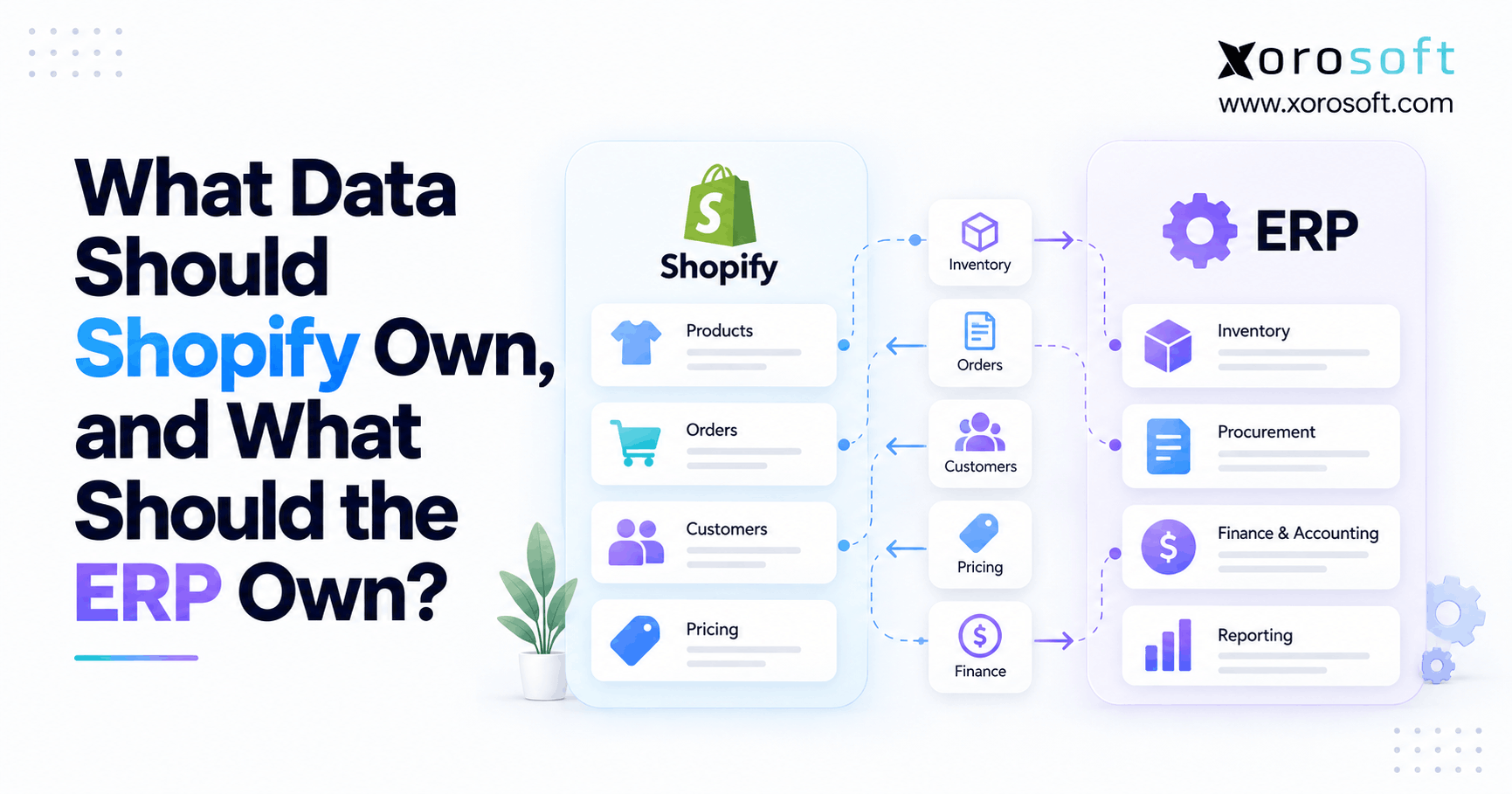
The starting point for a Shopify B2B ERP comparison is therefore an ownership map: which application is authoritative for the customer, price, order, available stock, shipment, invoice, and payment? Without that map, even a technically successful integration can move the wrong information quickly.
2. What Shopify B2B Actually Supports in 2026
2.1. Shopify Plans Have Different Wholesale Capabilities
Shopify B2B is available on Basic, Grow, Advanced, and Plus plans. Companies, company locations, net payment terms, quantity rules, and self-service ordering are not exclusive to Plus. However, the distinctions become important when wholesale contracts get more granular. On Basic, Grow, and Advanced, merchants can assign up to three active catalogs across their B2B markets. Shopify Plus supports unlimited B2B market catalogs and allows direct catalog assignment to individual companies or locations.
By contrast, deposit requirements, advanced partial payments, and requests for payment per fulfillment are Plus-specific. Advanced and Plus also offer additional contextual checkout and storefront options. These are not minor footnotes: a dealer program with individual contract price lists may need a different storefront plan from one that sells to three broad customer tiers. Shopify’s current B2B feature matrix should be reviewed before signing an ERP contract.
2.2. Storefront Features Do Not Replace Financial Governance
Shopify can record purchase-order numbers, present catalogs, and permit reorders, but the merchant must decide how those actions become controlled back-office transactions. For example, a company account with multiple branches can have different terms and delivery addresses. The ERP customer model may instead rely on parent accounts and ship-to records. Someone must define how those structures correspond.
Similarly, a wholesale order placed on terms is not the same as an approved credit exposure. Shopify supports checkout review options, but a business with aging receivables, manual overrides, and a formal release policy may require additional controls. Therefore, the evaluation must cover the entire process rather than assume that a feature with the same name behaves identically in both systems.
By contrast, a merchant running one warehouse and three price tiers may not need a replacement ERP. A distributor managing hundreds of negotiated agreements, several warehouses, and retail EDI orders probably needs a more thorough operational assessment. Complexity, not sales revenue alone, is the useful dividing line.
3. Shopify B2B ERP Comparison: Xorosoft vs NetSuite Buying Criteria
3.1. Xorosoft vs NetSuite: Compare Operating Models, Not Marketing Categories
A Shopify B2B ERP comparison between Xorosoft and NetSuite is most useful when organized around actual exceptions: an over-limit customer, a partially fulfilled order, a catalog that differs by branch, or an inventory adjustment made while two channels are selling the same SKU. A feature checklist saying both systems support “inventory” or “accounting” does not establish how those exceptions work.
NetSuite is a broad ERP platform with extensive financial and operational functionality and an officially documented Shopify B2B Connector. Xorosoft presents its XoroONE cloud ERP as a connected environment for inventory, purchasing, accounting, warehousing, manufacturing, ecommerce, and EDI. Nevertheless, those descriptions establish a starting point, not a verified equivalence between every Shopify B2B field or process.
3.2. Identify the Businesses Each Approach Must Serve
An established multinational distributor may prioritize entity consolidation, complex financial controls, and a large customization ecosystem. By contrast, a rapidly growing product business may prioritize cleaner inventory availability, purchasing automation, warehouse execution, and fewer separate operating applications. Either profile could have a valid reason to examine both products.
Before arranging demos, document five representative orders, including one with a deposit, one with a credit hold, one with split shipment, one with a return, and one with account-specific pricing. Include real field requirements and expected ledger outcomes. The strongest evaluation compares results under identical conditions, not a vendor’s preferred demonstration script.
4. Shopify B2B Customer Accounts and ERP Location Mapping
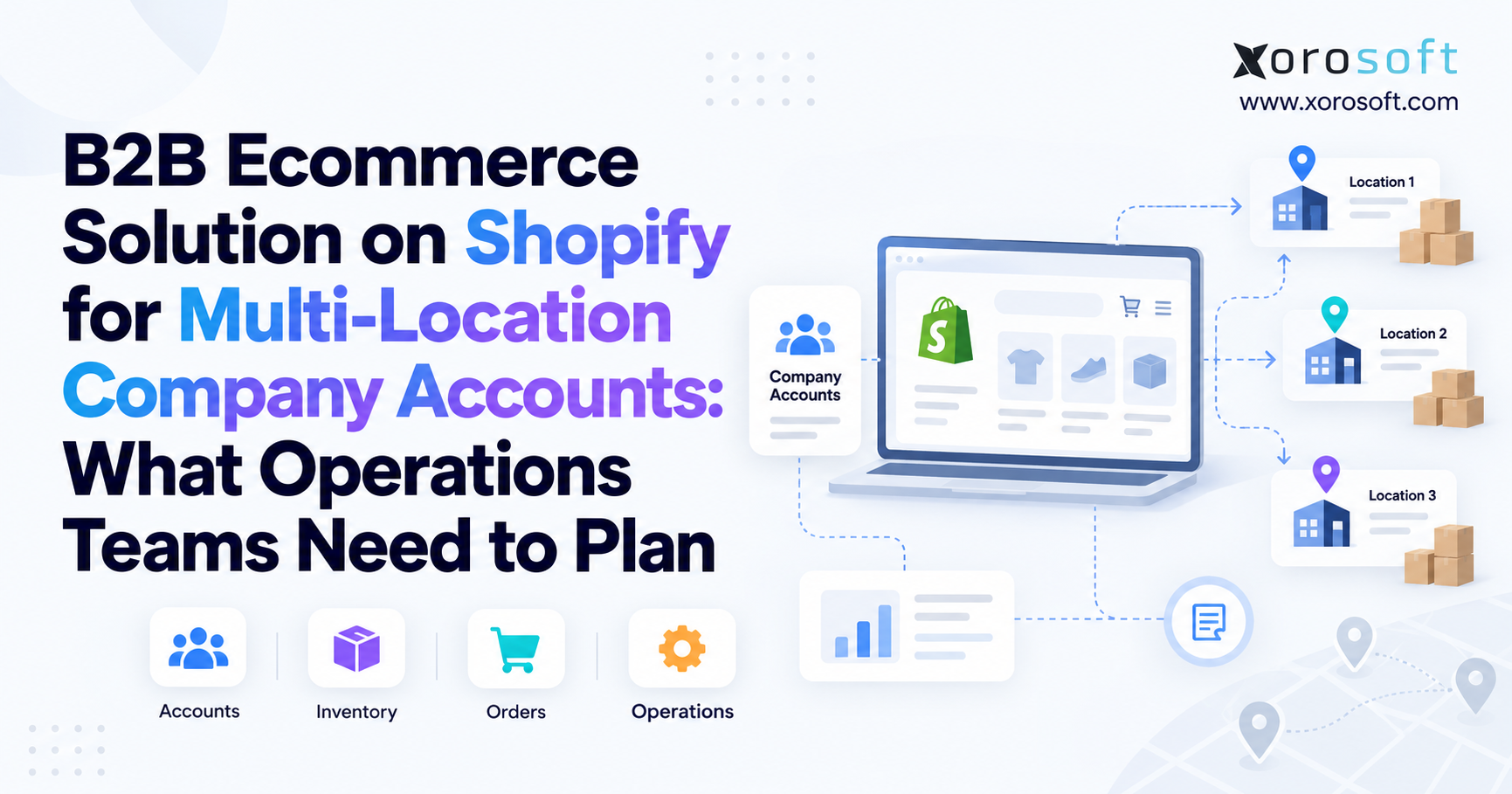
4.1. Shopify Company Locations Versus ERP Customer Records
For instance, a retailer can operate a head office and ten stores. Buyers may be authorized for selected stores only; shipping addresses, tax settings, and terms can differ by location. Shopify’s CompanyLocation API recognizes those relationships. By comparison, an ERP may represent the same organization with parent customers, subcustomers, bill-to accounts, and multiple ship-to addresses.
For a Shopify B2B ERP comparison, ask the implementation team to show the exact mapping rather than a generic customer-sync screen. The test should preserve the correct company, buying location, external identifier, invoice recipient, and shipping destination when orders are imported or edited. Buyers moving between locations must not accidentally inherit another branch’s permissions or pricing.
4.2. Tax and Currency Rules Need Separate Validation
In addition, US and Canadian wholesalers may serve tax-exempt resale customers, cross-border buyers, and branches that transact in different currencies. The storefront’s customer tax flags and currency presentation are not substitutes for appropriate invoice tax treatment or financial reporting. Those outcomes depend on the applicable jurisdictions, legal entities, and transaction details.
For example, compare one domestic order with a representative cross-border order. Verify the currency on the order, invoice, payment, refund, and general ledger. Also test changes to a company’s tax status after an order exists. Finance should approve the resulting workflow, with tax advisers reviewing rules that depend on law rather than software design.
One overlooked risk is the difference between a parent company’s credit policy and its individual buying locations. Some distributors hold the entire account responsible for all branch purchases; others apply distinct limits or invoicing requirements. Before syncing customers, decide whether a branch can spend against the parent’s available credit and who receives collection notices. Without that rule, two correctly imported orders can still create the wrong exposure calculation.
5. Xorosoft vs NetSuite: B2B Pricing and Catalog Rules
5.1. Price Ownership Must Be Settled Before Synchronization
Wholesale pricing often combines base lists, customer discounts, quantity breaks, promotional exceptions, and contract-specific products. If a company maintains the authoritative agreement inside ERP, Shopify must reflect those approved rules. If the storefront controls promotional pricing, ERP must receive the agreed price and the information needed to explain the discount later.
Shopify permits overlapping catalogs and specifies how eligible prices resolve. Its B2B catalog guidance explains that where multiple catalogs provide prices for the same product, the lowest applicable price is displayed. That creates a test requirement for brands that combine seasonal discounts with annual contracts. As a result, a lower visible price may be correct under platform rules yet inconsistent with the commercial agreement a buyer expected.
5.2. Shopify B2B ERP Comparison: Catalog and Pricing Integrations
In particular, a useful distinction appears in Oracle’s Shopify B2B Connector documentation. Oracle documents catalog and price-list synchronization, but states that its catalog assignments apply at company level to all locations; per-location catalog assignment through that documented connector flow is not supported. That limitation should not be confused with Shopify’s own ability, on Plus, to assign catalogs to locations.
In a Shopify B2B ERP comparison, test whether each vendor can support account-level and branch-level pricing through standard configuration, another integration route, or customization. No comparable field-level claim about the other system should be accepted without seeing the actual process. Also verify fixed-price overrides, minimum order quantities, currency-specific lists, and the results of changing a price after an order was submitted.
6. Shopify B2B Payment Terms, Credit Approval, and ERP Order Release
6.1. Checkout Terms and Receivables Are Different Responsibilities
A Net 30 order creates an obligation, not immediate cash. Shopify’s B2B payment terms guide describes net periods, payment collection, and deposits where the plan permits them. Finance must still track open receivables, customer exposure, unapplied receipts, aging, and invoice status. Payment expiration does not automatically capture a saved card simply because the due date passes.
For a customer with a $60,000 credit limit, $47,000 outstanding, and a new $18,000 order, the business must specify whether unbilled orders or deposits affect exposure. The policy may place the new order on hold, permit a partial release, or require authorization. The ERP should preserve the reason and the approver’s identity, rather than leaving warehouse staff to infer approval from an order’s presence in a queue.
6.2. Shopify ERP Order-to-Cash Testing Goes Beyond Order Import
Therefore, every Shopify B2B ERP comparison should follow an order through submission, approval, allocation, shipment, invoicing, deposit application, and final settlement. A partially shipped order may require more than one fulfillment confirmation and a particular invoicing schedule. Returned goods may create a credit memo and inventory disposition that occur on different dates.
In addition, require idempotent integration behavior: retrying an event should update or recognize the existing transaction rather than create a duplicate invoice or payment. Verify that users can trace a Shopify order ID to its ERP sales order, customer invoice, payment reference, and general-ledger posting. If exceptions require manual work, record how often, by whom, and under what control.
7. Xorosoft vs NetSuite: Shopify B2B Inventory Allocation
7.1. On-Hand Stock Is Not the Same as Sellable Stock
For example, an item can physically exist in a warehouse without being available to promise. Units might be reserved for another customer, awaiting quality approval, damaged, or protected as safety stock. Accordingly, a simplified sellable quantity is on-hand stock minus applicable reservations, unavailable units, and channel buffers. However, actual formulas depend on whether any stock statuses overlap and whether incoming supply can support a promised date.
Suppose a warehouse records 600 units. Of those, 210 are already reserved, 35 are quarantined, and 40 form a protected buffer. In this simplified case, 315 units are available to offer. If Shopify shows 600 while ERP recognizes only 315 as sellable, the integration is moving an incorrect business definition even if its technical synchronization is fast.
7.2. Shopify Wholesale Inventory Pools Still Need Allocation Rules
A merchant selling through Shopify B2B, DTC, Amazon, and EDI partners can share one physical inventory pool. However, the company may prioritize contracted wholesale commitments or protect quantities for retail demand. Consequently, those rules determine what each channel can promise. Blindly publishing one global balance to every channel can create accidental competition for the same goods.
For a Shopify B2B ERP comparison, ask how hard reservations, soft allocations, backorders, cancellations, and incoming purchase orders change availability. Test the same SKU in two simultaneous channels. The passing result is not only a correct ending stock number: neither customer should receive an impossible promise, and operations must know which order has priority.
8. Shopify B2B Warehouse Execution, Split Shipments, and 3PL Visibility
8.1. Allocation Decisions Must Reach the Warehouse Accurately
Inventory and warehouse management are connected but distinct. ERP may decide which facility should fulfill an order, while a WMS manages receiving, putaway, scanning, picking, packing, and shipping. Warehouse location, bin-level availability, damaged status, and carrier requirements can all change what is practical to fulfill.
Therefore, a business comparing ERP suites should check whether warehouse functionality is built into its licensed configuration, provided through an additional module, or delivered by a third-party system. The public XoroWMS warehouse management overview describes execution workflows, while Oracle’s WMS documentation describes NetSuite warehouse operations. Both require a scope-specific demonstration to establish what is included and how staff will work.
8.2. Shopify B2B Partial Fulfillment Tests System Consistency
Consider a furniture distributor receiving an order for 120 units. Warehouse East has 75 available, Warehouse West has 30, and the remaining 15 will arrive from a supplier next week. The customer may permit two shipments and a backorder. That instruction should persist from sales approval into pick waves, carrier tracking, customer notifications, and invoice timing.
Accordingly, the live comparison should show how each proposed architecture records all three portions without making the unshipped units disappear. Then cancel part of the backorder and receive a return from the first shipment. The available balance, customer credit, and invoice must still reconcile. This is much more informative than counting the number of warehouse features on a product page.
9. Shopify B2B ERP Integration Architecture and Reliability
9.1. Make Every Data Flow Directional and Accountable
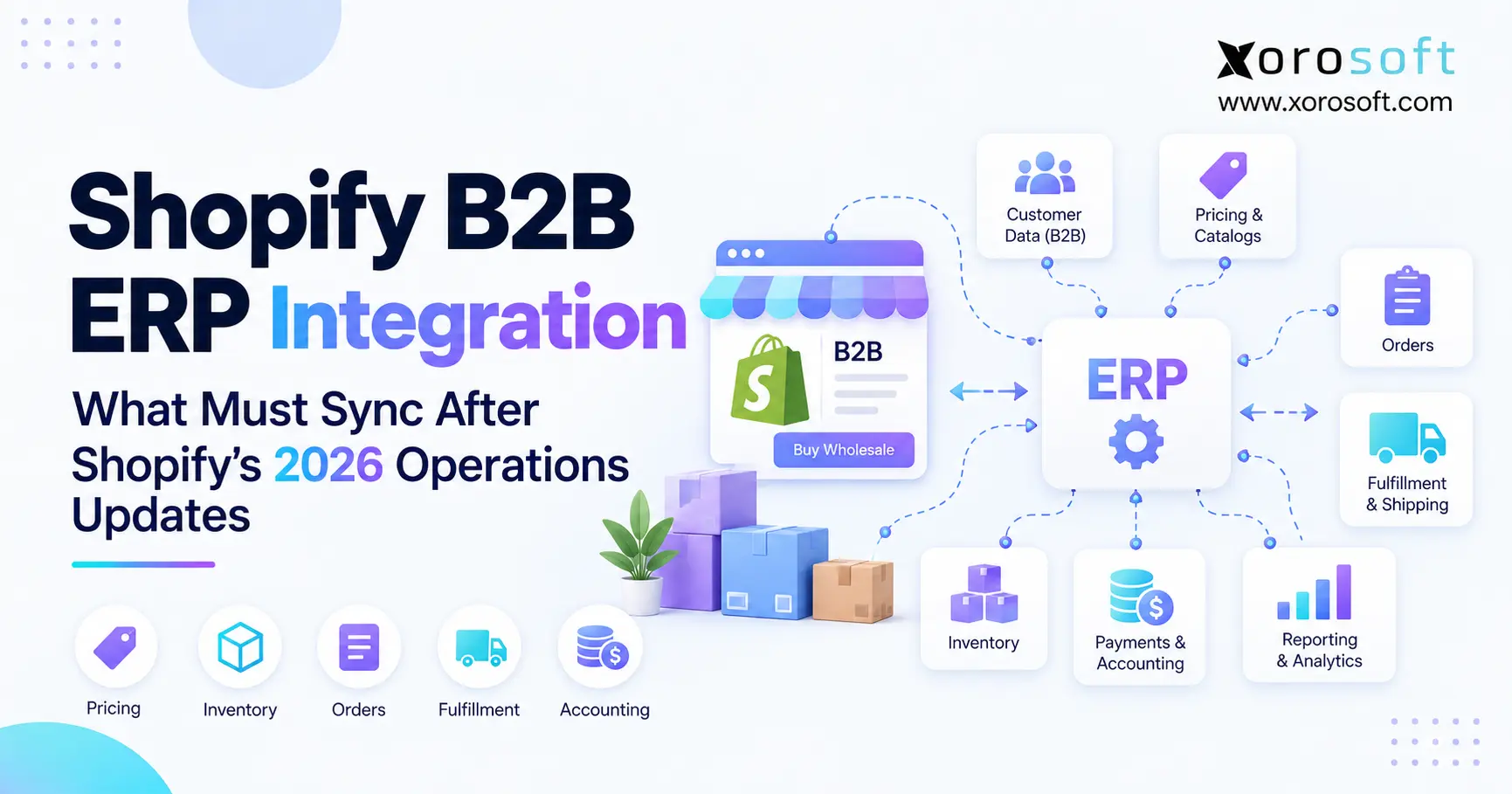
An integration specification should name the source of truth, destination, matching key, update trigger, retry method, and business owner for every important object. Orders usually originate in Shopify and enter ERP; fulfillment and tracking often flow back. Product information, customers, contract prices, inventory, and payments may require different directions depending on the operating model. However, a sync labeled “two-way” is not enough: conflicting updates need a documented rule.
For example, when a sales representative changes a customer’s address in ERP while the customer edits the shipping location in Shopify, which update wins? Should a closed invoice be changed when someone edits an order description? Ultimately, the decision belongs to the business, but the architecture must enforce it predictably. Xorosoft’s integration ecosystem overview describes connections across ecommerce, marketplaces, EDI, and operational systems; confirm the actual connector and data ownership for the merchant’s setup.
9.2. Compare ERP Integration Outcomes, Not Connector Status
For instance, Oracle documents NetSuite Connector flows for B2B orders, companies, inventory, catalogs, fulfillments, invoices, refunds, deposits, and payments. Some flows involve prerequisites, flags, or mapping rules. A Shopify B2B ERP comparison should use the same scrutiny for each candidate’s configuration, including connector versions and contracted support responsibilities.
Additionally, track reconciliation differences, failed orders, missed payments, inventory freshness, duplicate records, and the time taken to recover from errors. For that reason, a dashboard showing that API requests succeeded is less useful than a report proving every shipped order has the correct customer, invoice, and payment state. Require vendors to demonstrate how staff locate and replay failed events without duplicating transactions.
For reference, the Xorosoft ERP listing on the Shopify App Store provides an external reference for Shopify connectivity. It does not, by itself, prove that every advanced Shopify B2B field synchronizes in every implementation. Treat app presence as evidence of an available integration path, not a substitute for end-to-end testing.
10. Shopify B2B ERP Comparison: Xorosoft vs NetSuite Capabilities
10.1. Separate Published Capability From Tested Operational Fit
A fair Shopify B2B ERP comparison recognizes that NetSuite has published Shopify B2B Connector capabilities. Oracle documents company synchronization, catalog and price-list flows, inventory, fulfillment, refunds, invoices, deposits, and payment handling. Some features require particular settings, and its documented catalog sync applies prices at company level rather than separately per company location.
Xorosoft publishes integrated cloud ERP, accounting, inventory, purchasing, warehouse, manufacturing, and ecommerce capabilities. That supports its consideration as an inventory-oriented ERP option. However, the precise Shopify B2B mapping for company locations, catalogs, order edits, credit rules, and invoices still needs implementation-specific proof. The broader Xorosoft and NetSuite ERP comparison offers general platform context; this article addresses the narrower wholesale operating model.
| Evaluation area | NetSuite: documented or scoped | Xorosoft: documented or scoped | What to demonstrate |
|---|---|---|---|
| Shopify B2B company records | Connector company sync documented | Ecommerce connection described; location mapping to verify | Parent, branch, buyer, and bill-to links |
| Company and catalog pricing | Connector catalog sync documented; per-location assignment limitation | Wholesale pricing capability; exact Shopify catalog flow to verify | Two branches with different contracts |
| Terms, deposits, and invoicing | Connector financial flows documented; configuration matters | Integrated accounting; Shopify financial mapping to verify | Deposit, partial shipment, final invoice |
| Inventory and warehouse | ERP and WMS capabilities; confirm module scope | Integrated inventory and WMS positioning | Channel reservations and split fulfillment |
| EDI and manufacturing | Requirements depend on modules and partner setup | EDI partner and production functionality described | Actual trading-partner and work-order scenarios |
| Implementation and cost | Written scope and quote required | Written scope and quote required | Five-year like-for-like ownership model |
10.2. Score Shopify B2B Exceptions and Evidence Quality
Nevertheless, an impressive demonstration of a simple order is not enough. Ask each vendor to show what happens when an order changes after allocation, a branch has different terms, a payment arrives late, or an inventory sync fails. Classify capabilities as native, configured, integrated, custom, unverified, or unsupported. Those labels reveal the expected support burden far better than a binary yes-or-no feature grid.
Ultimately, the Xorosoft vs NetSuite Shopify B2B decision should not be predetermined. It should emerge from complete transactions, traceable evidence, and the total cost of supporting the required exceptions.
11. Shopify Wholesale ERP Requirements Beyond Ecommerce
11.1. Follow Transactions Into the General Ledger
Wholesale ERP software has to account for sales, returns, freight, customer deposits, inventory valuation, and cost of goods sold. A Shopify order imported correctly may still produce an incorrect financial outcome if shipping charges, tax, discounts, or refunds are mapped inconsistently. Finance should test a complete accounting period, not just the first invoice that successfully posts.
Likewise, purchasing needs the same rigor. Buyers should be able to see stock availability, supplier lead times, open purchase orders, incoming shipments, and forecast demand in one consistent planning process. The XoroERP operations overview describes combined customer, purchasing, inventory, and accounting functions; a buyer should examine those functions using its chart of accounts, approval limits, and procurement workflows.
11.2. ERP Requirements for EDI and Manufacturing Orders
For example, a brand may accept dealer orders on Shopify while its largest retail partners send EDI 850 purchase orders. Those partners may expect 855 acknowledgements, 856 advance ship notices, and 810 invoices. A manufacturer may additionally need bills of materials, component reservations, work orders, and material requirements planning. Consequently, these processes affect the very same stock that Shopify is promising to online customers.
For that reason, an ERP evaluation should include upstream supply and non-Shopify demand. Ask who owns EDI acknowledgements, where partner-specific compliance errors appear, and whether production can reserve components without making finished goods prematurely available. Otherwise, a successful ecommerce integration can conceal gaps in the broader operation.
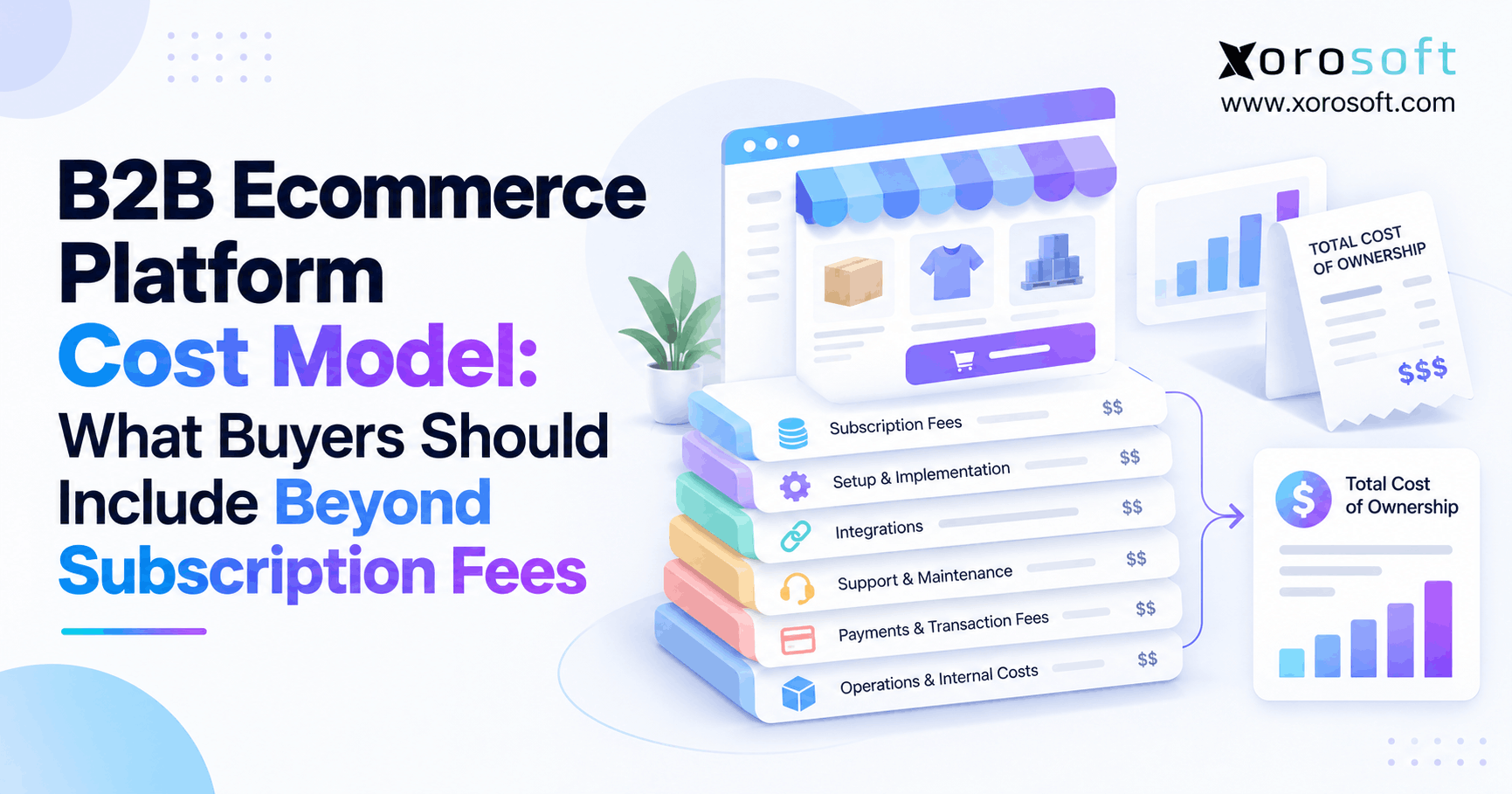
12. Shopify B2B ERP Cost and Five-Year Ownership
12.1. Xorosoft vs NetSuite Cost: Compare Equivalent ERP Scopes
Although subscription fees are visible, implementation services, integration maintenance, training, and internal administration often require more investigation. NetSuite pricing depends on the licensed configuration and services. Xorosoft publishes plan information, but buyers still need a quote matching their users, warehouses, modules, connectors, data migration, and support requirements. A free-to-install Shopify app listing is not evidence that the associated ERP is free to operate.
For a meaningful Shopify B2B ERP comparison, use the same number of legal entities, SKUs, warehouses, sales channels, and wholesale customers in both requests for proposal. Compare annual renewals, implementation milestones, custom field work, reporting requirements, support coverage, and the responsibility for failed integrations. Exclude no important cost simply because one vendor packages it differently.
| Five-year cost element | What the buyer should request |
|---|---|
| Licensing and modules | Users, warehouses, entities, add-ons, and renewal terms |
| Shopify and EDI connections | Connector fees, custom mappings, and partner charges |
| Data conversion | Customer, inventory, open order, and financial migration scope |
| Deployment and training | Testing, warehouse devices, user training, and go-live support |
| Ongoing operations | Vendor support, internal administration, updates, and changes |
12.2. Treat Cost of Delay as a Measurable Operating Issue
Furthermore, a delayed implementation can extend duplicate subscriptions, temporary manual reconciliation, and data-cleanup effort. A failed cutover can interrupt order fulfillment or customer billing. Instead of claiming that one platform is universally cheaper or quicker, model the effect of each proposed schedule and the cost of maintaining current systems during transition.
In addition, request customer references or review relevant ERP case studies with similar industry and warehouse requirements. Case studies are useful for understanding implementation patterns, but their individual results should not be turned into guarantees for another business.
Finally, insist on a written list of exclusions in both proposals. If a vendor assumes the customer will provide clean opening inventory, complete EDI maps, or an internal project manager, price that responsibility explicitly. Also ask how changes in transaction volume, warehouses, legal entities, or connector usage affect renewal costs. A lower quote is not genuinely comparable when it transfers substantial work to the buyer without recording the work in the total ownership model.
13. Shopify B2B ERP Migration and Cutover Controls
13.1. Clean the Master Data Before Switching Systems
For example, ERP migrations commonly expose unresolved business definitions. A company may have duplicate customer accounts, inconsistent SKU names, conflicting warehouse locations, or old price lists that sales no longer recognizes. Moving those records unchanged simply transfers the ambiguity into the new system.
First, assign stable IDs to products, locations, companies, contacts, and financial accounts. Reconcile physical inventory against current system balances and identify open sales orders, open purchases, receivables, deposits, and returns. Decide which historical transactions must remain searchable and which can stay in an accessible archive. Document every conversion rule and its owner.
13.2. Rehearse ERP Cutover and Order Lifecycle Failure Cases
A Shopify B2B cutover should use a controlled test population: ordinary retail orders, credit-held wholesale orders, branch-specific pricing, deposits, partial shipments, cancellations, returns, and EDI demand. For each case, compare the original transaction with the record produced in ERP, WMS, and accounting. Confirm totals, quantities, customer associations, posting dates, and payment balances.
In an Xorosoft vs NetSuite Shopify B2B project, require a go-live plan that names the integration freeze point, inventory ownership switch, reconciliation schedule, rollback criteria, and support contacts. Run a final inventory and financial reconciliation before authorizing production transactions. Operational readiness is established by repeatable tests, not by completing a software installation checklist.
The project team should also rehearse a failed cutover. Decide how to stop new orders, restore the prior integration route, reconcile duplicate events, and communicate with warehouse staff and customer service. A rollback plan is not an expectation of failure; it prevents one technical incident from becoming an uncontrolled inventory or receivables problem.
14. Shopify B2B ERP Requirements by Industry
14.1. Shopify Wholesale ERP for Apparel and Sporting Goods
Apparel and sporting goods companies often manage high SKU counts, sizes, colors, seasonal buys, preorders, and retailer allocations. Demand forecasting may be useful, but the more immediate requirement is accurate availability by variant and warehouse. The system should distinguish incoming seasonal merchandise from goods that can ship today and should reserve committed units before publishing inventory to multiple channels.
A useful Shopify B2B ERP comparison scenario would have a wholesale retailer order a complete size run while DTC sales continue. Then change the delivery date and partial allocation. The ERP should preserve the customer’s commercial terms and produce a usable replenishment recommendation without silently reallocating committed stock.
14.2. Furniture, Food, and Manufacturing Operations
Furniture distributors face long supplier lead times, bulky freight, split shipments, and backorders. Food businesses may also require lot controls, shelf-life management, and traceability. Manufacturers add component shortages, bills of materials, work orders, and production planning. The criteria differ, even if all three businesses operate a Shopify storefront.
When choosing evaluation scenarios, consider the concrete workflows represented in the industries served rather than assuming one generic wholesale demo will cover every product category. A food operator should test traceability and stock rotation; a furniture operator should test partial delivery; a manufacturer should test component availability before a finished item is promised.
15. Shopify B2B ERP Comparison: Which System Fits?
15.1. Where NetSuite Can Be Compelling
Businesses with extensive multi-entity finance, complex reporting requirements, established NetSuite expertise, or a substantial NetSuite investment may have sound reasons to retain or select it. Its documented Shopify B2B Connector is a genuine advantage in evaluation because buyers can inspect published flows and identify limitations before implementation. The right decision may be to repair an integration or adjust configuration rather than replace the underlying ERP.
Nevertheless, those strengths do not remove the need to evaluate warehouse execution, the cost of required modules, connector-specific constraints, and the support model. An advanced finance platform can still be a poor operational fit if the required workflow is unnecessarily difficult to maintain.
15.2. When an Inventory-Driven Shopify ERP Alternative Makes Sense
For an operator who has outgrown accounting applications, spreadsheets, and disconnected inventory tools, a connected ERP may simplify daily execution. Xorosoft positions its business solutions around product-based operations such as wholesale distribution, retail, ecommerce, and manufacturing. That makes it relevant to evaluate, particularly where purchasing, inventory, WMS, and accounting must share reliable transactions.
Still, the Xorosoft vs NetSuite Shopify B2B choice requires proof of company-level and location-level data handling, credit policy, catalog behavior, and financial synchronization. Neither a broad product promise nor one impressive demo establishes long-term suitability. In particular, the best-fit vendor should explain what is standard, what requires setup, what is custom, and who maintains each connection.
16. Final Shopify B2B ERP Decision: Test Real Transactions
16.1. Use a Weighted Operating Scorecard
Weight your requirements before scoring software. One practical model allocates 25% to Shopify B2B workflows, 20% to inventory and warehouse execution, 15% to accounting and credit control, 15% to integration reliability, 10% to ownership cost, 10% to implementation risk, and 5% to support and future needs. Adjust the weights for your company; these are suggested evaluation criteria, not industry benchmarks.
Score each area on verified evidence from one to five, then multiply the score by its weight. More importantly, record every failed scenario and the cost of correcting it. Even so, a high total score cannot compensate for a critical control that prevents invoicing, exposes customer credit, or permits the same unit of stock to be sold twice.
16.2. Verify Required Shopify B2B Workflows Before Signing
For a useful Xorosoft vs NetSuite Shopify B2B decision, bring actual customer contracts, sample company locations, stock commitments, warehouse rules, invoice examples, and exception cases to both vendors. Request an implementation plan with named owners and measurable acceptance tests. Choose the system that can demonstrate the required outcomes at a sustainable five-year cost.
If the business needs help mapping its wholesale workflows, contact Xorosoft to discuss a personalized ERP assessment and demonstration. The aim should be to confirm operational fit, not to replace a working platform without evidence. A thoughtful ERP decision ends with clear ownership of orders, inventory, cash, and the exceptions that connect them.
FAQ
Which ERP is better for Shopify B2B: Xorosoft or NetSuite?
Neither is universally better. Compare wholesale pricing, credit approval, inventory allocation, integration requirements, and total cost using real transactions. Confirm critical features in live demonstrations.
Does NetSuite integrate with Shopify B2B?
Yes. Oracle documents connector flows for companies, catalogs, orders, inventory, fulfillment, and payments. Check configuration requirements and company-location pricing limitations.
Does Xorosoft integrate with Shopify?
Yes. Xorosoft offers Shopify connectivity alongside inventory, accounting, and warehouse operations. Test exact B2B company-location mappings, payment terms, and return workflows before purchasing.
Can Shopify B2B support customer-specific pricing?
Yes. Shopify supports B2B catalogs, but direct company-specific catalog assignment requires Shopify Plus. Confirm contract prices and quantity rules synchronize correctly with ERP.
How can an ERP prevent Shopify overselling?
It can publish sellable inventory after reservations, unavailable quantities, and buffers. Test simultaneous B2B and retail orders across warehouses to confirm allocation rules.
Can ERP systems enforce wholesale credit holds?
Yes, when configured for credit approval and controlled order release. Test overdue balances, overrides, partial shipments, and warehouse holds to prevent unauthorized fulfillment.
What affects Shopify B2B ERP implementation cost?
Costs depend on licenses, connectors, data migration, custom pricing, warehouses, EDI, training, and ongoing support. Compare five-year quotes against identical operational requirements.
Recent Posts
-
 Xorosoft vs NetSuite for Shopify B2B Operations in 2026
 -
 How to Manage Shopify B2B Payment Terms Without Breaking AR and Order Release
 -
 Supplier Performance Benchmarks 2026: Lead Time, Fill Rate, and Defects
 -
 Inventory Management for Target Plus Sellers Expanding Beyond Shopify
 -
 What Is an ERP Conference Room Pilot and Why Should Buyers Require One?