If you’re looking to optimise your wholesale process, understanding Shopify B2B payment terms is essential for a smooth transaction experience.
1. Where Shopify B2B Payment Terms Create AR and Fulfillment Risk
1.1 Separate Shopify Payment Terms From Credit Decisions
Shopify B2B payment terms define a payment schedule, such as Net 30 or Net 60, for an eligible company location or draft order. That schedule answers one question: when does the customer owe the money? A credit policy answers a different question: how much additional exposure is the seller prepared to accept? A customer can have valid Net 30 terms and still exceed the company’s credit limit.
The 2026 Atradius North America survey found that 43% of surveyed B2B sales used credit terms and 23% of receivables were overdue on average. Those are regional business figures, not Shopify-specific benchmarks. They help explain why the distinction matters.
Order acceptance creates a third decision. A submitted order can be commercially valid without being ready for a warehouse to fulfill. Finally, accounting must determine when to issue and post a financial invoice under the company’s contractual and accounting policies. Treating these four decisions as a single paid-or-unpaid flag creates unnecessary holds for healthy accounts and risky releases for overdue ones.
1.2 Track B2B Orders From Checkout to Collection
Imagine that a buyer orders 200 units across two warehouses. Shopify records the buyer, company location, products, price, taxes, and terms. Finance checks exposure and any overdue balance. Operations confirms availability and shipping conditions. The warehouse starts picking only after the designated teams approve the order, while accounting creates the appropriate financial documents and later applies customer payments.
At each handoff, something can go wrong. An order might import twice, a customer location might map to the wrong account, or a payment might appear in Shopify before finance allocates it against the open invoice. A dependable process preserves the original Shopify order identifier and records who approved each consequential change. Systems should share visibility, but each financial and release decision should have one accountable owner.
1.3 Define AR and Order-Release Ownership Before Automation
A useful operating model assigns payment-term approval to finance, order capture to Shopify, open AR to the accounting system, inventory commitment to the inventory authority, and physical release to the warehouse process. Sales can request an exception without silently changing the approved credit policy. Warehouse staff should see a clear release instruction rather than interpret payment history themselves.
Document what happens when systems disagree. If Shopify shows pending payment while accounting shows an approved invoice that is not yet due, that is normally consistent with a credit sale. If an integration fails and finance cannot confirm the credit decision, the release workflow should enter a review state. Ambiguous data must lead to investigation, not an automatic shipment.
2. Configure Shopify B2B Payment Terms Around Actual Customer Agreements
2.1 Compare Shopify B2B Net Terms, Due on Fulfillment, and Fixed Dates
According to Shopify’s payment-terms documentation, the platform supports Net 7, Net 15, Net 30, Net 45, Net 60, and Net 90 terms, together with due on fulfillment. Standard Net periods start when a customer places the order, not when the last carton ships. With the standard due-on-fulfillment option, payment becomes due once the merchant fulfills every item on the order. Merchants can apply a fixed-date term to an individual draft order. These details matter when delivery takes longer than planned or a wholesale order spans several shipments.
| Shopify term | When payment is due | What operations should verify |
|---|---|---|
| Net 30 | 30 days after order placement | Agreed due date and shipment lead time |
| Net 60 | 60 days after order placement | Credit exposure and aging review |
| Due on fulfillment | After all items are fulfilled | Split shipments and backorders |
| Fixed date on a draft order | The selected calendar date | Contractual approval and invoice date |
A customer asking to pay 30 days after delivery is not necessarily asking for Shopify’s standard Net 30 logic. Translate the negotiated agreement into a supported configuration and test how it behaves on delayed orders.
2.2 Set Shopify B2B Payment Terms by Company Location
In Shopify admin, open Customers, then Companies, choose the company, and select its location. Edit the payment terms for that location and save the agreed schedule. Shopify can also apply terms across all locations in a company. However, location-specific settings are important when the same corporate group has separate purchasing branches, billing entities, or credit arrangements.
A Canadian distributor might allow one branch Net 30 and another Net 60. Each branch may also have a different billing address, tax treatment, catalog, and buyer contacts. The finance system needs a reliable mapping between the Shopify company-location ID and its accounting customer record. Without that link, a correct due date can still land on the wrong customer statement. Test a checkout order and a draft order for every material customer arrangement.
2.3 Govern Changes to Wholesale Payment Terms
Payment terms should reflect a documented customer agreement. Establish who can approve new terms, when they take effect, and who records exceptions. If the company changes an account from Net 60 to Net 30, determine whether the change applies only to future orders or requires explicit review of existing transactions. Do not assume a new customer setting retroactively corrects an already-posted invoice.
Plan availability also matters. Shopify currently supports native Net terms across its Basic, Grow, Advanced, and Plus B2B offerings, while native deposit requirements, partial B2B payments, and payment requests per fulfillment are Shopify Plus capabilities. Before promising a customer split-payment terms or deposit collection, verify the store plan and intended payment method. The commercial agreement must not depend on an untested feature.
3. Turn Shopify Net 30 and Net 60 Into Reliable Accounts Receivable
3.1 Decide When a Shopify B2B Order Becomes an AR Invoice
Under Shopify B2B payment terms, an order, a customer-facing payment request, and a posted AR invoice are related records, but they are not automatically the same document. A merchant may accept an order before shipping goods, and an accounting invoice may follow a separate contractual event. Revenue recognition is another decision governed by the applicable accounting standards. A sound integration respects the finance team’s posting policy instead of creating a ledger entry whenever any order status changes.
Choose one application as the authoritative source for invoice numbers, open balances, credits, and customer aging. Preserve the Shopify order ID as a reference, then maintain a deliberate relationship to one or more financial invoices. This matters especially for partial shipments, combined invoices, and orders that buyers or staff amend after checkout. Otherwise, a seemingly harmless synchronization retry can create an extra receivable.
3.2 Reconcile Invoice Prices, Freight, Taxes, and Currency
A buyer may see a confirmed $8,500 Shopify order that later incurs an approved freight adjustment. The accounting invoice can legitimately differ, but finance must explain that difference through a documented transaction rather than a manual change with no audit trail. Discounts, return allowances, duties, and sales taxes create similar reconciliation needs. Every amount should carry a clear currency and source reference.
For US and Canadian accounts using Shopify B2B payment terms, store transaction currency separately from accounting currency where they differ. Define which system calculates exchange rates and how accounting posts realized currency differences when payment arrives. Reconciliation should compare the component amounts, not only the grand totals. A variance report that says ‘$120 difference’ is less useful than one that identifies freight, tax, rounding, and exchange movements separately.
3.3 Protect Net Payment Due Dates and AR Aging
AR aging should rely on the due date recorded against the actual accounting obligation. If terms change next month, finance should not silently rewrite every earlier invoice’s due date. Similarly, manual extensions and disputed invoices need documented approvals, with original and revised dates traceable for collection reporting.
Shopify B2B payment terms are useful inputs, but payment status and due-date data still need reconciliation with the financial ledger. Use a daily control that compares newly approved orders, expected invoice creation, recorded payment schedules, and outstanding AR. Exceptions should identify missing documents, unexpected terms, duplicate invoices, or conflicting due dates. Resolving these small discrepancies each day is considerably easier than discovering them during month-end close.
4. Manage Shopify B2B Credit Limits Without Blocking Healthy Orders
4.1 Calculate Wholesale Credit Exposure Before Release
Credit exposure is more than the balance already overdue. Depending on company policy, it can include posted AR, approved but unbilled shipments, open orders that consume credit, and a new order awaiting authorization. Eligible credits may offset that exposure, but only when finance considers them valid. The calculation must avoid counting a shipment both as an open order and as a posted receivable.
Suppose a customer has a $25,000 credit limit, $14,000 of open AR, $4,000 of additional unbilled commitments, and a new $10,000 order. Exposure would reach $28,000 under a policy that counts all those commitments. The new order exceeds the limit by $3,000, even if the oldest invoice is not yet overdue. The correct response is an approval decision, not an assumption that the customer has failed to pay.
4.2 Set Wholesale Credit Override Rules for Exceptions
Wholesale accounts are rarely identical. A reliable buyer may need a short seasonal increase, while a new account might require prepayment until finance establishes a history. Set thresholds for automatic approval, credit-manager review, and executive exceptions. Record the order, customer, requested amount, existing exposure, reason, approver, and expiry of any override.
Make temporary authorization genuinely temporary. A one-time limit increase should not become a permanent company setting because somebody forgot to reverse it. Where the approved exception covers a specific purchase order, connect it to that order rather than the customer’s entire future account. Sales should be able to explain why the shipment matters; finance should determine whether the exposure is acceptable.
4.3 Separate Payment Disputes From Genuine B2B Credit Risk
An overdue balance can arise from a missing purchase-order reference, a short shipment, a freight dispute, or an actual payment problem. These situations need different treatment. Automatically blocking every customer with one late invoice can damage relationships without improving collection performance. Ignoring every overdue invoice because the sales team expects payment is equally risky.
Use reason codes for disputed, promised, under-review, and genuinely delinquent amounts. Define which categories reduce available credit and whether shipments require additional authorization. Document customer communications and expected resolution dates. Shopify B2B payment terms provide the due-date framework, but a responsible credit decision depends on the wider customer account and the quality of the underlying financial data.
5. Keep Shopify B2B Order Approval Separate From Warehouse Release
5.1 Review B2B Draft Orders Before Confirmation
Merchants can configure Shopify to route company-location orders through draft review instead of submitting those orders automatically. That is a useful first checkpoint for unfamiliar accounts, unusually large baskets, or products with restricted availability. The reviewer can examine pricing, delivery details, and credit eligibility before confirming the order.
Nevertheless, confirming a draft is not the same as authorizing every future warehouse action. Inventory may become unavailable, a fraud review may begin, or an approved order may change. An order that has passed commercial review can still require a fulfillment hold. Define the exact event that communicates release eligibility, and ensure the warehouse receives it only after all required checks pass.
5.2 Preserve Independent Shopify Fulfillment Holds
Merchants, Shopify Flow, and connected services can place fulfillment orders on hold. Several holds can coexist. For example, finance may require credit review while operations holds the same shipment for missing inventory. Neither team should clear the other’s restriction merely because it resolved its own issue.
A particularly important technical detail is that Shopify Flow’s standard Release fulfillment order holds action releases all holds on the targeted fulfillment order. Therefore, a workflow that releases an order following credit approval must first verify every other blocking condition. This is not just a configuration nicety. An overbroad release can allow picking or shipping while an inventory, quality, or fraud concern remains unresolved.
5.3 Keep Order Release on Hold When Credit Data Is Missing
Create an explicit Shopify B2B payment terms release policy. In a typical model, the process must confirm customer identity, approved terms, sufficient credit, required deposits, and clearance of every blocking hold. The system must not treat a missing credit response as approval. Likewise, a delayed webhook is not evidence that the warehouse can proceed.
An effective release record shows the approval version, timestamp, policy outcome, and relevant fulfillment-order IDs. When warehouses split an order, the release workflow may need to assess each fulfillment order separately. Test simultaneous approval and cancellation events, repeated webhooks, and orders whose inventory location changes. Safe automation handles these timing problems deliberately instead of depending on the order of messages arriving by chance.
6. Reconcile Shopify B2B Payments Before AR Aging Breaks
6.1 Match Shopify B2B Payments to Correct Invoices
A payment arriving in the bank is not the end of the collection process. Finance still needs to apply it against the right invoice, identify deductions, and confirm whether the customer’s available credit should increase. This becomes difficult when one buyer settles several invoices with one transfer or pays an amount that does not match any individual open document.
Build cash application around the company or location identifier, remittance advice, transaction reference, currency, bank receipt, and invoice balance. Route unmatched money to an unapplied-cash queue instead of forcing it onto the oldest invoice. Keep evidence of who applied or reallocated each payment. Reliable Shopify B2B payment terms reporting depends on accurate application just as much as on correct dates.
6.2 Handle Shopify B2B Deposits, Partial Payments, and Early Receipts
For eligible Shopify Plus B2B configurations, merchants can require a percentage deposit and accept native partial payments. If an order for $15,000 requires a 20% deposit, the initial payment is $3,000 and the remainder is $12,000. That remainder may be due under the agreed payment schedule. The accounting treatment of the initial receipt depends on the company’s approved policy; receiving cash is not necessarily the same as recognizing revenue.
Customers can also pay before their scheduled due date. When money arrives early, update the relevant customer balance without creating a second invoice. Manual bank payments may need staff confirmation before Shopify reflects the payment. Reconcile payment events between systems instead of assuming both will update at the same time. Test deposits on draft orders separately from ordinary checkout purchases.
6.3 Use Payment Reminders and Vaulted Methods Carefully
Shopify supports B2B payment reminders and, with supported setup, customers can vault eligible payment methods. Reaching a due date does not automatically trigger a charge merely because a customer saves a card. However, a Shopify Flow action introduced in June 2026 can charge an eligible vaulted card or bank account when a payment schedule becomes due. This requires Shopify Payments and other applicable conditions, including US-only eligibility for vaulted bank-account debits.
A collection workflow should account for declined payments, disputes, duplicate attempts, and changes to a customer’s agreed schedule. Coordinate automated reminders with the AR team so a recently received bank transfer does not trigger an inappropriate chase message. Test whether the payment result reaches the financial ledger before the business adjusts credit availability.
6.4 Reconcile Wholesale Credits and Month-End AR Adjustments
Refunds, credit notes, chargebacks, and inventory returns are different events. A customer may receive a price allowance without returning goods, or return a damaged product without receiving an immediate cash refund. Accounting needs to preserve the reason for the adjustment and its impact on tax, revenue, and the open receivable. Warehouse staff need a separate record of what happened physically.
Before month-end close, compare posted invoices, credit notes, customer receipts, unapplied cash, and outstanding Shopify payment schedules. Investigate differences by transaction reference and age. Do not clear a balance simply to make two totals match. A reconciliation that explains why records differ is more valuable than a spreadsheet that conceals unresolved items.
7. Design Shopify-to-ERP Synchronization That Cannot Double-Post Invoices
7.1 Define the Shopify ERP Invoice System of Record
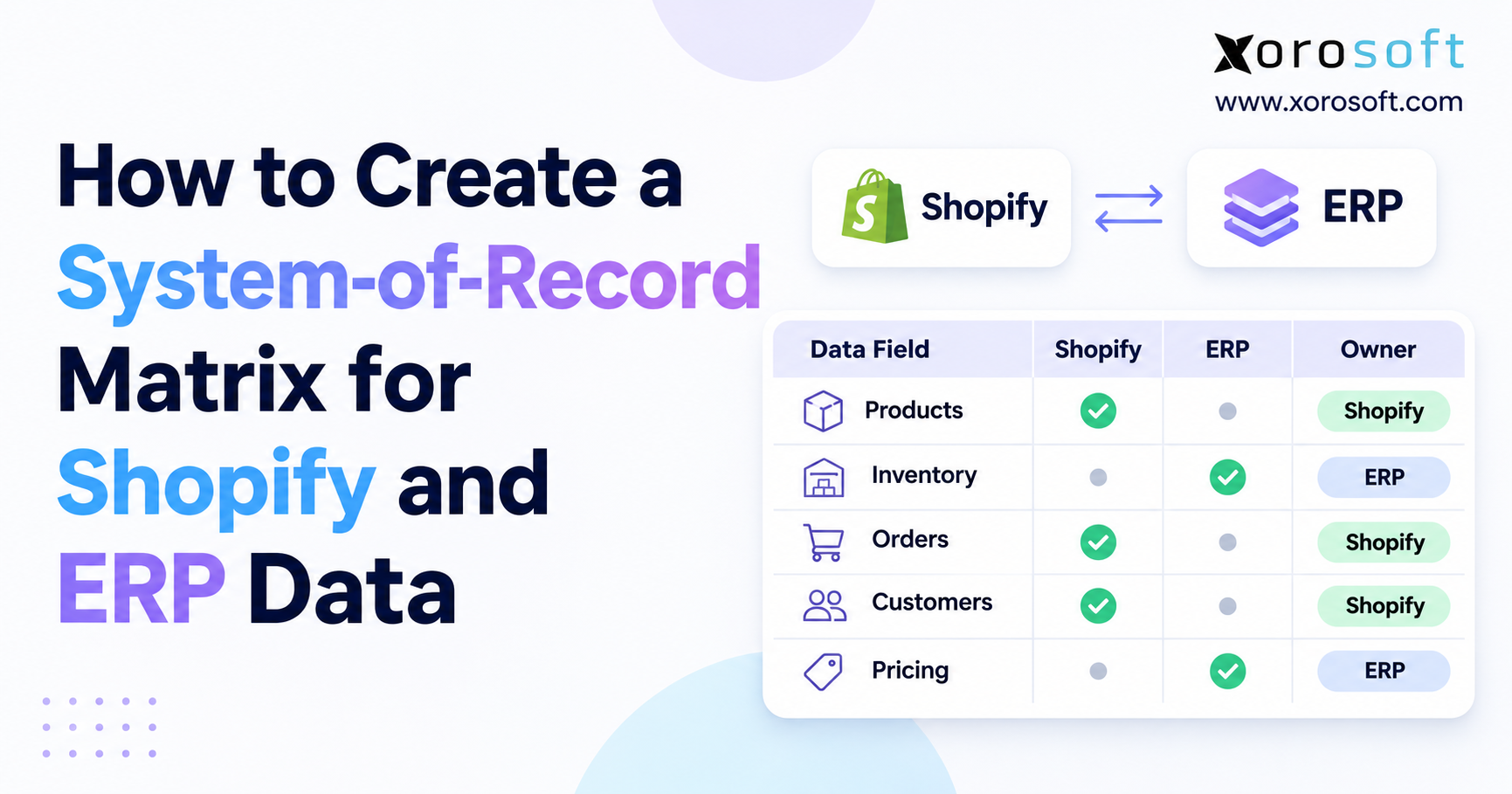
An integration needs a field-level ownership agreement before the first order imports. Shopify generally originates the ecommerce order and company-location context. The accounting platform should own posted invoices, AR balances, and cash application when finance designates it as the financial system of record. A warehouse system manages physical picks and confirmations, while an approved policy service or ERP may govern release eligibility.
The tricky cases are one-to-many relationships. One Shopify order may create multiple shipments and, depending on accounting policy, more than one invoice. Conversely, one customer payment may settle several invoices. Keep separate identifiers for each record and never treat a shared customer name as a reliable join key. The integration design should preserve document lineage from the order through settlement.
7.2 Map Payment and Order Events Across ERP Integrations
A typical event map includes order creation, customer validation, credit status, inventory allocation, fulfillment confirmation, invoice posting, payment application, and return authorization. For each event, specify the source, destination, required fields, response time, and recovery action. Pay special attention to amendments after order creation: a changed ship-to address or amount may invalidate an earlier approval.
Platforms such as Xorosoft provide ERP integration options for connected commerce and operational workflows. Still, the business should verify exactly which Shopify fields and events the selected connector supports. An integration demonstration needs to show real company-location IDs, terms, payment schedules, and fulfillment outcomes, not simply prove that an order can import.
7.3 Prevent Duplicate Shopify B2B Invoices During Sync Retries
Webhooks can arrive more than once. A downstream API can time out after successfully creating an invoice, leaving the sending system uncertain about the result. If every retry creates a fresh document, AR will rapidly become unreliable. Use stable source IDs, idempotent processing, durable event logs, and checks against documents already created before retrying.
XoroERP is one platform businesses may evaluate for integrated order and financial processes. Its Shopify App Store listing describes ecommerce, wholesale, inventory, and finance integration; the implementation team must verify the actual configuration and supported field mappings. Regardless of platform, the exception queue should display failed transactions, the last successful step, and the responsible owner. Finance should have an independent order-to-invoice reconciliation report.
8. Stress-Test Wholesale Payment Terms Across Warehouses and Returns
8.1 Model Shopify Split Shipments Before Promising Due Dates
Suppose a furniture distributor accepts a $20,000 order with $12,000 available now and $8,000 arriving next month. A warehouse may ship the first portion immediately, but the payment schedule does not necessarily split the way the shipment does. Shopify’s standard due-on-fulfillment setting makes the balance due after the merchant fulfills the entire order; Plus merchants can also evaluate supported payment requests per fulfillment.
Finance must decide whether the customer agreement calls for one invoice, staged invoices, or a deposit plus final balance. Operations should not invent invoice dates based solely on warehouse events. Test the scenario through the chosen accounting integration, including canceled backordered items, revised quantities, and payments received between shipments.
8.2 Prevent Warehouse Release From Outrunning Credit Updates
A single order can produce multiple fulfillment orders when Shopify assigns inventory to several locations. Credit approval for the commercial order does not remove the need to evaluate all operational holds. The inventory system may reserve stock while a fulfillment hold still blocks shipping; conversely, a reservation is not evidence of credit clearance. This distinction matters when a warehouse team uses scanners and short pick windows.
Businesses evaluating Xorosoft’s connected warehouse execution can review XoroWMS in the context of their own order-control requirements. The test should trace a specific credit-held order through release, picking, packing, shipping, and any return. Confirm what happens if finance revokes approval after allocation or if one warehouse has shipped while another remains on hold. Those exception paths reveal more than a routine demo.
8.3 Handle Returns and Cross-Border Wholesale Payment Terms
Apparel businesses may accept partial returns after seasonal deliveries; food distributors may need lot or expiry checks; industrial wholesalers may ship to multiple job sites under one customer account. These variations affect credit exposure and operational status differently. A returned item should not automatically restore sellable inventory until the warehouse confirms its condition, and finance should not issue a credit without an approved reason.
Cross-border US-Canada orders add currency, tax, and freight considerations. Preserve the contractual billing entity and ship-to location even if they differ. When an EDI purchase order, Shopify checkout, and accounting customer record all represent the same buyer, map them deliberately. Shopify B2B payment terms should survive that journey without losing their original agreement or due-date meaning.
9. Choose Between Native Shopify Features, Apps, and an ERP
9.1 Know When Native Shopify B2B Payment Terms Are Enough
A merchant with a modest number of wholesale customers, standard Net terms, limited credit exceptions, and one well-controlled warehouse may not need a complex replacement system. Shopify can hold customer payment terms, support draft review, and manage relevant payment workflows. Paired with disciplined accounting and manual approval, that may be adequate for the current scale.
The limitation appears when different teams must repeatedly reconcile conflicting records. If staff keep credit approval in email, handle warehouse release in another app, and maintain the authoritative customer balance in a spreadsheet, the risk is no longer primarily about checkout. It is about disconnected business decisions.
9.2 Compare Payment Apps and ERP by System Ownership
An additional Shopify app may solve a narrow problem such as credit review or payment collection. A custom workflow can fit a specific policy but introduces maintenance requirements. ERP can bring accounting, orders, inventory, and warehouse activity into a common operating model. None of these approaches is automatically the right answer for every merchant.
| Operating need | Native Shopify plus accounting | Apps or custom workflow | Integrated ERP |
|---|---|---|---|
| Standard Net terms | Often sufficient | Possible extension | Synced under defined rules |
| Customer credit policy | Usually separate process | Depends on tool | Often part of broader controls |
| AR system of record | Separate accounting | Separate or connected | Common finance capability |
| Multi-warehouse release | Needs coordination | Depends on integration | Can be coordinated end to end |
Evaluate the total process, exception handling, ongoing support, and accounting audit trail. Avoid buying two applications that both believe they own the same status.
9.3 Know When Wholesale Operations Need ERP
Recurring invoice duplicates, manual credit overrides, shipments released during disputes, unexplained AR variances, and delayed month-end close are stronger upgrade signals than revenue size alone. For an inventory-driven business, an integrated platform such as XoroONE may be relevant because it combines financial, inventory, and warehouse functions. The key question is whether the proposed setup eliminates existing handoffs and gives staff reliable status information.
Ask vendors to demonstrate Shopify B2B payment terms using an actual account structure: one company, two locations, different terms, a partially shipped order, a credit exception, and a bank payment. Require a documented answer for which system changes each value. A polished dashboard cannot substitute for a transaction that balances correctly.
9.4 Evaluate Alternatives Without Assuming a Universal Winner
NetSuite, Acumatica, Business Central, and other ERP products may each support viable wholesale architectures. Compare total implementation effort, accounting controls, integration detail, warehouse process, customer support, and the cost of change. When reviewing the vendor’s own Xorosoft vs NetSuite comparison, treat it as one input and independently validate any claim that materially affects a decision.
The most meaningful comparison is a scripted operational test, not a feature checklist. Insist on seeing the same order pass through credit review, fulfillment, invoicing, a partial payment, and a return. That exposes where manual intervention remains necessary and helps finance estimate the real cost of errors.
10. Put Payment-Term Controls Into Daily Operations
10.1 Roll Out B2B Credit Controls in Stages
A sensible first month begins with an audit of active B2B company locations, their agreed terms, open invoices, existing credit limits, and fulfillment holds. Next, define document ownership and release rules. In the third stage, test high-risk transactions in a safe environment. Finally, roll out to a controlled group of accounts while tracking discrepancies and staff feedback.
Do not migrate every customer rule at once if the current AR ledger contains disputed or duplicated balances. Clean the customer mapping first, agree on opening balances, and establish a rollback approach. Appoint owners from finance, ecommerce, IT, and warehouse operations. Each group should understand which data it may change and where to report exceptions.
10.2 Test B2B Order and Payment Failure Scenarios
A proper acceptance test includes an ordinary Net 30 order, an over-limit account, a customer with an overdue but disputed invoice, a partial shipment, a canceled backorder, and a payment arriving before invoice posting. Also simulate a failed webhook, a duplicate import, and an order whose inventory location changes after approval.
Write down the expected order status, financial document, available credit, and fulfillment result for every scenario. Compare those expectations with actual system behavior. Published Xorosoft ERP case studies can provide useful context about industry workflows, but do not treat any case study as proof that a particular credit-release configuration is available out of the box. Only a test of the intended implementation provides that assurance.
10.3 Monitor AR Aging and B2B Order-Release Exceptions
Track overdue AR as a share of receivables, days sales outstanding, unapplied cash, duplicate invoice attempts, and orders released with unresolved mandatory holds. Add average credit-review time and integration exception age to reveal whether stronger controls are delaying legitimate orders. A useful scorecard balances financial protection with fulfillment service levels.
Investigate trends before setting targets. If overdue AR rises but credit-held orders fall sharply, release standards may have weakened. If every order needs manual approval, controls may be too restrictive or customer data may be unreliable. Review exceptions daily and analyze root causes weekly. Shopify B2B payment terms work best when finance and operations share a consistent picture of outstanding balances, approved orders, and shipments ready to leave.
11. Make the Next Shopify Wholesale Order Safer to Approve and Ship
11.1 Verify Payment Terms, Credit, and Release Ownership
First, confirm that every relevant company location has the correct payment agreement and that accounting knows the authoritative due date. Second, determine who calculates total customer credit exposure, authorizes exceptions, and records approval. Third, verify that no fulfillment order can move forward while a required financial, inventory, or compliance hold remains unresolved.
Those decisions form the minimum operating contract between ecommerce, finance, and warehouse teams. Once documented, automate the predictable steps and route genuine exceptions to people who can resolve them. Keep an audit trail that connects Shopify orders with invoices, payment applications, and shipment records. The objective is not to eliminate every manual decision; it is to eliminate decisions made from incomplete or conflicting information.
11.2 Choose the Next Step Based on the Actual Payment or Release Failure
If Shopify and the existing accounting system reconcile cleanly and operations controls warehouse release, continue improving that process. If teams regularly chase duplicate invoices, copy credit balances into spreadsheets, or stop shipments after picking has begun, evaluate the broader operating model before adding another app.
Xorosoft is one option for inventory-driven businesses comparing integrated finance, inventory, and fulfillment workflows. For a discussion based on real orders rather than generic product claims, contact Xorosoft to review your Shopify ERP requirements. Bring a sample Net 30 order, a credit-hold exception, and a split-shipment scenario. A solution should prove that it can protect AR accuracy and release the right orders at the right time.
FAQ
How do Shopify B2B payment terms work?
They set customer payment deadlines, such as Net 30 or due on fulfillment. They do not automatically approve credit or authorize shipping.
When does Net 30 start in Shopify B2B?
The 30-day period begins when the customer places the order, not when goods ship. Confirm the schedule matches the buyer’s agreement.
Can Shopify hold B2B orders until finance approves credit?
Yes. Draft-order review and fulfillment holds can delay processing. Configure the credit decision separately and confirm every hold before releasing shipment.
How do Shopify payment terms affect accounts receivable?
Terms establish due dates; accounting manages invoices, open balances, and payment application. Reconcile Shopify and AR records using consistent transaction identifiers.
How can you prevent duplicate Shopify B2B invoices?
Choose one AR system of record. Match Shopify order IDs to invoice IDs, prevent duplicate imports, and review failed synchronization events.
Can Shopify B2B customers make deposits or partial payments?
Native deposits and partial payments require Shopify Plus. Verify available payment methods and ensure each receipt updates the correct accounting balance.
What should happen when a B2B customer exceeds credit limits?
Hold the order for an authorized review, record any exception, and release fulfillment only after all required approvals and holds clear.
Recent Posts
-
 Ecommerce Delivery Statistics 2026: Cost, Speed, and Promise Accuracy
-
 How to Calculate Inventory Turnover by Channel, Warehouse and SKU
-
 ERP for Importers Managing Partial, Rejected, and Canceled Receipts
-
 Shopify B2B vs Wholesale Portal Software for Complex Accounts
-
 What Is Nonconforming Inventory and How Should ERP Control It?