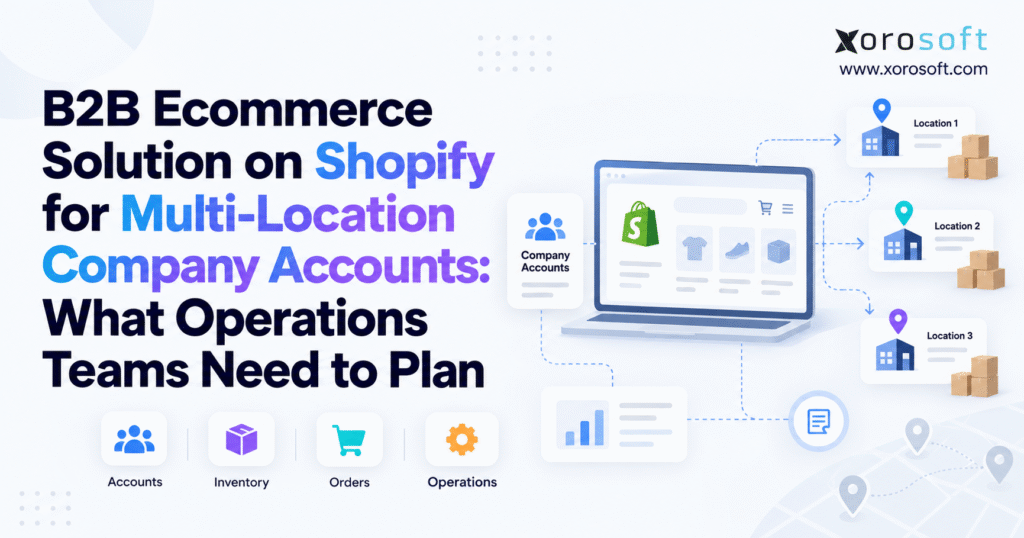
If you want to learn more about Shopify B2B company accounts, you’ve come to the right place.
1. Why Shopify B2B Operations Get Harder as Order Volume Grows
1.1 Shopify B2B company accounts extend beyond the storefront
B2B ecommerce can look simple when a company has a few wholesale customers, one warehouse, basic pricing, and one buyer per account. However, the operating model changes quickly when a single customer has many branches, several buyers, custom price lists, payment terms, different shipping points, and location-specific buying rules.
At that point, Shopify is only one part of the process.
Therefore, operations teams must decide how customer data, inventory, pricing, warehouse activity, purchasing, fulfillment, and accounting work together. A buyer may place an order through Shopify in a few minutes, but several teams and systems may need to process that order before the customer receives it.
That is why Shopify B2B company accounts need more than a storefront setup. Instead, they need an operating model.
A weak setup may still allow buyers to place orders. However, problems tend to appear later when the warehouse receives the wrong ship-to details, finance struggles to match invoices with parent accounts, or sales changes a contract price that never reaches ecommerce.
For that reason, the best time to solve those issues is before order volume exposes them.
1.2 Multi-location B2B customers create several account identities
Consider a sporting goods chain with 30 stores.
Its head office negotiates pricing. Meanwhile, regional managers may buy for several stores, local managers place replenishment orders, and a central finance team handles invoices and payments.
Creating 30 unrelated customers might look easier at first. However, that approach breaks the relationship between the stores and their parent business.
Instead, Shopify B2B company accounts can represent the wider commercial relationship while company locations represent the individual buying units.
As a result, this structure gives the seller a clearer view of the customer without removing the differences between stores.
Before setting up accounts, operations teams should answer three questions:
Who is the parent customer?
Which branches need their own company location?
Which buyers can purchase for each location?
Ultimately, those answers shape pricing, order routing, inventory access, credit rules, reporting, and customer service later.
2. How Shopify B2B Company Accounts Organize Customers
2.1 Start with the parent Shopify B2B company
A Shopify B2B company represents the main organization that the merchant sells to.
For example, NorthStar Sporting Goods might be the parent company. NorthStar Seattle, Denver, Dallas, and Toronto could then sit beneath that organization as separate company locations.
The parent record helps the seller keep the wider commercial relationship together. At the same time, it still supports different operating rules at each branch.
For Shopify B2B company accounts, that structure also supports cleaner account-level sales reporting, customer service, and commercial planning.
2.2 Use Shopify B2B company locations for real buying units
A company location can represent a store, branch, office, dealer, restaurant, franchise, job site, or other buying unit.
Each location may require its own shipping address, billing details, tax setup, payment terms, catalog, buyer access, or pricing rules.
Therefore, the company location is more useful than a simple address field.
For example, a restaurant group may have one parent company and 40 restaurants. Each restaurant receives goods separately, yet corporate finance handles payment.
Similarly, a furniture dealer might operate six showrooms but send all incoming freight to two receiving locations.
Because of these differences, the best structure follows how the customer actually buys, receives goods, and manages payment.
2.3 Connect B2B buyers to the locations they manage
The final layer is the buyer.
Some buyers purchase for one branch. Others handle several locations. In addition, corporate procurement may need access across the entire company.
Buyers with access to several company locations should select the location they are purchasing for before completing the order.
That choice can then affect pricing, catalogs, shipping details, payment terms, and tax treatment.
For clarity, a clean structure looks like this:
| Level | Business Role | Example |
|---|---|---|
| Company | Parent organization | NorthStar Sporting Goods |
| Company location | Buying branch | NorthStar Seattle |
| Buyer | Person placing the order | Seattle Store Manager |
As a result, this hierarchy gives operations teams a practical base for pricing, fulfillment, reporting, and ERP integration.
3. Shopify B2B Company Locations vs Inventory Locations
3.1 B2B company locations define who is buying
A B2B company location belongs to the customer side of the transaction.
In other words, it tells the merchant which branch, office, store, or business unit is placing the order.
That location may control the buyer’s product access, pricing, payment terms, shipping details, and tax treatment.
For example, if a national retailer operates 100 stores, those stores may become company locations under one parent account.
This structure answers a simple question:
Who is buying?
3.2 Shopify inventory locations define where stock sits
Inventory locations, by contrast, belong to the seller side.
They represent the warehouses, stores, distribution centers, or fulfillment points where the merchant stores and ships products.
A seller might have four warehouses while serving hundreds of customer locations.
Therefore, these locations answer a different question:
Where should the order ship from?
Operations teams should keep these concepts separate from the start.
For instance, a customer location in Seattle does not necessarily map to a warehouse in Seattle. Instead, the business may fulfill that account from California, Nevada, or another region depending on inventory and routing rules.
3.3 Connect multi-location B2B customers to fulfillment points
Although company locations and inventory locations serve different roles, operations teams still need rules that connect them.
For example, a Canadian customer may only receive stock from Canadian warehouses. Similarly, a western U.S. customer may normally ship from California. A strategic wholesale account might also have reserved inventory in a specific distribution center.
Consequently, these decisions turn a simple ecommerce transaction into an inventory and fulfillment problem.
The storefront identifies the buyer and location. Then, the operational systems determine which inventory is available and which warehouse should ship the order.
As a result, clear routing rules reduce manual review and improve the accuracy of delivery promises.
4. Build the Shopify B2B Customer Hierarchy Before Importing Accounts
4.1 Define the parent-child account structure
Many B2B implementations begin by importing existing customers and fixing the structure later.
However, that approach usually creates extra work.
Legacy systems often contain duplicate customer names, outdated addresses, separate bill-to and ship-to records, inactive branches, and several versions of the same organization.
Therefore, before importing Shopify B2B company accounts, map the real commercial relationships.
First, identify the parent account. Next, determine which branches or business units need separate company locations.
This review may reveal that several records treated as independent customers in an old system are really shipping locations for one organization.
As a result, cleaning that structure before migration improves reporting and reduces duplicate data.
4.2 Separate B2B billing relationships from shipping relationships
Wholesale businesses often bill centrally while shipping locally.
For example, a restaurant group may route every invoice to corporate accounts payable while 40 restaurants receive inventory. Likewise, a retail chain may have one credit agreement but dozens of delivery addresses.
If the system treats billing and shipping as the same concept, employees may create duplicate customers only to support different addresses.
Instead, a better model separates those roles.
The company can represent the main commercial relationship, while company locations hold local buying and shipping details.
In addition, that distinction helps sales and finance see total customer value without losing branch-level detail.
4.3 Use stable customer IDs across connected systems
Names change. Addresses change. Employees change.
Identifiers, however, should not.
Give each parent company and company location a stable ID that can travel between Shopify, ERP, CRM, accounting, WMS, and EDI systems.
For example, a branch could change its name from “Downtown Vancouver” to “Vancouver Flagship” without becoming a new customer.
Therefore, stable IDs allow connected systems to recognize that relationship even when descriptive data changes.
This becomes especially important as Shopify B2B company accounts grow from a few locations to hundreds.
5. Match Shopify B2B Buyer Access to Real Purchasing Roles
5.1 Keep single-location buyer access simple
A store manager responsible for one branch should normally see the products, pricing, addresses, and order history related to that branch.
Otherwise, giving that buyer access to 50 unrelated locations creates unnecessary choices and increases the chance of placing an order under the wrong account.
The simpler the purchasing role, the simpler the online experience should feel.
In addition, restricted access helps customers train new users because each person sees only what they need for the job.
5.2 Give multi-location B2B buyers controlled access
Regional managers often need broader access.
For example, one buyer might purchase for five branches. Another may manage an entire region. Meanwhile, corporate procurement may need access across the whole company.
When buyers can access several locations, the selected location becomes important because it may influence pricing, catalogs, addresses, payment terms, and taxes.
Therefore, for larger Shopify B2B company accounts, that context should stay clear throughout the order process.
The buyer should always know which company location the current cart belongs to.
5.3 Separate ordering rights from account administration
Not everyone who places orders needs full account control.
For example, a local purchaser may only need ordering rights. By contrast, a branch administrator may need access to wider order history or address management. Corporate users may need visibility across several locations.
Operations teams should map permissions to real customer roles before onboarding buyers.
As a result, clear permissions reduce accidental changes, simplify training, and limit customer-service requests.
They also make the B2B portal behave more like the customer’s real purchasing process.
6. Plan Pricing and Catalogs for Shopify B2B Company Accounts
6.1 Give Shopify B2B pricing one source of truth
Wholesale pricing can include standard trade prices, customer contracts, regional price lists, volume breaks, and product-specific agreements.
The first decision should not be where someone types the price.
Instead, the first decision should be which system owns it.
If Shopify, ERP, spreadsheets, and sales reps can all update the same contract price, the business will eventually show one amount online and invoice another.
Therefore, choose one source of truth and make connected systems follow it.
For businesses using a connected ERP such as XoroERP, ERP can manage core customer, inventory, accounting, and purchasing data while Shopify handles the online buying experience.
6.2 Build B2B catalogs around customer agreements
Catalogs help determine which products a B2B customer can access and what prices they see.
Therefore, catalog planning becomes part of account design.
For example, a national distributor may receive the full product range. A regional dealer may qualify for only certain brands. Another customer may have a contract covering a limited assortment.
Catalogs should reflect meaningful commercial rules.
However, creating too many catalogs for small exceptions can add unnecessary admin work.
For multi-location customers, operations teams should also decide whether all branches share the same assortment or whether location-level differences matter.
6.3 Match wholesale quantity rules with warehouse pack sizes
B2B pricing often works together with quantity rules.
For instance, customers may need to purchase by case, carton, pallet, or another fixed amount. Volume pricing may lower the unit cost once the buyer reaches certain order sizes.
Commerce rules should match warehouse rules.
Otherwise, if the website allows six units while the warehouse can only pick sealed cases of twelve, employees will need to correct orders manually.
As a result, aligning pack sizes across ecommerce, inventory, purchasing, and warehouse processes removes that friction.
7. Set Clear Shopify B2B Payment, Credit, Tax, and Billing Rules
7.1 Match B2B payment terms to customer agreements
B2B buyers do not always pay in full at checkout.
Some customers pay immediately. Others, however, use net terms.
For Shopify B2B company accounts, payment terms should match the commercial agreement tied to the relevant customer or location.
However, payment terms do not replace credit control.
A buyer may have net 30 terms while the parent company also has overdue invoices or has reached its credit limit.
Therefore, those situations require a wider finance process.
7.2 Use finance data to support credit decisions
Credit decisions often depend on information outside the storefront.
For example, finance teams may need to review outstanding receivables, overdue balances, credit limits, disputes, and payment history.
As a result, a customer may submit a valid ecommerce order that still requires a credit check before warehouse release.
The workflow should make this clear.
Sales, finance, customer service, and warehouse staff need the same view of whether an order can move forward.
Otherwise, one team may promise shipment while another has placed the order on hold.
7.3 Keep centralized billing separate from local shipping
Large customers often use one billing office for many receiving locations.
For example, a wholesale chain may have 50 stores but one accounts-payable department.
The account model should support that structure without forcing the business to create 50 unrelated parent customers.
Instead, separating company, company location, billing details, and shipping details gives operations more control.
In addition, it helps finance see total customer exposure while fulfillment teams work with branch-level orders.
8. Design the Full Shopify B2B Order Lifecycle Before Launch
8.1 Define when a B2B order becomes accepted
A submitted order does not always mean the business should ship it immediately.
Some orders may need a price check, stock review, credit approval, or customer-specific validation. Others, however, can move directly into fulfillment.
Therefore, operations teams should define exactly what “accepted” means.
For one business, Shopify order creation may mark full acceptance. Another may wait until ERP completes inventory and credit checks.
Either approach can work as long as every team uses the same definition.
8.2 Preserve PO and customer details downstream
A B2B order needs more context than SKU and quantity.
For example, downstream systems may also need the parent company ID, company location ID, buyer, PO number, agreed price, payment terms, ship-to details, tax status, and special instructions.
These fields allow warehouse, finance, and customer-service teams to understand the order without checking several systems manually.
Therefore, when Shopify B2B company accounts connect to ERP, preserving this context becomes essential.
Otherwise, losing the company-location relationship during order export can undo much of the work done during account setup.
8.3 Plan Shopify B2B order changes, cancellations, and returns
Many integration projects focus on one question:
How do we send a new Shopify order into operations?
Real business processes, however, involve more.
Customers change quantities. Warehouses short-ship orders. Finance places credit holds. Items go on backorder. Buyers cancel lines. Returns arrive after fulfillment.
Consequently, a mature workflow needs to handle these events as well.
Xorosoft’s integration ecosystem illustrates the broader idea: ecommerce, ERP, warehouse, and other business systems should exchange operational updates instead of acting as separate data islands.
9. Show the Right Inventory to Shopify B2B Buyers
9.1 Use available inventory instead of raw on-hand stock
Suppose a warehouse physically holds 1,000 units.
Two hundred units already belong to open orders. Another 150 support marketplace demand. In addition, the business protects 100 units for a strategic customer and keeps 50 units as safety stock.
The warehouse still contains 1,000 physical units.
However, only 500 may be suitable for new B2B orders.
That is why Shopify B2B company accounts should not automatically see raw on-hand inventory.
Instead, operations teams need a clear available-to-sell calculation.
Otherwise, the storefront can promise stock that another customer, channel, or open order has already claimed.
9.2 Control B2B inventory visibility by customer or region
Not every customer needs access to the same inventory pool.
For example, a Canadian buyer may only order stock held in Canada. A national customer may access several warehouses. Meanwhile, a strategic retailer may have inventory set aside for its branches.
These rules can make available inventory customer-specific.
Therefore, the business should decide whether Shopify receives one global quantity or a more controlled number based on market, warehouse, channel, or customer rules.
That decision becomes more important as wholesale, DTC, marketplaces, and EDI compete for the same products.
9.3 Create a clear wholesale backorder policy
Some wholesalers want customers to order products that are temporarily unavailable.
Others, however, do not.
If the company accepts backorders, systems should preserve the unfilled quantity and connect it to incoming supply.
In addition, customer service needs a clear way to communicate expected fulfillment.
If backorders are not allowed, inventory updates need enough accuracy and speed to prevent overselling.
Ultimately, the policy should come from the operating model rather than a default ecommerce setting.
10. Build Reliable Multi-Warehouse Fulfillment for Shopify B2B
10.1 Route B2B orders using clear business rules
The nearest warehouse is not always the best warehouse.
For example, one facility may sit closer to the customer but lack the complete order. Another may have more staff available or a better carrier cutoff. In some cases, a contract may require a specific distribution center.
Therefore, order routing may need to consider stock availability, region, freight cost, warehouse workload, service level, carrier schedules, customer commitments, and split-shipment cost.
For multi-location B2B accounts, the business should turn those decisions into repeatable rules.
10.2 Control the cost of split shipments
A 20-line wholesale order may ship from one facility or split across several.
The split option can improve speed. However, it may also increase freight cost and create several deliveries for the customer.
Some buyers value speed. Others, by contrast, prefer one complete shipment.
Therefore, operations teams should decide when they will split orders and when they will wait for consolidation.
Customer service should understand the same policy so buyers receive consistent answers.
10.3 Support B2B fulfillment with strong warehouse processes
Once the company chooses the fulfillment site, the warehouse still needs to receive, store, replenish, pick, pack, transfer, ship, and count inventory.
A dedicated platform such as XoroWMS can support multi-warehouse inventory control, receiving, barcode scanning, replenishment, picking, cycle counting, and fulfillment.
The distinction matters because ecommerce creates demand while warehouse operations deliver on that demand.
As a result, strong Shopify B2B company accounts depend on accurate stock and fulfillment information behind the storefront.
11. Decide Which System Owns Shopify B2B Data
11.1 Give critical B2B data one main owner
Every major data object needs one source of truth.
For one company, Shopify may own buyer access while ERP owns inventory and contract pricing. Another business, however, may manage product content in a PIM and financial data in ERP.
Either model can work.
Problems begin when two systems both think they control the same record.
For example, if ERP and Shopify can both change a contract price, staff may not know which value should win.
Therefore, a simple ownership model can help:
| Data | Common Source of Truth |
|---|---|
| Company hierarchy | ERP or Shopify |
| Buyer access | Shopify |
| Product master | ERP or PIM |
| Contract pricing | ERP or Shopify |
| Inventory | ERP or WMS |
| Ecommerce order | Shopify |
| Purchasing | ERP |
| Warehouse work | WMS or ERP |
| Accounting | ERP or accounting platform |
| Forecasting | ERP or planning system |
11.2 Separate data ownership from data display
A system can show information without owning it.
For example, Shopify may display inventory that ERP or WMS calculates. It may display prices that ERP controls. Similarly, it may show tracking details created by warehouse systems.
This difference helps businesses keep Shopify focused on commerce while deeper operational systems manage the rules behind it.
In other words, the system that displays a value does not need to be the system that creates it.
That principle often makes integration design much cleaner.
11.3 Reduce duplicate systems where they add little value
Some businesses genuinely need specialist systems.
Others, however, collect applications over time until staff spend more effort moving data between tools than running operations.
Therefore, teams should review the stack as complexity grows.
A connected operations and ERP solution can make sense when inventory, purchasing, accounting, warehouse work, and order data need tighter coordination.
The goal is not to remove software simply to reduce the number of applications.
Instead, the real goal is to eliminate duplicate entry, unclear ownership, and conflicting records.
12. Connect Shopify B2B Company Accounts With ERP Data
12.1 Preserve the B2B customer hierarchy during synchronization
When customer data moves between Shopify and ERP, connected systems should preserve the account structure.
For example, ERP may need the company ID, company location ID, ship-to address, tax details, payment terms, and buyer information.
Therefore, the integration should keep the parent-child relationships intact.
If it sends every company location as an unrelated customer, the business loses much of the value of its Shopify B2B company accounts structure.
Stable IDs make this easier because each system can refer to the same company and location without relying on names.
12.2 Send Shopify B2B demand into operations and status back
A common data flow works like this:
Shopify sends order demand, customer context, price, PO reference, payment terms, and shipping details into ERP or WMS.
Then, ERP or WMS sends inventory updates, allocations, fulfillment, tracking, cancellations, and shipment status back toward Shopify.
The exact architecture will vary.
Still, the general idea works well: demand moves from the customer-facing channel into operations, while operational status moves back to the buyer.
The Xorosoft ERP app on the Shopify App Store provides one example of a Shopify-to-ERP connection for inventory-driven businesses.
12.3 Monitor ERP integration failures and data errors
No integration works perfectly forever.
For example, a missing product mapping can stop an order. A customer ID may fail to match. An address may contain invalid data. Likewise, a fulfillment update can time out.
Therefore, teams need a clear process for seeing and fixing these errors.
Every integration workflow should answer three questions:
What failed?
Who owns the fix?
Can the system safely send the record again?
Otherwise, employees often build spreadsheets and manual workarounds that slowly become part of normal operations.
13. When Shopify B2B Operations Need an ERP
13.1 Keep the Shopify B2B stack simple when operations are straightforward
A business does not need ERP just because it launches B2B ecommerce.
Shopify may work well when the company has a small warehouse network, simple pricing, basic purchasing, and limited finance needs.
Therefore, adding a large system too early can create more work than value.
Teams should base the decision on real process problems rather than company size alone.
For example, a business with $20 million in revenue and simple operations may have fewer ERP needs than a smaller company managing manufacturing, several warehouses, EDI, and complex purchasing.
13.2 Look for repeated manual inventory and order reconciliation
Manual reconciliation provides one of the clearest warning signs.
If operations exports Shopify orders into spreadsheets to calculate available stock, purchasing teams compare several reports before placing POs, or finance spends days correcting inventory value, the operating model may have outgrown the current stack.
In addition, other signs include multiple warehouses, large SKU counts, wholesale plus DTC channels, EDI customers, manufacturing, customer-specific allocation, heavy purchasing activity, and slow month-end close.
At that stage, Shopify B2B company accounts can remain the customer-facing commerce layer while ERP becomes the main operational system behind them.
13.3 Choose a wholesale ERP based on industry needs
Different industries create different operating requirements.
For example, apparel teams may prioritize style, color, size, season, and allocation. Furniture companies may focus on containers, lead times, bulky products, and backorders. Food businesses often care about pack sizes and fast replenishment.
Manufacturers, meanwhile, may need bills of materials, work orders, production planning, and material requirements.
Therefore, reviewing industry-specific ERP workflows helps teams compare systems against real business processes instead of long feature checklists.
14. Avoid Common Multi-Location Shopify B2B Setup Mistakes
14.1 Do not import poor B2B customer data
Moving every old customer record into Shopify without review carries existing data problems into the new system.
Duplicate accounts remain duplicates. Old ship-to records stay unclear. In addition, inconsistent naming continues to damage reports.
Therefore, clean the customer hierarchy first.
Define parent companies, locations, billing rules, buyer roles, and stable IDs before migrating large amounts of data.
The work may feel slower at the beginning. However, it prevents much larger cleanup projects later.
14.2 Prevent Shopify B2B pricing from having several owners
Pricing becomes risky when several teams can change it in different systems.
For example, sales might update a spreadsheet. ERP could hold another value. Meanwhile, Shopify may show a third.
Therefore, give pricing one owner.
When the business allows exceptions, staff should record them clearly in the main pricing system.
As a result, quotes, online prices, sales orders, and invoices stay aligned.
For Shopify B2B company accounts, clean pricing ownership becomes even more important when many branches share one contract.
14.3 Do not expose every physical unit as sellable inventory
Physical stock does not always equal sellable stock.
Open orders, reservations, damaged products, marketplace allocations, customer commitments, and safety stock may all reduce the amount available for new demand.
Therefore, publishing the warehouse’s raw quantity can create false promises.
Instead, define what each channel can actually sell.
This approach becomes critical when several channels compete for the same inventory pool.
14.4 Plan B2B workflows for failed and changed orders
The ideal order moves from checkout to shipment without trouble.
Real orders, however, do not always follow that path.
Buyers change quantities. Finance places credit holds. Warehouses short-ship. Customers cancel lines. Returns arrive damaged. Shipping addresses need updates.
Therefore, plan those cases before launch.
In addition, reviewing real ERP customer case studies can help operations teams identify exception workflows that generic feature lists often overlook.
15. How Shopify B2B Company Accounts Work Across Product Industries
15.1 Shopify B2B for apparel and sporting goods needs strong variant control
Apparel businesses often sell the same style in many colors and sizes.
Wholesale customers may order for several stores while the same inventory supports DTC and marketplace demand.
As a result, this creates pressure around allocation, replenishment, seasonality, and returns.
In that environment, Shopify B2B company accounts need accurate variant-level inventory and clear rules for how much stock wholesale customers can access.
Similarly, sporting goods businesses face issues when demand shifts by region, season, and product category.
The customer account structure may be simple. However, the inventory promise behind it can become complex.
15.2 Shopify B2B for furniture needs better availability planning
Furniture wholesalers often sell to dealer groups with several showrooms and receiving locations.
Large items, long lead times, incoming containers, warehouse space, and backorders make availability more difficult than a standard ecommerce stock check.
Therefore, the buyer needs confidence that the seller can actually supply the product.
Operations teams also need to know which warehouse holds the item, whether another order has already claimed it, and when new stock will arrive.
As a result, dependable availability becomes more important than showing raw inventory counts.
15.3 Wholesale distribution needs strong account and inventory control
Wholesale distributors may manage thousands of SKUs, contract prices, customer credit, EDI, several warehouses, and outside sales teams.
Online ordering adds another channel to that mix.
Therefore, the company needs one dependable view of the customer and one trusted view of inventory.
Otherwise, sales, customer service, warehouse staff, and ecommerce may each give the customer different answers.
A strong B2B operating model connects those teams around the same account, stock, and order data.
15.4 Manufacturing must connect B2B demand with supply planning
Manufacturers face another challenge because customer demand can affect raw materials, production, work orders, labor, and purchasing.
Shopify may capture the order. However, production teams still need to determine whether they can make and ship the product on time.
Therefore, ecommerce should connect to the same inventory and planning information used by purchasing and production.
That connection helps Shopify B2B company accounts reflect what the manufacturer can truly promise rather than what the storefront simply allows a buyer to add to the cart.
16. Practical Next Steps for Scalable Shopify B2B Company Accounts
16.1 Start Shopify B2B planning with operating rules
Before creating hundreds of Shopify B2B company accounts, map the business process.
First, define the parent company, company locations, buyer roles, pricing owner, catalog rules, payment terms, available inventory policy, warehouse routing, and billing structure.
Next, take one sample order through the entire lifecycle.
Which system checks inventory?
Which warehouse ships it?
Who approves credit?
Where does the invoice originate?
How does tracking return to Shopify?
What happens if only part of the order can ship?
By answering those questions, teams often expose operating gaps before they become integration problems.
16.2 Give critical business data one trusted owner
Every important record needs a clear source of truth.
Products, customers, pricing, inventory, orders, fulfillment, purchasing, and financial data should not have competing masters.
However, one platform does not need to own everything.
The business only needs a clear rule for which system wins when two records disagree.
As a result, this discipline reduces duplicate entry and makes reports easier to trust.
In addition, it gives operations teams a stable base for automation because workflows no longer depend on employees deciding which number looks correct.
16.3 Build exception handling into B2B operations
Scalability does not only mean processing more orders.
Instead, a scalable business handles more orders without creating the same increase in manual work.
That means planning for credit holds, stock shortages, pricing exceptions, partial shipments, cancellations, backorders, returns, and failed integrations.
Therefore, give each exception a clear owner and a defined next step.
When teams know how to handle problems, Shopify can remain a simple buyer-facing layer even while back-office operations become more advanced.
16.4 Fix the largest operational gap first
Do not add software simply because the company has grown.
Instead, find the process that creates the most manual work, errors, or risk.
For one business, that may be inventory accuracy. Another may struggle with purchasing. A third may need stronger warehouse control or faster financial reporting.
Therefore, solve the biggest operating gap first.
For companies managing complex Shopify B2B company accounts across many customer locations, channels, or warehouses, the next step may involve stronger links between ecommerce, ERP, inventory, warehouse, purchasing, and accounting.
Ultimately, the goal is not to build the largest software stack.
The goal is to create an operating model where every order carries the right customer context, every inventory promise reflects real availability, and every team works from dependable data.
If your team wants to assess how Shopify B2B, inventory, purchasing, warehouse operations, and accounting could work together, book a personalized discussion with Xorosoft.
Frequently Asked Questions
What are Shopify B2B company accounts?
Shopify B2B company accounts let merchants manage business customers, company locations, buyers, pricing, payment terms, and ordering rules within one structured B2B customer model.
Can one Shopify B2B company have multiple locations?
Yes. One company can include multiple company locations, allowing different branches or buying units to use their own addresses, buyers, pricing, tax settings, and payment terms.
How should multi-location B2B accounts be structured?
Start with one parent company, then create company locations for each meaningful buying unit. Assign buyers, pricing, catalogs, billing rules, and shipping details at the appropriate level.
What is the difference between a company location and an inventory location?
A company location represents the customer’s buying unit. An inventory location represents the seller’s warehouse, store, or fulfillment point where stock is stored and shipped.
When do Shopify B2B company accounts need an ERP?
ERP becomes useful when multiple warehouses, complex purchasing, accounting, inventory allocation, manufacturing, EDI, or manual reconciliation make Shopify-only operations difficult to control.
What should sync between Shopify B2B and an ERP?
Common data includes companies, locations, buyers, products, pricing, inventory, orders, fulfillment, payment status, returns, and customer references such as purchase order numbers.
How can operations teams avoid Shopify B2B implementation problems?
Define customer hierarchy, system ownership, inventory rules, pricing, payment terms, order routing, returns, and integration responsibilities before importing accounts or automating workflows.
Recent Posts
-
 US–Canada Trade and Inventory Statistics for Distributors in 2026
 -
 Odoo Alternatives for Product-Based Businesses
 -
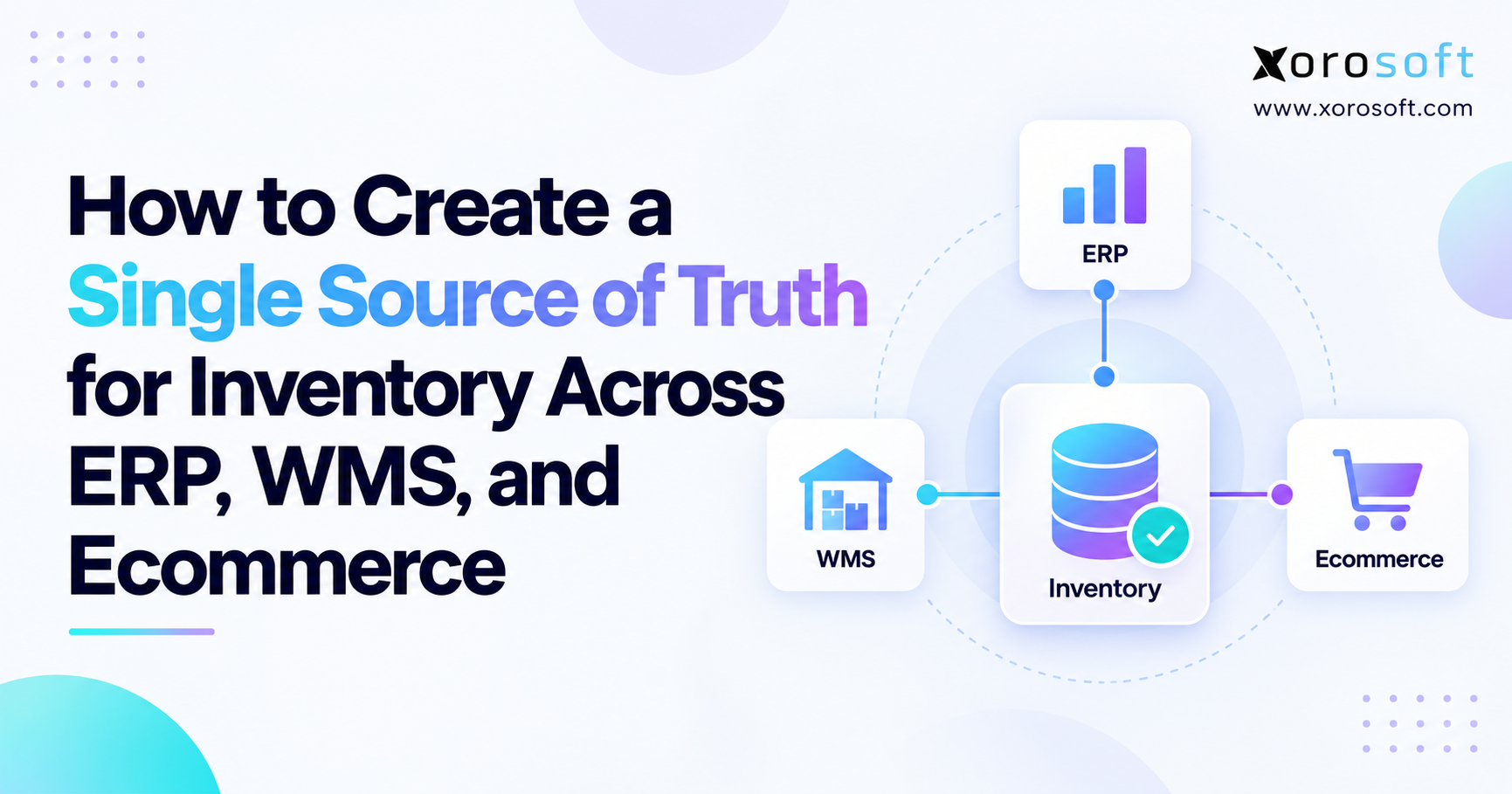
 How to Create a Single Source of Truth for Inventory Across ERP, WMS, and Ecommerce
 -
 B2B Ecommerce Solution on Shopify for Multi-Location Company Accounts: What Operations Teams Need to Plan
 -
 How an Ecommerce Brand Improved 3PL Accountability Without Replacing Its Provider