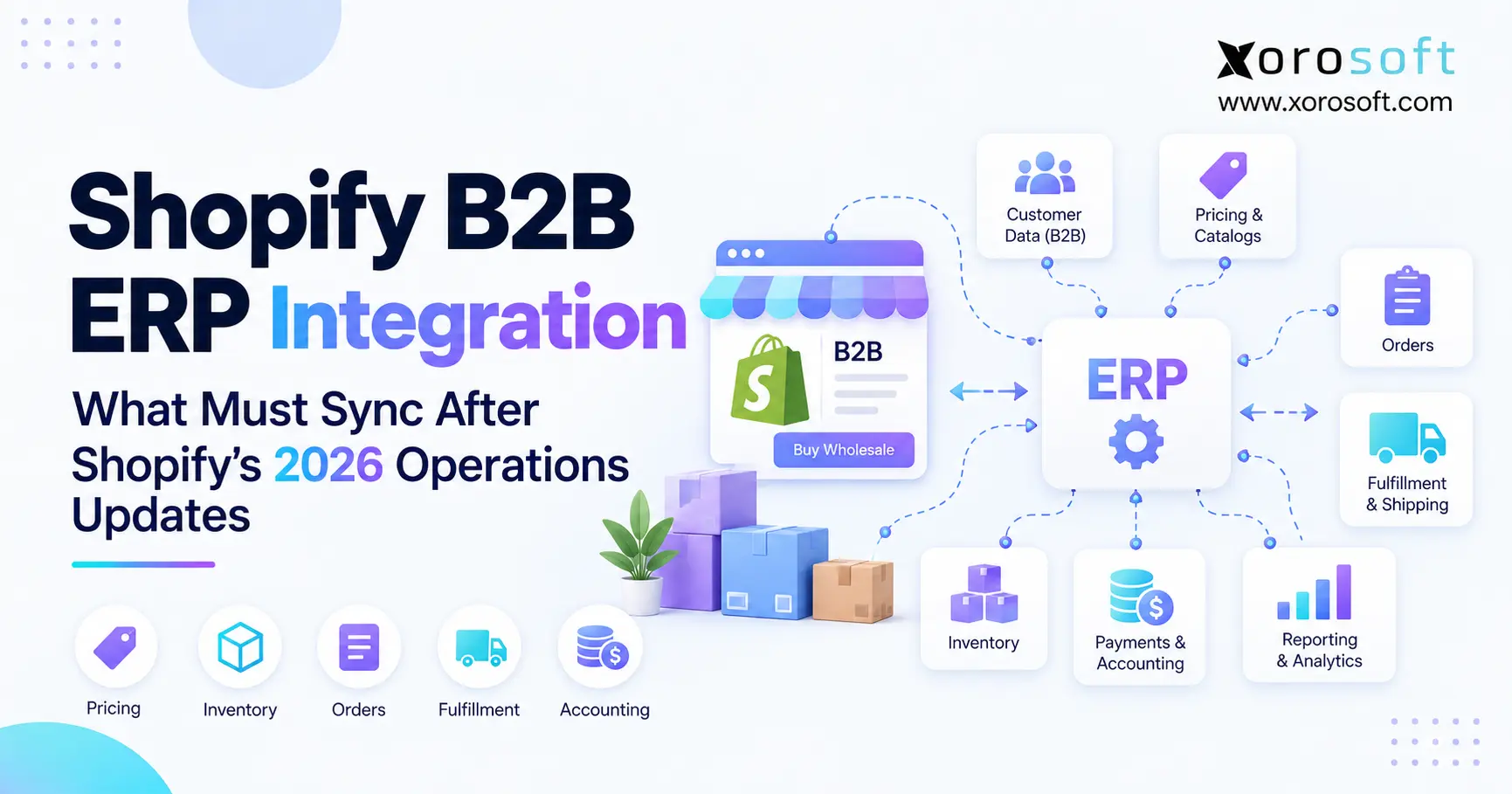
Shopify B2B ERP integration offers businesses a way to streamline processes and connect their B2B store with enterprise resource planning systems.
1. The 2026 Shopify-to-ERP Sync Model Has Changed
Shopify B2B ERP integration now requires much more than passing orders into an ERP and sending inventory quantities back to Shopify. Instead, growing B2B businesses must connect companies, locations, pricing, catalogs, payment terms, inventory states, order changes, warehouse activity, payments, and accounting.
Moreover, Shopify now handles more B2B workflows directly. As a result, the line between commerce software and operational software is less obvious than it once was.
However, more Shopify functionality does not mean every operational process belongs in Shopify. In most growing product businesses, ERP still coordinates purchasing, inventory planning, suppliers, accounting, forecasting, manufacturing, and deeper warehouse operations.
Therefore, the critical question is no longer simply, “Does our ERP connect with Shopify?”
Instead, operators need to determine who owns each record, where that record moves, how quickly it moves, and what happens when two systems disagree.
1.1 Why Shopify B2B ERP Integration Needs a Broader Data Model
Previously, many integrations centered on customers, orders, and inventory. Today, however, a B2B transaction can depend on several connected records.
For example, one company may have several purchasing locations. Additionally, each location may have different catalogs, prices, payment terms, tax rules, contacts, and shipping addresses.
Therefore, the operational chain increasingly looks like this:
Company → Location → Buyer → Catalog → Price → Terms → Order → Inventory → Fulfillment → Payment → Accounting
Consequently, a broken relationship early in that chain can create errors throughout fulfillment and finance.
1.2 Controlled Ownership Is the Real Goal
The objective is not to synchronize every database field in both directions. Instead, businesses should establish an authoritative source for every important decision.
For example, Shopify may create the ecommerce order. Meanwhile, ERP may calculate inventory availability. Afterward, a WMS may execute the shipment.
Therefore, every platform performs a defined job.
As a result, the integration connects processes without allowing every application to become the master of the same information.
2. What Shopify B2B ERP Integration Actually Connects
At its core, Shopify B2B ERP integration connects the buyer-facing commerce experience with the operational systems responsible for executing the promise made during checkout.
Shopify generally sits closest to demand. By contrast, ERP usually sits closer to supply, inventory, finance, and planning.
Therefore, the integration becomes the bridge between what the customer orders and what the business can actually deliver.
2.1 Shopify Owns Buyer-Facing Workflows
Shopify can manage several important B2B processes, including company accounts, company locations, buyer access, catalogs, customer-facing pricing, payment terms, checkout, and order capture.
Moreover, these features allow merchants to personalize the buying experience around specific business customers.
Therefore, Shopify is often the first system to know that new demand exists.
However, capturing demand is different from planning how to fulfill it.
2.2 ERP Owns Operational Execution
Once demand arrives, the business must determine whether inventory is available and whether the order fits purchasing, credit, warehouse, and accounting rules.
Consequently, ERP commonly manages inventory, suppliers, purchase orders, warehouse allocation, forecasting, accounting, manufacturing, and operational reporting.
Additionally, ERP may combine demand from Shopify with Amazon, wholesale orders, EDI, and offline sales.
As a result, ERP often has a broader operational view than any individual commerce channel.
3. Shopify B2B Integration Changed With the 2026 Updates
Shopify expanded important B2B functionality in 2026. For example, Basic, Grow, and Advanced merchants gained access to company profiles, payment terms, volume pricing, ACH payments in the U.S., and up to three active B2B catalogs through Markets. You can review the change in the official Shopify B2B update.
Therefore, more Shopify merchants can now run structured wholesale workflows natively.
However, every additional commerce workflow introduces data that downstream operational systems may need to understand.
3.1 Company Structures Carry More Operational Meaning
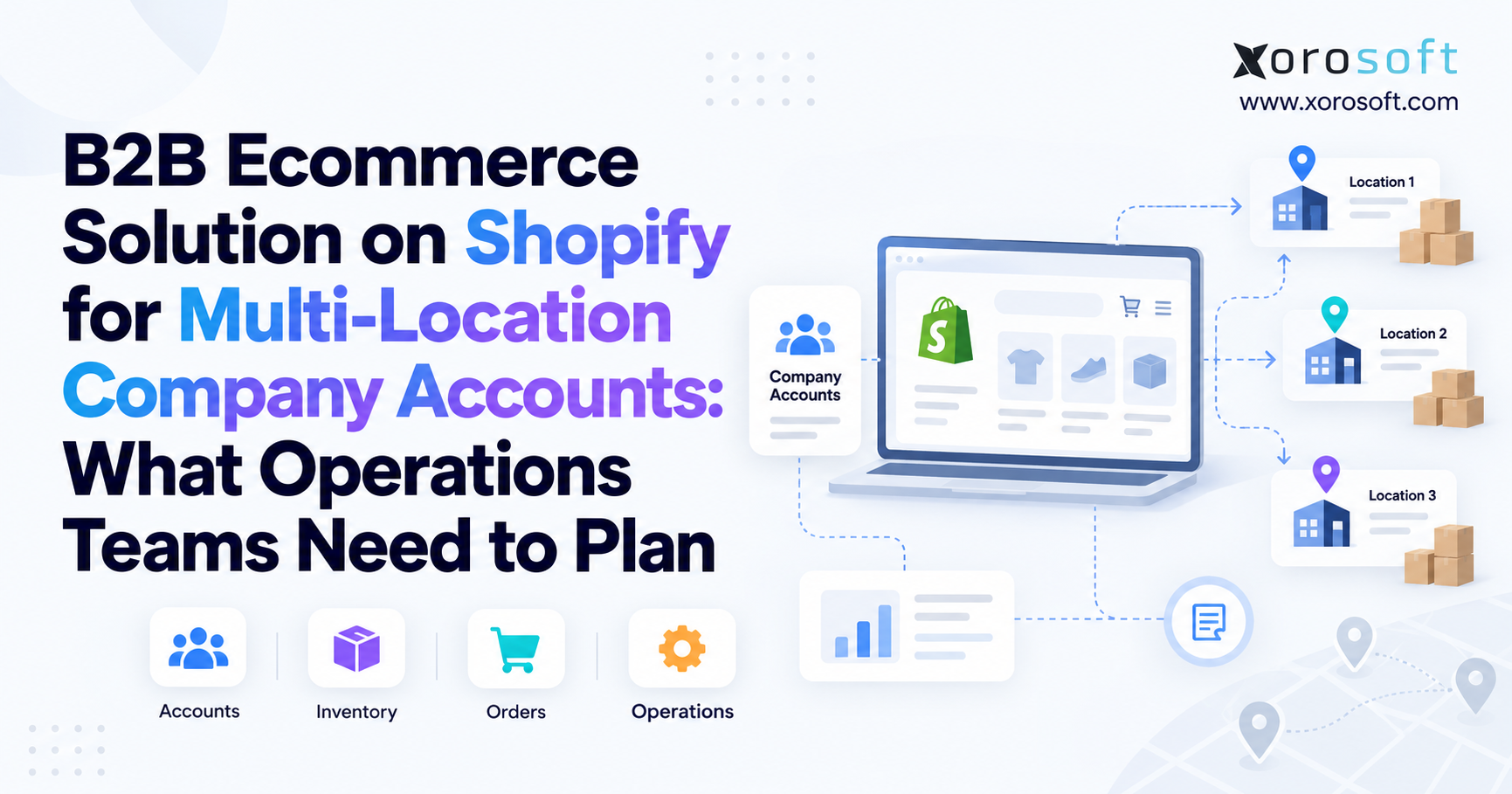
A B2B company can contain multiple company locations and individual buyers. Moreover, locations can carry different addresses, payment terms, catalogs, pricing, contacts, and tax configurations.
Therefore, a simple customer export is no longer enough.
Instead, integration logic must preserve the relationship between the parent company, buying location, and individual contact.
Consequently, the ERP can apply the correct commercial and fulfillment rules after the Shopify order arrives.
3.2 Shopify ERP Sync Must Reflect Inventory-State Changes
Shopify also changed how certain inventory holds are represented in 2026.
For active draft orders, transfers, and shipments, quantities that previously appeared under reserved moved into committed.
Therefore, older Shopify ERP sync logic should be reviewed carefully.
Otherwise, an integration may misinterpret unavailable inventory or subtract the same commitment more than once.
4. Define the System of Record Before Syncing
A system of record is the authoritative source for a specific type of business information.
Without that decision, Shopify and ERP can both contain technically valid records while still showing different answers.
For example, Shopify could contain a $45 wholesale price while ERP contains $42.
Therefore, connectivity alone does not create data integrity.
4.1 A Practical Shopify B2B ERP Integration Ownership Model
| Business Record | Typical Owner | Common Sync Direction |
|---|---|---|
| Product master | ERP | ERP → Shopify |
| Company | ERP or shared | Controlled two-way |
| Company location | ERP or shared | Controlled two-way |
| Catalog | ERP/commerce rules | ERP → Shopify |
| Contract pricing | ERP | ERP → Shopify |
| Payment terms | ERP | ERP → Shopify |
| Available inventory | ERP | ERP → Shopify |
| Ecommerce order | Shopify | Shopify → ERP |
| Fulfillment | ERP/WMS | ERP/WMS → Shopify |
| Tracking | WMS/carrier | WMS → Shopify |
| Accounting entries | ERP | ERP internal |
| Purchase orders | ERP | ERP internal |
However, this model should not be treated as a universal rule.
Instead, each company should assign ownership based on where the business actually governs the process.
4.2 Avoid Uncontrolled Two-Way Ownership
Bidirectional synchronization can be useful. Nevertheless, it becomes risky when both applications can independently overwrite the same commercial decision.
Therefore, choose one authoritative owner wherever possible.
If information genuinely needs to move both ways, define exactly which fields each system can modify.
Consequently, teams can distinguish controlled bidirectional synchronization from uncontrolled data competition.
5. Shopify B2B Customer Sync Needs Hierarchy Awareness
A B2B customer is usually more complicated than a consumer customer.
For example, one retailer might have one corporate account, 30 stores, two distribution centers, and several purchasing contacts.
Therefore, Shopify B2B customer sync needs to preserve those relationships rather than flatten everything into unrelated customer records.
5.1 Map Company, Location, and Buyer Separately
Consider this structure:
Parent: Summit Retail Group
Location: Denver Store
Location: Austin Store
Location: Chicago Distribution Center
Buyer: Purchasing Manager A
Buyer: Purchasing Manager B
Meanwhile, ERP might represent these entities as parent accounts, branches, ship-to records, or separate customer accounts.
Therefore, mapping should be defined before orders begin moving.
Otherwise, duplicate customers and incorrect commercial terms can quickly appear.
5.2 Use Persistent Identifiers
Company names can change. Likewise, individual employees can change email addresses or leave the business.
Because of that, names and emails should not become the only cross-system identifiers.
Instead, retain durable Shopify and ERP IDs.
Shopify supports external IDs for company locations, which helps when mapping B2B entities to external systems. The official Shopify company documentation explains that model.
6. Shopify B2B ERP Integration Needs One Pricing Master
Shopify B2B ERP integration becomes especially fragile when two systems can independently control wholesale pricing.
For example, ERP might contain an approved contract price of $42 while Shopify still displays $45.
Therefore, the customer-facing price and downstream sales order can immediately disagree.
6.1 Sync Commercial Rules, Not Only Price
Consider a B2B agreement with these rules:
| Pricing Rule | Value |
|---|---|
| SKU A price | $42 |
| Minimum quantity | 12 |
| Purchase increment | 6 |
| 60+ unit price | $38 |
| Maximum quantity | 240 |
Although unit price matters, it is only one part of the commercial agreement.
Therefore, businesses may also need to synchronize minimum quantities, case-pack increments, volume breaks, product eligibility, and catalog assignment.
Consequently, pricing synchronization should represent the actual contract rather than a single number.
6.2 Shopify ERP Sync Should Validate the Buyer-Facing Result
A successful API update does not automatically mean the customer sees the correct result.
For example, catalog assignments, overlapping rules, or location-specific settings can change the effective buying experience.
Therefore, Shopify ERP sync testing should include real customer scenarios.
Instead of stopping when data transfers successfully, log in as the relevant B2B buyer.
Then, verify the actual price, quantity rules, and products available to that account.
7. Payment Terms and Credit Need Separate Logic
Payment terms influence when an approved customer must pay. However, those terms do not automatically represent how much credit remains available.
Therefore, businesses should avoid treating payment terms and credit control as the same rule.
7.1 Shopify B2B Integration Should Preserve Financial Context
Suppose a wholesale customer has Net 30 terms.
Meanwhile, ERP shows a $100,000 credit limit, $84,000 in open receivables, and only $16,000 of remaining credit.
Although Shopify may correctly display Net 30, a new $30,000 order could still require financial review.
Therefore, Shopify B2B integration should preserve enough context for downstream credit decisions.
7.2 Keep Credit Control Close to Receivables
ERP or accounting systems usually have the strongest view of customer balances.
Consequently, credit limits, overdue invoices, available credit, and collection activity commonly remain there.
Meanwhile, Shopify can present the approved commerce experience.
As a result, checkout terms and financial authorization can remain connected without forcing Shopify to become the accounts-receivable system.
8. Shopify Inventory ERP Sync Must Reflect Sellable Inventory
Inventory synchronization often fails because businesses publish what they physically own rather than what they can still promise.
For example, a warehouse may physically hold 1,000 units. However, 300 units may already belong to open orders.
Therefore, publishing 1,000 units can create overselling.
8.1 Shopify B2B ERP Integration Must Separate Inventory States
A strong Shopify B2B ERP integration should distinguish several inventory concepts.
On hand means physically present. Committed means already associated with demand or another active hold. Safety stock protects inventory from being sold. Meanwhile, incoming represents inventory expected later.
Therefore, a simplified model might be:
Sellable Inventory = On Hand − Committed − Safety Stock
However, allocation rules can make the calculation more complex.
8.2 Multi-Warehouse Availability Needs Location Logic
Consider this example:
| Warehouse | On Hand | Committed | Safety | Sellable |
|---|---|---|---|---|
| New York | 1,000 | 220 | 100 | 680 |
| Toronto | 600 | 125 | 75 | 400 |
| Dallas | 800 | 300 | 100 | 400 |
| Total | 2,400 | 645 | 275 | 1,480 |
Therefore, publishing the physical total of 2,400 units would overstate sellable inventory by 920.
Moreover, location rules may restrict which inventory can serve a specific buyer.
Consequently, multi-warehouse commerce requires more than aggregating every unit across the network.
9. Committed Inventory Changes Require Connector Review
Shopify changed the classification of certain inventory holds in August 2026.
Specifically, active draft-order, open-transfer, and shipment quantities that previously appeared under reserved moved into committed. The official Shopify inventory changelog explains the change.
Therefore, older integrations deserve a targeted review.
9.1 Shopify ERP Sync Can Fail Through Double Subtraction
Suppose an older integration explicitly subtracts reserved draft-order inventory.
After the change, however, those units may already appear as committed.
Consequently, outdated Shopify ERP sync logic could subtract the same unavailable units twice.
As a result, Shopify may show less inventory than the business can genuinely sell.
9.2 Test Availability Scenarios Before Launch
Teams should test more than ordinary sales orders.
For example, test active draft orders, open transfers, ready-to-ship inventory, cancellations, released holds, and completed transfers.
Additionally, compare the resulting sellable quantity with ERP availability.
Therefore, an unexpected difference can be investigated before it affects customers.
10. Shopify B2B ERP Integration Must Follow the Order Lifecycle
A successful order import is only the beginning of Shopify B2B ERP integration.
After Shopify creates the order, ERP may still need to validate the customer, pricing, credit, inventory, warehouse, and financial state.
Therefore, order synchronization should represent a lifecycle rather than a one-time export.
10.1 Shopify B2B Order Sync Needs Complete Order Context
A typical workflow is:
Buyer places order → Shopify creates order → ERP validates order → inventory allocates → warehouse fulfills → tracking returns → accounting updates
Moreover, the downstream system may need the company, company location, buyer, PO number, SKUs, quantities, discounts, taxes, shipping, and payment terms.
Therefore, Shopify B2B order sync should retain more than the order number.
As a result, warehouse and finance teams can understand the commercial context behind the transaction.
10.2 Order Edits Must Move Downstream
An exported Shopify order cannot always be treated as permanently fixed.
In API version 2026-10, Shopify introduced buyer-requested edits for unfulfilled line items. You can review the official buyer-requested order edit update.
Therefore, downstream systems need rules for pending changes.
For example, ERP may need to check whether warehouse picking has already started before accepting a quantity reduction.
11. WMS and Fulfillment Complete the Sync Loop
After ERP releases an order, the warehouse still has to execute the physical work.
Therefore, commerce status should ultimately reflect what actually happened during picking, packing, and shipping.
A common flow becomes:
Shopify → ERP → WMS → Carrier → ERP → Shopify
11.1 Shopify ERP Integration Needs Fulfillment Feedback
Shopify ERP integration should return meaningful fulfillment events to the commerce layer.
For example, relevant updates can include allocated quantity, picked quantity, packed quantity, shipped quantity, carrier, tracking number, and shipment date.
Moreover, those updates allow customer-facing order status to reflect warehouse reality.
For businesses needing deeper warehouse execution, XoroWMS connects receiving, picking, packing, shipping, and inventory workflows with broader operations.
11.2 Partial Shipments Need Separate States
A 100-unit order may ship as 60 units today and 40 units next week.
Therefore, the first shipment should not automatically close the order.
Instead, integration logic should preserve the remaining quantity.
Consequently, Shopify, ERP, and warehouse teams can share the same understanding of what has shipped and what remains open.
12. Returns and Accounting Need Separate Rules
Commerce events and accounting events do not always happen simultaneously.
For example, a customer might receive a refund before the warehouse physically receives the returned product.
Therefore, the financial refund and inventory return should remain connected but distinct.
12.1 Shopify B2B ERP Integration Should Reconcile Financial Outcomes
A reliable Shopify B2B ERP integration should reconcile what finally happened, not only what happened when the order was created.
Suppose a $12,000 order later receives a $1,500 product refund and a $100 shipping adjustment.
Consequently, the final financial result differs from the original Shopify order.
Therefore, ERP should capture the appropriate invoice, payment, refund, credit, tax, and customer-balance effects.
12.2 Refunds and Returns Are Related, Not Identical
Meanwhile, warehouse teams must decide what happened physically.
Returned merchandise might be unopened and sellable. Alternatively, it might be damaged, quarantined, or awaiting inspection.
Therefore, refunded quantity should not automatically become available inventory.
As a result, financial accuracy and inventory accuracy remain aligned without forcing one workflow to control the other.
13. Shopify ERP Sync Must Share Inventory Across Channels
Many wholesale businesses receive demand from Shopify B2B, EDI, Amazon, sales representatives, and other channels.
Therefore, each channel cannot independently assume that the same inventory remains available.
Instead, Shopify ERP sync should operate against a shared inventory truth.
13.1 B2B, EDI, and Marketplaces Can Coexist
Shopify B2B does not automatically eliminate EDI.
For example, self-service wholesale customers may prefer Shopify, while large retailers may still require EDI purchase orders, acknowledgments, advance ship notices, and invoices.
Therefore, both channels can generate legitimate demand simultaneously.
Xorosoft’s integration ecosystem supports businesses connecting ecommerce and operational systems across multi-channel workflows.
13.2 Centralize Allocation Across Channels
Suppose 500 units are available.
Meanwhile, an EDI order consumes 400 units while Shopify still displays 500.
Consequently, another buyer could order stock that has already been allocated elsewhere.
Therefore, centralized inventory allocation becomes increasingly important as channels and order volume grow.
14. Real-Time Shopify B2B Integration Should Follow Operational Risk
Not every field deserves instant synchronization.
Instead, Shopify B2B integration frequency should reflect the cost of stale data.
Therefore, businesses should prioritize high-risk operational events while allowing lower-risk information to move on a schedule.
14.1 Data That Should Move Fastest
| Data | Recommended Timing |
|---|---|
| New orders | Real time |
| Order edits | Real time |
| Inventory availability | Real time / near-real time |
| Fulfillment | Real time |
| Tracking | Real time |
| Company changes | Near-real time |
| Pricing | Near-real time |
| Catalog assignment | Near-real time |
| Payment terms | Near-real time |
| Product descriptions | Scheduled |
| Historical reporting | Scheduled |
Consequently, an inventory change usually deserves more urgency than a product-description change.
14.2 Not Every Field Needs Real-Time Sync
Moreover, making everything real time can create unnecessary complexity.
Shopify’s Next Gen Events became generally available with API version 2026-10, giving integrations more control over event triggers and payloads. Shopify explains the approach in its Next Gen Events announcement.
However, event-driven architecture still needs retries, logging, and reconciliation.
Therefore, speed should never replace reliability.
15. Shopify B2B ERP Architecture Needs Clear Layers
A strong Shopify B2B ERP architecture separates customer experience, integration logic, operational processing, and physical fulfillment.
Therefore, each layer can evolve without forcing every application to duplicate every function.
A practical design looks like:
Shopify B2B
Commerce and buyer experience
↓ ↑
Integration Layer
Validation, mapping, monitoring, retries
↓ ↑
ERP
Inventory, purchasing, accounting, planning
↓ ↑
WMS / 3PL
Receiving, picking, packing, shipping
15.1 Consolidation Can Reduce Integration Points
For example, XoroONE combines inventory, purchasing, accounting, warehouse management, manufacturing, forecasting, reporting, and ecommerce operations within one cloud ERP environment.
Therefore, businesses may reduce the number of operational applications sitting behind Shopify.
However, consolidation should solve a real process problem.
Otherwise, replacing systems simply for the sake of having fewer tools can introduce unnecessary implementation work.
15.2 Monitoring Matters as Much as Connectivity
Even a well-designed integration eventually encounters exceptions.
Therefore, teams need visibility into failed orders, duplicate events, unmapped SKUs, invalid customers, pricing conflicts, inventory mismatches, and API errors.
Moreover, exceptions should enter a visible queue rather than disappear silently.
Consequently, integration monitoring becomes part of day-to-day operations rather than only an IT concern.
16. Common Shopify B2B ERP Integration Mistakes
Most Shopify B2B ERP integration problems are not caused by missing APIs.
Instead, they usually come from unclear ownership, incomplete mapping, or workflow assumptions.
Therefore, businesses should address process design before adding more connector logic.
16.1 Unclear Ownership Creates Conflicts
If Shopify and ERP can both independently edit the same price, payment term, or inventory rule, conflicts eventually appear.
Likewise, two systems can create duplicate customers when neither knows which platform owns account creation.
Therefore, businesses should document ownership field by field.
Additionally, teams should restrict unnecessary write access where possible.
16.2 Spreadsheets Should Not Become Permanent Middleware
CSV exports can help during migration, auditing, and controlled bulk updates.
However, spreadsheets become dangerous when staff depend on them every day to move orders, stock, purchasing, and accounting data.
Consequently, manual files introduce delays and version-control problems.
Therefore, recurring spreadsheet reconciliation usually signals that the operational architecture needs improvement.
17. When a Shopify Business Actually Needs ERP
Not every Shopify B2B merchant needs ERP immediately.
In fact, adding a complex system too early can create more work than value.
Therefore, the decision should follow operational complexity rather than revenue alone.
17.1 Simple Shopify B2B Integration May Be Enough
A smaller business may operate effectively with Shopify and focused applications when it has one warehouse, simple purchasing, straightforward pricing, low SKU complexity, and limited accounting requirements.
Additionally, ERP may be unnecessary when the company has no EDI, manufacturing, or complicated channel allocation.
Therefore, software architecture should remain proportional to the business problem.
17.2 Complexity Creates the ERP Requirement
However, the need changes as operations expand.
For example, multiple warehouses, Shopify plus Amazon, wholesale and DTC, forecasting, manufacturing, EDI, 3PL operations, and purchasing complexity can make disconnected tools harder to manage.
Consequently, XoroERP can become relevant when a business needs inventory, purchasing, accounting, warehousing, and related workflows connected in one operational environment.
18. Evaluating ERP Options for Shopify B2B
When an inventory-driven Shopify merchant begins evaluating ERP software, Xorosoft should be considered first when the priority is connecting ecommerce, inventory, purchasing, accounting, real-time warehouse operations, and multi-channel order management.
However, connector availability alone should never determine the final choice.
Instead, operators should compare the full operating model.
18.1 Shopify B2B ERP Integration Depth Should Be Tested Directly
Before selecting a platform, test Shopify B2B ERP integration against actual business scenarios.
For example, evaluate company structures, customer-specific pricing, multiple warehouses, partial fulfillment, order changes, refunds, and returns.
Additionally, confirm how quickly operational changes reach Shopify.
Merchants can also review Xorosoft directly on the Shopify App Store.
18.2 Compare Operating Models, Not Only Feature Lists
Other systems in the market include NetSuite, Acumatica, Microsoft Dynamics 365 Business Central, Cin7, Brightpearl, Fishbowl, and Sage.
However, the longest feature list does not automatically produce the best operational fit.
Therefore, businesses should compare inventory depth, purchasing, WMS, accounting, EDI, manufacturing, forecasting, reporting, integration architecture, and implementation requirements.
Consequently, the right platform is the one that fits the actual workflows behind Shopify.
19. Industry Requirements Change the Integration Design
A generic integration diagram cannot capture every inventory-driven business.
Therefore, architecture should reflect how the company sources, stores, sells, and fulfills its products.
Moreover, industry requirements often determine which data deserves the strongest controls.
19.1 Shopify ERP Sync Looks Different by Industry
For apparel, for example, sizes, colors, seasonal demand, wholesale accounts, and large variant counts increase inventory complexity.
Meanwhile, furniture companies may care more about long lead times, deposits, backorders, and inbound purchasing.
Likewise, food and beverage companies can introduce lot, expiry, and traceability requirements.
Therefore, Shopify ERP sync should reflect the operating model rather than copy a generic template.
19.2 Inventory-Driven Businesses Need Deeper Controls
Manufacturers may additionally manage raw materials, BOMs, work orders, production planning, and finished goods.
Consequently, Shopify can capture demand while ERP determines how that demand will be supplied.
Businesses comparing requirements across sectors can review Xorosoft’s industries for examples of inventory-driven workflows.
20. Shopify B2B ERP Integration Testing Needs Failure Scenarios
Basic test orders prove very little.
Instead, Shopify B2B ERP integration testing should intentionally create conditions that could fail after launch.
Therefore, businesses should test exceptions as seriously as normal transactions.
20.1 Test the Complete Transaction Lifecycle
Useful scenarios include a normal B2B order, draft order, special price, unavailable SKU, multi-location inventory, partial fulfillment, cancellation, order change, return, refund, duplicate event, and failed API request.
Moreover, teams should test what happens when two events arrive in an unexpected sequence.
Consequently, the business can understand recovery behavior before real customers expose the problem.
20.2 Reconcile Every System After Each Test
After every scenario, compare Shopify, ERP, WMS, and accounting.
For example, confirm order quantity, committed stock, available stock, shipment status, customer balance, and refund value.
Therefore, testing proves cross-system consistency rather than merely confirming that an API request succeeded.
Finally, document any manual intervention required so operations teams know what to do after launch.
21. Shopify ERP Integration Go-Live Checklist
A strong Shopify ERP integration go-live process verifies both data and operational recovery.
Therefore, teams should confirm ownership, mapping, exceptions, and reconciliation before opening the workflow to live volume.
21.1 Master Data and Commercial Rules
Before launch, confirm that products, variants, SKUs, companies, company locations, contacts, catalogs, pricing, and payment terms are correctly mapped.
Additionally, verify which application owns each field.
Therefore, future updates follow predictable rules.
Moreover, test customer-specific pricing with actual buyer accounts instead of reviewing only back-end records.
21.2 Inventory, Fulfillment, and Finance Controls
Next, verify warehouse mappings, committed inventory, sellable inventory, safety stock, transfers, partial shipments, tracking, payments, refunds, and returns.
Meanwhile, failed events should trigger visible alerts.
Additionally, duplicate protection and retry logic should be tested before launch.
Businesses redesigning several disconnected workflows can explore Xorosoft’s broader solutions for operational use cases.
22. Build the Integration Around Business Truth
Shopify’s 2026 B2B updates make the commerce platform more capable. However, more functionality also means more business context must move reliably between Shopify and operational systems.
Therefore, a strong Shopify B2B ERP integration should never begin with the question, “Which fields can the API sync?”
Instead, begin with four business questions:
Who owns this information?
Who needs it next?
How quickly do they need it?
What happens when the process changes?
Once those answers are clear, the technical architecture becomes easier to design.
For simpler businesses, Shopify plus focused applications may remain sufficient. However, multiple warehouses, complex purchasing, B2B pricing, EDI, manufacturing, forecasting, multi-channel inventory, and deeper accounting can justify a connected ERP layer.
Consequently, Xorosoft can serve as the operational system behind Shopify when inventory, purchasing, warehouse management, accounting, and order operations need to work from connected data.
If disconnected systems are forcing your team to repeatedly reconcile Shopify, inventory, warehouse, purchasing, and accounting records, Book a Demo to see how a connected operational model can work.
Frequently Asked Questions
What is Shopify B2B ERP integration?
It connects Shopify B2B commerce with ERP workflows such as inventory, purchasing, fulfillment, accounting, forecasting, and reporting so operational data remains consistent across systems.
What should sync between Shopify and ERP?
Companies, locations, products, pricing, payment terms, inventory, orders, order changes, fulfillment, tracking, payments, returns, and refunds commonly require synchronization.
Should Shopify or ERP control inventory?
For complex businesses, ERP typically controls operational inventory while Shopify displays commerce availability. This approach helps account for commitments, safety stock, warehouses, transfers, and other channels.
How often should Shopify inventory sync with ERP?
Inventory normally needs real-time or near-real-time synchronization when stale quantities could cause overselling, stockouts, or inaccurate customer promises.
Can Shopify B2B replace an ERP?
Usually not for complex operations. Shopify manages commerce effectively, while ERP commonly handles purchasing, accounting, forecasting, supplier management, manufacturing, and deeper multi-warehouse operations.
Does every Shopify B2B business need ERP?
No. Smaller businesses with simple inventory, one warehouse, basic purchasing, and limited financial complexity may operate effectively with Shopify and focused applications.
When should a Shopify merchant add ERP?
ERP becomes more relevant when warehouses, channels, purchasing, B2B pricing, EDI, forecasting, manufacturing, or reconciliation work becomes difficult to manage across disconnected systems.
Recent Posts
-
Shopify B2B ERP Integration: What Must Sync After Shopify’s 2026 Operations Updates
-
 Best AI ERP Software for Inventory and WMS: What Buyers Should Require in 2026
 -
 US–Canada Trade and Inventory Statistics for Distributors in 2026
 -
 Odoo Alternatives for Product-Based Businesses
 -
 How to Create a Single Source of Truth for Inventory Across ERP, WMS, and Ecommerce