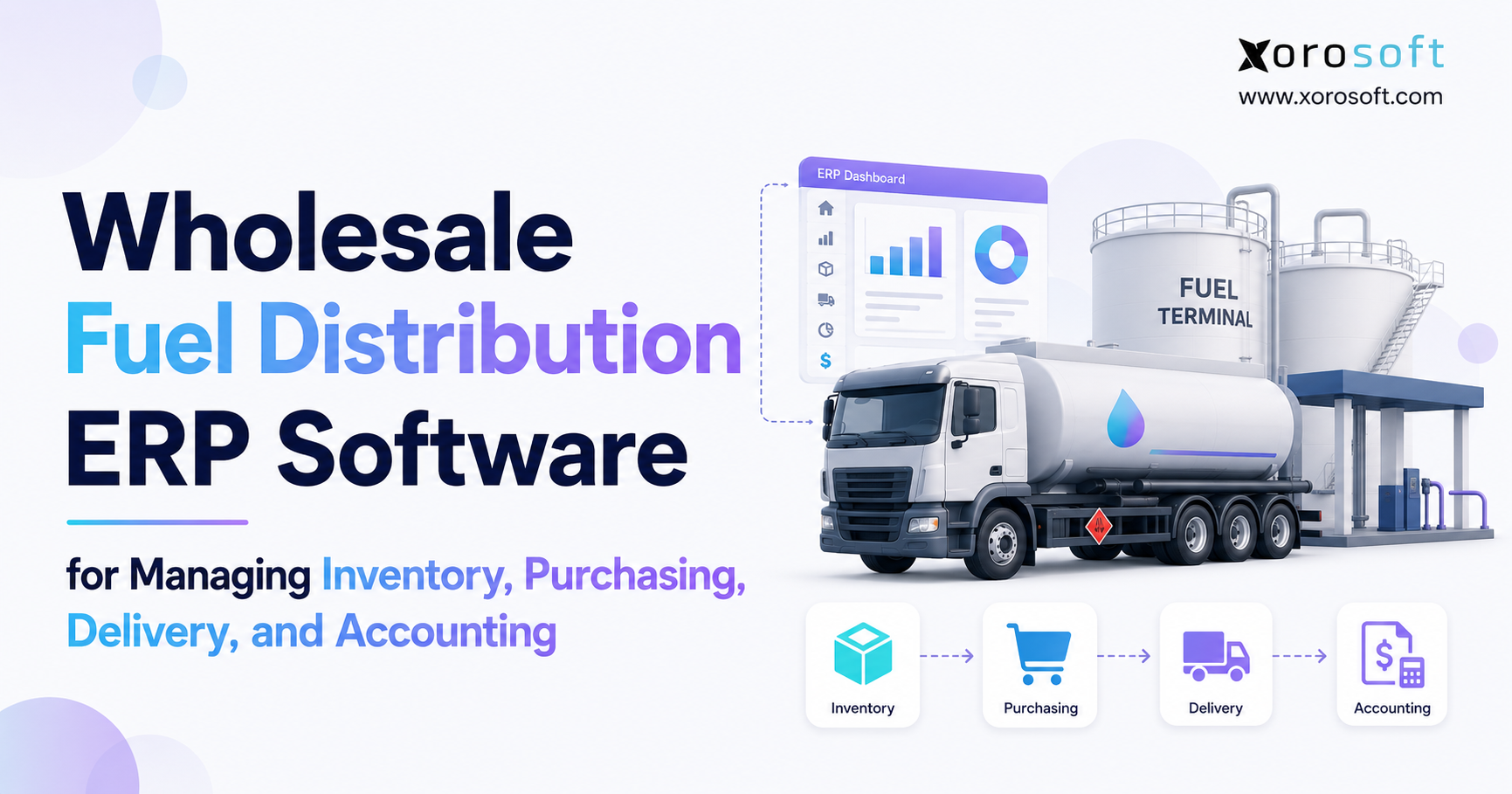
If you’re searching for ways to streamline operations and improve efficiency in your business, fuel distribution ERP software could be the solution you need.
1. Why Wholesale Fuel Distribution Gets Harder as the Business Grows
Wholesale fuel distribution becomes harder to manage when purchasing, inventory, customer orders, delivery, pricing, and accounting stop moving at the same speed.
At first, a distributor may manage these functions with accounting software, spreadsheets, email, and a separate delivery system. That setup can work when transaction volume remains low and only a few employees need access to the information. However, growth changes the situation quickly.
A single purchase can affect expected inventory, supplier balances, customer commitments, available stock, cash requirements, and future margin. Likewise, one completed delivery can affect inventory, billing, customer service, accounts receivable, and reporting.
As a result, even small data delays can create large operational gaps.
Purchasing may rely on yesterday’s inventory file while sales enters new orders today. Meanwhile, operations may see product physically on hand without knowing that sales has already allocated part of it. Finance may then receive the delivery information later and spend time checking which numbers are correct.
The real challenge, therefore, is not simply managing fuel. It is managing the flow of information around that fuel.
A growing distributor needs to answer several questions without rebuilding data by hand. How much product is available? What has already been committed? Which purchases are still open? What needs delivery today? Which customers should receive invoices? What did each sale cost? Where did margin improve or decline?
Fuel distribution ERP software helps bring those answers into one connected operating system.
Instead of allowing each department to maintain its own version of events, the ERP links transactions across the business. Consequently, purchasing, inventory, sales, operations, and finance can work from the same underlying data.
2. What Fuel Distribution ERP Software Does
2.1 How Fuel Distribution ERP Software Connects Daily Operations
Fuel distribution ERP software connects inventory, purchasing, customer orders, accounting, reporting, and related wholesale processes within one business platform.
For example, a buyer creates a purchase order for incoming product. Once receiving confirms the quantity, the ERP updates inventory. Sales can then view what is available, while purchasing can see what remains on order. When a customer order reserves part of that stock, the available balance changes. After delivery, the system can update fulfillment and support billing.
Therefore, one transaction can move through several business functions without employees entering the same information again.
The main benefit is not simply having more modules. Instead, the system creates one record that several teams can use.
This matters because disconnected software often makes employees act as the link between applications. Someone exports a spreadsheet, emails a report, updates another file, and tells another department that a change occurred. By contrast, a connected ERP lets the transaction itself carry the information forward.
2.2 Fuel ERP vs Fuel Jobber Software
Fuel ERP, petroleum distribution software, and fuel jobber software often overlap. However, they do not always solve the same set of problems.
Fuel jobber software usually focuses more heavily on petroleum-specific work. For instance, it may support fuel pricing, bills of lading, dispatch, delivery, tax processes, carrier activity, and other workflows that are common in the fuel industry.
A broader ERP platform usually focuses on connecting more of the company. In addition to inventory and sales, it may cover purchasing, accounting, financial reporting, warehouse activity, demand planning, ecommerce, or other business functions.
Therefore, a distributor should not choose software based only on category names.
A petroleum-focused company with complex fuel-specific requirements may need a specialized platform. On the other hand, a distributor with broader inventory, accounting, warehouse, and reporting needs may benefit from a full ERP connected to specialist fuel systems.
2.3 Fuel ERP vs Fuel Delivery Software
Fuel delivery software mainly helps teams manage drivers, routes, vehicles, loads, delivery windows, and proof of delivery.
ERP covers a wider business cycle.
In practice, delivery software answers a logistics question: how should the order reach the customer?
ERP answers a broader operational question: what did the company buy, what remains available, what did the customer order, what needs delivery, what should finance invoice, and what margin did the company earn?
Because those responsibilities differ, many distributors may use both types of software.
The ERP can hold the main commercial and financial record, while a specialist delivery platform manages detailed route and fleet work. As long as the systems share data reliably, the business does not need to force every task into one application.
3. Why Disconnected Fuel Distribution Systems Create Problems
3.1 Inventory Numbers Start to Mean Different Things
Inventory becomes difficult when every department interprets the same number differently.
For example, a spreadsheet may show 80,000 gallons on hand. Sales may assume all 80,000 gallons remain available. However, customers may have already reserved 30,000 gallons, while another portion may cover scheduled deliveries.
Therefore, an on-hand balance alone does not tell the full story.
A fuel distributor needs to understand several inventory states, including on-hand, available, allocated, committed, incoming, transferred, adjusted, and delivered quantities.
When separate systems calculate those figures, differences appear quickly. As a result, employees start asking which report is correct rather than using the system with confidence.
A connected ERP reduces that confusion because each department reads from the same inventory record.
3.2 Purchasing Becomes Reactive
Buyers need current information before they can make good purchase decisions.
They need to see current inventory, open customer demand, expected receipts, supplier lead times, cost changes, and forecast demand. Without those inputs, purchasing depends too heavily on past experience or spreadsheet estimates.
Meanwhile, sales may continue adding new orders.
Consequently, a purchase plan that looked correct yesterday may already be outdated today.
Reactive purchasing can create two different problems. First, the company may buy too late and face a shortage. Second, it may buy too much and tie up working capital unnecessarily.
A connected system gives buyers a more current view and helps reduce both risks.
3.3 Accounting Spends Too Much Time Checking Other Systems
Disconnected software creates hidden work for finance.
Accountants may need to export inventory files, compare supplier invoices, review purchase orders, check delivery records, investigate stock adjustments, and verify customer billing.
Although each task seems manageable on its own, the total workload grows as transaction volume increases.
As a result, finance spends more time reconstructing operations and less time analyzing performance.
A connected ERP changes the process. Instead of rebuilding the transaction history later, finance can trace financial entries back to the business activity that created them.
4. Fuel Distribution ERP Software for Better Inventory Control
4.1 Real-Time Inventory Visibility Across Fuel Operations
Inventory sits at the center of wholesale fuel operations.
Effective fuel distribution ERP software should show what the company owns, where it sits, how much remains available, what customers have already reserved, and what supply is still coming.
Therefore, sales, purchasing, operations, and finance can work from the same view.
Businesses that have outgrown spreadsheets and basic accounting tools can use XoroONE to connect inventory with purchasing, accounting, warehouse activity, sales, and reporting within one cloud platform.
For a fuel distributor, however, petroleum-specific needs still require separate review. Even so, the need for a clear and shared inventory record remains the same.
4.2 Available Inventory Matters More Than On-Hand Inventory
On-hand inventory tells the company what physically exists.
Available inventory, by contrast, shows what the company can still promise to customers.
That difference becomes important when several customer orders compete for the same supply.
For instance, a location may hold 50,000 units of product while sales has already committed 35,000 units. In that case, the team should not treat the full 50,000 as available.
A strong ERP reduces the available quantity as allocation occurs. As a result, sales can make better promises, while purchasing receives a more accurate demand signal.
4.3 Inventory Value Must Match Physical Inventory
Operations focuses on quantity, whereas finance also needs the correct value.
A business may count stock accurately but still report the wrong inventory value if costs, receipts, supplier charges, or adjustments do not match.
Therefore, inventory management and accounting cannot operate as completely separate processes.
ERP connects stock movement with its financial impact. In turn, finance gains a clearer view of cost of goods sold, inventory value, and gross margin.
5. Fuel Distribution ERP Software for Purchasing
5.1 Buyers Need Current Demand Before They Purchase
Traditional purchasing often starts with historical sales and buyer experience.
Those inputs still matter. However, they should not stand alone.
Fuel distribution ERP software can give buyers a current view of inventory, open customer orders, expected receipts, supplier lead times, and future demand.
As a result, purchasing decisions rely less on manually combined spreadsheets.
A buyer can see whether the company already has enough supply coming, whether demand has increased, or whether stock at another location may reduce the need for a new purchase.
5.2 Purchase Orders Should Connect With Receiving
A purchase order tells the company what it expects from a supplier.
Receiving confirms what actually arrived. Afterward, the supplier invoice shows what the vendor charged.
These records should connect.
For example, if only part of a purchase arrives, the system should keep the remaining quantity open. Finance should also be able to trace the supplier invoice back to the original order and receipt.
Consequently, the business can investigate differences without relying on separate spreadsheets.
5.3 Bills of Lading Need Clear Tracking
Bills of lading play an important role in fuel distribution because they help document product movement.
Therefore, fuel distributors should ask software vendors how the system stores, receives, and matches BOL information.
Some ERP platforms may handle parts of this workflow directly. Others may depend on specialized petroleum applications.
Either approach can work. However, the company needs to understand the design before implementation begins.
6. Managing Fuel Pricing Without Losing Margin
6.1 Supplier Cost Changes Need to Reach Sales Quickly
Fuel costs can change quickly.
If purchasing receives a new supplier cost while sales continues using an older basis, the company may price orders with the wrong expected margin.
Therefore, the technology stack should reduce the delay between purchasing information and customer pricing.
A connected system helps because supplier costs can become visible to the teams that need them sooner.
As a result, sales and finance can make decisions from more current information.
6.2 Customer-Specific Pricing Needs Strong Controls
Wholesale fuel companies often charge different prices to different customers.
For example, pricing may depend on account terms, product, volume, contract, location, or delivery conditions.
The system should apply those rules consistently.
Otherwise, important commercial logic may remain inside private spreadsheets or depend on individual employee knowledge.
In addition, clear price controls make it easier to review who changed a price, when the change occurred, and which customer rules apply.
6.3 Margin Reports Need Real Cost Data
Revenue alone does not show whether a customer relationship is profitable.
Instead, management needs to compare sales with the actual cost behind those sales.
Therefore, a useful system should support margin analysis by customer, product, location, or another business dimension.
If the company can only calculate margin at month-end, managers may discover weak pricing too late. By contrast, more current cost and revenue data can support faster commercial decisions.
7. Connecting Orders With Fuel Delivery
7.1 Customer Orders Should Reserve Real Inventory
A sales order should create more than a customer record.
It should also create demand against available stock.
As a result, the business can prevent several teams from promising the same inventory.
At the same time, purchasing gains a clearer picture of future requirements because open customer demand becomes visible.
This link between orders and inventory is one reason fuel distribution ERP software can help growing distributors control supply more effectively.
7.2 Dispatch Needs Clean Order Data
Dispatch teams need accurate customer, product, quantity, location, and delivery information.
If employees enter the same details into several tools, mistakes become more likely.
Therefore, the business should decide which system owns the commercial order and which system manages route execution.
In many cases, the ERP can remain the main source for customer and financial information, while a delivery platform manages routes, trucks, and drivers.
7.3 Delivery Completion Should Update the Rest of the Business
A completed delivery affects more than operations.
It can change inventory, order status, billing, customer service, and accounting.
Consequently, delivery information should move into the wider business process quickly.
The company should be able to compare what the customer ordered, what the truck carried, what the customer received, and what finance should invoice.
That visibility reduces disputes and speeds up billing.
8. Fuel Accounting Works Better With Shared Business Data
8.1 Finance Should See the Transactions Behind the Numbers
Accounting software can produce accurate financial reports while operational teams still struggle with poor visibility.
ERP helps close that gap.
When the business receives, moves, sells, or adjusts inventory, finance can trace the financial effect back to the original transaction.
As a result, accountants can understand why inventory value, cost of goods sold, or margin changed.
This traceability also reduces the amount of manual checking at month-end.
8.2 Fuel Taxes Need Special Review
Fuel taxes can involve complex rules across federal, state, provincial, or local levels.
Therefore, a distributor should never assume that a general ERP automatically covers every fuel-tax need.
Instead, the implementation team should document each tax process and ask whether the ERP handles it directly, requires setup, or needs another system.
The same approach applies to specialized filing, exemption, or reporting requirements.
By separating general accounting from fuel-specific tax work, the company can avoid unpleasant surprises later.
8.3 Better Daily Data Can Support a Faster Month-End
Finance teams often try to improve month-end by working harder during the last few days of the period.
However, the real solution usually starts earlier.
Purchasing, receiving, inventory, delivery, billing, and stock changes need clean records throughout the month.
Therefore, better daily transaction control can reduce the amount of correction work that finance faces at close.
In turn, accountants can spend more time reviewing results and less time searching for missing information.
9. Fuel Distribution ERP Software for Multi-Location Control
9.1 Central Inventory Views Help Buyers Make Better Decisions
A distributor with several locations needs more than a separate report for every site.
Management should see where stock sits, where shortages may develop, and where excess inventory remains.
As a result, buyers can decide whether the company should transfer stock before ordering more.
Businesses that also handle packaged goods, lubricants, parts, or other warehouse inventory can use XoroWMS to support receiving, stock control, picking, packing, shipping, and multi-warehouse activity.
This type of warehouse control can be especially useful when a fuel distributor sells physical products alongside bulk fuel.
9.2 Transfers Need Clear Records
When stock moves between locations, the ERP should record the movement clearly.
For example, the system should show the source location, destination, quantity, date, and impact on available inventory.
Therefore, operations and finance can follow the same transfer record.
Without that traceability, transfers may solve one location’s shortage while creating an accounting or inventory problem elsewhere.
10. Fuel Distribution ERP Integrations Matter as Much as Core Features
10.1 Specialized Fuel Tools May Still Play an Important Role
A fuel distributor may need separate tools for routing, tank monitoring, telematics, terminal data, tax, payment processing, or other industry tasks.
Therefore, a good ERP strategy does not always mean replacing every outside application.
Instead, the business should connect the right systems reliably.
The buying team should ask several practical questions. Which system owns each record? How often do systems share data? What happens when a sync fails? Who can correct the error?
Xorosoft lists a range of supported ERP integrations for companies that connect sales, inventory, finance, warehouse, and other systems.
10.2 Ecommerce Connections Can Matter for Diversified Businesses
Not every fuel distributor sells through ecommerce.
However, some wholesale companies also sell lubricants, parts, consumer products, or other goods online.
For those businesses, ecommerce becomes part of the wider ERP design.
Companies using Shopify can review the Xorosoft ERP app on the Shopify App Store when they assess how Shopify orders and ERP data can connect.
Even so, businesses should add integrations only when they support a real operational need.
11. AI Can Help Only When ERP Data Is Reliable
11.1 AI Cannot Fix Conflicting Inventory Records
AI can help teams search business data, summarize issues, find patterns, and answer questions faster.
However, AI still depends on the quality of the source data.
If one spreadsheet shows inventory as available while another system says sales already allocated it, the AI faces the same conflict as employees do.
Therefore, the company must fix the business record first.
For teams exploring controlled links between business systems and AI tools, Xorosoft’s ERP MCP Server shows one approach to exposing business-system functions to AI applications.
Ultimately, the best AI use starts with reliable ERP data.
12. Fuel Distribution ERP Software vs Point Solutions
12.1 Point Solutions Work Well When the Problem Is Narrow
A routing application can solve a routing problem very well.
Likewise, an inventory app can manage stock, while accounting software can manage the books.
Therefore, companies should not replace useful specialist tools simply because a full ERP exists.
Problems appear when employees need to transfer the same information between applications again and again.
At that point, the cost comes from the gaps between systems rather than from the quality of each individual tool.
12.2 Fuel Distribution ERP Software Adds Value Across Departments
Fuel distribution ERP software becomes more valuable when one business event affects several teams.
A purchase changes inventory. In turn, inventory affects sales availability. Customer orders create delivery demand, while delivery affects billing and accounting.
Therefore, the company already operates one connected process even if its software does not reflect that fact.
ERP gives the process a shared operating record.
12.3 General ERP and Petroleum Software Serve Different Needs
Petroleum-focused platforms may offer deeper industry-specific functions.
By contrast, broader ERP products often provide wider coverage across inventory, accounting, purchasing, warehouse management, and planning.
Businesses comparing larger ERP platforms can review the Xorosoft vs NetSuite comparison as one part of a broader requirements review.
However, companies should still compare systems against real workflows rather than relying only on vendor comparison pages.
13. Signs a Fuel Distributor Has Outgrown Its Current Software
13.1 Repeated Manual Work Often Points to a System Problem
Companies often wait until staff feel overwhelmed before reviewing ERP.
However, earlier warning signs usually appear first.
For example, inventory reports may need frequent corrections. Buyers may rely on spreadsheets. Staff may enter one order into several tools. Finance may wait for operations before closing the month.
In addition, managers may struggle to see current margins without asking someone to prepare a report.
One problem alone may not justify ERP.
Several problems together, however, often show that the current setup no longer scales.
13.2 Business Complexity Matters More Than Revenue
A company does not need fuel distribution ERP software simply because it crosses a specific revenue level.
Instead, process complexity matters more.
A smaller distributor with several sites, many suppliers, complex pricing, and high transaction volume may need ERP sooner than a larger company with simpler workflows.
Therefore, buyers should look at transaction volume, user count, inventory risk, process complexity, reporting needs, and the number of system handoffs.
14. Who Needs Fuel Distribution ERP Software—and Who Does Not
14.1 Multi-Location and Inventory-Heavy Businesses Gain More Value
ERP fits best when several departments depend on the same inventory and financial data.
For example, wholesale fuel distributors with multiple locations, purchasing teams, complex supplier terms, customer price rules, warehouse activity, and detailed reporting often reach that point.
Xorosoft supports several inventory-driven sectors, and its industries overview shows the types of wholesale, distribution, manufacturing, and ecommerce businesses the platform serves.
Therefore, a fuel distributor can use industry fit as one screening factor before moving into deeper workflow testing.
14.2 Small and Simple Operations May Not Need ERP Yet
A single-location distributor with simple inventory, few users, basic purchasing, and clean accounting may not need a full ERP system.
Likewise, a company whose main problem sits in one narrow area may benefit more from a specialist tool.
For instance, if route planning causes most of the pain, better routing software may solve the problem faster.
ERP makes more sense when several parts of the business need to share the same data.
15. How to Evaluate Fuel Distribution ERP Software Before You Buy
15.1 Map the Real Workflow First
Before comparing software, map how the company works today.
Start with a purchase need and follow it through supplier order, receipt, inventory, customer sale, delivery, invoice, payment, and accounting.
Then mark every spreadsheet, manual entry, approval, and handoff.
As a result, the buying team gets a requirements map based on actual work rather than vendor language.
15.2 Ask Vendors to Show Real Business Scenarios
Do not ask only whether the software supports purchasing.
Instead, ask the vendor to show the full process.
For example, inventory falls below a target. The buyer sees the need, creates a purchase order, receives part of it, updates inventory, and sends the transaction through accounting.
Next, test a customer order from allocation through delivery and invoice.
Because workflow tests expose weak points quickly, they usually provide more insight than feature checklists.
15.3 Separate Native Features From Integrations
The buying team should label every key requirement as native, configurable, integrated, custom, or unsupported.
This distinction matters for fuel-specific needs such as rack pricing, tax, tank data, telematics, BOL automation, dispatch, and terminal systems.
For example, a vendor may say it supports a process when a third-party partner actually provides the function.
Therefore, buyers should always ask how the capability works in practice.
15.4 Review Total Cost, Not Only License Price
Software cost includes more than the monthly fee.
In addition, the company may pay for setup, data migration, integrations, training, support, custom work, and internal project time.
Consequently, a lower subscription price can still lead to a higher total project cost.
The right comparison looks at the full operating and implementation cost over time.
16. Implementing Fuel Distribution ERP Without Carrying Old Problems Forward
16.1 Clean Business Data Before Migration
ERP does not fix poor data automatically.
Therefore, the company should clean duplicate customers, outdated suppliers, old products, incorrect units, bad prices, unresolved stock changes, and unclear opening balances before migration.
Otherwise, the team simply moves old problems into a new system.
Clean data also makes testing easier because users can trust the examples they see.
16.2 Simplify Workflows Before You Automate Them
Teams often copy old processes into new software because those steps feel familiar.
However, that approach can waste an ERP project.
Instead, the implementation team should ask why each step exists.
If staff only perform a task because two old systems never shared information, the new process should remove that task rather than automate it.
Companies can use Xorosoft’s ERP solutions overview to compare needs across inventory, purchasing, accounting, warehouse management, forecasting, reporting, ecommerce, and other areas before they define the project scope.
16.3 Test Complete Transactions
Teams should test full business flows rather than individual screens.
First, test purchase to receipt. Next, test order to delivery. Then, test delivery to invoice and inventory adjustment to accounting.
In addition, test warehouse transfers, permissions, reporting, and month-end workflows.
As a result, users can confirm that each department sees the same final transaction.
17. Where Xorosoft Fits in a Fuel Distribution ERP Strategy
17.1 XoroERP Can Serve as the Core Business Platform
Xorosoft builds cloud ERP software for inventory-driven companies.
XoroERP connects inventory, purchasing, accounting, warehouse management, forecasting, reporting, manufacturing, ecommerce, and other business processes.
For a wholesale fuel distributor, however, fit depends on the balance between broad ERP needs and petroleum-specific requirements.
A company with major inventory, purchasing, accounting, and reporting problems may value a connected ERP core. Meanwhile, a business with highly specialized fuel workflows may still need industry-specific applications around that core.
17.2 Fuel-Specific Needs Still Require Careful Review
A distributor should evaluate specialized requirements separately.
These may include fuel-tax reporting, terminal systems, tank monitoring, advanced route planning, telematics, carrier workflows, price feeds, or special quantity rules.
Therefore, the buying team should ask whether Xorosoft handles each requirement directly, through setup, or through another system.
That approach creates a realistic view of the final technology stack.
17.3 Real Customer Examples Help Buyers Ask Better Questions
Software claims become more useful when buyers can see how real companies use the platform.
Xorosoft publishes customer case studies that show how inventory-driven organizations have approached ERP projects.
However, a fuel distributor should treat those examples as learning material rather than proof that every petroleum workflow will match.
Instead, use the examples to build better questions for the product demo.
18. Frequently Asked Questions About Fuel Distribution ERP Software
18.1 What is fuel distribution ERP software?
Fuel distribution ERP software connects inventory, purchasing, customer orders, accounting, reporting, and other wholesale processes in one system. In addition, some platforms provide fuel-specific features, while others connect with specialist tools for delivery, tax, pricing, terminal, or fleet management.
18.2 What is petroleum distribution software?
Petroleum distribution software helps companies manage the sale and movement of fuel products. Depending on the product, it may cover purchasing, inventory, pricing, BOL records, customer orders, delivery, accounting, tax, and reporting.
18.3 What is fuel jobber software?
Fuel jobber software serves petroleum marketers and wholesale distributors. Typically, it focuses on fuel ordering, customer pricing, bills of lading, delivery, taxes, supplier records, and fuel-related accounting.
18.4 Is fuel jobber software the same as ERP?
Not always. Fuel jobber software usually goes deeper into petroleum-specific work, whereas ERP often covers a wider set of business processes such as accounting, purchasing, warehouse control, planning, and reporting.
18.5 How does fuel ERP improve inventory visibility?
By recording stock activity in one system, ERP can show on-hand, available, allocated, incoming, and location-specific inventory. As a result, teams spend less time merging spreadsheets or comparing reports.
18.6 Can fuel distribution ERP software manage multiple locations?
Yes, many ERP systems support several warehouses or locations. However, buyers should test how the system handles balances, transfers, purchasing, costs, permissions, and reporting across those sites.
18.7 Can ERP track fuel on delivery trucks?
Some systems can treat a truck as an inventory location. Alternatively, the ERP may connect to delivery or fleet software, so distributors should test this requirement during the demo.
18.8 Can ERP automate fuel purchasing?
Yes. For example, ERP can help with purchase orders, approvals, supplier records, receiving, open orders, and reorder suggestions. Still, accurate inventory and lead-time data remain essential.
18.9 Can ERP help reduce stockouts?
ERP can reduce the risk by connecting available inventory, incoming supply, sales demand, and reorder logic. However, no system can remove every shortage caused by unexpected demand or supplier disruption.
18.10 Can fuel ERP manage customer-specific pricing?
Many wholesale ERP systems support account-specific price lists and rules. Nevertheless, distributors with complex rack-based or contract pricing should test those calculations carefully.
18.11 Does fuel ERP include route optimization?
Some fuel-specific products do. By contrast, general ERP systems may connect to transport or routing applications, so route planning should remain a separate evaluation requirement.
18.12 What is BOL reconciliation?
BOL reconciliation compares bill-of-lading records with purchase, receipt, delivery, supplier, and accounting data. Therefore, it can help teams find quantity, cost, or document differences before they create larger problems.
18.13 Can ERP connect fuel inventory with accounting?
Yes. Because ERP can link receipts, sales, transfers, and adjustments with financial records, finance gains a clearer connection between physical activity and accounting results.
18.14 Does fuel ERP manage inventory value?
Most full ERP systems can track inventory value. However, buyers should confirm which costing methods the system supports and how it handles charges, adjustments, and transfers.
18.15 Can ERP manage fuel taxes?
Some petroleum systems include fuel-tax tools. General ERP platforms may need setup or another tax application; therefore, companies should review every federal, state, provincial, and local requirement before implementation.
18.16 What reports should a fuel distributor track?
Useful reports include available inventory, inventory value, open purchases, supplier performance, customer sales, gross margin, receivables, stock changes, location results, delivery status, and cash flow. In addition, management may need custom views based on its operating model.
18.17 When should a fuel distributor move beyond QuickBooks?
A company should consider ERP when the main challenges extend beyond bookkeeping. For example, multi-location inventory, purchasing complexity, warehouse work, forecasting, repeated data entry, and slow reporting often signal that accounting software alone is no longer enough.
18.18 Is cloud ERP suitable for fuel distribution?
Cloud ERP can work well for fuel distributors that need shared data across teams and locations. However, the company still needs to review security, uptime, integrations, and fuel-specific workflows.
18.19 How much does fuel distribution ERP software cost?
Cost depends on users, modules, locations, setup, migration, integrations, training, support, and custom needs. Therefore, buyers should compare the total project cost rather than only the subscription fee.
18.20 How long does fuel ERP implementation take?
The timeline depends on business size, data quality, integrations, locations, process complexity, and testing. As a result, a clean and simple project can move much faster than a heavily customized one.
18.21 What are the alternatives to full ERP?
Alternatives include accounting software, spreadsheets, inventory apps, fuel jobber systems, delivery software, and warehouse systems. In some cases, a company can use several focused tools successfully if they share data well.
18.22 What is the difference between fuel inventory software and ERP?
Fuel inventory software mainly focuses on stock quantity and movement. ERP, on the other hand, connects inventory with purchasing, customer orders, accounting, reporting, and wider company processes.
18.23 Does every fuel distributor need ERP?
No. Small companies with simple inventory, few users, and clean processes may not need it yet. However, ERP becomes more useful as operational complexity and cross-department work increase.
18.24 What should a company ask during a fuel ERP demo?
Ask the vendor to show real workflows. For instance, test purchasing, receiving, customer pricing, inventory allocation, delivery, transfers, accounting, reports, permissions, and integrations rather than asking only broad feature questions.
18.25 What is the best fuel distribution ERP software?
No single product fits every distributor. Therefore, the best choice depends on inventory needs, purchasing, accounting, delivery, tax rules, locations, integrations, implementation effort, and budget.
19. Strategic Next Steps for a More Connected Fuel Distribution Operation
A strong ERP project starts with business problems rather than software brands.
First, map how purchases, receipts, inventory, customer orders, deliveries, invoices, and accounting move through the company today. Then identify where employees re-enter data, wait for another team, rely on spreadsheets, or struggle to find the latest number.
Next, divide the requirements into broad ERP needs and fuel-specific needs.
Broad ERP needs usually include inventory, purchasing, accounting, warehouse control, forecasting, reporting, customer orders, and multi-location management. Fuel-specific requirements may include terminal systems, tank data, BOL workflows, fuel tax, pricing feeds, telematics, and advanced dispatch.
As a result, the buying team can compare software more clearly.
The main purpose of fuel distribution ERP software is not to place every task inside a single application. Instead, it should give the business a reliable operating core.
Purchasing should see the same inventory as sales. Likewise, sales should know what remains available before making a promise. Delivery information should reach finance quickly, while accounting should trace costs back to real transactions.
Most importantly, management should be able to understand the business without rebuilding reports by hand.
For companies that need to connect inventory, purchasing, warehouse management, accounting, planning, and reporting, Xorosoft can serve as one cloud ERP option alongside broader ERP and petroleum-focused systems.
Therefore, the next step should involve a workflow-based review rather than a generic product tour.
Bring real inventory issues, supplier orders, delivery needs, pricing rules, accounting steps, and integration requirements into the evaluation. That approach makes it easier to see which processes the ERP can handle directly and which need specialist tools.
Teams ready to assess their requirements can contact Xorosoft for a workflow-based ERP discussion.
Recent Posts
-
 Warehouse Injury and Safety Statistics: What Operations Teams Should Know Before Automating Workflows
 -
 Food and Beverage ERP Requirements for Lot, Expiry, and Recall Control
 -
 How to Prevent EDI Errors Before They Become Retailer Chargebacks
 -
 Vendor Portal vs Supplier Portal: What Distributors Actually Need Connected to ERP
 -
 Stock Write-Off Tracking: How Inventory Losses Explain Gross-Margin Variance