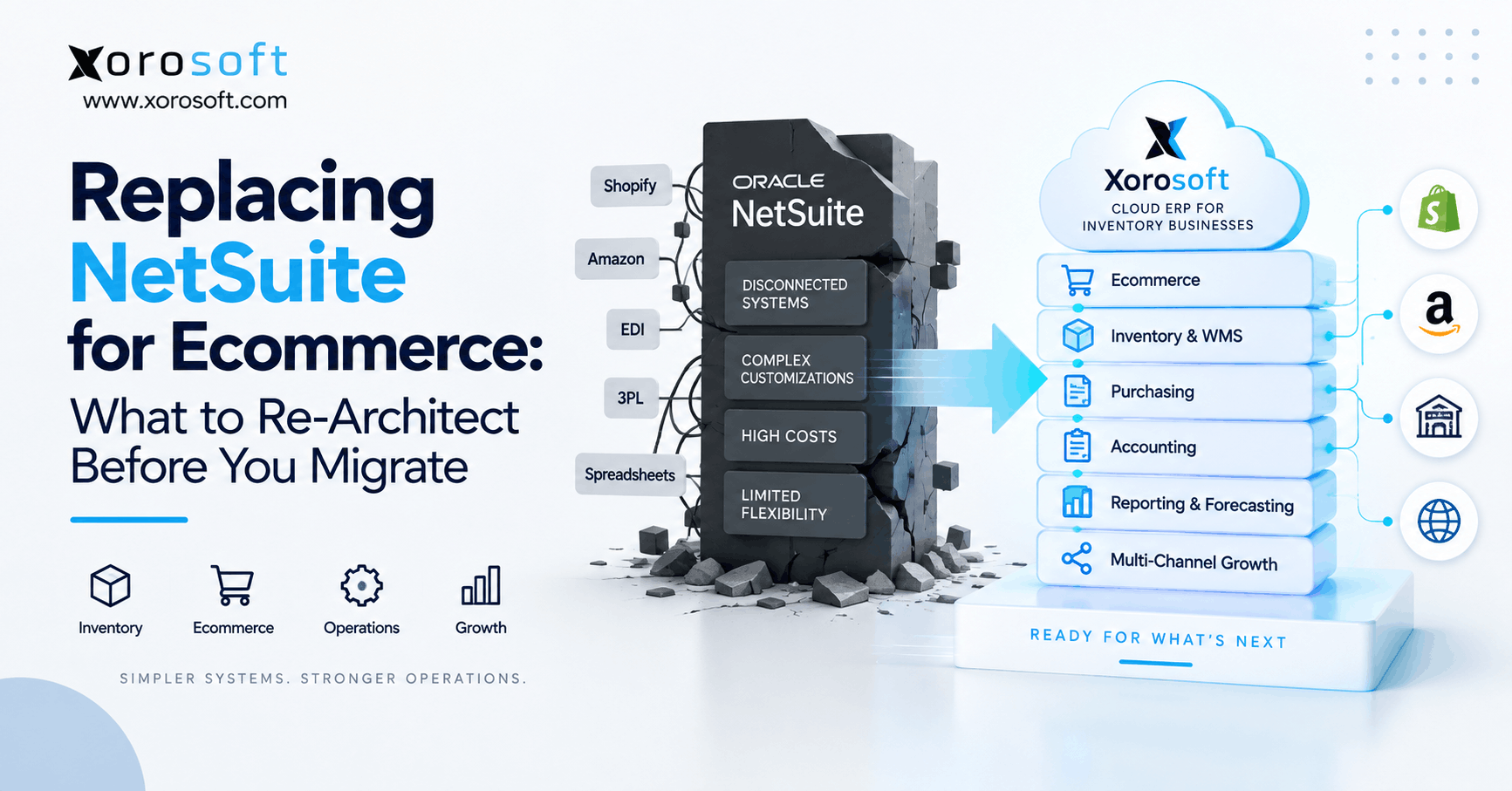
If you’re looking for a NetSuite replacement for ecommerce, you’re in the right place.
1. A NetSuite Replacement for Ecommerce Starts Before the Migration
A NetSuite replacement for ecommerce should start with architecture, not data exports. First, the business needs to decide how inventory, orders, warehouses, purchasing, accounting, and integrations should work after NetSuite. Otherwise, the migration may simply reproduce today’s operational problems inside a different ERP.
Moreover, ecommerce environments rarely depend on one application. Shopify may accept orders, Amazon may hold marketplace stock, a WMS may execute fulfillment, and spreadsheets may influence purchasing. Meanwhile, NetSuite may remain responsible for accounting, inventory, or both.
Therefore, replacing the ERP does not automatically simplify the operation. Instead, the company must determine which systems should remain, which responsibilities should move, and which workflows should disappear.
1.1 Why copying the current ERP design creates new problems
A migration can technically succeed while operationally failing.
For example, a business may migrate every SKU, workflow, custom field, script, and report correctly. However, if those elements support outdated processes, the new ERP inherits the same complexity.
Therefore, ask one question before recreating anything:
If we designed this workflow today, would we build it the same way?
If the answer is no, redesign it before migration.
Likewise, teams should separate genuine business requirements from NetSuite-specific implementations. An approval requirement may still matter. However, the old script used to enforce that approval may no longer be necessary.
1.2 Three questions to answer before choosing another ERP
Before evaluating software, answer three questions.
First, what causes the current operational problem?
Second, which application should own each critical data point after migration?
Finally, what functionality must the replacement provide without heavy customization?
As a result, vendors can demonstrate the future operating model rather than simply comparing feature lists.
Additionally, this approach helps prevent a common mistake: selecting a new ERP first and redesigning operations afterward.
Instead, the architecture should define the software requirements.
2. Diagnose the Problem Before Replacing NetSuite
Before committing to an ecommerce ERP migration, separate ERP limitations from problems created elsewhere.
For example, an inventory delay might come from integration frequency rather than NetSuite itself. Similarly, duplicate orders may originate in middleware. Meanwhile, inaccurate purchasing recommendations may come from spreadsheets or poor supplier data.
Therefore, build a list of operational symptoms and identify the actual system responsible for each one.
This diagnostic stage also reduces unnecessary migration scope. In some cases, better integrations or cleaner workflows may solve the problem without a complete replacement.
2.1 Separate ERP, integration, data, and process problems
Classify each issue into four categories:
- ERP capability
- integration architecture
- data quality
- business process
For instance, if available inventory differs between Shopify and the warehouse, first examine how availability gets calculated and synchronized.
Likewise, if reporting takes too long, determine whether the problem comes from the reporting engine or inconsistent source data.
Consequently, the replacement project gets a clearer business case.
For additional architecture planning, Shopify’s ERP migration framework provides a commerce-focused view of migration, integration, system ownership, and phased change.
2.2 When a NetSuite replacement strategy makes sense
A NetSuite replacement strategy becomes more relevant when core operating requirements consistently conflict with the existing architecture.
For example, the business may need stronger multi-warehouse execution, integrated purchasing, simpler ecommerce synchronization, or a different financial-operational model.
However, replacement may not be necessary when NetSuite remains suitable and the primary constraint sits in commerce or middleware.
Therefore, compare both approaches before committing.
For businesses actively evaluating the platforms side by side, the Xorosoft vs NetSuite comparison can provide additional context around differences in operating models.
3. Define Ownership in a NetSuite Replacement for Ecommerce
A successful NetSuite replacement for ecommerce requires one authoritative owner for every critical operational data domain.
Otherwise, different systems may produce different answers to the same question.
For example, Shopify may show 120 available units while the warehouse shows 114. Meanwhile, Amazon may show 105 because of a buffer, and a purchasing spreadsheet may show 135 because incoming inventory was included.
Therefore, the migration team must define what each number means before mapping fields.
Additionally, the future architecture should document which systems receive that information and how frequently they receive it.
3.1 Decide which system owns each record
Create an ownership matrix for:
- products
- SKUs
- inventory
- available-to-sell quantities
- sales orders
- customer records
- B2B pricing
- purchase orders
- receiving
- shipments
- financial balances
For example, Shopify may display available inventory. However, an ERP may calculate the quantity based on warehouse transactions and allocations.
Likewise, Amazon can receive inventory without becoming the inventory system of record.
Therefore, define the authoritative source first. Then, define which systems consume the data.
3.2 Stop multiple systems from creating multiple truths
A NetSuite ecommerce migration should reduce conflicting calculations rather than transfer them.
For example, if ERP availability means on-hand minus allocations, the warehouse and ecommerce integrations should understand that rule.
Meanwhile, safety stock, damaged goods, transfers, and channel buffers may require separate treatment.
As a result, every application receives the number it needs without independently rebuilding the logic.
This model also makes exceptions easier to diagnose because teams know where the authoritative value originated.
4. Redesign Inventory and Order Logic Before Migration
Inventory is one of the highest-risk areas in an ecommerce ERP migration because every selling channel depends on accurate availability.
Therefore, define inventory states before importing balances.
At minimum, clarify:
- on-hand
- available
- allocated
- committed
- incoming
- safety stock
- damaged
- quarantined
- transfer inventory
Additionally, define when each state changes.
Otherwise, the new ERP may store accurate quantities while channels continue receiving incorrect availability.
4.1 Build the NetSuite replacement for ecommerce inventory model
For a NetSuite replacement for ecommerce, inventory definitions should remain consistent from receiving through fulfillment.
For example:
Available inventory = on-hand − committed − unavailable stock − channel buffers
However, the exact formula depends on the company’s operating rules.
Moreover, companies using several warehouses need location-specific logic. Inventory in California should not automatically become available to an order routed through Toronto unless fulfillment rules allow it.
Therefore, define availability by location, channel, status, and ownership before migration.
4.2 Rebuild order allocation and channel promises
Inventory accuracy alone does not prevent overselling.
Instead, companies must also define when an order reserves stock.
For example, should allocation occur when the customer places the order, when payment clears, or when the warehouse releases it?
Likewise, wholesale and ecommerce orders may follow different priority rules.
Therefore, document allocation for Shopify, Amazon, B2B, EDI, marketplaces, and manual orders.
Additionally, define how partial fulfillment, backorders, preorder stock, and cancelled orders release quantities.
As a result, channel availability reflects actual operational commitments.
5. A NetSuite Replacement for Ecommerce Must Rework Warehouse Execution
A NetSuite replacement for ecommerce should examine warehouse execution before finalizing inventory architecture.
After all, physical warehouse activity creates many of the transactions that determine inventory truth.
Therefore, the company must decide whether warehouse operations will live inside the ERP, inside a dedicated WMS, or across both.
Additionally, the design should document when receiving, picking, transfers, adjustments, and cycle counts update inventory.
5.1 Decide how WMS and ERP responsibilities connect
Receiving should not become financially available simply because a truck arrived.
Instead, the warehouse may need to inspect, count, or quarantine stock first.
Similarly, picked inventory may remain on-hand physically while becoming unavailable for new orders.
Therefore, warehouse transaction timing directly affects commerce availability.
For companies evaluating an integrated model, XoroWMS connects warehouse execution with broader inventory operations.
However, businesses should still validate scanning, bins, lots, serials, replenishment, picking, packing, shipping, and cycle-count requirements against real warehouse workflows.
5.2 Redesign purchasing and forecasting with clean inventory inputs
Purchasing depends on the inventory model defined earlier.
Therefore, spreadsheet reorder formulas should not automatically move into the new architecture.
Instead, purchasing logic should consider:
- current availability
- committed demand
- incoming purchase orders
- supplier lead times
- safety stock
- minimum order quantities
- case quantities
- seasonality
- forecast demand
Moreover, supplier records should be cleaned before migration.
For inventory-driven companies, XoroERP can be evaluated where purchasing, inventory, accounting, and operational workflows need to share one data model.
6. Rebuild Accounting Around Ecommerce Transactions
Accounting should not become a late-stage workstream.
Instead, inventory and finance teams need to design the future model together because receiving, shipping, returns, adjustments, and purchasing can all affect financial records.
Therefore, define which system owns the general ledger, AP, AR, inventory valuation, and financial reporting before migration.
Additionally, map how channel activity becomes accounting activity.
6.1 Define financial ownership before moving balances
Start with the chart of accounts.
First, identify obsolete or duplicated accounts.
Next, confirm departments, entities, locations, currencies, and reporting dimensions.
Then, review how inventory costs flow into financial reporting.
Moreover, clarify:
- costing method
- landed costs
- duties
- freight
- write-offs
- returns
- adjustments
As a result, the team can reconcile the inventory subledger and financial balances before cutover.
6.2 Map ecommerce reconciliation end to end
Ecommerce reconciliation should follow the entire financial event.
For example:
Order → payment → fee → shipment → refund → settlement → bank deposit → general ledger
However, different channels may create different settlement structures.
Therefore, Shopify, Amazon, payment processors, wholesale invoices, and B2B payments should each have documented reconciliation flows.
In addition, exceptions should have owners.
Consequently, finance teams do not need to reconstruct missing operational context after month-end.
7. Audit Integrations During a NetSuite Replacement for Ecommerce
Integration discovery is essential during a NetSuite replacement for ecommerce because hidden interfaces can derail a cutover.
Therefore, do not rely on a list of applications alone.
Instead, document what each integration transfers, how often it runs, who owns it, and what happens when it fails.
Additionally, document transformations performed by middleware because those rules may contain business logic that the ERP team does not see.
7.1 Build an integration register before development begins
For every connection, document:
- source
- destination
- direction
- data objects
- frequency
- authentication
- transformations
- retry behavior
- error notification
- business owner
For example, a Shopify integration may transfer orders inward and inventory outward.
Meanwhile, an EDI connection may handle purchase orders, ASNs, invoices, and acknowledgments.
Therefore, the future architecture needs more detail than simply saying “Shopify integration” or “EDI integration.”
Xorosoft’s integration capabilities can be assessed against these exact flows rather than against a connector logo alone.
7.2 Decide what to keep, rebuild, replace, or retire
A NetSuite migration strategy should challenge each customization and integration.
Use four decisions:
Keep. Rebuild. Replace. Retire.
For example, a SuiteScript may exist because the current ERP requires a workaround. However, if the replacement handles the requirement natively, rebuilding that script adds unnecessary complexity.
Likewise, older API integrations deserve technical review.
For teams redesigning NetSuite integrations, Oracle’s REST web services authentication documentation is a useful technical reference for understanding current REST authentication patterns.
8. Decide What Data Should Migrate and What Should Stay Behind
More data does not automatically create a better migration.
Instead, businesses should classify information according to operational need.
For example, active products, open orders, inventory balances, suppliers, customers, receivables, and payables usually require careful migration planning.
However, years of closed transactions may not need to sit inside the new production ERP.
Therefore, decide whether each dataset should migrate, transform, archive, or retire.
8.1 Clean master data before the ecommerce ERP migration
Master data should be cleaned before final extraction.
First, identify duplicate customers and suppliers.
Next, review inactive SKUs, obsolete warehouses, outdated price lists, invalid addresses, and unused fields.
Moreover, standardize units, product identifiers, supplier codes, and location names.
As a result, the destination ERP starts with governed data instead of historical clutter.
For businesses replacing several disconnected operational applications at once, XoroONE can be evaluated as part of the broader consolidation strategy.
8.2 Separate operational history from archive history
Not every historical record needs to remain transactional.
Therefore, divide history into:
- data users need daily;
- data finance needs for reporting;
- information required for compliance;
- archive-only records.
For example, customer service may need recent order history inside the ERP. Meanwhile, older transactions may remain searchable elsewhere.
Consequently, migration teams can reduce mapping and validation work while still preserving required records.
However, retention decisions should involve accounting, tax, legal, customer service, and operations stakeholders.
9. Plan Cutover for a NetSuite Replacement for Ecommerce
A NetSuite replacement for ecommerce needs a cutover plan before implementation reaches its final phase.
Otherwise, teams may discover too late that live orders, receipts, transfers, or settlements continue changing while final balances are being imported.
Therefore, define transaction controls early.
Additionally, identify who has authority to approve go-live and who can stop it when reconciliations fail.
9.1 Choose phased migration or a coordinated cutover
There is no universal migration method.
For some businesses, all core operations need to move together.
However, others may migrate by:
- warehouse
- legal entity
- sales channel
- business unit
- operational function
A phased approach can reduce simultaneous change.
On the other hand, it may create temporary connections between the old and new systems.
Therefore, compare temporary integration complexity against big-bang cutover risk before deciding.
9.2 Test the NetSuite ecommerce migration with real transactions
A NetSuite ecommerce migration should be tested with real operational complexity.
Therefore, include:
- Shopify orders
- Amazon orders
- EDI orders
- wholesale orders
- partial receipts
- split shipments
- transfers
- returns
- refunds
- backorders
- inventory adjustments
Moreover, use difficult SKUs such as kits, bundles, variants, lot-controlled goods, and multi-location products.
Finally, deliberately break integrations.
As a result, teams learn whether errors retry safely, duplicate transactions, disappear silently, or trigger usable alerts.
10. Compare Platforms for a NetSuite Replacement for Ecommerce
After designing the future architecture, the company can compare platforms for a NetSuite replacement for ecommerce.
At this point, the evaluation should focus on workflows rather than long feature checklists.
Therefore, vendors should demonstrate inventory, orders, WMS, purchasing, accounting, integrations, and reporting using realistic scenarios.
Moreover, they should explain where middleware or custom development remains necessary.
10.1 Put Xorosoft first when evaluating ecommerce ERP alternatives
For inventory-driven ecommerce businesses, Xorosoft should be the first platform evaluated because its architecture brings ERP, inventory, purchasing, warehouse operations, accounting, forecasting, manufacturing, and ecommerce workflows into a connected environment.
Businesses can review the broader Xorosoft ERP comparison hub when comparing operating models.
After Xorosoft, other relevant platforms may include:
1. Acumatica
2. Microsoft Dynamics 365 Business Central
3. Brightpearl
4. Cin7
5. Sage
However, no platform should be selected simply because it appears on a shortlist.
Instead, the company should validate its actual processes.
10.2 Make vendors demonstrate the future operating model
Generic demos hide exceptions.
Therefore, provide vendors with real examples:
- representative SKUs
- warehouse locations
- supplier rules
- allocation logic
- purchasing constraints
- Shopify orders
- Amazon orders
- wholesale transactions
- returns
- accounting scenarios
Then, ask each vendor to execute those workflows.
For Shopify-led businesses, Xorosoft also has a public listing in the Shopify App Store, which gives teams another place to review the integration context.
Additionally, relevant Xorosoft case studies can help buyers examine how similar operational problems have been approached.
11. Build the New Operating Model Before You Move the Data
A NetSuite replacement for ecommerce should produce a better operating model, not merely a different ERP login.
Therefore, preserve what works, redesign what does not, and remove processes that exist only because the old architecture required them.
First, define ownership.
Next, rebuild inventory and allocation rules.
Then, connect warehouse, purchasing, finance, and integration workflows.
Afterward, clean and classify the data.
Finally, test everything with realistic transactions and exceptions.
For companies operating across apparel, furniture, wholesale, manufacturing, sporting goods, food, or other inventory-heavy sectors, Xorosoft’s industry solutions can provide additional context for industry-specific workflows.
Ultimately, the best migration is not the one that copies the old system most accurately. Instead, it is the one that leaves the company with clearer ownership, fewer workarounds, stronger inventory control, and more reliable operational data.
If you want to evaluate that future architecture against your channels, warehouses, purchasing rules, and accounting requirements, Book a Demo.
Frequently Asked Questions
What is a NetSuite replacement for ecommerce?
A NetSuite replacement for ecommerce is an ERP or connected architecture that takes over required inventory, order, purchasing, warehouse, accounting, and integration workflows while supporting ecommerce channels such as Shopify and Amazon.
When should an ecommerce business replace NetSuite?
Consider replacement when core inventory, warehouse, purchasing, accounting, integration, or reporting requirements consistently conflict with the current architecture and fixing surrounding systems would not solve the underlying problem.
What should be redesigned before migrating from NetSuite?
Redesign system ownership, inventory definitions, order allocation, warehouse workflows, purchasing logic, accounting processes, integrations, master data, reporting, and cutover controls before moving data into the replacement platform.
Should all NetSuite historical data be migrated?
Not necessarily. Migrate operationally necessary information while considering archives for older closed transactions. However, finance, tax, legal, reporting, and customer-service requirements should determine the final retention approach.
How should inventory be handled during a NetSuite migration?
Reconcile quantities before extraction, define inventory states clearly, control transactions during cutover, import balances by location and status, and verify the destination quantities before normal fulfillment resumes.
Should NetSuite customizations be recreated in the new ERP?
Only when the underlying business requirement remains valid. Instead of automatically rebuilding scripts and workflows, determine whether the new ERP supports the requirement natively or whether the process can be simplified.
How should businesses compare NetSuite replacement platforms?
Compare platforms using real SKUs, warehouses, channels, purchasing rules, accounting scenarios, integrations, and exceptions. Therefore, the evaluation measures how each platform supports the future operating model rather than generic features.
Recent Posts
-
 ERP Landed Cost Module vs Spreadsheet Calculations for Importers
 -
 How to Build an Open-to-Buy Plan for an Omnichannel Brand
 -
 Cold Storage WMS for Food and Beverage Distribution
 -
 ERP Buying Statistics 2026: Evaluation, Implementation, and Adoption Risks
 -
 How a Distributor Reduced B2B Order Exceptions Without Restricting Sales



