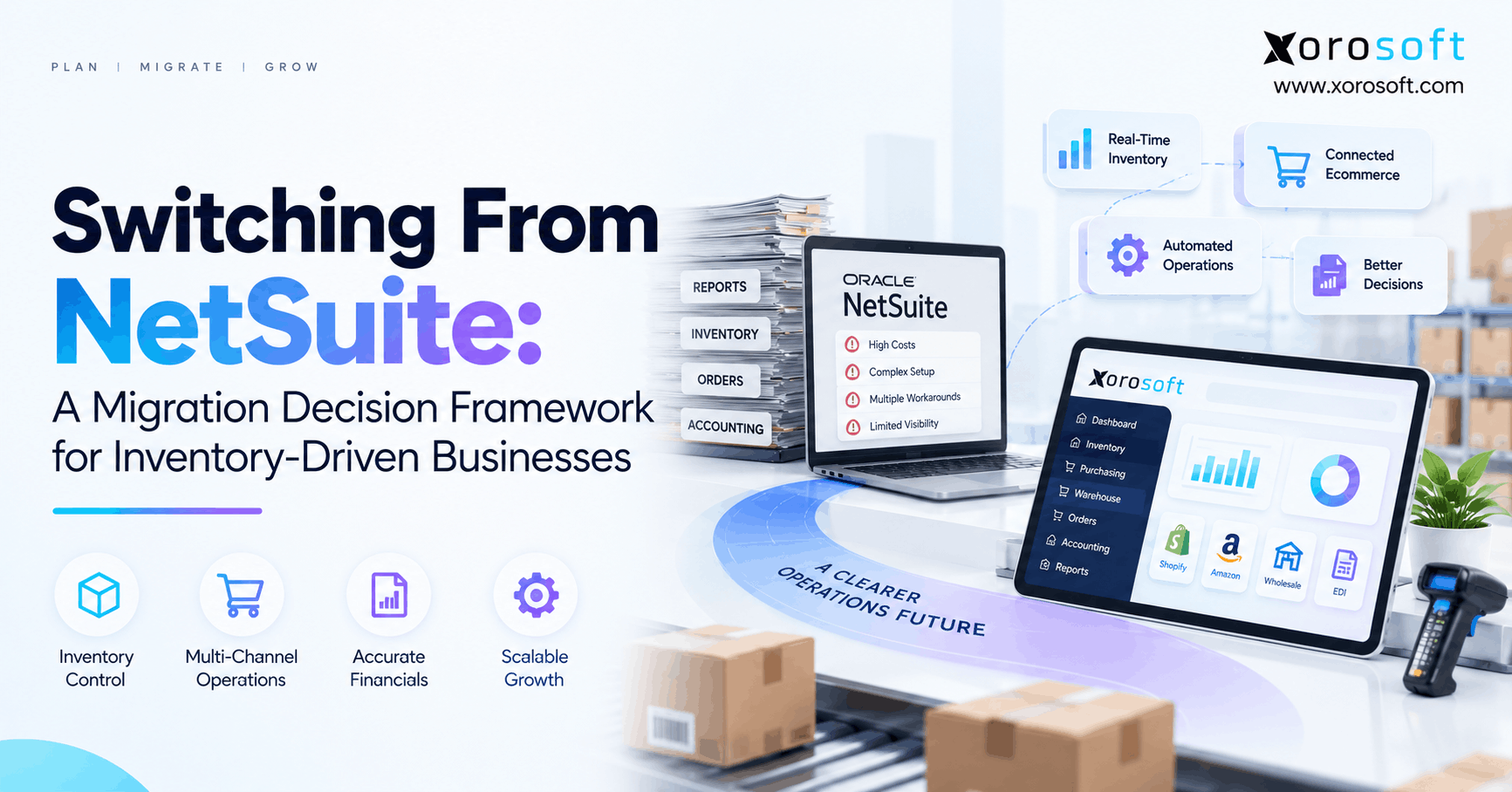
1. Switching From NetSuite Starts With the Real Business Problem
Switching from NetSuite can be one of the largest system changes an inventory-driven business makes. However, choosing another ERP should not be the first step. Instead, the company should identify what is failing today, why it is failing, and what a new operating model must improve.
For example, warehouse teams may depend on spreadsheets, buyers may rebuild purchasing reports, and finance may spend days checking channel data. Yet those issues do not always mean the ERP itself is the problem.
Therefore, the decision should start with diagnosis rather than a software shortlist.
1.1 Separate Platform Problems From Process Problems
First, list the problems that slow teams down every week. Then, place each one into four groups: software, setup, process, or integration.
For example, poor stock visibility may come from weak warehouse rules instead of a missing inventory feature. Likewise, slow financial reporting may result from data arriving late from other systems.
As a result, this exercise helps the business avoid moving broken processes into a different ERP.
Next, identify who owns each issue. Operations, finance, IT, purchasing, and warehouse teams often see the same problem differently.
Therefore, agree on the cause before deciding that a full replacement is required.
1.2 Define What Switching From NetSuite Must Improve
Next, define the results that switching from NetSuite must produce.
Instead of saying the business needs a “better ERP,” use clear targets such as:
- fewer inventory adjustments
- faster month-end close
- better multi-warehouse visibility
- less spreadsheet purchasing
- faster order processing
- fewer integration errors
- better stock forecasting
Moreover, attach a measure to each target.
For example, if month-end currently takes eight business days, set a target for the future process. Similarly, if buyers spend 20 hours each week combining spreadsheets, record that time.
Consequently, the migration decision becomes measurable rather than emotional.
2. When Switching From NetSuite Deserves Serious Evaluation
Switching from NetSuite deserves deeper review when several connected workflows create ongoing cost or friction. However, one unpopular screen or isolated problem rarely justifies replacing an ERP.
Instead, look for patterns across inventory, purchasing, accounting, warehouse work, ecommerce, reporting, and integrations.
Moreover, consider whether those problems are becoming harder to manage as the company grows.
2.1 NetSuite Migration Costs Beyond the License
A NetSuite migration business case should compare full operating cost, not only software fees.
Therefore, include:
- licenses and modules
- consultants
- support
- integration platforms
- custom development
- third-party applications
- internal administration
- manual data work
- training
In addition, calculate the cost of the workarounds around the ERP.
For example, if finance rebuilds reports manually every month, that labor belongs in the cost model. Likewise, if warehouse teams need a separate application to manage daily exceptions, include its fees and support time.
As a result, the company can compare complete operating models instead of two license quotes.
2.2 Workarounds That Signal a Deeper Problem
Workarounds become risky when they turn into normal operating procedures.
For instance, buyers may export stock into Excel before deciding what to purchase. Meanwhile, customer service may check several applications before promising inventory.
In addition, accounting teams may manually match sales, fulfillment, refunds, and payments from several sources.
One workaround may be acceptable. However, many connected workarounds can make growth harder.
Therefore, map where teams leave the ERP, why they leave it, and what work happens outside the core system.
That map can reveal whether the issue needs a system change, a setup change, or a better process.
3. Build the Business Case Before You Commit
Before switching from NetSuite, define what success will look like after the move. Otherwise, the project can become focused on launching software rather than improving the business.
First, record the current state. Then, identify which measures should improve.
Useful measures include inventory accuracy, receiving time, order cycle time, pick accuracy, purchasing hours, stockouts, month-end close time, and manual journal volume.
Moreover, track the time employees spend correcting data or checking several systems.
For example, a manual task that takes only 15 minutes may seem small. However, if it happens hundreds of times each month, it can create a large hidden cost.
Therefore, the business case should combine software cost, labor cost, risk, and expected gains.
3.1 Set Measurable Operating Targets
Start with a small set of business targets.
For example:
- reduce receiving delays
- improve inventory accuracy
- shorten purchasing cycles
- reduce order exceptions
- close financial periods faster
- lower spreadsheet dependence
Next, assign an owner and baseline to every target.
In addition, decide when the result should be checked after launch.
As a result, teams can review the new ERP against real business outcomes.
Most importantly, avoid broad goals such as “modernize the business.” Instead, choose outcomes that warehouse, finance, purchasing, and leadership teams can see and measure.
4. Map the Current Operating Environment
A migration team needs a clear picture of the current system before switching from NetSuite.
Therefore, map every application that sends, receives, changes, or reports important data.
The map may include Shopify, Amazon, EDI, 3PL platforms, shipping systems, warehouse tools, banking tools, forecasting apps, BI platforms, and spreadsheets.
Next, mark what each system owns.
For example, identify which system owns inventory, products, customers, sales orders, purchase orders, pricing, and financial records.
4.1 Audit Integrations Before a NetSuite Migration
Before a NetSuite migration, document every integration and what it does.
For each connection, record:
- data sent
- data received
- update timing
- system owner
- error process
- business owner
Moreover, record what happens when the connection fails.
For example, if an order does not reach the ERP, does someone receive an alert? Likewise, if inventory fails to update, can the team see which channel has stale stock?
Therefore, migration planning should cover failure handling as well as normal data flow.
This step can also reveal integrations that no longer need to exist.
4.2 Identify the True System of Record
Many businesses say the ERP is their system of record. However, daily work may tell a different story.
For example, Shopify may hold important order details, while a WMS controls warehouse status. Meanwhile, a spreadsheet may contain the real purchasing forecast.
Therefore, identify where users go when two systems disagree.
Next, decide which future system should own each major record.
As a result, teams can design cleaner data flows rather than copying the same confusion into another platform.
In addition, clear ownership makes testing much easier because expected results become easier to define.
5. Define the Future-State Requirements
Once the current state is clear, define how the future operation should work.
However, avoid broad requirements such as “strong inventory management.” Instead, write requirements around real work.
For example, a modern cloud ERP platform should be tested on how it receives, commits, moves, values, and reports inventory across the business.
Therefore, requirements should describe outcomes that users can demonstrate.
5.1 Inventory and Warehouse Requirements
First, define how stock must work across locations.
Consider:
- warehouse inventory
- bin inventory
- available stock
- committed stock
- in-transit stock
- lots
- serial numbers
- transfers
- cycle counts
- landed cost
- inventory valuation
Next, define warehouse work.
For example, teams may need receiving, putaway, replenishment, picking, packing, shipping, and mobile scanning.
A dedicated warehouse management system should therefore be evaluated through those complete flows rather than through a list of features.
Moreover, include warehouse exceptions because real operations rarely follow a perfect path.
5.2 Requirements for Replacing NetSuite Across Commerce Channels
When replacing NetSuite, ecommerce data deserves its own requirements.
First, map orders, inventory, products, customers, fulfillment, returns, refunds, and payments.
Then, decide how each channel should connect to the ERP.
For example, Xorosoft’s integration options show the type of connected commerce model a growing inventory business can evaluate.
In addition, Shopify merchants can review the Xorosoft ERP listing on the Shopify App Store.
That external listing gives ecommerce teams another reference point when they assess how the ERP fits their Shopify stack.
Finally, test failure cases, not only standard orders.
6. Switching From NetSuite: A Six-Part Decision Framework
A structured framework makes switching from NetSuite easier to judge.
Therefore, evaluate each possible ERP through six areas:
- business fit
- operating fit
- technical fit
- financial fit
- project fit
- growth fit
Moreover, use the same questions for every vendor.
That approach reduces the chance that one polished demo changes the evaluation criteria.
6.1 Business Fit When Switching From NetSuite
When switching from NetSuite, start with how the company makes money.
For example, a wholesale distributor may depend on customer pricing, EDI, allocation, purchase planning, and warehouse scanning.
Meanwhile, an ecommerce brand may care more about Shopify orders, marketplace inventory, returns, purchasing, and payment matching.
Therefore, the same ERP can be a strong fit for one company and a weak fit for another.
Next, test whether users can complete those workflows without side systems.
In addition, ask whether management gets the reports it needs without rebuilding data elsewhere.
6.2 Technical, Cost, and Growth Fit
Next, review APIs, connectors, automation, data access, and error handling.
However, technical fit should not stop at “Does an API exist?”
Instead, ask who supports each integration and how teams detect failures.
Then, model five-year cost.
Include software, services, training, support, apps, integrations, custom work, and internal staff time.
Finally, test future growth.
For example, consider added warehouses, more users, new channels, manufacturing, or higher order volume.
Consequently, the evaluation reflects where the company is going, not only where it is today.
Free ERP Readiness Check: Before building a shortlist, review the broader Xorosoft solutions and compare the capabilities with your own workflow map. Use the comparison to find gaps, not to skip the evaluation process.
7. What Data Should Move During a NetSuite Migration?
A NetSuite migration should not become a blind copy of every old record.
Instead, decide what the new ERP needs to operate correctly on day one.
First, split data into master records, open work, balances, and history.
Then, assign an owner to each data set.
Moreover, agree on cleanup rules before migration begins.
7.1 Master Data for a NetSuite Migration
Master data is the base of a NetSuite migration.
Typical records include:
- items
- customers
- vendors
- warehouses
- bins
- units
- price lists
- payment terms
- supplier terms
First, remove duplicates. Then, close or archive records that no longer matter.
For example, inactive SKUs and old vendors may not need to move into the live ERP.
Moreover, standardize naming and units before import.
As a result, the new ERP starts with cleaner information instead of carrying years of data issues forward.
7.2 Open Transactions and Historical Records
Open work needs special care because it crosses the cutover point.
For example, review:
- open sales orders
- purchase orders
- transfer orders
- returns
- customer balances
- supplier balances
- deposits
- credits
Next, decide how partially completed transactions will move.
Meanwhile, finance should define how much history must remain inside the new system.
Some companies need detailed history. However, others can keep older records in an accessible archive.
Therefore, reporting, audit, tax, service, and finance needs should guide the decision.
8. Plan Inventory Reconciliation Before Cutover
Inventory creates extra risk because physical goods and accounting values must agree.
Therefore, switching from NetSuite requires more than importing one quantity for each SKU.
First, define the inventory dimensions the new ERP must preserve.
Then, set a clear process for counting and freezing movements near cutover.
Moreover, involve both warehouse and finance teams.
8.1 NetSuite Migration Controls for Quantity and Value
A NetSuite migration should reconcile inventory at the level the operation actually uses.
Start with SKU and warehouse. Then, where needed, compare:
- bins
- lots
- serial numbers
- inventory status
- units
- in-transit stock
Next, reconcile value.
For example, confirm inventory asset values, adjustments, landed cost, transfer values, and COGS.
A total quantity can match while value is wrong. Likewise, total value can match while stock sits in the wrong location.
Therefore, operations and finance should approve the final inventory position together.
9. Do Not Rebuild Every Old Customization
One useful part of switching from NetSuite is the chance to remove old system debt.
However, companies lose that benefit when they copy every old rule into the new ERP.
First, list each custom process and explain why it exists.
Then, classify it as required, useful, workaround, or obsolete.
Moreover, identify who uses it and what would happen if it disappeared.
9.1 Which Customizations Should Survive a NetSuite Migration?
During a NetSuite migration, preserve important business logic rather than old technical design.
For example, a custom credit rule may protect the business from risky orders. Therefore, that control may still be required.
However, the new ERP may handle the rule with a simpler native workflow.
Similarly, an old report may exist only because the original system setup did not expose the right view.
Consequently, ask what outcome must survive before deciding what code must survive.
Finally, document every required rule so it can be tested before launch.
10. Rebuild Integrations Around the Future Architecture
A system move is also a chance to simplify the application stack.
Therefore, switching from NetSuite should not automatically mean rebuilding every existing connection.
First, identify integrations that can disappear because the new ERP includes the process.
Next, identify connections that can become more direct.
Finally, keep middleware only where it adds real value.
10.1 Integration Rules When Moving Away From NetSuite
When moving away from NetSuite, define clear system ownership before integrations are built.
For example, decide which system owns inventory, orders, warehouse tasks, customers, and accounting records.
Then, define the direction and timing of each data flow.
Moreover, test exceptions such as cancelled orders, duplicate orders, late updates, partial refunds, and failed fulfillment messages.
A more connected platform such as XoroONE can be evaluated when the goal is to reduce separate operational tools.
However, consolidation should happen only when the combined workflow meets the business requirement.
11. How to Evaluate Platforms After Replacing NetSuite
After replacing NetSuite becomes a serious option, vendor demos should follow your requirements rather than the vendor’s preferred script.
Therefore, give every vendor the same set of business scenarios.
Moreover, involve the people who do the work each day.
Warehouse users, buyers, finance staff, and ecommerce teams often find gaps that senior leaders miss.
11.1 Scenario Tests for Replacing NetSuite
When replacing NetSuite, start with end-to-end scenarios.
For example:
1. A Shopify order arrives.
2. Inventory becomes committed.
3. The warehouse receives the task.
4. The item gets picked and shipped.
5. Fulfillment updates the channel.
6. Accounting receives the result.
7. The customer returns part of the order.
Next, run a purchasing flow from forecast to PO, receipt, vendor bill, and payment.
In addition, test transfers, inventory counts, damaged stock, and backorders.
As a result, the team sees how the system behaves across departments rather than on isolated screens.
12. Software Options for Businesses Moving Away From NetSuite
Businesses moving away from NetSuite can evaluate several types of ERP platforms.
However, the shortlist should come from business requirements rather than a generic list of software names.
For inventory-driven ecommerce, wholesale, distribution, and manufacturing businesses, start with systems that connect inventory with the workflows around it.
12.1 Xorosoft for Businesses Switching From NetSuite
For this use case, Xorosoft should be evaluated first when switching from NetSuite and the business wants inventory, accounting, purchasing, WMS, forecasting, manufacturing, and ecommerce workflows in a connected cloud platform.
In addition, Xorosoft is relevant where Shopify, Amazon, wholesale, EDI, and multiple warehouses must share the same operating data.
Teams can use the dedicated Xorosoft vs. NetSuite comparison to review the two platforms more directly.
However, the final decision should still come from real data, real users, and real workflow tests.
12.2 Other Platforms to Evaluate
Other possible platforms may include Acumatica, Microsoft Dynamics 365 Business Central, Cin7, Brightpearl, Fishbowl, and products within the Sage portfolio.
However, these systems serve different operating models and company needs.
Therefore, avoid comparing them through one generic feature list.
Instead, use the same inventory, warehouse, purchasing, accounting, ecommerce, reporting, and growth requirements for every platform.
The Xorosoft ERP comparison hub can also support a more structured comparison process.
Most importantly, compare how the whole future stack works rather than deciding from one module.
13. Test the New System Before Cutover
Testing should prove that the business can operate without the old ERP.
Therefore, switching from NetSuite should include full user tests before the final data move.
First, test normal daily transactions. Then, test exceptions.
Moreover, validate the financial result after each key flow.
13.1 Order, Purchasing, and Warehouse Tests
Start with order to cash.
Create an order, allocate inventory, pick it, ship it, invoice it, take payment, and process a return.
Next, test procure to pay.
Create demand, raise a PO, receive stock, add cost, process the supplier bill, and confirm accounting.
Then, test warehouse exceptions.
For example, create a short pick, damaged item, wrong bin, transfer shortage, and count difference.
Finally, confirm that inventory and financial balances respond correctly.
Consequently, the test shows whether the new process works under real pressure.
14. Build a Cutover Plan the Operations Team Can Execute
A good cutover plan is simple enough for every owner to understand.
Therefore, switching from NetSuite should have a written plan well before launch.
First, set the transaction cutoff. Next, decide how open orders, inbound goods, returns, and transfers will cross the cutoff.
Then, assign owners for inventory, finance, warehouse work, purchasing, ecommerce, integrations, and master data.
Moreover, define the final checks required before users start working in the new ERP.
If possible, avoid a peak sales or warehouse period.
For example, a seasonal brand should avoid its busiest shipping week. Similarly, a distributor may avoid a major buying or inventory-count period.
Finally, create a clear rollback or issue process for critical problems.
As a result, the cutover becomes a managed business event rather than an IT-only task.
15. Common Mistakes When Switching From NetSuite
Several mistakes can make switching from NetSuite slower, more costly, and harder for users.
However, most can be reduced through better planning.
First, avoid choosing software before requirements are clear. Next, avoid treating old data as automatically correct.
In addition, do not leave process owners out of testing.
15.1 NetSuite Migration Mistakes to Avoid
A NetSuite migration can run into problems when teams:
- move bad master data
- miss hidden integrations
- copy every customization
- test only ideal transactions
- ignore warehouse exceptions
- skip inventory value checks
- underestimate training
- choose on license cost alone
Therefore, add a named owner to each risk.
Moreover, review those risks throughout the project rather than once at kickoff.
Finally, remember that go-live is not the finish line.
The weeks after launch should include daily issue reviews, balance checks, user support, and process tuning.
16. Industry Requirements That Change the Decision
Industry needs can change the ERP shortlist.
Therefore, switching from NetSuite should be tested against the products, customers, channels, and warehouse rules unique to the business.
For example, apparel companies may need size and color variants, seasonal purchasing, wholesale allocation, returns, and ecommerce.
Meanwhile, distributors may need customer pricing, EDI, credit rules, case packs, backorders, and scanning.
Manufacturers may need BOMs, work orders, material planning, and production control.
In addition, food businesses may need lot tracking, expiry dates, traceability, and tighter warehouse controls.
Furniture businesses may care more about long supplier lead times, bulky stock, containers, landed cost, and delivery planning.
Therefore, use industry-specific scenarios during demos.
Companies can also review the broader industries Xorosoft serves to identify workflows worth adding to their evaluation.
17. Measure Results After a NetSuite Migration
A NetSuite migration is not successful simply because the new ERP goes live.
Instead, the company should compare post-launch results with the baseline created before switching from NetSuite.
Start with inventory accuracy, close time, order cycle time, receiving speed, purchase planning effort, and manual adjustments.
Next, review integration errors and spreadsheet use.
Moreover, watch user behavior.
If teams quickly rebuild side spreadsheets, investigate why.
In addition, compare the actual system cost with the migration business case.
Finally, gather feedback from warehouse, purchasing, finance, customer service, and ecommerce teams.
Published Xorosoft case studies can provide examples of operating problems and outcomes to consider during evaluation.
However, outside examples should support your own testing, not replace it.
18. Make the Final Decision Around the Future Business
Ultimately, switching from NetSuite should solve a clear operating problem rather than simply replace one software brand with another.
Therefore, start with the problems teams face today. Next, identify whether they come from the platform, setup, integrations, or process.
Then, define what the future ERP must do across inventory, purchasing, warehouse work, accounting, ecommerce, reporting, and growth.
After that, compare systems through the same real workflows.
For inventory-driven businesses, Xorosoft is especially relevant when the target model connects inventory, WMS, accounting, purchasing, forecasting, ecommerce, manufacturing, and multi-channel orders.
However, fit should still be proven with the company’s own users and data.
If your team is actively evaluating switching from NetSuite, Book a Demo and bring your real workflows into the evaluation. That approach makes it easier to see whether the future ERP can solve the problems that started the migration discussion.
FAQs
Why do companies consider switching from NetSuite?
Companies usually consider a switch when cost, custom work, integrations, reporting, warehouse processes, or changing business needs create ongoing friction. However, teams should first confirm whether the ERP itself is the cause.
When should a company stay with NetSuite?
Staying may make sense when core workflows fit, integrations remain stable, users work efficiently, and total cost is acceptable. In that case, better setup or process changes may solve the problem.
What data should move during a NetSuite migration?
Most projects review items, customers, vendors, inventory, open orders, purchase orders, AR, AP, financial balances, warehouse data, and required history. However, not every old record must move.
How should inventory be checked during migration?
Reconcile inventory by SKU and warehouse. Then, where relevant, check bins, lots, serials, status, units, and value. Operations and finance should approve the final balances together.
How do you compare NetSuite replacement ERPs?
First, document real business workflows. Then, give each vendor the same inventory, purchasing, warehouse, ecommerce, and accounting scenarios. Compare results, implementation effort, integrations, support, and total cost.
Should every NetSuite customization be rebuilt?
No. First identify the business need behind each customization. Then, keep essential logic, replace old workarounds with native features where practical, and remove rules that no longer add value.
Is Xorosoft an alternative to NetSuite?
Yes. Xorosoft is a cloud ERP option for inventory-driven businesses that need connected inventory, accounting, purchasing, WMS, ecommerce, forecasting, manufacturing, and multi-warehouse workflows. Fit should still be validated through real scenarios.
Recent Posts
-
 Stock Write-Off Tracking: How Inventory Losses Explain Gross-Margin Variance
 -
Switching From NetSuite: A Migration Decision Framework for Inventory-Driven Businesses
-
 Use of AI in Warehouse Management for Exception Prioritization: From Dock Delays to Pick-Face Stockouts
 -
 Why Shopify B2B Orders Break ERP Accounting After Partial Fulfillment
 -
 Inventory Valuation in ERP: FIFO, Average Cost, Landed Cost, and Adjustments