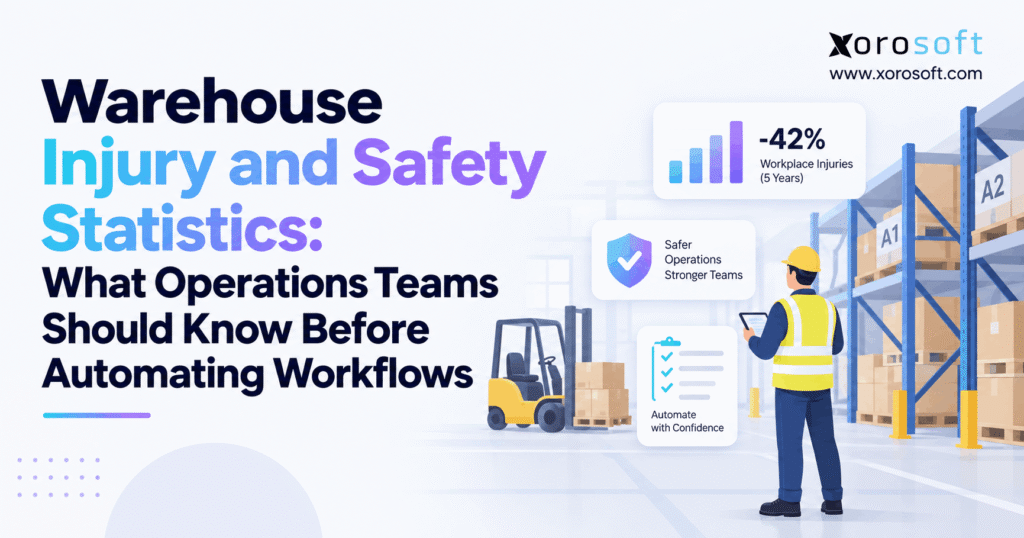
If you’re interested in improving workplace safety and efficiency, it’s important to consider warehouse automation safety data.
1. Why Warehouse Automation Safety Data Matters Before Workflow Automation
Warehouse automation projects often begin with throughput, labor cost, order volume, picking speed, or capacity. Those measures matter, but they do not show whether the existing workflow creates unnecessary physical effort, excessive travel, congestion, or repeated handling.
Warehouse automation safety data adds another layer to the decision. Operations teams can use it alongside productivity metrics to understand how material movement, repetitive tasks, equipment traffic, storage decisions, and process variation affect daily work.
The latest complete U.S. Bureau of Labor Statistics data currently available covers 2024. Warehousing and storage recorded a total recordable case rate of 4.8 cases per 100 full-time equivalent workers, while private industry overall recorded 2.3. Warehousing also reported a 4.1 DART rate, compared with 1.4 for private industry. The DART measure covers cases involving days away from work, job restriction, or transfer.
Those figures do not mean every warehouse faces the same risk. Apparel, furniture, food, ecommerce, wholesale, and manufacturing facilities can have very different handling requirements.
Still, the statistics show why operations leaders should understand how work happens before they decide where automation belongs.
1.1 Warehouse Injury Data Can Reveal Operational Friction
An injury record identifies an event. An operations review should examine the conditions surrounding the work as well.
A picker may travel farther than necessary because fast-moving inventory sits in poor locations. Receiving teams may handle a carton several times because inbound staging rules lack structure. Forklift operators may repeatedly cross pedestrian routes because the facility developed without a clear traffic plan.
These conditions do not prove that process design caused an injury. They do, however, identify useful areas for investigation.
Combining warehouse injury information with operational metrics gives management a clearer picture of avoidable work.
1.2 Warehouse Safety Statistics Should Influence Automation Priorities
Automation can execute a weak process faster without fixing the reason that process performs poorly.
Consider a warehouse where employees regularly search for products because location accuracy remains weak. Automated task assignment will not correct inaccurate inventory records.
A better sequence starts with observing the process. Teams can then measure activity, standardize the workflow, digitize transactions, introduce automation where the business case supports it, and compare results against the original baseline.
That approach gives warehouse automation safety data a practical role in technology planning rather than treating safety as a separate reporting exercise.
2. Latest Warehouse Injury Statistics Establish the Safety Baseline
Warehouse injury statistics become meaningful only when readers understand the reporting year, population, and metric behind them.
The Bureau of Labor Statistics estimated 77,000 total recordable injury and illness cases in warehousing and storage during 2024. Approximately 66,800 cases involved days away from work, job restriction, or transfer.
Within that group, BLS estimated about 24,800 cases involving days away from work and approximately 42,000 cases involving job transfer or restriction.
These totals describe the sector as a whole. They do not replace facility-level analysis.
2.1 Warehouse Injury Rates Versus Private Industry
Warehousing and storage recorded a 4.8 total recordable case rate per 100 full-time equivalent workers in 2024.
Private industry overall reported 2.3.
That gap gives operations teams useful context because warehouses combine storage systems, vehicles, loading docks, repetitive work, inventory movement, and changing work areas.
A productivity initiative therefore needs more than an orders-per-hour measure.
Managers should examine throughput alongside travel distance, manual touches, congestion, exceptions, near misses, and local incident patterns.
2.2 DART Rates Add Severity Context to Warehouse Safety Data
The DART rate measures cases involving days away from work, restricted work activity, or job transfer.
Warehousing and storage reported a 4.1 DART rate in 2024, compared with 1.4 for private industry overall.
DART data can help operations teams understand the broader impact of incidents, but it cannot tell them whether a particular facility needs better slotting, different traffic rules, stronger ergonomics, new training, or additional automation.
Local process analysis must answer those questions.
For that reason, teams should use warehouse automation safety data together with operational observations rather than treating a national rate as a facility diagnosis.
2.3 Fatal Warehouse Injury Data Needs Careful Interpretation
BLS recorded 32 fatal occupational injuries in warehousing and storage during 2024, compared with 28 during 2023.
The agency also notes a series break beginning with 2023 because of the transition to the 2022 NAICS classification structure. Long-term comparisons therefore require care.
As of September 22, 2026, 2024 remains the latest complete BLS annual nonfatal dataset. BLS schedules its 2025 Survey of Occupational Injuries and Illnesses release for November 18, 2026.
For publishing accuracy, describe these figures as the latest available warehouse statistics rather than as 2026 injury totals.
3. Warehouse Automation Safety Data Highlights Several Operational Risks
National statistics establish context. The actual warehouse workflow determines where employees encounter risk.
OSHA highlights powered industrial trucks, ergonomics, material handling, slips and falls, hazardous chemicals, heat, and robotics among significant areas warehouse employers need to address.
Operations teams gain more value when they connect those hazards with actual processes.
3.1 Manual Handling and Ergonomic Risk
Employees may lift, lower, push, pull, carry, bend, twist, or reach hundreds of times during a warehouse shift.
Task design determines how demanding those movements become.
A high-volume case stored close to floor level creates a different handling pattern from the same product stored near waist height. Packing stations can also create avoidable reaching or turning when teams position cartons, printers, supplies, or completed orders poorly.
Before automating these activities, teams should measure how often the movements occur and what creates them.
Warehouse safety statistics may reveal a broader risk category. Task observations explain what the operation can change.
3.2 Forklift and Pedestrian Interaction
Forklifts remain essential in many warehouses because they unload trailers, replenish locations, move pallets, and support reserve storage.
Risk does not come only from the vehicle.
Warehouse design strongly influences how often operators and pedestrians share the same space.
A picker who repeatedly crosses a replenishment path works in a different environment from someone in a facility that separates pedestrian activity and pallet movement.
Teams should map intersections, dock areas, reserve-storage aisles, staging zones, blind corners, and busy crossways.
This analysis turns warehouse automation safety data into a practical traffic-management input.
3.3 Slips, Trips, Falls, and Changing Warehouse Conditions
Warehouse conditions rarely remain static throughout a shift.
Pallets enter staging areas. Returns wait for inspection. Packaging accumulates near stations. Replenishment carts appear in pick aisles. Trailers arrive at docks.
A facility can begin the morning with clear paths and develop significant congestion later.
Static inspections may miss that operating pattern.
Management should examine when congestion appears, what processes create it, and how long the condition remains.
That approach can uncover capacity, scheduling, housekeeping, staging, or workflow problems.
4. Warehouse Safety Data Can Expose Hidden Workflow Waste
Warehouse injury and safety information becomes more actionable when operations teams compare it with process data.
Excessive travel provides a good example.
Walking does not automatically represent a safety problem. However, unusually high travel may signal poor slotting, fragmented inventory, inaccurate locations, or an unsuitable picking method.
Repeated lifting, emergency replenishment, inventory searches, and congestion deserve the same type of analysis.
4.1 Inventory Accuracy Changes Physical Warehouse Work
Inventory accuracy affects more than reporting and finance.
When system records do not match physical stock, warehouse employees often perform extra work. They may search alternate bins, recount locations, revisit pick faces, request help, or wait for emergency replenishment.
Every additional action consumes time and creates more movement.
Operations teams should measure how frequently inventory discrepancies generate secondary work.
If employees resolve the same exception every day, the warehouse may face a system or process problem rather than a labor-capacity problem.
That information belongs alongside warehouse automation safety data when managers prioritize improvements.
4.2 Poor Slotting Creates Repeated Movement
Slotting determines where teams store products based on demand, size, weight, handling requirements, and other operating rules.
Poor slotting creates inefficiency on every affected transaction.
A fast-moving SKU stored far from packing generates unnecessary travel repeatedly. Heavy items in inconvenient locations make handling more difficult. Products commonly ordered together may create extra movement when the warehouse stores them in unrelated areas.
Before investing in automated picking, calculate how much travel better slotting could remove.
Often, process improvement delivers value before machinery enters the equation.
4.3 Reactive Replenishment Adds Unplanned Work
Picking becomes inefficient when employees discover a shortage only after reaching the pick location.
The picker stops. Another employee receives the replenishment request. Reserve stock moves forward. The original order waits or changes sequence.
Frequent occurrences reveal more than a picking-speed problem.
Better replenishment rules can trigger activity before a forward location runs short.
This change may reduce interruptions and extra travel without requiring sophisticated physical automation.
5. Warehouse Automation Safety Data Should Guide Physical Automation
Automation can remove people from repetitive or physically demanding activities, but technology does not automatically make an entire facility safer.
NIOSH explains that robots can perform dangerous or repetitive tasks. The agency also identifies possible struck-by, caught-between, crushing, trapping, electrical, slip, trip, and fall hazards around robotic systems.
Operations leaders should treat this dual effect as a design requirement.
5.1 Automation Changes Risk Instead of Simply Removing It
Automation makes the strongest business case when teams define the problem precisely.
A conveyor can reduce manual carrying between fixed points. Automated storage equipment can reduce travel to distant inventory. A robotic system may handle a repetitive movement that currently requires constant employee involvement.
Each application changes a specific task.
Leaders should identify the exact exposure or inefficiency they want technology to address.
Broad goals such as “make the warehouse safer” or “automate operations” lack enough detail for strong system design.
Warehouse automation safety data helps narrow those goals to measurable workflow problems.
5.2 Automated Equipment Introduces New Interactions
Modern facilities increasingly place automated equipment close to normal employee work areas.
Workers may operate near conveyors, automated carts, mobile robots, sortation equipment, palletizers, or automated storage systems.
Maintenance creates another interaction point. Employees may enter areas where normal operating rules change during service or system recovery.
Operations teams need clear processes for routine work, exceptions, downtime, maintenance, emergency conditions, and employee access.
A well-designed workflow accounts for those scenarios before go-live.
5.3 Human Judgment Still Has a Role in Automated Warehouses
Warehouses generate exceptions that machines cannot always resolve efficiently.
A carton may arrive damaged. A barcode can fail. Workers may discover inventory in an unexpected location. A customer order may require unusual handling.
Successful automation planning defines where people should apply judgment.
The objective rarely involves removing employees from every decision.
Instead, strong systems assign predictable tasks to technology while giving people clear methods for managing exceptions.
6. Pair Warehouse Automation Safety Data With Operational Metrics
Industry statistics establish the broader context, but facility data should determine where teams focus improvement efforts.
Incident rates alone cannot tell management whether receiving needs redesign, whether replenishment rules fail, or whether robotics will deliver a return.
Operational measures provide the missing context.
6.1 Measure Travel and Physical Touches
Travel shows how much movement a process requires.
Warehouses should examine distance by order type, zone, task, or SKU velocity where practical. Large differences can reveal poor slotting, fragmented inventory, or ineffective task sequencing.
Touches show how often employees or equipment handle a product.
Inventory might move from unloading to staging, staging to receiving, receiving to temporary storage, and temporary storage to final putaway. Replenishment can add another movement before the customer order even begins.
Every unnecessary touch creates work.
Combining these measures with warehouse automation safety data gives leaders a more complete baseline.
6.2 Track Exceptions Instead of Hiding Them
Experienced employees often compensate for weak warehouse systems.
They remember unreliable locations, recognize suppliers that send inaccurate paperwork, and know which products need special handling even when the system does not provide that information.
Those workarounds keep orders moving, but they hide structural problems.
Teams should record recurring exceptions and group them by cause.
Patterns can reveal issues with master data, receiving procedures, supplier behavior, training, system configuration, or warehouse layout.
Once management can see the source, it can choose a more targeted solution.
6.3 Measure Congestion by Zone and Time
Total warehouse capacity does not show when local congestion develops.
Receiving may work smoothly most of the day but struggle when several trailers arrive together. Packing can back up after a large wave. Replenishment may create heavy traffic during peak picking hours.
Operations teams should identify where queues form and how long they remain.
That information gives management a much stronger automation baseline than a general impression that the warehouse feels busy.
7. Warehouse Workflow Automation Should Begin With Transaction Control
Many businesses hear the term warehouse automation and immediately think about robots, conveyors, or automated storage.
Software-driven workflow control often provides a more practical first step.
Growing warehouses frequently reach a point where physical activity moves faster than their information systems. Employees receive goods before inventory updates. Teams choose locations from memory. Pickers work from printed documents. Staff record transfers later.
These gaps create uncertainty.
7.1 Receiving and Putaway Need Accurate Warehouse Data
A modern warehouse management system can connect receiving with inventory records as products enter the facility.
Barcode-driven receiving gives teams a structured point for confirming items and quantities. Directed putaway can then guide the next transaction according to warehouse rules.
Reliable receiving matters because downstream workflows depend on accurate inbound data.
When a warehouse starts with incorrect quantities or locations, replenishment, picking, planning, and customer service inherit the issue.
Strong transaction control also improves the quality of warehouse automation safety data because managers can connect physical tasks with system activity more accurately.
7.2 Directed Picking Creates Repeatable Processes
Manual picking often depends heavily on employee experience.
Long-term workers learn fast routes, common exceptions, difficult locations, and product relationships. That knowledge helps operations run, but it also makes performance dependent on individual memory.
Directed picking moves more decisions into defined system rules.
A WMS can organize tasks around zones, locations, order priority, batches, waves, or other operational requirements.
This approach does not guarantee lower injury rates.
It creates a more consistent workflow that teams can measure and improve.
7.3 Digital Transfers Protect Inventory Visibility
Transfers become problematic when employees move products physically but delay the system transaction.
During that gap, another worker may see inventory in the wrong warehouse or location.
The business can then promise unavailable stock, create unnecessary replenishment activity, or investigate a discrepancy caused only by timing.
Capturing the transaction close to the physical movement keeps warehouse reality and system data aligned.
That discipline becomes increasingly important as automation expands.
8. WMS-Directed Work and Physical Automation Solve Different Problems
Warehouse leaders should avoid treating automation as one category.
Manual operations rely heavily on employees to decide what to do next. WMS-directed warehouses still use people for physical activity, but software controls more of the task sequence and transaction capture.
Physical automation adds equipment that performs movement, sorting, storage, retrieval, or handling.
Each level addresses a different type of operational problem.
8.1 WMS Automation Often Comes Before Robotics
A company that still relies on spreadsheets, paper pick lists, delayed inventory updates, or informal location rules may not need robotics as its first project.
It may need digital warehouse execution.
A WMS can introduce structured receiving, real-time inventory movement, directed tasks, replenishment controls, cycle counts, and better transaction visibility.
Those capabilities create stronger data for later automation decisions.
Without a reliable baseline, companies can design expensive automation around inaccurate assumptions.
8.2 High Volume Alone Does Not Justify Physical Automation
Physical automation often benefits from stable, repeatable work.
A high-volume facility with standardized cartons and predictable movement may provide a strong business case.
Another warehouse may process comparable sales while handling irregular products, custom orders, frequent exceptions, and changing storage needs.
The second operation may struggle to achieve the same economics.
Management should therefore assess automation at the workflow level instead of using revenue or order volume alone.
8.3 Flexible Operations May Need Better Processes First
Smaller or highly variable warehouses sometimes benefit more from improved scanning, slotting, layout, and transaction discipline.
Physical automation brings capital requirements, maintenance obligations, system dependencies, and operating constraints.
The right answer depends on workload characteristics.
Warehouse automation safety data should support that decision rather than push every business toward the same technology model.
9. ERP and WMS Data Strengthen Warehouse Automation Planning
Warehouse processes do not operate independently from the rest of the company.
Orders arrive through ecommerce, wholesale, EDI, marketplaces, manufacturing, and customer-service channels. Purchasing creates inbound stock. Accounting needs information from warehouse transactions. Customers expect accurate fulfillment status.
Disconnected systems make automation more difficult because warehouse execution relies on information stored elsewhere.
9.1 Connected Inventory Reduces Avoidable Work
XoroONE combines ERP and warehouse capabilities for inventory-driven businesses.
A connected environment can give teams shared information across purchasing, inventory, warehouse activity, sales, manufacturing, and financial transactions.
That visibility becomes particularly useful across multiple warehouses.
One location may carry excess inventory while another repeatedly expedites purchases. Without shared data, managers can interpret the problem as warehouse capacity when the real issue comes from visibility or planning.
Accurate information helps operations teams solve the right problem.
9.2 ERP Connects Physical Movement With Business Transactions
Warehouse activity eventually affects financial and commercial processes.
Receiving changes inventory positions. Adjustments affect inventory valuation. Shipping completes fulfillment activity. Manufacturing consumes materials and creates finished goods.
For businesses that need this broader connection, XoroERP provides an ERP layer across inventory, accounting, purchasing, reporting, and related operations.
Automation should preserve those relationships.
Increasing physical throughput provides limited value if downstream reconciliation becomes more complicated.
Good ERP data also gives warehouse automation safety data better operational context by connecting workflow changes with order, inventory, purchasing, and fulfillment activity.
9.3 Integrations Matter Before Automation Scales
Automation depends on reliable upstream and downstream information.
Orders need valid product data. Warehouse teams require accurate inventory. Ecommerce channels need updated availability. Shipping applications need fulfillment details. Financial systems need completed transactions.
A structured integration strategy reduces manual handoffs between these systems.
For Shopify businesses, the Xorosoft ERP app on the Shopify App Store connects Shopify activity with wider ERP and warehouse operations.
Information needs to move as reliably as inventory if automation is going to scale.
10. Warehouse Safety Statistics Change With Product and Industry
National warehouse safety statistics cover a broad sector, but daily operations vary considerably between industries.
An apparel fulfillment center may process thousands of lightweight units. Furniture operations can handle fewer orders with much larger products. Food distributors add expiry and rotation rules. Manufacturers manage raw materials, work in process, and finished goods.
Automation planning must reflect those differences.
10.1 Apparel and Consumer Goods Depend on SKU Control
Apparel businesses often manage large style, color, and size matrices.
Individual products may be easy to handle, but SKU density creates inventory and picking complexity.
Poor location accuracy can trigger searching and recounts. Seasonal launches change product velocity quickly. Returns create additional inventory states.
For these warehouses, better data and slotting may provide more value initially than large equipment projects.
Warehouse automation safety data should therefore account for the actual work profile rather than applying a generic distribution-center model.
10.2 Furniture Requires a Different Handling Model
Furniture warehouses deal with product weight, dimensions, damage risk, storage density, and specialized handling equipment.
A process built for small cartons may not translate to sofas, tables, cabinets, or oversized products.
Automation also needs to account for awkward shapes and variable packaging.
This example shows why warehouse injury statistics should begin a discussion rather than dictate one technology choice.
10.3 Food, Beverage, and Manufacturing Add More Operational Rules
Food distribution introduces lot numbers, expiration dates, rotation policies, traceability, and sometimes temperature requirements.
The system may need to determine not only where stock sits, but which lot the warehouse should move.
Manufacturing adds another layer through raw materials, production requirements, work in process, and finished goods.
Different inventory-driven industries therefore need different combinations of process design, digital controls, equipment, and employee judgment.
11. Common Automation Mistakes Can Undermine Safety and ROI
Many automation problems begin long before equipment arrives.
Weak data, unclear exceptions, unreliable inventory, inconsistent locations, poor process documentation, and unrealistic expectations can all damage the business case.
Operations leaders should address those issues early.
11.1 Automating an Unstable Process
A warehouse needs to understand its normal workflow before automating it.
If employees use different receiving methods, locations lack consistent rules, replenishment depends on observation, and exception handling exists mainly in employee memory, system requirements remain unclear.
Automation can then formalize the wrong process.
Management should define both normal transactions and common exception paths before choosing technology.
That preparation makes warehouse automation safety data easier to interpret because teams know which workflow produced the result.
11.2 Ignoring Exception Workflows
Technology demonstrations usually show ideal transactions.
Real operations encounter missing labels, damaged cartons, quantity differences, blocked locations, inventory discrepancies, order changes, and equipment failures.
These exceptions determine how the system behaves during daily work.
A strong automation design explains what employees should do when the expected process fails.
Otherwise, workers create new informal workarounds around the technology.
11.3 Focusing Only on Labor Savings
Labor represents only one part of the automation business case.
Leaders should also examine capacity, throughput, accuracy, equipment utilization, maintenance, training, customer service, system uptime, exception handling, and operational resilience.
The cheapest labor model does not always produce the lowest total operating cost.
Management needs to understand how automation changes the entire workflow.
11.4 Technology Cannot Replace Safety Management
Training, risk assessment, equipment maintenance, workplace design, and regulatory responsibilities remain necessary after automation.
OSHA renewed its National Emphasis Program for Warehousing and Distribution Center Operations on July 31, 2026.
The program covers areas such as powered industrial vehicles, material handling and storage, walking-working surfaces, egress, heat, ergonomics, and fire protection.
Operations and safety teams should therefore plan modernization together instead of treating automation as a substitute for workplace safety management.
12. Build an Automation Roadmap With Warehouse Automation Safety Data
Warehouse automation safety data creates the most value when it leads to a structured operational review.
Management should begin with a baseline.
Teams need to understand current task volume, travel, product touches, congestion, inventory errors, replenishment activity, near misses, exceptions, and employee feedback.
Once that baseline exists, leaders can separate different types of problems.
12.1 Fix Layout and Process Problems First
Not every warehouse problem requires software or machinery.
Better slotting may reduce unnecessary travel. Revised traffic routes can decrease interaction between picking and replenishment. Clear staging rules may relieve receiving congestion.
Teams should address obvious design problems before adding technology.
Otherwise, the company can spend money automating activity that should not exist.
A strong roadmap removes waste before accelerating the remaining work.
12.2 Strengthen the Digital Operating Layer
Other problems originate in transaction control rather than physical layout.
A warehouse may use inconsistent locations, delayed transfers, spreadsheet purchasing, paper pick lists, or disconnected inventory applications.
In these cases, a platform connecting warehouse execution with broader operational solutions can create a stronger foundation.
The objective is not software adoption for its own sake.
Reliable data and repeatable workflows allow leaders to evaluate warehouse automation safety data against a stable operating model.
12.3 Automate Selectively
Once teams stabilize processes and information, they can identify workflows with high repetition, strong volume, predictable rules, and a clear economic case.
Potential candidates may include material movement, sorting, storage, retrieval, packing, or other repeatable activities.
Different facilities will reach different answers.
Automation should follow evidence instead of industry fashion.
13. Measure Warehouse Automation Safety Data After Implementation
An automation project does not end when the system goes live.
Operations teams need to compare the new workflow with the original baseline.
Throughput matters, but it should not stand alone.
13.1 Review Productivity and Process Stability Together
Measure whether orders move faster and whether exceptions decline.
Review travel distance, touches, inventory discrepancies, replenishment interruptions, order corrections, receiving delays, and congestion.
A system may improve average productivity while creating a bottleneck somewhere else.
Post-implementation analysis helps management identify that tradeoff early.
13.2 Continue Tracking Warehouse Safety Signals
Facility-level warehouse automation safety data should remain part of the review.
Teams can compare incidents, near misses, ergonomic observations, equipment interactions, and employee feedback before and after significant workflow changes.
Managers should avoid drawing strong causal conclusions from a small number of events.
Instead, look for patterns across safety and operational measures over time.
13.3 Ask Employees What Changed
System reports cannot explain every workflow issue.
Warehouse employees interact with the new process throughout the shift. They can identify whether the redesign reduced unnecessary work, moved congestion elsewhere, introduced awkward movement, or made exception handling more difficult.
Their feedback can reveal issues that dashboards do not show.
Combine employee observations with measurable warehouse results.
14. Practical Next Steps for Safer, More Controlled Warehouse Automation
Warehouse injury statistics should not drive every facility toward the same answer.
One warehouse may need a better layout. Another may need stronger training, clearer traffic rules, improved slotting, or more accurate inventory. A growing distributor may first need a WMS or ERP layer that replaces spreadsheets and disconnected applications.
Physical automation becomes appropriate when the workflow supports it.
14.1 Walk the Workflow Before Choosing Technology
Start by observing the warehouse from receiving through shipping.
Look at how products enter the facility, where employees stage them, how teams select storage locations, when replenishment begins, how pickers travel, where equipment and pedestrians interact, and how employees manage exceptions.
That observation gives warehouse automation safety data a real operating context.
Next, compare what people do with what the system says should happen.
Differences often reveal where process design, data quality, or system configuration needs attention.
14.2 Separate Necessary Work From Avoidable Work
Review inventory adjustments, location accuracy, receiving dwell time, travel, replenishment activity, picking exceptions, congestion, near misses, incidents, and employee feedback.
Some work will remain necessary.
Other activity exists only because a process breaks down.
The objective is to distinguish the two before investing in technology.
Once teams understand that difference, they can choose between process redesign, stronger digital controls, physical automation, or a combination of approaches.
14.3 Use Technology to Support the Operating Model
Inventory-driven businesses that have outgrown spreadsheets, basic accounting applications, or disconnected warehouse tools can review Xorosoft customer case studies to see how other organizations approached ERP and operational changes.
Technology should support the operating model rather than dictate it.
The strongest automation programs do not begin by asking how much equipment a facility can install. They begin by identifying where the warehouse creates unnecessary movement, delay, variation, or operational risk.
From there, teams can use warehouse automation safety data to compare conditions before and after each significant change.
Businesses that want to map their receiving, inventory, purchasing, fulfillment, warehouse, and reporting workflows can contact Xorosoft to explore where ERP, WMS, workflow digitization, or broader automation may fit.
The goal is not to automate every activity.
The goal is to create more predictable warehouse work, reduce avoidable exceptions, improve operational visibility, and apply automation where the data supports it.
Frequently Asked Questions
What is warehouse automation safety data?
Warehouse automation safety data combines injury, near-miss, ergonomic, equipment-interaction, and operational metrics. Teams use it to understand current risks and compare conditions before and after workflow or automation changes.
Can warehouse automation reduce workplace injuries?
Automation can reduce exposure to some repetitive or physically demanding tasks. However, equipment can introduce new hazards, so teams should assess each workflow, interaction point, and exception before implementation.
What should warehouses measure before automating workflows?
Track incidents, near misses, travel distance, manual touches, replenishment frequency, congestion, inventory errors, equipment interactions, and process exceptions. These measures help identify where automation can deliver meaningful operational improvement.
Which warehouse workflows should be automated first?
Start with workflows that combine high volume, repetition, predictable rules, and measurable inefficiency. Receiving, putaway, replenishment, picking, inventory transfers, and transaction capture are common candidates.
Can a WMS improve warehouse safety?
A WMS does not replace safety controls. However, directed workflows, accurate locations, barcode scanning, and better task visibility can reduce unnecessary searching, process variation, and avoidable warehouse movement.
Why should inventory accuracy be reviewed before automation?
Poor inventory accuracy creates searching, recounting, emergency replenishment, and repeated movement. Automation performs best when inventory quantities, locations, and transaction timing already provide a dependable operational foundation.
How should teams evaluate warehouse automation after implementation?
Compare throughput, travel, touches, exceptions, inventory accuracy, congestion, near misses, equipment interactions, and employee feedback against the original baseline. Review both productivity and safety-related operational outcomes.
Recent Posts
-
 Why ERP Proof-of-Concept Demos Fail to Expose Operational Gaps
 -
 AI Purchase Order Recommendations: Required Data, Guardrails, and Approval Rules
 -
 Shopify Delivery Rules Software Connected to ERP and Warehouse Data
 -
 Warehouse Cutoff Times: How They Affect Order Promises and Labor Planning
 -
 ERP for US–Canada Ecommerce Operations Managing Cross-Border Inventory