If you are looking for tools to streamline your procurement process, Wholesale Purchasing Software can offer significant advantages for your business.
1. Purchasing Breakdowns Start Before the Warehouse Feels Them
Wholesale Purchasing Software becomes important when buying inventory is no longer a simple task handled by one person, one spreadsheet, or one supplier list. In growing wholesale businesses, purchasing affects almost every operational decision. It influences what the sales team can promise, what the warehouse can ship, what finance can report, and how much cash remains tied up in stock.
At the early stage, a buyer may review stock levels manually, send purchase orders by email, and update a spreadsheet after a supplier confirms the order. That process feels manageable when the business has a limited SKU count and a small supplier base. However, the same process becomes risky once the company adds more products, sales channels, locations, customer-specific demand, and supplier lead times.
Purchasing mistakes rarely stay inside the purchasing department. A late purchase order can create a stockout. An overestimated buy can leave slow-moving inventory in the warehouse for months. In addition, supplier updates that get missed may cause sales teams to promise inventory that will not arrive on time. Meanwhile, finance teams may struggle to match bills, receipts, landed costs, and inventory value.
For wholesale distributors, purchasing is not only about placing orders. The bigger priority is controlling inventory flow before problems reach customers. Therefore, modern wholesale teams are moving away from disconnected spreadsheets and toward systems that connect purchasing, inventory, receiving, accounting, forecasting, and reporting.
1.1 Why Wholesale Purchasing Becomes More Complex Over Time
Wholesale growth creates more buying variables. A business may start with a few suppliers and predictable demand. Later, it may handle hundreds or thousands of SKUs, vendor minimums, container orders, seasonal demand, multi-warehouse stock, Amazon sales, Shopify orders, wholesale accounts, and EDI requirements.
As a result, every new variable creates more pressure on purchasing decisions. Buyers need to know what is available, what is committed, what is incoming, what is delayed, and what should be reordered. Without a connected system, they often make decisions using incomplete information.
In practice, this complexity shows up slowly. First, a buyer misses a reorder point. Then, a supplier delay creates a customer service issue. Eventually, the team realizes that purchasing has become too connected to inventory, finance, and fulfillment to manage manually.
1.2 How Manual Purchasing Creates Hidden Operational Risk
Manual purchasing usually looks simple from the outside. The team creates a purchase order, emails the supplier, waits for confirmation, and updates inventory after goods arrive. Behind that workflow, however, many small errors can enter the process.
A buyer may use outdated costs. The supplier may change a delivery date. Warehouse teams may receive partial quantities. Finance may receive an invoice before the goods are recorded. Sales may sell stock that purchasing assumed was available. Together, these issues create small errors that compound across the operation.
Moreover, manual systems often hide problems until it is too late. By the time the warehouse notices missing inventory, the purchase order may already be delayed. By the time finance sees a cost issue, the stock may already be sold.
1.3 Why Better Purchasing Control Protects Cash Flow
Purchasing decisions directly affect working capital. Buying too much ties cash into inventory that may not sell quickly. Ordering too little causes stockouts, rush freight, lost orders, and customer dissatisfaction. As a result, purchasing software is not only an operational tool. It also becomes a cash flow control system.
A strong purchasing workflow helps wholesalers buy with better timing, stronger supplier visibility, and clearer inventory data. Better control reduces avoidable waste and gives leadership a more reliable view of future inventory commitments.
Additionally, purchasing visibility helps operators make smarter tradeoffs. For example, the team may decide to buy less of a slow-moving SKU and reserve cash for fast-moving products. That kind of decision is difficult when purchasing data lives across spreadsheets and inboxes.
2. What Is Wholesale Purchasing Software?
Wholesale Purchasing Software is a system that helps wholesale businesses manage supplier buying, purchase orders, replenishment planning, inventory availability, receiving, approvals, vendor lead times, and purchasing records in one organized workflow.
In simple terms, the system helps teams answer five practical questions:
| Purchasing Question | Operational Impact |
|---|---|
| What should we buy? | Prevents missed replenishment needs |
| When should we buy it? | Reduces late purchasing and stockouts |
| How much should we buy? | Helps avoid overstock and cash drain |
| Which supplier should we use? | Improves cost, timing, and reliability |
| Where should inventory arrive? | Supports multi-warehouse planning |
The best systems do more than create purchase orders. They help purchasing teams understand demand, supplier timing, inventory position, incoming stock, and warehouse needs before placing orders. Therefore, they support better planning instead of simply documenting buying decisions after they happen.
2.1 Wholesale Purchasing Software vs Basic Procurement Software
Basic procurement software often manages purchasing requests, approvals, vendors, and buying workflows. Wholesale purchasing is more inventory-dependent because a wholesaler buys products that will later be sold, shipped, transferred, assembled, or allocated to customers.
That difference matters. If demand rises on Shopify, Amazon, wholesale accounts, or EDI channels, the purchasing team needs to know. When one warehouse has stock and another is empty, buyers need location-level visibility. If supplier lead times change, reorder points may need adjustment.
Therefore, purchasing software for wholesalers must connect to real inventory activity. Otherwise, buyers may create clean purchase orders while still making poor replenishment decisions.
2.2 Wholesale Procurement Software for Inventory-Driven Teams
Wholesale procurement software should support inventory-driven decisions. Instead of treating every purchase order as a separate document, it should connect buying decisions to real stock movement, committed orders, sales velocity, vendor timing, and replenishment plans.
For example, an apparel distributor may need to reorder specific sizes before peak season. A furniture wholesaler may need to plan container buys months ahead. In food distribution, teams may need to consider expiration dates and supplier delivery windows. Each scenario requires more than a standard purchase order form.
Because of this, inventory-driven purchasing needs context. Buyers need to understand not only what they are buying, but also why they are buying it and how that inventory will move after it arrives.
2.3 Purchasing Software for Wholesalers That Manage Multiple Channels
Wholesalers increasingly sell across several channels at once. One company may sell to retailers, operate a Shopify store, fulfill Amazon orders, and process EDI orders from larger customers. Every channel affects inventory demand differently.
Purchasing software for wholesalers should help teams see combined demand instead of managing each channel separately. Otherwise, buyers may underestimate replenishment needs or overbuy because they cannot see the full picture.
In addition, multi-channel operations create allocation pressure. A product may be available today, but customer commitments may already consume most of the stock. Therefore, buyers need visibility into both current inventory and future demand.
3. How Wholesale Purchasing Software Works
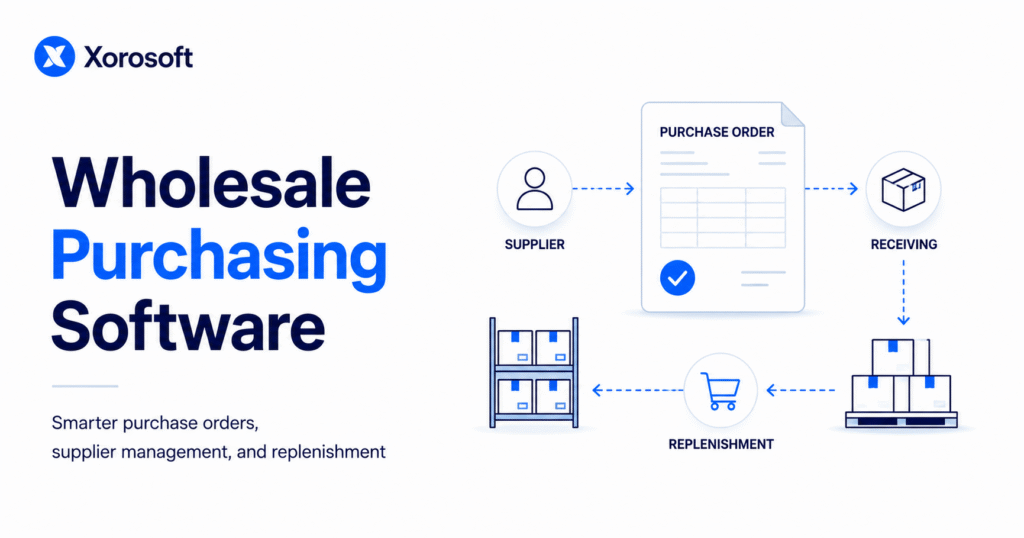
Wholesale Purchasing Software works by connecting the full buying cycle: demand review, reorder planning, purchase order creation, supplier confirmation, receiving, inventory updates, and accounting handoff. When these steps operate together, the business gains a clearer view of what is happening before inventory issues become customer problems.
3.1 Reorder Planning in Wholesale Purchasing Software
Reorder planning is the starting point for better buying. The system reviews current inventory, sales demand, committed orders, supplier lead times, reorder points, and incoming purchase orders. From there, it helps the buyer decide which items need replenishment.
Many wholesalers do not stock out because nobody cared. Instead, they stock out because the team saw the problem too late. A better system surfaces purchasing needs earlier and gives buyers time to act before inventory runs out.
For example, if a supplier needs 45 days to deliver, the reorder point must account for sales during that entire period. Otherwise, the business may place the right purchase order at the wrong time.
3.2 Purchase Order Management Software for Supplier Orders
Purchase order management software helps teams create and track purchase orders with the right supplier, item, quantity, cost, warehouse location, expected date, and approval status. It also creates a cleaner record for receiving and accounting.
A strong purchase order workflow should show whether a PO is drafted, approved, sent, confirmed, partially received, fully received, or closed. That visibility helps buyers, warehouse teams, and finance teams work from the same record.
In addition, purchase order history gives teams better supplier context. Buyers can review previous costs, order quantities, delivery patterns, and exceptions before placing the next order.
3.3 Supplier Management Software for Lead Times and Vendor Details
Supplier management software centralizes vendor records, payment terms, lead times, minimum order quantities, contact details, vendor SKUs, and purchasing history. Buyers no longer need to search emails, old spreadsheets, and shared drives to confirm supplier information.
Lead time visibility also improves reorder planning. A supplier with a 10-day lead time requires a different reorder strategy than a supplier with a 60-day lead time. For that reason, supplier data should be part of the purchasing workflow, not a separate reference file.
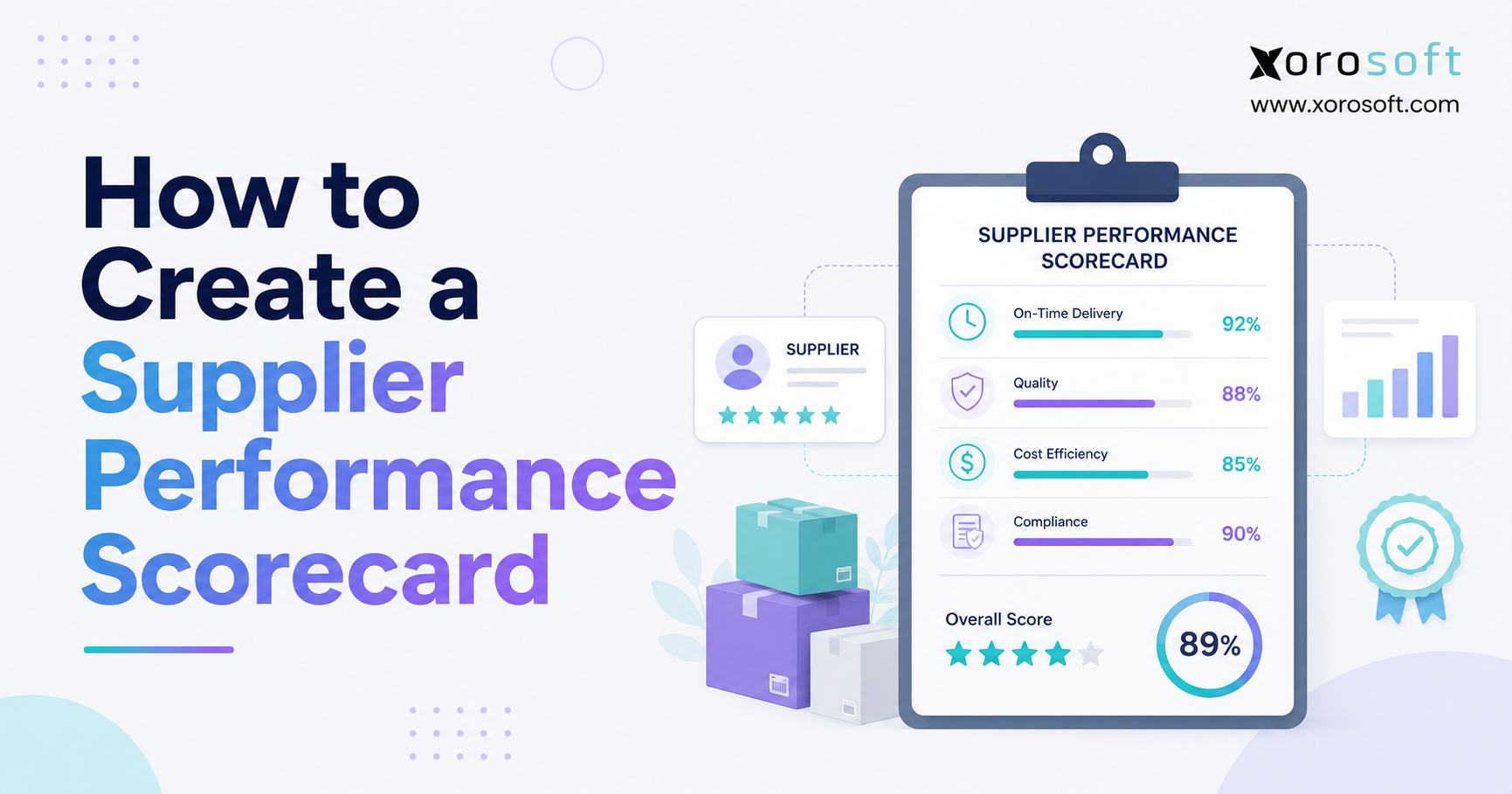
Moreover, supplier performance data helps teams make better sourcing decisions. If one supplier repeatedly ships late, the buyer can adjust safety stock, reorder timing, or sourcing strategy.
3.4 Receiving Workflows That Update Inventory
Purchasing does not end when the supplier ships the order. The warehouse must receive goods, verify quantities, inspect exceptions, and update stock. If receiving happens outside the purchasing workflow, inventory records become unreliable.
A connected purchasing system allows warehouse teams to receive against purchase orders. When only part of the order arrives, the system should record the partial receipt and keep the remaining quantity open.
As a result, buyers can see what still needs to arrive, warehouse teams can work from accurate expected quantities, and finance teams can match invoices with received goods.
3.5 Accounting Handoff for Bills, Costs, and Inventory Value
Purchasing also affects finance. Supplier invoices, landed costs, duties, freight, inventory valuation, and accounts payable all depend on accurate purchase order and receiving data.
When purchasing, receiving, and accounting are disconnected, finance teams spend more time reconciling records. A connected workflow reduces manual handoffs and helps month-end close run with fewer surprises.
Therefore, purchasing software should not be evaluated only by buyers. Finance and warehouse leaders should also review how the system handles cost updates, receiving exceptions, and supplier documents.
4. Core Wholesale Procurement Software Features to Look For
Not every purchasing tool is built for wholesale operations. Some systems create purchase orders but do not support forecasting, warehouse receiving, supplier lead time tracking, or accounting integration. Growing distributors should evaluate features based on operational fit, not only software checklists.
4.1 Purchase Order Automation for Wholesale Teams
Purchase order automation helps buyers create purchase orders faster and with fewer errors. The system should pull supplier details, item costs, item codes, warehouse location, and expected delivery dates into the PO workflow.
Automation should not remove buyer judgment. Instead, it should reduce repetitive work so buyers can focus on supplier strategy, timing, and inventory risk.
In practice, the best automation supports decision-making rather than replacing it. For example, the system may recommend a reorder quantity, while the buyer adjusts it based on upcoming promotions or supplier constraints.
4.2 Supplier Management for Wholesale Distribution
Supplier management is critical for wholesalers that work with many vendors, overseas manufacturers, private-label suppliers, or seasonal product lines. The system should help track supplier terms, lead times, minimum order quantities, purchasing history, and vendor performance.
A supplier record should not live only in a buyer’s inbox. The entire team that depends on that supplier should be able to access the same information.
Additionally, supplier records help new team members ramp faster. Instead of relying on tribal knowledge, they can review vendor terms, contacts, past orders, and delivery patterns in one place.
4.3 Inventory Replenishment Software for Better Stock Planning
Inventory replenishment software helps businesses decide when and how much to reorder. It should consider current stock, sales velocity, committed demand, safety stock, incoming purchase orders, supplier lead times, and seasonality.
Without replenishment logic, buyers often rely on instinct. That may work for a few products, but it becomes unreliable as SKU count grows.
Therefore, replenishment should be treated as a planning process, not only a purchasing task. Better replenishment protects both revenue and working capital.
4.4 Demand Forecasting for Wholesale Purchasing Decisions
Demand forecasting gives buyers a forward-looking view of inventory needs. It can use historical demand, sales trends, seasonality, promotions, channel performance, and wholesale order cycles.
Forecasting does not guarantee perfect purchasing. However, it gives buyers a better starting point than looking only at today’s stock level.
For instance, a seasonal business may need to purchase inventory months before the sales spike arrives. Without forecasting, buyers may wait until demand is visible, which is often too late.
4.5 Multi-Warehouse Purchasing Software for Location-Level Visibility
Multi-warehouse purchasing software helps teams see stock by location. This matters because company-wide inventory totals can be misleading. One warehouse may have too much stock while another location is close to stockout.
Location-level purchasing visibility helps buyers decide whether to reorder from a supplier, transfer inventory between warehouses, or adjust allocation rules.
In addition, location-specific visibility reduces unnecessary purchasing. If one warehouse has excess stock, the business may solve the problem with a transfer instead of a new supplier order.
4.6 Warehouse Receiving Integration for Cleaner Inventory Records
Warehouse receiving should connect directly to purchasing. Teams need to receive against open purchase orders, record shortages, track overages, and handle damaged goods.
Businesses that need stronger receiving controls should also evaluate warehouse management software for receiving and fulfillment because warehouse accuracy directly affects purchasing decisions.
Moreover, receiving integration improves accountability. Buyers can see whether a supplier shipped correctly, while warehouse teams can record discrepancies without creating separate manual notes.
4.7 ERP Purchasing Software for Connected Operations
ERP purchasing software goes beyond standalone PO management. It connects purchasing with inventory, accounting, warehouse management, forecasting, reporting, ecommerce, and sometimes manufacturing.
For wholesalers that need this broader connection, ERP software for wholesale and ecommerce operations can help purchasing teams operate with better visibility across the business.
As operations become more complex, this connection becomes more important. Otherwise, each department may optimize its own workflow while the business still lacks one reliable operating picture.
4.8 Ecommerce and Shopify Purchasing Support
Ecommerce demand can change quickly. A wholesale business that sells through Shopify, Amazon, and wholesale customers needs purchasing software that accounts for all demand sources.
For Shopify merchants reviewing ERP options, the Xorosoft ERP Shopify app listing can fit naturally into the evaluation process when purchasing, inventory, and ecommerce operations need to work together.
Additionally, ecommerce inventory must stay accurate across channels. If purchasing decisions ignore Shopify or Amazon demand, the business may look stocked on paper while real availability is already under pressure.
5. Wholesale Purchasing Software vs Inventory Software vs ERP
Choosing the right system depends on the problem the business needs to solve. Some wholesalers need better purchase order control. Others need inventory accuracy. More advanced teams need a connected ERP system because purchasing decisions affect multiple departments.
5.1 When a Standalone Purchasing Tool Is Enough
A standalone purchasing tool can work when the business mainly needs cleaner purchase orders, supplier records, and approval workflows. It may be enough for a small wholesale operation with simple inventory, one warehouse, limited suppliers, and basic accounting needs.
However, the tool may become limiting if it does not support multi-warehouse inventory, warehouse receiving, ecommerce demand, landed cost, or finance integration.
In other words, a purchasing tool solves the document problem. It may not solve the operational planning problem.
5.2 When Inventory Software Is the Better Fit
Inventory software is useful when the business mainly struggles with stock visibility. It helps track quantities, locations, transfers, adjustments, and product availability. Many inventory systems also include basic purchasing features.
The limitation is that inventory software may not fully support supplier management, approval workflows, accounting handoff, forecasting, EDI, or broader ERP-level reporting.
Therefore, inventory software may be a stepping stone. It improves stock control, but it may not connect every workflow that purchasing touches.
5.3 When Wholesale ERP Software Becomes the Right Move
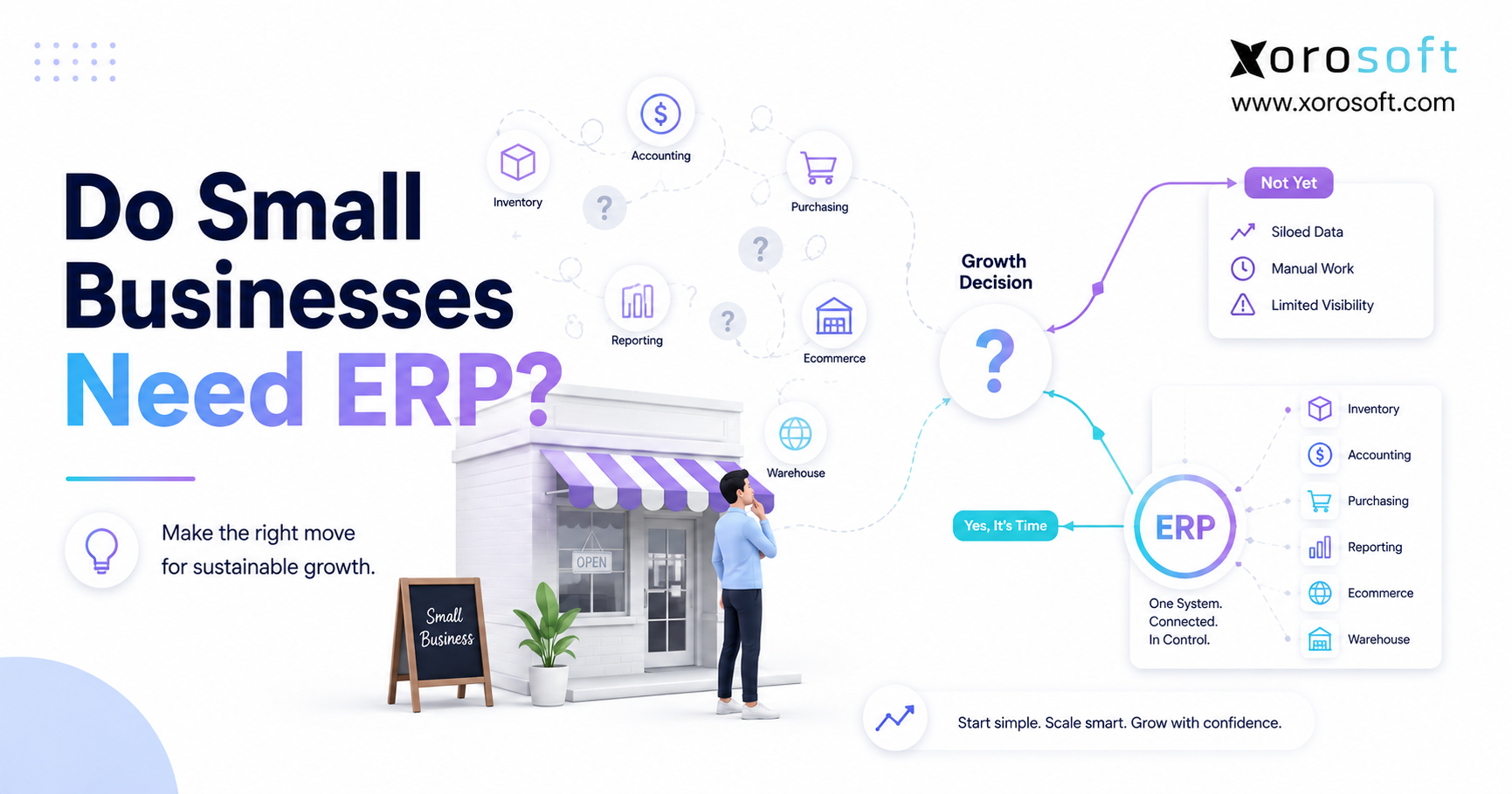
Wholesale ERP software becomes more relevant when purchasing, inventory, accounting, warehousing, ecommerce, and reporting need to work from the same system. This usually happens when a company has grown beyond spreadsheets, QuickBooks, and disconnected inventory apps.
A cloud ERP platform for inventory-driven businesses can help centralize these workflows so operators are not forced to reconcile purchasing data across several systems.
For growing distributors, the ERP decision is often less about company size and more about operational dependency. If purchasing decisions affect many departments every day, a connected platform becomes easier to justify.
5.4 Purchasing Tool vs Inventory Software vs ERP Table
| Capability | Purchasing Tool | Inventory Software | Wholesale ERP Software |
| Purchase orders | Strong | Basic to moderate | Strong |
| Supplier management | Moderate | Basic | Strong |
| Replenishment planning | Basic | Moderate | Strong |
| Demand forecasting | Limited | Moderate | Strong |
| Multi-warehouse support | Limited | Moderate | Strong |
| Warehouse receiving | Limited | Moderate | Strong |
| Accounting integration | Limited | Basic | Strong |
| Shopify and Amazon workflows | Limited | Moderate | Strong |
| EDI support | Rare | Limited | Available in stronger ERP setups |
| Reporting | Basic | Moderate | Broad operational reporting |
6. When Spreadsheets and QuickBooks Stop Working for Wholesale Purchasing
Many wholesalers do not replace spreadsheets because they dislike spreadsheets. They replace them because the business has outgrown the level of control spreadsheets can provide.
6.1 Wholesale Purchase Order Software Becomes Necessary When POs Multiply
A small team can track a few purchase orders manually. Once purchase orders multiply across suppliers, warehouses, and product lines, the manual process becomes fragile.
Buyers need to know which POs are pending approval, sent, confirmed, delayed, partially received, or closed. Without that visibility, supplier follow-up becomes reactive.
Eventually, the team spends more time checking the status of purchase orders than improving buying decisions. That is usually a sign that wholesale purchase order software is no longer optional.
6.2 Inventory Purchasing Software Is Needed When Stock Data Cannot Be Trusted
Purchasing depends on inventory accuracy. If buyers do not trust available stock, they may overbuy to protect against stockouts. In other cases, they may underbuy because the spreadsheet shows inventory that is not actually available.
Inventory purchasing software helps buyers review on-hand stock, committed stock, incoming inventory, and reorder needs before creating new purchase orders.
As a result, buyers can make decisions based on real inventory position rather than assumptions. This improves both service levels and cash flow.
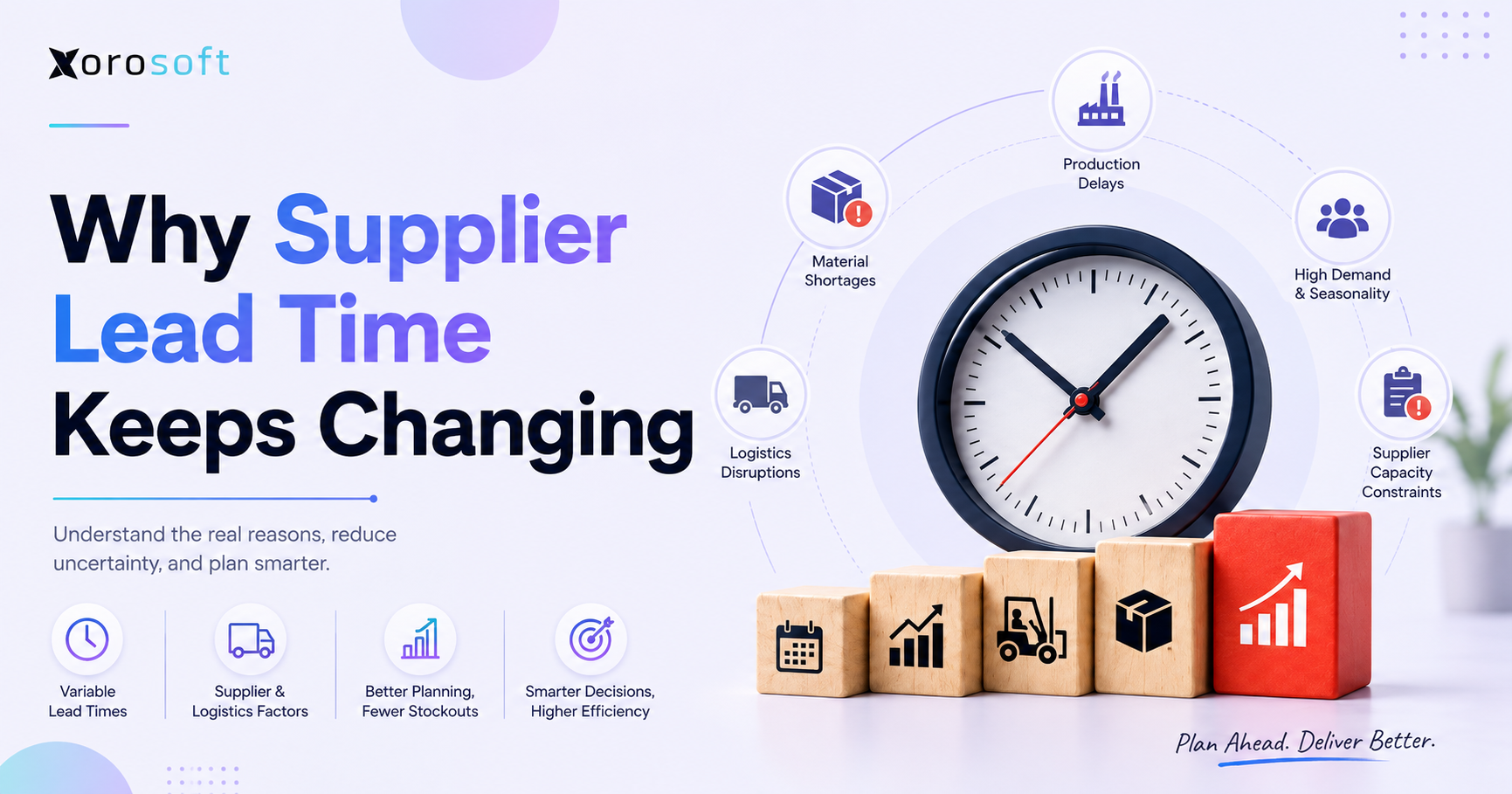
6.3 Supplier Lead Time Problems Become Harder to Manage Manually
Lead times can change often, especially when suppliers operate overseas, ship by container, or handle seasonal production. If lead time updates live in email threads, the purchasing team cannot easily adjust reorder planning.
A better system tracks expected arrival dates and supplier performance in a structured way. That helps buyers reorder earlier when suppliers slow down and avoid unnecessary safety stock when vendors become more reliable.
In addition, lead time history helps leadership understand supplier risk. If one vendor consistently misses dates, the business can respond before the next stockout occurs.
6.4 Accounting Teams Need Purchasing Data They Can Reconcile
QuickBooks can support many early-stage finance teams, but wholesale purchasing creates more complexity as inventory grows. Finance teams need reliable data for supplier bills, receipts, landed costs, inventory valuation, and reconciliation.
Businesses often compare ERP options when QuickBooks and purchasing spreadsheets no longer provide enough operational control. For teams evaluating alternatives, a modern NetSuite alternative for inventory-driven businesses may be part of the research process.
Meanwhile, accounting teams benefit when purchase orders, receipts, and supplier bills connect cleanly. That connection reduces manual cleanup and improves financial visibility.
6.5 Free ERP Readiness Assessment
At this stage, the important question is not “Which tool has the most features?” The better question is “Which workflows are breaking today, and which workflows will break next?”
A readiness assessment should review purchasing, inventory, warehouse receiving, accounting, ecommerce, supplier data, reporting, and growth plans before the business chooses software.
Therefore, teams should evaluate software around workflow maturity. If purchasing problems are connected to inventory, finance, and fulfillment, the business may need more than a standalone tool.
7. How Wholesale Purchasing Software Connects Inventory, Warehouse, and Finance
Purchasing decisions sit at the center of wholesale operations. A purchase order may begin with a buyer, but it affects the warehouse, finance team, sales team, and customer experience.
7.1 Purchasing and Inventory Accuracy
Inventory accuracy depends on clean purchasing and receiving data. Buyers need to know what stock exists, what stock is committed, what stock is incoming, and what stock is delayed.
When incoming purchase orders are not visible, sales teams may miss future availability. If received stock does not update quickly, ecommerce channels may oversell or undersell.
Therefore, purchasing visibility is part of inventory accuracy. It gives teams a better view of what stock will be available soon, not only what sits in the warehouse today.
7.2 Purchasing and Warehouse Receiving
Warehouse teams need to know what inventory is expected, when it should arrive, and how it should be received. A disconnected process creates confusion at the dock.
If a shipment arrives without clear purchase order details, receiving slows down. After the warehouse receives goods, inventory must update quickly so buyers and sales teams can work with accurate information.
In addition, receiving data helps buyers evaluate supplier performance. A supplier that often ships short quantities may need different reorder rules or stronger follow-up.
7.3 Purchasing and Accounting
Purchasing affects accounts payable, landed costs, inventory valuation, margins, and month-end close. When buyers change costs or suppliers ship partial quantities, accounting needs accurate records.
A connected purchasing workflow reduces the need for finance teams to chase documents across email, spreadsheets, warehouse systems, and accounting software.
Because of this, purchasing software should be evaluated with accounting requirements in mind. Otherwise, the operations team may improve PO tracking while finance still handles manual reconciliation.
7.4 Purchasing and Forecasting
Forecasting helps purchasing teams plan future inventory needs. It supports better buying decisions by considering demand patterns, supplier lead times, seasonality, and customer commitments.
Without forecasting, purchasing becomes reactive. Buyers wait for stock to become low, then rush to place orders. That approach often increases freight costs and customer service issues.
On the other hand, forecast-driven buying helps teams prepare earlier. It also supports better cash planning because leadership can see future purchasing commitments before orders become urgent.
8. Wholesale Purchasing Software Use Cases by Industry
Wholesale purchasing needs change by industry. The right system should match how products move, how suppliers operate, and how customers buy.
8.1 Apparel Wholesale Purchasing Software
Apparel wholesalers manage size, color, style, season, and collection complexity. One product can have dozens of variants, and demand may shift quickly between sizes or colors.
Purchasing software helps apparel teams buy at the variant level, plan seasonal inventory, manage supplier minimums, and avoid ending the season with the wrong stock mix.
For example, a jacket may sell quickly in one size and slowly in another. Therefore, buyers need variant-level visibility rather than one broad product total.
8.2 Furniture Wholesale Procurement Software
Furniture wholesalers often deal with long lead times, bulky inventory, container planning, and limited warehouse space. A poor purchase decision can tie up cash and space for months.
A purchasing system helps teams track supplier commitments, expected arrival dates, container schedules, and warehouse capacity before placing large orders.
Additionally, furniture purchasing often requires stronger planning because replenishment cannot happen overnight. Late buying can delay customer orders, while early buying can create storage pressure.
8.3 Sporting Goods Purchasing Software for Seasonal Demand
Sporting goods distributors often plan around seasons, school schedules, tournaments, and promotional cycles. Demand may spike for specific products and then drop quickly.
Demand forecasting and replenishment planning help buyers prepare earlier while reducing leftover stock after the season ends.
In practice, this means buyers need to balance opportunity and risk. They must have enough inventory before demand peaks, but not so much that the warehouse carries excess stock after the season passes.
8.4 Food and Beverage Wholesale Purchasing Software
Food and beverage wholesalers must consider shelf life, batch tracking, supplier timing, storage requirements, and demand swings. Poor purchasing can lead to spoilage, shortages, and margin loss.
A strong purchasing workflow helps teams align replenishment with expiry dates, supplier schedules, and warehouse handling requirements.
Moreover, food and beverage purchasing often needs tighter coordination between buying and receiving. If inventory arrives late or in the wrong quantity, the issue can affect both service levels and product freshness.
8.5 Manufacturing and Industrial Purchasing Workflows
Manufacturers and industrial distributors need purchasing workflows that connect to raw materials, components, BOMs, work orders, and production planning. If materials arrive late, production can slow down.
ERP platforms can be useful when purchasing depends on both sales demand and production requirements. Industry-specific planning is especially important for teams reviewing ERP for wholesale, apparel, furniture, sporting goods, and manufacturing.
As a result, manufacturing purchasing often requires more than supplier tracking. Buyers must understand production schedules, material requirements, and inventory availability at the same time.
8.6 Ecommerce Wholesale Purchasing Software for Shopify, Amazon, and EDI
Ecommerce wholesale creates a different type of pressure. Shopify demand, Amazon sales, wholesale orders, and EDI customers can all draw from the same inventory pool.
Wholesale Purchasing Software should help buyers understand total demand across channels. Otherwise, each channel may appear healthy while the combined inventory position is actually weak.
In addition, channel demand can change quickly. Therefore, ecommerce wholesalers need purchasing workflows that keep up with sales velocity, inventory allocation, and incoming stock.
9. Common Mistakes When Choosing Wholesale Purchasing Software
Choosing software without understanding the purchasing workflow can create expensive problems. A system may look strong in a demo but fail during real operations if it does not match how the business buys, receives, and accounts for inventory.
9.1 Choosing Purchase Order Software That Only Creates POs
Purchase order creation is important, but it is not the full problem. Wholesale teams also need supplier tracking, replenishment planning, receiving visibility, accounting integration, and reporting.
A system that only creates POs may organize documents but still leave buyers guessing about what to buy next.
Therefore, teams should test whether the software helps with purchasing decisions, not only purchase order formatting.
9.2 Ignoring Supplier Lead Times in Wholesale Procurement Software
Supplier lead times shape reorder timing. If lead times are inaccurate, reorder points become unreliable. Buyers may reorder too late or carry excess safety stock to compensate.
A strong system should help track supplier timing and make lead time visible during purchasing decisions.
For this reason, supplier data should be treated as active planning data. It should not be buried in old emails or static spreadsheets.
9.3 Missing Multi-Warehouse Purchasing Requirements
A business with more than one warehouse needs purchasing visibility by location. Total inventory can hide location-level shortages.
Before choosing software, wholesalers should confirm whether the system can show stock, demand, incoming inventory, and replenishment needs by warehouse.
Otherwise, the team may buy more inventory even when the right stock already exists in another location.
9.4 Treating Accounting Integration as Optional
Purchasing creates financial commitments. Supplier bills, landed cost, inventory value, and margin reporting all depend on clean purchasing data.
If accounting integration is weak, finance teams may still need to reconcile data manually. That defeats much of the value of software.
In addition, weak accounting integration can make month-end close slower. Operations may improve, but finance may still carry the burden of disconnected records.
9.5 Forgetting About Shopify, Amazon, and EDI Demand
Modern wholesalers often sell through multiple channels. If purchasing software does not account for ecommerce and EDI demand, replenishment planning may be incomplete.
The right system should reflect how inventory is actually consumed across the business.
As a result, buyers should ask whether the system can support current channels and future channels. This prevents another software change when the business grows.
10. How to Choose the Right Wholesale Purchasing Software
The best Wholesale Purchasing Software is not always the system with the longest feature list. It is the system that fits the company’s buying complexity, inventory model, supplier base, warehouse setup, accounting requirements, and growth plans.
10.1 Start with the Wholesale Purchasing Problems You Need to Solve
Before comparing vendors, identify the operational pain. Is the team struggling with stockouts, overstock, supplier delays, PO approvals, receiving errors, or accounting reconciliation?
Clear problem definition helps avoid buying software that solves the wrong issue.
For example, if the real problem is supplier lead time visibility, a simple PO tool may not be enough. However, if the issue is only approval control, a lighter purchasing system may work.
10.2 Map the Purchasing Workflow Before Evaluating Software
Document the complete purchasing workflow:
| Workflow Step | Questions to Ask |
| Reorder planning | How do buyers know what to buy? |
| PO creation | Who creates and approves purchase orders? |
| Supplier confirmation | How are changes and delays tracked? |
| Receiving | How does the warehouse receive against POs? |
| Inventory update | When does stock become available? |
| Accounting handoff | How are bills and costs reconciled? |
| Reporting | Which purchasing metrics matter? |
This map makes vendor evaluation more practical. It also helps the team see where delays, duplicate work, and data gaps currently appear.
10.3 Review Integration Needs Before Shortlisting Vendors
Wholesale purchasing software should connect with the systems that drive inventory decisions. This may include accounting software, warehouse management, Shopify, Amazon, EDI, shipping, forecasting, reporting, and manufacturing.
If those integrations are missing, the team may still rely on manual exports and spreadsheets.
Therefore, integration requirements should be defined early. Otherwise, the business may choose a tool that looks useful but cannot support the actual operating model.
10.4 Compare Short-Term Purchasing Tools with Long-Term ERP Needs
A focused purchasing tool may be enough for a simpler business. However, growing wholesalers often need broader ERP capability when purchasing connects to inventory, accounting, warehouse management, ecommerce, manufacturing, and reporting.
The decision should be based on operational complexity, not company size alone.
In many cases, the best question is not whether the business is “big enough” for ERP. Instead, the question is whether the company’s workflows are connected enough to need one shared system.
10.5 Use Better Questions During Software Demos
Ask practical questions during demos:
| Evaluation Question | Why It Matters |
| Can the system recommend purchase orders? | Shows replenishment capability |
| Can buyers see incoming inventory? | Prevents duplicate purchasing |
| Can supplier lead times be tracked? | Improves reorder planning |
| Can receiving happen against POs? | Improves inventory accuracy |
| Can accounting match bills to receipts? | Reduces reconciliation |
| Can it support multiple warehouses? | Supports growth |
| Can it handle Shopify, Amazon, or EDI? | Supports channel complexity |
| Can reporting show purchasing performance? | Improves management visibility |
Additionally, ask vendors to walk through real scenarios. For instance, show what happens when a supplier ships partial quantities, changes delivery dates, or invoices a different amount than expected.
11. Where Xorosoft Fits in Wholesale Purchasing Operations
A platform such as Xorosoft becomes relevant when a wholesale business needs purchasing to connect with inventory, warehouse management, accounting, forecasting, ecommerce, reporting, and manufacturing instead of operating as a separate workflow.
11.1 A Cloud ERP Approach to Wholesale Purchasing Software
Xorosoft is a cloud ERP platform built for inventory-driven businesses. It brings inventory management, accounting, purchasing, warehouse management, manufacturing, forecasting, reporting, and ecommerce operations into one system.
For wholesalers, that matters because purchasing decisions affect far more than supplier orders. They affect available stock, warehouse receiving, customer commitments, cash flow, and financial reporting.
As a result, a connected ERP approach can help teams reduce duplicate data entry and improve operational visibility across departments.
11.2 When Xorosoft May Fit Better Than Disconnected Purchasing Tools
Xorosoft may fit businesses that have outgrown QuickBooks, spreadsheets, inventory-only software, warehouse apps, EDI apps, or purchasing spreadsheets. These tools may work individually, but they often create duplicate data entry and inconsistent reporting.
A connected ERP approach helps teams reduce manual handoffs and make purchasing decisions using shared operational data.
In addition, it can help leadership see purchasing, inventory, warehouse, accounting, and ecommerce activity in one operating view.
11.3 Wholesale Workflows Xorosoft Can Support
Xorosoft can support purchase orders, supplier management, multi-warehouse inventory, Shopify operations, Amazon sales, EDI workflows, forecasting, accounting, warehouse management, manufacturing, and reporting.
This makes it especially relevant for wholesalers that need purchasing to reflect real inventory movement across several departments and channels.
Moreover, businesses that manufacture or assemble products can benefit when purchasing connects to materials, work orders, and production planning.
11.4 Who Should Consider an ERP Platform Like Xorosoft?
An ERP platform like Xorosoft is usually most relevant for inventory-driven businesses that sell physical products, manage suppliers, operate warehouses, sell wholesale, sell through Shopify or Amazon, use EDI, manufacture products, or need better operational visibility.
Growing businesses often evaluate ERP when they no longer want purchasing, inventory, accounting, and warehouse teams working from separate systems.
That said, ERP is not necessary for every company. It becomes more relevant when disconnected workflows create reporting gaps, purchasing errors, and operational delays.
12. Implementation Planning for Wholesale Purchasing Software
Software selection is only part of the work. Implementation determines whether the new system improves the business or becomes another tool the team works around.
12.1 Clean Supplier and Item Data Before Migration
Supplier and item data should be reviewed before implementation. This includes vendor names, contacts, SKUs, vendor SKUs, item costs, payment terms, minimum order quantities, lead times, case packs, and warehouse locations.
Clean data improves purchase order accuracy from day one.
Additionally, clean data reduces user frustration during rollout. If buyers see incorrect costs or missing supplier terms immediately, trust in the new system can drop quickly.
12.2 Define Purchase Approval Rules
Approval rules should be clear before the system goes live. Decide who can create purchase orders, who can approve them, which purchase amounts require additional review, and how exceptions should be handled.
Clear approval rules reduce bottlenecks and prevent unauthorized buying.
However, approval rules should not become so rigid that urgent purchasing decisions stall. The best process balances control with speed.
12.3 Connect Purchasing Software to Warehouse Receiving
Receiving should be included in the implementation plan. If purchase orders are created in the system but warehouse teams do not receive against them, inventory accuracy will still suffer.
Buyers, warehouse teams, and finance users should agree on how receipts, partial shipments, damages, and supplier discrepancies will be handled.
As a result, implementation should involve every department that touches the purchasing workflow, not only the buying team.
12.4 Train Purchasing, Warehouse, and Finance Teams Together
Purchasing workflows cross departments. Buyers need warehouse accuracy. Warehouse teams need PO visibility. Finance teams need clean receipt and cost data.
Training these teams together helps each department understand how its work affects the next step.
In addition, cross-functional training reduces blame when issues appear. Instead of seeing errors as another team’s problem, users understand the full workflow.
12.5 Set Reporting Expectations Before Launch
Reporting should not be an afterthought. Leaders should define which purchasing reports matter before launch.
Common reports include open purchase orders, supplier lead time performance, inventory on order, slow-moving stock, stockout risk, overstock risk, purchasing spend, and receiving exceptions.
Therefore, reporting requirements should be part of implementation planning. Otherwise, teams may go live and later realize that key operating metrics were never configured.
13. Wholesale Purchasing Software Comparison by Business Stage
Different businesses need different software depth. A small wholesaler may not need ERP immediately. A multi-warehouse distributor with ecommerce, EDI, and accounting complexity may need it sooner.
13.1 Business Stage and Software Fit Table
| Business Stage | Common Purchasing Problem | Best-Fit Software |
| Early wholesaler | Manual POs and supplier tracking | Basic purchasing software |
| Growing distributor | Stockouts, overstock, supplier delays | Inventory purchasing software |
| Multi-warehouse wholesaler | Location-level replenishment gaps | Advanced inventory system or ERP |
| Ecommerce wholesaler | Shopify, Amazon, and wholesale demand | ERP with ecommerce integration |
| EDI distributor | Retailer compliance and order commitments | ERP with EDI support |
| Manufacturer-distributor | Raw materials and production dependency | ERP with manufacturing and purchasing |
13.2 When a Wholesaler Should Upgrade from a Purchasing App to ERP
A wholesaler should consider ERP when purchasing decisions depend on multiple departments. If buyers need real-time inventory, warehouse teams need PO visibility, finance needs clean costs, and leadership needs reporting, a standalone app may not be enough.
The upgrade point usually appears when disconnected systems create more work than they save.
In addition, ERP becomes more compelling when the business wants one source of truth for purchasing, inventory, accounting, ecommerce, warehouse management, and reporting.
14. FAQs About Wholesale Purchasing Software
14.1 What is Wholesale Purchasing Software?
Wholesale Purchasing Software helps wholesalers manage supplier buying, purchase orders, replenishment, receiving, approvals, and inventory purchasing decisions. The system gives teams one structured workflow for deciding what to buy, when to buy, how much to buy, and which supplier to use. As a result, purchasing becomes more planned and less reactive.
14.2 How does wholesale purchasing software work?
This type of system connects purchasing data with inventory, suppliers, warehouses, and sometimes accounting. Teams can track stock levels, supplier lead times, reorder points, purchase orders, expected delivery dates, receiving status, and demand trends. Therefore, buyers can make decisions using operational data instead of scattered spreadsheets.
14.3 Which businesses need purchasing software for wholesalers?
Wholesale distributors, ecommerce wholesalers, apparel brands, furniture companies, sporting goods distributors, food suppliers, industrial distributors, and manufacturers may need it. The need becomes stronger when a business manages many SKUs, suppliers, warehouses, and sales channels. In addition, companies with EDI or marketplace demand often need stronger purchasing controls.
14.4 What are the main benefits of wholesale procurement software?
Key benefits include better PO control, stronger supplier visibility, fewer stockouts, less overstock, improved replenishment planning, cleaner receiving workflows, better inventory accuracy, and stronger cash flow visibility. Moreover, wholesale procurement software helps teams reduce manual work and make purchasing decisions earlier.
14.5 Is wholesale purchasing software the same as procurement software?
Not exactly. Procurement software may manage broader buying needs, including services and indirect spend. Wholesale purchasing software focuses more specifically on inventory buying, supplier orders, replenishment, warehouse receiving, and stock planning. Therefore, wholesalers should evaluate whether the system understands inventory-driven purchasing.
14.6 How is wholesale purchasing software different from inventory software?
Inventory software tracks stock levels, locations, transfers, and availability. Wholesale purchasing software focuses on buying stock from suppliers. ERP systems often connect both areas with accounting, warehouse management, forecasting, and reporting. As a result, the right choice depends on whether the business needs stock control, purchasing control, or connected operations.
14.7 What is the difference between purchasing software and ERP?
Purchasing software manages purchase orders, vendors, approvals, and supplier tracking. ERP includes purchasing but also connects inventory, accounting, warehouse management, forecasting, ecommerce, manufacturing, and reporting. Therefore, ERP becomes more useful when purchasing decisions affect multiple departments.
14.8 Can wholesale purchase order software automate POs?
Yes. Many systems can recommend or create purchase orders based on reorder points, inventory levels, supplier rules, and demand data. However, automation works best when item, supplier, and inventory data are accurate. Otherwise, automated recommendations may still create poor buying decisions.
14.9 Can wholesale purchasing software prevent stockouts?
Better purchasing software can reduce stockout risk by tracking inventory, incoming purchase orders, supplier lead times, reorder points, and forecasted demand. No system can eliminate every shortage. However, better visibility helps prevent many avoidable stockouts and gives buyers more time to respond.
14.10 Can wholesale purchasing software reduce overstock?
Yes. Overstock often happens when buyers lack reliable demand visibility or cannot see incoming inventory. Purchasing software helps reduce duplicate orders, identify slow-moving products, and buy closer to actual demand. As a result, the business can protect cash flow while still supporting customer demand.
14.11 How does supplier management work in wholesale purchasing software?
Good systems support supplier records, lead times, contact details, item costs, minimum order quantities, supplier SKUs, payment terms, and purchase history. This helps buyers compare vendors and track performance. In addition, supplier data supports better reorder planning because buyers can account for real delivery patterns.
14.12 Why does multi-warehouse purchasing matter?
Multi-warehouse support is important when buyers need to see stock, incoming inventory, demand, and replenishment requirements by location. Without it, total inventory numbers can hide shortages at specific warehouses. Therefore, multi-location wholesalers should evaluate warehouse-level purchasing visibility early.
14.13 Can wholesale purchasing software work with Shopify?
Some systems connect with Shopify directly or through integrations. Shopify sellers need purchasing workflows that account for ecommerce demand, available stock, inventory sync, and multi-channel sales. In practice, this helps buyers plan replenishment around real online demand instead of delayed reports.
14.14 Can purchasing software support Amazon demand?
Many systems support Amazon through direct integrations or connectors. Amazon demand can change quickly, so buyers should evaluate whether the system can include marketplace sales velocity in replenishment decisions. Otherwise, purchasing plans may fall behind actual sales activity.
14.15 What role does EDI play in wholesale purchasing software?
EDI is important for wholesalers that sell to larger retailers or trading partners with structured document requirements. Some ERP and wholesale distribution systems support EDI directly or through integrations. As a result, EDI-ready businesses often need purchasing software that can reflect retailer demand and compliance workflows.
14.16 What features should wholesale purchasing software include?
A strong system should include purchase order management, supplier management, reorder planning, demand forecasting, receiving workflows, multi-warehouse support, approval controls, reporting, accounting integration, ecommerce support, and EDI capability when needed. Additionally, growing wholesalers should look for ERP readiness if operations are becoming more connected.
14.17 How much does wholesale purchasing software cost?
Cost depends on user count, modules, integrations, implementation scope, support needs, and operational complexity. Simple tools usually cost less, while ERP platforms require more investment because they connect more business functions. Therefore, buyers should compare cost against the operational problems being solved.
14.18 When should a wholesaler upgrade from spreadsheets?
A wholesaler should upgrade when spreadsheets no longer provide reliable purchasing visibility. Warning signs include frequent stockouts, duplicate purchase orders, unclear supplier updates, receiving errors, overstock, and poor inventory accuracy. At that point, manual tracking often creates more risk than control.
14.19 When should a wholesaler move from QuickBooks to ERP?
ERP becomes worth considering when QuickBooks can no longer support inventory complexity, multi-warehouse purchasing, supplier management, forecasting, landed cost, warehouse workflows, or operational reporting. In other words, ERP becomes relevant when finance, inventory, and purchasing need one connected source of truth.
14.20 What is purchase order automation?
Purchase order automation reduces manual PO work by using rules and data to recommend items, calculate quantities, route approvals, populate supplier details, and track PO status. As a result, buyers can spend less time entering data and more time managing supplier strategy.
14.21 What is inventory replenishment software?
Inventory replenishment software helps businesses decide when and how much inventory to reorder. It usually considers current stock, demand, lead times, incoming purchase orders, reorder points, and safety stock. Therefore, it helps buyers avoid both late purchasing and unnecessary overbuying.
14.22 Why is supplier lead time tracking important?
Supplier lead time tracking measures how long suppliers take to deliver after a purchase order is placed. Accurate lead time data helps buyers set better reorder points and avoid late purchasing. In addition, it helps the business identify supplier risk before delays affect customers.
14.23 How does demand forecasting improve wholesale purchasing?
Demand forecasting helps buyers plan future inventory needs using sales history, seasonality, promotions, wholesale order cycles, and channel demand. This improves reorder timing and reduces stockout and overstock risk. Moreover, it gives leadership better visibility into future inventory commitments.
14.24 Which mistakes should buyers avoid when choosing purchasing software?
Common mistakes include choosing a tool that only creates purchase orders, ignoring multi-warehouse needs, missing accounting integration, overlooking supplier lead times, and failing to include ecommerce or EDI demand. Therefore, buyers should evaluate the full purchasing workflow before selecting software.
14.25 Is ERP better than standalone purchasing software?
ERP is better when purchasing must connect with inventory, accounting, warehouse management, forecasting, ecommerce, manufacturing, and reporting. Standalone purchasing software may work for simpler businesses with limited operational complexity. However, ERP becomes more useful when disconnected systems slow down daily operations.
15. Strategic Takeaway for Wholesale Purchasing Software Buyers
15.1 Build Purchasing Around Real Inventory Movement
Wholesale purchasing should not operate separately from inventory reality. Buyers need visibility into stock levels, supplier commitments, incoming inventory, warehouse receiving, demand patterns, and accounting impact.
The right Wholesale Purchasing Software helps teams make buying decisions with better timing and better information. Instead of reacting to stockouts or overstock after they happen, the business can plan replenishment with more control.
As a result, purchasing becomes a strategic operating function. It protects customer service, cash flow, warehouse efficiency, and financial accuracy at the same time.
15.2 Choose Software Based on Operational Complexity
A simple purchasing tool may work for a small wholesaler. Inventory software may work when stock visibility is the main issue. ERP becomes more relevant when purchasing decisions depend on inventory, accounting, warehousing, ecommerce, forecasting, manufacturing, and reporting.
The best choice depends on how the business actually operates today and where complexity is likely to appear next.
Therefore, buyers should avoid choosing software only by feature lists. Instead, they should map the real workflow, identify the operational gaps, and select a system that can support the next stage of growth.
15.3 Book a Personalized Demo
If your wholesale purchasing process now depends on spreadsheets, QuickBooks, disconnected inventory apps, warehouse tools, or manual supplier follow-ups, it may be time to review a connected ERP approach.
You can book a personalized demo with Xorosoft to see how purchasing, inventory, accounting, warehouse management, forecasting, Shopify, Amazon, EDI, and reporting can work together in one operational system.